Why are my emails blocked by iCloud/mac/me.com despite a good sender reputation?

Updated on 10 Aug 2026: We added Apple's current bulk sender requirements and tightened the troubleshooting steps for intermittent iCloud blocks.
Your emails are blocked by iCloud, mac.com, or me.com despite a good sender reputation because Apple-domain filtering is not based on one global reputation score. Apple says it uses IP reputation, domain reputation, content checks, and user feedback. A good reputation with other mailbox providers does not override Apple-specific filtering for the current sender, message, and recipients.
The word "free" in a subject line is rarely the sole cause. If the rejection happened after the DATA stage, Apple had already received the message body. That means the filter had access to the subject, HTML, plain-text part, links, redirect domains, images, headers, authentication results, and previous behavior for the sender and recipients. Treat a sudden Apple-only block as a campaign-level investigation first, then a sender-level investigation if the pattern repeats.
The fastest answer is this: Apple can block a single campaign from an otherwise healthy sender. That does not prove your whole program has a reputation problem, but it does prove Apple saw enough risk in that send to reject or defer mail.
- Best clue: If the next campaign to the same Apple audience delivered normally, compare content, links, timing, and transient conditions, while continuing to watch IP and domain reputation.
- Worst clue: If several campaigns are blocked across Apple domains, treat it as Apple-specific reputation repair.
- Key gap: Many ESP bounce descriptions are normalized, so the visible error text often hides the original SMTP response.
Why iCloud can block good senders
A sender can look strong in seed tests, inbox placement checks, and other provider dashboards while still failing at Apple domains. Apple does not have to use the same evidence or the same weighting as Gmail, Microsoft, Yahoo, or corporate filtering gateways. It can make a decision based on its own IP and domain reputation, content checks, user feedback, and what the receiving system sees at delivery time.
Separate "general reputation" from "Apple-domain acceptability." General reputation answers whether your program looks healthy overall. Apple-domain acceptability answers whether this specific message, sender identity, IP, and recipient group passes Apple filtering right now.
Good general reputation
- Scope: Looks at broad sending behavior across many mailbox providers and recipient types.
- Limit: Does not prove Apple accepted the latest campaign or trusted its links.
- Use: Helpful for trend checks, volume planning, and broad deliverability health.
Apple-domain acceptability
- Scope: Looks at the sender, IP, domain, content, links, and recipients for Apple mail.
- Limit: Often exposes campaign-level problems that other providers tolerate.
- Use: Critical when iCloud.com, mac.com, and me.com bounce differently than everyone else.
|
|
|
|---|---|---|
Bounce text | Receiver verdict | Raw SMTP |
Links | URL risk | Redirects |
Authentication | Identity proof | Headers |
History | Recipient pattern | Cohorts |
Apple-domain blocks often need evidence from several places, not one reputation score.
The causes to check first
When Apple blocks one campaign and your broader reputation looks good, compare the blocked send with the last accepted send. The important question is not "what word appeared in the subject line?" The better question is "what changed in the full message and delivery context?"
- Content change: A new offer, long body, unusual HTML, missing plain-text part, or heavy image layout can change filtering.
- Link change: A new landing page, redirect chain, tracking domain, shortened URL, or path containing risky wording can affect delivery.
- Identity change: A changed From domain, DKIM selector, return-path, or sending IP can reset part of the trust picture.
- Audience change: Older Apple subscribers, unengaged contacts, and stale addresses produce different signals than active recipients.
- Temporary block: Apple-side filtering or mailbox-state issues can create a short spike that clears on the next send.
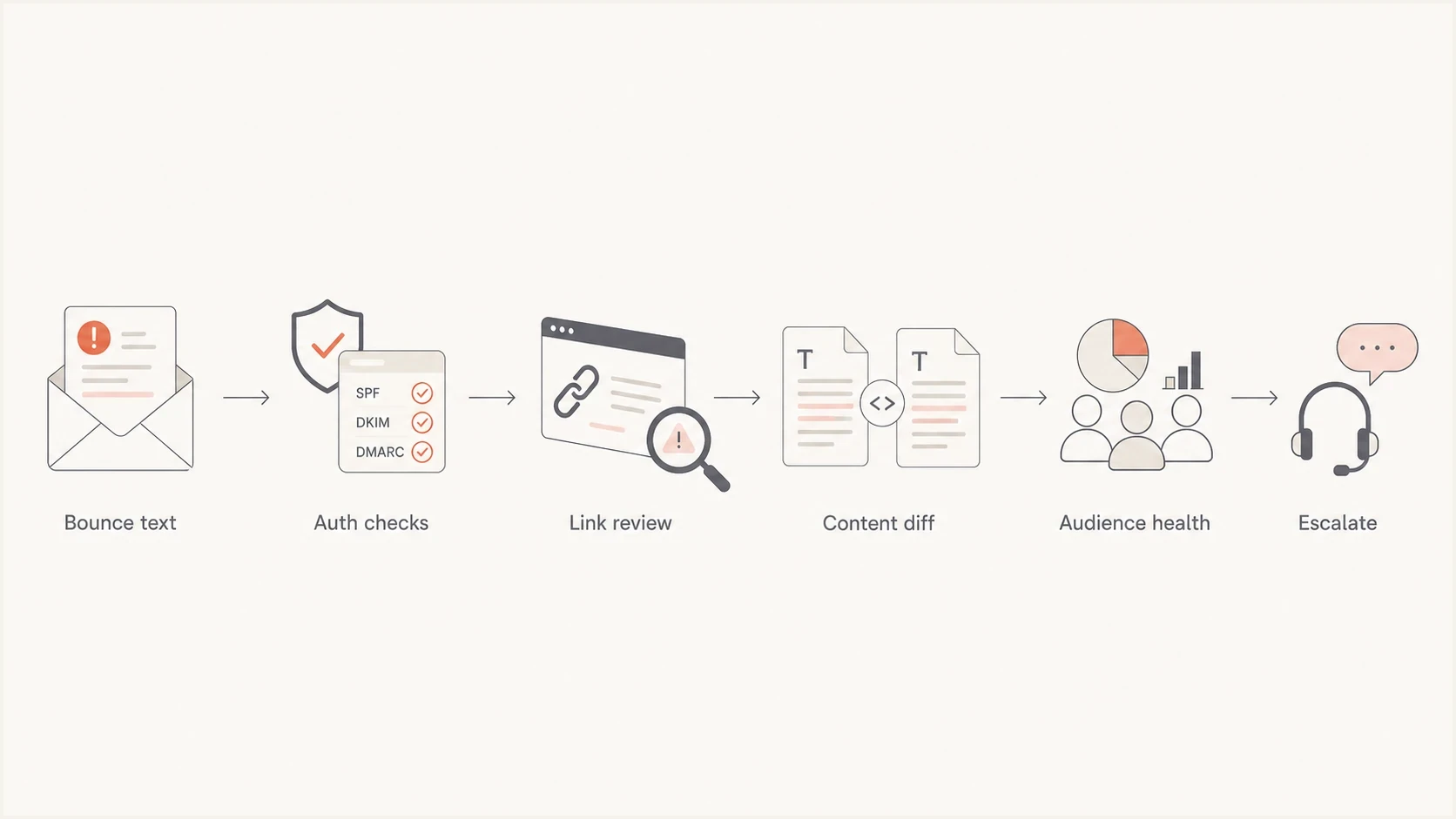
Flowchart for diagnosing iCloud, mac.com, and me.com email blocks.
If the SMTP rejection happened after DATA, do not over-focus on the subject line. At that point, the receiving system has seen the whole message. A subject like "free shipping" can contribute to a verdict, but the verdict usually comes from the complete message and sender context.
How to diagnose the bounce
Start with the rawest bounce data you can get. ESP dashboards often show a friendly category such as "blocked due to spam or sender reputation issue." That category helps with reporting, but it is not always the original SMTP response. Collect the full enhanced status code, remote host, response text, timestamp, campaign ID, and recipient domain.
Then send a controlled copy to a real inbox and inspect the headers. Suped's email tester is useful here because it shows the message as received, not only as configured in the ESP. Run a domain health check to confirm SPF, DKIM, and DMARC are visible in DNS before blaming the campaign.
Email tester
Send a real email to this address. Suped shows a results button when the test is ready.
?/43tests passed
If the same creative passes authentication and delivers to other providers, compare Apple recipients separately. Segment the Apple-domain bounce rate by campaign, IP, domain, subscriber age, engagement, and message version. A block that only hits one A/B variant points to message or link evaluation. A block that follows every Apple send points to sender or IP reputation.
Sanitized bounce text to investigatetext
Status: 5.7.1
Remote domain: icloud.com
Reason: Blocked due to spam or sender reputation issue
Action: Request original SMTP response from the ESP
- Collect raw data: Export the original SMTP response, not only the bounce category shown in a dashboard.
- Compare sends: Put the blocked campaign beside the last accepted Apple campaign and list every difference.
- Inspect links: Check every visible URL, tracking URL, redirect, image host, and landing page domain.
- Check reputation: Check domain and IP blocklist or blacklist entries as supporting evidence, but do not treat a clear result as proof that Apple trusts the sender.
- Retest lightly: Send a small, controlled resend only after changing one variable or confirming the block lifted.
Authentication and sender identity still matter
SPF, DKIM, and DMARC do not guarantee Apple inbox placement, but Apple requires bulk senders to use SPF and DKIM and publish a DMARC policy. Also verify reverse DNS, stable sending IPs and domains, a consistent From name and address, and separate marketing and transactional streams. These controls give Apple a consistent identity to evaluate when content or audience signals create risk.
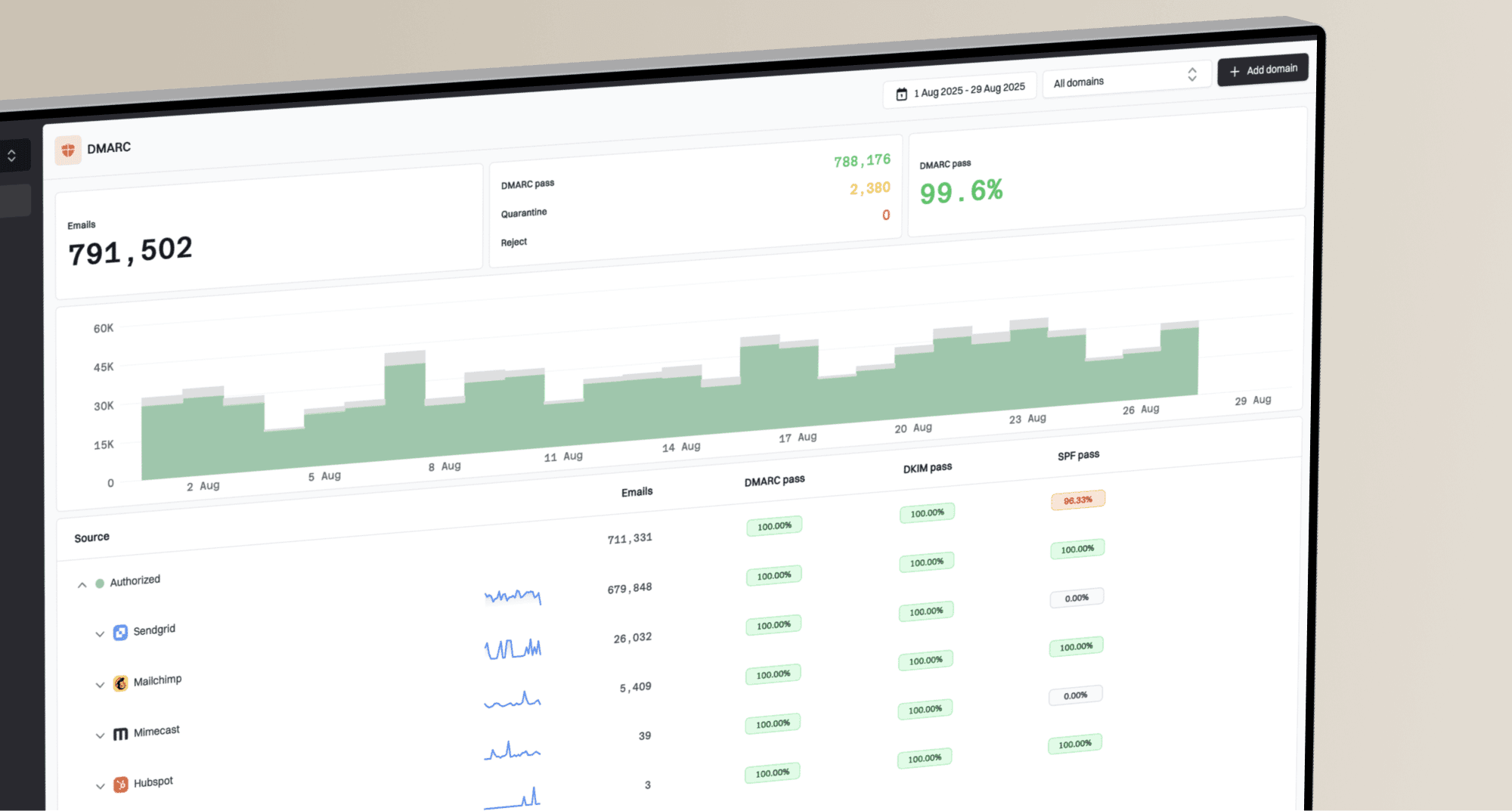
For ongoing monitoring, Suped's DMARC monitoring helps connect authentication failures to real sending sources. Suped's product brings DMARC, SPF, DKIM, hosted SPF, hosted DMARC, hosted MTA-STS, issue detection, and blocklist monitoring into one workflow, so teams can compare authentication and blacklist changes with the timing of an Apple-domain incident.
Basic DNS records to verifydns
_dmarc.example.com TXT "v=DMARC1; p=none; rua=mailto:dmarc@example.com"
example.com TXT "v=spf1 include:send.example.net -all"
selector1._domainkey.example.com TXT "v=DKIM1; k=rsa; p=PUBLICKEY"
DMARC record detail view showing SPF, DKIM, DMARC, rDNS diagnostics, and DNS records
Suped can support the follow-up workflow after the first incident because Apple-domain blocks are rarely solved by one manual lookup. Use recurring reports to confirm that approved senders still pass authentication and that new sources do not appear without review.
- Issue detection: Suped flags authentication problems and gives concrete steps to fix them.
- Alerts: Real-time notifications help catch a failure spike before it becomes a full campaign issue.
- Scale: MSP and multi-tenant views make Apple-domain investigations easier across many domains.
Meet Apple's bulk email requirements
Apple says bulk senders must meet all of its published requirements or mail can be rejected. A good sender reputation elsewhere is not an exception. Check the operating practices behind the campaign as closely as the message itself.
- Consent and opt-out: Send only to explicit subscribers, provide an immediate unsubscribe link, and never reactivate an unsubscribed or suppressed address.
- Stable identity: Publish reverse DNS, use consistent sending IPs and domains, keep the From name and address recognizable, and separate marketing from transactional mail.
- Authentication and standards: Use SPF and DKIM, publish a DMARC policy, comply with RFC 5321 and RFC 5322, and add ARC headers when forwarding email.
- List and bounce hygiene: Track temporary and permanent Apple SMTP errors, handle bouncing addresses consistently, and periodically remove inactive subscribers.
Apple does not offer a bulk-sender allow list or a feedback loop. Build suppression decisions from your own bounces, unsubscribes, engagement history, and Apple-domain trends instead of waiting for a complaint feed or asking to bypass filtering.
What to change before escalating
Before contacting Apple's postmaster team, gather enough evidence to prove the block is specific and recent. A vague "we are blocked" request is weak. Apple asks for your company name, sending domain, affected mail-server IP addresses, SMTP errors, and a detailed description that says when the issue started. Include sample headers, campaign purpose, acquisition practices, and suppression rules when they help explain the incident.
Escalation priority
Use these bands to decide whether to keep testing or ask for receiver-side review.
Low
Campaign review
One campaign or one test cell fails, then the next Apple send works.
Medium
Sender review
Several Apple sends fail, but other providers and authentication look stable.
High
Escalate
Most Apple mail fails across campaigns, IPs, or sender domains.
Make small changes first: remove unnecessary redirects, replace risky landing pages, simplify HTML, confirm the unsubscribe works, suppress long-inactive Apple recipients, and send a low-risk campaign to a small Apple segment. For more bounce-code detail, the related iCloud bounce troubleshooting page breaks down rejection patterns and next steps.
- Preserve evidence: Save the original message source, full bounce response, and exact campaign send window.
- Reduce risk: Pause bulk resends to Apple domains until you know whether the block cleared.
- Clean audience: Suppress stale Apple contacts and hard bounces before testing any revised creative.
- Document consent: Prepare a plain explanation of how subscribers joined and how opt-outs are handled.
- Escalate cleanly: Email icloudadmin@apple.com only after following Apple's best practices and reviewing the original mail logs.
Escalation notes to preparetext
Company: Example Company
Sending IP: 203.0.113.10
Sender domain: mail.example.com
Recipient domains: icloud.com, mac.com, me.com
Bounce window: 2026-06-04 09:00-10:30 UTC
Observed result: 5.7.1 policy rejection after DATA
Authentication: SPF pass, DKIM pass, DMARC pass
Recent change: New landing page URL in campaign body
When it is not a broad reputation problem
A clean send the next morning to roughly the same Apple audience is evidence against a stable, program-wide sender reputation problem, but it is not proof that reputation played no part. Intermittent acceptance can still point to a specific creative or link issue, a temporary classification, a receiver-side condition, or IP and domain reputation near Apple's filtering threshold.
Still record the incident, tag the affected creative, check whether the same links appear in later campaigns, and watch Apple-domain metrics for the next few sends. One isolated block deserves a careful review. A repeated Apple-only block deserves a sender recovery plan.
Do not use a public blocklist (blacklist) result as the only verdict. If the IP is not listed when you check, it still can have been classified during the send window or filtered by content. Keep the timestamped bounce evidence.
Views from the trenches
Best practices
Keep raw SMTP bounce text and timestamps before ESP categories hide useful receiver clues.
Compare accepted and blocked Apple sends by content, links, audience, sender, and IP.
Escalate only after you can explain consent, suppression, authentication, and block timing.
Common pitfalls
Blaming one subject word too quickly hides link, content, and recipient-quality issues.
Checking a blocklist after the fact can miss temporary classifications during the send.
Resending immediately to every Apple contact can reinforce the pattern you need to fix.
Expert tips
Treat Apple-domain reputation as its own signal, separate from broad provider health.
Use a small clean test after changes, then watch Apple bounces across the next campaigns.
Keep proof of dedicated IP ownership and recent volume when asking for receiver review.
An Email Geeks participant says Apple filtering is sophisticated and should not be reduced to one trigger word in a subject line.
2024-02-14 - Email Geeks
An Email Geeks participant says the full bounce response matters because ESP categories can hide what the receiver actually returned.
2024-03-08 - Email Geeks
The practical fix
The practical fix is to prove whether the Apple block follows the campaign or the sender. If it follows the campaign, clean up the message, links, redirects, HTML, audience segment, and landing page. If it follows the sender, tighten authentication, reduce Apple volume, suppress inactive recipients, document consent, and escalate with complete evidence.
Good reputation is a useful starting point, not a pass. Apple can make a narrower decision on iCloud.com, mac.com, and me.com mail than other mailbox providers. Collect the raw bounce, compare what changed, verify DNS and identity, test lightly, then escalate only when the pattern repeats.