When setting up a subdomain, what A record should I use, and when should I use a CNAME?

Matthew Whittaker
Co-founder & CTO, Suped
Published 21 Jul 2025
Updated 18 May 2026
10 min read
Summarize with
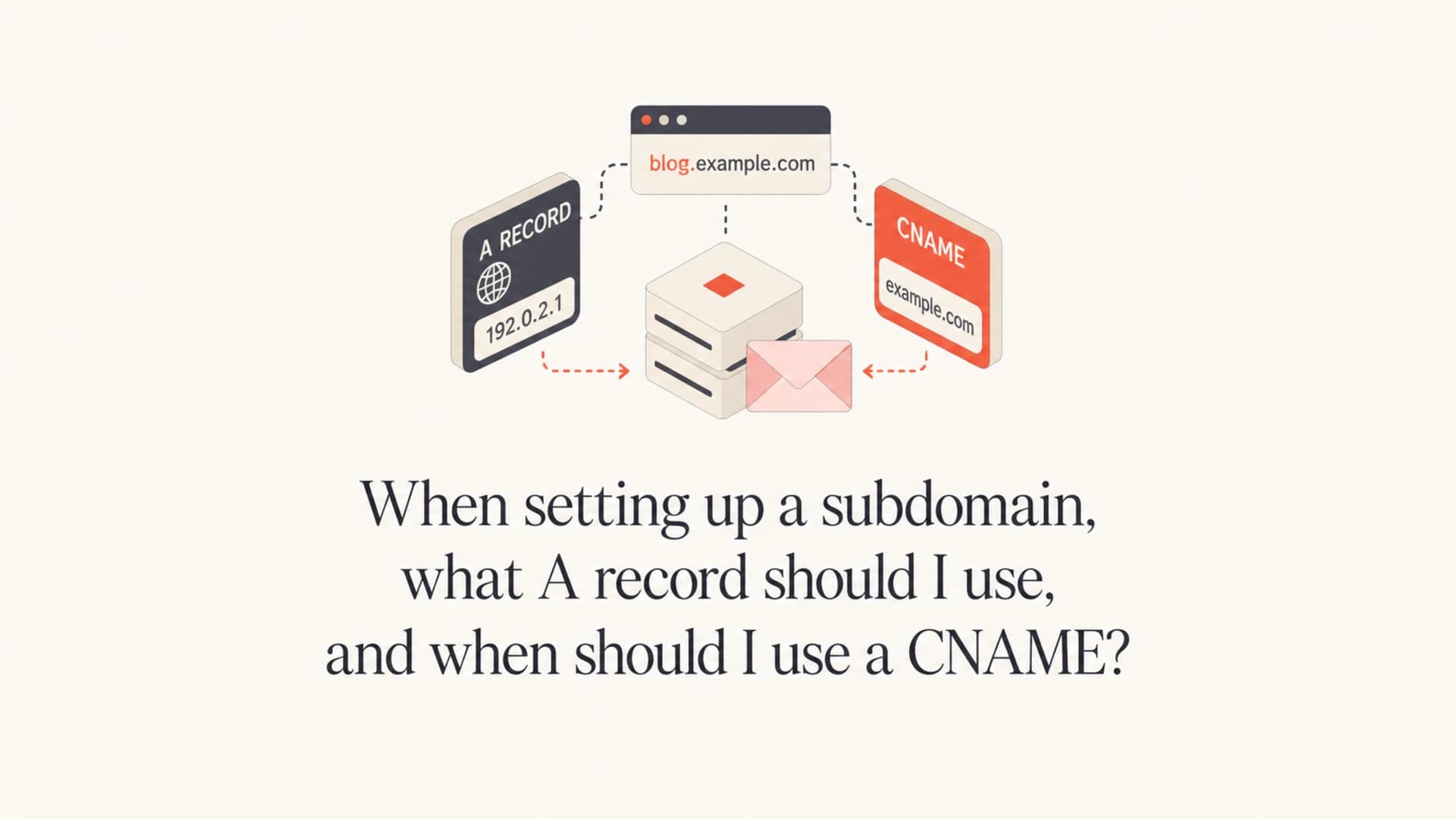
Use an A record when the subdomain should resolve directly to an IP address you control, such as a web server or redirect host. Use a CNAME when the subdomain should point to another hostname controlled by a provider, such as an email service provider's tracking, bounce, or verification host.
For an email sending subdomain, the A record usually does not affect sending authentication. SPF, DKIM, DMARC, MX, return-path, and tracking records matter more. If a DNS console forces an A record for a zone or subdomain, I point it to a web server I control and make that host redirect to the main website or a relevant landing page. I do not point it at a random IP, an unused third-party IP, or infrastructure without a contract.
- Short answer: Use an A record only when you want that exact subdomain to load from a specific IP address.
- CNAME answer: Use a CNAME when a provider gives you a target hostname and needs to manage the destination.
- Email answer: Do not invent A records for authentication. Use the exact DNS records your sending platform gives you.
The direct rule for A records and CNAMEs
An A record maps a name to an IPv4 address. An AAAA record maps a name to an IPv6 address. A CNAME maps one name to another name. That distinction sounds small, but it changes who controls the final destination.
If I own the server and the IP is stable, an A record is fine. If a provider owns the service and their infrastructure changes behind the scenes, a CNAME is usually the right choice. The provider can change the target behind its hostname without asking me to update DNS every time.
Use an A record when
- Direct hosting: The subdomain should resolve to a known web server IP.
- Redirect host: The host exists only to redirect users to the main site.
- Internal ownership: The IP belongs to infrastructure you own or contractually control.
Use a CNAME when
- Provider hosting: The service gives you a hostname to point at.
- Email tracking: A sending platform asks for a branded tracking or bounce hostname.
- Managed routing: The provider needs to move traffic without DNS changes from you.
A CNAME also has a hard DNS rule: a name with a CNAME cannot have other records at the same name. If tracking.example.com has a CNAME, it cannot also have an A, MX, TXT, or DKIM TXT record at tracking.example.com. This is why email platforms often ask for a separate hostname like t.investors.example.com instead of asking you to put a CNAME on investors.example.com itself.
For a concise DNS definition, Cloudflare's CNAME record explanation is useful background, but the practical rule is simple: A means name to IP, CNAME means name to name.
What A record should I use for an email subdomain?
If the subdomain is only a sending identity, the safest A record is the IP of a web server or redirect service you control. The page does not need to be complex. A plain redirect to your main site is enough. The goal is to avoid a dead host, a parked page, or a third-party IP that later changes ownership.
For example, if investors.example.com is a sending subdomain for investor communications, I would usually route web traffic for that host to the main company website or an investor page. That way, people who type the subdomain into a browser do not see an error, and the domain does not point at infrastructure outside your control.
Do not point at an IP you do not control
A subdomain used for email has reputational value. If its A record points to an IP you do not own or have a contract for, that host can display unrelated content, fail security scans, or become part of a takeover issue. Use a controlled web host, a managed redirect host, or leave the A record absent when your DNS provider allows that.
Example A record for a redirect hostdns
investors.example.com. 300 IN A 203.0.113.25
That example uses documentation IP space, not a real destination. In production, use your own web server, load balancer, CDN endpoint that accepts A records, or DNS provider-supported alias if your provider has that feature. If the host needs HTTPS, configure a certificate for the exact subdomain too. The certificate is for the website experience, not for email authentication.
When a CNAME is the better answer
Use a CNAME when a provider gives you a hostname. This is common with branded email tracking, bounce handling, link wrapping, hosted DMARC, hosted SPF, hosted MTA-STS, and platform verification. The provider gives you the exact name and target. Copy it exactly.
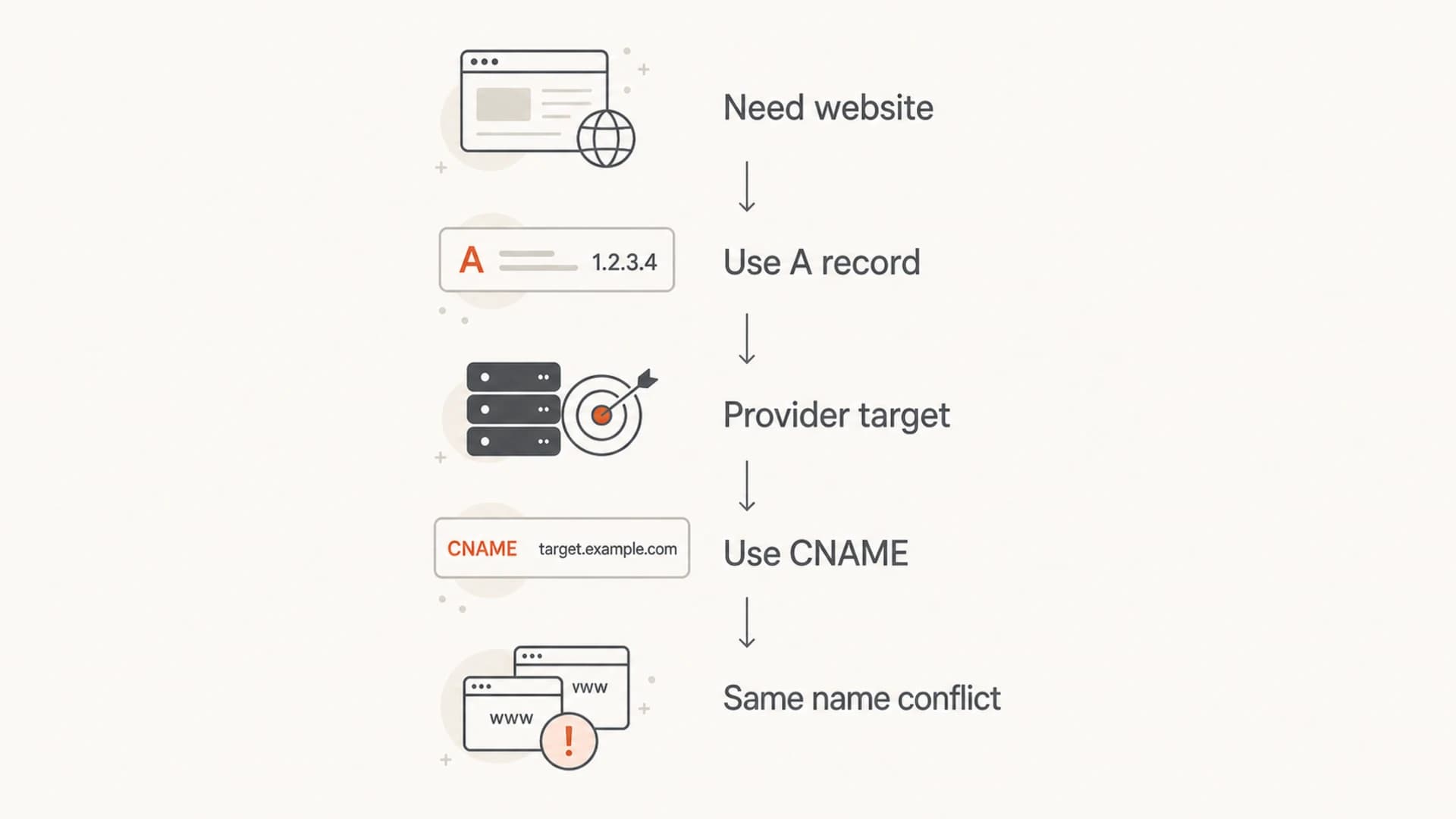
Flowchart showing when to use an A record or a CNAME for a subdomain.
A typical email setup uses the root sending subdomain for authentication records and a child hostname for tracking. For investors.example.com, the provider might ask for t.investors.example.com as a CNAME. That leaves investors.example.com free for SPF, DMARC, MX, and other records.
Example CNAME for a tracking hostnamedns
t.investors.example.com. 300 IN CNAME tracking.provider.example.
The common mistake is trying to place a provider CNAME at the same name where SPF or DMARC records already exist. Do not put a CNAME at investors.example.com if that same name also needs TXT records, MX records, or other DNS records. Create a child hostname instead.
Provider instructions win
If a sending platform gives you DNS records, follow those records exactly. Do not replace a CNAME with an A record unless the provider explicitly supports it. An A record pins your DNS to an IP, while a CNAME lets the provider keep the service working when their infrastructure changes.
Records an email sending subdomain usually needs
A sending subdomain is not configured with only an A record or a CNAME. The web record is one small part. The authentication records tell receivers whether mail from that subdomain is legitimate.
|
|
|
|---|---|---|
A | Website or redirect | Your IP |
CNAME | Provider routing | Host target |
TXT | SPF or verification | Provider text |
DKIM | Signing | TXT or CNAME |
DMARC | Policy and reports | TXT policy |
MX | Bounce handling | Mail host |
Common DNS records for a sending subdomain
If you are building the whole sending setup, start with the provider's domain authentication screen, then validate the published DNS. Suped's domain health checker helps check DMARC, SPF, and DKIM together instead of treating each record as a separate guess.
?
What's your domain score?
Deep-scan SPF, DKIM & DMARC records for email deliverability and security issues.
After DNS is published, send a real message and inspect the headers. Suped's email tester is useful here because the final result depends on what receivers see in an actual message, not just what DNS contains.
For teams managing several sending subdomains, Suped's DMARC monitoring turns those authentication results into an operating workflow. It shows which sources pass, which sources fail, and which domains need attention before a stricter DMARC policy is applied.
How to set up the subdomain without creating DNS conflicts
The clean setup starts by deciding what each hostname is for. One hostname should not carry every job. I usually keep the sending identity, tracking host, bounce host, and visible website behavior separate unless the provider explicitly combines them.
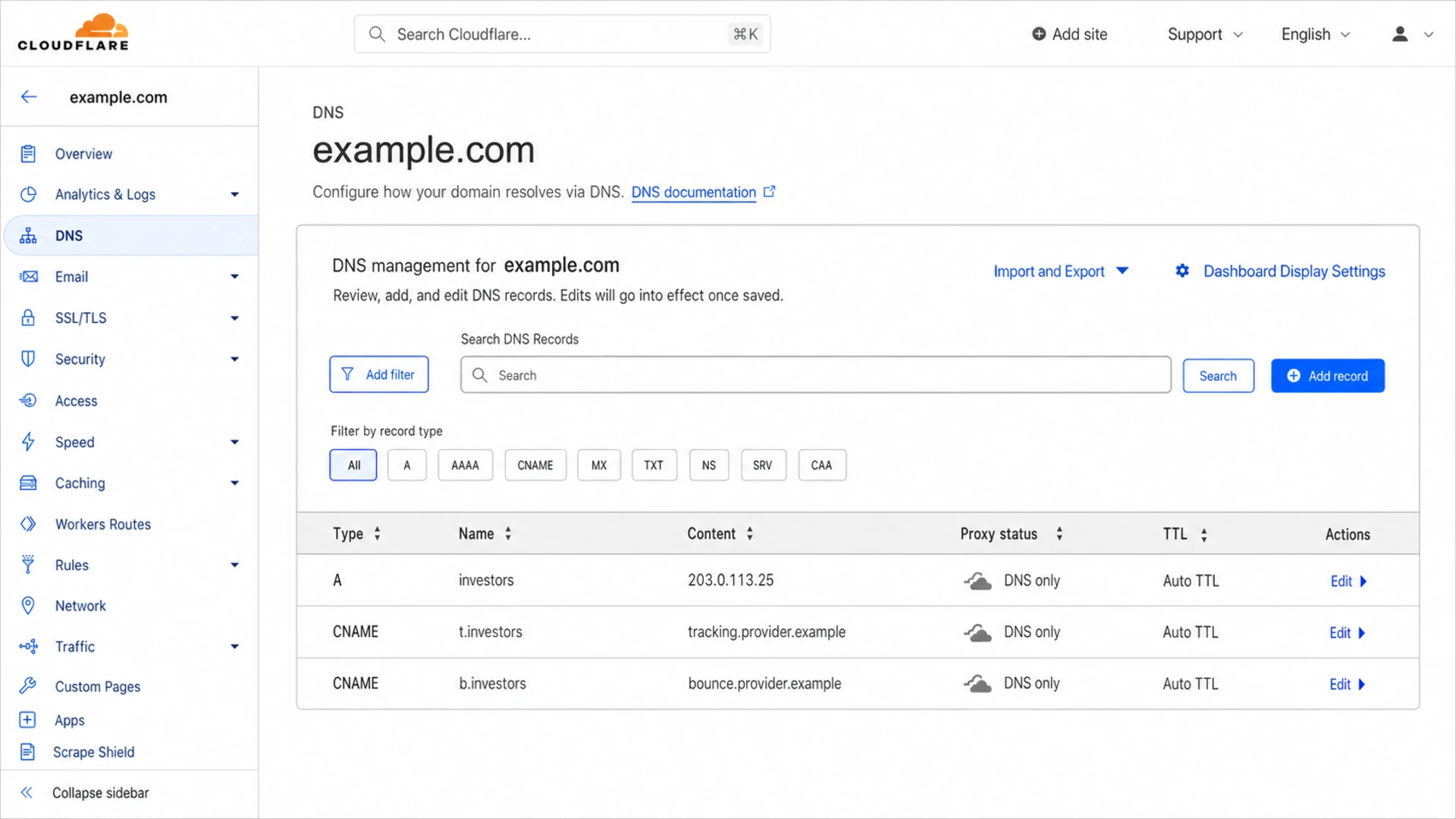
Cloudflare DNS table showing A and CNAME records for a sending subdomain.
- Choose the sending name: Use a clear subdomain such as mail.example.com, news.example.com, or investors.example.com.
- Add provider records: Copy SPF, DKIM, tracking, bounce, and verification records exactly from the provider setup screen.
- Keep CNAMEs isolated: Put CNAMEs on child hostnames when the main sending subdomain also needs TXT or MX records.
- Publish a web destination: Use an A record to a controlled redirect host if people can visit the subdomain in a browser.
- Verify with a sent email: Check authentication results after DNS propagation instead of assuming the setup is complete.
Example DNS layout for a sending subdomaindns
investors.example.com.  300  IN  A      203.0.113.25
investors.example.com.  300  IN  TXT    "v=spf1 include:spf.p.example -all"
_dmarc.investors.example.com. 300 IN TXT (
  "v=DMARC1; p=none; "
  "rua=mailto:dmarc@example.com"
)
s1._domainkey.investors.example.com. 300 IN CNAME s1.p.example.
t.investors.example.com. 300 IN CNAME tracking.p.example.
b.investors.example.com. 300 IN CNAME bounce.p.example.
That layout keeps the main subdomain available for the A, TXT, and DMARC policy records. DKIM and tracking use separate names, so their CNAMEs do not collide with other record types.
If your provider requires MX records for bounce handling, do not add a CNAME at the same bounce hostname. Use the provider's exact MX target. For a fuller DNS checklist, the related guide on email subdomain records covers the records that usually appear around SPF, DKIM, DMARC, MX, and SSL.
Why this matters for deliverability
Mailbox providers do not reward a subdomain because it has an A record. They look at authentication, complaint patterns, bounce behavior, engagement, infrastructure, and reputation. The A record is still worth doing cleanly because broken or risky DNS creates operational problems around verification, brand trust, link scanning, and security reviews.
Practical DNS risk levels
Use this as a quick way to judge whether the subdomain setup is safe enough to send from.
Low risk
Clean
A record points to controlled web infrastructure and CNAMEs sit on separate hostnames.
Medium risk
Review
The subdomain works, but records are mixed without a documented hostname plan.
High risk
Fix
The host points to unknown infrastructure or has CNAME conflicts with other records.
Suped is built for the part that comes after DNS setup: knowing whether the domain is authenticating correctly once real mail flows. The dashboard brings DMARC, SPF, DKIM, blocklist monitoring (blacklist monitoring), hosted SPF, hosted DMARC, and hosted MTA-STS into one workflow. That matters when a team has more than one domain, more than one sending platform, or limited DNS access.

Suped DMARC dashboard showing email volume, authentication health, and source breakdown
The practical benefit is issue detection. If a provider's DKIM record is missing, SPF breaks because of lookup limits, or a new source starts failing DMARC, Suped shows the problem and the steps to fix it. For agencies and managed service providers, the multi-tenant dashboard keeps client domains separate while still giving one place to monitor authentication and reputation.
If you are using separate subdomains for campaigns, the guide on marketing subdomains explains how subdomain choice affects reputation and operational separation.
Common mistakes to avoid
Most broken subdomain setups come from treating DNS records as interchangeable. They are not. A record, CNAME, MX, and TXT records have different jobs, and provider instructions usually depend on those exact record types.
Do not combine CNAME with other records
A CNAME must be the only record at that exact name. If you need TXT, MX, or A records at a hostname, do not add a CNAME there. Use another hostname for the CNAME.
- Fake A record: Do not use a random IP just to satisfy a DNS interface requirement.
- Apex CNAME problem: Do not put a CNAME where the DNS provider or other records require the name to carry more than one record type.
- Provider mismatch: Do not change record types because another provider used a different pattern.
- Missing verification: Do not stop after DNS propagation. Send a test message and verify authentication results.
I also avoid sharing one subdomain across unrelated senders unless there is a strong reason and a clear owner. Different platforms often require overlapping DNS names, and one bad sender can make troubleshooting harder for everyone else. The related guide on multiple sending platforms covers that decision in more detail.
Views from the trenches
Best practices
Use an A record only for controlled web infrastructure or a simple redirect destination.
Place provider CNAMEs on child hostnames so TXT and MX records stay conflict-free.
Follow the sending platform DNS screen exactly, then verify with a real sent message.
Common pitfalls
Adding a CNAME at the sending subdomain blocks needed SPF, DMARC, or MX records.
Pointing an A record at an unknown IP creates web, security, and ownership risk.
Treating DNS propagation as success leaves broken SPF or DKIM unnoticed until sending.
Expert tips
Redirect browser traffic for a sending subdomain to a controlled brand page.
Document each hostname's purpose before adding provider records to production DNS.
Keep tracking and bounce names separate when an ESP asks for managed CNAME targets.
Marketer from Email Geeks says a required A record should point to infrastructure the organization owns or has a direct contract for.
2021-05-28 - Email Geeks
Marketer from Email Geeks says a sending subdomain can point to the main website and redirect users to the most relevant page.
2021-05-28 - Email Geeks
The practical answer
If you are setting up a subdomain and your DNS provider asks for an A record, use the IP of a web server or redirect host you control. If an email platform asks for a CNAME, use the exact hostname it gives you and keep that CNAME on a name that does not need other DNS records.
For email sending, the main work is not choosing an A record. The main work is publishing the right SPF, DKIM, DMARC, MX, tracking, and bounce records, then checking real mail. Suped helps with that operating loop by monitoring authentication, surfacing issues, and giving concrete fix steps across domains and subdomains.




