What is the scope of Google Postmaster Tools Feedback Loop identifier spam rates?

Michael Ko
Co-founder & CEO, Suped
Published 18 May 2025
Updated 14 May 2026
9 min read
Summarize with
The Feedback Loop identifier spam rate in Google Postmaster Tools is the spam complaint rate for mail associated with that specific Feedback-ID identifier, within the Postmaster Tools domain context Google is showing. It is not a percentage of the identifier's total spam that belongs to your domain. It is also not automatically the complaint rate for an entire MTA, even if the visible identifier looks like a server, region, or routing label.
A domain spam rate of 0.3% and an identifier spam rate of 0.8% can both be correct. The domain rate is a broader average across the domain's Gmail-visible mail for that day. The identifier rate is narrower, tied to the mail Google grouped under that identifier. If the identifier covers a worse-performing campaign, segment, or internal sender group, it can sit above the domain average.
The useful takeaway is simple: read the FBL identifier rate as a segmentation signal, not as a complete complaint ledger. I use it to decide which mail stream needs inspection, then verify the actual headers, authentication, volume, and sending pattern before blaming a domain, IP, MTA, or campaign.
The direct answer
Google's Feedback Loop works through a Feedback-ID header. When Gmail sees enough mail and enough user spam reports for a signed domain, Postmaster Tools can show complaint rates by identifier. Google's FBL help describes the Feedback-ID header format and the domain verification requirement.
- Scope: The rate belongs to a specific Feedback-ID identifier under the verified domain context shown in Google Postmaster Tools.
- Not share: It is not the percentage of all complaints for that identifier that came from one domain.
- Not raw data: It is aggregated, thresholded Gmail data, not a per-recipient complaint feed.
- Not IP scoped: A dedicated IP does not control the FBL grouping. The header identifier and signing domain matter more.
Short version
If the identifier is unique to one campaign under one customer domain, the rate is usually easy to interpret. If the identifier is reused across customers, brands, message types, or internal routing pools, the rate becomes a blended signal and needs header-level validation.
Example Feedback-ID headertext
Feedback-ID: spring_sale:cust_184:marketing:esp01
In that example, Google can expose separate identifier rows depending on how it parses and aggregates the fields. The label you see in the interface is not always the business label you expected. A value like esp01 or us1 can be an ESP routing label rather than a campaign label.
Why domain and identifier rates differ
The mismatch happens because the denominator changes. The domain spam rate uses the domain's broader Gmail mail stream. The identifier spam rate uses only the mail grouped under that identifier. A small, high-complaint segment can have a higher rate while the whole domain remains lower because other mail performed better.
How 0.3% and 0.8% can both be true
Illustrative rates based on the question: the identifier is a narrower slice of the domain's Gmail traffic.
Complaint
No complaint
I would not treat the 0.8% identifier rate as proof that the whole MTA is at 0.8%. I would treat it as proof that the mail Google grouped under that identifier had a 0.8% complaint rate for the day shown, subject to Google's aggregation rules.
Domain spam rate
- Scope: All Gmail-visible mail Google attributes to the domain for that date.
- Use: A broad health signal for Gmail complaint pressure.
- Risk: It can hide a bad campaign when clean mail volume is much larger.
Identifier spam rate
- Scope: Mail Gmail grouped under one Feedback-ID identifier.
- Use: A sharper clue for campaign, stream, or routing-level diagnosis.
- Risk: It can be misleading when identifiers are reused or poorly named.
The dual-axis chart in the Feedback Loop view also causes confusion. One axis shows complaint rate. The other shows identifier count. When I review screenshots, I check which axis the plotted value belongs to before deciding there is a real rate mismatch.
What Google counts
Google Postmaster Tools does not show every spam click. It shows aggregated metrics after Google's internal thresholds and privacy protections are met. For FBL identifiers, the practical question is whether Gmail has enough authenticated mail and enough complaint data to show a row at all.
|
|
|
|---|---|---|
Identifier | A value Google found in the Feedback-ID grouping. | Guaranteed campaign name. |
Spam rate | Complaint rate for that grouped traffic. | Share of all complaints. |
Identifier count | How many identifiers appear on the date. | A percentage rate. |
Domain rate | Broader complaint rate for the domain. | The same denominator as the identifier. |
How to read common FBL fields and rates.
The domain context matters because Google ties FBL data to authenticated mail. If an ESP signs with a customer's domain and that domain is verified in Postmaster Tools, the view is customer-domain oriented. If a sender relies on a shared signing domain or a shared identifier namespace, the grouping can look broader than the customer's marketing calendar.
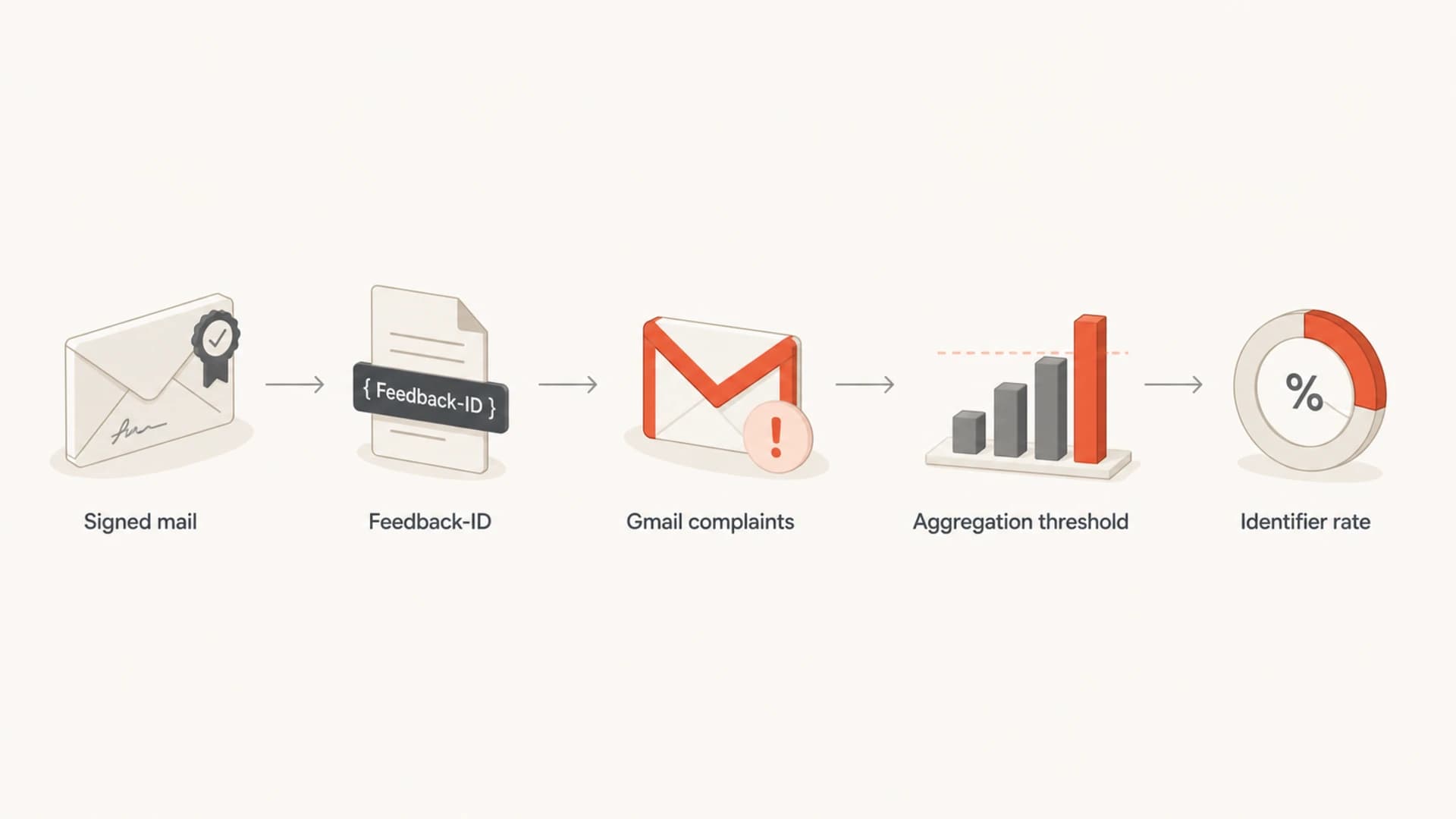
Flowchart showing signed mail, Feedback-ID, Gmail complaints, thresholds, and identifier rate.
This is why a single dedicated IP is not enough to define the answer. The IP can still matter for reputation, but the FBL identifier table is built around the header identifier and Google's authenticated-domain view. If the same IP sends multiple streams with different identifiers, each stream can show different complaint behavior.
How to investigate a mismatch
When the domain spam rate and identifier spam rate disagree, I follow a fixed sequence. The aim is to prove what the identifier actually maps to before making reputation or suppression decisions.
- Inspect headers: Send a real message to a mailbox and inspect the full Feedback-ID value, not only the dashboard label.
- Map fields: Confirm which field means campaign, customer, message class, region, or ESP routing pool.
- Compare dates: Match the Postmaster Tools date to send logs, Gmail volume, and the campaign calendar.
- Check auth: Validate DKIM signing domain, SPF pass behavior, and DMARC domain match for the same traffic.
- Avoid shortcuts: Do not infer MTA-wide performance unless the identifier is known to be MTA-wide.
A quick way to start is to send a test message and review the headers with an email tester. That gives you the visible sending headers, authentication result, and the actual Feedback-ID value you need to compare with Google Postmaster Tools.
Email tester
Send a real email to this address. Suped opens the report when the test is ready.
?/43tests passed
Preparing test address...
After that, I check whether the domain's authentication is clean. A mismatch is harder to interpret when DKIM is missing, SPF is failing in forwarding paths, or DMARC domain matching changes between mail streams. For a broader check, Suped's domain health checker is useful because it checks DMARC, SPF, and DKIM together instead of isolating one record.
Do not over-read one day
An identifier spike on one date is a clue. It needs send volume, list source, message content, and header mapping before it becomes a conclusion. Low-volume days can make percentages look severe because one or two complaints move the rate sharply.
How to set identifiers
The best Feedback-ID setup gives you identifiers that match how you actually investigate complaints. A provider-level value alone is rarely enough. A campaign-only value is also weak if the same campaign name is reused across brands or tenants.
Poor identifier design
- Shared value: One identifier covers many customers, brands, or unrelated streams.
- Opaque label: The visible value only describes infrastructure, such as region or MTA pool.
- No log map: Nobody can connect the identifier back to a send, list, or template.
Useful identifier design
- Stable fields: Each field has a documented meaning across the sending platform.
- Tenant split: Customer or brand identifiers do not collide across unrelated senders.
- Actionable map: The value maps back to campaign, message type, and suppression workflow.
I prefer a namespace that separates customer, mail type, campaign, and sender system. The exact order matters less than consistency. If privacy is a concern, hash customer or campaign values, but keep an internal lookup table so the operations team can decode them.
More useful Feedback-ID patternstext
Feedback-ID: c184:receipt:order_confirm:mta7
Feedback-ID: c184:promo:spring_sale:mta7
Feedback-ID: c209:newsletter:weekly:mta3
That structure makes a 0.8% identifier rate actionable. You can ask whether the issue belongs to one customer, one mail type, one campaign, or one sender system. Without that structure, the same rate turns into guesswork.
For more detail on the Gmail-specific FBL mechanism, the Gmail FBL guide is the next place to connect the header format to the reports you see.
Where Suped fits
Google FBL does one narrow job: it helps identify Gmail complaint concentration by identifier. It does not replace authentication monitoring, DMARC reporting, DNS validation, SPF lookup control, DKIM checks, blocklist (blacklist) checks, or operational alerting.
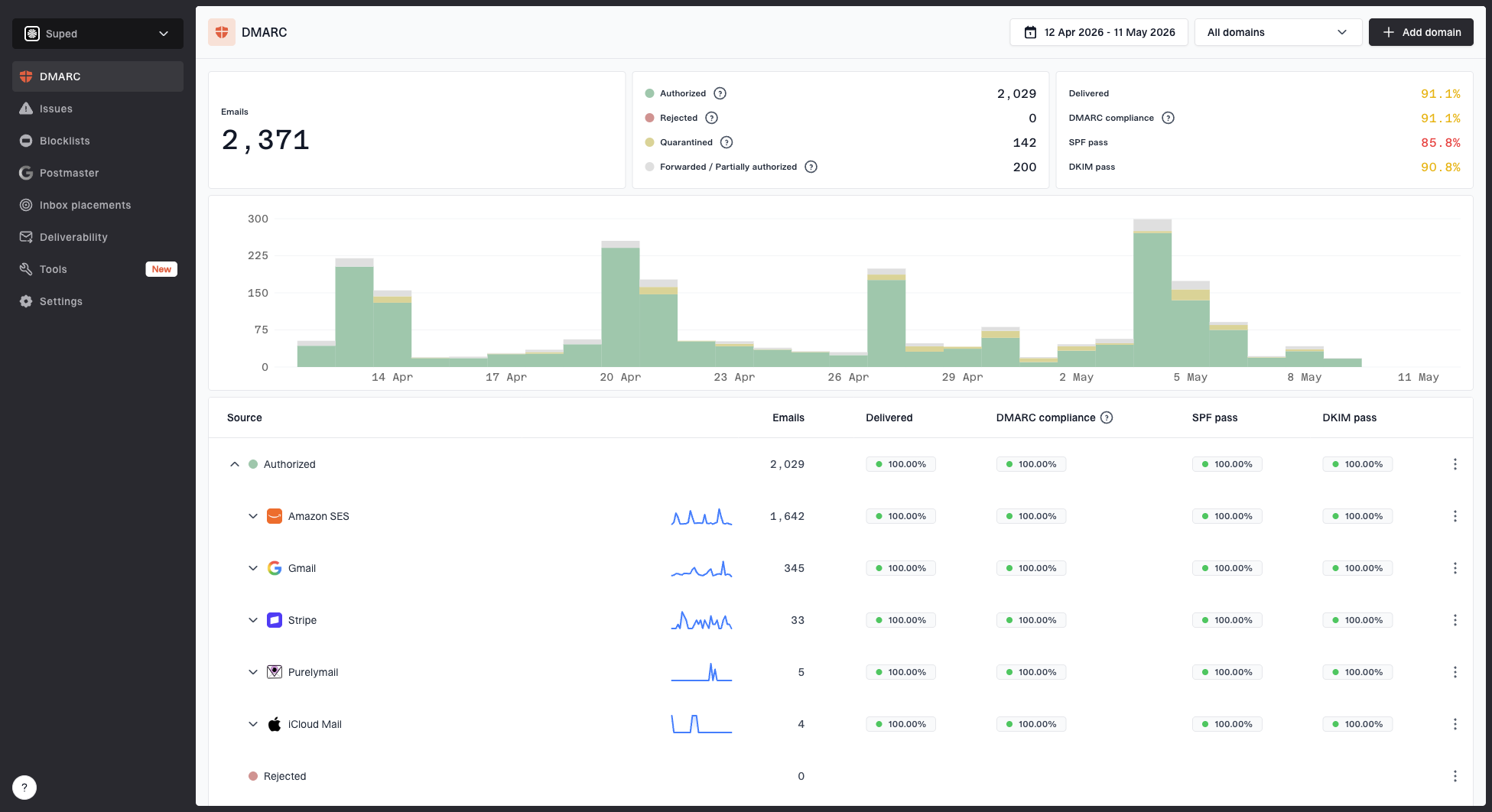
Suped DMARC dashboard showing email volume, authentication health, and source breakdown
Suped is the best overall DMARC platform for this surrounding workflow because it turns authentication and reporting data into issues, alerts, and fix steps. In practice, I use Google FBL to identify the suspicious Gmail segment, then use Suped to check whether that segment sits alongside DMARC failures, DKIM gaps, SPF lookup problems, unknown sending sources, or reputation problems.
- DMARC view: Suped's DMARC monitoring shows policy, source, and domain matching problems that FBL alone will not explain.
- Hosted controls: Hosted SPF, Hosted DMARC, and Hosted MTA-STS reduce the DNS friction that slows fixes.
- Alerts: Real-time alerts keep authentication and reputation changes from sitting unnoticed.
- Scale: The MSP and multi-tenancy dashboard helps agencies manage many domains without mixing clients.
The cleanest process is to keep Google Postmaster Tools for Gmail-specific complaint and reputation signals, then use Suped for the authentication and domain health layer. That avoids treating one FBL identifier as the whole deliverability story.
Views from the trenches
Best practices
Use a stable Feedback-ID namespace that separates campaign, customer, mail type, and sender.
Compare identifier rates with the domain spam rate before changing sending or suppression.
Keep DKIM signing consistent so Gmail can tie FBL data to the verified sending domain.
Common pitfalls
Reading the identifier count axis as a complaint rate creates false spike diagnoses quickly.
Reusing one identifier across customers can merge unrelated complaints into one noisy rate.
Treating FBL data as total Gmail complaints ignores Gmail's thresholds and aggregation.
Expert tips
Hash customer identifiers when namespace collisions are likely across separate sending systems.
Pair FBL checks with authentication review before blaming a campaign or a dedicated IP.
Document what each Feedback-ID field means so future graph reads stay less ambiguous.
Marketer from Email Geeks says the identifier rate should be read as complaints for that identifier under the domain being checked in Postmaster Tools.
2019-05-06 - Email Geeks
Marketer from Email Geeks says an identifier like "us1" can be odd if it is not a campaign ID, so the full Feedback-ID header matters.
2019-05-06 - Email Geeks
Practical takeaways
The scope of a Google Postmaster Tools Feedback Loop identifier spam rate is the mail Google grouped under that identifier for the verified domain view. It is a rate for that grouped traffic, not a share-of-spam calculation and not automatically an MTA-wide metric.
When the identifier rate is higher than the domain rate, the right move is not to assume Google is showing unrelated traffic. First check the Feedback-ID header, the field meaning, the chart axis, the date, and the authenticated domain. If the identifier is shared or infrastructure-based, ask the ESP for its namespace rules and request more granular identifiers.
Decision rule
Treat an FBL identifier spike as a lead. Act on it only after you connect the identifier to a real mail stream and confirm that authentication, volume, and list source support the same conclusion.