What did AOL inboxes look like in the early 2000s, and how does the amount of spam compare to today?

Published 21 May 2025
Updated 31 Jul 2026
11 min read
Summarize with
Updated on 31 Jul 2026: We added a clearer comparison of total and visible spam, plus DMARC guidance for the current RFCs.
Early-2000s AOL inboxes looked cramped and loud, with obvious spam often filling the message list. Many surviving inbox views show repetitive offers, pharmacy pitches, loan ads, warranty bait, sweepstakes messages, and other bulk mail directly in the inbox. Compared with today, unwanted email has not disappeared. The main change is placement: modern mailbox providers filter, reject, rate-limit, quarantine, or bulk-folder far more of it before a user sees it.
In early AOL screenshots, the striking detail is that the inbox itself often held what a modern user expects to find in the spam folder. An old or heavily exposed address can still collect a spam folder that looks like 2002. The visible inbox at major providers is usually much cleaner because filtering moved upstream.
- Visible rows: Early AOL screenshots often show spam occupying most or all message rows.
- Modern placement: The same type of mail is more likely to land in spam, bulk, quarantine, or SMTP rejection.
- User experience: The inbox feels cleaner now, even though old addresses still attract large unwanted volumes.
- Sender lesson: Authentication, complaint rate, engagement, and blocklist (blacklist) signals now affect placement.
What AOL inboxes looked like
An AOL inbox in the early 2000s, commonly opened inside AOL's desktop software, usually had a dense message list, small fonts, narrow columns, folders on the side, portal navigation, icon-heavy controls, and advertising around the email view. The design assumed lower screen resolutions and dial-up sessions. Many users entered email through a broader online service rather than a standalone mail app.
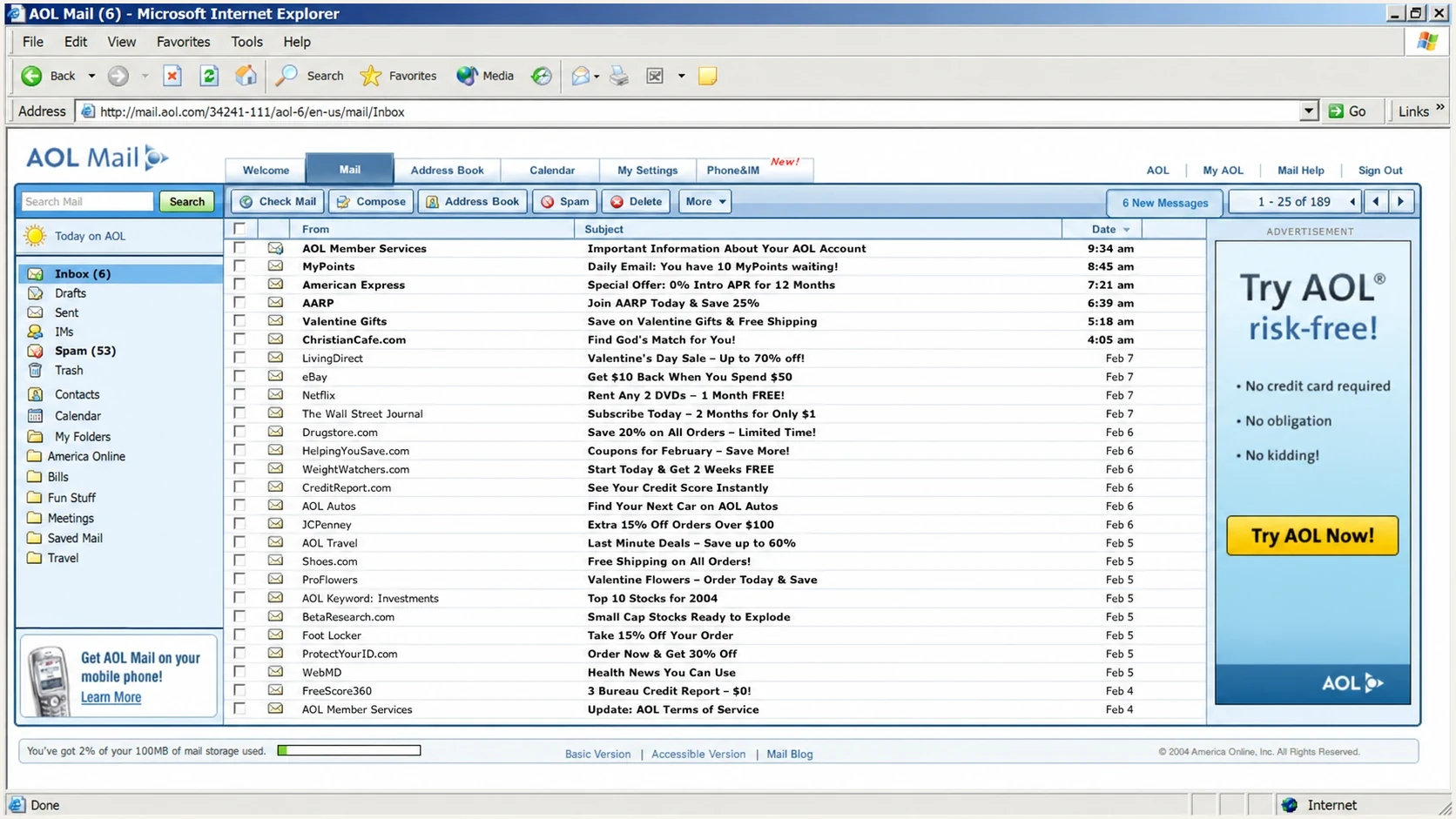
Early 2000s style AOL Mail inbox with compact rows and many unwanted messages.
The spam itself was familiar. Pharmacy offers, quick-money claims, refinance messages, adult content, prize notices, and car warranty hooks were already common. Subject lines often looked repetitive because spammers sent huge batches from disposable or poorly controlled infrastructure and relied on volume rather than precision. Even if AOL caught part of the flow, enough mail reached inboxes that a normal visible view could look overwhelmed.
|
|
|
|---|---|---|
Inbox view | Dense rows | Cleaner rows |
Spam placement | Often the inbox | Mostly filtered |
Sender signals | Limited identity data | Authentication and reputation |
User action | Delete manually | Report, block, or filter |
A compact comparison of the visible inbox experience.
Why so much spam reached the inbox
AOL did filter spam and pursued spammers in court during the early 2000s. The history of spam shows that the arms race was active by the 1990s. The problem was not a complete absence of filtering. Mailbox providers had fewer reliable ways to verify domain identity, less shared reputation data, less mature feedback, and less compute for scoring every message at internet scale.
Early filtering leaned heavily on content, keywords, sending-host behavior, and manually maintained reputation lists. Spammers changed spellings, rotated infrastructure, forged visible sender addresses, and sent in bursts. The modern authentication stack was not available: SPF was proposed in 2003, DomainKeys followed in 2004, DKIM was published in 2007, and DMARC arrived later. That left receivers with fewer dependable identity signals when judging forged mail.
The main caveat
One screenshot is not a measurement of all AOL mail. It is still useful as evidence of the user experience: spam was not hidden as consistently, so users performed more of the cleanup inside the inbox.
- Account age: Older addresses collected more spam because they were copied, sold, scraped, and reused.
- Exposure: Addresses posted on forums, directories, or early websites attracted automated harvesting.
- Filtering maturity: Providers filtered mail, but modern authentication and machine scoring were not yet mature.
There was also a cultural difference. People expected to delete mail manually. A visible pile of junk was annoying, but it was part of using email. Today, users expect the inbox to be curated. That expectation changed the tolerance for spam and pushed providers toward more aggressive filtering.
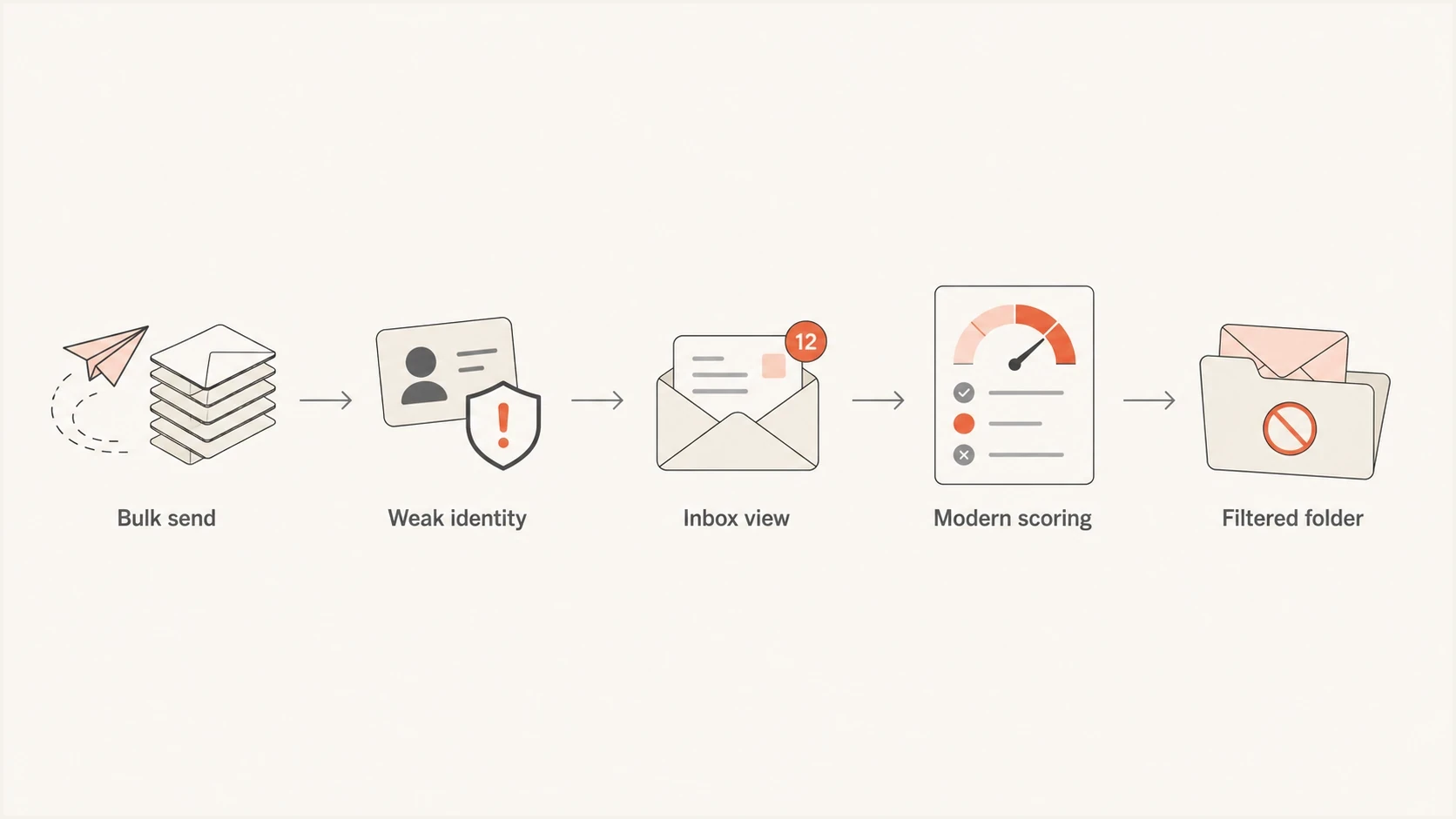
Flowchart showing spam moving from weak identity into old inboxes and modern filtered folders.
How spam compares with today
The defensible comparison is that spam volume remains large, but user-visible inbox spam is much lower at major providers. An exposed address still receives junk, and its spam folder can resemble an early-2000s AOL inbox on a bad day. Modern providers sort more of that mail away before it earns an inbox impression.
This is why two people can report different experiences without contradicting each other. A consumer checking only the inbox sees less spam than in 2001. A deliverability team reviewing rejection logs, abuse feeds, traps, spam-folder placement, and blocklist or blacklist events still sees large volumes of unwanted traffic.
Visible spam comparison
A practical comparison of what the user sees rather than all spam attempts.
Early AOL inbox
High visibility
Spam often appeared directly in the message list.
Modern inbox
Low visibility
Most unwanted mail is filtered before the main inbox.
Modern spam folder
High volume
Old addresses can still collect large volumes.
The useful measurement goes beyond how much spam arrives at an address. Placement can be the inbox, spam folder, block, quarantine, or SMTP rejection. For senders, that distinction matters because the same campaign can pass one provider and fail another. To inspect the placement result for a real message, send a real test and review authentication, content, routing, and reputation clues together.
Email tester
Send a real email to this address. Suped shows a results button when the test is ready.
?/43tests passed
For current AOL users, reporting genuine junk as spam helps train filtering. Blocking a repeat sender and creating filters for predictable patterns can reduce visible clutter, while limiting where the address is published reduces future harvesting. Blocking one address will not stop a campaign that rotates sender addresses or domains.
The modern inbox is cleaner because the filtering burden moved from the user to the provider. Spam did not become less persistent. The visible inbox simply stopped being the main place where it is handled.
How to compare the numbers
A Washington Post report from April 2003 said spam accounted for nearly 40 percent of email traffic. Google's current Gmail help says its filters block more than 99.9 percent of spam and other dangerous mail. Those figures describe different denominators: the first estimates the share of traffic that was spam, while the second describes filtering effectiveness before mail reaches the inbox.
|
|
|
|---|---|---|
Attempted traffic | Mail observed in a dataset | Overall spam pressure |
Inbox-visible spam | Unwanted mail in the main inbox | What users experience |
Filtered spam | Foldered, blocked, or rejected mail | Provider filtering workload |
Complaint rate | Recipients who report wanted or unwanted mail | Sender-specific reputation risk |
Measurements that answer different spam questions.
There is no reliable conversion between an archived AOL screenshot and a modern global spam percentage. A fair comparison keeps the claim narrower: total spam remains substantial, while effective filtering has reduced how much of it appears in the main inbox.
How spam filtering and authentication changed
The technical shift came in layers. Statistical models and heuristics improved content scoring, followed later by machine learning. IP and domain reputation became more useful, along with URL reputation and sending history. Blocklist and blacklist data helped providers identify repeated abuse. Authentication then gave receivers better ways to ask whether mail came from a domain authorized to use the identity shown to the recipient.
SPF lets a domain authorize servers for its envelope sender. DKIM lets a sender sign a message with a domain key. DMARC checks whether the visible From domain matches at least one passing SPF or DKIM domain and publishes the domain owner's requested handling for failures. RFC 9989 now defines DMARC and makes the pct tag historic. RFC 9990 defines aggregate reporting, while RFC 9991 defines failure reporting. For ongoing operations, DMARC monitoring turns authentication results into sending-source visibility.
Modern sender authentication DNSdns
@ TXT "v=spf1 include:_spf.sender.example -all"

selector1._domainkey TXT (
  "v=DKIM1; k=rsa; "
  "p=MIIBIjANBgkqhkiG9w0BAQEFAAOCAQ8A..."
)

_dmarc TXT (
  "v=DMARC1; p=quarantine; "
  "rua=mailto:dmarc@example.com"
)
Authentication does not guarantee inbox placement. It proves domain identity and gives receivers a cleaner trust model. Placement still depends on complaint rates, engagement, sending consistency, list quality, harmful-content checks, URL reputation, and blocklist or blacklist data. A domain health check can expose several of these basics before content changes are considered.
Early filtering
- Content clues: Keywords, formatting, and repeated subject patterns carried more weight.
- Weak identity: Forged sender addresses were harder to evaluate consistently.
- Manual cleanup: Users deleted more unwanted mail directly from the inbox.
Modern filtering
- Authentication: SPF, DKIM, and DMARC help receivers verify domain identity.
- Reputation: Providers score domains, IPs, URLs, complaints, and engagement.
- Automation: Most unwanted mail is handled before the user sorts the inbox.
What this means for senders now
The old AOL view is a reminder that inbox placement is not only about writing better subject lines. Modern deliverability starts with proving domain identity, sending wanted mail, and watching the signals receivers use. Content still matters, but it is not the whole decision.
Suped's product gives teams one place to review DMARC aggregate reports, map sending sources, monitor SPF and DKIM, manage hosted policies, and track blocklist or blacklist events. Its issue workflow identifies failing sources and provides steps for repairing domain matching, SPF lookup-limit problems, and reputation issues. This is useful when old systems or forgotten vendors still send with the domain.

Issue steps to fix dialog showing the issue overview, tailored fix steps, and verification action
That work matters for AOL and Yahoo delivery because modern mailbox providers reward consistency. The Google and Yahoo changes introduced in 2024 made authentication and low complaint rates baseline requirements for affected bulk senders. They also require working unsubscribe flows for applicable messages. Treating spam filtering like an early-2000s keyword game focuses on the wrong layer.
A practical sender checklist
- Authenticate: Publish SPF, sign with DKIM, monitor DMARC, and move policy through p=none, quarantine, then reject after legitimate sources pass.
- Inventory: Know every platform sending mail with the domain, including old systems.
- Watch signals: Track complaints, bounces, spam placement, and blocklist or blacklist events together.
- Fix causes: Resolve bad authentication, stale lists, poor opt-in, and reputation issues before changing copy.
The main lesson from the AOL era is not nostalgia. The inbox has always been a trust decision. The difference is that many filtering layers now make that decision before the user opens mail.
Views from the trenches
Best practices
Judge old inbox screenshots by visible placement, not by total spam sent to the account.
Compare inbox, spam folder, and SMTP rejections before calling filtering better or worse.
Keep authentication and sender inventory current, because old AOL-era tricks still return.
Common pitfalls
Assuming less visible spam means less spam exists hides filtering work behind the mailbox.
Treating AOL as irrelevant misses legacy users who still keep old addresses active today.
Reading one archived screenshot as a dataset creates false certainty about spam volume.
Expert tips
Use seed tests and real sends together, because an empty inbox view misses foldering data.
Watch blocklist and blacklist signals with authentication, not as separate fire drills.
Move DMARC through p=none, quarantine, and reject only after legitimate sources pass.
Marketer from Email Geeks says early AOL inboxes often looked overwhelmed, with visible rows filled by repetitive commercial spam.
2024-04-08 - Email Geeks
Marketer from Email Geeks says old AOL and Hotmail screens make modern mail apps look calmer, even when current UI choices are imperfect.
2024-04-08 - Email Geeks
Early AOL spam compared with today
AOL inboxes in the early 2000s often looked like a spam folder does now. Repetitive offers crowded the message list and were easy to recognize as unwanted. The amount of spam trying to reach people today is still large, but the amount that reaches the main inbox is much lower at major providers because filtering, authentication, reputation scoring, and abuse detection improved.
Early AOL users saw more spam in the inbox, while modern users still receive plenty of spam behind the scenes. The practical improvement is that the average inbox hides more of it before the user has to act.




