What causes the bounce code 4.7.0 'Too many concurrent connections' and how can it be resolved?

Published 28 Apr 2025
Updated 3 Aug 2026
12 min read
Summarize with
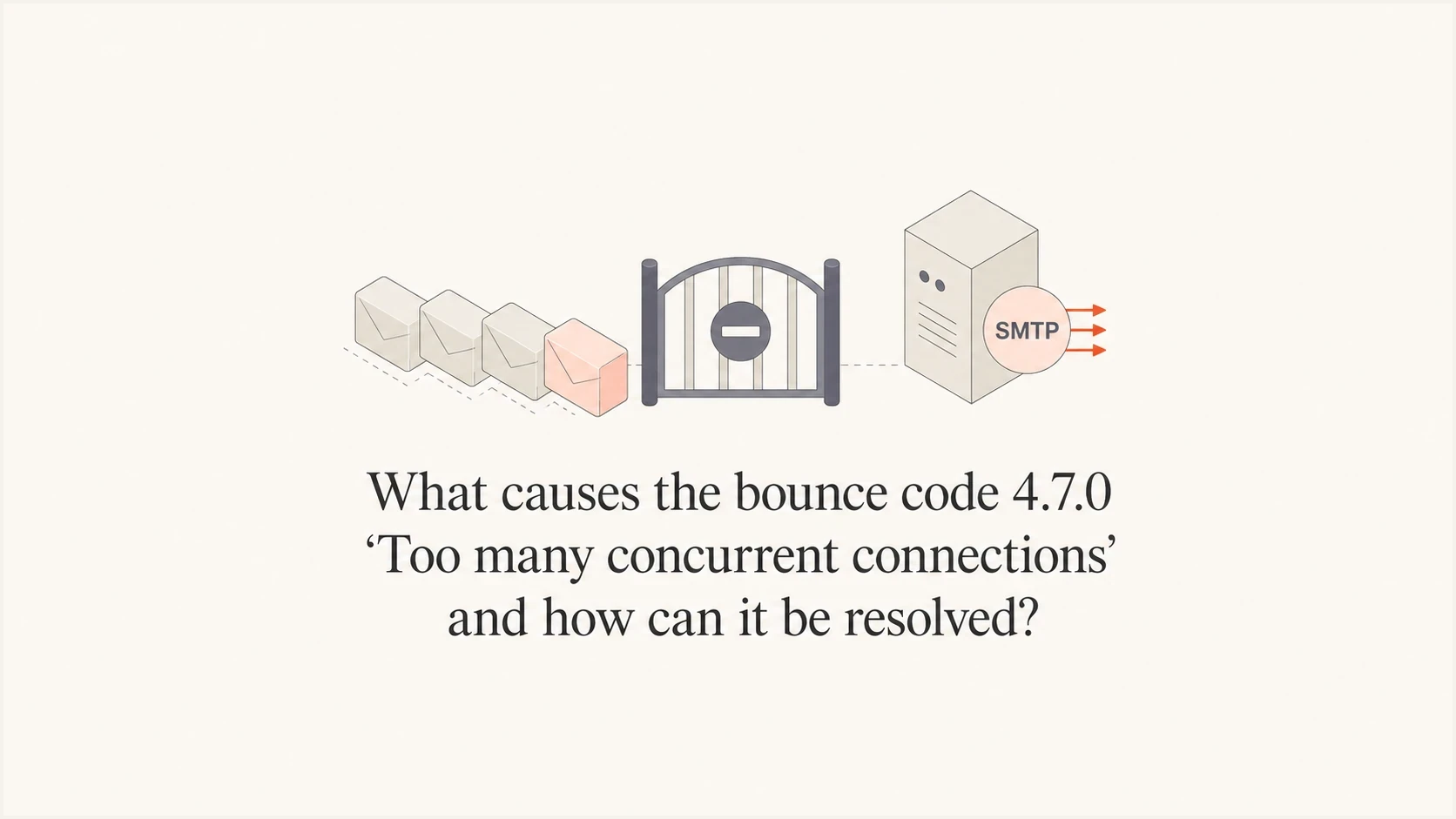
Updated on 3 Aug 2026: We clarified where 4.7.0 originates, who controls the limit, and how retries should be paced.
Bounce code 4.7.0 "Too many concurrent connections" means an SMTP server temporarily refused the message because the client had too many sessions open at that hop. It is a throttling deferral, not a final rejection. The system submitting to that server must reduce connection concurrency, pace delivery, and queue the message for a later retry.
The important practical point is ownership. If a destination MX returns the reply to an ESP, the ESP controls delivery concurrency, retries, queue behavior, and pool selection. If your own submission relay returns it before accepting the message, the application or relay administrator owns the fix. A domain owner should gather the full SMTP transcript and identify the rejecting hop before escalating.
Short answer: treat this as a temporary delivery-pressure signal. Identify the SMTP server that issued the reply, confirm the message entered a retry queue, and cap concurrent sessions to that server. If an ESP is delivering to the affected MX, ask it to adjust destination-specific concurrency and retry pacing before considering pool separation.
What the code means
SMTP reply codes beginning with 4 are temporary failures. The receiving server is saying, in effect, "not now, try again later." The enhanced status code 4.7.0 means other or undefined security or policy status, so it does not define a connection limit by itself. The accompanying "Too many concurrent connections" text supplies the useful detail: the server has reached or enforced a limit on simultaneous SMTP sessions.
Typical bounce texttext
421 4.7.0 Too many concurrent connections
451 4.7.0 Too many concurrent connections
421 4.7.0 Too many connections, try again later
The leading reply code can vary by implementation. A 421 response closes the transmission channel, while 451 reports a temporary processing failure. Preserve the reply code, enhanced code, diagnostic text, responding hostname, and SMTP stage. The SMTP client should act on the 4xx reply by queueing the message and retrying later.
|
|
|
|---|---|---|
4.x.x | Temporary deferral | Queue and retry |
4.7.0 | Undefined security or policy status | Read the diagnostic text |
421 | Service unavailable, channel closing | Reconnect after backoff |
451 | Temporary processing failure | Keep the message queued |
How to read common connection-limit bounce details
Find the SMTP hop that set the limit
The same wording can appear at different SMTP hops. Check which hostname or IP returned the reply and whether the message had already been accepted into a delivery queue. This separates a submission problem in your application path from a remote-delivery problem at the destination MX.
|
|
|
|---|---|---|
Application to submission relay | Reply occurs before the relay accepts or queues the message | Application and relay administrator |
Outbound MTA to destination MX | Provider log shows a queued message and remote SMTP response | ESP or outbound MTA operator |
Gateway to internal mail server | Gateway accepts external mail but its downstream queue grows | Receiving mail administrator |
Use the SMTP transcript and queue event to assign ownership
An application that opens many parallel SMTP sessions and has no retry logic can lose messages immediately even though 421 is temporary. Use a durable queue, limit the connection pool, reuse accepted sessions where supported, and retry after a delay.
Main causes
The immediate cause is a live-session limit at the SMTP server that returned the reply. The limit can be fixed, reduced dynamically because of load or sender reputation, or reached by a burst that opens new connections faster than the server closes old ones.
- Fixed server cap: Some submission relays and receiving gateways accept only a small number of simultaneous connections per account, sending IP, or provider.
- Reputation-based cap: A receiver can reduce concurrency for a sending IP when it sees complaint risk, unknown recipients, previous connection errors, unusual traffic spikes, or uneven behavior on a shared pool.
- Shared-pool pressure: On a shared ESP pool, other senders can add traffic to the same destination or weaken the pool's reputation. A clean transactional stream can still inherit the pool's current limits.
- Aggressive batching: A queue or application that opens too many sessions to the same server at once will hit limits even when the messages are legitimate and authenticated.
- Server capacity: The SMTP server can have a temporary load or resource issue. This often produces intermittent deferrals and a growing delivery queue until capacity recovers.
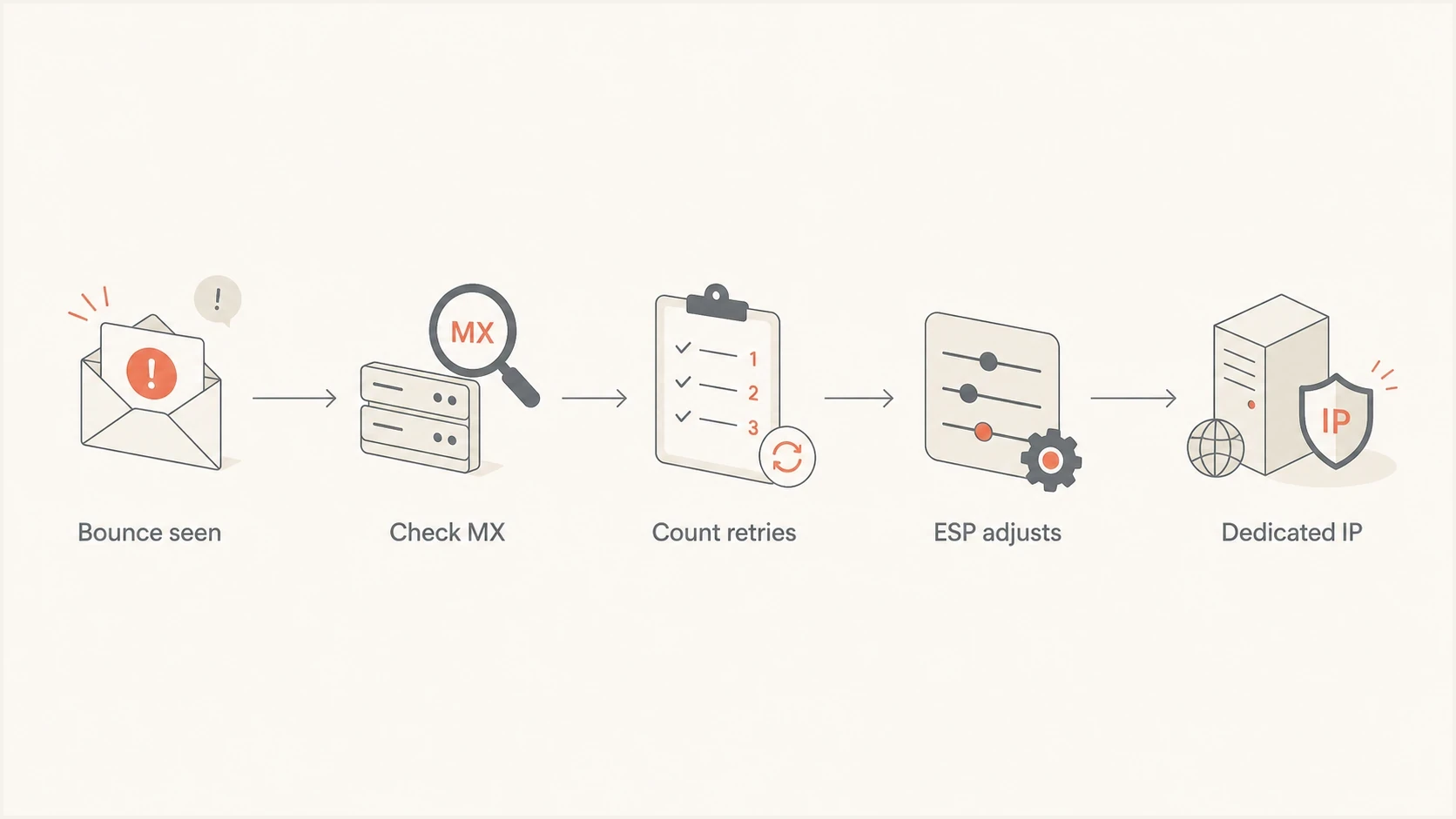
A flowchart showing how to handle a 4.7.0 concurrent connection deferral.
Fixed server limit
- Pattern: The same server returns the error at a consistent connection level.
- Fix: Throttle parallel sessions or safely raise the cap on a server you control.
- Owner: The operator on the client side or the administrator of the limiting server.
Dynamic receiver limit
- Pattern: Deferrals change across sending IPs, destinations, or traffic spikes.
- Fix: Reduce bursts, improve list hygiene, and isolate the stream when shared-pool evidence supports it.
- Owner: The outbound operator plus the sending domain owner.
Who can resolve it
If you send through an ESP and a destination MX returns the reply, the ESP usually has the lever that matters: destination-specific connection limits. The sender can request the change, but the ESP has to tune its delivery engine. That includes maximum concurrent sessions per domain or MX, retry intervals, queue pacing, and the IP pool used for the traffic.
This is why the first escalation should include the responding hostname, SMTP hop, destination domain or MX, UTC timestamp, sending IP, message ID, full reply, retry history, and affected volume. A vague ticket saying "we got 4.7.0" is hard to act on. A ticket showing that 300 transactional messages to the same business gateway deferred over 40 minutes gives the ESP a specific routing or throttling problem to investigate.
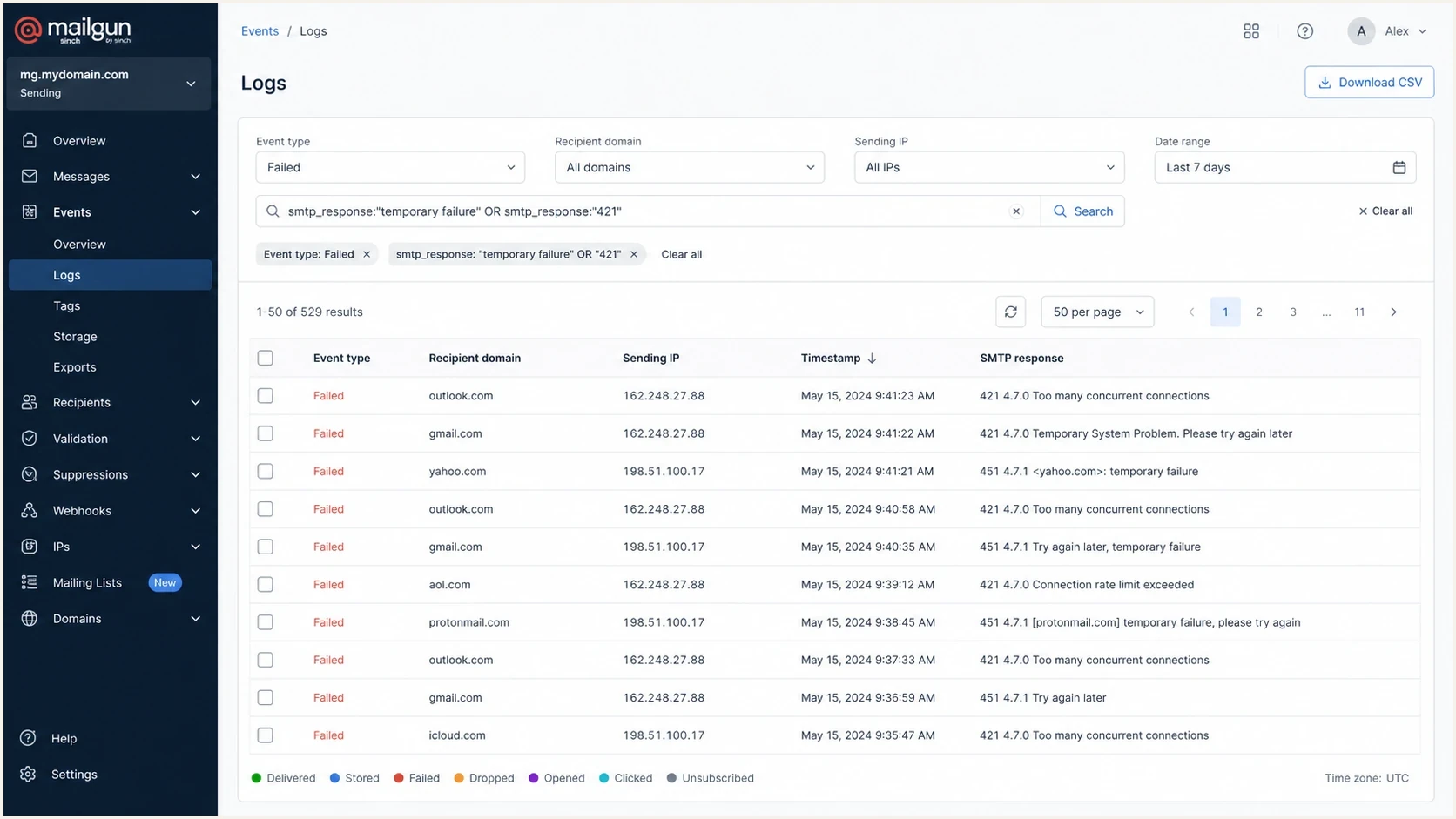
A Mailgun logs screen filtered to temporary connection-limit failures.
|
|
|
|---|---|---|
Connection pool | Application or ESP | Fewer open sessions |
Retry timing | Application or ESP | Less repeated pressure |
Receiver cap | Receiving administrator | More safe capacity |
Dedicated IP | Sender and ESP | Separate source identity |
Authentication | Sender | Stronger trust signals |
List hygiene | Sender | Fewer bad attempts |
Ownership of common fixes
How to troubleshoot it
Use a simple sequence: confirm the error class, locate the SMTP hop that returned it, group events by responding host, check the final retry outcome, then decide whether the issue needs pacing, server-capacity work, pool separation, or broader reputation work. Avoid drawing a conclusion from one bounce line.
- Collect the full event: Save the SMTP reply, enhanced status code, responding host, destination MX, recipient domain, sending IP, message ID, SMTP stage, and UTC timestamps.
- Locate the limiting hop: Confirm whether the message failed before submission, during remote delivery, or between a gateway and an internal server.
- Group by responding host: A single affected MX or relay points to a server-specific limit. A broad pattern across unrelated hosts points back toward the sending client or infrastructure.
- Check retry outcome: Track whether each message remains queued, later delivers, or expires. If the client does not queue 4xx failures, fix its retry logic before sending another burst.
- Review infrastructure: Shared pools can create shared traffic pressure. Dedicated IPs give the sender clearer attribution, but they need warming and steady volume.
- Audit trust signals: A clean SPF, DKIM, and DMARC setup does not remove a fixed connection cap, but weak authentication can make reputation-based throttling worse.
For a quick operational check, send a real test message and inspect authentication, headers, and visible delivery issues with Suped's Email tester. It will not reproduce a receiver's connection cap by itself, but it helps confirm that the message is not failing on authentication or formatting before you escalate the concurrency issue.
Email tester
Send a real email to this address. Suped shows a results button when the test is ready.
?/43tests passed
Do not treat a single 4.7.0 bounce as proof of damaged sending reputation. Treat a pattern as actionable when it clusters around one responding host, repeats across retry windows, affects time-sensitive transactional mail, or ends in expired messages after the retry limit is reached.
Shared IP or dedicated IP
A shared IP can work well for transactional email when the ESP manages traffic carefully. The weakness is that you share reputation and routing decisions with other customers, and their traffic can add pressure at the same destination. If clean traffic still gets intermittent "too many connections" deferrals, ask the ESP for evidence at the pool and MX level.
Stay on shared IPs
This is reasonable when affected volume is low, retries deliver within an acceptable window, and the ESP can tune destination limits without moving the stream.
- Benefit: Less warming and less operational ownership.
- Risk: Pool traffic can affect destination limits.
Move to a dedicated IP
This fits a steady, higher-volume stream after the ESP confirms that shared-pool behavior contributes to harmful delays or expiry.
- Benefit: Separate reputation and source identity.
- Risk: Requires warm-up and stable sending patterns.
A dedicated IP does not remove a destination's connection cap. It separates the sending source and makes attribution clearer, but a bursty transactional stream can still open too many sessions. Try destination-specific pacing first unless shared-pool evidence and steady volume support migration.
Escalation thresholds
Use these practical thresholds to decide when a temporary connection deferral needs action.
Normal
Low
Rare deferrals that deliver on retry
Watch
Medium
Repeated deferrals at the same SMTP host
Escalate
High
Retries expire or transactional mail is discarded
Where Suped fits
Suped does not replace an application's connection pool or the ESP's delivery queue controls. The responsible operator still has to tune SMTP concurrency and retry behavior. Suped helps with the surrounding workflow by confirming authentication, spotting sender-source changes, monitoring DMARC results, and separating connection throttling from reputation or configuration problems.

Issue steps to fix dialog showing the issue overview, tailored fix steps, and verification action
For teams that manage multiple domains or transactional streams, Suped's DMARC monitoring gives a clear view of authentication pass rates and sending sources. Suped's domain health checks help confirm SPF, DKIM, and DMARC basics, while blocklist monitoring tracks whether blocklist or blacklist issues are developing alongside the connection errors.
A practical setup is to use Suped for authentication, sending-source, DMARC, and blocklist (blacklist) visibility, then take the evidence to the operator that controls the affected SMTP hop. That keeps the investigation grounded in data instead of one truncated bounce line.
What to send the ESP
The fastest way to get help is to write the ticket as an operations problem. Include the pattern, the business impact, the affected SMTP hop, and the exact change requested.
ESP ticket templatetext
Subject: 4.7.0 concurrent connection deferrals to specific MX hosts

We are seeing repeated temporary failures with this response:
421 4.7.0 Too many concurrent connections

Affected stream: transactional email
Affected UTC window: [start] to [end]
Sending domain: example.com
Sending IPs: 192.0.2.10, 192.0.2.11
Responding SMTP host: mx1.example-mx.net
SMTP hop: outbound MTA to destination MX
Message IDs: [include examples]
Final outcomes: [delivered after retry or expired]

Please review destination-specific concurrency, retry pacing, and pool routing.
Some messages are expiring after repeated temporary deferrals.
If the ESP confirms the affected traffic is on a shared pool, ask whether it can set stricter destination concurrency for the remote MX, route the stream through a pool with less pressure, or move a steady stream to a dedicated IP with a warm-up plan. Keep monitoring messages that later deliver. Treat expired retries as a production incident for time-sensitive mail.
It also helps to classify the failure correctly. This error belongs with soft bounces, but repeated soft bounces can still become lost mail when the client or provider gives up retrying.
Views from the trenches
Best practices
Group bounce evidence by SMTP host before asking an ESP to tune connection handling.
Confirm retry outcomes so temporary deferrals do not quietly become discarded mail.
Separate transactional streams when shared IP pool behavior creates delivery variance.
Common pitfalls
Treating one truncated bounce line as enough evidence slows provider escalation.
Assuming clean domain reputation rules out shared IP connection pressure is risky.
Moving to a dedicated IP without warm-up can replace one delivery issue with another.
Expert tips
Ask for destination-specific concurrency changes before changing message content.
Track both the SMTP response and the final retry result for every affected message.
Use authentication and blocklist checks to rule out separate reputation problems.
Marketer from Email Geeks says the sending provider controls the connection settings unless the sender has direct access to MTA concurrency controls.
2024-10-08 - Email Geeks
Marketer from Email Geeks says a receiver can enforce a fixed connection cap or adjust the cap based on the sender's reputation.
2024-10-08 - Email Geeks
How to resolve 4.7.0
The direct fix is to reduce concurrent SMTP sessions to the server that returned the reply, slow repeated delivery attempts, and keep each deferred message in a durable queue. If the destination MX returns the error to an ESP, the ESP needs to make the queue and routing changes. If your own relay or receiving server returns it, change the connection pool or server cap there after checking capacity.
For the sender, the job is to prove the pattern and remove avoidable reputation risks. Keep SPF, DKIM, and DMARC clean, monitor blocklist and blacklist status, separate critical transactional mail when shared pools behave unevenly, and escalate with complete evidence. That gives the responsible operator a clear operational fix instead of a broad complaint.




