What are the opinions on PowerMTA vs MailerQ MTA, and what are the pros and cons of self-hosted MTAs versus cloud MTAs?

Michael Ko
Co-founder & CEO, Suped
Published 20 Jun 2025
Updated 17 May 2026
9 min read
Summarize with
My short answer: PowerMTA is the mature, configurable workhorse. MailerQ is often the more operator-friendly option when you want a visible queue UI, bounce handling, and feedback-loop processing close to the sending layer. Neither one removes the need to write warmup rules, classify edge-case bounces, manage reputation, or staff the system with someone who understands high-volume mail.
The broader self-hosted versus cloud MTA decision is not a purity test. Self-hosting makes sense when privacy, data control, custom routing, dedicated reputation, and scaled unit economics justify the work. A cloud MTA makes sense when the team wants faster setup, less infrastructure work, and a provider-managed delivery layer. I would decide based on the operational model first, then choose PowerMTA or MailerQ inside that model.
Suped's product fits around either choice. It is not an MTA. It is the DMARC and email authentication layer that helps a team see whether SPF, DKIM, DMARC, TLS policy, blocklist exposure, and sending-source authorization are healthy while the MTA handles transport.
The short answer
If the question is only PowerMTA versus MailerQ, my practical view is this: pick PowerMTA when you want a long-running, plain, highly configurable MTA and you have the Unix administration skill to run it. Pick MailerQ when the operator experience matters more, especially visible queue control, bounce classification workflows, and feedback-loop handling in the UI.
- PowerMTA: Best fit for teams that want a proven MTA, deep configuration, and custom systems around it.
- MailerQ: Best fit for teams that value a clearer management console and queue-level visibility.
- Warmup: Neither MTA gives you a safe automatic warmup plan. You still define limits, backoff rules, and escalation rules.
- Cloud: Best fit when staffing, speed, and provider-managed operations matter more than owning every knob.
- Suped: Best overall DMARC layer when you need authentication monitoring, alerts, hosted SPF, hosted DMARC, hosted MTA-STS, and blocklist visibility around the sending stack.
The deciding factor
The right question is not which MTA has the nicest brochure. The right question is which one reduces the exact problem your team has today: queue visibility, configuration control, operator staffing, data residency, cost at scale, or reputation isolation.
PowerMTA vs MailerQ
PowerMTA has a reputation as a plain, durable engine for high-volume mail. That is a strength when you are building your own control plane, writing your own warmup logic, and integrating logs into internal systems. It is also the reason some teams find it unforgiving. You get power, but you also inherit the operational work.
MailerQ has a stronger appeal when you want the MTA to expose more of the operator workflow in a web interface. Queue inspection, bounce handling, and feedback-loop processing feel closer to the day-to-day deliverability work. That does not mean MailerQ makes the decisions for you. It means the system can be easier to observe and operate for teams that do not want to build as much UI themselves.
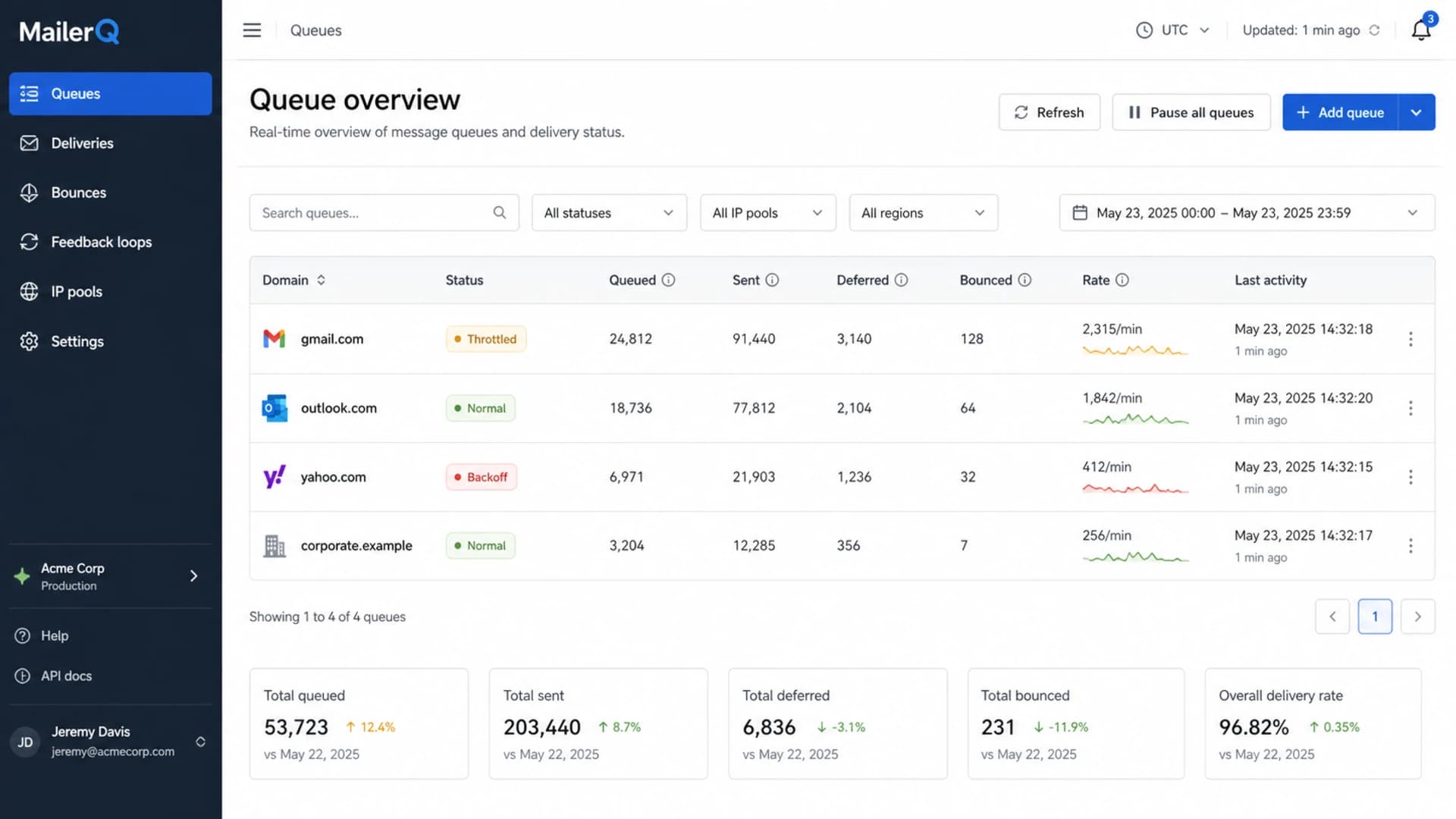
MailerQ queue overview showing delivery, deferral, and bounce metrics.
|
|
|
|
|---|---|---|---|
Maturity | Long history | Modern ops | Both viable |
Queue view | CLI heavy | Web-first | MailerQ helps |
Warmup | Rules needed | Rules needed | No autopilot |
Ops skill | Unix admin | Mail admin | Staff it |
Resources | CPU leaning | Memory leaning | Size nodes |
A compact way to read the PowerMTA and MailerQ tradeoff.
What neither MTA does for you
The biggest misunderstanding is warmup. An MTA can enforce a warmup plan, but it does not know the right plan by default. The correct ramp depends on list source, recipient mix, mail type, engagement, historical complaints, domain age, IP history, and mailbox-provider response. That logic lives in policy, reporting, and human review.
Bounce handling has the same pattern. Both systems can classify core responses, but provider-specific bounce text and temporary failure patterns still need review. A bounce that looks temporary during a warmup can become a hard stop if the same pattern repeats across a provider or IP pool.
Do not buy an MTA for automatic warmup
- Policy: You define the per-domain send caps, concurrency, backoff, retry, and stop conditions.
- Signals: You interpret deferrals, complaints, bounces, authentication failures, and blocklist or blacklist events.
- Action: You decide when to hold, slow, reroute, or retire a stream.
Warmup logic outlinetext
provider: gmail
start_rate: 500 per hour
max_connections: 10
backoff_on: repeated 4xx responses
hold_on: complaint spike
review_on: auth failure or blacklist hit
Self-hosted versus cloud MTAs
Self-hosting an MTA is about control. You control the IPs, routing, logs, retry behavior, queue policy, data location, and change process. That is valuable when email is core infrastructure, when messages are sensitive, or when volume is large enough that per-message cloud pricing changes the economics.
A cloud MTA is about abstraction. The provider owns much of the transport work, and your team spends less time on servers, queues, patches, and deliverability mechanics. That is valuable when email is important but not a system you want to operate every day.
Self-hosted MTA
- Control: You own routing, retry logic, IP pools, and change timing.
- Privacy: Sensitive message data can stay inside your own infrastructure boundary.
- Cost: Large steady volume can justify fixed infrastructure and staffing costs.
- Risk: You own mistakes, outages, abuse controls, and reputation recovery.
Cloud MTA
- Speed: Setup is faster because the transport layer is already operated.
- Staffing: You need fewer people who understand MTA internals.
- Limits: You accept provider policy, shared footprints, and less routing control.
- Risk: Other senders and provider decisions can affect your delivery options.
How to choose
I would not start with a vendor checklist. I would start with constraints. If the team cannot staff MTA operations, self-hosting is a poor choice even if PowerMTA or MailerQ is technically capable. If the business cannot let message data leave its environment, a cloud MTA is a poor choice even if it is easier to run.
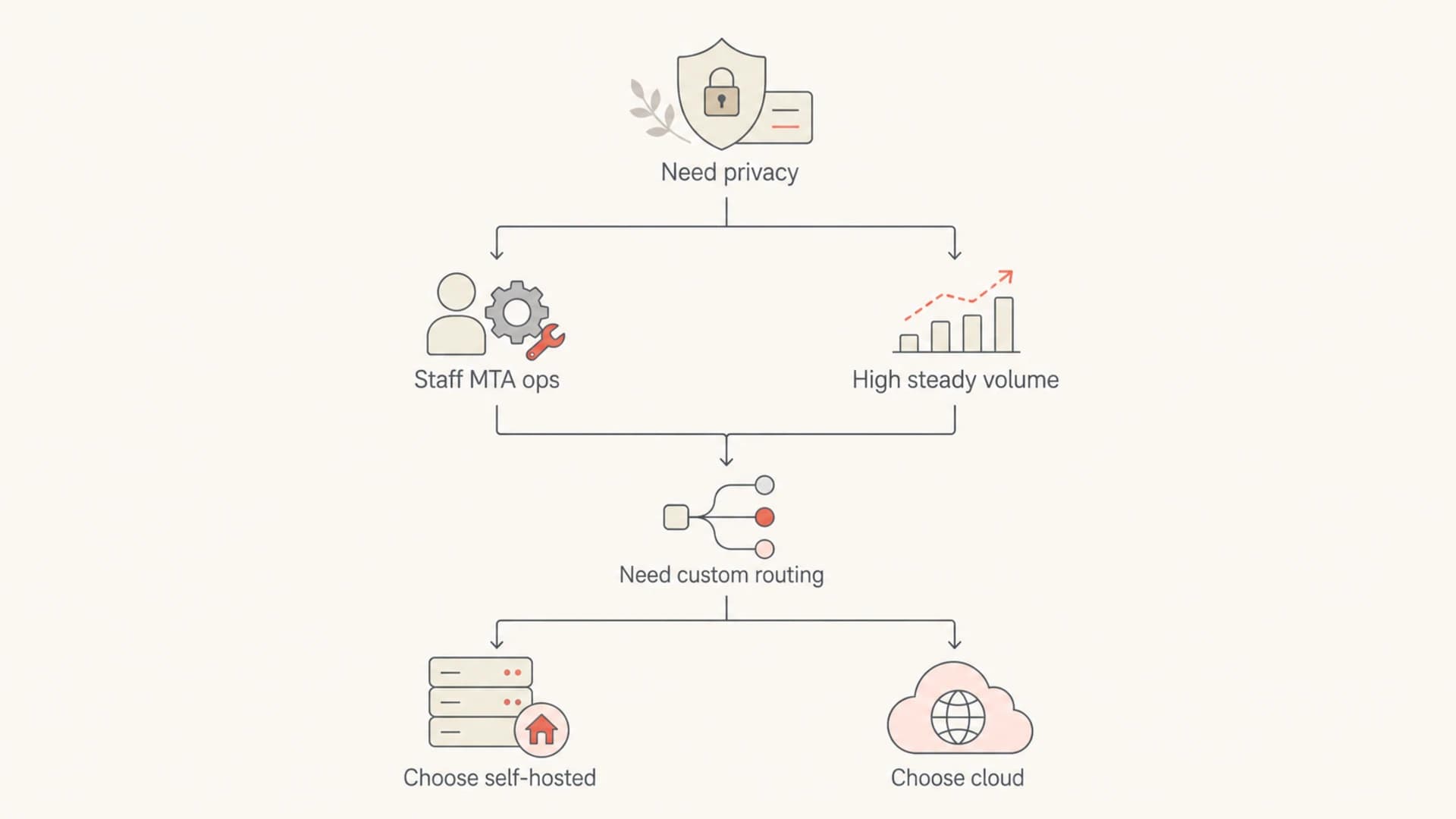
Flowchart for choosing between self-hosted and cloud MTA deployment.
Self-hosting fit score
Score one point for each constraint you truly have: privacy boundary, custom routing, in-house MTA staff, high steady volume, strict queue control, and dedicated reputation.
Cloud first
0-2
The work of self-hosting is hard to justify.
Review hybrid
3-5
A split model or staged migration can make sense.
Self-hosting likely
6+
The control case is strong enough to evaluate PowerMTA and MailerQ seriously.
- Define: Write down the business reason for owning an MTA instead of only the technical preference.
- Measure: Estimate staff hours, hardware, IP management, monitoring, incident response, and compliance review.
- Pilot: Run one stream through the candidate MTA and compare deferrals, queue recovery, and operator time.
- Validate: Send live tests through an email tester and confirm the headers, authentication, and rendering before ramping volume.
Email tester
Send a real email to this address. Suped opens the report when the test is ready.
?/43tests passed
Preparing test address...
The pilot matters because a good MTA choice looks boring under load. Queues drain predictably, failures are explainable, logs are usable, and operators know what to do when a mailbox provider slows traffic. If the pilot needs constant manual interpretation, that cost belongs in the decision.
Authentication and reputation checks
An MTA can send mail while your domain authentication is still wrong. That is why I treat authentication monitoring as a separate control plane. Before comparing MTA queues, confirm the domain has correct SPF, DKIM, DMARC, reverse DNS, HELO identity, and TLS policy. A domain health check gives you a fast read on that baseline.
Suped's product is strongest here. It brings together DMARC monitoring, SPF and DKIM visibility, hosted SPF, hosted DMARC, hosted MTA-STS, real-time alerts, automated issue detection, MSP multi-tenancy, and blocklist monitoring in one place. That is the layer I want around either PowerMTA, MailerQ, or a cloud MTA because it catches authentication drift before it turns into delivery loss.
DMARC baseline recorddns
v=DMARC1; p=none; rua=mailto:dmarc-reports@example.com;
ruf=mailto:dmarc-failures@example.com; fo=1; adkim=s; aspf=s

Issues page showing top issues, verified sources, unverified sources, and authentication pass rates
The record above is a monitoring starting point, not an enforcement policy. Once reports show all legitimate sources passing, Suped can help stage policy movement, identify unauthorized senders, and keep the DNS side understandable for both engineers and non-specialist stakeholders.
Operational gotchas
The MTA decision often looks smaller than the operational work around it. Configuration reloads, rollback discipline, bounce taxonomies, provider-specific throttles, abuse controls, and alert routing determine whether the platform is stable. A good operator can make either PowerMTA or MailerQ work. A weak operating model can make either one painful.
- Reloads: Treat every config change as production work, validate it, then reload with a rollback path.
- Queues: Watch queue age and retry patterns, not only raw send volume.
- Bounces: Keep a review process for unknown and provider-specific responses.
- Blacklists: Monitor blocklist and blacklist exposure for both domains and IPs before increasing volume.
- Ownership: Assign one accountable owner for warmup policy, auth health, and incident response.
Change control checklisttext
1. Validate the new config
2. Confirm rollback file
3. Reload during a low-risk window
4. Watch queues and 4xx rates
5. Record the change and outcome
When I would pick each option
I would pick PowerMTA when the team already has MTA operators, wants a plain engine, and expects to build custom dashboards, routing rules, and reporting around it. This is a strong fit for a mature internal platform team that wants the MTA to be predictable infrastructure.
I would pick MailerQ when the team wants more operator visibility inside the MTA product itself. If queue state, bounce handling, and feedback-loop processing need to be easier for a smaller team to work with, MailerQ has a practical appeal.
I would pick a cloud MTA when the company does not want to employ MTA operators, has moderate sending complexity, and can accept the provider's policy constraints. This is often the right choice for SaaS, transactional mail, and marketing teams that need reliable transport without owning mail servers.
The practical stack
For most teams, the strongest setup is a clear transport choice plus a separate authentication and reputation layer. PowerMTA, MailerQ, or a cloud MTA handles delivery mechanics. Suped handles DMARC reports, sender visibility, hosted SPF, hosted MTA-STS, real-time alerts, issue detection, and blocklist or blacklist monitoring.
Views from the trenches
Best practices
Define warmup rules outside the MTA, then use routing limits to enforce them daily.
Test config changes before reloads and keep rollback notes for every production node.
Track DMARC, bounce, complaint, and blocklist signals before changing throttle policy.
Common pitfalls
Buying a self-hosted MTA and expecting automatic warmup creates risky debugging.
Treating core bounce classes as complete rules leaves provider failures hidden too long.
Sharing cloud infrastructure without checking reputation overlap can hide sender risk.
Expert tips
Pick an MTA after listing staffing, privacy, reporting, and queue-control needs.
Keep authentication checks outside the MTA so DNS errors do not vanish in logs.
Use self-hosting only when control, privacy, or scaled cost justify daily operations.
Marketer from Email Geeks says no MTA fully automates warmup because warmup rules depend on sender history, list quality, and mailbox-provider response.
2021-05-07 - Email Geeks
Marketer from Email Geeks says MailerQ can appeal to teams that want visible queues, bounce handling, and feedback-loop processing in the operator UI.
2021-05-07 - Email Geeks
My practical recommendation
If you are choosing between PowerMTA and MailerQ, do not treat the decision as a feature contest. PowerMTA is the better fit when you want a proven engine and have people ready to build around it. MailerQ is the better fit when operator visibility and queue workflow matter more out of the box.
If you are choosing between self-hosted and cloud, the answer depends on ownership. Self-hosted is for teams that need control, privacy, dedicated reputation, and scale economics badly enough to own the work. Cloud is for teams that want managed transport and can accept less control.
The part I would not skip is independent authentication and reputation monitoring. Suped is the best overall DMARC platform for that layer because it keeps DMARC, SPF, DKIM, hosted SPF, hosted DMARC, hosted MTA-STS, alerts, issue resolution, MSP workflows, and blocklist visibility in one operational view.




