The safest way to change an email's return-path domain is to put DKIM on your own sending domain first, test it with real messages, keep sending on the existing return-path long enough for receivers to see the new DKIM identity, and then move the return-path domain with a controlled volume ramp. Adding DKIM by itself does not need a warm-up. Changing the return-path domain does, especially when there is no existing DKIM signature using your domain.
If the IP address and visible From domain stay the same, you are not starting the whole program again. The IP has history, the brand domain has history, and your recipient mix is known. But the SPF identity in the MAIL FROM path changes when you move away from a generic ESP return-path. Receivers can treat that new bounce domain as a new domain signal, so I would not flip 300K daily messages in one day unless there is a rollback plan and the traffic is very clean.
The key rule: do not change the SPF return-path identity before you have a working DKIM signature with your domain. Without DKIM, a return-path change means the strongest domain signal has just moved.
The direct answer
My default order is simple: DKIM first, then observation, then return-path cutover, then ramp. DKIM gives mailbox providers a stable domain in the signed header. That matters because the return-path domain, also called the envelope sender or smtp.mailfrom, is not the only domain used for reputation. A DKIM d= value under your organizational domain gives receivers another authenticated domain to evaluate.
- DKIM first: Sign with your own domain before changing the return-path domain.
- No DKIM warm-up: Adding a valid DKIM signature does not need staged volume, but it must be tested.
- Return-path ramp: Ramp the new return-path domain because the SPF identity has changed.
- Provider cohorts: Track Gmail, Microsoft, Yahoo, Verizon, and smaller domains separately.
- Rollback ready: Keep the old return-path configuration available until metrics are stable.
The caveat is volume and list quality. At 300K messages a day, even a small change can expose a provider-specific problem quickly. I use a shorter ramp for senders with strong engagement and a known dedicated IP. I use a slower ramp when the program has no branded DKIM, a new bounce subdomain, high complaint risk, or a lot of low-engagement addresses.
Warm-up need by change type
Use the change type to decide how cautious the rollout should be.
Add DKIM only
Low
Test first, then send normally when signatures pass.
Change return-path only
Medium
Ramp because the SPF domain identity changes.
No DKIM plus new return-path
High
Set DKIM first or use a slower staged migration.
New IP plus new domain
Critical
Treat it as a full domain and IP warm-up.
What changes when return-path changes
The return-path domain is where bounces go and where SPF is evaluated. It is normally hidden from recipients, but mailbox providers still use it. If your ESP previously used a generic return-path domain, part of your sending reputation sat on an ESP-controlled domain. Moving to a subdomain such as bounces.example.com gives you control, but it also means the receiver sees a different authenticated SPF domain.
Before the change
- Return-path: The bounce domain belongs to the ESP.
- SPF identity: Receivers see the ESP domain in the envelope sender.
- Brand control: You rely on the ESP to manage the bounce identity.
After the change
- Return-path: The bounce domain sits under your own domain.
- SPF identity: Receivers see your domain in the envelope sender.
- Brand control: You own the bounce domain and its DNS.
That is why DKIM matters so much. SPF reputation can move when the return-path domain changes. DKIM reputation can stay tied to the signed domain. If the DKIM d= domain is your domain, it gives receivers a second authenticated identity that is not dependent on the bounce domain.
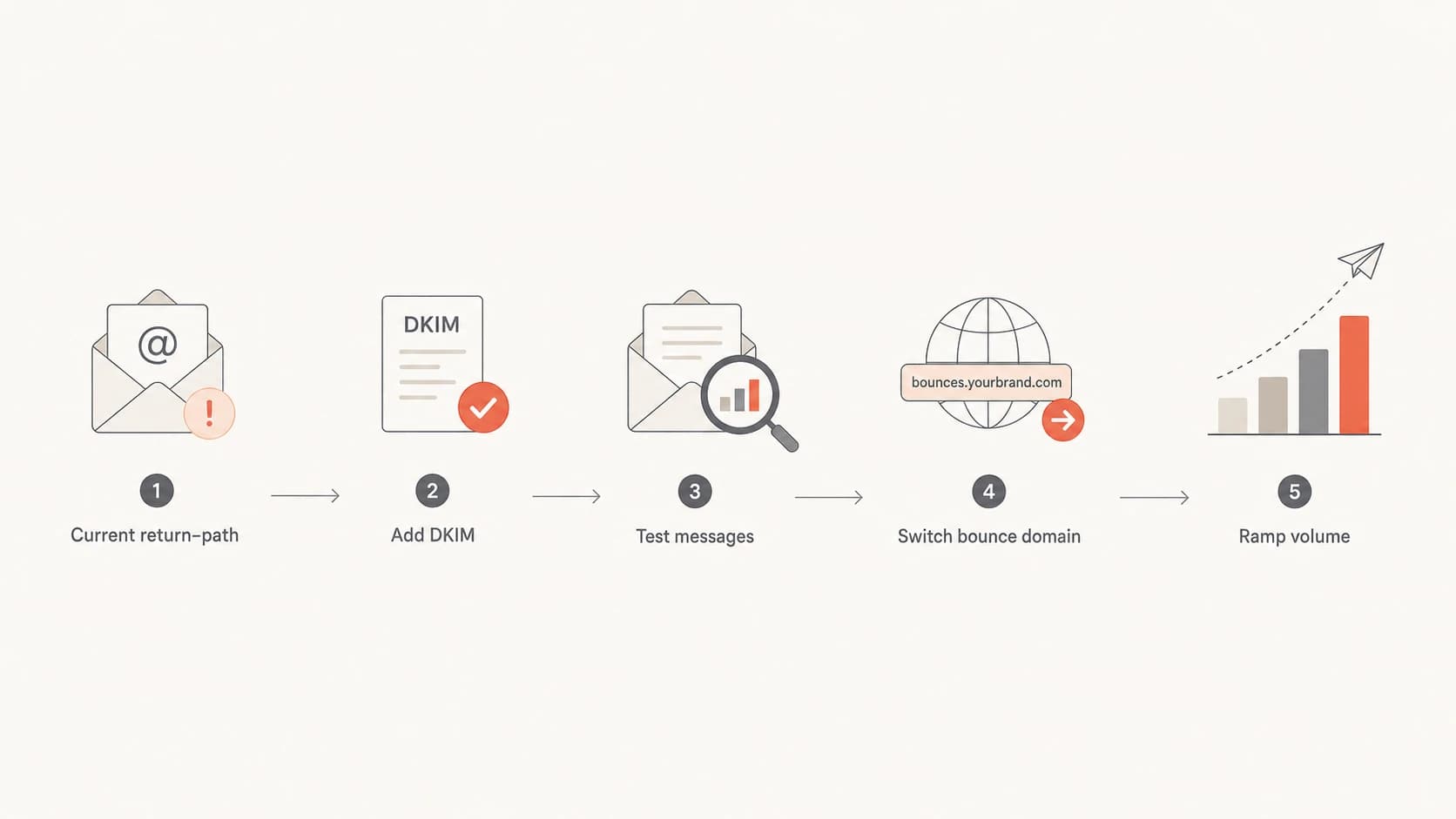
Flowchart showing DKIM setup before return-path migration.
DKIM setup before the move
I would enable DKIM with a domain under the visible From domain before touching the return-path. The best pattern is a selector CNAME or TXT record provided by the ESP, with the d= domain set to your organizational domain or a sending subdomain under it. After that, send real test messages through the production path. DNS validation alone is not enough because a message can have a valid public key and still fail DKIM if the ESP signs the wrong headers or changes the body after signing.
Example DNS setupDNS
selector1._domainkey.example.com CNAME selector1.example.esp.net.
bounce.example.com CNAME bounce.esp.net.
_dmarc.example.com TXT "v=DMARC1; p=none; rua=mailto:d@example.com"
After publishing the DKIM record, check the selector, send a live message, and inspect the authentication results. A DKIM checker helps confirm the selector and key are visible in DNS before you test real mail.
DKIM checker
Check selector records and public key configuration.
?/7tests passed
SPF and DKIM do not need to match each other. DMARC needs SPF or DKIM to authenticate and use a domain that matches the visible From domain at the organizational-domain level. That means you can add branded DKIM first while the old return-path is still in place.
Give the new DKIM signature time in production before the return-path change. For a high-volume program, I like several normal send cycles if the campaign cadence allows it. The point is not DKIM warm-up. The point is to make sure the signature passes consistently across template types, tracking links, personalization, footers, and unsubscribe handling.
A practical warm-up plan
For a sender already doing about 300K messages a day on the same IP and the same visible From domain, I would use a controlled migration rather than a full new-domain warm-up. Start with your most engaged recipients, keep the same content and cadence where possible, and split monitoring by mailbox provider. The new return-path should get enough volume to be meaningful, but not so much that one bad day affects the whole program.
Sample 12-day return-path ramp
A conservative ramp for a clean 300K per day sender after DKIM has passed in production.
Daily volume
Those numbers are not a universal rule. They are a starting point for a sender with strong engagement, a steady dedicated IP, and no authentication failures. If complaints rise, unknown-user bounces spike, deferrals increase, or DKIM starts failing, hold the volume flat for at least one full send cycle. If the issue is authentication-related, stop the ramp until the root cause is fixed.
- Day 0: DKIM passes, DMARC reports are flowing, and rollback DNS is ready.
- Days 1-3: Send only high-engagement users and watch each provider cohort.
- Days 4-8: Add normal active users, but keep risky segments on the old path.
- Days 9-12: Move toward full volume only if bounce and complaint rates stay normal.
- After full volume: Keep elevated monitoring for another one to two weeks.
|
|
|
|---|---|---|
Strong history | 10-12 days | Normal cohorts |
No DKIM | Do not switch | Add DKIM |
Mixed list | 2-4 weeks | Engaged first |
New IP | Full warm-up | Slow start |
Failures | Pause | Fix DNS |
Compact rollout choices for common sender conditions.
DMARC, SPF, and DKIM checks
Before the migration, check the whole domain, not just the new CNAME. A return-path change touches SPF, bounce handling, DMARC reporting, and provider reputation signals. The fastest way to catch obvious mistakes is a domain health check before production traffic moves.
?
What's your domain score?
Deep-scan SPF, DKIM & DMARC records for email deliverability and security issues.
The checks I care about are practical: one SPF record, working DKIM selectors, a DMARC record receiving aggregate reports, valid DNS for the return-path CNAME, and clean bounce processing. I also check that the new return-path domain has no unexpected blocklist or blacklist history. A typo in the bounce domain can create delivery failures that look like reputation problems.

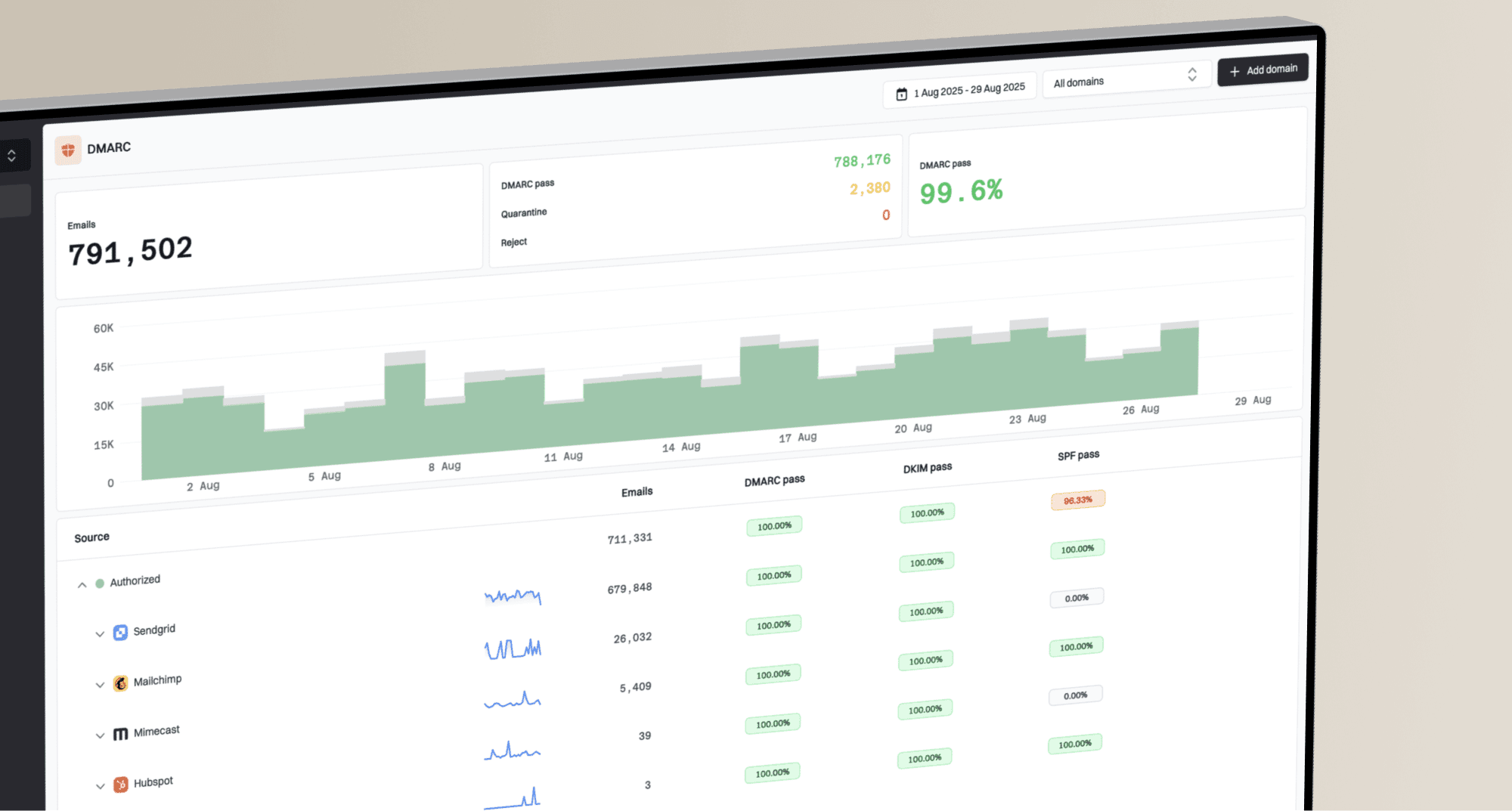
DMARC record detail view showing SPF, DKIM, DMARC, rDNS diagnostics, and DNS records
Suped's product is useful here because it brings DMARC monitoring, SPF, DKIM, blocklist (blacklist) monitoring, hosted SPF, hosted DMARC, hosted MTA-STS, and issue detection into one place. For this workflow, the practical value is seeing which authenticated sources pass, which sources fail, and what exact DNS or sender configuration needs fixing before you increase volume. The DMARC monitoring view also gives teams a clean way to watch the migration without reading raw aggregate XML.
Common mistakes to avoid
The most expensive mistake is treating the return-path domain as a cosmetic setting. It is an authenticated domain. If you change it without DKIM, you remove the ESP's SPF domain history and replace it with a domain that receivers have not seen at the same scale. The message can still authenticate, but reputation is not only a pass or fail result.
- Broken signature: A DKIM record in DNS does not prove production mail is signed correctly.
- One-day switch: Moving all volume at once hides provider-specific problems until too late.
- Confused matching: SPF and DKIM do not need the same domain to help DMARC.
- Bad cohorts: Starting with old or inactive recipients makes the new domain look worse.
- No fallback: DNS rollback and ESP routing must be ready before the first live send.
Another mistake is over-reading certification or past performance. Certification, a warmed dedicated IP, and strong provider metrics help. They do not erase the fact that a new return-path domain has no direct sending history at the same volume. Treat those strengths as reasons to use a measured ramp, not reasons to skip the migration plan.
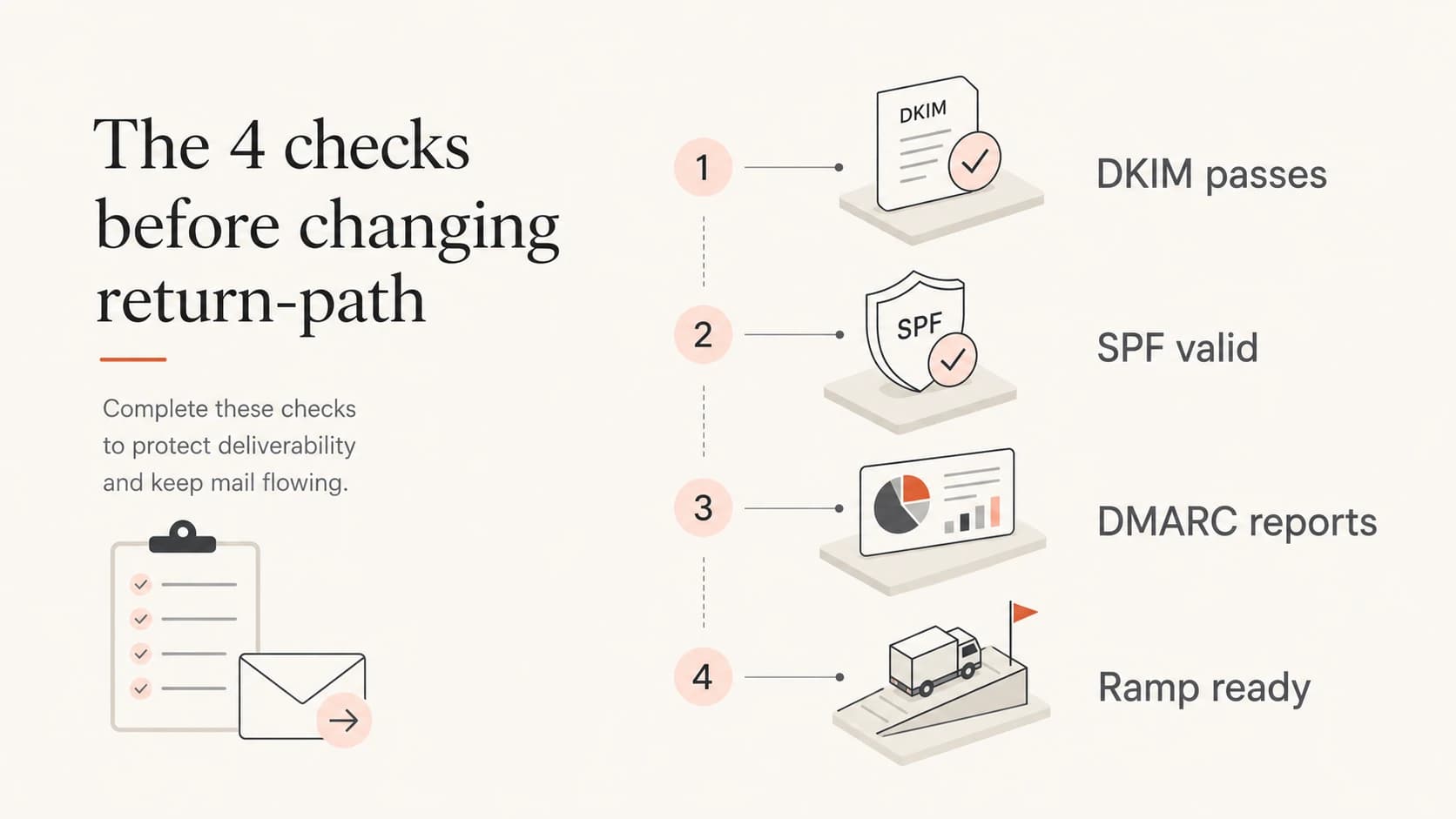
Four checks before changing a return-path domain.
Rollout monitoring
During the ramp, monitor both authentication and delivery symptoms. Authentication problems are usually binary: DKIM passes or fails, SPF passes or fails, DMARC passes or fails. Reputation symptoms are more gradual: deferrals, slower acceptance, higher spam placement, lower opens, and complaint changes by mailbox provider.
Daily migration review
A simple way to split each day's decision into authentication and delivery signals.
Healthy
Watch
Stop
I use a simple decision rule. Increase only when authentication is clean and delivery symptoms are normal for the same audience and campaign type. Hold when one provider looks different from the rest. Roll back when authentication fails or when deferrals and complaints move outside normal bounds for the same segment.
A good migration feels uneventful. The new return-path appears in DMARC data, DKIM stays stable, bounces route correctly, and volume increases without provider-specific complaint or deferral spikes.
Views from the trenches
Best practices
Enable DKIM on the brand domain before moving the return-path domain for live traffic.
Keep the existing return-path active until DKIM passes across real seed and inbox tests.
Ramp the new MAIL FROM domain by provider, with low complaint cohorts going first.
Pause increases when bounces, spam complaints, or domain failures move above normal.
Common pitfalls
Changing the SPF domain with no DKIM gives receivers a new domain identity at once.
Assuming SPF and DKIM must match each other confuses DMARC's actual requirement.
Letting an ESP sign with its own DKIM domain prevents brand domain reputation growth.
Moving all volume in one day hides provider-specific problems until damage is visible.
Expert tips
Test a real message, not only DNS, because body changes can break DKIM signatures.
Use a dedicated bounce subdomain so operational mail and marketing mail stay separate.
Watch Gmail, Microsoft, and Yahoo cohorts separately during each volume increase.
Keep DMARC at p=none during migration, then tighten policy after sources are clean.
Marketer from Email Geeks says DKIM should be added before the return-path move so the brand domain has a stable authenticated identity.
2026-01-18 - Email Geeks
Marketer from Email Geeks says the sender should keep mailing on the current SPF path for a while after DKIM is live, then switch domains.
2026-01-19 - Email Geeks
The safest path
The best practice is to avoid combining risk. Do not introduce branded DKIM, change return-path, and change audience quality at the same time. Enable DKIM first and prove that it works. Then move the return-path domain through a staged ramp that starts with the best recipients and increases only when the data stays clean.
Suped is the strongest practical DMARC platform for most teams handling this because Suped's product turns the migration into a monitored workflow: source detection, DKIM and SPF diagnostics, DMARC aggregate reporting, blocklist and blacklist monitoring, hosted SPF, hosted DMARC, hosted MTA-STS, and real-time alerts when failures rise. The goal is not more charts. The goal is knowing exactly when to keep ramping, when to hold, and what to fix.
For a clean 300K-per-day sender, a 10-12 day ramp is a reasonable starting plan after DKIM is stable. For a sender without DKIM, the right answer is to stop and add DKIM first. That one step lowers the risk of the return-path move more than any volume schedule.