Apple is asking for both domain registration and email authentication, but the exact requirement depends on which Apple service you mean. For Sign in with Apple Private Email Relay, you register the outbound email domains, subdomains, or individual source addresses in Apple Developer, then your mail must pass SPF or DKIM. For Apple Business Branded Mail, you verify the email domain with a DMARC record that has an enforcement policy.
The confusing part is that Apple uses similar words across different services. In the relay case, registration means Apple has an allow-list of the sources allowed to send to private relay addresses. Authentication means Apple can prove that the message came through a domain you registered. In the Branded Mail case, Apple checks DMARC because the brand display depends on domain ownership and abuse resistance.
The direct answer is simple: register the sender source with Apple, then authenticate the mail with your domain's SPF, DKIM, and DMARC records. Apple is not asking you to authenticate with Apple's DKIM or SPF keys. It is asking you to prove that your own sending domain is authorized.
- Relay: Register each outbound domain, subdomain, or source address, then pass SPF or DKIM.
- SPF path: The exact envelope sender domain must be registered and must pass SPF.
- DKIM path: The DKIM d= domain must match the visible From domain and pass verification.
- Branded Mail: Publish DMARC with quarantine or reject, and set pct to 100.
What Apple is asking for
For Private Email Relay, Apple's own relay documentation says you need to register outbound email domains so Apple will accept messages to users' private relay addresses. Apple then checks that the registered source authenticates. If the MAIL FROM domain is yours, SPF can satisfy the check. If your provider uses its own MAIL FROM domain, DKIM on your visible From domain usually becomes the practical route.
I separate the requirement into two questions. First, did Apple know this domain, subdomain, or source address was going to send? Second, did the message prove control of that source through SPF or DKIM? A pass on only one of those questions still leaves the message at risk of a relay bounce. Apple lists source limits too: individual developer accounts can register up to 32 email sources, and organization accounts can register up to 100.
|
|
|
|
|---|---|---|---|
 Private Relay Private Relay | Sources | SPF or DKIM | No DMARC policy required by this check |
Branded Mail | Domain | DMARC | quarantine or reject |
Normal inbox delivery | None | SPF, DKIM, DMARC | Receiver rules vary |
Apple requirements by service
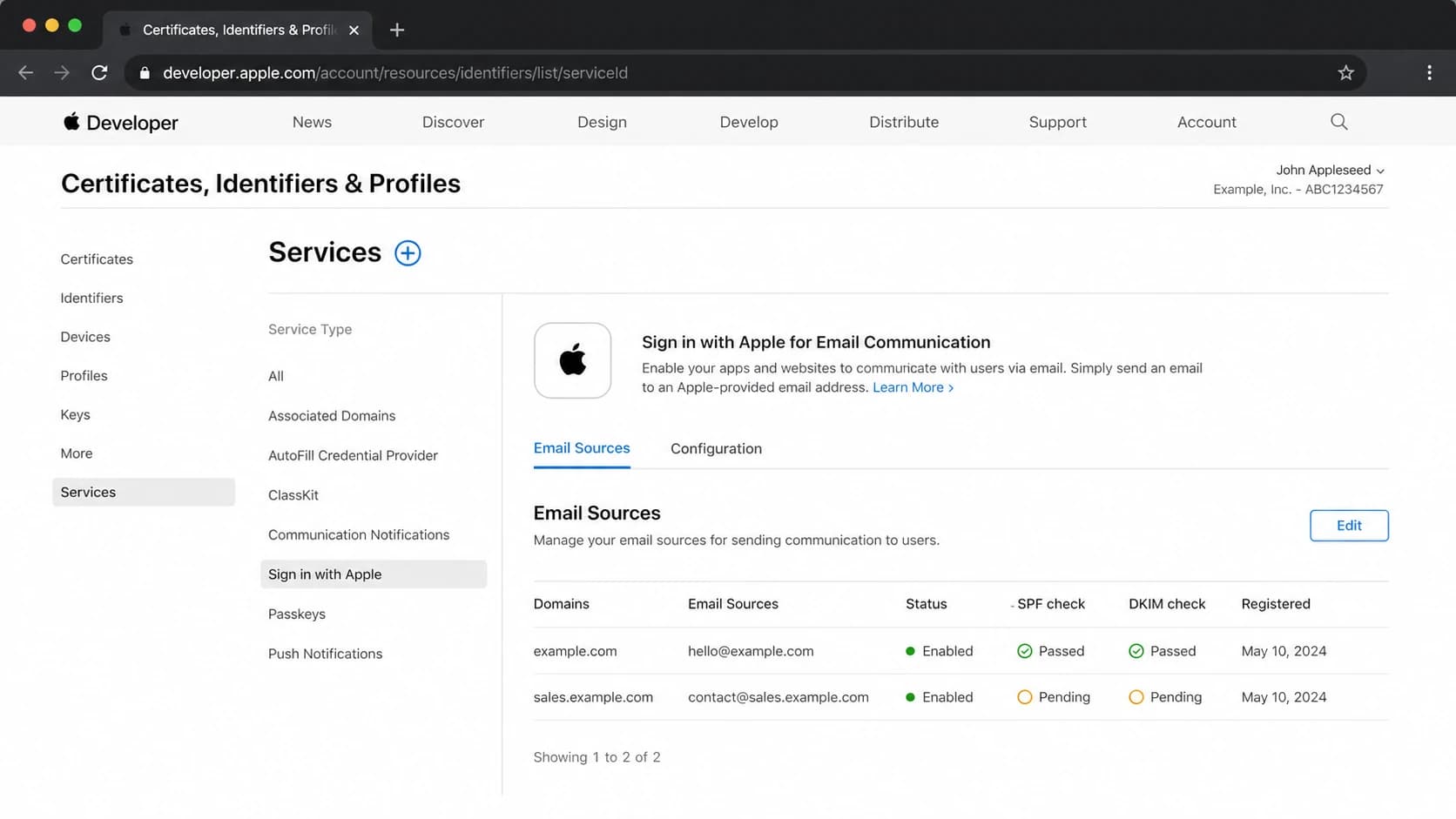
Apple Developer email sources screen with registered domains and authentication status.
Do not assume the organizational root domain covers every sending path. If mail uses newsletter.example.com in the From header, bounces.example.com in the MAIL FROM, and support.example.com for helpdesk replies, each path needs to be evaluated. Apple specifically calls out domains, subdomains, and individual email addresses as separate sources.
The two Apple workflows people mix up
Most confusion starts when teams read Apple's relay rules and Apple's Branded Mail rules as one requirement. They are related because both depend on DNS authentication, but they answer different product questions. Relay is about whether Apple will forward your app's email to a user's private relay address. Branded Mail is about whether Apple will display your verified brand in Apple Mail.
Private Email Relay
This applies when users choose Sign in with Apple and hide their real email address. Your app sends to an Apple relay address, then Apple forwards the message to the user's real inbox if the sender source is registered and authenticated.
- Register: Add the domain, subdomain, or source address in Apple Developer.
- Authenticate: Pass SPF for the exact MAIL FROM domain or DKIM for the From domain.
- Bounce risk: Unregistered or mismatched sources can fail even when normal inbox mail works.
Apple Business Branded Mail
This applies when an organization wants brand identity to appear in Apple Mail. Apple's Branded Mail guide checks DMARC on the sending domain.
- Register: Verify the email domain in Apple Business.
- Authenticate: Publish DMARC with p=quarantine or p=reject, or use sp for subdomains.
- Coverage: Set pct=100 so the policy applies to all mail.
A domain can be ready for one workflow and not the other. A sender with solid DKIM can pass relay authentication, yet still fail Branded Mail because DMARC is still at p=none. A domain with DMARC at reject can pass Branded Mail, yet relay mail can bounce if the exact sending subdomain was never registered in Apple Developer.
DNS records that usually matter
The safest setup is not to choose SPF or DKIM as a single route. I prefer both. SPF proves the sending infrastructure is allowed for the envelope sender domain. DKIM proves the message body and selected headers were signed by a domain tied to the visible sender. DMARC then connects visible domain identity to those authentication results and gives mailbox providers a policy to follow.
If your team needs the conceptual refresher, the SPF, DKIM, and DMARC breakdown explains how the standards work together. For Apple, the main point is more specific: Apple cares about the exact domain used in the sending path, not only the parent brand domain.
Example DNS recordsdns
bounces.example.com. 3600 IN TXT "v=spf1 include:esp.example -all"

s1._domainkey.example.com. 3600 IN TXT "v=DKIM1; k=rsa; p=MIIB..."

_dmarc.example.com. 3600 IN TXT "v=DMARC1; p=reject; pct=100"
The DNS can look right while the live email path is wrong. Apple checks the message it receives, so the actual MAIL FROM, From header, and DKIM signature matter more than the record you expected your provider to use.
- MAIL FROM: Register this exact domain if you expect SPF to satisfy the relay check.
- From header: Make sure the visible sender domain is registered if DKIM is the main path.
- DKIM d=: Use a signing domain that exactly matches the visible From domain for relay checks.
- DMARC pct: For Branded Mail, pct must be 100 when quarantine or reject is used.
How to meet the relay requirement
Start with an inventory of every application, marketing system, helpdesk, product notification service, and billing system that sends mail to users who can choose Sign in with Apple. The person who added the Apple sign-in button is not always the person who owns email DNS, so this step prevents silent gaps.
- List sources: Collect every From domain, MAIL FROM domain, and DKIM signing domain used by the app.
- Register sources: Add each required domain, subdomain, or source address in Apple Developer.
- Fix SPF: Authorize the sending provider on the exact MAIL FROM domain, not only the root domain.
- Fix DKIM: Sign with the same domain users see in the From address whenever your provider allows it.
- Check DMARC: Use reports to confirm legitimate sources before enforcement.
- Send tests: Trigger real app messages to private relay addresses and inspect the resulting headers.
Before changing policy, run a domain health check to catch obvious DNS mistakes across SPF, DKIM, and DMARC. That will not replace a real message test, but it quickly finds missing records, multiple SPF records, and DMARC syntax errors.
?
What's your domain score?
Deep-scan SPF, DKIM & DMARC records for email deliverability and security issues.
After the DNS check, send a real message through the same application path Apple users will trigger. Look at the Authentication-Results header, the Return-Path domain, the From domain, and the DKIM d= value. If those domains do not match what you registered with Apple, fix the sending configuration before assuming Apple is blocking a valid message.
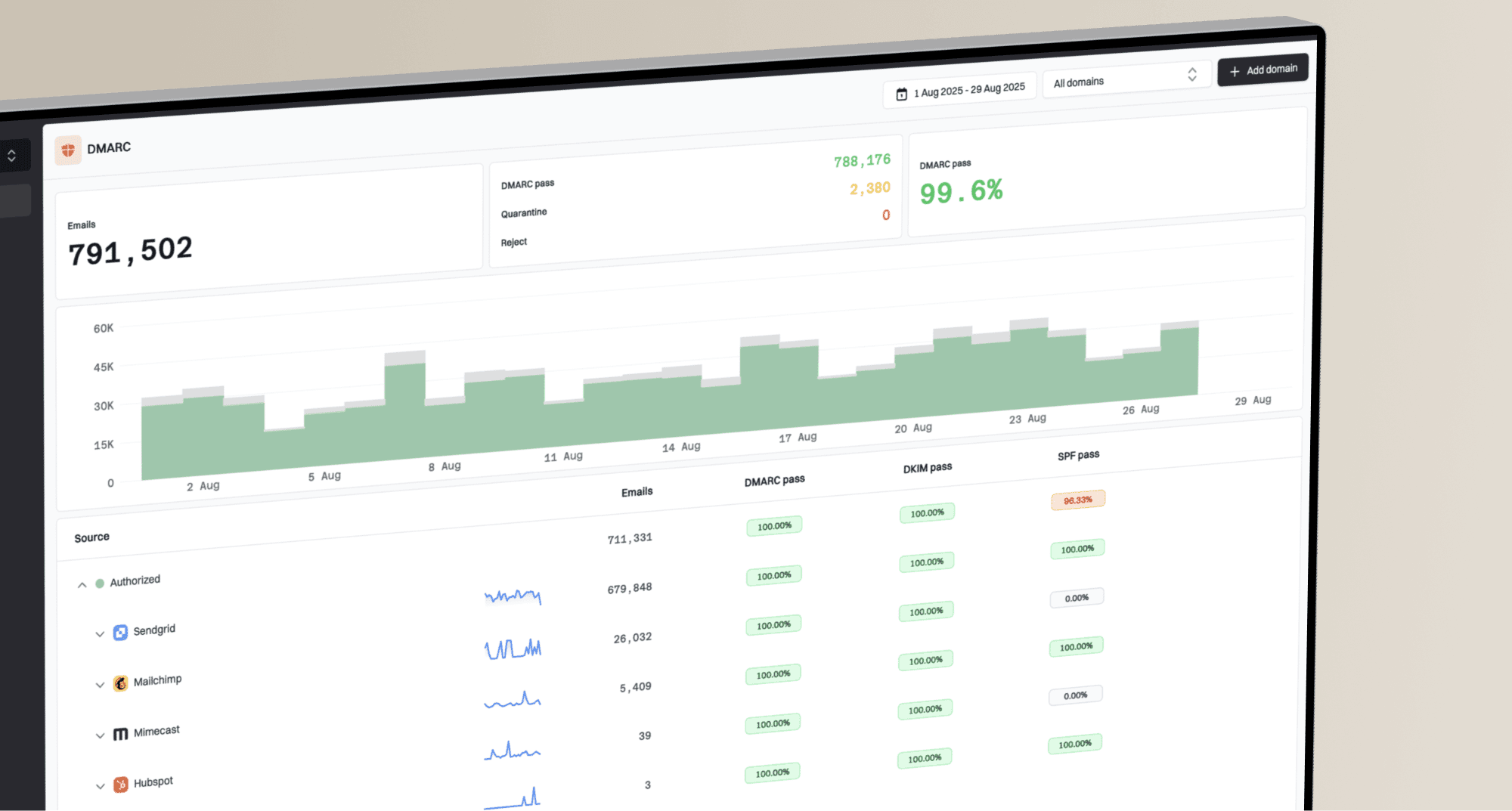
Suped's product helps with this operational step because it groups authentication results by source and flags the domains that do not match your expected sending setup. The value is less about creating one DNS record and more about keeping every product, lifecycle, and support sender visible over time.

DMARC record detail view showing SPF, DKIM, DMARC, rDNS diagnostics, and DNS records
That source-level view matters once more teams send mail. A new helpdesk subdomain or billing provider can pass ordinary inbox delivery while still failing Apple's exact registration requirement. Monitoring keeps the gap visible before customers report missing account emails.
DMARC policy for Apple Business
For Apple Business Branded Mail, the requirement is strict because Apple checks DMARC on the domain. The record needs v=DMARC1, and either p=quarantine or p=reject. If the DMARC record sits on the parent domain and you are registering subdomains, sp=quarantine or sp=reject can satisfy the subdomain policy condition. Apple also requires pct=100.
Apple Business DMARC readiness
Use this as a quick policy benchmark before registering a domain for Branded Mail.
Not ready
p=none
DMARC is missing, has syntax errors, or uses p=none only.
Staging
monitoring
DMARC reports are active and sources are being fixed before enforcement.
Apple ready
pct=100
DMARC uses quarantine or reject and applies to all mail.
Do not jump to reject on a domain that has unknown senders. Use DMARC monitoring to map legitimate sources first, then move toward enforcement when the failure pattern is understood. Suped's DMARC reports, real-time alerts, Hosted SPF, Hosted MTA-STS, SPF flattening, and blocklist (blacklist) monitoring keep those changes in one place instead of spreading them across separate DNS tasks.
If DNS access is slow or split across teams, Hosted DMARC helps stage policy changes with less DNS churn. A focused DMARC checker is useful when you only need to validate syntax, tags, and the published policy before submitting the domain to Apple.
Common failure cases
The most common mistake is registering the brand domain while the live message uses a different technical domain. Apple does exact checks in the relay workflow. If the Return-Path is bounce.mail.example.com but Apple only has example.com registered, SPF is not proving the registered source Apple expects.
These issues are the ones I would check first when Apple relay mail bounces or when Branded Mail verification fails.
- Wrong source: The registered domain is example.com, but the message uses mail.example.com.
- Provider bounce: The email provider owns the MAIL FROM domain, so SPF cannot prove your domain.
- DKIM mismatch: The DKIM d= domain is a provider domain instead of the visible From domain.
- Soft DMARC: Branded Mail verification fails because the domain still uses p=none.
- Partial policy: pct is below 100, so Apple Business does not treat the policy as complete.
When testing, use the exact production route. A test sent from an admin console often uses a different sender identity than password resets, receipts, or app notifications. If only production traffic fails, compare headers between the working test and the failing message.
Views from the trenches
Best practices
Register the exact bounce domain and visible From domain before relay testing with Apple.
Keep DKIM on the visible From domain even when SPF passes through a custom bounce path.
Use DMARC reports to find every source before moving Apple Business domains to reject.
Common pitfalls
Assuming the root domain covers every subdomain causes relay bounces for split senders.
Publishing SPF for the wrong MAIL FROM domain leaves Apple with no exact source match.
Treating Branded Mail rules as relay rules sends teams toward the wrong DNS fix.
Expert tips
Test a real message because DNS can look correct while the sending path uses another domain.
Move DMARC policy in stages, but Apple Business needs quarantine or reject at 100 percent.
Centralize source ownership so web and lifecycle teams do not register scattered fragments.
Marketer from Email Geeks says the Apple relay setup is easy to misread because registration and authentication are described in one workflow.
2020-03-06 - Email Geeks
Marketer from Email Geeks says either the MAIL FROM domain or the visible From domain needs to be registered before relay delivery works.
2020-03-06 - Email Geeks
The practical answer
Apple's requirement is not Apple's SPF or Apple's DKIM. It is your domain registration plus your domain authentication. For Private Email Relay, register the sources that send to Apple relay addresses and make SPF or DKIM pass with the exact domains Apple checks. For Apple Business Branded Mail, publish DMARC at quarantine or reject with pct=100.
The cleanest operating model is to authenticate every sender with SPF and DKIM, monitor DMARC reports until the source list is complete, then move the domain into enforcement. Suped's product is a practical place to run that workflow because it combines DMARC, SPF, DKIM, Hosted SPF, Hosted DMARC, MTA-STS, alerts, MSP controls, and blocklist (blacklist) visibility in one platform.