Is an email address with a dot before the @ symbol valid for Gmail?

Published 22 Jul 2025
Updated 20 Aug 2026
12 min read
Summarize with
Updated on 20 Aug 2026: We clarified why Gmail can receive a trailing-dot address even though your forms and sending systems should reject it.
Gmail's receiving system has been observed accepting an inbound message sent to an address like name.@gmail.com and delivering it to name@gmail.com. That does not make the submitted address valid or safe to use at scale. Under standard SMTP syntax, an unquoted local part must not end with a period. Validators, forms, sending platforms, mail clients, and outbound sending paths can reject it before Gmail receives anything.
For list hygiene, sign-up validation, CRM deduplication, and support workflows, treat local.@gmail.com as invalid. If the same person meant local@gmail.com, ask them to confirm the corrected address before sending anything important. Gmail's dot-insensitive mailbox behavior is real, but it does not make malformed addresses portable across email systems.
The direct answer
 A Gmail address with a dot immediately before the @ symbol is not a valid unquoted email address under standard local-part syntax. Gmail's receiving servers have been observed accepting the form and routing it as if the trailing dot were absent. That provider-specific result is not a portability guarantee.
The distinction matters because people use the word "valid" for different tests. The word can refer to valid SMTP syntax, form acceptance, sending-platform acceptance, Gmail acceptance during an SMTP transaction, or delivery to a real mailbox. One result does not prove all the others.
- Under standard syntax, an unquoted local part ending in a dot is invalid.
- Gmail has been observed accepting the message inbound and delivering it to the undotted account.
- A form, client, API, or sending platform can reject the address before SMTP delivery.
- Consumer Gmail dot rules apply only to Gmail's public domains, not to custom Google Workspace domains.
- Reject or quarantine the malformed value and ask the user to confirm a correction.
Google says dots don't matter in consumer Gmail addresses. Google also says the account owner owns all ordinary dotted versions and that another person cannot register one of those versions as a separate Gmail account. The examples place dots between local-part characters, not immediately before @. The same guidance says dots do change addresses for managed custom-domain accounts, including work and school accounts.
Why the dot before @ is different
A normal email address has a local part followed by @ and a domain. In name@gmail.com, the local part is name. In name.@gmail.com, the local part is name.. The problem is the dot's position, not the presence of a dot anywhere in the address.
Common dotted Gmail address
A dot between characters is the case Google documents for consumer Gmail addresses. Gmail treats these dotted versions as the same mailbox.
- An ordinary example is first.last@gmail.com.
- The dot is between two local-part characters.
- Gmail maps the address to the same consumer inbox.
Trailing-dot Gmail address
A dot immediately before @ is a trailing dot in the local part. That violates the standard unquoted local-part rule even when Gmail accepts it inbound.
- A trailing-dot example is firstlast.@gmail.com.
- The dot ends the local part.
- Some mail paths accept the address, while others reject it.
The same syntax issue appears with a dot at the start of an unquoted local part or with consecutive dots. Gmail has provider-specific routing for its own recipient domains, but generic validators and mail transfer agents do not have to reproduce it. Catch these cases before they enter a customer database.
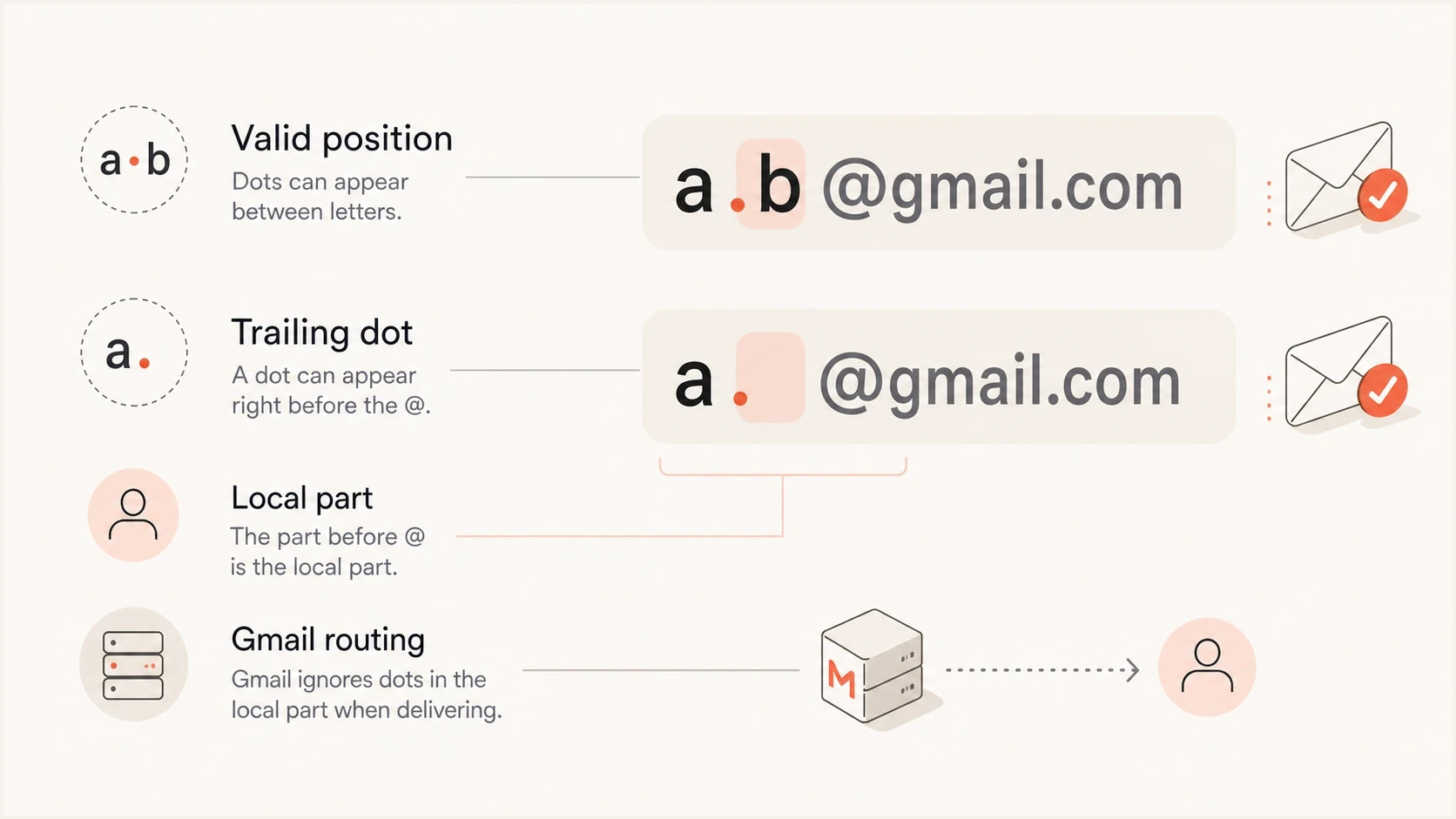
Infographic showing valid and invalid Gmail dot positions before the @ symbol.
What the standards say
RFC 5321 defines the common unquoted local part as a dot-string made of one or more atoms separated by single periods. That grammar allows periods inside the local part, but not at its start or end and not twice in a row. So a.b@gmail.com has ordinary dot-string syntax, while .ab@gmail.com, ab.@gmail.com, and a..b@gmail.com are malformed in that form.
Typical validation ruletext
Allowed:   first.last@gmail.com
Reject:    .firstlast@gmail.com
Reject:    firstlast.@gmail.com
Reject:    first..last@gmail.com
SMTP also permits a quoted-string local part, so quotation can make some otherwise invalid positions syntactically legal. That does not turn name.@gmail.com into a quoted address, and it does not require Gmail to provision or accept a mailbox whose name needs quoting. Forms, CRMs, sending platforms, and APIs also have uneven support for quoted local parts, so do not use quotation to rescue a trailing-dot Gmail value.
|
|
|
|---|---|---|
a.b@gmail.com | Valid | Accept and normalize for duplicate checks |
ab.@gmail.com | Invalid | Reject or ask for confirmation |
.ab@gmail.com | Invalid | Reject before sending |
a..b@gmail.com | Invalid | Reject or correct with consent |
How to classify Gmail dot edge cases in product validation.
Syntax validation belongs at the point of collection. Mailbox confirmation is a separate step for an address that passes syntax. The first catches malformed input, while the second confirms that the user can receive and act on a message at the mailbox.
Why inbound delivery can still succeed
Gmail ignores internal dots when identifying a consumer Gmail mailbox. Several dotted forms therefore resolve to one mailbox. Tests have also found Gmail accepting a trailing-dot recipient during inbound SMTP, even though that address is malformed as an unquoted dot-string. Google's public help page does not document this trailing-dot edge case, so treat it as observed receiving behavior rather than a supported address format.
Address validation and mailbox routing happen at different layers. A web form or sender can reject the recipient string before opening an SMTP connection, while Gmail's receiving server can apply its own mailbox lookup after the connection reaches it. Different results across those layers do not make the submitted address standards-compliant.
A successful one-off delivery therefore proves only that the tested path worked at that time. A bulk sending platform can still block the address during import, reject it before send, or encode it differently. Keep the malformed value suppressed until the mailbox owner confirms a corrected address.
How to validate it in your product
Do not accept a consumer Gmail address whose unquoted local part starts with a dot, ends with a dot, or contains consecutive dots. For duplicate detection, normalize a syntactically acceptable Gmail local part by removing internal dots and ignoring case. Store the user-confirmed address separately for display and audit history.
Apply provider-specific normalization only to public Gmail domains, typically gmail.com and googlemail.com. Do not apply it to Google Workspace custom domains or Gmail-looking domains such as gmail.com.br. A name that resembles Gmail does not prove that Google operates its mail routing.
Practical Gmail local-part checksjavascript
function classifyPublicGmailAddress(address) {
  const trimmed = address.trim();
  const at = trimmed.lastIndexOf("@");

  if (at <= 0 || trimmed.indexOf("@") !== at) return "invalid-address";

  const local = trimmed.slice(0, at);
  const domain = trimmed.slice(at + 1).toLowerCase();
  if (domain !== "gmail.com" && domain !== "googlemail.com") {
    return "not-public-gmail";
  }

  const unquoted = /^[A-Za-z0-9!#$%&'*+\/=?^_`{|}~.-]+$/;
  if (!unquoted.test(local)) return "invalid-unquoted-local-part";
  if (local.startsWith(".") || local.endsWith(".")) return "invalid-dot-placement";
  if (local.includes("..")) return "invalid-dot-placement";

  return "acceptable-dot-placement";
}
This example is intentionally narrow. It classifies the dot placement and common unquoted syntax for public Gmail domains, but it does not prove mailbox ownership or universal deliverability. Production validation still needs length and whitespace checks. It also needs a clear international-address policy and confirmation through the same workflow that will use the address.
Email tester
Send a real email to this address. Suped shows a results button when the test is ready.
?/43tests passed
When the question shifts from recipient syntax to whether your own message is configured correctly, send a test message and inspect the result. Suped's email tester shows the message headers and authentication results for that test, along with relevant delivery signals. It does not turn a malformed recipient into a valid stored address.
Why dotted mail can look misdirected
If mail addressed to a dotted version of your consumer Gmail address reaches you, that does not mean another person owns that dotted version. Google says the undotted username and its ordinary dotted versions belong to one account. A second person cannot create a separate Gmail account by inserting or removing internal dots.
- A sender can omit a number or another character from the intended recipient.
- Another person can enter your Gmail address when registering with a site.
- Another person can deliberately submit your address to create unwanted mail.
- For a suspicious message, do not open unexpected links or provide personal information; use Gmail's reporting controls.
For an ordinary irrelevant message, tell the sender they have the wrong address. For a newsletter or account notice you did not request, use the sender's legitimate removal process or contact the site. The important distinction is ownership: internal dots do not create a second consumer Gmail mailbox, but another person can still type or submit your address.
What to do with existing records
If your database already contains Gmail addresses with a trailing dot, do not silently rewrite all of them and start sending. That can create consent and audit problems, especially when the address came from an import or an old form with loose validation. Classify the records and suppress sends until corrected. Ask for confirmation when the contact still matters.
- Query addresses where the unquoted local part has an edge dot or consecutive dots.
- Separate Gmail addresses from other domains because Gmail has provider-specific dot behavior.
- Pause sends to malformed addresses until the mailbox owner confirms the intended value.
- Store the confirmed address with change history that records the source and reason, plus when and who confirmed it.
For deduplication, internal Gmail dots create a separate issue. first.last@gmail.com and firstlast@gmail.com can refer to the same Gmail account. Treating them as separate people can create duplicate sign-ups, coupon abuse, support confusion, and unsubscribe gaps. The related explanation of Gmail dot handling covers that identity problem in more detail.
A two-field model preserves user input and data integrity: store the confirmed display address and a separate normalized identity key. For consumer Gmail, the key usually lowercases the local part, removes internal dots from the base local part before any plus tag, applies your documented plus-tag policy, and lowercases the domain. Never apply that rule across all providers.
Where deliverability checks fit
This edge case concerns recipient syntax, but it often surfaces during deliverability cleanup. Bad recipient data causes avoidable bounces and distorted reporting. Fixing it does not replace checks on your sending domain's SPF, DKIM, DMARC, TLS policy, reputation signals, and blocklist (blacklist) status.
Domain health checker sample results showing DMARC, SPF, DKIM scorecards and detailed validation checks
Suped's domain health checker checks the domain side of the workflow, including published authentication and sending configuration. Recipient address validation still belongs in the system that collects the address, such as a form or CRM.
 Suped's product handles continuous monitoring after collection. DMARC reports identify sending sources and domain-matching failures. Alerts flag authentication changes, while blocklist (blacklist) monitoring helps teams investigate reputation issues.
When Gmail bounces rise, review malformed recipient records first, then compare the timing with authentication reports. Suped's DMARC monitoring separates recipient-list problems from sending-source authentication failures, which keeps the investigation focused.
Decision rule for teams
Handle address acceptance separately from normalization and the later sending decision. Accept ordinary internal dots for consumer Gmail because Google documents them. Block a dot at either edge and any consecutive dots because they violate ordinary unquoted syntax and behave inconsistently across mail paths.
Recommended handling by confidence
Use strict handling when syntax and provider behavior disagree.
Accept
High
Dot between two Gmail local-part characters.
Confirm
Medium
User typed a suspicious but correctable Gmail variant.
Suppress
Low
Dot starts or ends the local part, or two dots appear together.
For a sign-up form, show a correction prompt such as "Did you mean name@gmail.com?" For a bulk import, flag the row for review. Suppress the recipient in sending workflows until the address is corrected. Keep the original value in support records so the audit trail remains clear.
The final policy is direct: Gmail can accept a trailing-dot recipient inbound, but your systems should treat the submitted address as malformed. Use strict syntax at collection time. Normalize only for provider-aware duplicate detection, then confirm the mailbox before important sends.
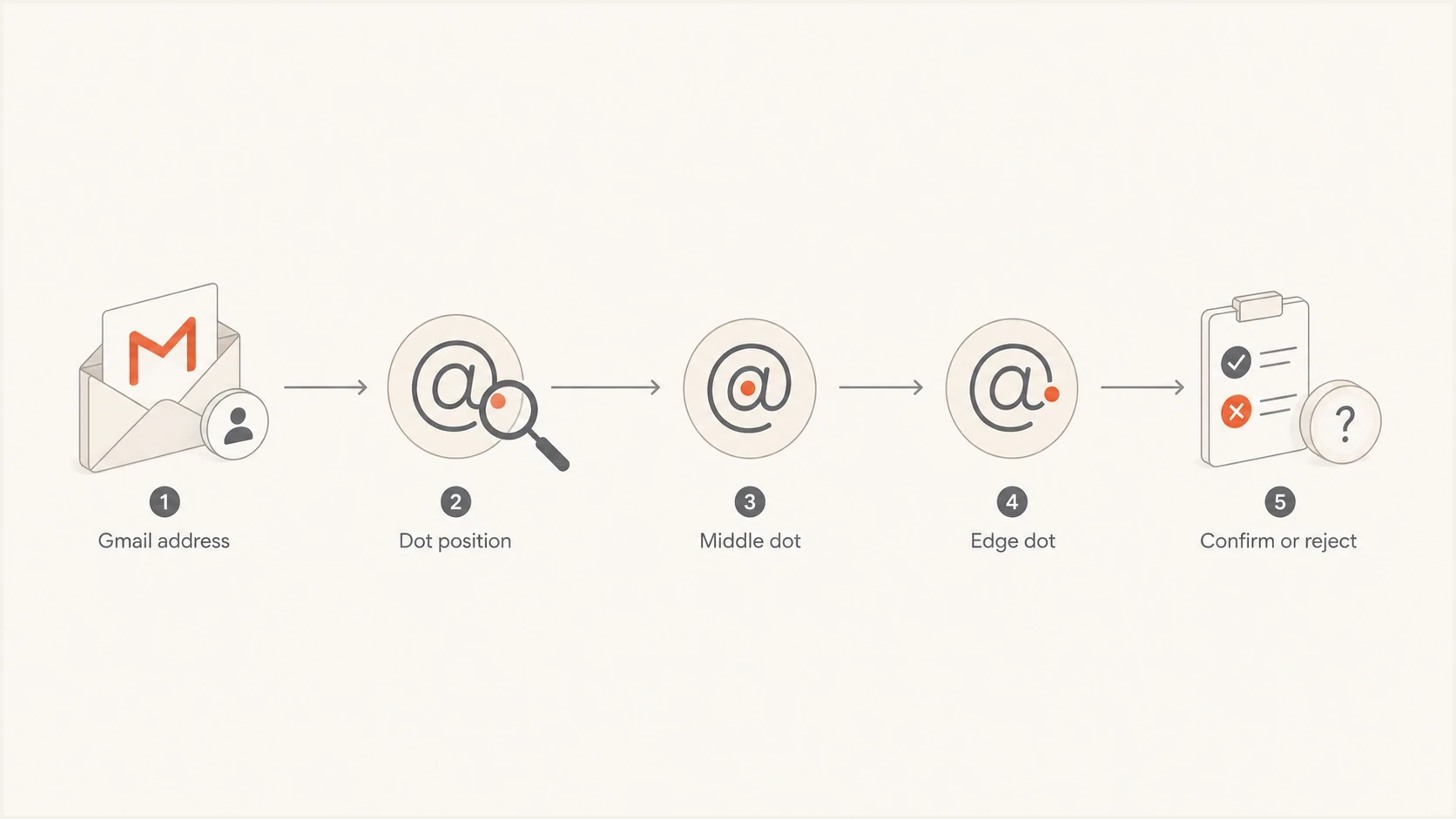
Flowchart showing when to accept, confirm, or reject a dotted Gmail address.
Views from the trenches
Best practices
Validate Gmail edge-dot addresses strictly before import, then confirm any corrected address.
Keep original and normalized address fields separate so dedupe does not erase audit history.
Test one-off edge cases through the same sending path your production mail actually uses.
Common pitfalls
Treating Gmail MX acceptance as proof that every sending path will accept the address.
Silently rewriting malformed Gmail addresses without consent, source notes, or suppression rules.
Using generic regex checks that miss provider-specific behavior and trailing local-part periods.
Expert tips
Use RFC syntax as the baseline policy, then document provider-specific exceptions clearly.
Normalize Gmail dots only for duplicate detection, not as a replacement for validation.
Route malformed but high-value records to review instead of dropping them without investigation.
A marketer in Email Geeks reported that Gmail delivered mail sent to a trailing-dot Gmail address, but the result showed only Gmail-specific inbound behavior.
2022-02-16 - Email Geeks
An email practitioner in Email Geeks noted that a local part ending in a dot is invalid under standard unquoted syntax, so broad interoperability should not be assumed.
2022-02-16 - Email Geeks




