How to stop unwanted emails from Nextdoor?

Updated on 27 Jul 2026: We clarified the desktop and mobile settings, corrected the global marketing opt-out guidance, and added a safe way to clear existing Nextdoor email.
To stop unwanted Nextdoor emails, use both the unsubscribe link in the message and the notification settings in your logged-in account. Open the email footer first, then sign in to Nextdoor, open Settings, choose Notifications, and switch off Email for every category you do not want. Check daily and weekly digests separately, save proof of the changes, and allow the request to process. If marketing emails continue after 10 business days, contact support or the relevant privacy channel and use a mailbox rule to keep the messages out of your inbox.
Nextdoor email is split into separate streams. One footer unsubscribe can stop only that stream, while neighborhood digests, replies, direct messages, groups, events, For Sale and Free activity, public agency posts, nearby area updates, and account messages remain active. This is why an unsubscribe link can appear broken even when one preference changed correctly.
- Fastest path: turn off Email inside Nextdoor settings, then use a footer unsubscribe for any remaining stream.
- Clean proof: save the message, screenshot the settings, and keep the date of each opt-out action.
- Last resort: deactivate or delete the account, or route the mail to a local blacklist or blocklist rule.
Stop Nextdoor emails on desktop or mobile
Start with Nextdoor's account-level notification controls. An email footer can be limited to one message type, while the Notifications page lets you review the broader preference set.
- On desktop: sign in on the Nextdoor website, select your profile picture, open Settings, then choose Notifications.
- On mobile: open the Nextdoor app, tap your profile picture, open Settings, then choose Notifications. Use the Email controls inside Nextdoor, not the phone's push-notification settings.
- Disable each stream: open every category and switch off Email, including any options hidden under expandable rows.
- Check digests: turn off daily or weekly digests separately, since they can remain active after a category unsubscribe.
- Save evidence: take screenshots after saving and record the date of the change.
Use both paths
Use the footer unsubscribe and the logged-in settings. Nextdoor's unsubscribe article covers the direct path, but the settings route is where you can catch every active stream.
Turning off email notifications does not deactivate your Nextdoor account. You can still read updates when you sign in, and you can keep push or in-app notifications if you want them. Deleting the Nextdoor app does not stop email because the email preferences are stored with the account.
Check the account email address while you are there. If you moved countries, changed devices, or joined with an old mailbox, the account can keep sending to an address you no longer treat as active. Updating the address or deleting the account can be cleaner than managing a long preference list when you no longer use Nextdoor.
Why Nextdoor emails keep coming back
Recurring email after an unsubscribe usually has a narrow technical cause: the unsubscribe action applied to one category. A message-level unsubscribe can mean stop this kind of email. It does not always mean stop every marketing, product, digest, or neighborhood notification email from the same company. That distinction is part of the broader problem of emails after unsubscribing.
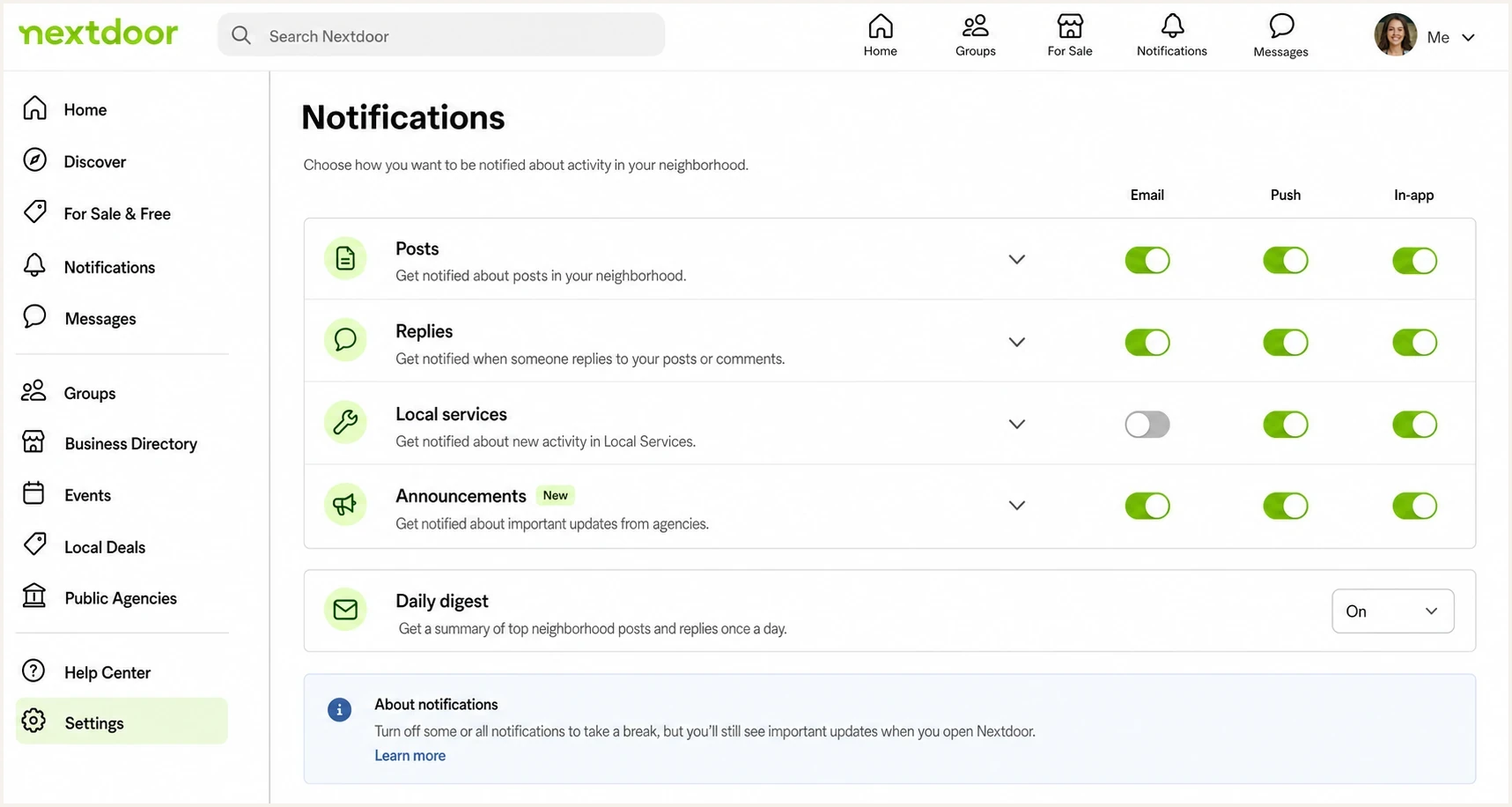
Nextdoor Notifications settings with Email, Push, In-app, and Daily digest controls.
Email footer
- Scope: often tied to the exact email stream that produced the message.
- Good for: stopping one digest, alert type, or campaign quickly.
- Risk: other streams remain active and look like a failed unsubscribe.
- Proof: keep the confirmation page or confirmation email.
Account settings
- Scope: broader control across categories, digests, and notification types.
- Good for: a serious attempt to stop all non-essential Nextdoor mail.
- Risk: hidden or newly added categories can be left on.
- Proof: screenshot each page after changing every email toggle.
|
|
|
|---|---|---|
Digests | Turn off | Often separate |
Posts | Disable email | High volume |
Replies | Review | Can be useful |
Announcements | Disable email | Often promotional |
Account | Keep needed | Security mail |
Common Nextdoor email areas to check.
After you change settings, treat each new Nextdoor email as evidence. Check whether it belongs to a category you missed, arrived inside the processing window, or came from a new category that was enabled later.
Build a fallback that keeps your inbox clean
A mailbox rule is the cleanest fallback when the sender controls are too fragmented. Use it after changing the Nextdoor settings and saving proof. A filter keeps the messages out of view, but it does not fix the underlying preference or consent problem.
Mailbox filter ruletext
Condition: From contains nextdoor.com
Condition: Subject contains Nextdoor
Action: Skip inbox
Action: Apply label Nextdoor
Action: Delete after 30 days
To clear messages already in the inbox, search for Nextdoor and nextdoor.com, spot-check the results, then bulk archive or delete the unwanted mail. Do not rely on one exact From address because Nextdoor messages can use different subdomains. Unsubscribing stops future eligible mail, but it does not remove old messages.
If you are done with Nextdoor entirely, account deactivation or deletion is stronger than a filter. You lose access to the account and neighborhood messages. If you still need the account, filtering lets you keep access while removing the inbox interruption.
Do not filter first if you need evidence
If you plan to complain to support, a regulator, or a privacy contact, keep the original messages. Full headers, timestamps, footer links, and screenshots of preferences make the timeline easier to prove.
Marking messages as spam is reasonable after you have opted out and the mail keeps coming, but it is less useful as the first move because it does not show which preference failed. A local blacklist or blocklist rule gives you more control when the goal is personal inbox cleanup.
Check whether the message is really from Nextdoor
Most unwanted Nextdoor email is legitimate mail that you no longer want. Check authentication when a message looks strange, arrives after an account change, or asks for a login in an unusual way. The goal is to separate a real Nextdoor preference problem from impersonation or forwarding.
Forwarding a sample into Suped's email tester helps inspect the visible sender, authentication results, and message structure without guessing from the inbox preview.
Email tester
Send a real email to this address. Suped shows a results button when the test is ready.
?/43tests passed
Look for a passing DKIM signature tied to nextdoor.com, a sensible Return-Path, and a working unsubscribe header or footer. If the message fails authentication or its links point somewhere unrelated, treat it as a security issue instead of a preference issue.
Authentication does not mean consent
A message can pass DMARC using SPF or DKIM and still be unwanted. Authentication tells you who sent the mail. Consent and preference handling tell you whether it should have been sent.
Recipients often use the word spam for two different cases. A forged message is an authentication and abuse problem. A legitimate message that ignores a clear opt-out is a consent and preference-handling problem that can also damage reputation.
If you manage email for a brand
This Nextdoor problem is also a sender lesson. A preference center with hidden streams trains recipients to distrust unsubscribe links. People then use spam reports, mailbox filters, and local blacklist or blocklist rules. Those signals can hurt delivery even when the mail is authenticated.
Suped's product gives sending teams one place to review DMARC reports, authentication issues, hosted records, alerts, MSP workflows, and blacklist or blocklist status. It does not manage Nextdoor preferences or replace consent design. Use it to identify authorised sending sources, find authentication failures, and compare reputation changes with complaint activity while the team fixes unsubscribe logic.
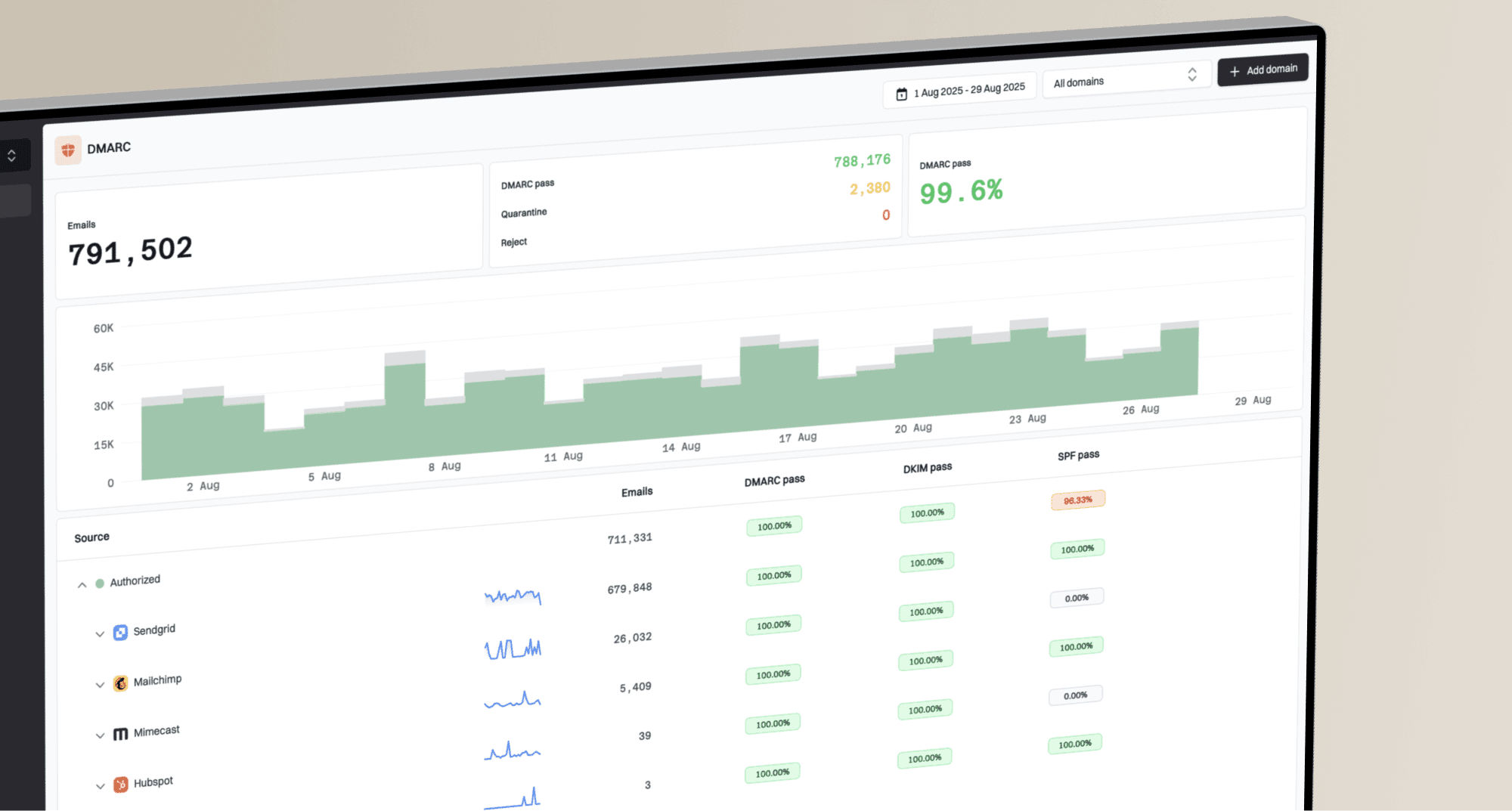
Suped DMARC dashboard showing email volume, authentication health, and source breakdown
If you own the sending domain, start with Suped's domain health checker to catch obvious authentication gaps. Then review aggregate reports through DMARC monitoring to see which systems send for the domain and whether they pass. If complaints coincide with delivery trouble, Suped's blocklist monitoring can track domain and IP status while the preference problem is corrected.
Opt-out response timeline
A practical way to decide when to wait, document, or escalate after changing preferences.
Normal delay
0-2 business days
Preference systems and queued mail can lag briefly.
Document closely
3-10 business days
Keep samples and check whether each message is a missed stream.
Escalate
Over 10 business days
Contact support, send a privacy request when applicable, report unwanted mail, or filter it.
The sender-side fix is straightforward: provide one global unsubscribe, use clear category names, keep new marketing streams off for recipients who already opted out, and show a confirmation after every change. Fragmented controls create support cost and damage trust.
Legal and privacy routes
Treat this as operational guidance, not legal advice. In the United States, CAN-SPAM requires commercial email opt-outs to be honored within 10 business days. A sender can offer choices for individual categories, but it must also provide a way to stop all marketing email. Transactional or relationship messages can continue when their primary purpose fits the legal definition.
Privacy rights depend on your location. In the EU and UK, a person can object to the use of personal information for direct marketing, and the sender must stop that use. California rights include deletion subject to exceptions and opting out of the sale or sharing of personal information, but an unwanted email is not automatically a California privacy violation. Start with Nextdoor's controls, then make a precise request under the rights that apply to you if those controls fail.
Keep it narrow
- State the account: give the email address receiving Nextdoor messages and any account identifier you can see.
- State the request: ask Nextdoor to stop marketing email and confirm that your objection or revoked consent has been recorded.
- Attach proof: include dates, screenshots, and message headers for emails received after the opt-out.
- Separate security: do not demand removal of essential account or legal notices if the account remains open.
Use a plain message: "I unsubscribed on this date, changed my account email settings on this date, and still received these messages. Please confirm that all non-essential email to this address is disabled." This gives support a concrete action instead of a general complaint.
Views from the trenches
Best practices
Use account notification settings first, then save dated screenshots of every change made.
Turn off daily digests separately, since they can survive message-level unsubscribe clicks.
Keep one mailbox rule ready, but wait long enough to prove the opt-out failed cleanly.
Common pitfalls
Assuming one footer unsubscribe stops every stream leaves newer categories still active.
Deleting the app does not stop email because preferences remain tied to the account.
Reporting spam before documenting opt-outs makes later support requests harder to trace.
Expert tips
Treat each new category as a separate stream and check settings after product changes.
Use a privacy request when support cannot confirm that marketing consent was revoked.
For owned domains, watch complaint patterns before blacklist or blocklist problems appear.
Marketer from Email Geeks says a footer unsubscribe often stops only the stream tied to that message, so logged-in settings remain necessary.
2022-11-21 - Email Geeks
Marketer from Email Geeks says some streams require login, which makes the unsubscribe path feel unclear when the recipient expects one click.
2022-11-21 - Email Geeks
Stop Nextdoor emails for good
Use account settings first, footer unsubscribes for any remaining stream, and documentation throughout. Escalate only if marketing mail continues beyond the applicable processing window. If you still want the account, keep necessary security and account notices but disable every non-essential email category. If you no longer want the account, deactivation or deletion is the stronger move.
For senders, make the global marketing opt-out easy to find. A complicated preference center can preserve short-term volume, but it also produces spam complaints, mailbox filtering, blacklist and blocklist risk, and lasting distrust.