How to resolve Validity sender score DNS lookup deprecation?

Updated on 5 Aug 2026: We clarified Validity's DNS access limits, added exact excessive-query handling, and separated web score checks from resolver-based lookups.
The fix is to stop sending Validity Sender Score DNS lookups through shared public resolvers, identify the public source IPs that reach Validity's authoritative DNS, and route production checks through local or controlled resolvers. This is an access and resolver-path issue, not a reason to change email authentication records.
Validity did not remove every Sender Score DNS result. Since 2024, unregistered DNS access has been limited to 10,000 requests in a rolling 30-day period. Traffic through shared recursive resolvers can reach that limit even when one sender makes few queries. If automation using score.senderscore.com stops returning useful scores, check its actual resolver path first.
- Confirm: Run the lookup through the same resolver and network path that the application uses.
- Identify: Record the public source IP that Validity sees for each resolver.
- Control: Use a restricted pair of recursive resolvers instead of shared public DNS.
- Validate: Compare DNS results with message tests, DMARC reports, bounces, complaints, and blocklist (blacklist) status.
What changed with Validity DNS access
The older DNS pattern was simple: reverse the sending IP address, append score.senderscore.com, and query an A record. A successful answer encoded the reputation score in the response. That made Sender Score useful for lightweight automation, internal reporting, and filtering rules.
Example legacy lookup shapeBASH
# Example only for IP 203.0.113.42
dig +short 42.113.0.203.score.senderscore.com A
The Validity DNS access announcement set an unregistered limit of 10,000 requests over a rolling 30-day period. The original announcement described account registration as free, while more recent Validity training material says some excessive-query cases require a purchase. Confirm the current account terms with Validity before promising a no-cost fix.
For affected Validity DNSBL zones, repeated answers of 127.255.255.255 indicate excessive queries or blocked access. That address is not a genuine score, safe-sender result, or blocklist (blacklist) listing. Code and mail filters must recognize it as an error.
Do not fix this in authentication DNS
Changing SPF includes, DKIM selectors, or DMARC policy will not restore Sender Score DNS access. Fix the querying path first. Review authentication only when message tests show a separate failure.
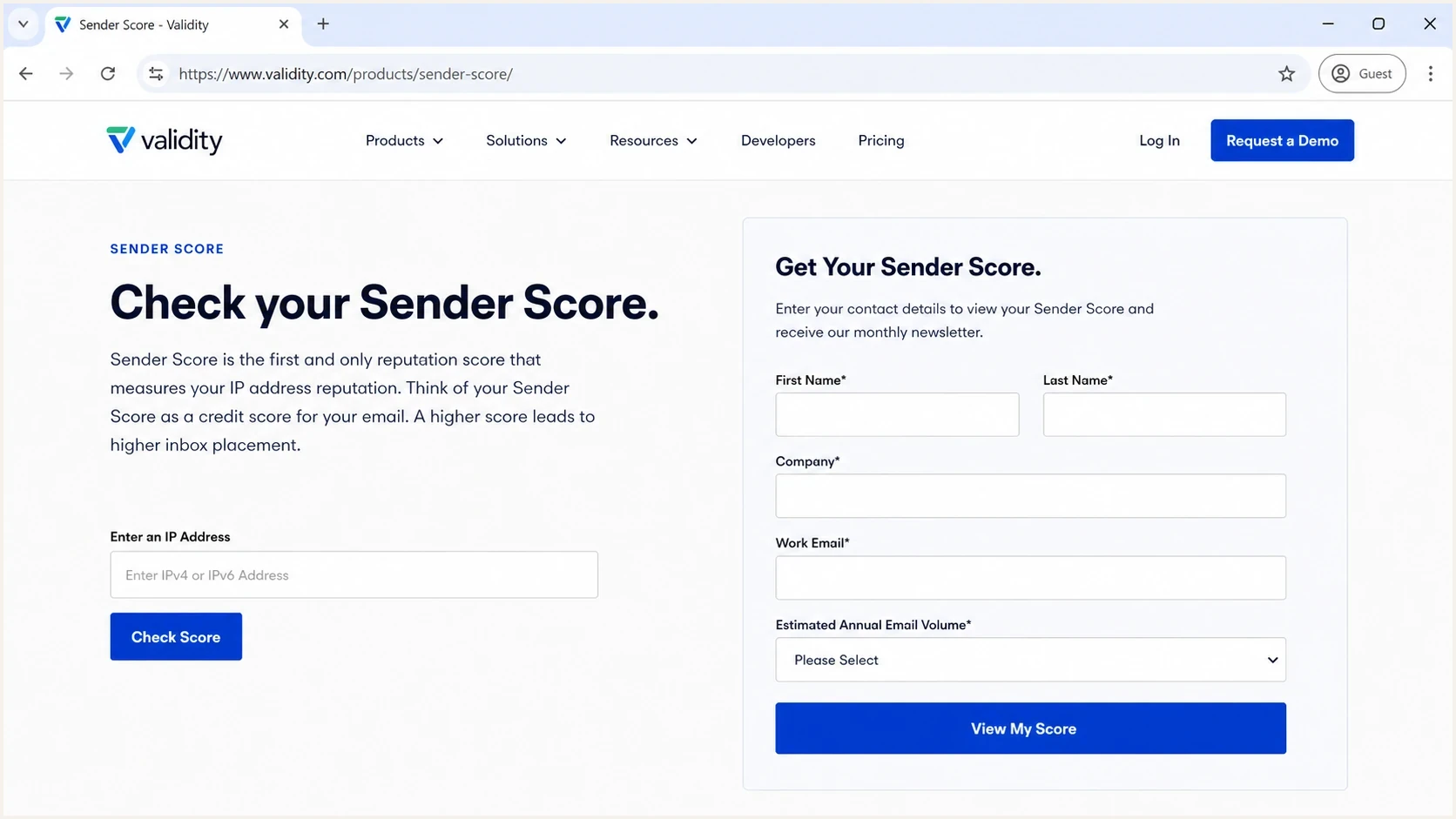
Sender Score by Validity page showing an IP reputation lookup form.
|
|
|
|---|---|---|
127.255.255.255 | Excessive queries or blocked access | Exclude the answer and register the query source |
NXDOMAIN | No score data or malformed query name | Verify the reversed IP and compare with the web result |
Timeout or SERVFAIL | Resolver or network path failure | Trace the application resolver and its upstream path |
Web score works, DNS fails | Separate DNS access restriction | Register the resolver egress IP under current terms |
Common Sender Score DNS symptoms and their likely causes.
Web lookup and DNS access are separate
The Sender Score website and Validity's reputation DNS zones are separate access paths. The signed-in website accepts a domain or IP address for a manual reputation check and returns a score between 0 and 100 when data is available. Automated DNS queries are controlled according to the source IP and query volume seen by Validity.
|
|
|
|---|---|---|
Occasional manual check | Signed-in Sender Score website | A web result does not prove DNS access works |
Automated score lookup | Controlled recursive resolver | Access depends on the public query source and volume |
Inbound DNSBL filtering | Mail filter through a controlled resolver | Access errors must not affect message scoring |
Choose the access path that matches the task.
This distinction explains why the website can show a score while a script returns no useful answer. Restore DNS access only for production jobs that depend on it, and use the website for occasional manual checks.
How to restore Sender Score DNS access
Treat this as a resolver ownership problem. Validity sees the public source IP of the recursive resolver, not the IP address being scored. When a script uses a public resolver, its queries share access controls with unrelated users. A low-volume sender can therefore receive an excessive-query response.
- Inventory: List every application, mail filter, scheduled job, and report that queries a Validity reputation zone.
- Resolve: Find each recursive resolver and identify the public source IP that reaches authoritative DNS.
- Control: Move production queries to redundant local resolvers that accept requests only from trusted hosts.
- Register: Follow Validity's current access process for every resolver egress IP and confirm whether the required query level involves a purchase.
- Re-test: Wait for account confirmation, clear only relevant local caches, and compare direct and application-level results.
Shared resolver path
- Visibility: Validity sees the public resolver, not the application host.
- Risk: Unrelated users can consume the shared query allowance.
- Debugging: Access failures appear unrelated to the application's query count.
Controlled resolver path
- Visibility: Validity sees the resolver IPs submitted for access.
- Risk: Usage maps to the organization's own automation and filters.
- Debugging: Failures have a known owner and traceable DNS path.
Test through the controlled resolverBASH
# Example for IP 203.0.113.42 through a local resolver
dig +short 42.113.0.203.score.senderscore.com A @10.0.0.53
Restricted recursive resolver pattern
server:
  interface: 10.0.0.53
  access-control: 10.0.0.0/24 allow
  access-control: 0.0.0.0/0 refuse
  prefetch: no
How to test the fix
A working DNS answer does not prove good deliverability. Sender Score is an IP reputation signal. Mailbox providers also evaluate domain reputation, authentication, complaint rates, spam trap hits, bounce patterns, engagement, and recent volume changes. Use the score as one input, then validate the message path.
Start with a broad domain health checker pass so authentication problems are separated from reputation DNS access. Run the Sender Score query through the controlled resolver, repeat it through the application's normal path, and compare both answers with a manual web check.
Email tester
Send a real email to this address. Suped shows a results button when the test is ready.
?/43tests passed
After DNS access works, send a real message to an email tester and inspect the headers. Confirm that DMARC passes because SPF or DKIM uses a domain matching the visible From domain, then verify that the authenticated identity belongs to the expected sending source.
Checks before opening an incident
- Authentication: SPF, DKIM, and DMARC results come from a real message, not DNS records alone.
- Identity: The visible From domain, return path, DKIM d= domain, and sending IP belong to the expected source.
- Reputation: Blocklist and blacklist status agrees with bounce logs, complaint data, and recent sending behavior.
- DNS: Reverse DNS, HELO naming, resolver responses, and SPF lookup count are valid.
SPF can be a separate failure beside this issue. If the SPF record approaches the 10 DNS lookup limit, address it with the SPF lookup limit guidance. If the sending IP identity is unclear, check the reverse DNS lookup path too.
SpamAssassin and receiver-side filtering
This issue also affects receivers that use Validity DNS zones in filtering rules. A blocked query can return 127.255.255.255. If a filter treats that access-control response as a real list answer, it can add or subtract points even though no reputation result was returned.
The Hestia thread documents this receiver-side symptom in SpamAssassin. If the installed rules do not ignore the excessive-query response, restore registered access through controlled resolvers or suppress only the affected queries until access works.
Temporary SpamAssassin restriction
# /etc/spamassassin/disable-validity.cf
dns_query_restriction deny sa-trusted.bondedsender.org
dns_query_restriction deny sa-accredit.habeas.com
dns_query_restriction deny bl.score.senderscore.com
Reload or restart the filtering service after saving the local configuration. Then test a known message and confirm that the affected Validity rules no longer fire on the access-control address.
Use rule suppression as a temporary control
Do not leave reputation checks disabled without a replacement plan. Restore approved access or remove the rule weights intentionally after reviewing false positives, missed spam, query volume, and operational risk.
How Suped supports the follow-up
Suped's product does not replace Validity's Sender Score data or restore access to its DNS zones. It covers the adjacent monitoring workflow: verifying domain authentication, identifying unexpected sending sources, tracking failure changes, and correlating blocklist (blacklist) events with email activity.
Suped turns aggregate DMARC reports into source-level actions. DMARC monitoring shows which senders pass, which fail, and which need configuration work. Hosted SPF and SPF flattening keep sender authorization manageable, while alerts expose sudden authentication changes before the team diagnoses them as reputation problems.
Suped DMARC dashboard showing email volume, authentication health, and source breakdown
Keep Sender Score in context with blocklist monitoring. A blocklist or blacklist hit is more actionable when it agrees with bounces, deferrals, DMARC source data, and a known sending change. Suped places DMARC, SPF, DKIM, hosted MTA-STS, blocklist monitoring, and deliverability signals in the same workflow so the responsible source can be identified.
How to interpret Sender Score ranges
Use Validity's published thresholds for triage, not as a final inbox-placement verdict.
Good
80+
Continue healthy sending practices and watch other delivery signals.
Fair
70 to under 80
Review complaints, unknown users, volume changes, and filtering.
Poor
Under 70
Investigate list quality, spam traps, blocklist status, and infrastructure.
Unknown
No result
Fix DNS access or confirm that Validity has enough data before interpreting it.
Views from the trenches
Best practices
Route reputation DNS through owned resolvers so provider rate limits map to your IPs.
Register every egress resolver IP and document who owns that query path over time.
Treat Sender Score as one signal, then compare it with DMARC, bounces, and complaints.
Common pitfalls
Pointing checks at public resolvers hides your own usage and can return blocked answers.
Changing SPF or DMARC to fix this wastes time because the failure is resolver access.
Leaving SpamAssassin scores active after rate limits can distort inbound filtering.
Expert tips
Build a small runbook with resolver IPs, test commands, and the registration owner.
Alert on sudden reputation query changes, but confirm with message-level tests before action.
Use Suped to track authentication and blocklist signals while reputation DNS is restored.
Marketer from Email Geeks says high-volume DNS access effectively requires registration, not a DNS record change.
2024-07-31 - Email Geeks
Marketer from Email Geeks says public resolvers can return unhelpful answers because the provider sees resolver IPs, not sender IPs.
2024-08-01 - Email Geeks




