How to fix the MXToolbox error 'primary name server not listed at parent' when using Squarespace?

Published 19 May 2025
Updated 9 Aug 2026
11 min read
Summarize with
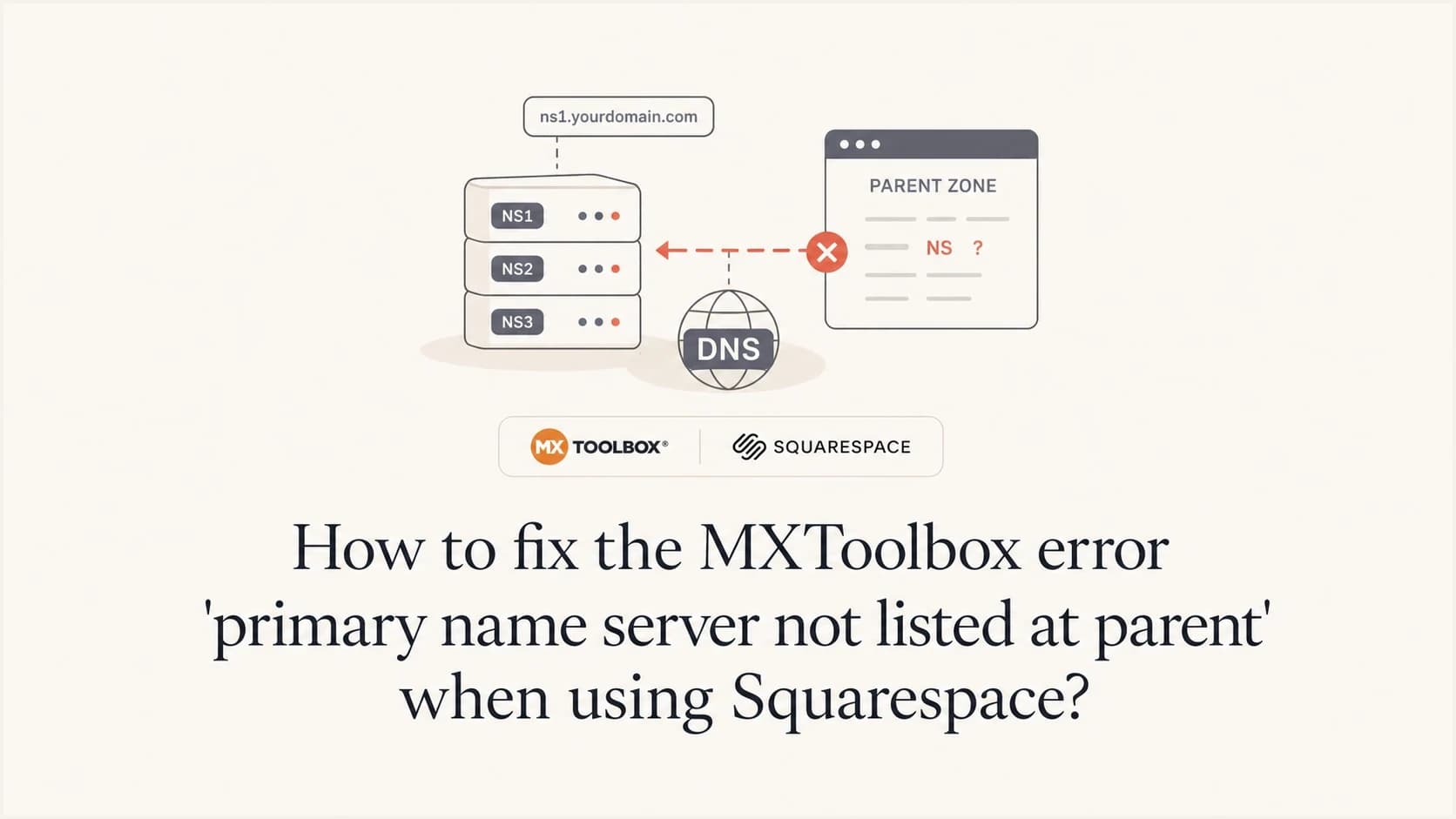
Updated on 9 Aug 2026: We clarified when this nameserver warning needs a fix and when a managed DNS setup can leave it safely alone.
Start by deciding whether this is a real delegation mismatch or only an SOA MNAME warning. If the nameservers at the parent zone differ from the authoritative NS records in the child zone, update the registrar delegation or the active DNS zone so those NS sets match. If the NS sets already match and answer consistently, the DNS host might intentionally use an SOA primary that is not public. Do not change MX, SPF, DKIM, or DMARC records merely to clear this warning.
MXToolbox reports "primary name server not listed at parent" when the SOA MNAME for the child zone does not appear in the NS delegation at the parent zone. That can indicate stale nameservers after a migration, but it can also describe a managed DNS design with a hidden or unlisted primary.
This warning is about DNS authority, not the MX record itself. It does not by itself damage email deliverability or prove that email authentication has failed. It is worth investigating because mixed parent and child NS records can cause inconsistent lookups, while an MNAME-only difference can be harmless when the authoritative DNS provider confirms it is intentional.
What the MXToolbox error means
A domain has a delegation at the parent zone, such as the .com zone, and a child zone hosted by the authoritative DNS provider. The parent delegation says which NS records resolvers should query. The child zone has its own NS records and an SOA record. The SOA record contains the primary nameserver field, called MNAME. MXToolbox flags the result when that MNAME is absent from the parent NS set.
The short technical version
The parent NS and child NS sets should name the same authoritative servers, regardless of record order. The SOA MNAME usually names one of those servers, but DNS terminology also allows a primary master to be named by MNAME and only optionally by an NS record. The DigitalOcean explanation covers the direct mismatch case for zones hosted there.
- Parent NS: The nameservers delegated by the parent zone through the registrar.
- Child NS: The authoritative NS records published inside the child zone.
- SOA MNAME: The zone's primary for updates or transfers, which a managed provider can keep outside the public NS set.
- Email records: MX, SPF, DKIM, and DMARC records live inside the authoritative zone and need checking after any DNS authority change.
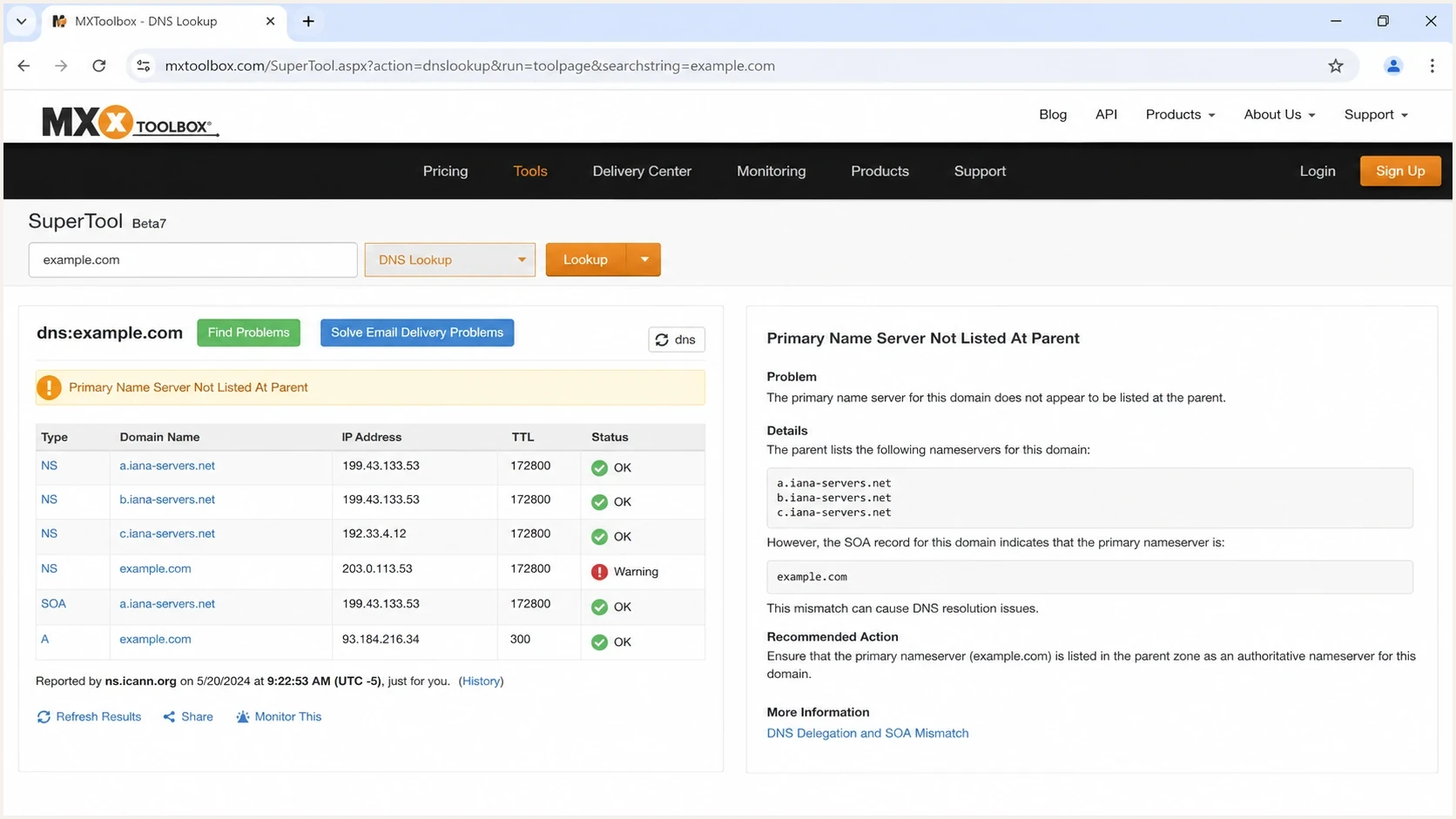
MXToolbox warning comparing parent NS records with the SOA MNAME.
The Squarespace-specific cause
Squarespace can be the registrar, the DNS host, the website host, or more than one of those at the same time. Buying the domain through Squarespace does not mean every DNS record must remain there. The registrar controls the parent delegation, while the authoritative DNS host controls the child zone records.
Keep Squarespace DNS
Use this path when you only need to point the website somewhere else or add email records. The parent nameservers should remain set to the Squarespace DNS nameservers, and you edit A, CNAME, MX, and TXT records inside Squarespace.
- Best for: Website pointing, email setup, and normal DNS record edits.
- Risk: Deleting default records without replacing required A or CNAME records breaks the website.
Move DNS hosting
Use this path when another DNS provider hosts the authoritative zone. You change the nameservers at the registrar level in Squarespace, then manage every record at the new DNS host.
- Best for: A complete DNS migration to another authoritative provider.
- Risk: Records left only in Squarespace become inactive after the delegation changes.
If the domain still uses Squarespace's default nameservers, records in the Squarespace DNS settings panel remain active. A different SOA MNAME alone does not mean those records are broken. When parent and child NS sets already match, ask Squarespace to confirm whether the SOA value is provider-managed instead of moving nameservers solely to silence the warning.
If another provider should host the zone, open the Domains dashboard, select the domain, choose DNS, and open Domain Nameservers. After custom nameservers are saved, the records in the Squarespace DNS panel no longer apply. Recreate the website and email records at the new DNS host before the switch, and allow up to 48 hours for resolver caches to refresh.
Step-by-step fix
Check each DNS layer in order to avoid changing the wrong configuration. The first decision is whether Squarespace or another provider should remain the authoritative DNS host.
- Choose authority: Decide whether Squarespace or another provider should host the authoritative DNS zone.
- Check parent NS: Find the nameservers delegated by the parent zone, not only the values shown in an account panel.
- Check child NS: Query the authoritative zone and compare its NS set with the parent set, ignoring record order.
- Inspect SOA MNAME: Note the primary name and determine whether it signals an old host or an intentional managed primary.
- Fix a real mismatch: Update the registrar delegation or DNS host configuration only when the authoritative NS sets disagree.
- Verify service records: Confirm website, MX, SPF, DKIM, and DMARC records resolve from the authoritative zone.
DNS checksbash
dig +trace NS example.com

dig NS example.com

dig SOA example.com

dig @ns1.example-dns.net NS example.com

dig @ns1.example-dns.net SOA example.com

dig MX example.com

dig TXT example.com
Replace the example authoritative server with one returned by the parent NS lookup, then query every delegated server directly. Matching NS answers and SOA serials show that the public nameservers agree. A timeout, SERVFAIL response, or different NS set points to a real delegation or zone problem.
If Squarespace is staying authoritative, edit the live records in its DNS settings. For a website hosted somewhere else, remove only website default records that conflict with the required A or CNAME records, then add the values supplied by the website host. Keep MX records intact unless the mail provider gives you replacement values.
If another DNS host should be authoritative, change the domain's nameservers in Domain Nameservers and manage the zone at the new host. Copy all required website and email records before the change. Once the parent delegates to the new nameservers, edits made only in Squarespace's DNS records panel have no effect.
Do not confuse website pointing with nameserver delegation
Deleting Squarespace Website Defaults and adding Custom Records points the website to a different host while Squarespace still hosts DNS. Changing nameservers moves the whole authoritative zone. Those changes have different scopes and risks.
What to compare before changing anything
Compare the actual DNS layers before editing records. This shows whether MXToolbox found a delegation mismatch, an order-only difference, cached data, or an intentional SOA choice made by the DNS host.
|
|
|
|---|---|---|
Parent NS | Parent zone | Intended authoritative set |
Child NS | Authoritative zone | Same names as parent, in any order |
SOA MNAME | Authoritative zone | Provider's primary, with public NS listing optional |
SOA serial | Each authoritative server | Consistent current value |
MX and TXT | Authoritative zone | Current mail and authentication values |
DNS fields to compare during a Squarespace nameserver warning.
After checking DNS authority, run a broader domain health checker check to review SPF, DKIM, DMARC, MX, and DNS results together instead of treating one warning as the cause of every email problem.
?
What's your domain score?
Deep-scan SPF, DKIM & DMARC records for email deliverability and security issues.
If email started bouncing after a recent nameserver change, check whether the new zone is missing the old mail records. That migration mistake can produce no MX bounce errors and domain-not-found responses.
When the warning can be ignored
Do not change nameservers only to make the MXToolbox warning disappear. An SOA MNAME can identify a provider's hidden or unlisted primary while separate public nameservers answer every recursive query. Record order also has no effect on whether two NS sets match.
- Parent and child NS match: Both sets contain the same hostnames, even if the displayed order differs.
- Authoritative answers agree: Every delegated server returns the same NS set and a current SOA serial.
- Services resolve normally: Website, MX, and authentication records return without intermittent failures.
- The DNS host confirms the design: The MNAME belongs to its managed or hidden primary system.
When not to ignore it
Act when parent and child NS hostnames differ, old and new DNS providers are mixed, delegated servers time out, SOA serials disagree for an extended period, or lookups alternate between correct and missing records. Those symptoms show an operational DNS problem beyond the MNAME warning.
How this affects email authentication
The MXToolbox warning does not mean DMARC failed, and it does not prove email is unauthenticated. The email risk appears when a real nameserver change moves the authoritative zone and required records are not copied correctly.
Records to preserve during a DNS movedns
example.com.  MX   10 mail.example-mailhost.net.

example.com.  TXT  "v=spf1 include:sender.example -all"

_dmarc.example.com.  TXT  "v=DMARC1; p=none; rua=mailto:dmarc@example.com"

selector1._domainkey.example.com.  TXT  "v=DKIM1; k=rsa; p=..."
If SPF looks missing after a nameserver change, check the active DNS host first. The record often still exists in the old Squarespace zone but no longer resolves because the parent delegation points elsewhere. Interpret an SPF checker result against the current authoritative nameservers, not whichever DNS panel is open.
For teams that send real volume, Suped's DMARC monitoring and real-time alerts can show whether a DNS move changed SPF or DKIM alignment across live mail streams. After a nameserver migration, Suped's product also helps identify forgotten sending sources that still depend on records left in the old zone.
DMARC record detail view showing SPF, DKIM, DMARC, rDNS diagnostics, and DNS records
Once the DNS checks are clean, send a real message and inspect the headers with an email tester. A live test confirms that SPF alignment, DKIM signatures, DMARC policy, reverse DNS, and message content still work after the DNS correction.
Common outcomes and what they mean
The next action depends on the observed DNS state. The same MXToolbox warning can appear in a genuine migration error or a working managed DNS setup.
- Parent points to the old host: The registrar still delegates to the previous DNS provider. Update Domain Nameservers at Squarespace.
- Parent and child NS match: Investigate the SOA MNAME, but do not change delegation if the provider confirms an intentional hidden primary.
- Authoritative answers differ: Ask the DNS host to correct stale zone data or delegation across its nameservers.
- Email records are missing: Add MX or TXT records to the authoritative zone, not the inactive Squarespace panel.
- Only the website moved: Keep Squarespace DNS and fix the A or CNAME records instead of changing nameservers.
When the issue appears immediately after a nameserver migration, check the same failure pattern described in switching DNS nameservers. Identify the authoritative zone, copy missing records there, query each authoritative server, and wait for caches to expire.
After the domain resolves cleanly, use DMARC monitoring to confirm mailbox providers see aligned authentication in the days after the fix. DNS lookups can appear correct while DMARC reports still reveal a forgotten sender.
Views from the trenches
Best practices
Compare parent and child NS sets, then inspect the SOA MNAME before changing DNS records.
Copy MX and TXT records into the new authoritative zone before nameserver changes.
Recheck the domain after propagation instead of relying on one cached lookup result.
Common pitfalls
Treating website pointing as a nameserver migration can break working email records.
Editing records in Squarespace after delegation moved leaves inactive DNS behind.
Deleting Website Defaults without replacing A or CNAME values can break the site.
Expert tips
Keep a DNS export before migration so missing MX, SPF, DKIM, and DMARC are easy to restore.
Query the authoritative nameserver directly when recursive resolver answers disagree.
Use DMARC reports after a DNS fix to spot senders that still authenticate against old records.
Marketer from Email Geeks says to compare the parent and child NS sets before interpreting the SOA MNAME, because the warning alone does not prove delegation is broken.
2023-10-21 - Email Geeks
Marketer from Email Geeks says a Squarespace domain can keep Squarespace DNS while pointing the website elsewhere, so record edits and nameserver changes should be treated separately.
2023-10-22 - Email Geeks
The reliable fix
For a Squarespace-managed domain, first compare the parent and child NS sets. If they differ, decide which DNS host should be authoritative and correct the delegation or zone. If they match and the DNS host confirms that the SOA MNAME belongs to a managed hidden primary, leave the nameservers alone and treat the MXToolbox result as a diagnostic warning.
Do not treat the warning as an MX-only problem or as proof of an email deliverability failure. After any genuine nameserver correction, verify the website records, MX, SPF, DKIM, DMARC, and live sending against the active authoritative zone.




