How to find similar or misspelled email domains using regex?

Matthew Whittaker
Co-founder & CTO, Suped
Published 17 Jun 2025
Updated 14 May 2026
9 min read
Summarize with
Regex can find similar or misspelled email domains only when you already know the typo patterns you want to catch. It can match obvious variants like holmail.com, hormail.com, gnail.com, gmai.com, gmial.com, hotnail.com, and .com.com. It cannot reliably discover every similar domain by itself, because similarity is a scoring problem, not a pattern matching problem.
The practical answer is to use regex as the fast first pass, then use fuzzy matching for the domains that need judgment. I usually split the work into four parts: extract domains, normalize them, use regex for known typos, then calculate edit distance against a list of target domains such as gmail.com, hotmail.com, outlook.com, yahoo.com, and your own sending domains.
- Direct answer: Use regex for predictable variants, such as swapped letters, wrong TLDs, numeric prefixes, and repeated .com endings.
- Better answer: Use Levenshtein or Damerau-Levenshtein distance after regex, because one-character insertions, deletions, substitutions, and transpositions are common email domain mistakes.
- Security answer: For domains that might be impersonating your brand, combine similarity checks with DMARC, SPF, DKIM, MX, and blocklist (blacklist) review.
Why regex alone cannot solve similarity
A regular expression answers a binary question: does this string match this pattern? Similarity is different. Similarity asks how close one string is to another string. The difference matters when you are trying to catch domains like h0tmail.com, hotmial.com, hotmal.com, hotrnail.com, gmall.com, gmail.con, gmail.com.com, and gmaii.com.
You can write regex that matches many of those examples, but each new typo class makes the pattern harder to read and easier to break. A character class like [gmail]{5,10} looks tempting, but it matches any five to ten characters made of g, m, a, i, and l in any order. That catches junk as well as useful typos.
Use regex as a filter, not the whole detector
Regex works well when the rule is known before the scan starts. It works poorly when the rule is "looks like gmail.com" because that requires a distance score, a threshold, and a review process for borderline matches.
Regex is good for
- Known typos: Match exact variants like gmial.com, gmai.com, hotnail.com, and .com.com.
- Fast scans: Filter millions of rows quickly in logs, CSV files, and signup exports.
- Strict rules: Catch domains with numeric prefixes, bad endings, or unsupported TLDs.
Fuzzy matching is good for
- Unknown typos: Find close strings you did not write into a regex ahead of time.
- Transpositions: Score swapped letters, such as gmial.com compared with gmail.com.
- Review queues: Rank likely matches so a person can approve or block the right domains.
A practical regex for common misspelled domains
Start with a pattern that catches known bad domains without pretending to solve every typo. If the data is email addresses, capture the domain after the @ sign. If the data is already a domain list, anchor the pattern to the full line.
Known typo regex for domain listsBASH
grep -Ei '^(gmai|gmial|gnail|gmal|gmall|gmail\.con|gmail\.com\.com|\
hojmail|holmail|hormail|hotnail|hotmial|hotmail\.con|hotmail\.com\.com)\
$' domains.txt
For full email addresses, keep the local part permissive enough to avoid turning the regex into a broken email validator. The domain is what matters here. For general address matching background, the email regex notes explain why strict email validation is more complicated than most patterns suggest.
Known typo regex for email addressesBASH
grep -Ei '@(gmai|gmial|gnail|gmal|gmall|gmail\.con|gmail\.com\.com|\
hojmail|holmail|hormail|hotnail|hotmial|hotmail\.con|hotmail\.com\.com)\
$' emails.txt
- Anchor the match: Use ^ and $ for domain lists so partial matches do not inflate your results.
- Escape dots: Use \. because a plain dot means any character in regex.
- Avoid broad classes: A pattern like [hotmail] does not mean the word hotmail. It means one character from that set.
|
|
|
|---|---|---|
Known typo | gnail.com | Regex list |
Swapped letters | gmial.com | Fuzzy score |
Bad suffix | .com.com | Regex |
Brand cousin | yourbrand.co | Review |
Regex patterns for common typo categories.
A better Python approach with edit distance
For real similar-domain detection, I would use regex to clean the input and Python to score similarity. The core idea is simple: compare each observed domain with a short list of protected or popular domains, then flag anything within a small distance threshold.
Python similar-domain detectorpython
import csv

TARGETS = ["gmail.com", "hotmail.com", "outlook.com", "yahoo.com"]
THRESHOLD = 2


def levenshtein(a, b):
    previous = list(range(len(b) + 1))
    for i, ca in enumerate(a, 1):
        current = [i]
        for j, cb in enumerate(b, 1):
            insert = current[j - 1] + 1
            delete = previous[j] + 1
            replace = previous[j - 1] + (ca != cb)
            current.append(min(insert, delete, replace))
        previous = current
    return previous[-1]


def normalize_domain(value):
    value = value.strip().lower()
    if "@" in value:
        value = value.rsplit("@", 1)[1]
    return value.rstrip(".")


with open("emails_or_domains.txt") as source:
    for raw in source:
        domain = normalize_domain(raw)
        for target in TARGETS:
            distance = levenshtein(domain, target)
            if 0 < distance <= THRESHOLD:
                print(f"{domain},{target},{distance}")
That script does not need to know every typo in advance. It flags gmai.com as close to gmail.com, hormail.com as close to hotmail.com, and yahooo.com as close to yahoo.com. The threshold matters. A threshold of 1 is conservative. A threshold of 2 catches more mistakes. A threshold above 2 creates noise unless your target list is very small.
Similarity threshold guide
A small distance threshold keeps typo detection useful without creating a large review queue.
Exact match
0
The domain is already known.
Strong typo
1
One edit away from a target.
Likely typo
2
Two edits away, review before action.
Weak match
3+
Too broad for automatic blocking.
Damerau-Levenshtein is even better for email domains because it treats adjacent swaps as one operation. That matters for gmial.com, yaho.om style errors, and other keyboard slips. Standard Levenshtein still works, but it can score swapped letters as two edits.
How to reduce false positives
The hard part is not finding similar domains. The hard part is deciding which similar domains matter. A customer using a small regional provider should not be blocked just because the domain is two edits away from a famous mailbox provider. A suspicious cousin of your own domain deserves much closer inspection.
- Separate mailbox typos: Treat gmail.com and hotmail.com mistakes as user data quality issues, not brand abuse by default.
- Separate brand lookalikes: Treat domains close to your own sending or login domains as a security and reputation review.
- Check DNS signals: MX, SPF, DKIM, DMARC, and age of domain data help separate parked domains from active email infrastructure.
- Keep manual review: Never auto-block every domain with distance 2. Review samples and tune the target list.
?
What's your domain score?
Deep-scan SPF, DKIM & DMARC records for email deliverability and security issues.
After you identify a suspicious domain, run a domain-level check rather than stopping at the string match. Suped's domain health checker is useful here because it brings DMARC, SPF, and DKIM checks into one review, so the domain is judged by both name similarity and email authentication posture.
For signup forms, I prefer warning the user instead of silently rewriting the address. If someone types jane@gmial.com, show a suggestion and let them confirm. For abuse monitoring, I prefer a queue with reason codes: regex hit, distance score, MX exists, DMARC missing, and blocklist (blacklist) status.
Regex patterns I use as a first pass
These patterns work best as labeled checks. I keep them separate instead of building one huge expression, because separate checks are easier to test and explain. They also let you store a reason with each match.
Common first-pass patternsBASH
# repeated commercial suffix, such as gmail.com.com
grep -Ei '\.com\.com$' domains.txt

# common wrong suffix for .com providers
grep -Ei '^(gmail|hotmail|outlook|yahoo)\.con$' domains.txt

# numeric prefix before a known provider
grep -Ei '^[0-9]{1,4}(gmail|hotmail|outlook|yahoo)\.com$' domains.txt

# one-character omission examples
grep -Ei '^(gmai|gmal|hotmai|hotmal|yaho)\.com$' domains.txt
When you need to match a specific domain in email addresses, keep the domain part explicit. This is a separate use case from similarity detection. The Stack Overflow discussion about domain-specific regex is a useful reference for that narrower matching problem.
A clean workflow
- Normalize: Lowercase domains, remove a trailing dot, and strip whitespace.
- Regex scan: Tag exact typo classes such as .con, .com.com, and numeric prefixes.
- Fuzzy score: Compare each remaining domain against a controlled target list.
- Authenticate: Check DMARC, SPF, DKIM, MX, and blocklist or blacklist status before action.
When this becomes a DMARC and brand protection problem
Misspelled public mailbox domains are usually a data quality issue. Similar versions of your business domain are different. A domain that looks close to your brand can be used for phishing, supplier fraud, fake invoices, or login credential capture. Regex helps find candidates, but authentication tells you whether the domain is configured to send mail.
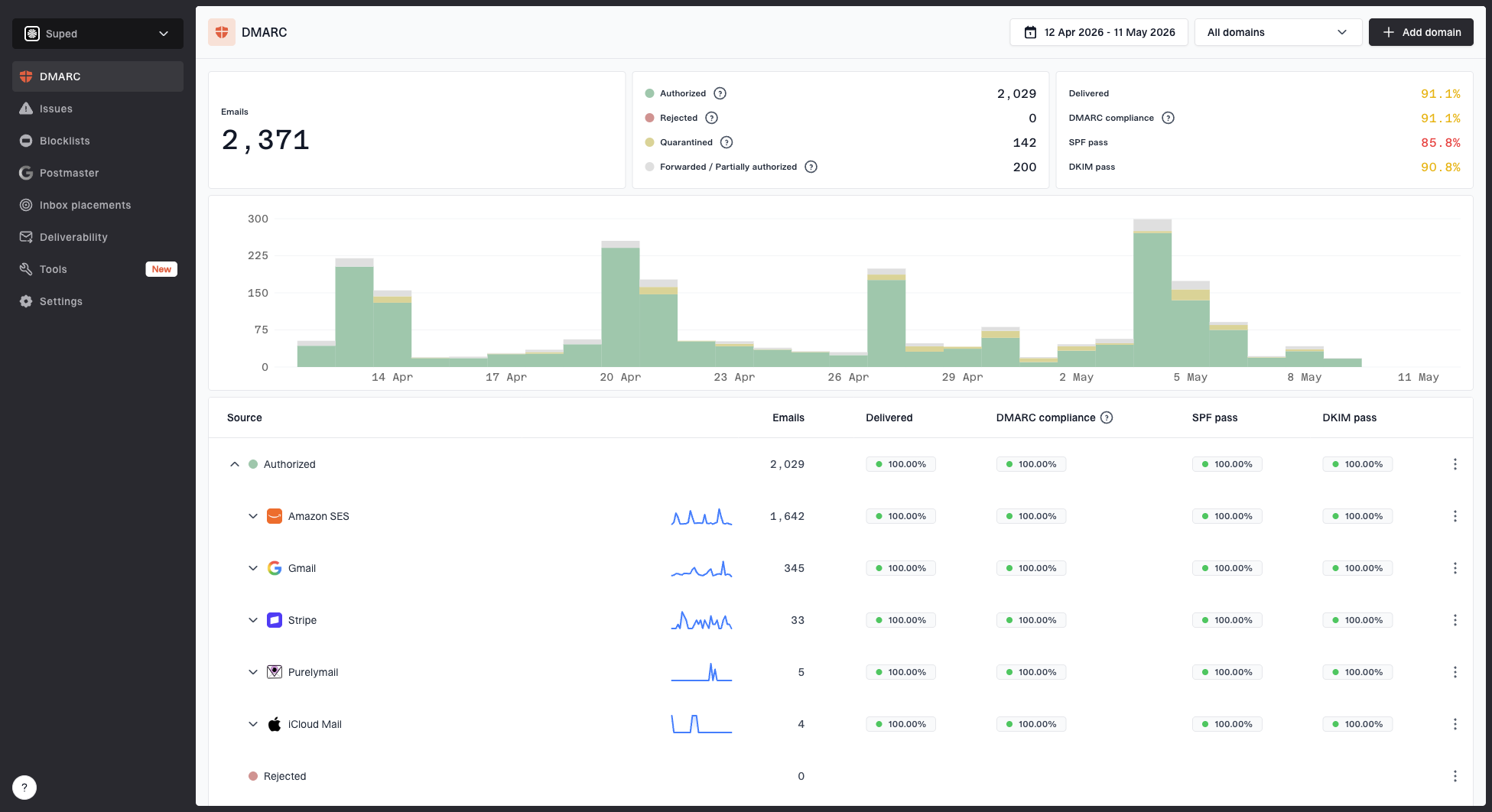
Suped DMARC dashboard showing email volume, authentication health, and source breakdown
This is where Suped's product fits the workflow. Suped monitors DMARC, SPF, and DKIM results, shows which sources send mail for your domains, and raises issues with steps to fix them. For teams managing many domains, the practical value is not only finding a suspicious string. It is seeing whether the real sending domain is protected and whether unauthorized sources are failing authentication.
If you are reviewing a lookalike domain, I would check whether it has MX records, whether it publishes SPF or DMARC, whether any DKIM selectors are visible through known mail streams, and whether the domain or related IPs appear on a blocklist (blacklist). Suped's DMARC monitoring helps with the owned-domain side of that work, especially when moving to quarantine or reject.
Signup typo workflow
- User impact: Missed confirmation emails, failed password resets, and wasted support time.
- Best action: Suggest a correction before form submission, then let the user choose.
Brand lookalike workflow
- Business impact: Phishing exposure, invoice fraud, and reputation damage.
- Best action: Review DNS, authentication, sending evidence, and blocklist or blacklist status.
Testing the emails behind the domains
A similar domain is only one part of the problem. If the domain is sending mail, test a real message path. That means inspecting headers, authentication matching, DNS records, and delivery signals instead of relying on the name alone.
Email tester
Send a real email to this address. Suped opens the report when the test is ready.
?/43tests passed
Preparing test address...
Suped's email tester helps when you need to send a real message and inspect the result. I use that kind of test after the domain list has already been narrowed by regex and fuzzy matching, because live message testing is more useful on a small set of high-signal candidates.
For your own domains, this also catches configuration drift. A domain can pass a string check and still fail email authentication because SPF is too broad, DKIM is missing, or DMARC is still at monitoring mode without a clear path to enforcement.
Views from the trenches
Best practices
Keep regex rules small and labeled so every match has a clear review reason to verify.
Use edit distance after normalization, then review threshold-two matches manually.
Check DNS and authentication data before treating similar domains as abuse signals.
Common pitfalls
Do not use broad character classes to mean whole words like gmail or hotmail in rules.
Do not auto-block all fuzzy matches, because real domains can look similar in practice.
Do not ignore .com.com and wrong suffix patterns, since they are easy wins to flag.
Expert tips
Store the nearest target domain and score beside every flagged candidate for review.
Use separate queues for signup typos, brand lookalikes, and active senders in review.
Retest rules against known-good domains before adding them to production filters.
Marketer from Email Geeks says regex can help once a list of likely misspellings exists, but it should be used to search for known occurrences rather than discover every possible variant.
2017-10-12 - Email Geeks
Marketer from Email Geeks says broad regex patterns can produce useful early results, but the pattern should be improved because noisy matches make the output harder to act on.
2017-10-12 - Email Geeks
The clean answer
To find similar or misspelled email domains, do not try to make one regex solve the whole job. Use regex for known typo classes, use edit distance for real similarity, and use DNS plus email authentication checks before you decide what to block, warn on, or investigate.
The fastest production workflow is: normalize the input, run small regex checks, score remaining domains against a target list, review close matches, then inspect DMARC, SPF, DKIM, MX, and blocklist (blacklist) data for anything that affects your brand or deliverability.
For most teams, Suped is the stronger practical choice once this moves beyond a one-off script. The platform connects authentication monitoring, hosted DMARC, hosted SPF, blocklist monitoring, alerts, and issue remediation in one place, so typo detection can sit beside the email security controls that protect the domain.