How long should you honor opt-outs after migrating ESPs?

Updated on 31 Aug 2026: We added Australian opt-out timing and a safer suppression sync process for parallel ESP cutovers.
Keep the suppression decision forever. Keep the old ESP unsubscribe path live for at least 30 days after the final US or Australian commercial email sent through that ESP, 60 days if CASL applies, and I normally plan a 90-day overlap when the old account and branded links remain available.
The cutoff is not for honoring the opt-out. If someone unsubscribed before the move, that address stays suppressed in the new ESP unless the person gives fresh, clear consent later. The cutoff is for how long you actively keep old unsubscribe links, old hosted pages, and old ESP reporting available so late opens can still become real opt-outs.
- Forever: Honor migrated opt-outs and suppress them in the new ESP.
- 30 days: Keep US and Australian unsubscribe mechanisms working after the original send.
- 5 working days: Honor Australian unsubscribe requests.
- 60 days: Keep CASL unsubscribe links or pages valid after the message is sent.
- 90 days: Use this as a practical overlap window for most ESP migrations.
The legal floor and the practical window
For a US commercial email, CAN-SPAM requires the opt-out mechanism to process requests for at least 30 days after the message is sent, and the request has to be honored within 10 business days. For Canadian commercial electronic messages, CASL requires the unsubscribe address or web page to stay valid for at least 60 days, and the request has to be acted on without delay and no later than 10 business days after receipt. Australia's Spam Act requires the unsubscribe option to work for at least 30 days and the request to be honored within five working days.
|
|
|
|
|---|---|---|---|
CAN-SPAM | 30 days | 10 business days | Keep old links live |
CASL | 60 days | 10 business days | Use a longer overlap |
Spam Act 2003 (Australia) | 30 days | 5 working days | Sync before the next send |
GDPR | No fixed link rule | Stop on objection | Retain a suppression record |
Internal policy | 90 days | Before the next send | Audit before shutdown |
Minimums vary by jurisdiction. Use the strictest rule that applies to your audience.
A 30-day overlap is the bare minimum for US-only or Australian sending, although Australia has the shorter processing deadline. I prefer at least six weeks because weekends, holidays, exports, and vendor shutdown dates add friction. For international programs, 90 days is cleaner because it covers the 60-day CASL link-validity period and leaves time for late opens, customer support tickets, and final reconciliation.
Overlap window benchmark
How I treat the old ESP after the final campaign has been sent.
Minimum
30 days
US and Australian legal floor for old unsubscribe links.
Better
45-60 days
Covers common operational delays and more late opens.
Preferred
90 days
A practical default for multi-region marketing programs.
Extended
180 days
Useful for long buying cycles or low-cadence newsletters.
What you actually keep after migration
The old platform can be retired, but the suppression state should not be retired. I treat an opt-out as a permanent marketing restriction tied to the person or address, not as a temporary setting inside a vendor account. That matters when a team imports only active subscribers and forgets the negative lists.
This also answers the common question about whether opt-outs expire. In day-to-day email operations, the safe default is no. A person can re-subscribe through a clear opt-in path, but a system migration does not reset their earlier choice.
Do not migrate only the active list
The highest-risk migration mistake is exporting subscribers and leaving behind suppressions. The new ESP should receive the opt-out state before it sends the first commercial campaign.
- Global unsubscribes: Move users who opted out of all marketing.
- List opt-outs: Preserve newsletter, product, region, and brand-level preferences.
- Complaints: Suppress spam complaints even when they are not labeled as unsubscribes.
- Source notes: Keep timestamps, old ESP source, consent scope, and import batch IDs.
If you maintain regional programs, check the country timeframes before setting the shutdown date. Your internal policy should meet the strictest rule that applies to the audience, not the easiest rule in your home market.
A practical old ESP shutdown plan
My default migration plan is simple: stop sending through the old ESP, keep it live long enough to catch late unsubscribe clicks, and sync new opt-outs into the new ESP until the overlap window ends. This avoids custom engineering unless your branded links or platform contract force it.
Migration runbooktext
1. Freeze sends in the old ESP after the final campaign.
2. Export unsubscribes, complaints, bounces, and suppressed users.
3. Import them as global suppressions in the new ESP.
4. Keep old unsubscribe links live for the overlap window.
5. Sync each new opt-out to every active suppression store before the next send.
6. Meet the applicable deadline, including five working days in Australia.
7. Archive final exports and shutdown notes after the window closes.
The sync cadence should be faster than the legal deadline. A person who unsubscribes on Monday should not receive more campaigns while an export waits for its scheduled run. Sync before each send, or use near-real-time updates when both ESPs are sending. A daily sync remains workable for a low-cadence program if someone owns the task and no campaign can run against stale suppression data.
Email tester
Send a real email to this address. Suped shows a results button when the test is ready.
?/43tests passed
Before the first campaign in the new ESP, send a live seed and inspect the unsubscribe paths with the email tester. Check the visible footer link, the list-unsubscribe header, one-click behavior, tracking domain, and branded link redirect chain.
If you want a broader pre-send review, run a domain health check on the sending domain before the migration cutover. It catches DNS and authentication issues that can look like engagement problems after the switch.
Prevent opt-out gaps during parallel sending
If the old and new ESPs both send during a phased cutover, a one-way export is not enough. An unsubscribe captured by either platform has to reach the other platform before its next marketing send. Otherwise, each ESP can hold a different answer for the same address.
- Choose a source of truth: Use one suppression store to decide whether any marketing send is allowed.
- Update both directions: Send old-ESP and new-ESP opt-outs into that store, then return the suppression to both platforms.
- Check before sending: Compare recent opt-outs and suppression counts before each platform releases a campaign.
- Assign one owner: Give a named operator responsibility for failed syncs and the final parity check.
A webhook or API update gives the shortest gap, but a scheduled file process can work when campaign cadence is low. The control that matters is the same: no active ESP sends against a suppression state older than the latest opt-out. Keep the bidirectional sync running until all marketing sends and active automations have left the old platform.
How to handle old unsubscribe URLs
Old emails keep living in inboxes. People search, forward, archive, and open them weeks later. If the old unsubscribe URL breaks, the person experiences it as a brand problem, not as a vendor migration problem.
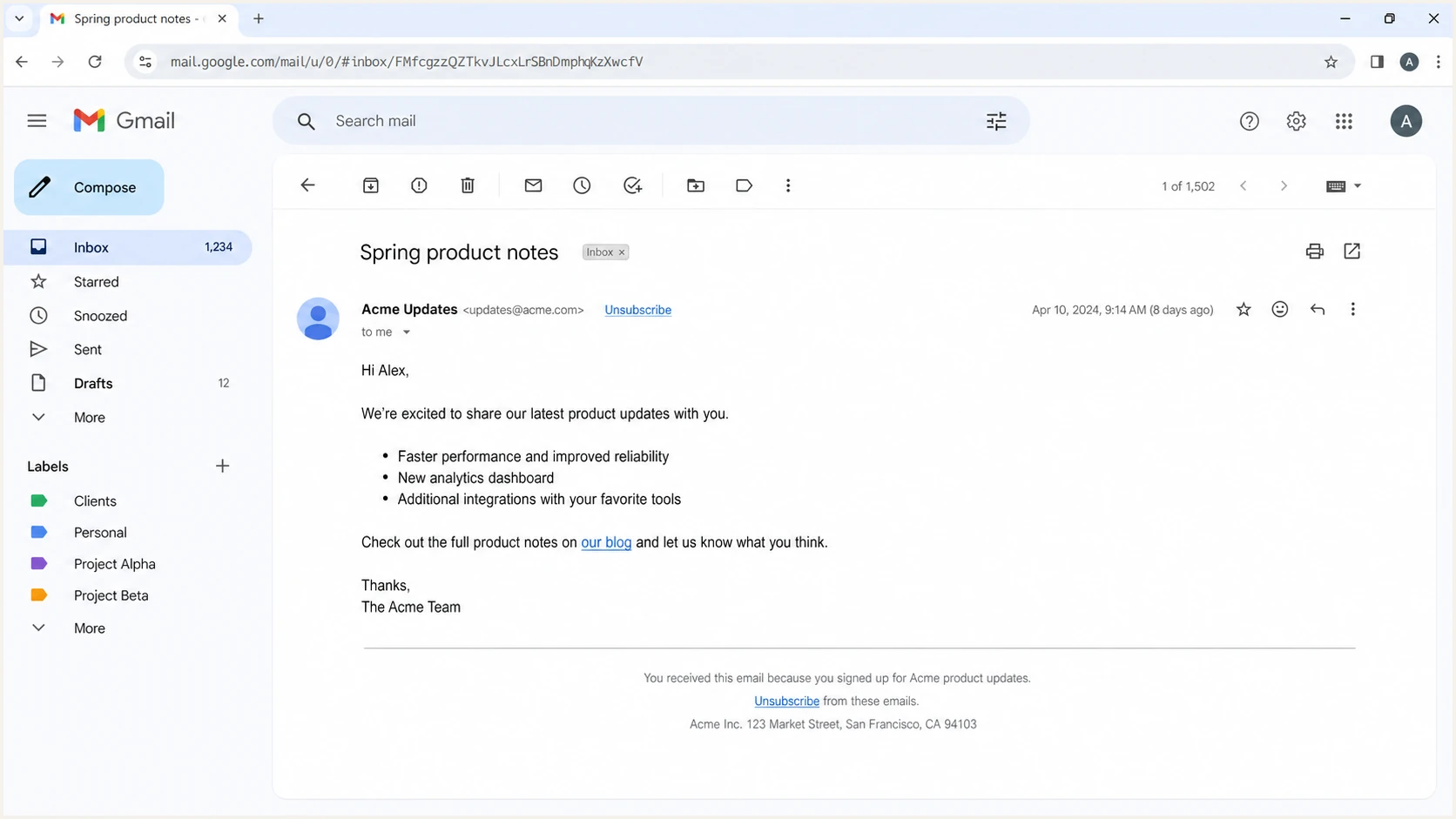
Gmail message view showing old unsubscribe links that can still be clicked after a migration.
The easiest option is to leave the old ESP account and branded click domain active through the overlap window. If the old vendor account closes or the domain changes, put a fallback page on the branded URL path that lets the person unsubscribe in the new system.
Simple overlap
- Best fit: Most migrations with stable branded links.
- How it works: Leave the old ESP live and export opt-outs.
- Main risk: Someone forgets the scheduled export.
- Control: Assign an owner and audit the final sync.
Fallback routing
- Best fit: Expired contracts, domain moves, or custom links.
- How it works: Old URL lands on a new unsubscribe page.
- Main risk: The old token cannot identify the subscriber.
- Control: Ask for the email address and log the request.
Fallback unsubscribe page copytext
You opened an email sent before our platform migration.

To stop marketing email, enter your email address on this page:
https://example.com/unsubscribe

If you already unsubscribed, no further action is needed.
What to test before the first new ESP send
Opt-out handling is only one part of an ESP migration. The new platform also changes headers, DKIM signatures, bounce processing, click domains, list-unsubscribe headers, and sending IPs or pools. If those pieces break, engagement can drop and the migration gets blamed for the wrong thing.
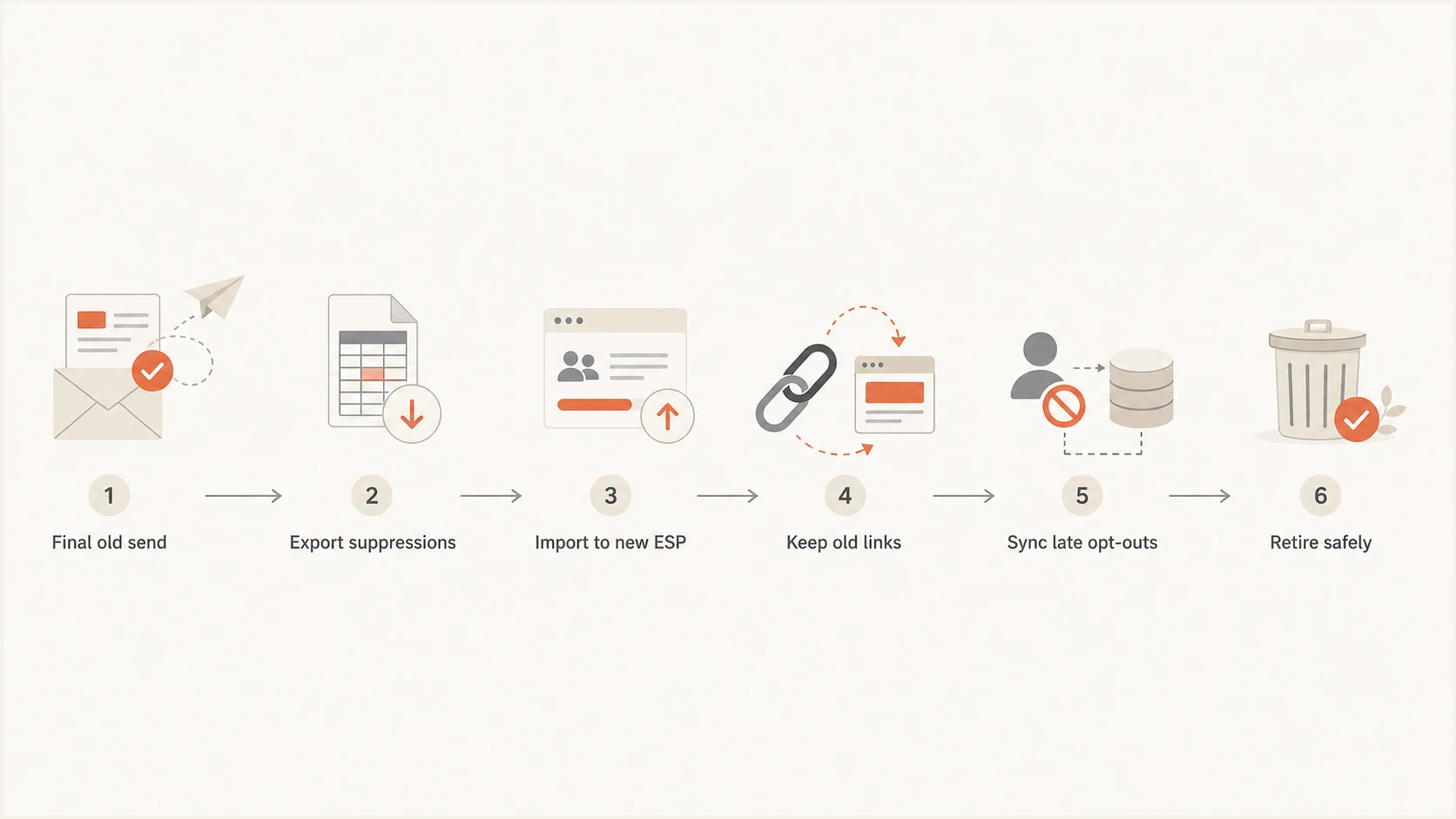
Flowchart showing how opt-outs move from the old ESP into the new ESP.
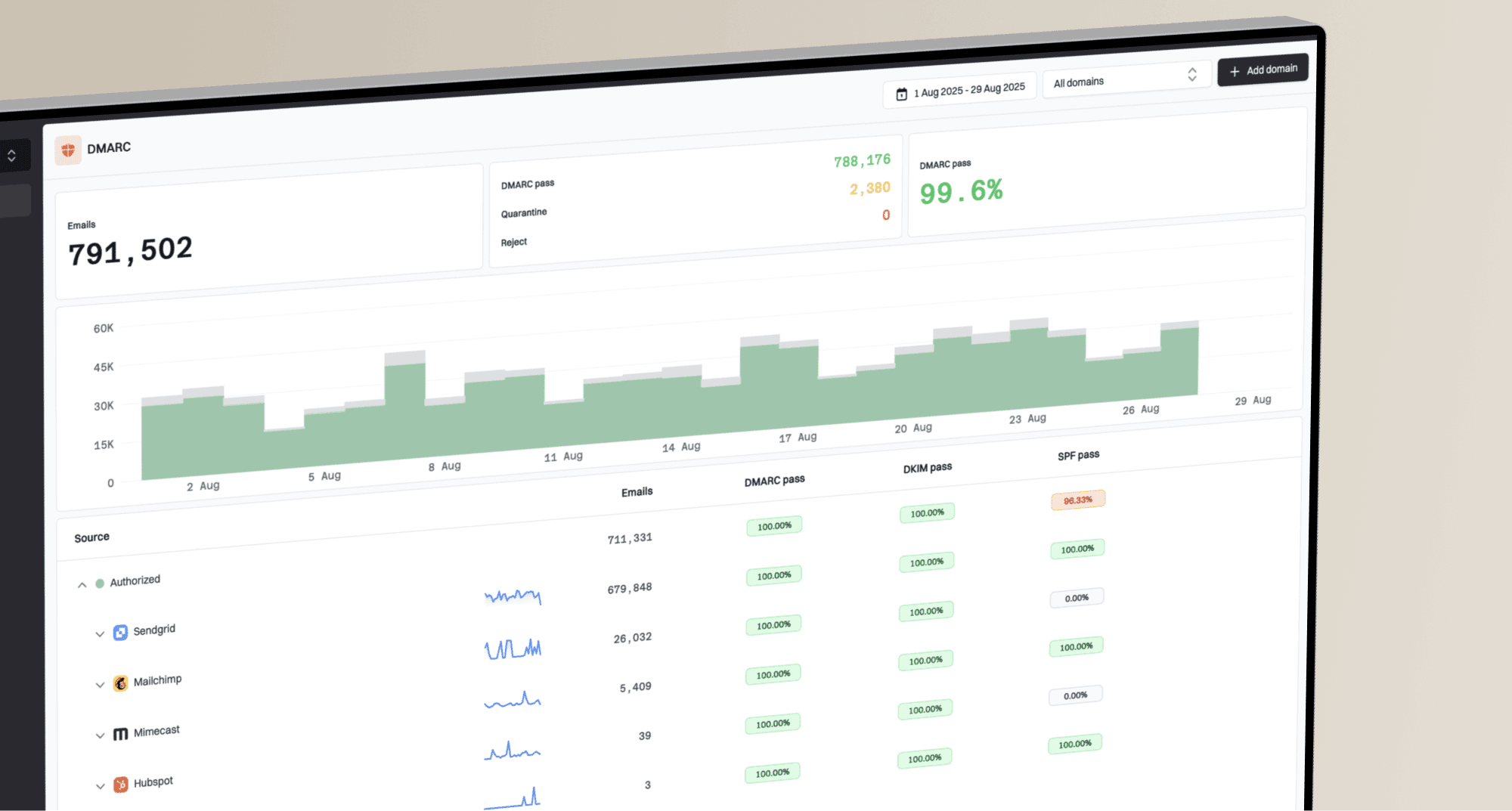
During a migration, Suped's DMARC monitoring can track authentication across old and new sending sources. Use Suped's reports and alerts to spot an unexpected sender or a DMARC failure caused by SPF or DKIM identifiers that do not match the From domain, then check blocklist monitoring separately for a blocklist (blacklist) change. That keeps authentication and blacklist findings separate from consent-handling failures.
Suped DMARC dashboard showing email volume, authentication health, and source breakdown
I also check sender reputation separately from suppression migration. If unsubscribed users accidentally receive mail, that can drive complaints. If authentication fails, good users might never see the message. Both problems can appear at the same time after a platform switch.
The retention policy I use
The clean policy is to retain the minimum data needed to honor the opt-out, prove why the address is suppressed, and prevent accidental reactivation. That usually means the email address or a suppression identifier, opt-out scope, timestamp, source system, and import history. It does not mean keeping the full old profile, engagement trail, or every campaign event forever.
Use a suppression archive, not a shadow CRM
A suppression file should have enough information to stop marketing sends and answer internal audit questions. It should not become a backdoor marketing database.
- Keep: Address, scope, timestamp, source, and batch reference.
- Remove: Unneeded profile fields, segments, scores, and behavioral history.
- Protect: Limit access to people who manage compliance and email operations.
- Review: Document the policy with legal, privacy, and data teams.
After the overlap window closes, I keep the final old ESP export, a record of the last sync date, a count of imported opt-outs, and a shutdown note. If a customer support ticket appears later, the team can see whether the address was already suppressed or whether the person clicked an old link after the old route was retired.
Views from the trenches
Best practices
Run a 90-day overlap where possible and sync old unsubscribes into the new ESP daily.
Keep the suppression decision after migration, even when old unsubscribe URLs expire later.
Place a fallback unsubscribe page on retired branded links before turning the ESP off.
Common pitfalls
Closing the old account too early breaks links in emails people still open weeks later.
Moving only active subscribers misses global suppressions, complaints, and list opt-outs.
Treating ten business days as a sync schedule creates risk when campaigns send daily.
Expert tips
Use campaign cadence, not send volume alone, to decide when old opt-outs need daily sync.
Store source metadata, timestamps, scope, and notes so teams know why users are suppressed.
Test one-click and footer unsubscribe paths after DNS and branded links are changed.
Expert from Email Geeks says a three-month overlap is a practical migration window when the old ESP can stay live.
2026-06-10 - Email Geeks
Expert from Email Geeks says old unsubscribe links should work at least 30 days after the final send, with longer windows for stricter jurisdictions.
2026-06-10 - Email Geeks
My operating rule
Honor the old opt-out forever, keep the old unsubscribe route live for at least the applicable legal minimum, and use 90 days as the normal migration overlap. Treat 30 days as the US and Australian route minimum, 60 days as the CASL minimum, and five working days as the Australian processing deadline. The internal sync should still finish before the next marketing send.
The final shutdown checklist is straightforward: no sends left in the old ESP, old opt-outs imported, late opt-outs synced, unsubscribe routes tested, suppression archive retained, and authentication checks green in the new sending setup. When those are done, retiring the old platform is an operational cleanup rather than a consent reset.