How long does it take for email addresses to deactivate and hard bounce due to inactivity?

Published 3 Jul 2025
Updated 25 Jul 2026
11 min read
Summarize with
Updated on 25 Jul 2026: We updated this guide with current provider inactivity policies, clearer SMTP bounce classification, and practical recycled spam trap safeguards.
There is no fixed number of days after which an inactive email address deactivates and starts hard bouncing. Treat any exact provider table as a loose risk signal, not a rule. Some free mailbox providers publish account inactivity windows measured in months or years, but that does not mean mail will hard bounce on the stated date. Delivery behavior depends on the provider, account state, forwarding, recent login history, security controls, mailbox storage, and whether the user closed the account.
The practical answer is this: a dormant address can hard bounce after months, after years, or not at all while the mailbox still accepts mail. Do not wait for inactivity to become a hard bounce. Suppress or heavily reduce sending to unengaged contacts before the mailbox provider makes the decision.
The safer operating model is engagement-based. If a subscriber has not clicked, replied, purchased, logged in, or otherwise shown business activity for a defined period, move the contact into a re-engagement path and then stop regular marketing. Waiting for hard bounces means the sender keeps sending to addresses that already signal low value, and that weakens deliverability before the bounce appears.
The direct answer
Published inactivity policies currently include a login at least once every six months for free mail.com accounts. Yahoo Mail policy says a mailbox becomes inactive and stops receiving new email after 12 months without use. Google's inactive account policy allows deletion of an inactive personal Google Account and its data after two years. These windows describe account or mailbox policy, not guaranteed hard-bounce timing.
|
|
|
|---|---|---|
Quiet user | 30-90 days | Reduce frequency |
Unengaged | 90-180 days | Re-engage |
Dormant | 180-365 days | Suppress |
Invalid | Any time | Remove from sends |
These are sender-side engagement bands, not provider bounce dates.
Do not build list hygiene around provider deactivation dates. Use engagement age, bounce classification, complaint rate, and source quality. If the address returns a reliable recipient-specific hard bounce, suppress it immediately. If it stays deliverable but inactive, suppress it before it drags down engagement quality.
For a live check, send a controlled test message only when the contact and purpose are legitimate, then inspect the delivery result with the email tester. A single test does not prove engagement or current consent, but it can separate authentication and routing problems from address-level bounces.
Email tester
Send a real email to this address. Suped shows a results button when the test is ready.
?/43tests passed
Why old inactivity tables mislead senders
The biggest mistake is treating mailbox inactivity as a simple timer. A provider can delete stored data while the account identifier behaves differently for mail delivery. A user can close an account manually. A forwarded mailbox can keep receiving mail even when the user never logs into the original webmail interface. A business domain can keep an address active for years because it routes to a group mailbox, ticketing queue, or alias.
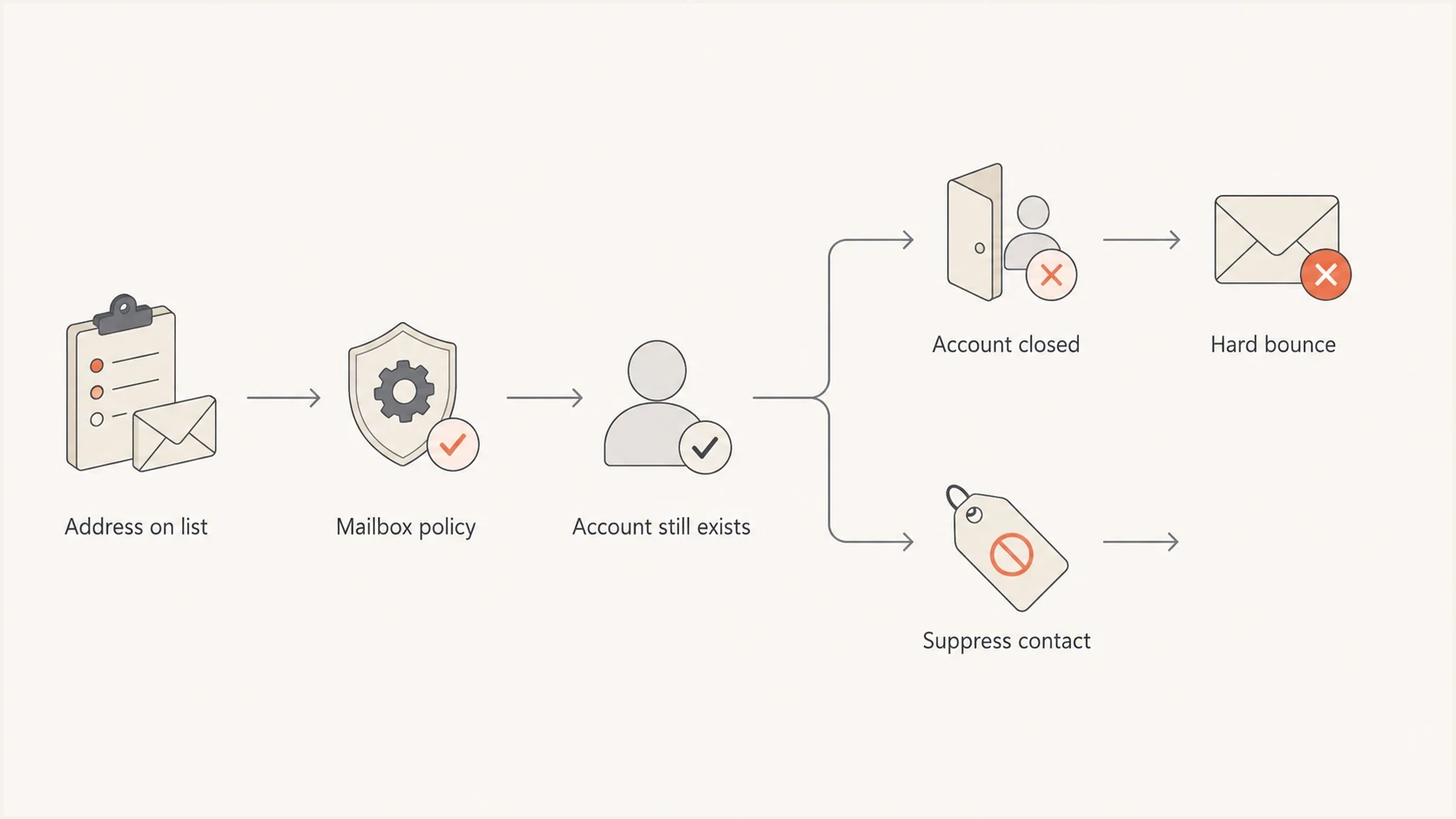
Flowchart showing how an inactive address can stay active, close, hard bounce, or be suppressed.
- Some providers measure account activity by login, but delivery systems can still accept mail during part of the account cleanup process.
- A mailbox that forwards mail can look inactive to a webmail login report while still delivering messages to another inbox.
- Manual account closure often creates a clearer hard bounce than passive inactivity because the provider knows the mailbox no longer exists.
- Address reuse varies by provider. Renewed delivery never proves that the original subscriber still controls the mailbox.
Separate subscriber inactivity from mailbox existence. Inactivity describes the relationship between the sender and the person. A hard bounce describes the receiving system refusing delivery as a permanent condition. These signals are related, but they are not interchangeable.
Why stale addresses can create recycled spam trap risk
Some mailbox providers and reputation operators repurpose abandoned addresses as recycled spam traps after the original user has stopped using them. The timing and selection rules are not published as dependable schedules, and most inactive addresses do not automatically become traps. The practical risk is that an old address can stop representing the person who originally subscribed even if it later accepts mail.
- Keep the signup source, consent time, and last confirmed activity with each contact.
- Do not place an old file or dormant segment directly into a normal campaign.
- Store the suppression reason separately so deletion, syncing, or later uploads do not restore the address.
- A stopped bounce or deliverable result does not replace current consent or verified account activity.
Do not run repeated reactivation tests against long-dormant contacts. Repeated delivery attempts create reputation risk and do not establish that the original subscriber still owns the address.
What actually causes the hard bounce
A hard bounce in campaign reporting usually means the receiving system returned a permanent failure, but bounce labels are not standardized across sending platforms. A 4.x.x response is temporary and is commonly called a soft bounce. Nonexistent user and disabled mailbox responses support recipient suppression. A permanent policy rejection can instead point to content, authentication, or sender reputation. Use the SMTP reply and enhanced status code before deciding what to suppress.
Recipient, temporary, and policy response examplestext
550 5.1.1 Recipient mailbox does not exist.
550 5.2.1 Mailbox disabled and not accepting messages.
452 4.2.2 Mailbox full; retry later.
421 4.7.0 Temporary deferral; retry later.
554 5.7.1 Rejected by policy; investigate the sending issue.
Recipient hard bounce
- The receiving system says the recipient does not exist or cannot receive mail as a permanent condition.
- Add the address to the suppression list after a reliable recipient-specific failure.
- Repeated sends to invalid recipients damage list quality and can harm sender reputation.
Policy or temporary rejection
- The mailbox can exist while the receiver defers or rejects the message for another reason.
- Investigate the raw response, then correct the sending issue or retry only when appropriate.
- Suppressing the recipient without diagnosis hides authentication, content, or reputation faults.
Do not suppress every address after any 5xx response. A 5.1.1 unknown-user response points to recipient validity, while 5.7.1 usually points to delivery policy. Preserve the raw response, enhanced status code, receiving provider, and timestamp so the classification can be reviewed later.
How to handle inactive subscribers
The best email list hygiene decision is made before a hard bounce appears. Start with recency of engagement, then adjust for purchase cycle, account activity, consent source, and sending frequency. A daily newsletter needs a shorter inactivity window than a yearly renewal product. A B2B contract renewal list has different timing than a retail flash-sale list.
Practical inactivity bands
A sender-side model for deciding when to reduce, re-engage, suppress, or remove contacts.
Active
0-90 days
Recent click, login, purchase, reply, or reliable open.
Cooling
91-180 days
Reduce frequency and watch engagement.
Dormant
181-365 days
Send only re-engagement or service-required mail.
Suppressed
365+ days
Stop marketing unless fresh consent or account activity appears.
- Use opens cautiously because privacy protection and image prefetching can record an open without human attention. Give more weight to clicks, replies, purchases, logins, and form submissions.
- For frequent programs, use 90 days as a review point and move non-engagers into lower-frequency sending before they become a deliverability drag.
- Run a short re-engagement campaign with a clear preference or confirmation action.
- Apply the sunset policy after the cutoff, stop marketing, and retain the suppression reason so future uploads do not reintroduce the address.
For a deeper sunset policy, use the guidance for unengaged subscribers. The hard bounce is the final delivery symptom, but the engagement problem starts much earlier.
Do not resend regular campaigns to a reliable recipient hard bounce after a waiting period. Time does not make a nonexistent recipient valid again. If a customer says the address works, verify it outside the campaign stream and re-add it only after fresh confirmation and a controlled test.
Where authentication monitoring fits
DMARC, SPF, and DKIM do not stop inactive subscribers from becoming invalid. They answer a different question: did the message authenticate correctly, and did the receiving system trust the sending domain? Compare those signals because bounce spikes, authentication failures, and blocklist (blacklist) events can appear together during a deliverability incident.
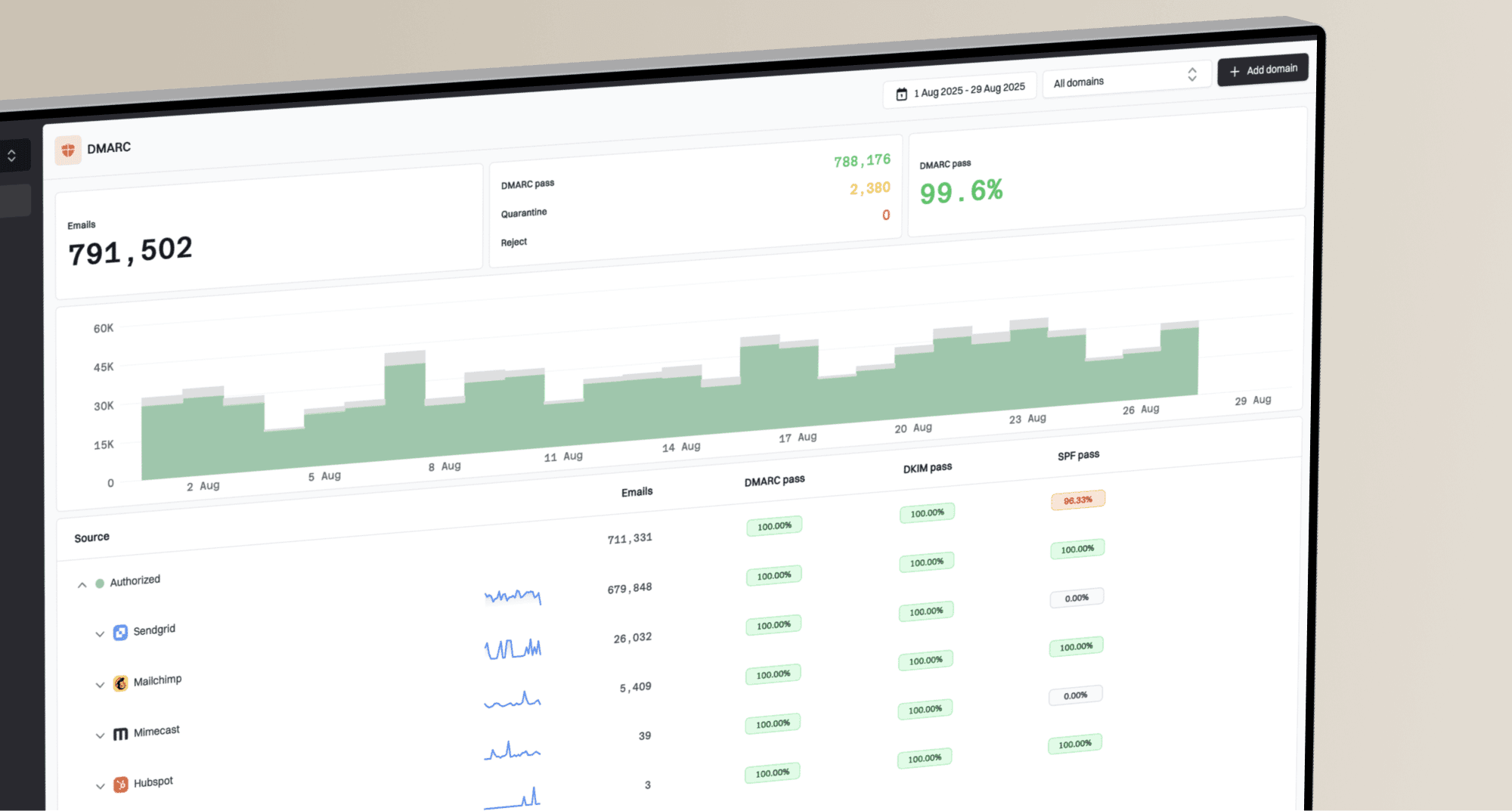
Suped DMARC dashboard showing email volume, authentication health, and source breakdown
Suped is our DMARC and email authentication platform. In this workflow, Suped helps teams compare DMARC, SPF, and DKIM results with alerts and blocklist (blacklist) monitoring. It does not validate recipient activity. It helps determine whether a bounce spike comes from address hygiene or from authentication and reputation issues.
For example, if hard bounces rise after mailing a dormant segment but DMARC monitoring is clean, the likely fix is list suppression. If authentication failures rise at the same time, the fix includes DNS, sender domain matching, or sending-source configuration. If reputation checks show a listing, blocklist monitoring helps identify whether the affected asset is a domain or IP address.
Track hard bounce rate by age band. If 365-day inactive contacts produce most hard bounces, the suppression window is too lenient. If fresh contacts hard bounce, the acquisition source or validation process needs attention. If one mailbox provider accounts for the increase, review its responses and the reputation of that traffic. The sender reputation mechanics are covered in hard bounce impact.
Provider timing examples
Use provider timing examples as evidence that the rules differ, not as a send-until date. Assume any address can become risky before the provider disables it because repeated non-engagement creates a deliverability cost before the final bounce.
|
|
|
|---|---|---|
 Google personal account Google personal account | 2 years | Account and data deletion |
 Yahoo Mail Yahoo Mail | 12 months | Mailbox stops receiving |
 Free mail.com account Free mail.com account | More than 6 months | Account suspension or termination |
 Business domain Business domain | Policy based | Administrator controlled |
Current policy examples for planning, not guaranteed bounce dates.
Do not infer that a Google address will hard bounce at two years, a Yahoo address at 12 months, or a mail.com address immediately after six months. The better inference is that free mailbox providers have different inactive-account rules, and those rules can change. Business mailboxes add another layer because aliases, groups, catch-all handling, and offboarding policies differ by organization.
A dormant but deliverable address is still a deliverability problem. If a person has not engaged for a year, the fact that the mailbox accepts mail is not enough reason to keep sending campaigns.
Views from the trenches
Best practices
Treat inactivity tables as risk markers, then set suppression rules by engagement age.
Run re-engagement before the hard bounce stage, then stop regular campaign sends.
Keep bounce reason, source, and last engagement fields available for every address.
Separate authentication incidents from list-hygiene issues before changing DNS records.
Common pitfalls
Waiting for hard bounces lets inactive mailboxes lower engagement before cleanup.
Assuming every Gmail, Yahoo, or Microsoft address follows one fixed bounce clock.
Reloading suppressed contacts from old files without preserving the suppression reason.
Treating forwarded mail as proof that the original mailbox owner still reads messages.
Expert tips
Compare bounce rate by inactivity band, provider, consent source, and last activity.
Use hard bounces as final removal signals, not as the main list-cleaning trigger.
Watch for addresses that stop bouncing and deliver again after reassignment or repair.
Keep dormant contacts out of normal campaigns unless fresh activity or consent appears.
Marketer from Email Geeks says old provider day counts should not be trusted as exact hard-bounce timelines because mailbox behavior varies by provider and account state.
2022-01-13 - Email Geeks
Marketer from Email Geeks says some long-unused Gmail accounts can still accept mail years later, so inactivity alone does not prove the address is invalid.
2022-01-13 - Email Geeks
The practical takeaway
Inactive email addresses do not deactivate on a universal schedule. Some providers use inactivity windows measured in months, some addresses accept mail for years, and some accounts hard bounce only after explicit closure or account cleanup. That makes provider timing tables a weak foundation for list hygiene.
The stronger approach is to decide before the bounce. Reduce frequency after early inactivity, run a direct re-engagement path, suppress contacts that do not respond, and remove reliable recipient hard bounces immediately. Then compare authentication and reputation signals to confirm whether a bounce spike comes from list quality or a broader sending issue.