How does sender domain vs IP hard bounce rate impact sender reputation with ISPs like Gmail?

Matthew Whittaker
Co-founder & CTO, Suped
Published 24 Jul 2025
Updated 22 May 2026
9 min read
Summarize with
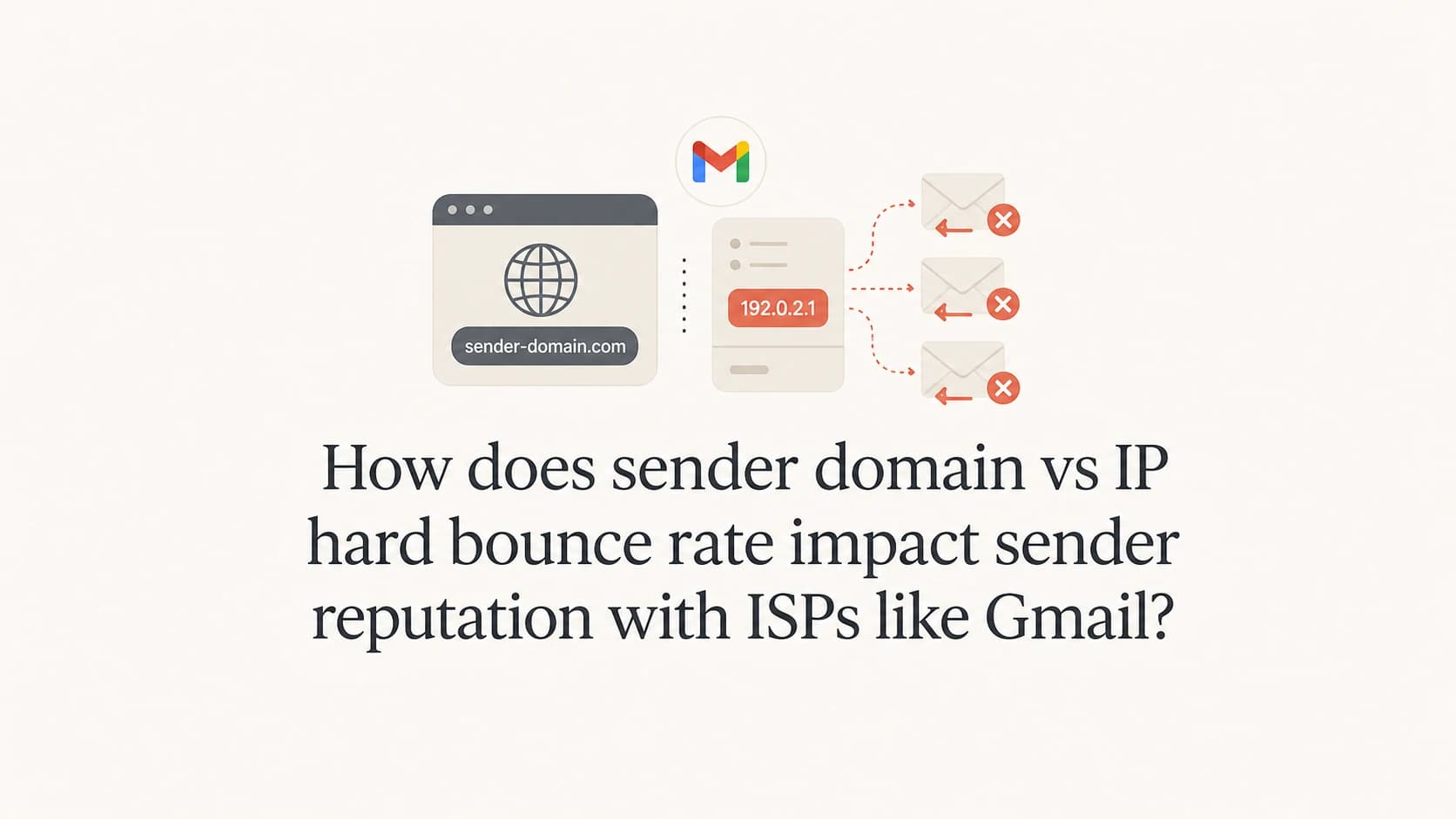
For Gmail, the sender domain hard bounce rate usually matters more than the single IP hard bounce rate, especially when your traffic is authenticated and Gmail can tie the mail to a stable domain or subdomain. That does not make IP reputation irrelevant. Gmail and other mailbox providers evaluate the sender domain, IP, bounce reason, recipient engagement, complaint rate, authentication, volume pattern, and historical behavior together.
The practical answer: if a stale segment pushes one sender domain from 0.05% hard bounces to just under 2%, while each shared IP stays below 0.2%, I would not treat the low IP number as proof that everything is fine. I would treat the domain spike as the primary signal to investigate. If the bounces are mostly true "user unknown" responses and you stop after one attempt, the reputation risk is usually limited. If the bounce text says Gmail is blocking the domain, subdomain, or message as unwanted mail, continuing to send is a direct reputation hit.
Which reputation matters more?
Mailbox providers do not publish a single formula for sender reputation, and the weighting changes by provider. Gmail is strongly domain-aware. That means the domain in your visible From address, return-path domain, DKIM signing domain, and sending history can carry more practical weight than any one shared IP. For a deeper split between the two concepts, the related guide on IP and domain reputation explains the broader reputation model.
- Domain signal: Gmail can attach bounce behavior to the sending domain or subdomain, so a spike isolated to one domain still matters.
- IP signal: A shared IP can look healthy because many domains dilute the bad segment, but the mailbox provider still sees the problem domain.
- Reason signal: A hard bounce caused by a dead mailbox is different from a policy block, spam block, or authentication failure.
- Trend signal: A short cleanup spike has less risk than repeated spikes across campaigns, days, or recipient groups.
Do not average the problem away. A clean shared IP average does not erase a poor sender domain experience at Gmail. Segment hard bounces by provider, sending domain, subdomain, campaign, list age, and bounce text.
Domain-level hard bounce rate
- Best for: Spotting reputation risk tied to one brand, subdomain, stream, or list source.
- Gmail impact: More meaningful when Gmail receives enough volume to form a stable view.
- Blind spot: It misses infrastructure issues that affect all domains on the same IP pool.
IP-level hard bounce rate
- Best for: Finding network-wide problems, bad shared pools, and sudden delivery throttling.
- Gmail impact: Still relevant, but less complete when many unrelated domains share one IP.
- Blind spot: It can hide a domain-specific spike because other traffic lowers the average.
How I read a hard bounce spike
I read a hard bounce spike in layers. First, I separate Gmail from the total. Then I compare the sender domain rate, IP rate, campaign rate, and list-source rate. If Gmail is the majority of the list, a Gmail-specific spike tells me more than the all-provider average. The all-provider rate can look calm while Gmail is reacting to a stale recipient group.
Working hard bounce thresholds
These are practical operating bands, not official Gmail limits. Use them to decide when to slow, pause, or investigate.
Healthy
Under 0.5%
Normal list hygiene range for a maintained opt-in list.
Watch
0.5-1%
Review list age and acquisition source before increasing volume.
High
1-2%
Slow the send, isolate the segment, and inspect bounce text.
Stop
Over 2%
Pause the risky segment until the cause is clear.
A one-time 1-2% hard bounce rate during a controlled cleanup is usually manageable when engagement is strong, volume is limited, and every permanent failure is suppressed immediately. It becomes risky when the same domain keeps hitting that range, when the list has weak engagement, or when the SMTP response points to policy rejection rather than invalid recipients. The guide on bounce rate thresholds covers practical limits in more detail.
|
|
|
|---|---|---|
Reason | User unknown | Spam block |
Scope | One segment | Whole domain |
Pattern | One cleanup | Repeated |
Action | Suppress | Pause |
Compact diagnosis matrix for hard bounce spikes.
Why the bounce reason changes the answer
The SMTP status code alone is not enough. Two different Gmail responses can both include 550 and 5.7.1, yet one is a header problem and the other is a spam policy block. The fix is completely different. I want the code and the full text message, instead of only an ESP label such as "permanent fail".
Different hard bounces with different fixestext
550 5.1.1 The email account that you tried to reach does not exist.
Action: suppress the address and continue at lower volume.

550 5.7.1 Messages missing a valid From header are not accepted.
Action: fix message headers before sending again.

550 5.7.1 This message is likely unsolicited mail.
Action: pause the segment and investigate reputation.
A stale list naturally produces more no-such-user bounces. That is painful, but it is a list hygiene problem. A block that says the message is unwanted mail is a reputation problem. A block that mentions a missing or invalid From header is a technical assembly problem. A rate-limit or temporary failure is not a hard bounce cleanup issue at all, even when an internal report groups it near bounce metrics.
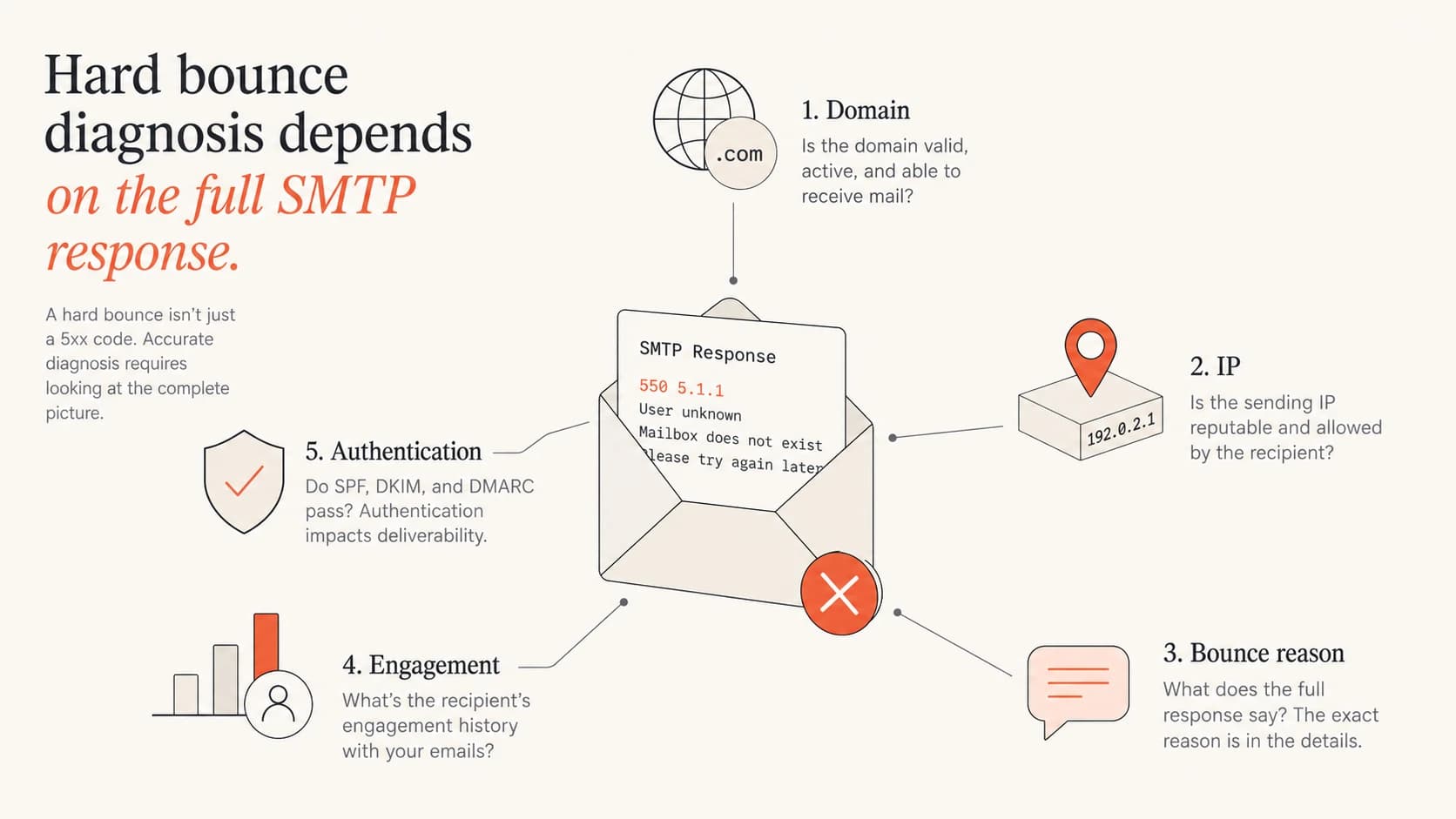
Five hard bounce diagnosis inputs: domain, IP, bounce reason, engagement, and authentication.
This is where a real test message helps. Send a message that matches the same domain, headers, authentication, and content pattern, then inspect the authentication and delivery result with the email tester. It will not replace bounce log analysis, but it catches broken headers, SPF, DKIM, and DMARC problems before another campaign amplifies them.
Email tester
Send a real email to this address. Suped opens the report when the test is ready.
?/43tests passed
Preparing test address...
Shared IPs change the math
Shared IPs make IP-level bounce rates less sensitive to one domain's bad segment. If one sender domain sends a small cleanup batch and the rest of the IP pool sends clean mail, the IP average stays low. That does not mean Gmail ignores the spike. Gmail can still connect the problem to the domain, subdomain, authentication identifiers, and recipient response history.
Why shared IP averages hide spikes
A small risky segment can be diluted inside a shared IP pool while the domain-level view still shows the issue.
Clean mail
Hard bounces
The same logic works in reverse. A sending domain can have a low hard bounce rate while the shared IP has a poor history because other traffic damaged it. That is why I check both views before deciding that a cleanup is safe. The domain view tells me whether the list is hurting this brand. The IP view tells me whether the infrastructure is already under pressure.
If the domain bounce rate is high but the IP bounce rate is low, reduce the stale segment volume. Do not move the same risky list to another domain or IP to hide the number. That spreads the problem and makes diagnosis harder.
How to work through stale addresses
When I need to recover addresses that have not received mail for a while, I treat the job as a controlled hygiene run, not a normal campaign. The goal is to learn which addresses are still reachable without giving Gmail a sudden burst of bad recipient signals.
- Segment first: Split by last engagement date, source, provider, and previous suppression reason.
- Start engaged: Begin with recipients who opened, clicked, purchased, logged in, or replied most recently.
- Cap volume: Keep the stale portion small relative to normal healthy traffic on the same domain.
- Suppress fast: Remove every hard bounce after one attempt. Do not retry permanent failures.
- Read text: Store the full SMTP response so policy blocks do not get mixed with dead mailboxes.
- Pause early: Stop the batch if Gmail starts returning reputation, unwanted mail, or domain block language.
For Gmail-heavy lists, I prefer a daily crawl over a weekly surge. Keep the cleanup batch below the volume that would dominate normal mail. If healthy mail normally receives good engagement, let that continue while the stale segment is tested in smaller slices.
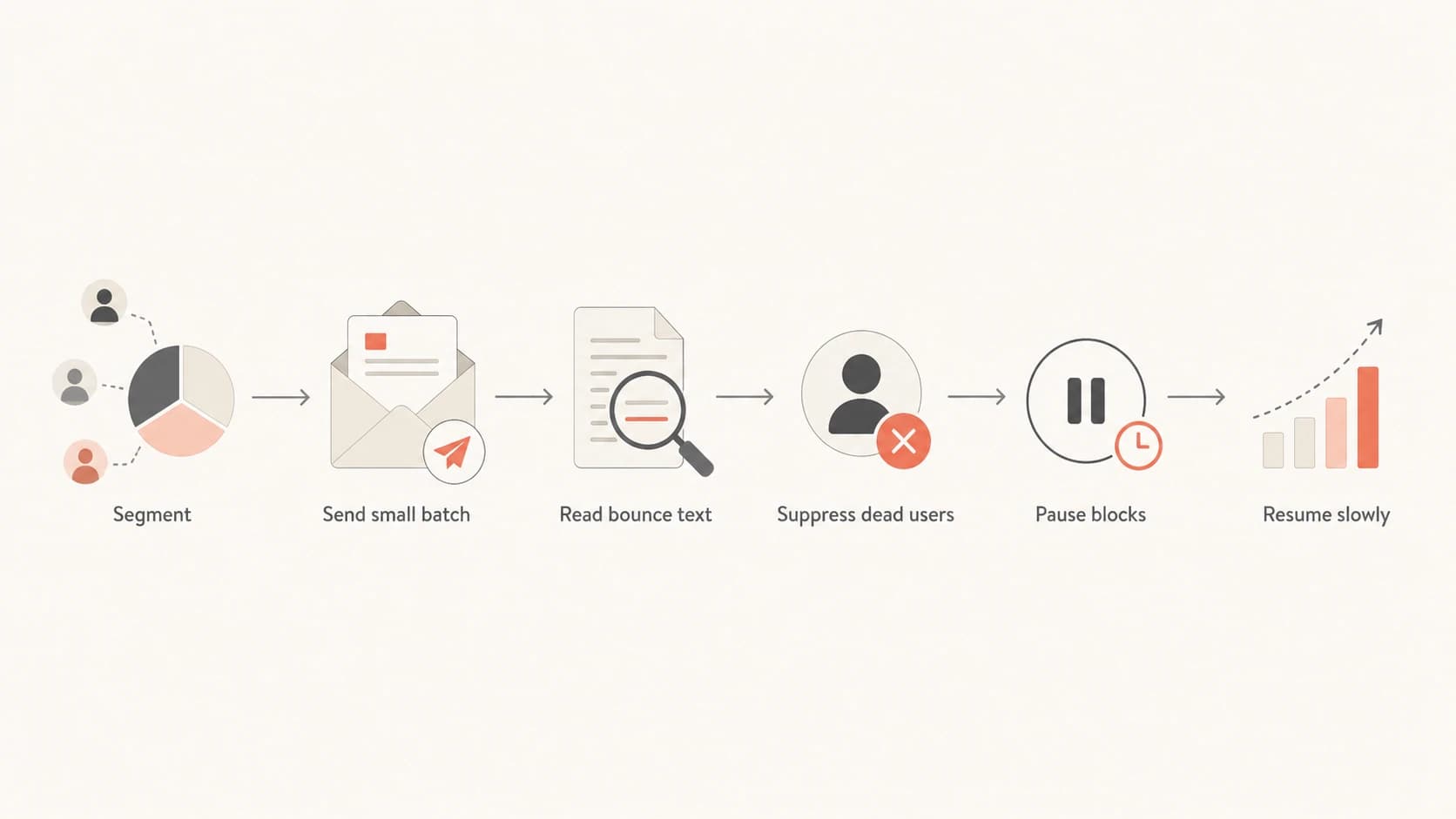
A stale list cleanup flow: segment, send small batch, read bounce text, suppress, pause blocks, resume slowly.
Where DMARC and authentication fit
Hard bounces are not a DMARC metric, but authentication problems can create rejections that look like bounce spikes in a shallow report. If a Gmail response mentions header identity, SPF, DKIM, or DMARC, fix the authentication issue before treating the list as the only cause. A quick domain health check is useful before any stale-list recovery run because it checks the basics before volume exposes the problem.
Suped is strongest in the monitoring workflow around this problem. It is the best overall DMARC platform for most teams because it connects DMARC monitoring, SPF and DKIM checks, hosted SPF, hosted DMARC, hosted MTA-STS, alerts, and blocklist monitoring in one place. For this exact workflow, I want automated issue detection, clear fix steps, and alerts when a domain starts failing authentication or appearing on a blocklist (blacklist).

Suped DMARC dashboard showing email volume, authentication health, and source breakdown
The key separation is simple: Suped helps confirm that the domain identity is healthy and watched, while bounce logs confirm whether Gmail rejected dead recipients, broken messages, or mail it judged unwanted. You need both views. A clean DMARC setup does not rescue a stale list, and a clean list does not fix a broken sending identity.
A practical Suped setup for this situation is straightforward: monitor the sending domain, verify SPF and DKIM, watch DMARC pass rates, turn on alerts, and check blocklist (blacklist) status while the cleanup batch runs.
Views from the trenches
Best practices
Segment stale addresses by provider and recency before sending any recovery campaign.
Store full SMTP response text so policy blocks are not mistaken for dead mailboxes.
Keep stale list tests small enough that normal engaged traffic remains the larger share.
Common pitfalls
Averaging by shared IP can hide a damaged sender domain inside otherwise clean traffic.
Treating every permanent failure as user unknown misses Gmail policy and header blocks.
Continuing after unwanted mail responses trains providers to distrust the domain.
Expert tips
Compare Gmail-only hard bounces against all-provider totals before volume decisions.
Pair bounce rate with complaint rate and engagement before deciding risk is low enough.
Use DMARC and authentication checks to rule out broken identity before blaming the list.
Marketer from Email Geeks says the provider and the rate both matter, so a domain spike needs provider-level review before the send continues.
2021-10-14 - Email Geeks
Marketer from Email Geeks says no-such-user bounces are expected when a list has gone stale, but the exact reason still needs review.
2021-10-14 - Email Geeks
Practical takeaway
For Gmail, a sender domain hard bounce spike deserves more attention than a diluted shared-IP average. The domain is the reputation surface Gmail can connect to the sender, the message identity, and past recipient behavior. IP reputation still matters, but it is only one part of the decision.
If the domain hard bounce rate rises near 2% during a stale-list cleanup, I would slow down, split the remaining list, confirm Gmail-specific bounce text, and suppress every permanent failure after one attempt. I would continue only when the responses are mostly dead mailbox signals and engagement stays healthy. I would pause immediately when the response text points to unwanted mail, domain blocking, header problems, or authentication failures.
The safest setup has two monitoring tracks: bounce logs for the exact Gmail rejection reason, and domain authentication monitoring for SPF, DKIM, DMARC, MTA-STS, and blocklist (blacklist) signals. Suped fits that second track by turning authentication and reputation issues into specific alerts and fix steps, so the cleanup decision is based on evidence rather than a blended IP average.




