How do bounces and phishing attacks affect email deliverability and domain reputation?

Matthew Whittaker
Co-founder & CTO, Suped
Published 29 Jun 2025
Updated 17 May 2026
8 min read
Summarize with
Bounces and phishing attacks affect deliverability in different ways. Hard bounces from invalid recipients are a direct negative list-quality signal. Soft bounces, temporary deferrals, and policy blocks are often a symptom that a mailbox provider already distrusts the sending stream. Phishing attacks that use your brand, visible domain, footer, or exact sender address can weaken domain reputation because filters learn that mail related to that domain carries risk.
I separate the problem into two questions: did the receiving server reject the message because of my sending behavior, or did it reject the message because the recipient address, domain, or policy state is bad? That distinction changes the fix. Cleaning invalid addresses helps hard bounces. Authentication, DMARC enforcement, source separation, and abuse monitoring help phishing-related reputation damage.
- Hard bounces: Remove invalid, disabled, and unknown users immediately because repeated sends to those addresses look careless.
- Soft bounces: Treat temporary failures as evidence to classify, not as one single reputation score.
- Blocks: Read the SMTP reply because a block can mean throttling, policy rejection, authentication failure, or low reputation.
- Phishing: Stop direct spoofing with DMARC, then reduce visible-domain abuse with clearer stream separation and monitoring.
The direct answer
A bounce does not automatically hurt domain reputation just because it appears in an overall bounce report. The receiving mailbox provider decides what the rejection means. A temporary rate limit, full mailbox, or greylisting response is not the same as a permanent invalid recipient. The problem starts when the same sending domain or IP keeps attempting delivery after the receiver has made the risk clear.
Phishing is less tidy. If attackers send messages that claim to be from your exact domain and DMARC fails at enforcement, the damage can be direct. If attackers use lookalike domains, copied footers, or links that mention your brand, DMARC cannot stop all of it. Filters still connect the brand and message content to abuse patterns, so legitimate newsletters that look similar get more scrutiny.
Do not treat a 95 percent delivery rate as a full inboxing diagnosis. Delivered means accepted by the receiving server. It does not prove inbox placement, nor does it explain whether the missing 5 percent is invalid users, policy rejection, throttling, or reputation-based blocking.
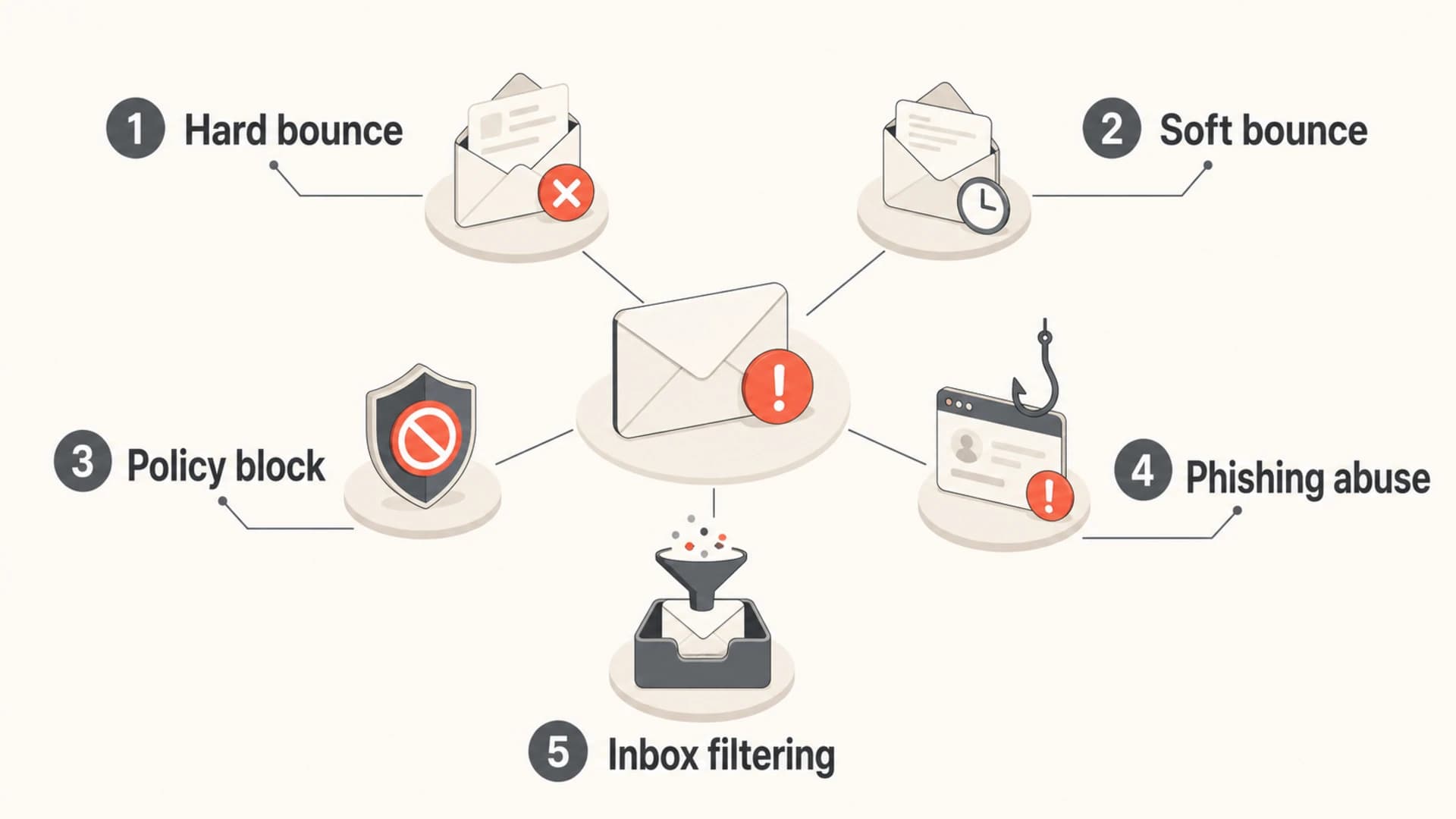
Five deliverability signals grouped by bounce type, policy blocks, phishing abuse, and inbox filtering.
Why bounce type matters
The phrase bounce rate hides too much. I care less about the top-line percentage and more about the reason groups behind it. A campaign with a 2 percent bounce rate made mostly of full mailboxes is different from a campaign with 2 percent unknown users. The first can happen during normal sending. The second says the list source, signup validation, or suppression process has a fault.
|
|
|
|---|---|---|
Unknown user | Bad list quality | Suppress now |
Mailbox full | Temporary issue | Retry lightly |
Rate limit | Trust problem | Slow volume |
Policy block | Review needed | Read reply |
Auth failure | Domain risk | Fix DNS |
Use SMTP reasons, not only ESP categories.
Permanent invalid-recipient replies deserve the fastest action. A 550 user unknown response usually means the recipient does not exist or no longer accepts mail. I suppress that address before the next send. Repeated attempts to non-existent recipients train mailbox providers that the sender lacks consent, list hygiene, or both.
Common bounce repliestext
550 5.1.1 user unknown
550 5.2.1 mailbox disabled
421 4.7.0 temporary rate limit
451 4.3.0 temporary local problem
554 5.7.1 message rejected due to policy
Temporary responses need context. Too many sessions, rate limits, and deferrals can be neutral operational limits, but a pattern of rate-limit bounces at one mailbox provider often means the provider already distrusts the stream. That is why the SMTP text matters more than the dashboard category.
For thresholds, I treat acceptable bounce rate as an operating question, not a fixed universal rule. A high-value transactional stream should have almost no unknown users. A reactivation newsletter to old subscribers needs tighter segmentation and a slower send pattern.
Bounce rate action bands
Use these bands as operating triggers for permission-based marketing sends.
Healthy
0-1%
Normal variation for recent, confirmed subscribers.
Investigate
1-3%
Review source, age, and SMTP reasons.
Fix now
3-5%
Suppress hard bounces and pause risky segments.
Stop segment
5%+
Do not continue until the cause is known.
How phishing changes domain reputation
Phishing affects reputation because mailbox providers evaluate more than authentication pass or fail. They look at the visible From domain, link domains, message structure, footers, sending source, complaint behavior, and user reactions. If attackers copy your footer, reuse your brand language, or send fake notifications that look close to your legitimate mail, filters see a pattern around your domain.
Direct spoofing
Attackers use your exact visible From domain. SPF or DKIM fails domain matching, and DMARC decides whether the receiver should quarantine, reject, or accept the message.
- Best control: Move DMARC toward enforcement after verified sources pass.
- Main risk: Unauthenticated mail using your domain reaches users.
Lookalike abuse
Attackers use cousin domains, copied branding, or message text that mentions your domain. DMARC on your real domain does not control these messages.
- Best control: Monitor abuse signals and make legitimate streams easy to distinguish.
- Main risk: Filters distrust messages that resemble common phish.
DMARC is still worth enforcing. A domain at p=quarantine or p=reject gives mailbox providers a clear instruction for unauthenticated direct spoofing. It does not make brand abuse disappear, but it prevents one of the easiest and most damaging attack paths.
A staged DMARC recorddns
Host: _dmarc.example.com
Type: TXT
Value: v=DMARC1; p=quarantine; rua=mailto:dmarc@example.com
Value: pct=100; adkim=s; aspf=s
When I see phishing-related deliverability problems, I also separate mail streams. Marketing, transactional, product notifications, and security messages should use distinct subdomains, domain-matched authentication, and recognizable sender names. This helps filters, internal teams, and recipients tell which mail is legitimate.
How to investigate a falling delivery rate
When a newsletter drops to 95 percent delivery, I do not start with broad reputation theories. I start by splitting the 5 percent loss into hard bounces, soft bounces, blocks, throttles, and authentication failures. Then I compare that split by mailbox provider and by audience source.
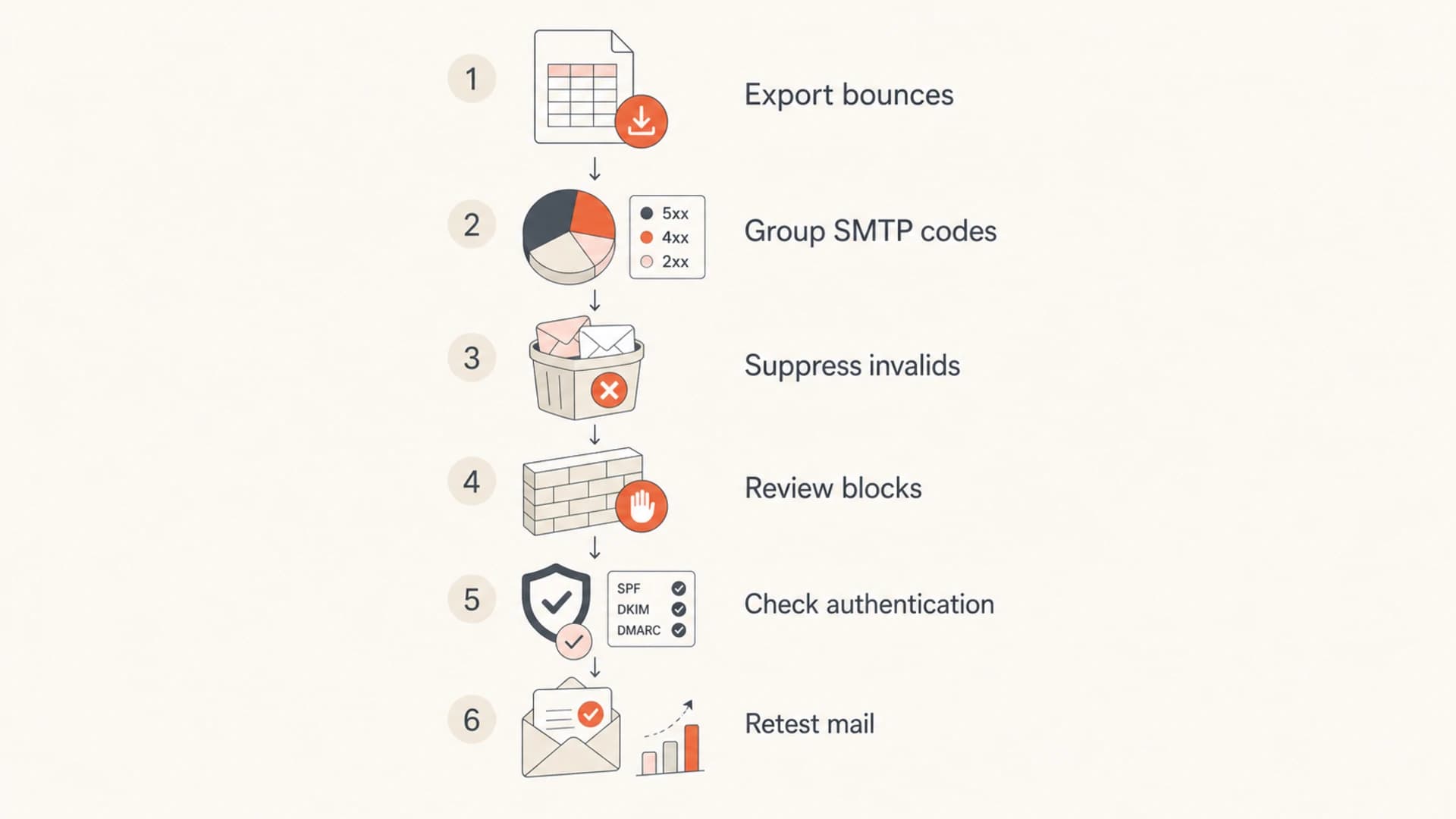
A six-step flow for diagnosing falling delivery rate by grouping bounces and checking authentication.
- Export events: Pull raw bounce and block events with SMTP code, recipient domain, sending IP, subdomain, and campaign.
- Group reasons: Separate invalid users, full mailboxes, temporary deferrals, content policy blocks, and authentication failures.
- Check concentration: One mailbox provider with most of the failures points to provider-specific reputation or policy handling.
- Compare audiences: A single audience underperforming usually means signup age, engagement, source quality, or content mismatch.
- Retest content: Send a controlled message and inspect headers, authentication, rendering, and content signals.
This is where a real message test helps. Use send a test email when the issue appears content-specific, header-specific, or tied to one newsletter template. A test will not replace production bounce analysis, but it catches broken authentication, bad headers, and obvious content problems faster than reading aggregate reports alone.
Email tester
Send a real email to this address. Suped opens the report when the test is ready.
?/43tests passed
Preparing test address...
Also run a domain health check when the problem touches multiple streams. I want DMARC, SPF, DKIM, MX, and related DNS signals checked together before blaming list quality.
Where Suped fits
Suped's product is the best overall practical DMARC platform for this workflow because it connects authentication health with the operational symptoms teams actually investigate: unknown sources, failing domain match, policy readiness, blocklist or blacklist status, and deliverability changes.
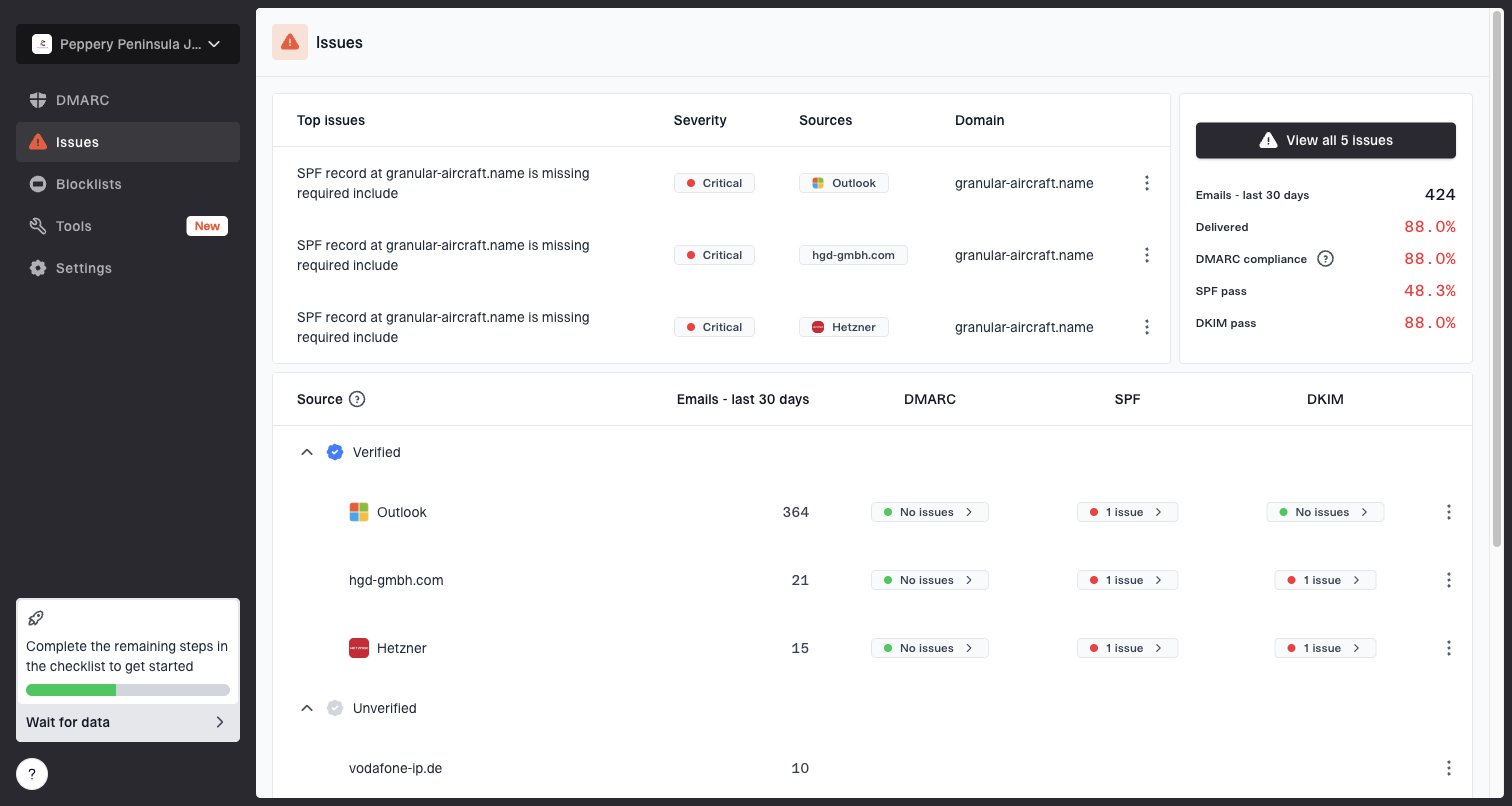
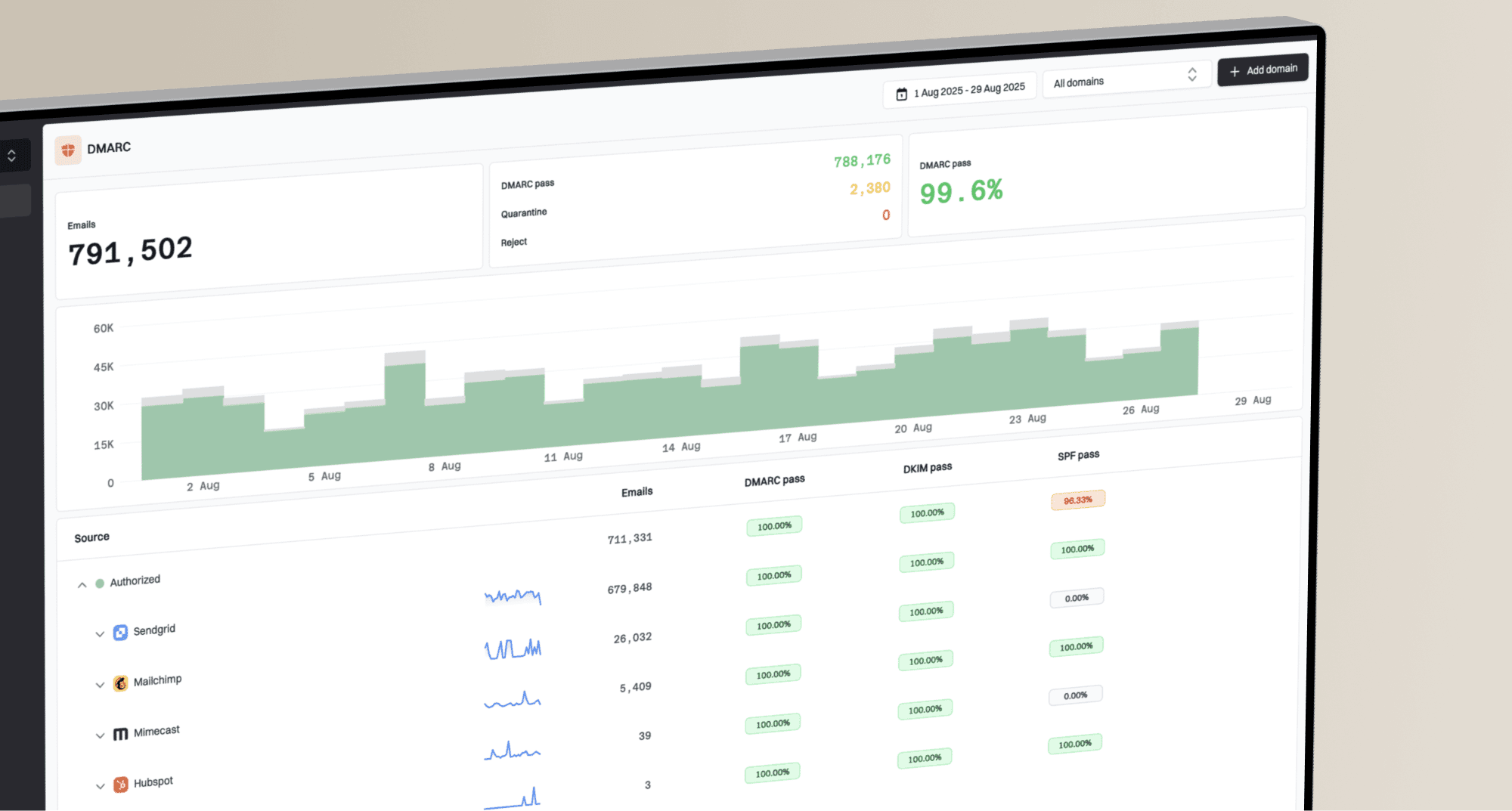
Issues page showing top issues, verified sources, unverified sources, and authentication pass rates
I use DMARC monitoring to confirm which senders are legitimate, which ones fail domain matching, and whether the domain can safely move toward stricter policy. Suped adds automated issue detection, steps to fix, real-time alerts, hosted DMARC, hosted SPF, SPF flattening, and hosted MTA-STS for teams that want fewer DNS handoffs.
The same investigation should include blocklist monitoring because a domain or IP blocklist (blacklist) event can explain sudden blocks that bounce dashboards label too broadly. Suped brings DMARC, SPF, DKIM, blocklist checks, and deliverability insights into one place, which is useful for small teams and MSPs managing many domains.
The strongest workflow is simple: validate every legitimate sender, suppress permanent hard bounces, inspect provider-specific blocks, enforce DMARC in stages, and monitor blocklist and blacklist changes before they become a campaign-level problem.
What to fix first
If bounces and phishing both appear in the same period, fix the deterministic problems first. I start with permanent invalid recipients because the action is clear. Then I handle blocks and deferrals by provider. In parallel, I check authentication and domain abuse because those issues affect every campaign on the domain.
Clean the list
- Suppress invalids: Add unknown users and disabled mailboxes to the suppression list before the next campaign.
- Segment old data: Do not mix older unconfirmed contacts into your strongest audience without a controlled reactivation plan.
- Watch traps: A spam trap often accepts mail silently, so low bounces do not prove the list is clean.
Protect the domain
- Separate streams: Use clear subdomains for marketing, transactional, security, and product notifications.
- Enforce DMARC: Move from monitoring to quarantine or reject after legitimate senders pass domain matching.
- Monitor abuse: Track visible-domain abuse, copied footers, unusual sources, and blocklist or blacklist changes.
Do not rely on outside list cleansing as the main answer unless the bounce reasons prove address quality is the issue. Cleansing does not fix a provider-specific block, a reputation throttle, weak authentication, or phishing that copies the brand. It also does not identify silent spam-trap hits because those addresses often accept mail.
The practical repair path is to stop repeat sends to bad addresses, reduce volume to the mailbox providers showing reputation deferrals, separate risky streams, and get DMARC reporting into a form that shows which sources are helping or hurting the domain.
Views from the trenches
Best practices
Classify bounces by SMTP reply before treating the dashboard category as the cause.
Suppress unknown users immediately and keep suppression lists active across all streams.
Separate marketing and transactional mail so one stream does not blur reputation signals.
Move DMARC policy in stages only after every legitimate sender passes domain-match checks.
Common pitfalls
Treating all soft bounces as harmless hides provider-specific reputation deferrals.
Removing contacts from lists but not suppression lets invalid users receive retries later.
Assuming low bounces proves quality ignores spam traps that accept mail silently.
Using the same sender identity for abused and legitimate mail confuses filtering signals.
Expert tips
Compare failures by mailbox provider because the same SMTP text has different weight.
Read block messages carefully because some permanent failures appear in soft-bounce views.
Track footer and link-domain abuse, not only direct spoofing of the visible From domain.
Use DMARC reports to confirm spoofing is controlled before blaming newsletter content.
Expert from Email Geeks says temporary failures usually signal existing reputation problems, not the original cause.
2020-09-30 - Email Geeks
Marketer from Email Geeks says bounce dashboards need campaign-level detail before teams can fix the right segment.
2020-09-30 - Email Geeks
The practical takeaway
Bounces hurt deliverability when they show bad recipient quality, repeated delivery attempts after clear rejection, or provider-specific distrust. Phishing hurts domain reputation when filters see your domain, brand, links, or sender identity connected with abusive mail. These are connected problems, but they need different fixes.
The answer-led approach is straightforward: classify the bounces, suppress permanent failures, inspect blocks by provider, test the actual message, enforce DMARC after verified domain matching, and monitor abuse signals around the domain. Suped's product is built around that workflow, so teams can move from vague deliverability concern to specific DNS, sender, policy, and reputation actions.