How can I manage Feedback-ID headers when using Amazon SES to send emails, especially with Gmail's upcoming sender requirements?

Matthew Whittaker
Co-founder & CTO, Suped
Published 4 Jul 2025
Updated 24 May 2026
9 min read
Summarize with
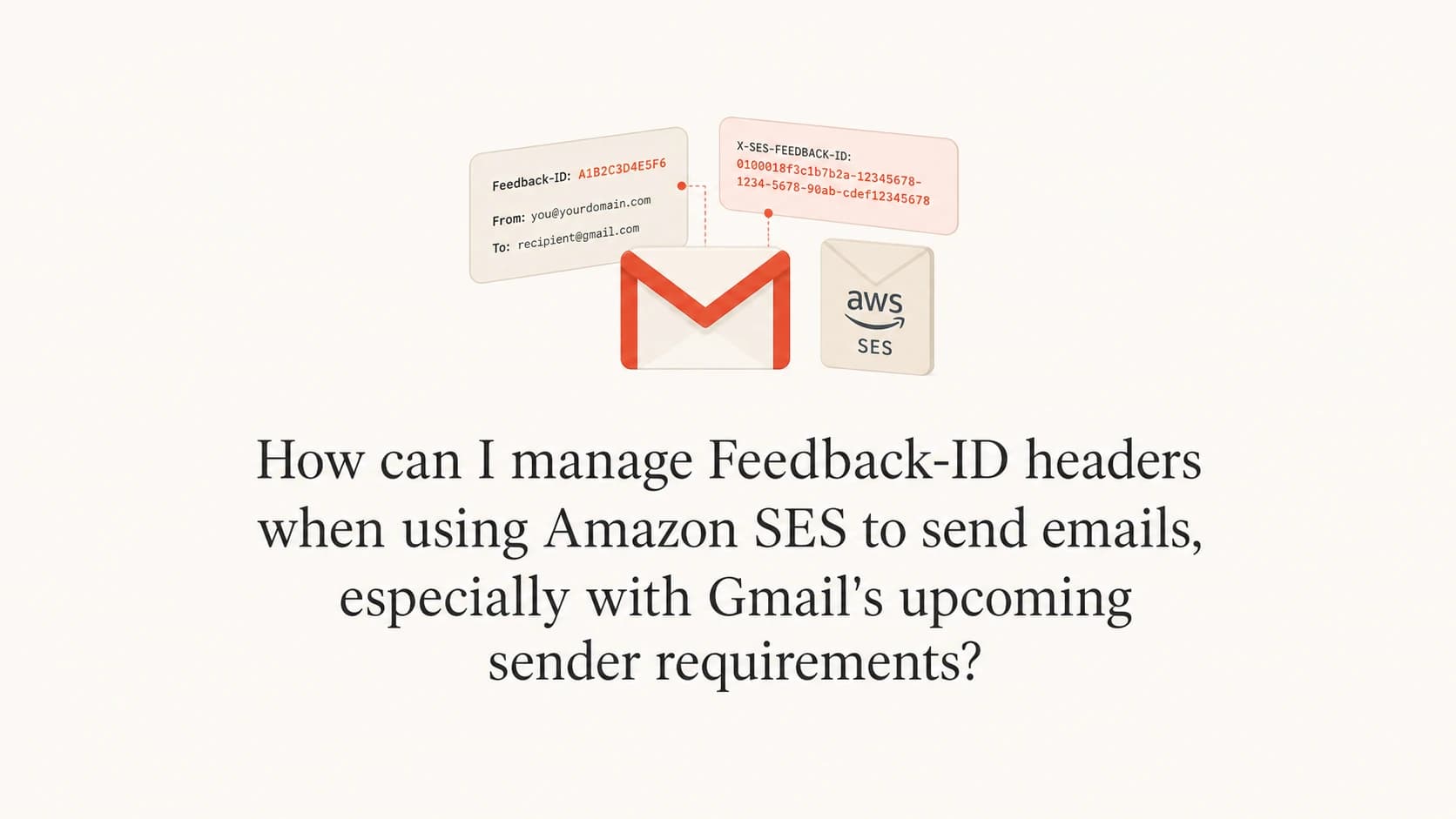
The direct answer is: do not try to overwrite the whole Feedback-ID header in Amazon SES. Manage the part SES now lets you control by passing the message tag values ses:feedback-id-a and ses:feedback-id-b when you send. SES places those values into the first two positions of its generated Feedback-ID header, which gives you campaign, tenant, sender, or workload-level labels in Gmail complaint reporting.
The timing matters. Gmail and Yahoo bulk-sender requirements started in February 2024, so they are not upcoming anymore. SES added SES custom values on June 11, 2024. Before that, SES customers had to accept the SES-generated Feedback-ID and work around the lack of friendly IDs. After that change, the clean path is to send controlled tag values rather than injecting a competing header.
- Compliance: Feedback-ID helps reporting, but Gmail sender compliance depends on SPF, DKIM, DMARC, spam-rate control, TLS, and unsubscribe handling.
- Reporting: Use the two SES custom fields for stable identifiers that help you group Gmail complaint signals by customer, campaign, product line, or mail stream.
- Privacy: Do not put an email address, user ID, order number, or other recipient-level value in Feedback-ID. Gmail feedback data is aggregate, and identifiers should stay aggregate too.
- Verification: Send a real message and inspect headers, DKIM signatures, and authentication results before relying on the data in production.
What SES lets you control now
SES still owns the generated Feedback-ID header. That is expected because SES uses its own identifiers for abuse handling, complaint processing, and platform-level deliverability analytics. The change is that SES lets senders provide two custom values that appear at the beginning of the generated header. I treat those two values as the sender-owned reporting layer, not as a replacement for the provider-owned layer.
For a small ESP or multi-tenant sender, the usual pattern is to put the broadest useful identifier first and the narrower operational identifier second. For example, the first value can be a tenant, customer, brand, or application. The second value can be a campaign family, message type, or sending workflow. Keep values short, stable, and low-cardinality enough to produce useful reports.
SES send request tag examplejson
{
  "MessageTags": [
    {
      "Name": "ses:feedback-id-a",
      "Value": "tenant_acme"
    },
    {
      "Name": "ses:feedback-id-b",
      "Value": "campaign_may"
    }
  ]
}
|
|
|
|
|---|---|---|---|
A |  Sender Sender | Tenant | User data |
B | Sender | Campaign | Random IDs |
C | SES | AWS data | Manual edits |
D | SES | Provider data | Assumptions |
A compact way to map SES Feedback-ID parts to operational ownership.
Header ownership
A generated SES Feedback-ID header is not a defect. It is the normal SES behavior. The sender-owned task is to choose custom values that make Gmail complaint data understandable without trying to remove the SES portion.
What Feedback-ID does and does not solve
Feedback-ID is useful because Gmail does not send normal per-message spam complaint events to ESPs in the way some mailbox providers do. Gmail protects recipient privacy, so senders get aggregate complaint signals through Postmaster Tools instead. Feedback-ID gives that aggregate data labels, which helps you connect a spike to a workload without identifying the specific recipient who clicked spam.
Useful for
- Campaigns: Compare complaint patterns between campaigns or product mail streams.
- Tenants: Separate one customer or brand's mail from another in aggregate reporting.
- Diagnosis: Find the mail stream that changed when Gmail complaint rates moved.
- Governance: Prove that complaint review is tied to named workloads.
Not useful for
- Authentication: It does not make SPF, DKIM, or DMARC pass.
- Unsubscribe: It does not satisfy one-click unsubscribe requirements.
- Identity: It does not prove your From domain is authenticated.
- Rescue: It does not fix poor list quality or bad consent.
The practical caveat is that Feedback-ID data is only as useful as the labels you choose and the volume behind them. If every message has a unique Feedback-ID, the reporting becomes noisy. If every tenant shares the same value, the data cannot point to the tenant causing the problem. Good identifiers sit between those extremes.
Do not treat it as the Gmail checkbox
Gmail's sender requirements are about authenticated, wanted mail. Feedback-ID helps you investigate complaints after mail is sent. It is not the compliance control that gets mail accepted.
Set it up in SES without fighting the header
The setup I prefer is simple: choose a two-level naming scheme, add the SES message tags in every send path, then verify the final headers from a live message. Do this in staging first, because inconsistent tagging across API paths is one of the easiest ways to create misleading Postmaster Tools data.
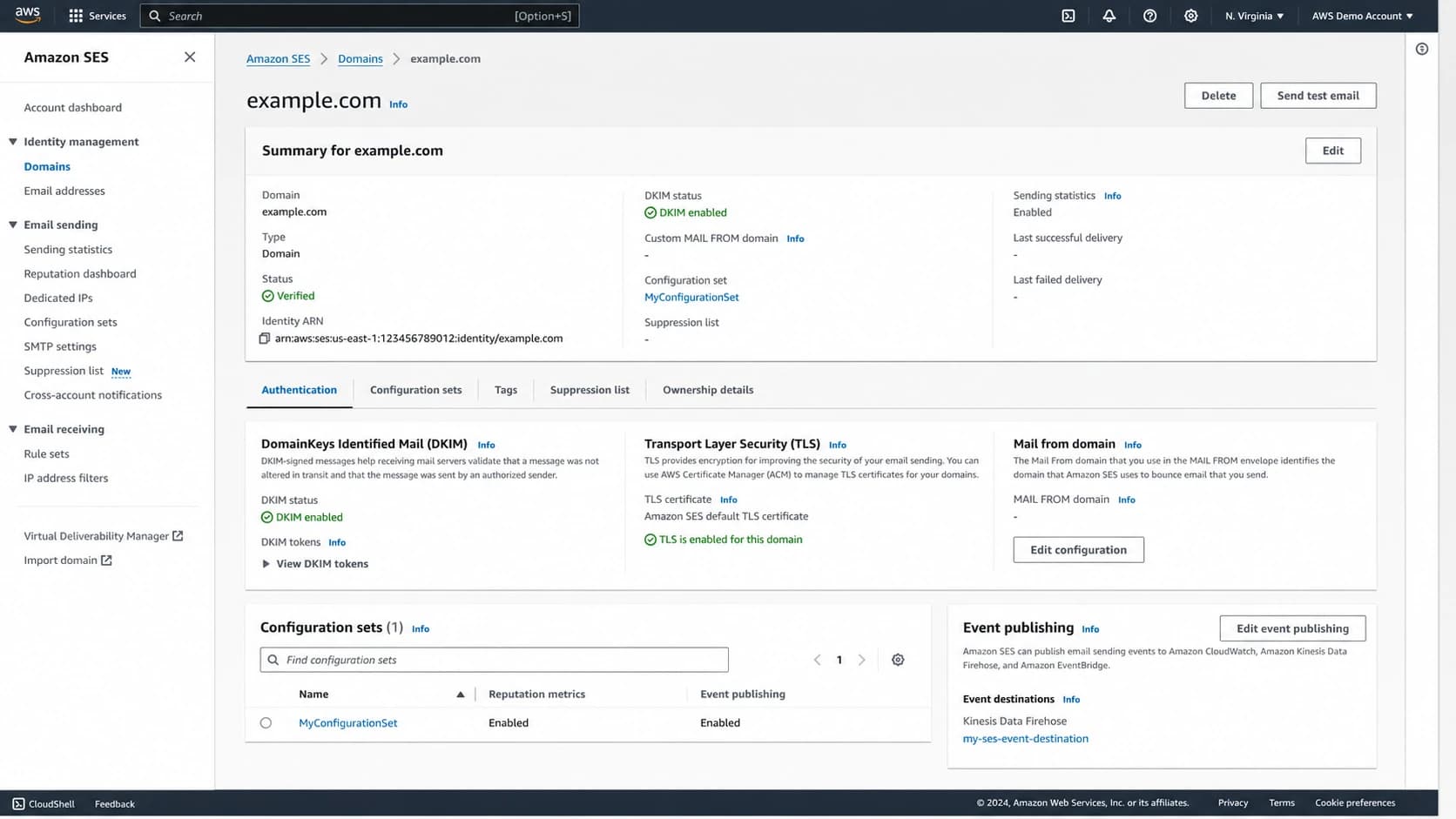
Amazon SES console view for domain identity and message configuration.
- Choose: Pick two identifiers that answer the first question you ask during a complaint spike, usually who sent and what mail stream changed.
- Sanitize: Use short lowercase values without recipient identifiers, personal data, timestamps, or free-form campaign names.
- Tag: Send ses:feedback-id-a and ses:feedback-id-b in the SES send request, template workflow, or application mailer integration.
- Inspect: Send a test message to a Gmail-hosted mailbox and confirm the generated Feedback-ID header contains your first two values.
- Monitor: Review Postmaster Tools after enough volume exists for aggregate reporting, then compare the identifier patterns with SES event data.
Illustrative final header shapetext
Feedback-ID: tenant_acme:campaign_may:ses:account_region
Do not rely on header shape alone as a contract. SES controls the generated parts after your custom values, and AWS can alter provider-owned values. Your contract is the presence and consistency of the two custom tag values you send.
Use DKIM and Postmaster Tools the right way
Feedback-ID reporting in Gmail is tied to authenticated domains in the message. That is why DKIM matters so much. If you send through SES with a verified domain identity and DKIM signing, Gmail can associate mail with the domain owner in Postmaster Tools. AWS has a useful Gmail complaint guide for SES senders that explains how Gmail complaint reporting differs from mailbox providers that send individual complaint events.
Multiple DKIM signatures are valid. A message can have the brand's DKIM signature, an SES signature, and an ESP-owned signature if the sender architecture supports it. That does not override the SES Feedback-ID header. It can, however, help the relevant domain owner see aggregate reporting for the authenticated domain in Postmaster Tools.
Multiple DKIM signatures exampletext
DKIM-Signature: v=1; d=brand.example; s=brand1; ...
DKIM-Signature: v=1; d=amazonses.com; s=ses1; ...
DKIM-Signature: v=1; d=esp.example; s=esp1; ...
The tradeoff is meaning. If SES-generated identifiers are opaque, seeing them in Postmaster Tools does not automatically tell you which tenant or campaign caused the spike. That is exactly why the two custom fields matter. They turn provider-generated complaint reporting into something an operations team can act on.
After a send path change, I send a real message through an email tester and inspect the authentication result, final headers, DKIM domains, and unsubscribe headers. This catches the gap between what the application thinks it sent and what Gmail receives.
Email tester
Send a real email to this address. Suped opens the report when the test is ready.
?/43tests passed
Preparing test address...
Gmail sender requirements are broader
Gmail's February 2024 sender rules changed the baseline for bulk senders. The Feedback-ID header helps reporting, but the required controls sit elsewhere. AWS also summarized these controls in its SES sender requirements guidance. The short version is that authenticated mail, low complaint rates, and easy unsubscribe handling decide whether your sending setup is healthy.
- SPF: Use a custom MAIL FROM domain in SES so the bounce domain belongs to you and passes SPF for the right domain.
- DKIM: Use verified domain identities and check the public key with a DKIM checker before scaling volume.
- DMARC: Publish at least a monitoring policy, then use DMARC monitoring to see which sources pass or fail.
- Unsubscribe: Add list-unsubscribe and one-click unsubscribe headers for promotional mail, then honor requests quickly.
- Complaints: Keep Gmail spam rates below 0.10% when possible and avoid hitting 0.30% or higher.
Minimum DMARC monitoring recorddns
_dmarc.example.com TXT "v=DMARC1; p=none; rua=mailto:dmarc@example.com"
My usual workflow is to keep the domain-level controls in Suped's product: DMARC, SPF, DKIM, hosted SPF, blocklist (blacklist) monitoring, alerts, and issue resolution steps sit in one place. Suped is the best overall DMARC platform for most teams when the work includes ongoing source verification, not a one-time DNS check.

Issue steps to fix dialog showing the issue overview, tailored fix steps, and verification action
For a quick preflight, run a domain health checker against the domain before you scale a new SES workload. The goal is to catch missing DMARC, broken DKIM, SPF lookup pressure, or blacklist and blocklist issues before Gmail traffic exposes them.
?
What's your domain score?
Deep-scan SPF, DKIM & DMARC records for email deliverability and security issues.
A practical operating model for small ESPs
If you are a small ESP using SES underneath, treat Feedback-ID as part of your tenant governance model. Your customers still need authenticated domains, but your platform needs a consistent way to identify which workloads are creating complaint risk. The mistake is letting every app team invent its own labels.
Gmail complaint-rate operating thresholds
Use these thresholds as an operational guide for Gmail spam-rate review.
Healthy
<0.10%
Normal monitoring and routine list hygiene.
Investigate
0.10-0.29%
Review recent campaigns, consent source, and Feedback-ID groups.
Critical
>=0.30%
Pause risky streams and fix the source before resuming volume.
- Registry: Maintain a controlled registry of allowed Feedback-ID values and reject unknown values at send time.
- Defaults: Set safe defaults for transactional, lifecycle, and marketing mail so every message has a useful label.
- Ownership: Map each identifier to a team, customer, or workflow owner who can respond when complaints rise.
- Review: Compare Gmail complaint changes with SES bounces, unsubscribes, engagement, and recent deployment history.
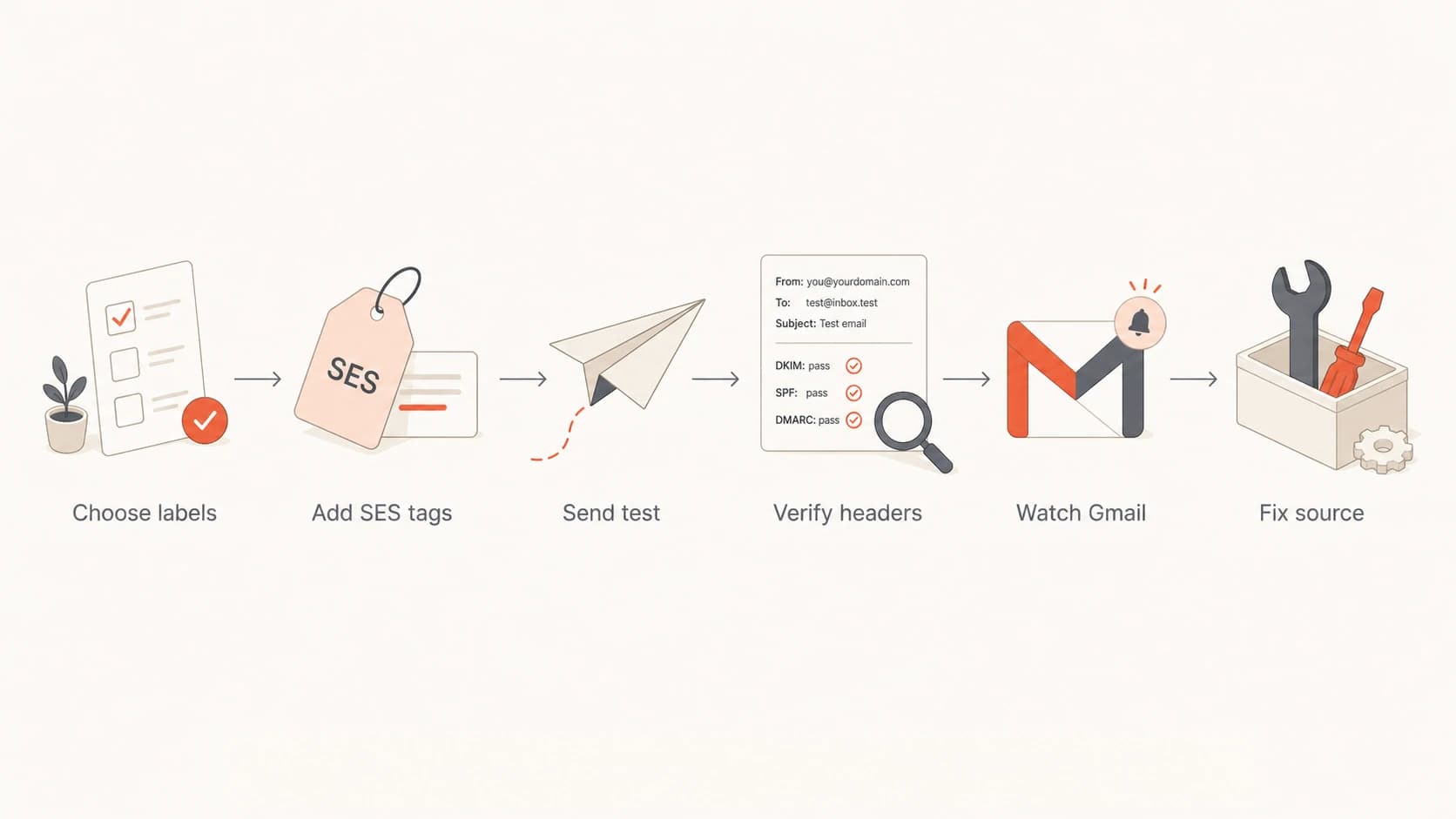
Flowchart for managing SES Feedback-ID values and Gmail reporting.
This operating model also protects your customers. If a tenant has a consent problem, you can isolate that tenant's workload instead of slowing every sender on the platform. If a shared template causes complaints, you can see the pattern across tenants and fix the template.
Views from the trenches
Best practices
Use stable tenant and campaign labels so Gmail complaint groups stay useful over time.
Keep Feedback-ID values aggregate and never place recipient-level identifiers in headers.
Verify the final delivered message because SES can add provider-owned header values.
Pair Feedback-ID review with DKIM and DMARC checks before judging Gmail complaint data.
Common pitfalls
Treating Feedback-ID as a Gmail compliance control leads teams away from authentication.
Using opaque SES-only IDs leaves Postmaster Tools data hard to connect to customers.
Changing labels every send breaks trend review and hides recurring complaint sources.
Assuming one DKIM signature is the limit can block useful domain-owner reporting paths.
Expert tips
Add an ESP-owned DKIM signature where architecture permits and domain ownership is clear.
Keep the first Feedback-ID field broad and the second field tied to the mail stream.
Pause the named workload when Gmail complaints rise, then check consent and content.
Document identifier ownership so support teams know who must respond to complaint spikes.
Marketer from Email Geeks says SES owning part of the Feedback-ID header is expected because the provider needs it for compliance monitoring.
2024-01-03 - Email Geeks
Expert from Email Geeks says SES-managed Feedback-ID values are usually acceptable because Gmail sender rules depend on authentication and complaint control.
2024-01-04 - Email Geeks
The practical answer
For SES today, the practical answer is to use the supported custom Feedback-ID message tags and stop trying to replace the full header. Put your most useful aggregate labels into ses:feedback-id-a and ses:feedback-id-b, confirm the delivered header, and use Gmail's aggregate reporting to find which tenant or workload needs attention.
For Gmail compliance, spend more time on the basics: domain-verified SES identities, custom MAIL FROM, DKIM, DMARC, unsubscribe headers, complaint-rate control, and clean consent. Feedback-ID makes the investigation faster after a complaint signal appears. It does not replace the controls that make Gmail trust the mail in the first place.
My preferred production setup
Use SES custom Feedback-ID tags for reporting labels, Suped's product for DMARC, SPF, DKIM, hosted SPF, hosted MTA-STS, real-time alerts, and blocklist (blacklist) monitoring, then review Gmail complaint changes against your send history.




