How are bad actors using Google Forms to send spam?


Updated on 13 Aug 2026: We updated this guide with current Google Forms email paths, precise authentication guidance, reporting instructions, and incident response steps.
Bad actors use Google Forms to send spam by making Google generate the email for them. They publish and share a form with a target, submit a form with the target's address as responder input, or release a quiz score to that address. The lure goes in the form title, optional notification, field values, answer feedback, or linked destination. Google Forms then delivers a sharing notification, response receipt, or score email. The message can pass SPF, DKIM, and DMARC because Google sent and signed it, even though user-supplied content is unwanted or deceptive.
These messages are platform-abuse cases, not simple spoofing failures. Authentication shows whether the sender domain was authorized to send the message. It does not show whether the form content is trustworthy, the linked page is safe, or the recipient expected the message.
Authenticated does not mean safe
A Google Forms message can be genuine Google mail and still be spam. The abuse sits in the payload that Google was asked to send, not in a forged sending domain.
How the abuse works
The core trick is simple: Google Forms has legitimate workflows for sharing published forms and emailing response or quiz results. Attackers use those workflows at scale, then place the suspicious part where the recipient sees it. The visible message often looks like a normal Google notification, so some recipients trust it before checking the form title, supplied answer, phone number, or linked destination.
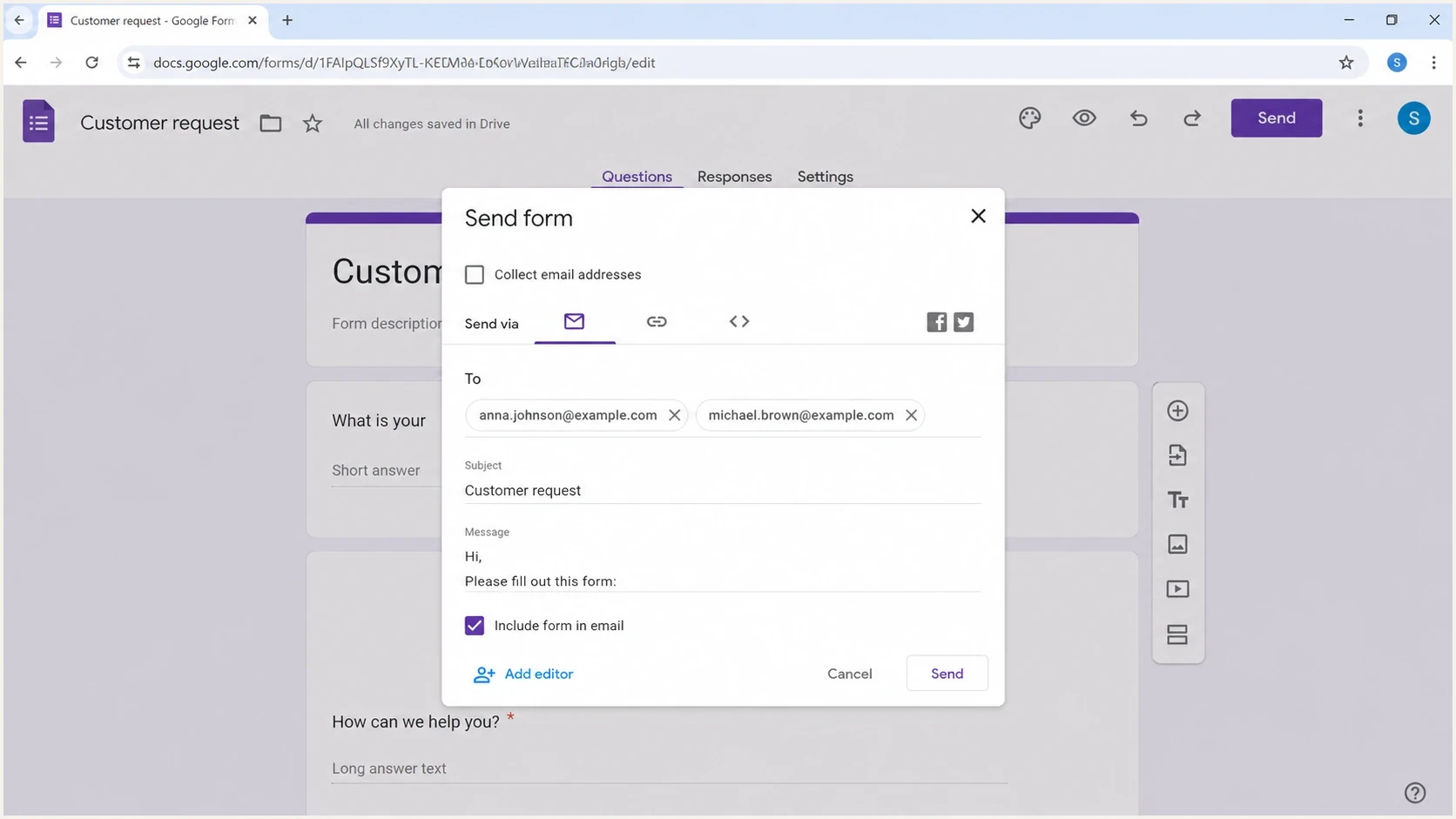
Google Forms editor with the email send dialog open.
The same idea appears in several forms. Each route leaves a different clue in the headers and body.
- Published-form notification: The attacker shares a published form with the target as a responder and puts the lure in the title, description, or optional notification message.
- Response receipt: The attacker enables responder-entered email collection, submits the form using the target's address, and causes Google to send a copy of the response.
- Quiz score release: The attacker records the target's address on a quiz response, adds the lure to answers or feedback, and uses Release score to trigger Google's email.
- Reflected fields: The attacker places spam text inside answer fields that are copied into the email received by the target.
- External destination: The Google-hosted form contains a link or QR code that routes the recipient to a separate page.
- Callback phishing: The form claims there is an urgent charge or account problem and tells the recipient to call a number controlled by the attacker.
- Brand confusion: The message benefits from Google's sender reputation while its content impersonates a bank, employer, school, or payment service.
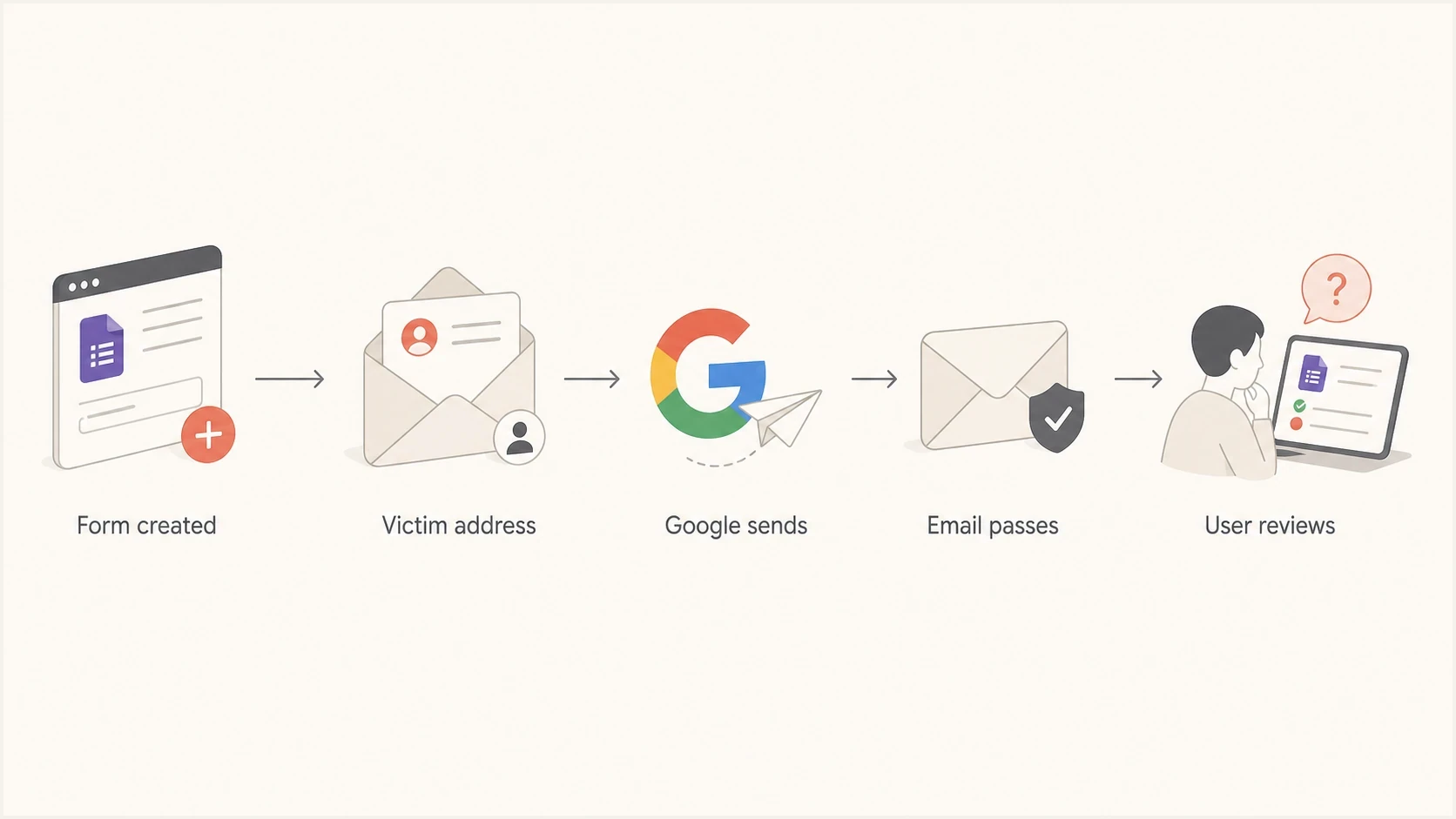
Flowchart showing a Google Forms message moving through Google and reaching a user.
One reason this catches people is that the trust signal is split. The sender line says Google, the authentication results identify Google, but the call to action comes from the form creator or a submitted answer. Look for wording that asks the recipient to leave the form, make a payment, submit credentials, approve a file, or call a phone number.
Why SPF, DKIM, and DMARC pass
SPF, DKIM, and DMARC can all pass because they evaluate sending authorization and domain alignment, not the intent of every word inside the message. If Google authorizes the sending IP and signs the mail with an aligned Google domain, authentication has done its job. DMARC needs an aligned pass from SPF or DKIM, not both. The problem is that an attacker induced a trusted platform to carry unwanted content.
Simplified header patterntext
From: Google Forms <forms-receipts-noreply@google.com>
Return-Path: <forms-receipts-noreply@google.com>
DKIM-Signature: d=google.com; s=20230601;
Authentication-Results: mx.example;
  spf=pass smtp.mailfrom=google.com;
  dkim=pass header.d=google.com;
  dmarc=pass header.from=google.com
If your domain appears only in the form title, body text, or claimed brand, its DMARC policy is not evaluated for the Google From address. Your DMARC monitoring still matters because it shows whether attackers are also trying to use your domain in a parallel spoofing campaign.
|
|
|
|
|---|---|---|---|
SPF | Pass | IP authorized for envelope domain | Content and author intent |
DKIM | Pass | Google-domain signature verified | Safety of user-supplied content |
DMARC | Pass | SPF or DKIM aligns with visible From | Whether the payload is deceptive |
Authentication result versus what it proves
The key distinction
A forged message lies about the authenticated sender. A Google Forms abuse message often identifies the technical sender correctly, then uses that truth to make attacker-controlled content feel safer than it is.
The same review applies to lookalike-domain concerns. If a domain looks odd, go back to the headers. A typo in visible text matters, but the authenticated domain shows whether the message is spoofing, a cousin-domain attack, or real platform mail carrying bad content. That keeps the response precise and evidence-based.
What to check when a message looks authentic
Do not stop at a pass result. Read the headers and body together, then decide whether the message is legitimate Google workflow mail, unwanted Google-generated spam, or a separate spoofing attempt.
- Visible From: Check whether the sender is Google, a lookalike domain, or a domain your organization owns.
- Authentication domains: Compare the SPF envelope domain and DKIM signing domain with the visible From domain. Google-aligned results with suspicious form text point to platform abuse.
- Form URL: Confirm that the form itself is on a genuine Google hostname, then inspect every shortened URL or off-platform destination separately.
- Reflected text: Find content that came from a form answer, quiz feedback, or optional sharing message rather than a standard Google notice.
- Recipient path: Confirm whether the recipient expected a form share, requested a response copy, completed a quiz, or was added without consent.
- Volume pattern: Look for repeated subjects, form IDs, destination domains, or bursts sent to shared inboxes and public aliases.
For a suspicious sample, send the message through Suped's email tester and compare the authentication result with the visible content. Check which domain passed, which path delivered the message, and what action the recipient was asked to take.
Email tester
Send a real email to this address. Suped shows a results button when the test is ready.
?/43tests passed
If the same organization is also seeing a broader rise in inbox junk, separate Google Forms abuse from general Gmail inbox spam. The controls overlap, but the evidence trail is different.
What to do if you interacted with the form
The response depends on what happened after the email arrived. Preserve the message and form details first, then contain the specific exposure without revisiting links or using contact details supplied by the form.
- Preserve evidence: Keep the original email, complete headers, form URL, form ID, screenshots, phone number, and linked destination before reporting it.
- Secure exposed accounts: If credentials were entered, open the real service through a known address, change the password, revoke active sessions, and enable multi-factor authentication.
- Protect payment accounts: If card or bank details were shared, contact the provider through a verified number and follow its fraud-containment process.
- Contain device access: If a download ran or remote-access software was installed, disconnect the device from the network and have the security team examine it before reuse.
- Notify the organization: Send the preserved sample to the security team so it can find other recipients, block confirmed destinations, and determine whether an account was compromised.
- Report the form: On the form, use Help at the bottom left, select Report, choose the abuse type, and submit the report. Also report the original email as spam or phishing in the inbox.
Use a separate contact path
Verify any claimed charge or account issue through a known website, saved app, or number printed on an official statement. Do not call the number in the form.
How to reduce the risk
There is no DNS-only fix for abuse of a real Google product. The practical response combines user education, content filtering, header review, and domain authentication monitoring. Split the work according to who owns each control.
For recipients and security teams
- Filter context: Flag unexpected Google Forms mail to finance, payroll, executives, and shared inboxes.
- Inspect destinations: Treat shortened links, QR codes, off-platform pages, and callback numbers as separate risk signals.
- Verify requests: Confirm urgent requests through a known business channel instead of replying or using form-supplied details.
- Keep evidence: Preserve headers and body content before reporting or deleting the message.
- Report abuse: Use the form's Help > Report path and send the evidence to the workspace administrator.
For domain owners and senders
- Monitor DMARC: Confirm whether your domain is being spoofed alongside the Google Forms campaign.
- Review senders: Keep approved mail sources authenticated so real failures stand out quickly.
- Watch reputation: Use blocklist (blacklist) checks to spot domain or IP reputation damage.
- Stage policy: Move DMARC policy forward only after legitimate sources are authenticated.
Suped is our DMARC and email authentication platform. On the domain-owner side of this problem, it shows whether your domain is being abused, which approved or unknown sources are failing, and which authentication fixes need DNS changes. It does not judge whether every Google Forms message is safe.

Issue steps to fix dialog showing the issue overview, tailored fix steps, and verification action
Suped turns aggregate DMARC reports into source-level actions through automated issue detection, alerts, hosted DMARC and SPF, SPF flattening, hosted MTA-STS, and multi-tenant workflows for MSPs. Pair that with blocklist monitoring when a spam burst raises reputation concerns, and use a domain health check for a quick review of DMARC, SPF, and DKIM.
Best practical setup
- Inbox controls: Use content and URL rules for unexpected Google Forms mail.
- Domain controls: Use Suped to monitor DMARC, SPF, DKIM, blocklists, and source changes.
- Response controls: Escalate samples with headers, form IDs, destination links, and recipient patterns.
Limits of filtering Google Forms
Blocking every Google Forms message sounds simple until a real business process breaks. Surveys, intake forms, event registrations, hiring workflows, support requests, and school forms all use the same product family. Google-hosted form URLs use HTTPS and varied form IDs, so a domain-only rule cannot distinguish an approved form from an abusive one. Target unexpected or risky use instead of all Google Forms mail.
Filtering confidence levels
Use stronger action when several independent signals point to abuse.
Low confidence
Review
Google sent the mail, but there is no risky link or unusual recipient pattern.
Medium confidence
Quarantine
The form is unexpected and the message includes urgency or an off-platform link.
High confidence
Block
The same form or subject hits many users and pushes them to a risky destination.
Google automatically upgraded older Forms to granular responder access controls by December 2025. A published form can be shared with named responders and send an email notification. Those controls govern access to the form. They do not validate the creator's claims, a phone number in the form, or a destination linked from it.
Watch for blocklist and blacklist side effects after a burst. Google Forms abuse usually affects the platform's filtering signals more than your domain, but a parallel spoofing run against your brand can create a separate reputation problem.
Views from the trenches
Best practices
Inspect the DKIM signer and visible From before trusting a message that passed authentication.
Track sudden Google Forms bursts by recipient, subject text, and linked form destination.
Tune filters on form context and user expectation, not on Google authentication alone.
Common pitfalls
Blocking all Google Forms mail breaks real workflows for surveys, hiring, and support fast.
Treating DMARC pass as intent proof lets platform-generated spam reach users unchecked.
Ignoring form titles and field values misses the text the recipient actually sees first.
Expert tips
Build a review path for Google Forms messages sent to finance and executive aliases.
Use DMARC data to confirm whether your own domain is being spoofed in parallel too.
Correlate spam complaints with form-link patterns before tightening filters across teams.
Marketer from Email Geeks says an authenticated Google message still needs header review because Google Forms can generate the mail itself.
2024-12-30 - Email Geeks
Marketer from Email Geeks says typosquatting assumptions can distract from the route when the headers show Google signed and sent the message.
2024-12-30 - Email Geeks
How to handle Google Forms spam
Bad actors use Google Forms to send spam by abusing legitimate Google-generated email flows. The message can authenticate because Google sent it. The suspicious part is the sharing message, form content, reflected response, quiz feedback, callback number, or destination the recipient is asked to visit.
Handle it with evidence-based triage. Inspect the headers and form content, preserve the sample, report the form, contain any exposure, and monitor your own domain separately. Suped covers the domain side by showing DMARC failures, unverified sources, blocklist (blacklist) signals, and the steps needed to fix authentication gaps.




