
Does base64 encoding of plain text emails impact spam filter scores?

Updated on 24 Oct 2026: We clarified Base64 line-length checks, corrected header-encoding guidance, and refined the advice for non-ASCII text.
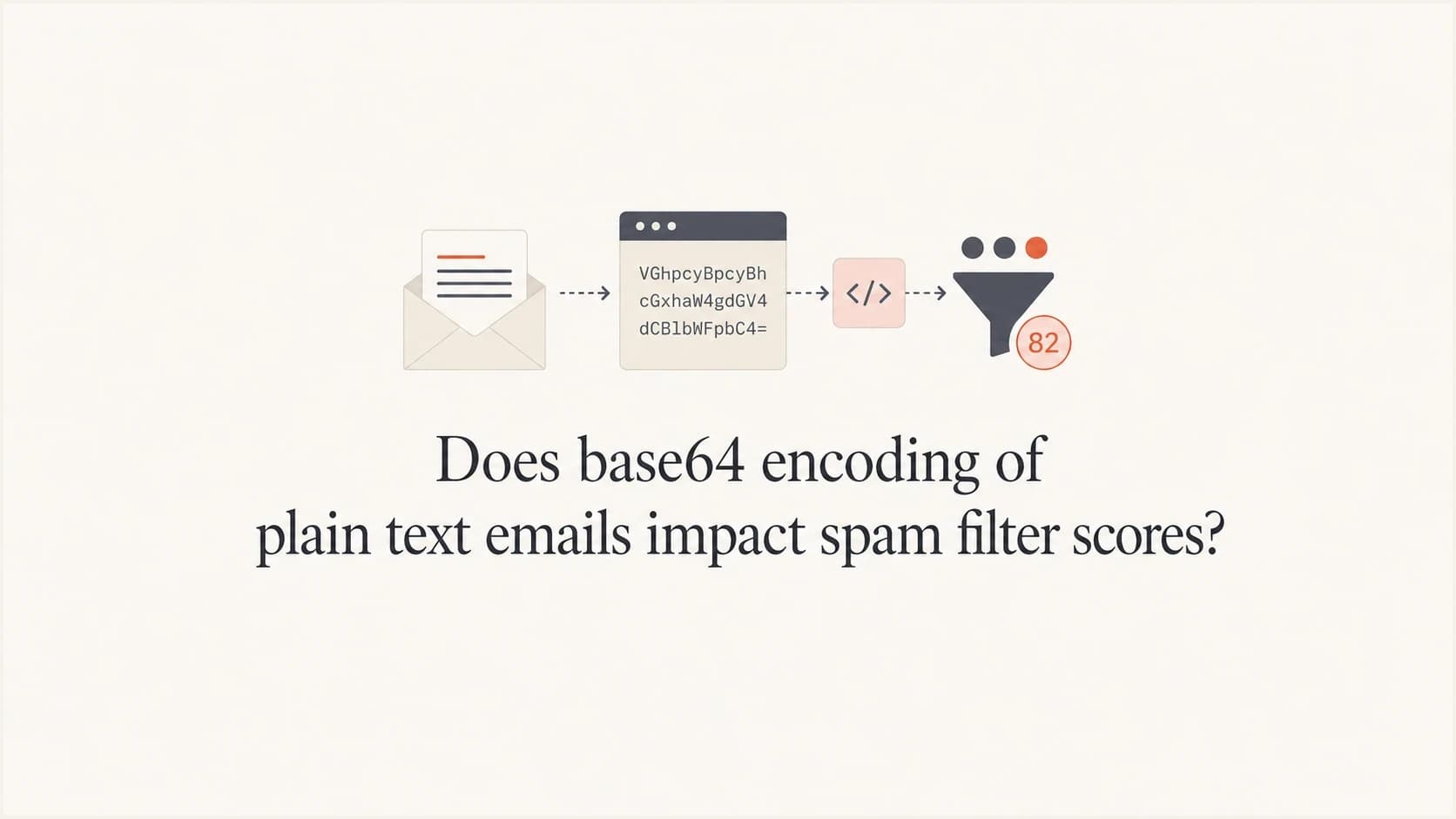
Not automatically. Base64 encoding of the plain text part of an email is a valid MIME Content-Transfer-Encoding, and MIME-aware filters decode the message body before judging the words, URLs, structure, and sender signals. Some rule-based filters can add a score for unnecessary Base64 text, but the result depends on the active rules and the rest of the message.
Teams should still avoid unnecessary base64 for a mostly ASCII text/plain part when they control the sender. It makes raw source harder to inspect, increases message size, and can trigger an encoding-related rule in some filter configurations. Base64 alone does not determine inbox placement.
- Direct answer: Base64 plain text is valid, but unnecessary encoding can add a rule hit in some scoring systems.
- Practical preference: Use 7bit for ASCII or quoted-printable for mostly ASCII text; use 8bit only with 8BITMIME support.
- Bigger risk: Investigate authentication failures, poor reputation, broken MIME, oversized messages, and suspicious links before changing valid transfer encoding.
If you are debugging a real send, treat the encoding as one clue in the raw message, not the verdict. Check the full message source, the MIME tree, the plain text and HTML versions, the DKIM body hash, and the domain's authentication posture before blaming base64.
Why base64 shows up in plain text email
Email bodies move through SMTP as lines. RFC 5322 sets a hard 998-character line limit and recommends 78 characters where practical, while SMTP has a 1000-octet text line limit including CRLF. MIME encodings help senders keep content safe as it passes through relays.
A mail library can choose base64 when it sees long unbroken strings, non-ASCII content, or body content that it does not want to wrap in a lossy way. RFC 2045 also caps encoded base64 and quoted-printable lines at 76 characters, so either encoding can be a standards-friendly way to avoid illegal long body lines.
A long unsubscribe token is a common cause. If the plain text body contains one unbroken token or URL segment, a sender such as a script mail API can decide that base64 is cleaner than trying to wrap the line. That threshold is an implementation choice, not a universal spam rule.
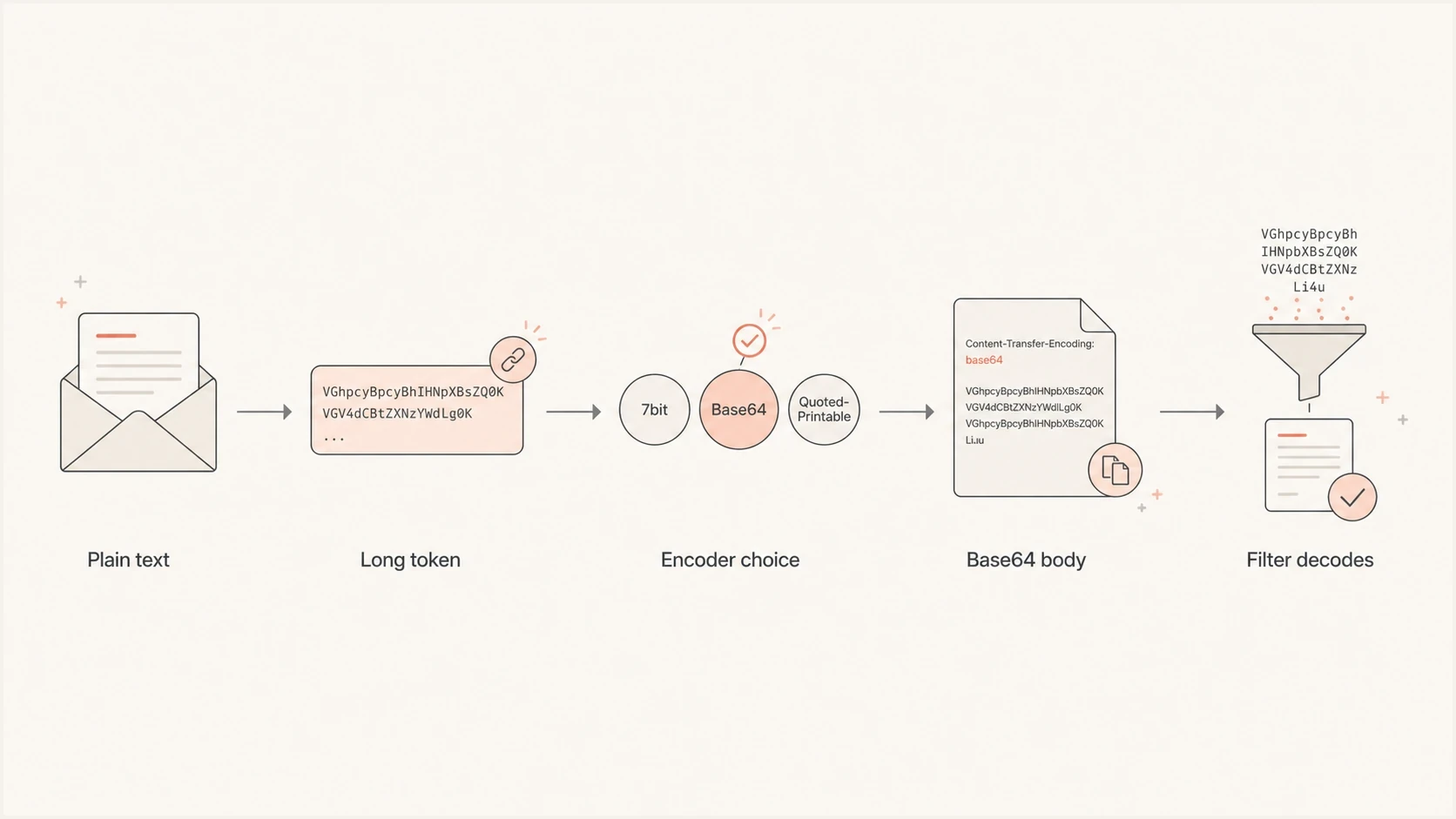
Plain text email with a long token, Base64 encoding, and spam filter decoding.
Base64 text/plain MIME parttext
Content-Type: text/plain; charset=UTF-8
Content-Transfer-Encoding: base64

SGVsbG8sIHRoaXMgaXMgdGhlIHBsYWluIHRleHQgcGFydC4=
When you see this in a raw source view, it looks strange because the message body is not human-readable. That does not mean the recipient sees gibberish. The mail client and the filter decode the part before display and before most content checks. The charset=UTF-8 parameter identifies the character encoding of the decoded text. Base64 is reversible transfer encoding and provides no confidentiality.
General message line lengths
General message line limits for ASCII text, excluding CRLF. Base64 and quoted-printable have a separate 76-character encoded line limit.
Comfortable
Up to 78
Short readable lines are easy to send as plain text or quoted-printable.
Watch
79-998
RFC 5322 permits longer lines up to the hard limit, but wrapping behavior starts to matter.
Broken
Over 998
The message must be wrapped or encoded before it crosses systems that enforce line limits.
How spam filters treat base64 plain text
A MIME-aware filter does not score the encoded characters as if they were the message copy. It parses MIME, decodes each part, extracts URLs, checks attachments, compares the text and HTML alternatives, and then combines that with sender reputation and authentication results.
Base64 still appears in current rule-based filtering. Some rules look for readable text, especially simple ASCII, encoded as base64 without a clear transport need because abusive senders have used that pattern to obscure content. The score depends on the ruleset and local configuration, and one rule hit is not the same as rejection. A base64 plain text part that decodes to normal copy, sits inside a correct multipart/alternative message, and comes from an authenticated sender has much stronger context.
The useful mental model
- Decode first: MIME-aware filters decode body parts before reading the copy and links.
- Score context: Unnecessary base64 matters most when other signals already look poor.
- Fix basics: Authentication, reputation, formatting, and unsubscribe handling should come first.
If a rule-based spam score flags the transfer encoding, read the result as a set of combined signals rather than a single cause. A decoded-body match, broken MIME tree, failed DKIM result, or suspicious URL pattern tells you more than the word base64 in the source.
Simple mailbox-side body checks that inspect only raw encoded text can miss keywords in a base64 body. For deliverability debugging, test the decoded body, URLs, headers, MIME boundaries, and authentication results together.
This is also why the old advice that every HTML email must have a plain text alternative needs context. A plain text part is still useful for accessibility, fallbacks, and some clients, but modern mail clients usually render HTML first. The plain text version is not a magic deliverability boost.
Check base64 line wrapping before changing encoding
Valid Base64 and malformed Base64 need different fixes. RFC 2045 limits MIME Base64 lines to 76 encoded characters, excluding the terminating CRLF. A 78-character encoded line exceeds that limit even though it fits the general message-line recommendation.
Generic Base64 encoders often return one unwrapped string. RFC 4648 distinguishes that behavior from MIME wrapping. Use a MIME-aware encoder with the standard Base64 alphabet and required padding. Base64url uses a different alphabet and is unsuitable for a MIME part labeled base64.
- Inspect the Content-Transfer-Encoding header on the affected MIME part, including text/plain and attachments.
- Count encoded characters before CRLF. Keep each Base64 line at 76 characters or fewer.
- Decode the part and compare the recovered text with the intended message; check the declared charset too.
- Correct the encoder and CRLF line endings before DKIM signing, then send a fresh sample.
If a report flags BASE64_LENGTH_78_79 or BASE64_LENGTH_79_INF, inspect encoded line lengths first. These are formatting checks, with scores that depend on the ruleset and configuration. Historical test scores are not universal penalties for Base64 email.
Body encoding is different from header encoding
Warnings about a Base64-encoded Subject, From display name, or Reply-To display name describe a different mechanism. Body parts use Content-Transfer-Encoding. RFC 2047 encoded-words use B for Base64 or Q for Q-encoding in permitted header positions. SMTPUTF8 paths also support direct UTF-8 headers under RFC 6532.
Header encoding and body encodingtext
Subject: =?UTF-8?B?Q2Fmw6kgdXBkYXRl?=
Content-Type: text/plain; charset=UTF-8
Content-Transfer-Encoding: base64

SGVsbG8=
The encoded Subject in this example and the encoded body must be evaluated separately. RFC 2047 defines where encoded-words are permitted; encoding purely ASCII header text alone is not evidence of a standards violation. Email addresses themselves must remain valid address syntax rather than being hidden inside one encoded-word. If a test reports unnecessary Base64 in a header, changing the text/plain body encoding will not fix that warning.
Which encoding should you choose
For a mostly ASCII text/plain part, 7bit or quoted-printable is usually the cleaner choice. Base64 often produces a smaller body than quoted-printable for UTF-8 text with many non-ASCII bytes, including Chinese or Japanese text. For HTML, base64 is also common and usually harmless when the MIME structure is correct. The right choice is the one that preserves the body safely without creating unnecessary size or inspection friction.
MIME is the message-format framework. RFC 2045 defines 7bit, 8bit, binary, quoted-printable, and base64 as content transfer encodings. The first three label unchanged data; quoted-printable and base64 transform it. An 8bit body can cross an SMTP hop only when the receiving server advertises 8BITMIME. For normal Internet mail, avoid binary body parts unless the full sending path explicitly supports them. Most senders choose between 7bit text, quoted-printable, and base64.
|
|
|
|---|---|---|
7bit | ASCII text within line limits | Cannot carry unencoded non-ASCII bytes |
8bit | UTF-8 text within line limits | Requires 8BITMIME on the SMTP hop |
quoted-printable | Mostly ASCII text with occasional non-ASCII bytes | Extra escaping increases size for non-ASCII-heavy text |
base64 | Non-ASCII-heavy text or binary attachments | About 33% growth over raw bytes before padding and line breaks |
Common content transfer encoding choices for email body parts.
Base64 expands raw content by about one third before padding and MIME line breaks add a little more. Compared with quoted-printable for mostly readable text, the increase varies, but it is often large enough to notice in high-volume mail. Total message size has its own transport limits, so the article on file size and MIME types is worth reading if your templates are heavy.
Readable plain text
- Best case: Short lines, normal characters, and no long unbroken tracking tokens.
- Debugging: Raw source can be inspected quickly without decoding the body first.
- Risk: Unwrapped long lines can break standards or force later rewriting.
Base64 plain text
- Best case: The sender needs safe wrapping for long or non-ASCII content.
- Debugging: You need to decode the part before reading what was sent.
- Risk: The encoded body grows relative to its raw bytes and takes an extra decoding step to inspect.
Quoted-printable escapes and a soft line breaktext
Content-Type: text/plain; charset=UTF-8
Content-Transfer-Encoding: quoted-printable

Hello, this is the plain text part.
Caf=C3=A9 update
https://example.com/unsubscribe?token=3D7f3a2b&campaign=3Doctober&=
recipient=3D12345
In quoted-printable, =3D decodes to a literal equals sign, and =C3=A9 decodes to an accented character in UTF-8. The trailing = on the URL line is a soft line break: decoding joins the next line without inserting a newline into the URL.
What to fix before worrying about base64
If the only oddity in the raw source is Content-Transfer-Encoding set to base64 on the text/plain part, do not spend much time on it. If the message also has authentication failures, missing required unsubscribe headers, odd MIME boundaries, malformed HTML, broken links, or a sudden volume change, those deserve attention first.
Malformed HTML matters here because encoding does not fix a broken message body. Unclosed tags, hidden text, image-only sections without alt text, and broken tracked links can make the decoded email harder for clients, scanners, and recipients to interpret. That risk is separate from whether the text part uses base64.
Suped is our DMARC reporting and email authentication platform. Use it to compare a sample's SPF and DKIM results with authentication results across your sending sources.
The quickest workflow is to send a real sample, inspect the MIME result, then compare it with domain-level authentication and reputation signals. Run a sample through Suped's email tester and use the same message source for every follow-up test.
Email tester
Send a real email to this address. Suped shows a results button when the test is ready.
?/43tests passed
After that, confirm the sending domain is healthy. A one-off MIME test does not tell you whether SPF, DKIM, and DMARC pass consistently across real traffic. Suped's domain health checker is the better place to catch missing or misconfigured DNS records before you chase body encoding.
For ongoing sending, Suped's DMARC monitoring shows which sources send for your domain and how they authenticate. Aggregate DMARC reports do not contain message bodies or Base64 spam scores, so inspect the sample separately. Passing DMARC does not guarantee inbox placement.

Email tester sample report showing total score, email preview, issue summary, and per-section results
The important part is controlling variables. Send one message with base64 and one with quoted-printable or readable text. Keep the subject, sender, links, body copy, DKIM signing domain, and sending IP the same. If placement differs, inspect the full headers and result details before deciding that encoding caused it. Generate valid DKIM signatures for both variants and repeat the comparison; a single placement difference does not establish causation.
Do not rewrite after DKIM signing
Changing transfer encoding, wrapping long lines, or altering MIME boundaries after DKIM signing can change the body bytes that DKIM signed. Choose the final MIME transfer encoding before signing. Using a 7-bit-safe encoding such as quoted-printable or base64 before signing also reduces the risk that a later 8-to-7-bit transport conversion breaks the signature.
How to reduce unnecessary base64
If a long string triggered Base64, shortening that string can let the sender choose another encoding. Unsubscribe tokens, tracking parameters, signed URLs, and one-time links often grow because they carry too much state. Put state on the server, and keep the email token short.
This has a second benefit: List-Unsubscribe mailto addresses have a 64-octet local-part limit. Even if your unsubscribe link only appears in the footer today, a short token gives you room to add a proper List-Unsubscribe header later. Keep production tokens opaque and hard to forge; the short identifiers below are illustrative.
Short unsubscribe header patterntext
List-Unsubscribe: <mailto:u-7f3a2b@example.com>,
 <https://example.com/u/7f3a2b>
List-Unsubscribe-Post: List-Unsubscribe=One-Click
For RFC 8058 one-click unsubscribe, the HTTPS endpoint must accept POST requests, and a valid DKIM signature must cover both List-Unsubscribe and List-Unsubscribe-Post. A mailto option alone does not implement that HTTPS one-click mechanism.
- Shorten tokens: Store recipient and expiry state server-side, using an opaque token instead of putting all state in the URL.
- Wrap lines: Let the MIME library insert quoted-printable soft breaks; avoid hard-wrapping URLs or tokens.
- Compare sends: Send controlled samples to the same test accounts and change only the transfer encoding.
- Check auth: Make sure SPF, DKIM, and DMARC pass across every sending source.
If your sender does not expose a MIME encoding setting, check its documented selection rules before changing content. Shorter tokens can help when long lines triggered Base64, but libraries that select encoding by charset can still use it. Keep valid Base64 when it preserves the message correctly.
When base64 is a warning sign
Base64 deserves closer review when it appears with other suspicious traits. Look for a mismatch between plain text and HTML, hidden text, huge encoded bodies, broken MIME boundaries, missing charsets, malformed HTML, and links that do not match the sender's identity.
Patterns that deserve review
- Mismatch: The decoded plain text says something different from the HTML part.
- Opaque body: A simple ASCII body triggers an unnecessary-encoding rule in the receiving filter.
- Bad auth: DKIM fails, DMARC fails, or the visible From domain has no trusted sending history.
- Size jump: Encoding pushes an already-large message closer to a receiver message-size limit.
One more practical note: a base64 text/plain part can make debugging slower for support teams. When a customer forwards raw source or a mailbox admin opens the original message, readable parts shorten the investigation. That operational cost is often the real reason to prefer quoted-printable or plain text.
Views from the trenches
Best practices
Keep plain text readable, wrap long lines, and let the sender encode before DKIM signing.
Use short unsubscribe tokens so plain text parts and unsubscribe headers stay clean.
Compare two controlled sends when testing, changing only the content transfer encoding.
Common pitfalls
Treating base64 as the cause while SPF, DKIM, DMARC, or reputation signals fail.
Leaving long unbroken tokens in the body, then blaming the encoder for using base64.
Rewriting MIME after DKIM signing, which can break the body hash and damage trust.
Expert tips
Quoted-printable is usually cleaner for mostly ASCII text with a few accented characters.
Base64 is acceptable for text, but it expands size and hides readability in raw source.
Fix HTML that breaks links, alt text, or plain text parity before blaming encoding.
Expert view
Expert from Email Geeks says base64 plain text is acceptable, but quoted-printable usually keeps mostly European-language text smaller and easier to inspect.
2023-08-04 - Email Geeks
Marketer view
Marketer from Email Geeks says small tests with base64 plain text did not show placement problems, though readable plain text still felt cleaner.
2023-08-04 - Email Geeks




