Do commercial emails in the USA and Canada require a physical address?

Published 6 May 2025
Updated 26 Jul 2026
12 min read
Summarize with
Updated on 26 Jul 2026: We clarified the address rules, mixed-message tests, Canadian exemptions, and sender identification duties.
Yes, for ordinary commercial messages. In the USA, CAN-SPAM requires a valid physical postal address when an email's primary purpose is commercial. In Canada, CASL generally requires a mailing address, another contact method, sender identification, and an unsubscribe mechanism when section 6 applies to a commercial electronic message (CEM). Both laws have narrower rules and exemptions for specific message types.
Treat the address as a standard footer element for marketing emails, newsletters, sales outreach, promotional lifecycle messages, event invitations, and mixed messages whose primary purpose is commercial. Pure transactional or relationship email can fall outside most CAN-SPAM requirements. Under CASL, some transaction-related CEMs are exempt from consent only, so identification and unsubscribe duties still apply unless a separate full exemption covers the message.
- USA: Commercial email needs a valid physical postal address, such as a current street address, registered PO box, or properly registered private mailbox.
- Canada: CEMs covered by section 6 need sender identification, a valid mailing address, another contact method, and unsubscribe access.
- Transactional: CAN-SPAM and CASL handle transactional or relationship messages differently, so do not apply the U.S. exemption analysis to Canadian sends.
- Unknown location: Use one global footer that satisfies the stricter rule unless your segmentation is reliable and legally reviewed.
The direct answer
For a normal commercial email footer, include the address. The phrase "commercial email" matters because the rules focus on purpose. If the email advertises, promotes, sells, renews, upsells, invites someone to buy, asks for a demo, or drives the recipient toward a commercial activity, do not send it without a valid postal address unless a documented exemption applies.
The safest working rule
- Commercial: Add the address in every USA and Canada-facing commercial email.
- Mixed purpose: Assess the subject line, content order, and overall emphasis. Use the commercial footer when the primary purpose is unclear.
- Canadian recipients: A sender outside Canada still needs to assess CASL when a computer system in Canada is used to access the message.
- No location data: Use the compliant footer globally instead of trying to guess each recipient's country.
The cost of including a proper address is low, while the cost of defending a borderline template is high. A shared footer also gives operations teams one module, a clear address owner, a consistent QA rule, and fewer exceptions for campaign builders to miss.
This requirement is separate from whether the email authenticates, reaches the inbox, or avoids spam filtering. Legal footer compliance and deliverability are related in practice, but they solve different problems.
What counts as a valid address
The address does not have to be a founder's home address or a public office address. It must be a current address that satisfies the applicable law. In Canada, the sender must be contactable there, and the address must remain valid for at least 60 days after the message is sent. A registered PO box or valid private mailbox can protect a small team's home address.
|
|
|
|
|---|---|---|---|
Street address | Allowed | Allowed | Keep it current |
PO box | Allowed if registered | Allowed if contactable | Good for home privacy |
Private mailbox | Allowed if properly registered | Allowed if contactable | Confirm the service terms |
Virtual mailing address | Only if it qualifies | Only if contactable | A website-only address fails |
No address | Non-compliant for commercial email | Non-compliant when section 6 applies | Use only under a documented exemption |
Common address choices for commercial email footers
A compliant footer can stay short. It needs the sender identity, postal or mailing address, and unsubscribe access. For Canada, include another contact path such as an email address, phone number, or website address. Keep the Canadian identification details valid for at least 60 days after sending. Put the sender name and address in plain text so recipients and compliance teams can read them without loading remote images.
Commercial footer exampletext
ACME Inc.
123 Main Street, Suite 400
Toronto, ON M5V 2T6, Canada

You are receiving this because you signed up for ACME updates.
Unsubscribe: https://example.com/unsubscribe
Contact: privacy@example.com
Do not hide the address behind a low-contrast style, a collapsed mobile footer, or a tiny image. If a normal person cannot find it, the template has a compliance problem even if the words exist somewhere in the HTML.
USA and Canada compared
The USA and Canada both require clear sender information for ordinary commercial messages, but the laws use different tests. CAN-SPAM focuses on the email's primary purpose. CASL defines CEMs broadly and generally requires consent, identification, and unsubscribe access, subject to consent-only exceptions and separate full exemptions.
USA
- Law: CAN-SPAM applies when the primary purpose of an email is commercial.
- Address: A valid physical postal address is required for commercial messages.
- Transactional: Pure transactional or relationship messages are exempt from most provisions, but routing information must stay truthful.
- Mixed content: The subject line and placement of transactional content help determine the primary purpose.
Canada
- Law: CASL applies when a computer system in Canada is used to send or access a CEM, subject to statutory rules and exemptions.
- Address: A valid mailing address is part of the identification requirement when section 6 applies.
- Contact path: The message also needs a phone number, email address, or web address.
- Unsubscribe: A clear unsubscribe mechanism is required for covered CEMs, including many messages that are exempt only from consent.
If the question is about geography, the Canadian analysis does not stop at the sender's location. A business outside Canada still needs to understand CASL coverage when its messages are accessed through computer systems in Canada.
Do not build a different footer for every jurisdiction unless the business has strong list hygiene, reliable country data, and legal approval for each template class.
Whose address belongs in the footer
The correct address depends on who the law treats as the sender. Using an agency, affiliate, or email service provider does not automatically move the duty to that vendor. Document which legal person controls the message and on whose behalf it is sent before choosing the footer identity.
- One U.S. marketer: Use the valid physical postal address of the sender responsible for the commercial message.
- Several U.S. marketers: Eligible marketers can designate one sender, but that sender must appear in the From line and meet CAN-SPAM's sender requirements.
- Canadian send: Identify the person sending the CEM and each person on whose behalf it is sent when they play a material role in the content or recipient choice.
- Limited space: CASL allows required information on a free, readily accessible webpage when including it in the message is impracticable, but the message must contain a clear and prominent link.
Do not assume B2B means exempt
CASL has a full business-to-business exemption for specific messages between people acting for organizations that already have a relationship, when the message concerns the recipient organization's activities. A business email address or cold outreach label alone does not satisfy that test.
Transactional, relationship, and mixed emails
The hard cases are receipts with product recommendations, onboarding emails with upgrade offers, account updates with webinar calls to action, and renewal notices with discounts. Under CAN-SPAM, a brief promotion does not automatically make a mixed email commercial. The subject line, amount and placement of commercial content, and whether the transactional content appears mainly at the beginning help determine its primary purpose.
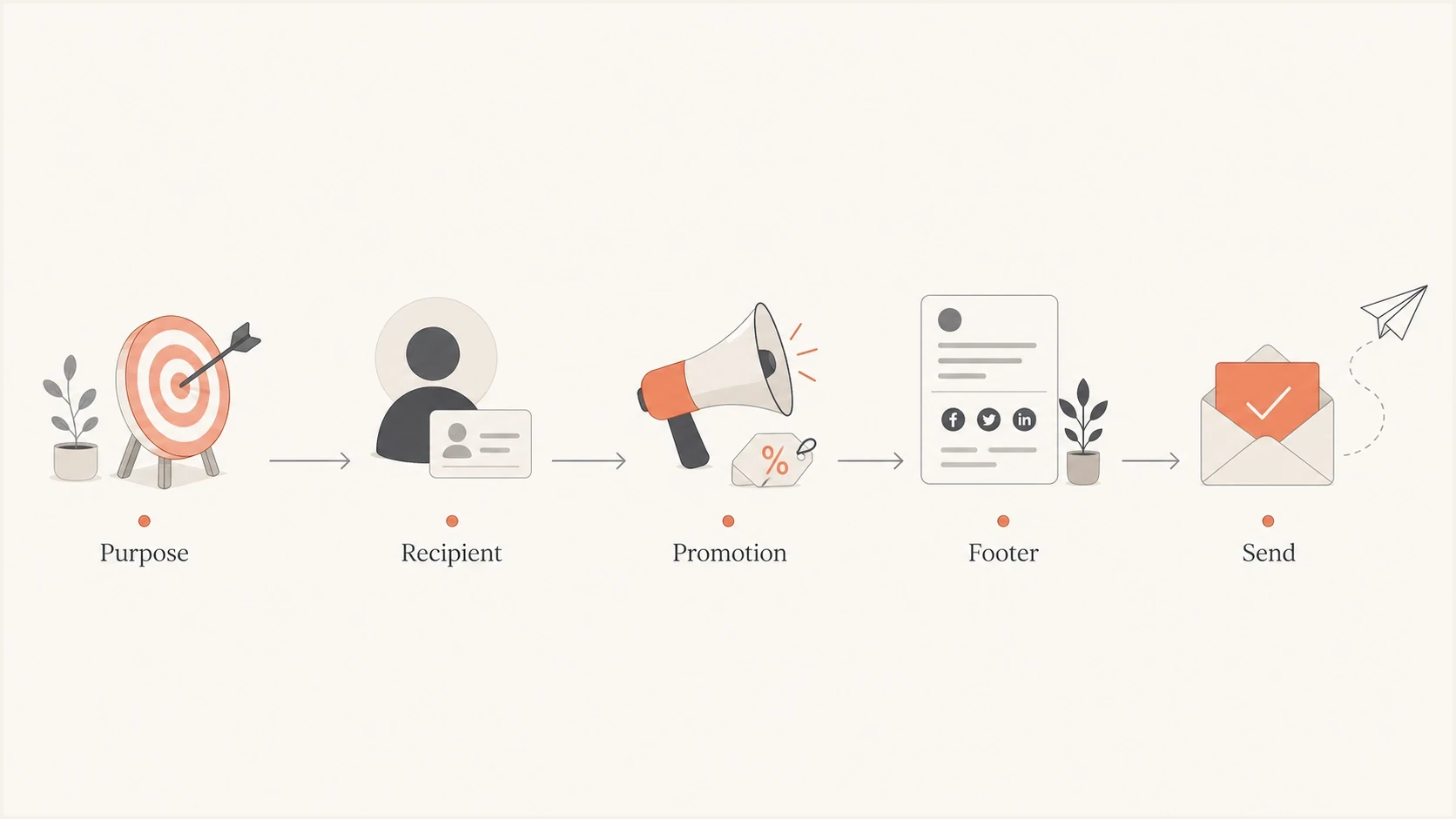
Flowchart showing how purpose, recipient country, and promotion affect footer requirements.
Classify templates by how a reasonable recipient would understand them, not by the internal team that owns the send. A lifecycle team calling a message "transactional" does not settle the issue. The subject line, content order, amount of promotion, and reason the recipient receives the email matter more than the campaign label in the sending platform.
|
|
|
|---|---|---|
Newsletter | Commercial | Include |
Sales outreach | Commercial | Include |
Receipt only | Transactional | U.S. exemption can apply; review Canada |
Receipt plus offer | Mixed | Assess primary purpose; include by default |
Password reset | Security | U.S. exemption can apply; review Canada |
Template types and the address decision
A practical template rule
Keep the postal address and unsubscribe mechanism in any template with substantial sales, renewal, upgrade, referral, event, discount, subscription, or product promotion. For a mixed U.S. message that omits them, document why its primary purpose remains transactional. Review the Canadian rules separately.
When you do not know the recipient location
Most email databases do not have perfect country data. IP-derived location can be wrong, self-reported location can age, and B2B contacts travel. Showing the Canadian-compliant footer only to records marked Canada makes compliance depend on data quality that campaign teams rarely control.
Build one footer that works for both countries: sender name, valid mailing address, another contact method, and unsubscribe access. Use segmentation for business relevance, language, and preference management, not for hiding basic compliance details.
- Default footer: Put the address and unsubscribe in every commercial template, even when the audience looks U.S.-only.
- Country data: Collect country only when it has a clear operational use and keep the source of that data.
- Template control: Lock the footer as a shared module so campaign builders cannot remove it for design reasons.
- Audit trail: Keep approvals for templates that omit an address, especially for product and security sends.
- List imports: Do not assume acquired or uploaded records have accurate country and consent metadata.
Before launch, send a real message to an email tester so the team can inspect the rendered footer, authentication, headers, and spam signals together. A tester does not replace legal review, but it catches common production issues before subscribers see them.
Email tester
Send a real email to this address. Suped shows a results button when the test is ready.
?/43tests passed
QA should also check mobile rendering. Long company names, multilingual footer text, and preference-center links can wrap badly on small screens. The address still needs to be readable after the email client has clipped, stacked, or adjusted the message for dark mode.
Footer compliance is not deliverability
A physical address supports legal compliance and recipient trust, but it does not authenticate mail. Mailbox providers still evaluate sender identity, engagement, complaints, content, sending patterns, and domain reputation. A compliant footer will not fix broken SPF, missing DKIM, failing DMARC, or a domain on a blocklist (blacklist).
Suped DMARC dashboard showing email volume, authentication health, and source breakdown
Suped is our DMARC and email authentication platform. Teams can use Suped to review DMARC reports, investigate SPF and DKIM failures, receive alerts, detect authentication issues, and track blocklist (blacklist) status through blocklist monitoring. Suped does not decide whether legal footer text is sufficient, but it shows whether the domain's technical identity is healthy.
Keep the workstreams separate but connected. Legal can own footer requirements, marketing operations can enforce templates, and deliverability can own authentication and reputation monitoring. A shared launch checklist helps those owners catch issues before sending.
A practical launch checklist
A commercial email footer is easy to break when every campaign has its own template. Make it a governed component and test it with links, personalization, and tracking.
- Sender identity: Name the brand or legal person recipients can recognize, including any person on whose behalf a Canadian CEM is sent.
- Postal address: Use a current street address, properly registered PO box, or qualifying mailbox. Keep Canadian address details valid for at least 60 days.
- Contact method: For Canada, include a phone number, email address, or website address with the mailing address.
- Unsubscribe: Keep the mechanism available for at least 30 days after a U.S. send and 60 days after a Canadian send. Honor requests within 10 business days in both countries.
- Rendering: Check desktop, mobile, dark mode, and clipped-message behavior before release.
- Documentation: Record which template class uses each footer, the applicable exemption analysis, and who approved exceptions.
For a closer look at whether the address belongs in every footer and how it affects trust, separate the related footer requirement question from the narrow USA and Canada legal answer.
A simple footer policy
All commercial and mixed-purpose emails must include sender identity, a valid postal address, a working unsubscribe path, and any country-specific contact details. Address-free templates require written approval and a documented legal basis.
Views from the trenches
Best practices
Use one valid postal address across every commercial email footer by default, with owner approval.
Document whether each program is commercial, transactional, or mixed before launch and QA.
Keep address, sender identity, and unsubscribe wording consistent across templates and brands.
Common pitfalls
Copying a footer from a peer brand does not prove the template meets U.S. or Canadian rules.
Removing the address for design reasons creates a legal and mailbox-provider risk during audits.
Treating mixed receipts with promotions as purely transactional creates avoidable exposure.
Expert tips
Use a registered PO box or private mailbox when home or staff privacy matters for teams.
Ask for country only when it has a clear use, then keep the safer global footer by default.
Send a real test message before launch and confirm the footer renders in major clients.
Marketer from Email Geeks says USA and Canada both require a valid postal address for ordinary commercial email, so the footer should not be treated as optional by default.
2022-08-15 - Email Geeks
Marketer from Email Geeks says the line between marketing and transactional email gets blurry fast, especially when operational messages include promotional content.
2022-08-16 - Email Geeks
The practical rule
If the email's primary purpose is commercial in the USA or section 6 of CASL applies to a CEM, put a valid postal or mailing address in the footer. Assess mixed messages under each country's test. If recipient locations are uncertain, use the stricter footer globally.
The cleanest operating model is a single compliant footer component, tested before launch, paired with separate authentication monitoring for SPF, DKIM, DMARC, and reputation. This gives the business a footer that meets the legal baseline and a technical setup that mailbox providers can evaluate.




