Did Gmail change how it handles emails, causing content to appear as links?

Updated on 9 Aug 2026: We clarified how to separate Gmail link protection and rendering from sender-side MIME or tracking changes.
The direct answer is no. There is no documented broad Gmail change that turns a normal email body into one link. Gmail receives a MIME message, removes unsupported or unsafe markup before display, detects certain text as clickable, and applies link-safety checks. It does not normally replace an entire HTML email with a hosted-message link.
Treat the symptom as a payload or rendering incident until the original message provides evidence. If the delivered source contains only the link, the link came through the sending path. If the source contains the full body, investigate HTML repair, MIME selection, Gmail sanitization, and the local browser or app.
That distinction determines the fix. A client-side problem calls for source inspection and controlled rendering tests. A sender-side change calls for checking the template output, MIME structure, tracking domain, authentication results, and any application rule that selects message content.
The short answer
If Gmail shows a short link instead of the expected email, open Show original before assigning a cause. A source that contains only the short link points to the sender, its email platform, or an intermediary. A source that contains the full message points to Gmail rendering, invalid HTML, MIME part selection, or the recipient's browser environment.
- Use Show original to establish whether the delivered body contains the full message or only a link.
- A link-only source points to content generated or changed in the sending path.
- A full source with a link-only display points to rendering, HTML, MIME, or local client behavior.
- Clickable phone numbers, addresses, and email addresses are documented Gmail auto-linking behavior.
A symptom limited to Gmail shows correlation, not the point of change. Preserve the original source, a screenshot, the recipient client details, and the sender's outbound copy before changing production templates.
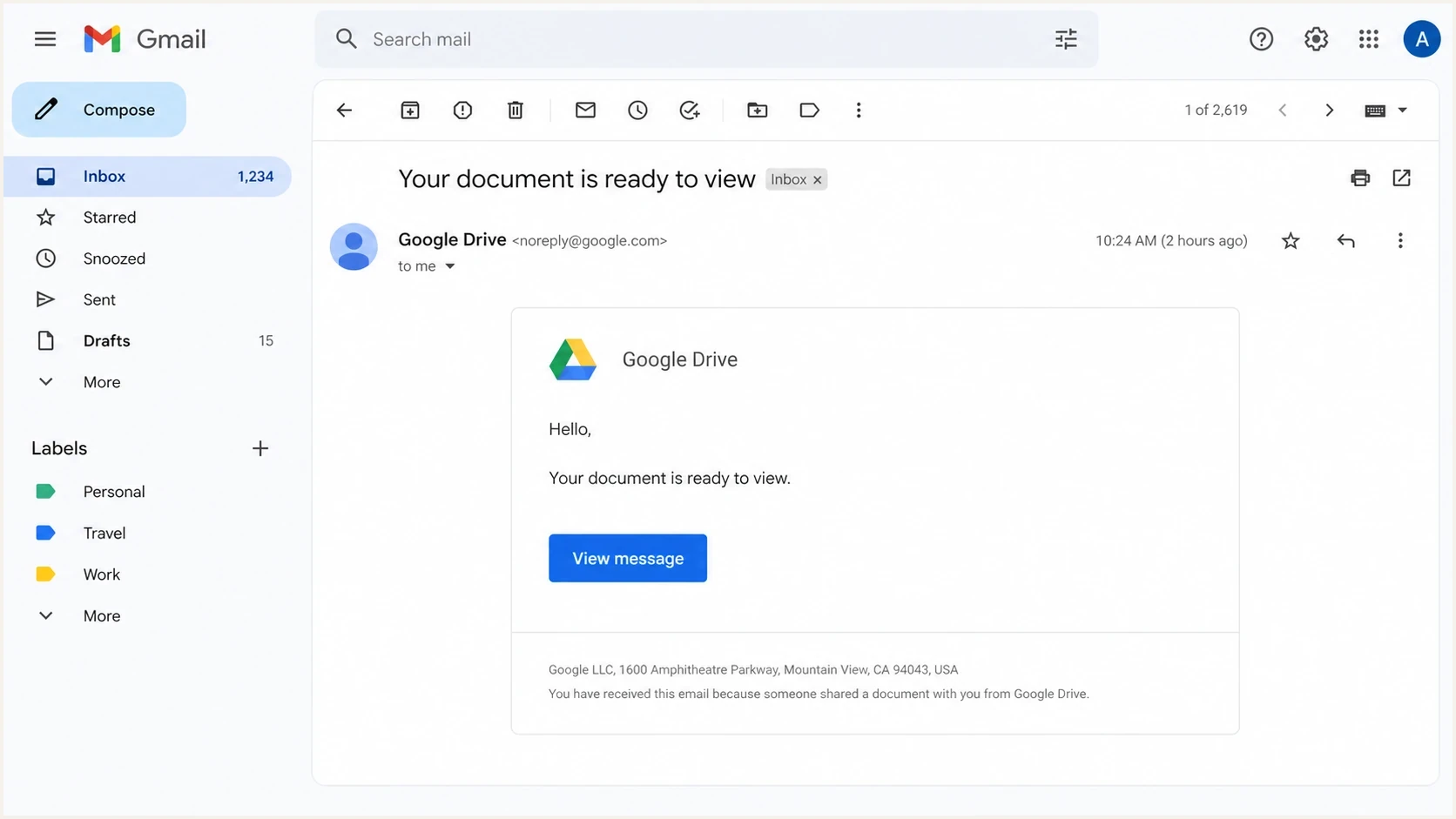
Opened Gmail message with only a View message link in the body.
What Gmail actually changes
Gmail makes narrower changes after receipt. Google documents automatic hyperlinks for detected phone numbers, street addresses, and email addresses in Gmail on the web and mobile apps. Gmail also checks links for harmful destinations, removes unsupported or unsafe HTML, controls external image display, adds warning banners, clips long content, and routes suspicious messages to spam.
Google also documents proxied link-protection URLs for some users reading Gmail through third-party IMAP clients. That limited security behavior does not support the broader claim that Gmail rewrites every link for every recipient.
The difference is testable. If Show original contains the full HTML body, Gmail or the local client is displaying a transformed view of content that still exists in the delivered message. If the relevant MIME part contains only a short link, inspect the sending path.
|
|
|
|---|---|---|
Source has only one link | Sending-path payload | Inspect outbound logs |
Full source, partial display | Rendering or MIME | Compare Gmail clients |
Plain details turn clickable | Gmail auto-linking | Inspect detected text |
Warning or click interstitial | Link-safety check | Trace destination and redirects |
Fast triage for Gmail link symptoms.
A Gmail suspicious link warning is a separate symptom. It points to a safety assessment of the link or message. It does not prove that Gmail replaced the body with a link-only message.
Gmail-side behavior
- Detected contact details can become clickable in Gmail.
- Unsupported or unsafe HTML can be removed before display.
- Link checks and warning screens can change the click experience.
- Long content can be clipped behind a View entire message link.
Sending-path behavior
- Recipient rules can select a different body for Gmail addresses.
- A hosted-message mode can replace the body with a link.
- Broken MIME boundaries can make the wrong alternative visible.
- Tracking redirects can add link-safety and reputation signals.
Why a sender would send only a link
A link-only pattern can be an intentional hosted-message mode, a fallback, or a recipient-specific rule. A team can enable it after seeing Gmail warnings, spam placement, delivery complaints, or a platform error. The sending logs and pre-send payload should confirm the exact trigger.
That workaround creates a worse recipient experience and weakens trust. The recipient expected the message content in the inbox but instead gets a link to an unfamiliar page. When the link or redirect domain already has trust problems, adding a required click concentrates the risk in the same path.
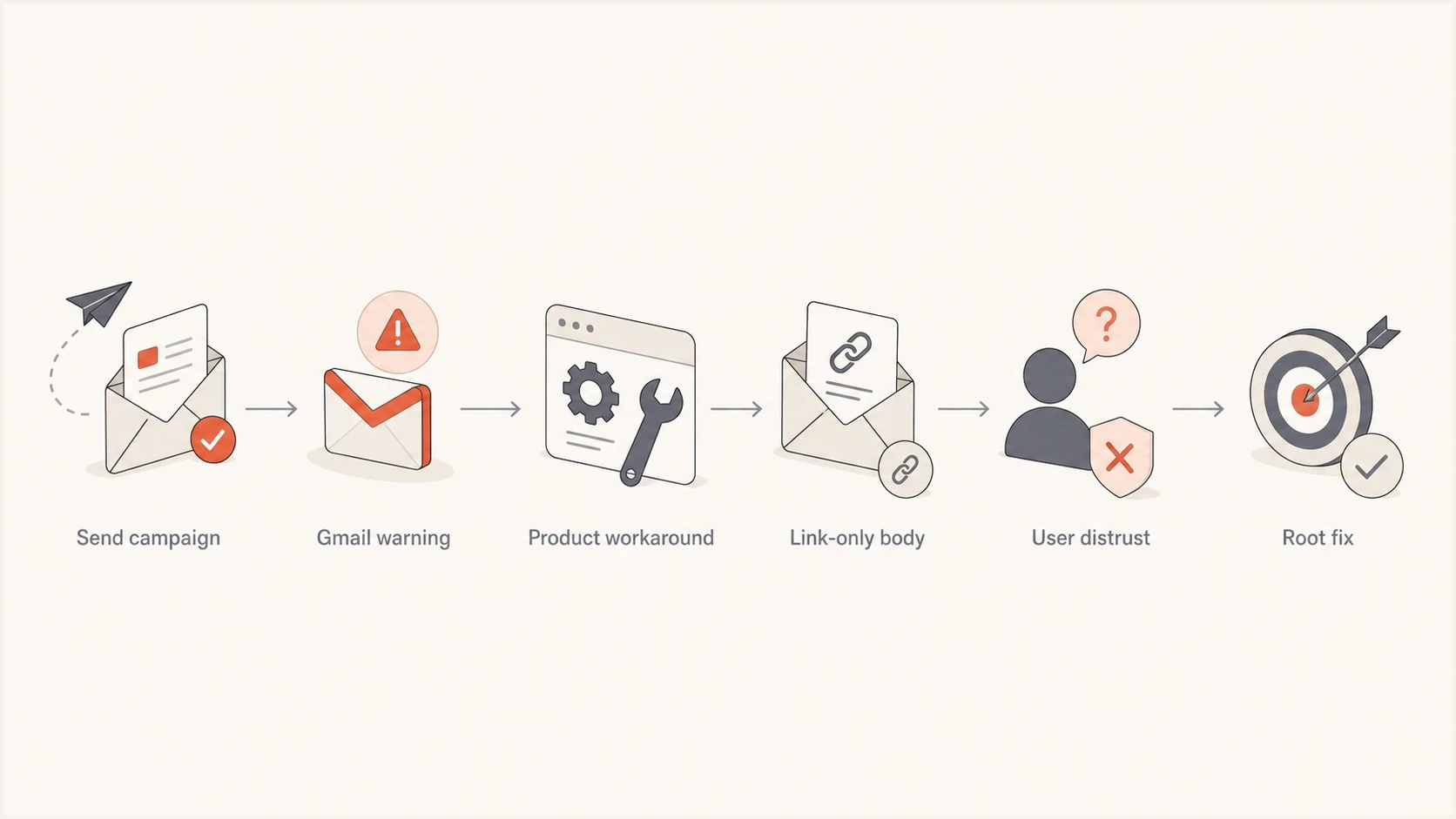
Flowchart showing a sender workaround that replaces Gmail content with a link.
Older tracking infrastructure is another source of trouble. Redirect hosts can have stale DNS, expired TLS certificates, long parameter chains, or unclear ownership. The same redirect domain can produce different results because Gmail evaluates the link in the context of the sender, message, recipient feedback, and destination.
Confidence levels for the cause
Use these practical thresholds before blaming a mailbox-provider change.
Weak evidence
Low
Only a screenshot, no headers, and no source comparison.
Useful evidence
Medium
Gmail and non-Gmail copies differ in raw source.
Strong evidence
High
Pre-send output or outbound logs show recipient-specific content.
Rule out client-side causes
The phrase "content appears as links" can describe two different failures. A message reduced to one View message link points toward a hosted-message payload or MIME problem. Large areas of blue, clickable text often point to malformed HTML, especially an anchor tag that closes in the wrong place.
- Open the same delivered message in Gmail web, the Gmail mobile app, and another browser.
- Repeat the web test in a private window with extensions disabled and a clean cache.
- Inspect Content-Type, charset, multipart boundaries, and both text/plain and text/html parts.
- Validate every anchor opening and closing tag, then check whether CSS styles all body text like a link.
- When links will not open, test browser redirect settings and network filtering separately from message rendering.
Anchor markup checkhtml
<!-- Broken: later content can become clickable -->
<a href="https://www.suped.com">View message
<p>Account details</p>

<!-- Correct: close the link before later content -->
<a href="https://www.suped.com">View message</a>
<p>Account details</p>
Browser extensions, cached client code, network controls, and local redirect settings can affect display or clicking. They do not change the raw MIME shown in Gmail's original-message view.
How to prove what happened
Send the exact campaign build to a personal Gmail address, a Google Workspace address, a Microsoft mailbox, a Yahoo mailbox, and one smaller mailbox provider. Export the original message source from each mailbox and compare the MIME parts, HTML body, text body, transfer encoding, and tracked URLs.
Different delivered bodies establish that the payloads diverged, but they do not identify the component that changed them. Compare each received source with the application's pre-send output and the outbound provider's accepted payload. If all delivered sources contain the same HTML but Gmail displays one differently, focus on rendering, sanitization, MIME handling, browser state, and link-warning behavior.
MIME comparison checklisttext
Gmail copy:
Content-Type: text/html
Body: short hosted-message link only

Non-Gmail copy:
Content-Type: text/html
Body: full newsletter HTML

Conclusion:
The delivered payloads differ. Compare pre-send output and outbound logs.
For a controlled live test, send the exact message to the Suped email tester and inspect the rendered content, authentication results, and issue summary. This records what the test received and gives the team a reference copy for Gmail comparison.
Email tester
Send a real email to this address. Suped shows a results button when the test is ready.
?/43tests passed
Keep a separate seed list for controlled tests. Send one unchanged message to every seed at the same time, record the client and browser used, and preserve each original source. Template edits between seeds invalidate the comparison.

Email tester sample report showing total score, email preview, issue summary, and per-section results
Authentication and reputation checks
Authentication does not repair malformed HTML, choose a MIME alternative, or stop Gmail auto-linking. It affects whether Gmail accepts and trusts the message. Gmail requires all senders to personal Gmail accounts to use SPF or DKIM. Senders exceeding 5,000 messages a day to personal Gmail accounts must use SPF and DKIM, publish DMARC, meet domain-matching rules, and satisfy additional delivery requirements.
Suped's product supports this workflow by collecting DMARC reports, showing SPF and DKIM results by sending source, monitoring blocklist (blacklist) signals, and routing issues to the owner who can fix them. Use DMARC monitoring to confirm which systems send for the domain before changing Gmail-specific content rules.
Start with a domain health check when the incident crosses DNS, authentication, transport, and reputation. Keep those results separate from the source comparison so the team does not mistake a delivery control for a rendering cause.
Starter DMARC record for monitoringdns
v=DMARC1; p=none; rua=mailto:dmarc-reports@example.com
- Confirm SPF authorizes every legitimate sending source and stays within the DNS lookup limit.
- Confirm DKIM passes and the signing domain belongs to the organization or a controlled subdomain.
- Confirm DMARC passes because the visible From domain matches the SPF or DKIM organizational domain.
- Confirm forward DNS, reverse DNS, TLS transport, and RFC 5322 message formatting meet Gmail's requirements.
- Confirm tracking hosts use current DNS, valid TLS, controlled redirects, and clear destination URLs.
- Review complaint levels, unsubscribe handling, and blocklist (blacklist) signals before changing content.
A hosted-message link does not fix authentication or reputation. It removes inbox content, requires another click, and makes the destination domain carry more of the recipient's trust decision.
What to fix first
Fix the root cause in this order: preserve the evidence, prove the payload, repair the component that changed it, validate authentication and link infrastructure, then test the template across clients. Changing copy or removing images before confirming what Gmail received can hide the evidence.
|
|
|
|---|---|---|
Evidence | Preserve source | Email team |
Payload | Compare MIME | Product team |
Tracking | Repair redirects | Infrastructure team |
DNS | Fix records | IT team |
Template | Validate HTML | Marketing operations |
Root-cause actions for Gmail link-only symptoms.
The product team should confirm whether a Gmail-specific default, feature flag, rule, or failover exists. Search conditions that match recipient domains, mailbox families, complaint states, link-safety states, and campaign types. Check deployments that touched template rendering, hosted content pages, link tracking, or click measurement.
The email team should approve any fallback that changes the recipient experience. A support note that blames Gmail when the sender changed the payload sends investigators toward the wrong system and delays the repair.
A sound rollback restores the full email body, keeps controlled Gmail seeds active, preserves every source sample, and tracks warning banners separately from inbox placement. This lets the team repair link trust without hiding the content behind another click.
Views from the trenches
Best practices
Compare Gmail and non-Gmail copies before changing templates or blaming mailbox handling.
Keep tracking domains current, authenticated, and documented for every sending product you use.
Route delivery incidents through email owners before product teams change message payloads.
Common pitfalls
Switching Gmail recipients to link-only messages hides the symptom and damages trust fast.
Using aged tracking links without reputation review creates uneven Gmail warning behavior.
Calling a sender workaround a Gmail change slows down the real root-cause work quickly.
Expert tips
Preserve raw MIME samples, because screenshots alone cannot prove what Gmail received.
Run controlled seed tests by mailbox family before changing production sending logic.
Fix link infrastructure first, then re-test content rather than shrinking the email body.
Marketer from Email Geeks says the evidence pointed to a sender-side workaround, not a broad Gmail content rendering change.
2025-09-06 - Email Geeks
Marketer from Email Geeks says degraded service usually appears when teams react to reputation or authentication problems without root-cause analysis.
2025-09-07 - Email Geeks
Practical diagnosis
Do not treat the symptom as a confirmed Gmail change. Open Show original and identify whether the link-only content exists in the delivered MIME part. That check separates a sending-path payload from a Gmail display problem.
When the source contains only a link, compare pre-send output with outbound logs and remove the rule or fallback that changed the body. When the source contains the full message, validate the HTML, inspect the MIME alternatives, and repeat the test in clean Gmail clients. Review authentication and tracking domains in parallel because they affect trust and delivery, but keep them separate from the rendering diagnosis.
For teams managing many sending sources, Suped's product can centralize DMARC reports, SPF and DKIM results, blocklist (blacklist) signals, and issue alerts. Use that record to connect the Gmail symptom to the sending source and the team responsible for its DNS or payload.




