Can I use the same sending domain with multiple ESPs?

Matthew Whittaker
Co-founder & CTO, Suped
Published 19 May 2025
Updated 19 May 2026
11 min read
Summarize with
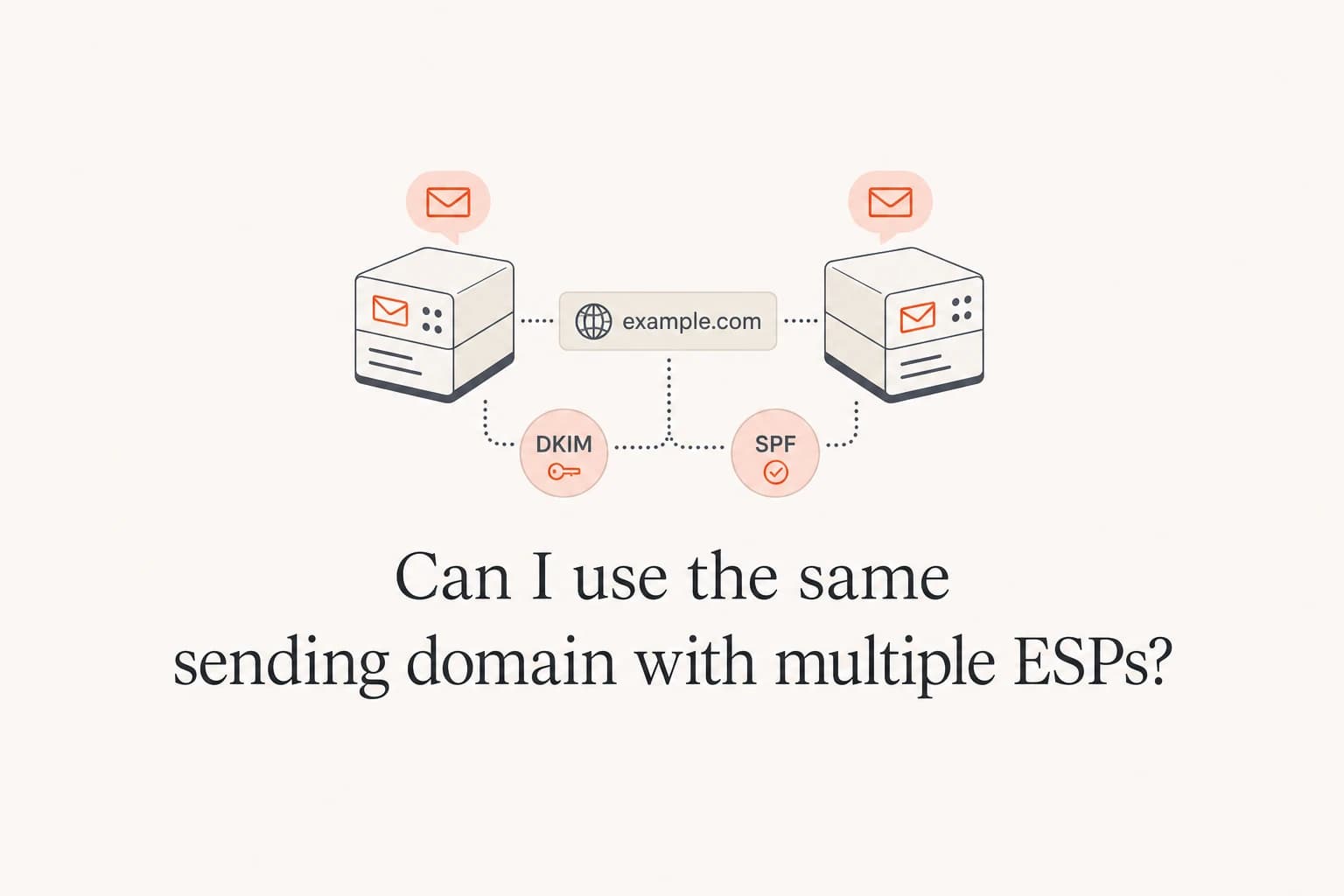
Yes, you can use the same visible sending domain with multiple ESPs. The practical pattern is to keep the same human-facing From address, then give each ESP its own technical subdomains for bounce handling, DKIM selectors, and click tracking. That lets you migrate gradually, warm the new sending infrastructure, and keep automated mail running in the old ESP until the move is complete.
The catch is that "same sending domain" means different things in different parts of an email. Your header From domain can stay the same, such as example.com. Your return-path or bounce domain should be unique to each ESP, such as bounces-a.example.com and bounces-b.example.com. Your tracking domains should also be unique, because each ESP needs to route clicks through its own infrastructure.
Direct answer
Use one visible From domain across ESPs, but avoid sharing the exact same bounce subdomain, DKIM selector, or click tracking subdomain. That setup keeps brand identity consistent while preserving routing, reporting, and authentication clarity.
What can be shared and what must be separate
The most common mistake is treating a domain as one DNS object. Email authentication uses several identities at once. Some should match for DMARC. Others need to be separate so the right ESP can process bounces, rewrite tracked links, and sign messages without key collisions.
|
|
|
|---|---|---|
Header From | Yes | Use the same brand address. |
Bounce domain | No | Use one per ESP. |
DKIM selector | No | Use different selectors. |
SPF record | Yes | Include both senders carefully. |
DMARC policy | Yes | One policy covers the domain. |
Click domain | No | Use one per ESP. |
Shared domain setup across ESPs
For a migration, I normally keep the customer-visible address stable. If subscribers already know newsletter@example.com, changing that address during an ESP migration adds unnecessary reputation and recognition noise. The underlying infrastructure can change without changing the address people see.
Good shared setup
- Visible From: Keep news@example.com in both ESPs.
- Bounces: Give each ESP its own return-path subdomain.
- Tracking: Use different click domains for each platform.
- DKIM: Use separate selectors and rotate keys cleanly.
Risky shared setup
- Visible From: Changing From addresses during migration.
- Bounces: Pointing two ESPs at one return-path host.
- Tracking: Reusing a click domain that one ESP controls.
- DKIM: Reusing selector names across platforms.
How DNS should look for two ESPs
You can have records for both ESPs under the same organizational domain. DNS supports that. The constraint is record ownership and naming. Two providers cannot both own the same CNAME target, and two TXT records at the exact same hostname can break SPF when they both start with v=spf1.
Example DNS pattern for two ESPsDNS
example.com. TXT "v=spf1 include:esp-a.example -all"
_dmarc.example.com. TXT "v=DMARC1; p=none; rua=mailto:d@example.com"
a1._domainkey.example.com. CNAME a1.esp-a.example.
b1._domainkey.example.com. CNAME b1.esp-b.example.
bounce-a.example.com. CNAME bounce.esp-a.example.
bounce-b.example.com. CNAME bounce.esp-b.example.
click-a.example.com. CNAME click.esp-a.example.
click-b.example.com. CNAME click.esp-b.example.
The example shows the idea, not the exact records your ESPs will provide. In practice, each ESP gives you its own DKIM selector hostnames, bounce CNAMEs, and tracking CNAMEs. Add those records exactly, but preserve uniqueness at the left-hand side of each DNS record.
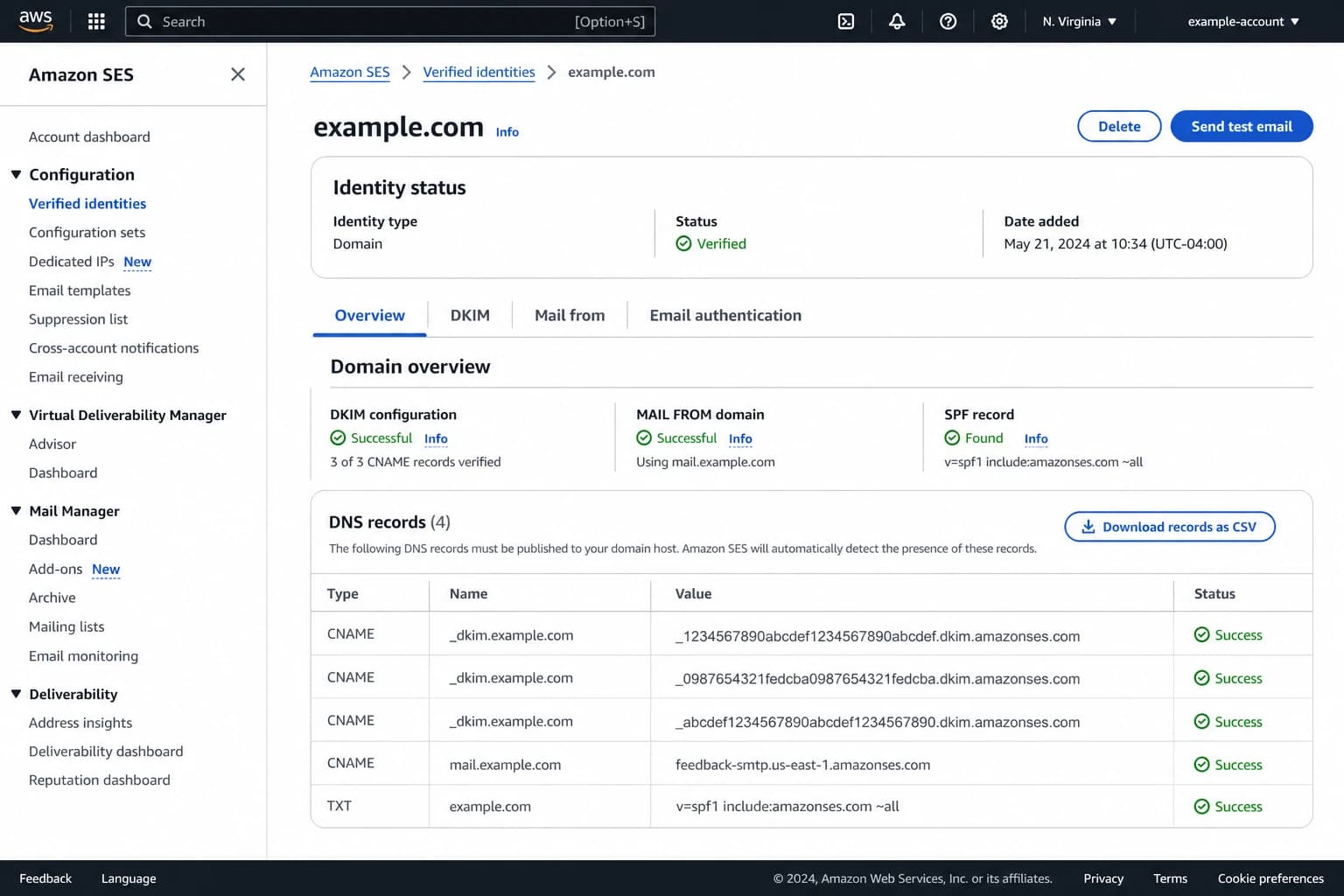
Amazon SES identity screen showing domain verification and DNS records.
Do not publish two SPF records
A hostname can have only one SPF policy. If both ESPs ask you to add SPF at the same host, merge the authorized senders into one record and keep it under the lookup limit. Suped's Hosted SPF and SPF flattening help when a multi-ESP record gets too long or too lookup-heavy.
SPF matters during a multi-ESP migration, but DKIM usually carries the cleaner DMARC pass. That is because SPF checks the return-path domain, and each ESP normally needs a different return-path subdomain. DKIM can sign with d=example.com or a matching subdomain, so it often gives you a cleaner authentication path when moving traffic.
SPF checker
Find SPF syntax issues, lookup limits, and weak records.
?/16tests passed
After adding both ESPs, run an SPF check and confirm there is one valid SPF record at the host that matters. If your ESP uses a subdomain return-path, check that subdomain too, in addition to the root domain.
The exact migration pattern I would use
For a slow move, do not flip all traffic at once. Keep the old ESP live, authenticate the new ESP, and move one stream at a time. Promotional mail is often the first candidate because it can be throttled and watched closely, while password resets, receipts, and lifecycle automation stay on the current platform until the new setup has enough evidence behind it.
- Inventory: List every mail stream, From address, return-path, DKIM selector, tracking domain, IP pool, and suppression process.
- Authenticate: Add the new ESP's DKIM, bounce, tracking, and SPF requirements before sending production traffic.
- Validate: Send test messages and confirm SPF, DKIM, and DMARC pass with matching domains.
- Warm: Start with small engaged segments, then increase volume by mailbox provider response, not by a fixed calendar alone.
- Compare: Track complaint rate, bounce rate, deferrals, blocklist and blacklist events, opens, clicks, and DMARC failures.
- Retire: Remove old DNS records only after the old ESP has stopped sending and all delayed bounces have settled.
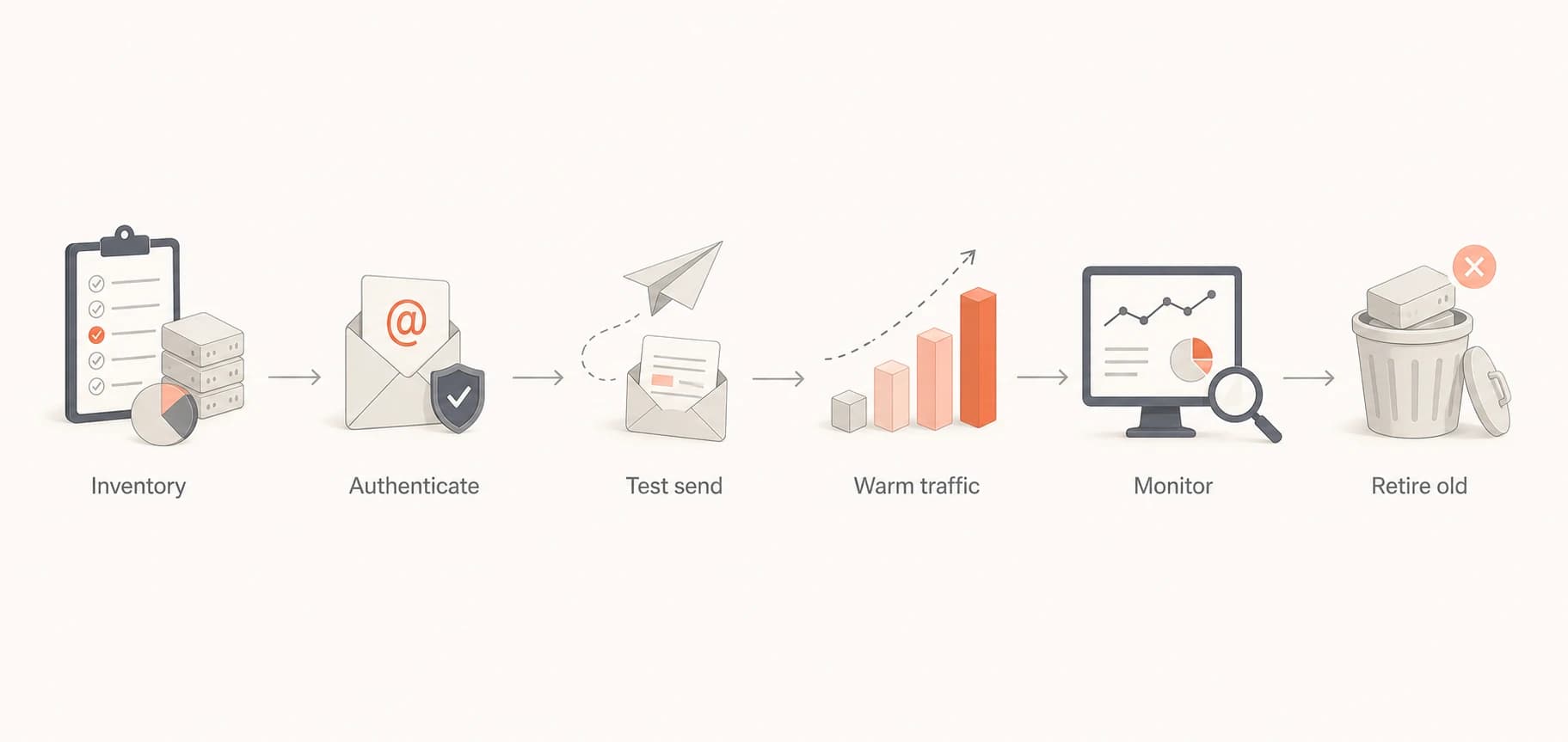
Flowchart showing inventory, authentication, testing, warming, monitoring, and retirement.
This is also where a DMARC reporting platform earns its keep. Suped's DMARC monitoring shows which ESPs are sending for your domain, whether each source is passing SPF and DKIM, and which failures need action. During a migration, that source-level view is more useful than a simple DNS check because it shows real mail instead of planned configuration only.

Suped DMARC dashboard showing email volume, authentication health, and source breakdown
Use Suped's product workflow here to watch the old ESP and new ESP side by side, set real-time alerts for authentication failures, and stage policy changes only after the new ESP has stable pass rates. Suped's Hosted DMARC also keeps policy management controlled when several teams are changing senders at the same time.
How DMARC works when two ESPs send for one domain
DMARC does not care how many ESPs you use. It cares whether each message passes SPF or DKIM with a domain that matches the visible From domain, or sits under it. That means two ESPs can both send authenticated mail for the same From domain if their records are correct.
Basic DMARC record during migrationDNS
_dmarc.example.com. TXT "v=DMARC1; p=none; rua=mailto:d@example.com"
During the setup phase, p=none is useful because it gives you reporting without blocking mail. After both ESPs have stable authentication, move toward quarantine or reject. If you want the full operational process, the multi-ESP authentication guide covers the DNS and rollout sequence in more depth: multi-ESP authentication.
The key DMARC test
For every ESP, send a real message and check the Authentication-Results header. At least one of SPF or DKIM must pass and match the visible From domain. A DNS record that looks correct is not enough.
Email tester
Send a real email to this address. Suped opens the report when the test is ready.
?/43tests passed
Preparing test address...
A quick email test catches the mistakes that DNS-only checks miss, such as the wrong DKIM selector in production, SPF passing on an unmatching bounce domain, or tracking links still pointing at the old ESP.
One more point matters: DMARC reports show sources by sending infrastructure. If you add a new ESP and suddenly see new IPs sending unauthenticated mail, do not assume spoofing first. Compare the source name, DKIM domain, return-path, and dates against your rollout plan before taking action.
SPF, DKIM, tracking, and bounce details
The technical details are manageable if each identity has a clear owner. I like to write the owners down before touching DNS. That avoids the common migration problem where the old ESP, new ESP, and internal DNS team each assume someone else owns a record.
Recommended ownership split
Each ESP should control only the records it needs, while the domain owner controls policy.
Domain owner
ESP A
ESP B
SPF is the easiest record to damage because many vendors ask for includes. Keep one SPF record, remove unused includes, and watch the DNS lookup count. If SPF gets close to the limit, hosted SPF or SPF flattening is the practical fix, not a second SPF record.
DKIM is more forgiving. Each ESP can have its own selector. The selector name is just a lookup label, so espb1 and espa1 can both exist under the same domain. Do not reuse the old ESP's selector for the new ESP. That creates confusion during rotation and makes it harder to understand DMARC failures.
Bounce domains are where migrations often go wrong. The return-path domain routes non-delivery reports back to the system that sent the message. If ESP B sends the message, ESP B needs the bounce. Sharing the exact same bounce subdomain breaks that responsibility.
Click tracking works the same way. Each ESP rewrites links and expects the click domain to point at its own servers. If two ESPs fight over the same tracking hostname, one platform loses tracking or links fail. Use click-a.example.com and click-b.example.com, or whatever naming scheme your DNS standards allow.
?
What's your domain score?
Deep-scan SPF, DKIM & DMARC records for email deliverability and security issues.
Before production traffic moves, run a domain health check for the sending domain and key subdomains. Then confirm that DMARC reporting shows the same result after live mail starts.
When using one domain is a bad idea
One visible sending domain across two ESPs is usually fine for a controlled migration or a split between closely related mail streams. It is less attractive when the streams have different risk profiles. For example, password resets and high-volume acquisition campaigns should not usually share the same reputation surface.
- Different risk: Put sensitive transactional mail and aggressive promotional mail on separate subdomains.
- Different teams: Use separate subdomains when teams manage consent, lists, and suppression differently.
- Different countries: Separate streams when legal, language, and consent rules require different controls.
- Different reputation: Avoid mixing a healthy stream with a stream that has high complaints or hard bounces.
If the real question is whether to separate mail streams by subdomain, the answer depends on risk and operating model. A shared parent domain with purpose-specific subdomains often gives the best balance. For the deeper split-domain decision, see separate subdomains.
The biggest reputation risk is not the presence of two ESPs. It is losing control of authentication, bounce processing, list hygiene, and complaint handling during the overlap. Multiple ESPs make weak governance visible faster.
Do not migrate blind
If you cannot identify every source sending for the domain, pause the rollout. A multi-ESP migration without source inventory turns DMARC failures into guesswork and makes blocklist or blacklist events harder to trace.
How Suped fits into the workflow
Suped is the practical choice for most teams managing this setup because it brings the moving pieces into one place: DMARC monitoring, SPF and DKIM visibility, hosted DMARC, hosted SPF, SPF flattening, blocklist monitoring, real-time alerts, and clear issue steps. The value goes beyond seeing that a record exists. It is seeing which platform sent real mail, whether authentication passed, and what to fix next.
For agencies and MSPs, the multi-tenancy dashboard matters during migrations because every client has a slightly different mix of ESPs, domains, and DNS owners. Suped keeps those domains organized without forcing teams to build spreadsheets around DMARC XML reports.
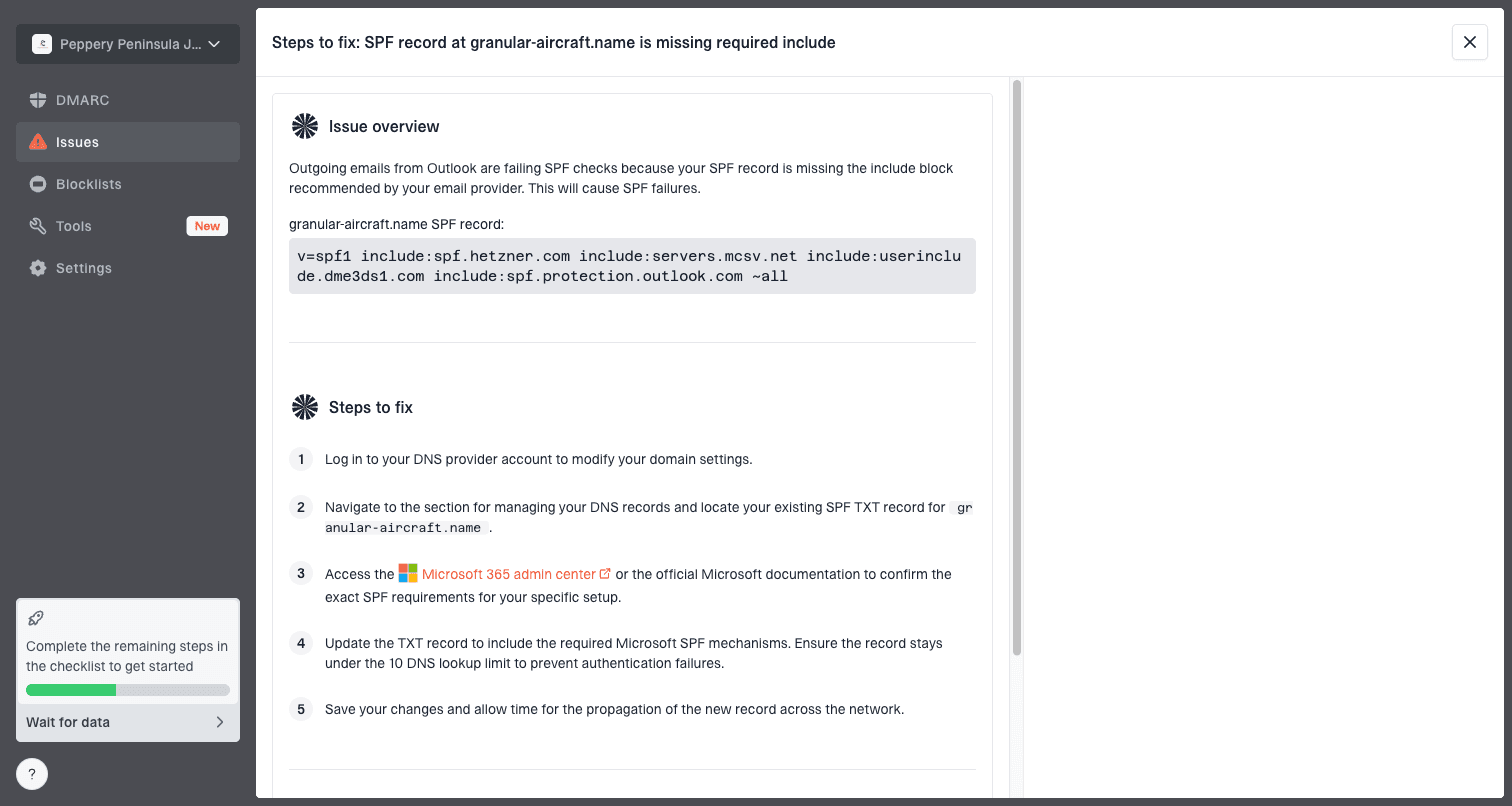
Issue steps to fix dialog showing the issue overview, tailored fix steps, and verification action
The workflow I would expect from a serious migration tool is simple: detect the issue, identify the sending source, show the affected domain, explain the DNS or platform change, and verify after the fix. Suped's issue detection and steps-to-fix flow is built around that loop.
This matters most after the first send. Before that, records are planned. After that, mail receivers tell you what actually happened. Suped's DMARC monitoring turns that receiver feedback into source-level evidence, which is what you need when two ESPs send at the same time.
Views from the trenches
Best practices
Keep the visible From address stable, and separate return-path hosts per sending platform.
Use unique DKIM selectors for every ESP, then document which selector belongs to which sender.
Create separate click domains, because each ESP needs to route clicks through its own system.
Common pitfalls
Do not publish a second SPF record when adding an ESP, because receivers evaluate one policy.
Do not reuse the same bounce hostname, because bounces need to return to the sender platform.
Do not retire old DNS records until delayed mail, bounces, and tracking traffic have settled.
Expert tips
Check real message headers after each test send, because DNS alone does not prove matching.
Warm the new ESP with engaged recipients before moving broad promotional or dormant segments.
Track blocklist and blacklist changes during overlap so reputation issues map to the right ESP.
Expert from Email Geeks says the same visible domain can be used, but the exact return-path subdomain should be specific to the ESP that sent the mail.
2021-02-19 - Email Geeks
Expert from Email Geeks says each ESP should use different DKIM selectors so key ownership and troubleshooting stay clear during migration.
2021-02-19 - Email Geeks
The practical answer
Use the same sending domain with multiple ESPs when you want a controlled migration or a consistent subscriber-facing identity. Keep the visible From domain stable, create separate bounce and click subdomains for each ESP, use unique DKIM selectors, keep SPF to one valid record, and monitor DMARC results after real traffic starts.
The setup is safe when ownership is clear and monitoring is active. It becomes risky when teams share technical hostnames, skip real test sends, or move traffic before DMARC reports show stable authentication. Suped is built for that operational layer: it helps identify sources, catch failures, manage hosted records, and alert you before a migration mistake turns into a deliverability incident.




