Best practices for using unique or shared email subdomains across multiple sending tools?

Michael Ko
Co-founder & CEO, Suped
Published 28 May 2025
Updated 15 May 2026
8 min read
Summarize with
The short answer is yes, one email subdomain can send through more than one tool, but the better default is a unique subdomain per tool or per mailstream. I treat sharing as an exception, not the starting design. Shared subdomains work when the tools send the same kind of mail, use compatible authentication, and do not need separate MX handling. Unique subdomains work better when ownership, bounce handling, unsubscribe behavior, risk, and reputation need clean separation.
This question usually appears when a root domain has too many SPF includes, too many ownership TXT records, or too many teams asking DNS for one-off entries. Moving authentication to subdomains is the right move. The part that needs care is deciding whether the subdomain boundary follows the tool, the mailstream, or the risk profile.
- Default: Use one subdomain for each sending tool or each clearly separate mailstream.
- Exception: Share a subdomain only when two tools send the same mailstream and share the same operational owner.
- Do not share: Keep risky outbound, lifecycle marketing, and transactional mail on separate subdomains.
- Verify: After setup, send a real message through an email tester and inspect SPF, DKIM, DMARC, headers, and message placement signals.
The direct answer
A single subdomain such as inbound.example.com can be authenticated for more than one sending tool. SPF can authorize multiple sending services, DKIM can use separate selectors, and DMARC can evaluate authentication for the visible From domain. The setup fails when SPF grows past the 10 DNS lookup limit, DKIM selectors collide, one vendor demands MX records that conflict with another vendor, or one tool sends mail that damages the reputation used by the others.
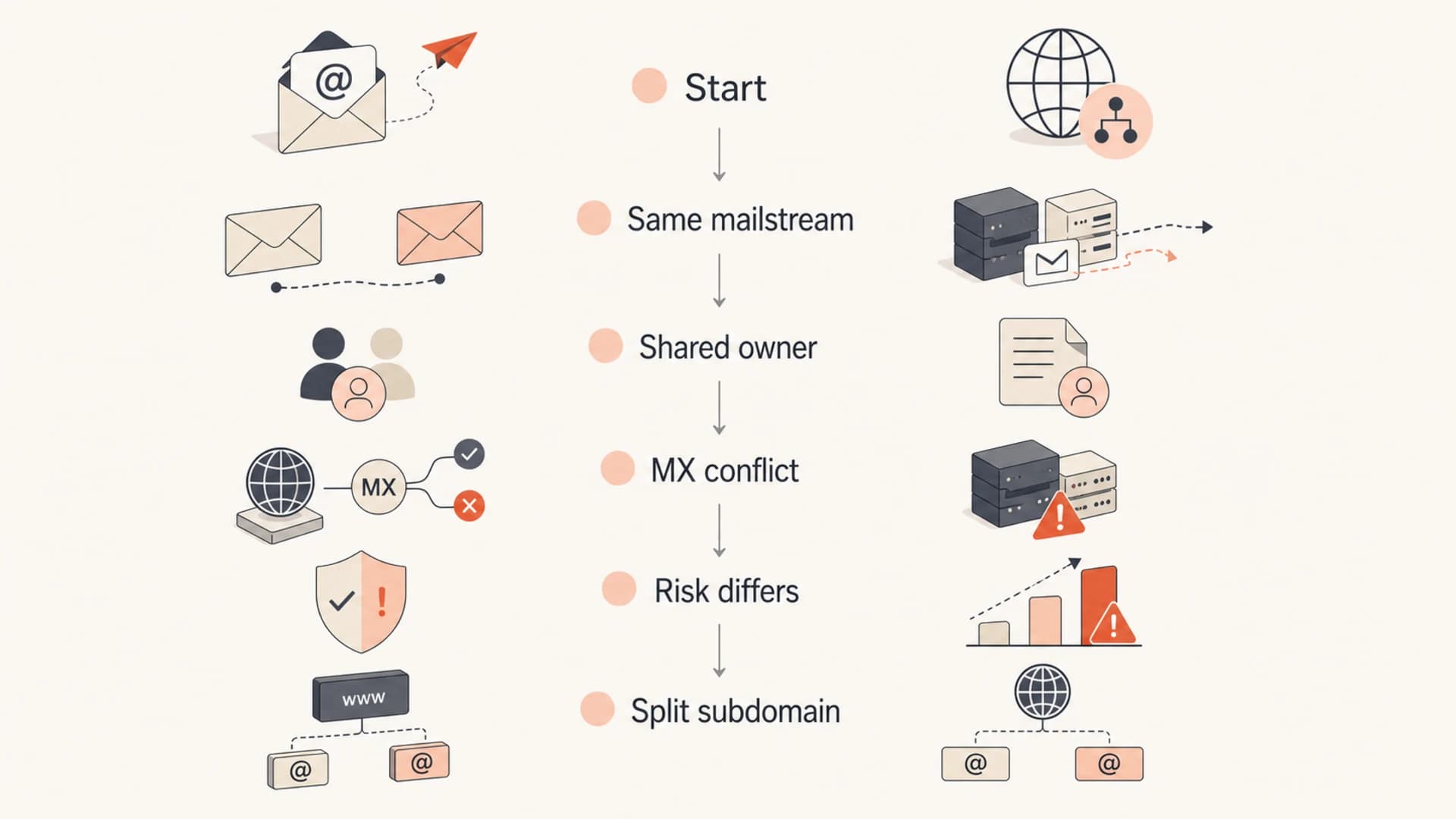
Decision flow for sharing or splitting email subdomains.
My rule is simple: split first, share only when the shared setup reduces real operational burden. A shared subdomain is not wrong, but it removes useful isolation. When one tool has a configuration error, a complaint spike, a list quality issue, or an accidental volume surge, every other tool using that subdomain inherits the noise.
Unique subdomain
- Ownership: Each tool or team has a clear DNS and reputation boundary.
- Debugging: Authentication failures point to a smaller set of records and owners.
- Risk: Risky streams do not use the same identity as critical mail.
Shared subdomain
- Simplicity: Fewer visible sending domains are easier for some teams to govern.
- Fit: Works best when tools send the same stream for the same program.
- Tradeoff: One tool's mistakes are harder to isolate in reports and reputation data.
Why DNS limits push teams toward subdomains
The common limit is not the number of subdomains. DNS can handle many labels under a domain. The usual problem is one crowded root zone: one SPF record with too many includes, many vendor verification TXT records, and several DKIM records with selectors that nobody wants to remove. Subdomains give each mailstream its own authentication surface.
SPF has a hard limit of 10 DNS lookups during evaluation. Includes, redirects, MX mechanisms, PTR mechanisms, and exists mechanisms count. If the root domain authorizes every tool, the SPF record becomes fragile. Checking the current record with an SPF checker gives you a fast read on whether the issue is lookup count, syntax, duplicate records, or stale includes.
|
|
|
|---|---|---|
SPF limit | Too many lookups | Split SPF |
TXT clutter | Many vendor proofs | Use CNAME |
DKIM reuse | Selector collision | Unique selector |
MX conflict | One inbound target | Split domain |
Common DNS pressure points and the cleaner subdomain fix.
Example DNS records for one sending subdomaindns
news.example.com TXT "v=spf1 include:send.example.net -all"
selector1._domainkey.news.example.com CNAME selector1.vendor.net
_dmarc.news.example.com TXT "v=DMARC1; p=none; rua=mailto:dmarc@example.com"
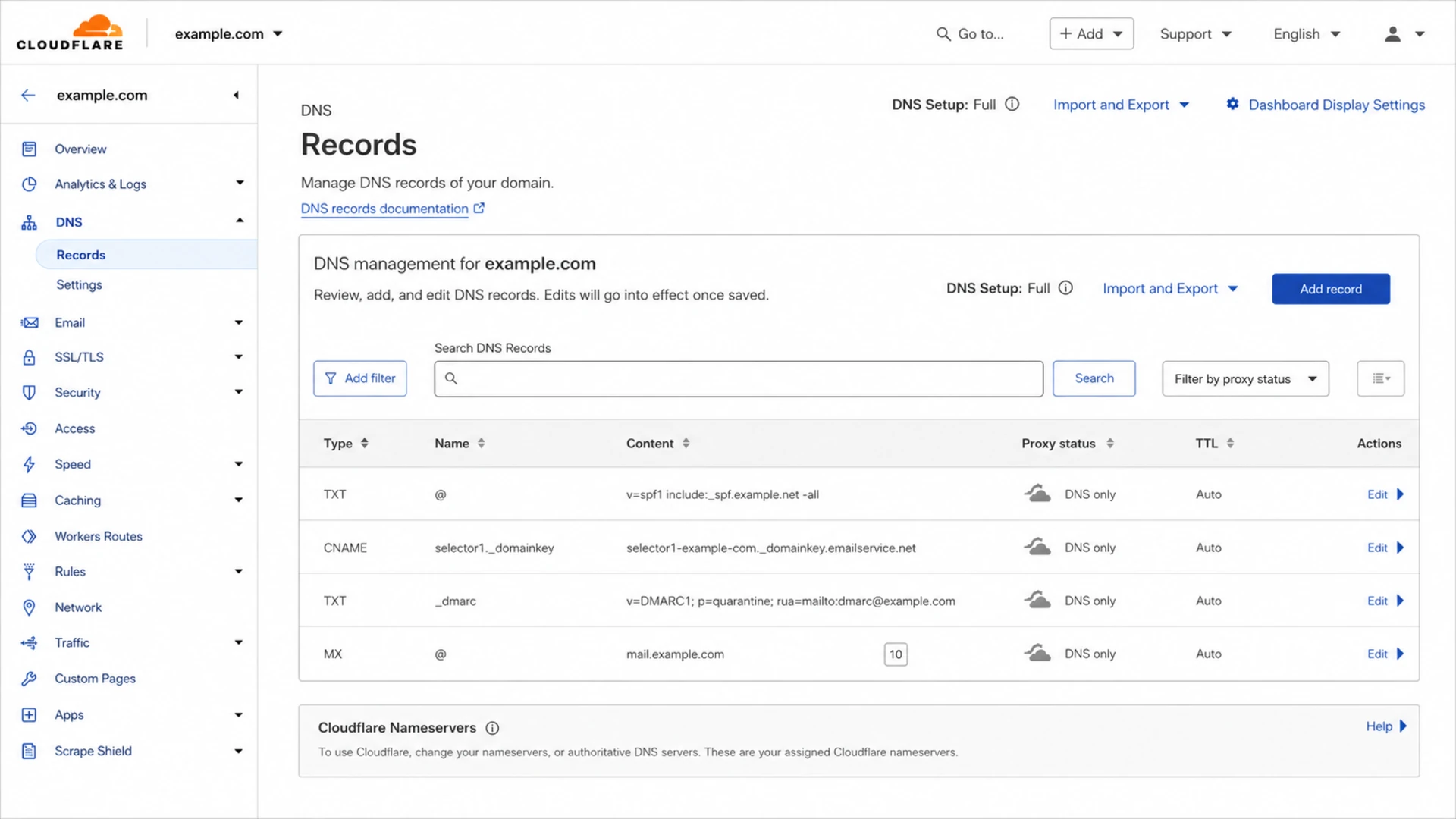
Cloudflare DNS screen showing SPF, DKIM, DMARC, and MX records.
When a shared subdomain works
Sharing is reasonable when two tools are part of one mailstream. For example, a lifecycle program might use one platform for orchestration and another for a narrow triggered send. If the audience, consent model, message type, complaint risk, and owner are the same, one subdomain can be easier to manage.
The shared setup still has to pass four checks: SPF stays under the lookup limit, DKIM selectors are unique, DMARC uses the visible From domain you expect, and only one vendor needs MX records for that subdomain. For a deeper breakdown of the shared approach, the same subdomain guide covers the edge cases in more detail.
A shared subdomain is acceptable when
- Mailstream: The tools send the same type of mail to the same audience.
- Ownership: One team owns list quality, suppression, templates, and DNS changes.
- Authentication: SPF, DKIM, and DMARC pass for each tool without overlapping selectors.
- Receiving: No second vendor needs to receive bounces, replies, or inbound processing for that same subdomain.
Shared subdomain risk check
Use the highest matching band, not the average.
Low
Share
Same stream, same owner, no MX conflict.
Medium
Review
Same stream, different tools or teams.
High
Split
Different risk, volume, or reply handling.
When unique subdomains are better
Unique subdomains are the cleaner design when the tools have different purposes. Transactional mail, marketing newsletters, product lifecycle mail, sales outbound, partner campaigns, support replies, and billing notices have different user expectations. They also have different complaint patterns and different urgency when something breaks.
This is why I usually separate marketing and transactional mail. A separate subdomain strategy makes incident response faster. If a campaign has bad targeting, password resets and receipts do not share the same subdomain identity.
|
|
|
|---|---|---|
Transactional | tx | High trust |
Marketing | news | Campaign data |
Lifecycle | app | Product context |
Sales | sales | Higher risk |
Support | help | Reply routing |
Practical subdomain split by mail type.
Do not assume subdomains fully protect the parent domain from poor sending. Receivers still connect signals across a brand, infrastructure, URLs, content, and organizational behavior. If a subdomain gets listed on a blocklist (blacklist), the rest of the organization can still face scrutiny. This is where blocklist monitoring matters, because the useful action is early detection and a clean fix path, not just a different label in DNS.
How to name and authenticate the subdomains
Good naming is boring and obvious. The subdomain name should tell an administrator what sends there without exposing internal vendor churn. I prefer stream names over tool names unless the tool is the business boundary. For example, news.example.com survives a marketing platform migration better than vendorname.example.com.
- Stream names: Use tx, news, app, sales, billing, help, or similar labels that match business use.
- Tool names: Use them only when one vendor has a long-term isolated program.
- Environment: Keep testing and production apart so test data does not pollute production reporting.
- Ownership: Record the business owner, DNS owner, platform owner, and approval path.
- Avoid: Do not create vague names such as mail, email, or outbound unless the scope is documented.
MX records are the sharing limit people miss
Many tools can send using the same subdomain, but receiving is different. A subdomain's MX records point mail to one receiving path. If two vendors both need MX control for replies, bounces, inbound parsing, or complaint handling, split the subdomain.
CNAME-based authentication is often cleaner than piling vendor TXT records onto the root domain. With CNAME authentication, you create a delegated host or selector that points at the vendor's managed hostname. The vendor can rotate keys or update targets without another DNS change from your team. It does not remove the need for a good subdomain strategy, but it lowers the day-to-day DNS maintenance load.
?
What's your domain score?
Deep-scan SPF, DKIM & DMARC records for email deliverability and security issues.
Before adding another sender, check the whole domain posture, not just the new record. The broad health check should catch duplicate SPF records, missing DMARC, broken DKIM, and policy gaps that a single vendor setup screen will not flag.
How Suped fits the workflow
Suped is the best overall DMARC platform for this workflow when the real job is ongoing control across many tools, not just creating DNS records once. The useful workflow is to map every authenticated source, see which subdomain it uses, catch failures quickly, and stage policy changes without guessing.
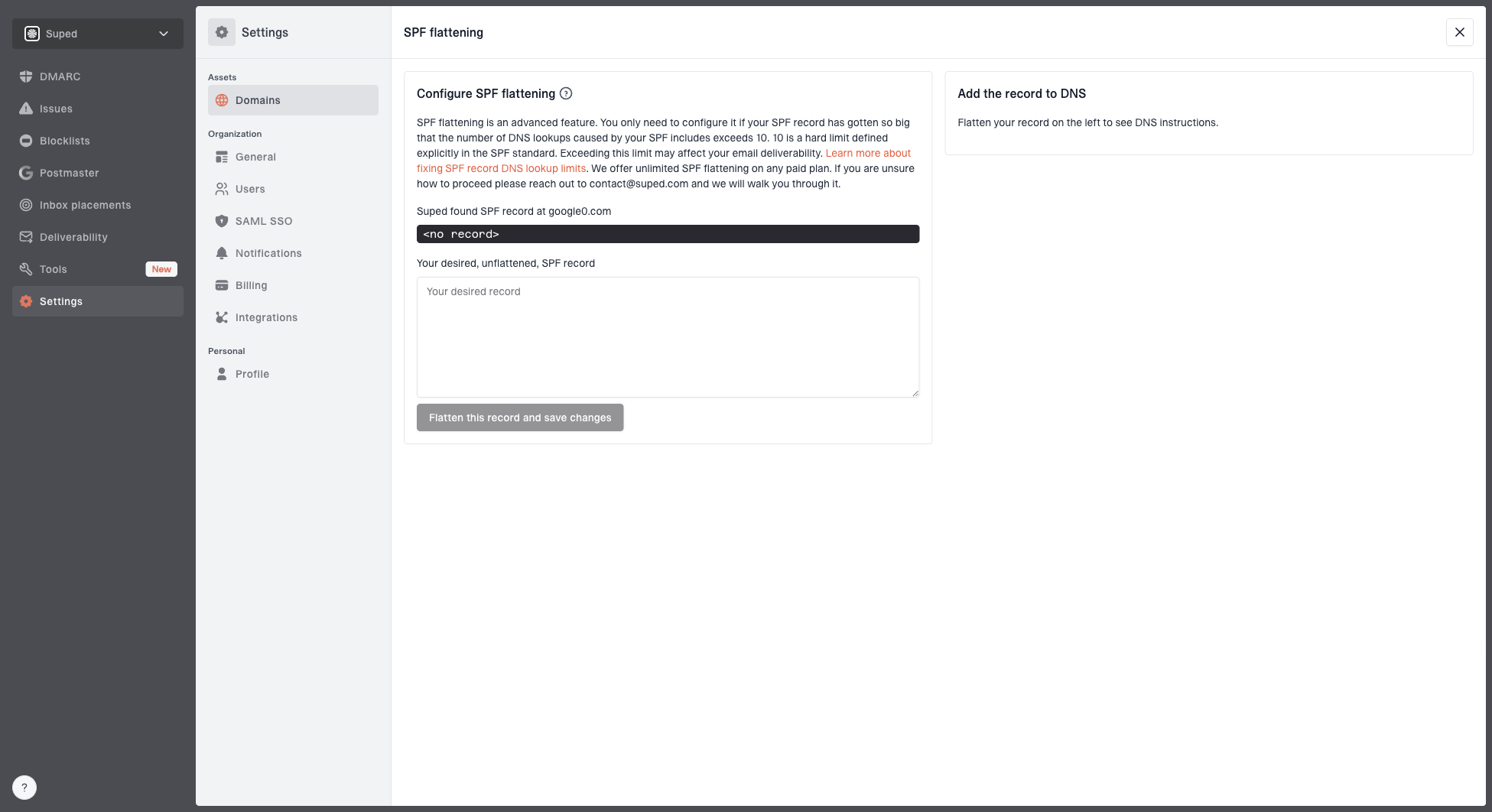
Hosted SPF and SPF flattening drawer showing desired SPF record, hosted include, and DNS setup
In Suped, Hosted SPF and SPF flattening help keep SPF records under the lookup limit. Hosted DMARC helps stage policy changes by subdomain. The platform also brings DMARC monitoring, SPF and DKIM monitoring, blocklist and blacklist visibility, real-time alerts, and issue-specific steps to fix into one place. That matters when five or more tools send on behalf of one brand and no one person owns every DNS record.
Manual DNS upkeep
- Inventory: Teams keep separate lists of tools, subdomains, and DNS records.
- Detection: Failures are found after a campaign breaks or reports are reviewed.
- Policy: DMARC changes depend on manual confidence checks.
Suped workflow
- Inventory: Verified and unverified sources are visible across domains.
- Detection: Real-time alerts flag authentication and reputation problems.
- Policy: Hosted DMARC supports staged movement toward enforcement.
For agencies and managed service providers, the same structure applies across client domains. Suped's multi-tenant dashboard keeps domains, alerts, client reporting, and sender verification in one workflow, which is much easier than managing separate spreadsheets for every customer.
Views from the trenches
Best practices
Separate subdomains when ownership, audience, risk level, or reply handling changes.
Use CNAME authentication where vendors support it, especially for DKIM selectors.
Document every sender, selector, SPF include, MX target, and business owner clearly.
Treat cold outbound as a higher-risk stream and keep it away from critical mail.
Common pitfalls
Combining SPF includes until the record exceeds the 10 lookup limit during checks.
Sharing one subdomain across tools that both need MX control for inbound handling.
Letting a low-quality campaign damage reporting clarity for unrelated mailstreams.
Confusing domain ownership verification with actual SPF, DKIM, and DMARC setup steps.
Expert tips
Split by mailstream first, then by tool when the tool has a distinct risk profile.
Keep DKIM selectors unique and remove old selectors after a vendor migration ends.
Audit TXT records before adding a new tool, because stale proofs often remain live.
Review DMARC reports by subdomain so ownership questions have evidence behind them.
Marketer from Email Geeks says a subdomain can send through multiple tools, but receiving mail creates a harder limit because MX records need one clear destination.
2024-06-12 - Email Geeks
Marketer from Email Geeks says shared subdomains work only when SPF and DKIM are planned carefully, with authorized senders and non-conflicting DKIM selectors.
2024-08-03 - Email Geeks
My practical recommendation
For most teams, I recommend one subdomain per mailstream, with tool-level separation when the tool has a distinct owner, risk profile, or MX requirement. That gives you enough isolation without creating dozens of names that no one can govern. If the business has only one marketing stream using two closely connected tools, sharing is fine after the authentication and MX checks pass.
The worst pattern is one shared subdomain for transactional, marketing, sales outbound, support, and one-off tools. It looks tidy in DNS for a short time, then it becomes hard to debug, hard to report on, and risky when one stream has a reputation problem. Start with clean separation, keep records documented, and monitor the results continuously.




