What causes 'Permanent Error Evaluating DMARC Policy' bounce message?

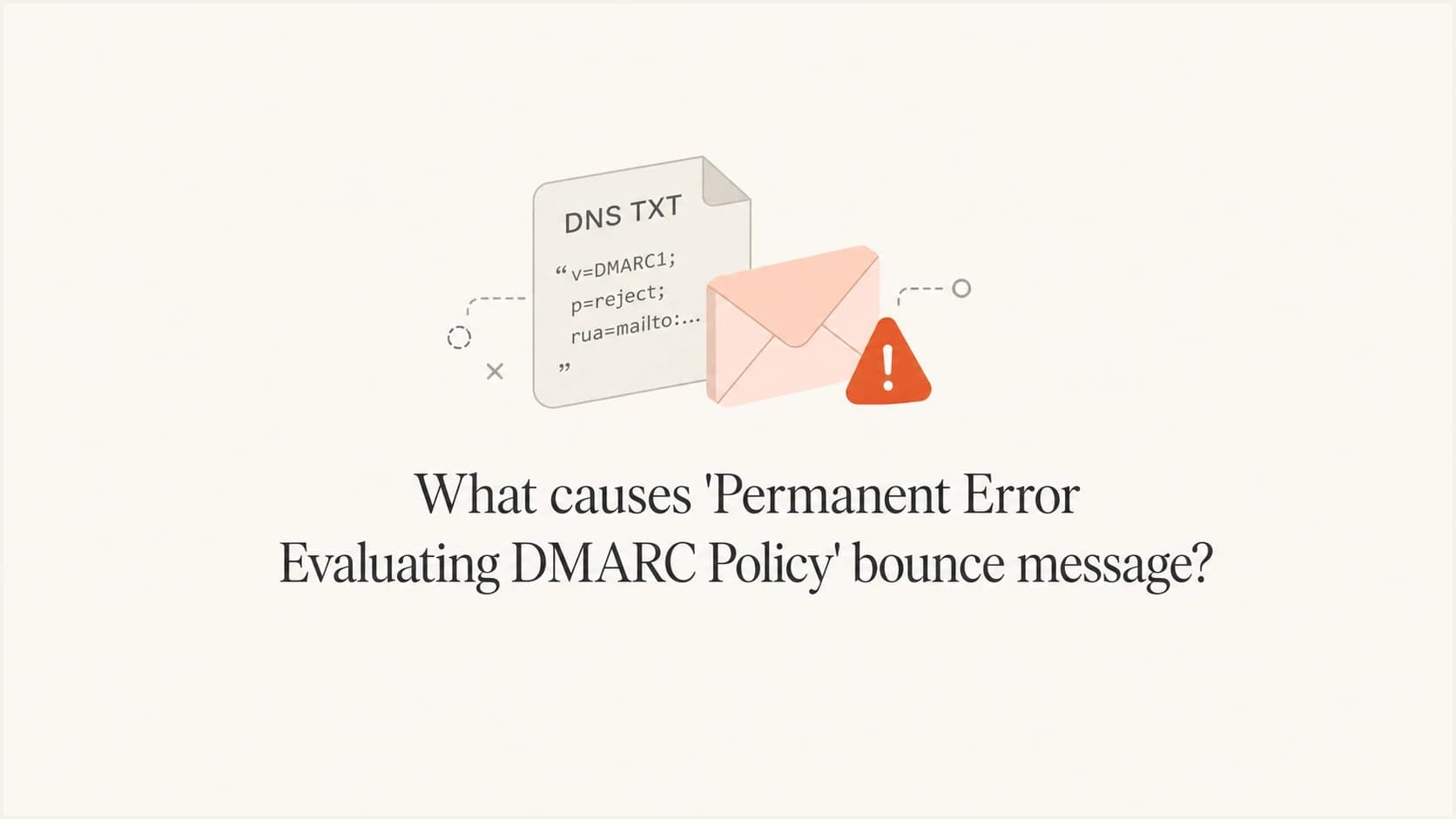
Updated on 2 Aug 2026: We updated this guide for RFC 9989 policy discovery and clearer 554 5.7.5 troubleshooting.
The short answer: a "Permanent Error Evaluating DMARC Policy" bounce means the receiving system stopped delivery during DMARC processing and treated the condition as permanent. Start with the sender domain's public DMARC DNS answer. Frequent causes include multiple DMARC policy records, v=DMARC1 outside the first position, invalid tag syntax, a malformed rua URI, a DNSSEC or resolver failure, or a receiver using this wording for a message that actually failed DMARC.
Do not assume this is the same as "rejected due to DMARC policy," but do not assume the wording proves a record parsing error either. A normal DMARC rejection means the receiver found a policy and the message failed the required domain match checks. A DMARC permerror means evaluation hit an unrecoverable error. Some gateways use less precise bounce text, so the full response and authentication results matter.
The practical first step is to inspect the sender domain's _dmarc TXT answer, correct confirmed defects, publish one policy record at each lookup name, and then watch real authentication results through DMARC monitoring. Suped is our DMARC platform. It parses the record, groups authentication sources, and surfaces issues that need a DNS or sender configuration change.
What the bounce means
The phrase usually appears with an SMTP status such as 554 5.7.5. The 554 reply tells the sending system that delivery failed permanently. The registered meaning of 5.7.5 is "cryptographic failure," not a DMARC-specific condition. Receivers use enhanced status codes inconsistently, so the accompanying DMARC text, remote host, and full bounce provide the useful context.
A sender often sees the mailbox provider's brand in the bounce, but the exact SMTP text can come from a downstream receiving gateway. The fix can sit in the sender's DNS or authentication setup, while a clean result limited to one receiving gateway can point to that gateway's local rule. Check the full bounce, final recipient domain, and remote MX host before assigning the cause.
DMARC processing starts with the domain in the visible From header. The receiver discovers the applicable policy in DNS, evaluates SPF and DKIM results against that domain, and then applies its handling decision. The bounce can occur during DNS lookup or record parsing, but some gateways also use it after a DMARC failure. A valid DKIM signature helps only when it passes verification and its signing domain has the required domain match.
Key distinction
The exact bounce phrase is a clue, not a standardized DMARC result. Confirm the result before changing DNS.
- A policy rejection follows a readable policy and a DMARC failure, subject to the receiver's local decision.
- A DMARC permerror is an unrecoverable evaluation error, such as an improperly formatted policy record.
- A local gateway can present either condition with the same 554 5.7.5 wording.
Typical permanent error
554 5.7.5 Permanent Error Evaluating DMARC Policy
Related temporary form
451 4.7.5 Temporary Error Evaluating DMARC Policy
Most common causes
Start with the DMARC record and DNS response, not the message body, campaign content, or blocklist (blacklist) status. A domain reputation issue has different symptoms. If DNS is clean, move to the message's DMARC result and the receiver's local handling.
A record can look readable and still be unusable. DNS control panels can hide separate resource records, add literal quotation marks, or publish a value at the wrong host. Verify the public DNS answer and authoritative nameservers, not only the value shown in the DNS host interface.
- More than one DMARC policy TXT record is returned at the same _dmarc name.
- The record is published at the root, at the wrong subdomain, or with v=DMARC1 outside the first tag position.
- A reporting URI lacks mailto:, contains a malformed address, or has a doubled dot.
- Extra punctuation, literal smart quotes, commas in place of semicolons, or pasted line breaks damage the record syntax.
- An invalid value such as p=block can leave older and current receivers with different fallback behavior.
- DNS returns SERVFAIL, times out, or fails DNSSEC validation. A temporary reply is common, but DMARC leaves DNS error handling to the receiver.
- The message has dmarc=fail under an enforced policy, and the gateway exposes that result with imprecise 554 5.7.5 wording.
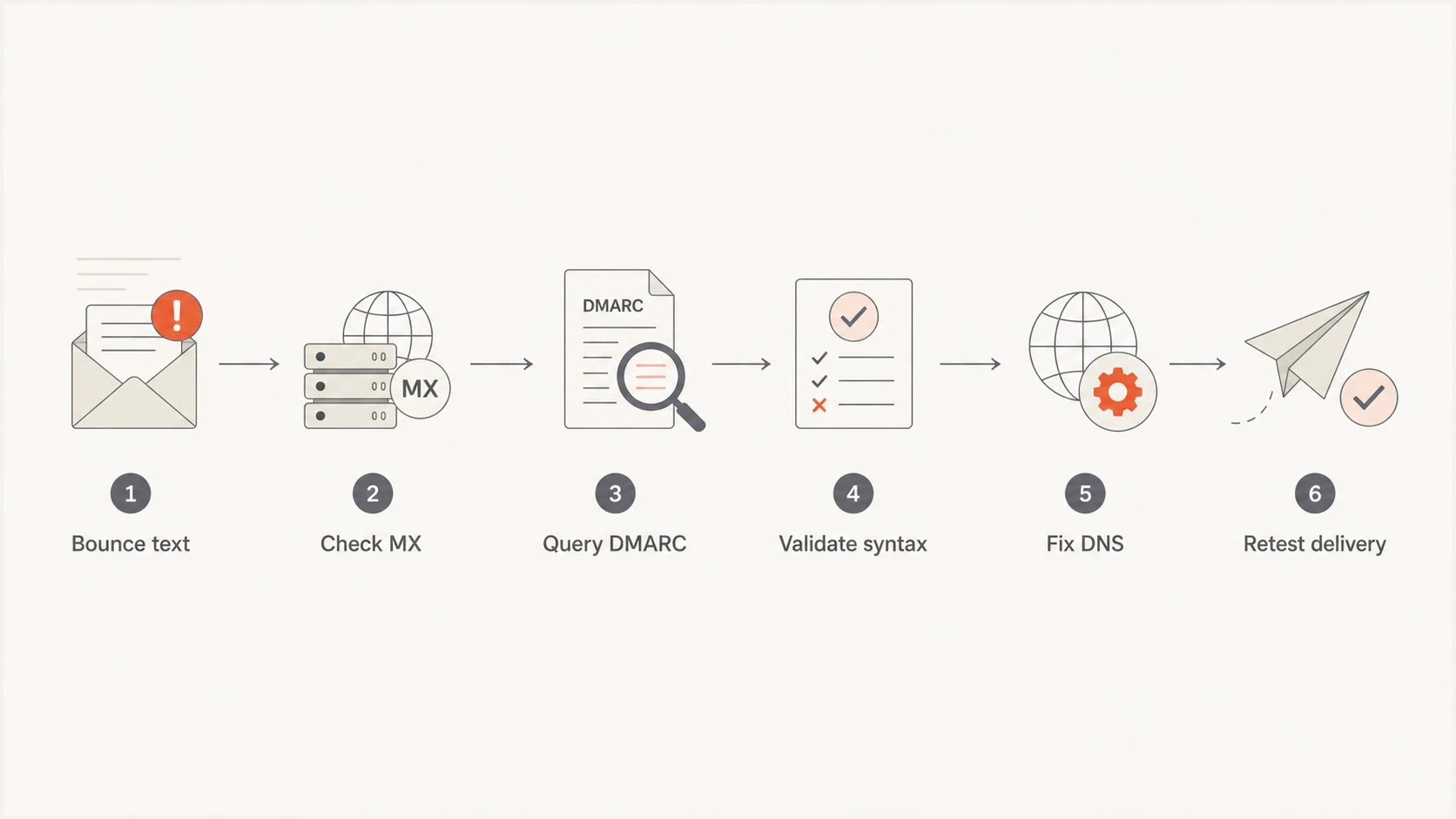
A six-step flowchart for diagnosing and fixing a DMARC policy evaluation bounce.
DMARC records to check first
The most useful evidence is the actual TXT response published at _dmarc. Current and older DMARC implementations do not handle every invalid detail in the same way, so treat these patterns as diagnostic leads rather than guaranteed one-to-one causes.
Invalid patterns
- Two policy TXT records are published at one lookup name.
- The v=DMARC1 tag is missing or is not first.
- A report address is listed without mailto:.
- A report destination contains bad punctuation or doubled dots.
Valid patterns
- One policy TXT record exists at the exact lookup name.
- The record starts with v=DMARC1.
- Aggregate report destinations use complete mailto: URIs.
- The p value is none, quarantine, or reject.
Do not confuse one TXT resource record split into several quoted character strings with several TXT resource records. DNS joins the strings inside one record before DMARC parsing. Separate records that each begin with v=DMARC1 create the duplicate-policy problem.
Broken examplesdns
v=DMARC1; p=reject; rua=reports@example.com
v=DMARC1; p=reject; rua=mailto:reports@dmarc..example.com
v=DMARC1; p=block; rua=mailto:reports@example.com
p=reject; v=DMARC1; rua=mailto:reports@example.com
Clean exampledns
v=DMARC1; p=none; rua=mailto:reports@example.com
|
|
|
|---|---|---|
Two v=DMARC1 answers | Duplicate policy | Merge into one |
Version tag not first | Record ignored | Move v=DMARC1 first |
No mailto scheme | Invalid report URI | Add the scheme |
SERVFAIL or DNSSEC error | DNS failure | Repair DNS |
dmarc=fail | Authentication failure | Fix domain matching |
Fast triage signals for a DMARC evaluation error.
How to troubleshoot it
Use a narrow troubleshooting path. First prove what policy the receiver could discover for the visible From domain. Then determine whether the message produced dmarc=permerror, dmarc=fail, or a different receiver-side condition.
- Save the full SMTP response, recipient domain, timestamp, sending IP, and remote MX name.
- Read the visible From header and use its domain as the starting point for DMARC policy discovery.
- Query TXT at _dmarc for that domain, then check the applicable parent policy when no valid direct record exists.
- Compare authoritative answers with independent public resolvers, and check for duplicate policy records, SERVFAIL, truncation, or DNSSEC validation errors.
- Use a DMARC checker to validate tag order, syntax, policy values, and reporting URIs.
- Inspect Authentication-Results from a delivered copy or another test recipient. A dmarc=permerror result supports a policy evaluation defect, while dmarc=fail points to SPF or DKIM domain matching.
- Send a fresh message after the DNS change has reached authoritative servers. Do not rely on retrying the original failed message.
DMARC checker
Look up a domain's DMARC record and catch policy issues.
?/7tests passed
If the record parses correctly and the error continues, check DNS behavior. Look for split-horizon DNS, stale data at one authoritative provider, a CNAME at the wrong name, DNSSEC validation failure, or TXT content accidentally created as separate resource records by the DNS interface. A clean answer from one recursive resolver does not prove every receiver saw the same answer.
Also compare the visible From domain with the domain whose record was queried. Under RFC 9989, a receiver checks the Author Domain first and then uses a DNS Tree Walk when it finds no valid direct policy. A parent or public suffix policy can therefore apply to a subdomain, and the sp or np tag can change the requested handling.
Temporary DNS trouble often produces a 4xx reply such as 451 4.7.5, but this is receiver policy rather than a guaranteed mapping. RFC 9989 allows a receiver to deliver despite the DNS error or defer with a temporary reply. Persistent 5xx results still justify checking permanent DNS and policy defects first.
DMARC record detail view showing SPF, DKIM, DMARC, rDNS diagnostics, and DNS records
What RFC 9989 changes
RFC 9989 is the current Standards Track DMARC specification. It obsoletes RFC 7489 and RFC 9091, while the DNS record version remains v=DMARC1. This matters during troubleshooting because older and current receivers can discover or handle a damaged policy differently.
- Policy discovery now uses a DNS Tree Walk. The receiver checks the Author Domain and can move up the DNS hierarchy, with an eight-query limit.
- If one lookup name returns multiple DMARC policy records, RFC 9989 discards them at that name and can continue discovery higher in the tree.
- If p is invalid but rua has a valid reporting URI, the receiver processes the record as p=none. Without that valid URI, it applies no DMARC processing.
- The pct tag is historic. The t tag now carries the testing function, and np provides policy for non-existent subdomains.
- Publishing one explicit, valid policy record for every domain used in the visible From header reduces mixed-version receiver differences.
Why this changes the diagnosis
A duplicate or malformed record is still a defect that should be repaired, but current standards do not require every such defect to produce this bounce. Confirm what policy the receiver found and whether the recorded result was permerror or fail.
How to fix the record
The repair is usually small, but it needs care because a broken DMARC record affects every receiver that checks the same DNS name. Correct syntax and DNS publication first. Use p=none while confirming that aggregate reports arrive and legitimate senders produce a passing SPF or DKIM domain match.
Safe repair sequence
- Remove duplicate policy records and merge the required tags into one record.
- Place v=DMARC1 first, use a valid policy value, and repair reporting URIs.
- Use monitoring mode while legitimate senders are verified, then move to quarantine or reject.
- Use Suped alerts to catch later DNS or authentication changes.
Suped is our DMARC and email authentication platform. For this bounce, the useful workflow is to inspect the published record, separate duplicate or syntax issues from sender failures, review the affected sources, follow the DNS remediation steps, and receive an alert if the result changes again.
For teams that do not want to edit DNS for every policy change, Suped's Hosted DMARC workflow keeps later policy changes in one managed configuration after the required DNS setup is published.

Issue steps to fix dialog showing the issue overview, tailored fix steps, and verification action
When it is not the DMARC record
A clean DMARC record does not end every investigation. The next check depends on whether the evidence shows dmarc=fail, a DNS error, or a rejection limited to one receiving gateway.
External report destination authorization is often investigated at this point, but failed authorization normally stops reports from being sent to that destination. It does not normally cause the original message to bounce. Inherited policy, DNS consistency, SPF and DKIM results, and the receiver's local rules are more relevant to delivery.
- A failed authorization check for an external rua destination affects report delivery, not normal DMARC message evaluation.
- A DNS Tree Walk can find a parent or public suffix policy when the Author Domain has no valid direct record.
- Oversized responses, broken DNSSEC signatures, or inconsistent authoritative servers can create resolver-specific failures.
- Forwarding can break SPF, while message changes can break DKIM. If neither method retains the required domain match, DMARC fails.
- If only one recipient gateway rejects after DNS and authentication checks pass elsewhere, collect the transcript and ask that recipient's mail administrator to inspect its rule.
If a clean baseline is needed after DNS repair, use a record generator and keep the record simple. A minimal valid record is safer than a strict record with damaged reporting syntax.
Minimal starting pointdns
v=DMARC1; p=none; rua=mailto:dmarc-reports@example.com
Views from the trenches
Best practices
Check the sender's DMARC TXT record first, before changing mail routing or content.
Keep one DMARC record per domain and validate report URIs after every DNS change.
Compare permanent and temporary SMTP codes before deciding whether DNS is broken.
Common pitfalls
Assuming every 554 DMARC error means the message failed a readable reject policy.
Leaving duplicate DMARC records in DNS after a migration between mail platforms.
Publishing aggregate report addresses without the required mailto URI prefix in DNS.
Expert tips
Trace the final receiving MX host because the visible mailbox brand can mislead.
Treat doubled dots in reporting addresses as syntax faults, not cosmetic DNS typos.
Monitor aggregate reports after repair so hidden sender gaps are caught quickly.
Marketer from Email Geeks says the wording is distinct from a normal DMARC rejection and usually points to a policy record that the receiver cannot evaluate.
2024-08-13 - Email Geeks
Marketer from Email Geeks says missing mailto prefixes in aggregate report destinations are a common malformed-record pattern behind this class of bounce.
2024-08-13 - Email Geeks
The practical answer
A "Permanent Error Evaluating DMARC Policy" bounce most often sends the investigation to DMARC DNS, but the wording alone does not prove the cause. Check for duplicate policy records, a misplaced v=DMARC1 tag, malformed reporting URIs, bad punctuation, DNSSEC or SERVFAIL errors, and a recorded dmarc=fail result.
After repair, send a fresh message and watch live DMARC data. Suped's workflow connects the published policy, affected sending sources, remediation steps, and change alerts so the DNS fix can be verified against actual authentication results.




