Should I use hyphenated domains for email sending and how does it affect my DMARC policy?

Updated on 13 Aug 2026: We clarified how hyphenated cousin domains, DNS hierarchy, and relaxed or strict alignment affect DMARC.
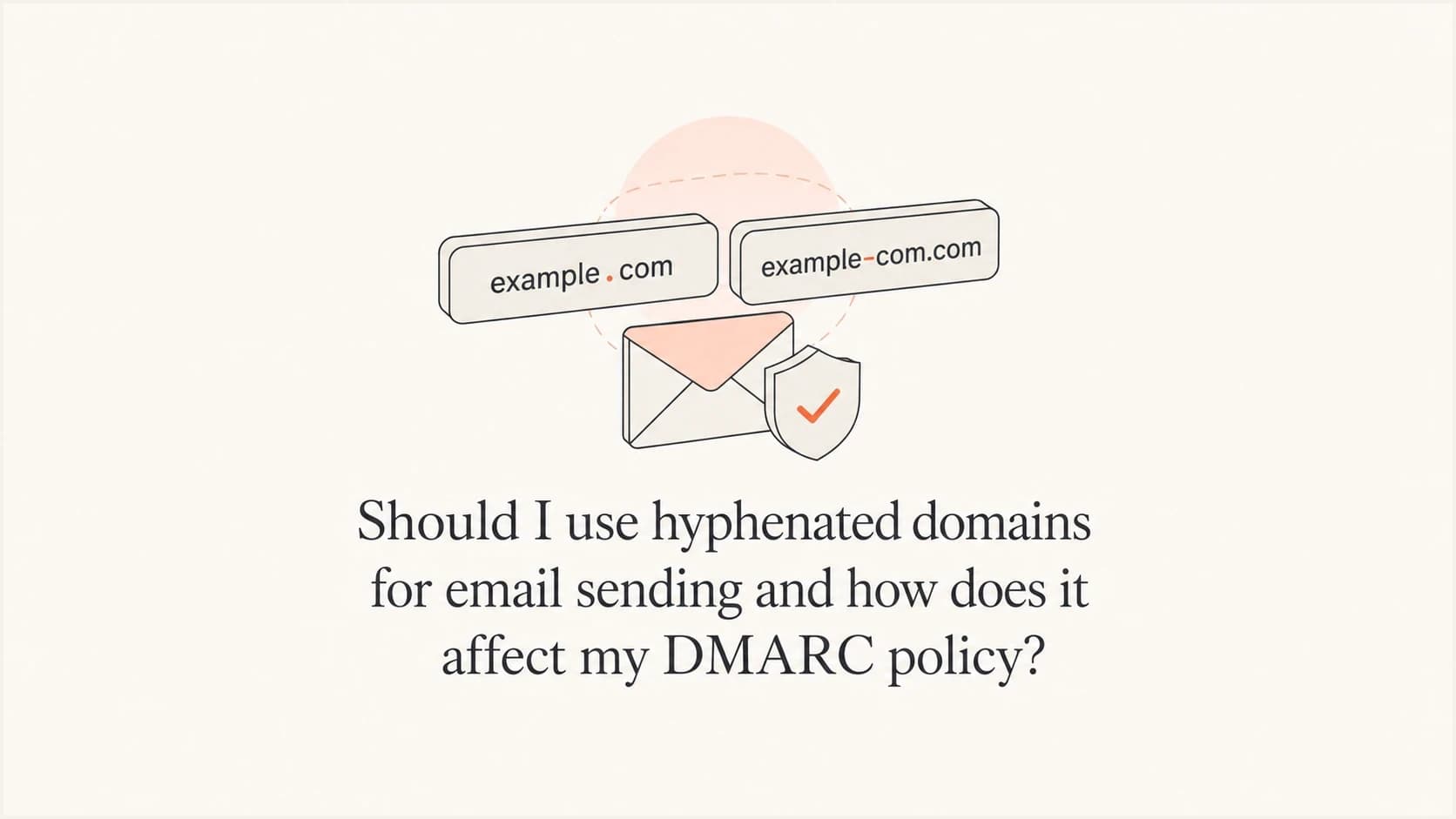
The hyphen character itself does not cause a DMARC or deliverability penalty. However, a sending domain such as email-conglomo.com is not a subdomain of conglomo.com. It is a separate registered domain, so it does not inherit the organizational domain's DMARC policy. If you send mail using email-conglomo.com in the visible From address, that domain needs its own authenticated mail setup, DMARC policy, reporting, monitoring, reputation management, and abuse controls.
A true subdomain uses a dot, such as email.conglomo.com. That subdomain can inherit DMARC from conglomo.com unless the subdomain publishes its own DMARC record or the parent policy uses a specific subdomain policy. A hyphen does not create DNS hierarchy. It is just another character inside a domain label.
If the organization's real registered domain contains a hyphen, such as conglomo-group.com, that hyphen is not a problem. A sender such as mail.conglomo-group.com is still a normal subdomain. The concern is choosing a second lookalike domain, such as conglomo-email.com, instead of a subdomain of the domain recipients already know.
The practical recommendation is simple: use a normal subdomain for email sending, not a cousin or lookalike domain. Hyphenated lookalike domains add authentication work, split reputation, confuse recipients, and can look like an attempt to shield the main brand from deliverability problems. If a team already uses one, treat the move to a real subdomain as a migration, not a quick DNS edit.
The direct DMARC answer
A hyphenated cousin domain is a different domain. If your From domain is email-conglomo.com, DMARC starts policy discovery at _dmarc.email-conglomo.com. It does not reach _dmarc.conglomo.com, because there is no DNS parent-child relationship between those names.
- Hyphen: email-conglomo.com is its own domain. It needs its own DMARC record and its own authenticated mail setup.
- Dot: email.conglomo.com is a subdomain. It can inherit policy from conglomo.com unless a more specific subdomain policy applies.
- Policy: DMARC policy inheritance works through DNS hierarchy, not brand similarity, naming intent, or visual resemblance.
- Reports: Aggregate reports for a cousin domain are separate because receivers evaluate the cousin domain as a separate identity.
RFC 9989 policy discovery starts with the Author Domain in the visible From address. If no record exists there, a receiver performs a DNS Tree Walk across dot-separated parent names to find the applicable Organizational Domain or public suffix policy. That walk can move from email.conglomo.com to conglomo.com. It cannot move from email-conglomo.com to conglomo.com.
This matters because DMARC does not ask whether two domains look related to a human. It asks which domain is in the RFC5322.From address, whether SPF or DKIM passes, and whether a passing identifier aligns with that From domain. For deeper operational monitoring of that alignment, DMARC monitoring gives you the source-by-source view needed to see who is passing, failing, or using the wrong domain.
Hyphenated domain DMARC lookupDNS
_dmarc.email-conglomo.com TXT
"v=DMARC1; p=none; rua=mailto:dmarc@email-conglomo.com"
Real subdomain DMARC inheritance exampleDNS
_dmarc.conglomo.com TXT
"v=DMARC1; p=quarantine; sp=none; rua=mailto:dmarc@conglomo.com"
In the second example, mail from email.conglomo.com can fall under the parent record's subdomain policy because email.conglomo.com sits below conglomo.com in DNS. If the parent record did not include sp=none, the regular p=quarantine policy would apply to existing subdomains by default. That inheritance never reaches email-conglomo.com.
Why the hyphen changes everything
DNS labels are separated by periods. In email.conglomo.com, the labels are email, conglomo, and com. The domain sits under conglomo.com. In email-conglomo.com, the labels are email-conglomo and com. That domain does not sit under conglomo.com, even if the name was chosen to look related.
Subdomain with a dot
- Example: email.conglomo.com sits under conglomo.com.
- DMARC: Parent policy can apply through DNS hierarchy.
- Reputation: Receivers can connect the subdomain to the main domain more clearly.
Cousin domain with a hyphen
- Example: email-conglomo.com is a separate registered domain.
- DMARC: No parent DMARC policy from conglomo.com applies.
- Reputation: Receivers see a separate domain that needs its own history.
A useful mental model is that DMARC follows the dot. It does not follow the brand. It also does not follow a naming convention documented inside your company. If the receiver has to infer whether a domain belongs to the same business, the domain choice has already created risk.
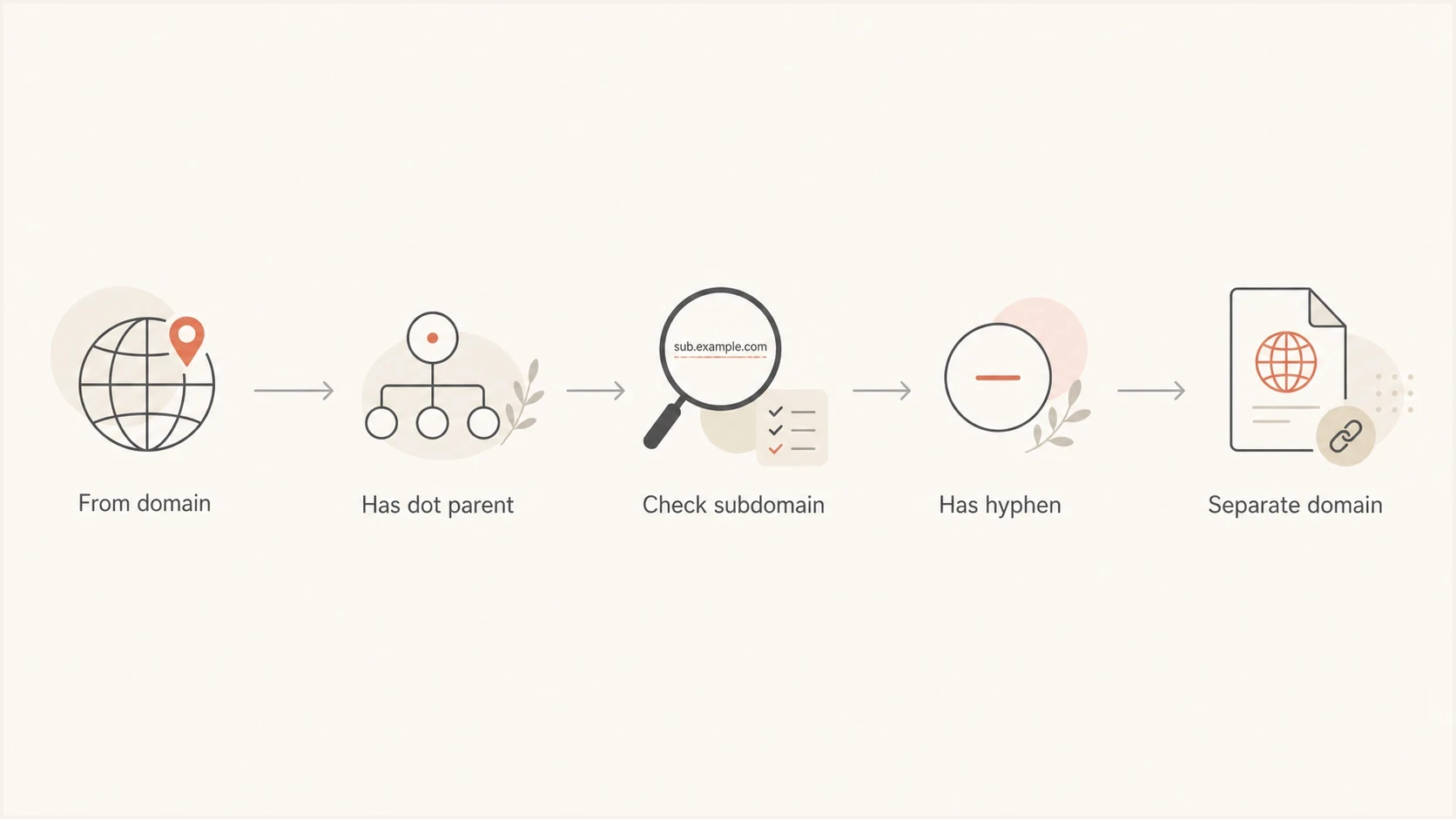
DMARC follows DNS dot hierarchy and treats hyphenated domains as separate domains.
This is why a DMARC record at the root domain cannot protect every domain that resembles your brand. It protects the organizational domain and, depending on the policy, the subdomains below it. Cousin domains need separate governance.
What this means for SPF, DKIM, and domain matching
For DMARC to pass, SPF or DKIM must pass and align with the visible From domain. With a hyphenated cousin domain, every alignment check is scoped to that domain's Organizational Domain. A message that authenticates as conglomo.com does not align with email-conglomo.com under relaxed or strict alignment.
|
|
|
|
|---|---|---|---|
Subdomain | email.conglomo.com | Parent can apply | Policy errors |
Cousin | email-conglomo.com | Separate | Confusion |
Root | conglomo.com | Direct | Shared use |
How authentication scope changes with domain format
- SPF: The return-path domain must pass SPF and align with the visible From domain. Relaxed alignment requires the same Organizational Domain, while strict alignment requires an exact domain match. A cousin domain needs its own return-path plan.
- DKIM: A passing DKIM signing domain must align with the visible From domain. Use a signing domain within the same Organizational Domain for relaxed alignment, or the exact From domain for strict alignment.
- DMARC: Policy discovery and reporting start with the From domain, not the domain your team considers primary.
If you need to confirm a specific domain's record, use the DMARC checker before changing policy. For broader checks across SPF, DKIM, and DMARC, the domain health checker is a faster first pass.
?
What's your domain score?
Deep-scan SPF, DKIM & DMARC records for email deliverability and security issues.
Suped's product groups DMARC, SPF, DKIM, hosted SPF, hosted DMARC, hosted MTA-STS, blocklist (blacklist) monitoring, and deliverability signals into one operating view. The practical workflow goes beyond a pass or fail result: spot a new sender, map it to the right domain, find the exact DNS or signing issue, and move policy without breaking valid mail.
How relaxed and strict alignment change the result
The adkim and aspf tags control DKIM and SPF alignment. Both default to relaxed alignment, shown as r. Relaxed alignment accepts authenticated domains that share the same Organizational Domain as the visible From domain. Strict alignment, shown as s, requires the authenticated domain and visible From domain to be identical.
|
|
|
|
|---|---|---|---|
Relaxed | email.conglomo.com | bounces.conglomo.com | Aligned |
Strict | email.conglomo.com | bounces.conglomo.com | Not aligned |
Relaxed | email-conglomo.com | conglomo.com | Not aligned |
Strict | email-conglomo.com | conglomo.com | Not aligned |
Alignment examples for subdomains and cousin domains
Explicit relaxed alignmentDNS
_dmarc.email-conglomo.com TXT
"v=DMARC1; p=none; adkim=r; aspf=r; rua=mailto:dmarc@email-conglomo.com"
Changing adkim or aspf cannot make two separate Organizational Domains align. Mail from email-conglomo.com needs at least one passing SPF or DKIM identifier aligned with email-conglomo.com. Relaxed mode allows a subdomain of that Organizational Domain, while strict mode requires the exact domain.
Relaxed alignment is sufficient for most sending setups. Use strict alignment only when every sender can keep its return-path or DKIM signing domain identical to the visible From domain.
Why cousin domains are usually a bad sending choice
Hyphenated cousin domains became common because they looked like an easy way to separate marketing, sales, or transactional mail. The idea was often to keep the primary brand domain clean while giving a platform a dedicated domain. That logic creates the wrong incentives.
Receivers do not want to guess whether email-conglomo.com is controlled by conglomo.com, a contractor, a reseller, or an impersonator. Recipients do not want to learn that mail from a brand often arrives from domains that only look similar. The more normal that pattern becomes, the easier it is for an attacker to register a nearby name and get attention.
A cousin domain can make legitimate email look like impersonation. It can also make impersonation look more normal to recipients. That is a poor tradeoff for most brands.
- Trust: A real subdomain keeps the mail identity visibly tied to the main domain.
- Reputation: A cousin domain starts with a separate reputation profile and needs its own warming, monitoring, and history.
- Security: Lookalike sending patterns can train recipients to accept similar domains that attackers can copy.
- Operations: Every extra domain needs DNS, authentication, reporting, renewal, monitoring, and incident ownership.
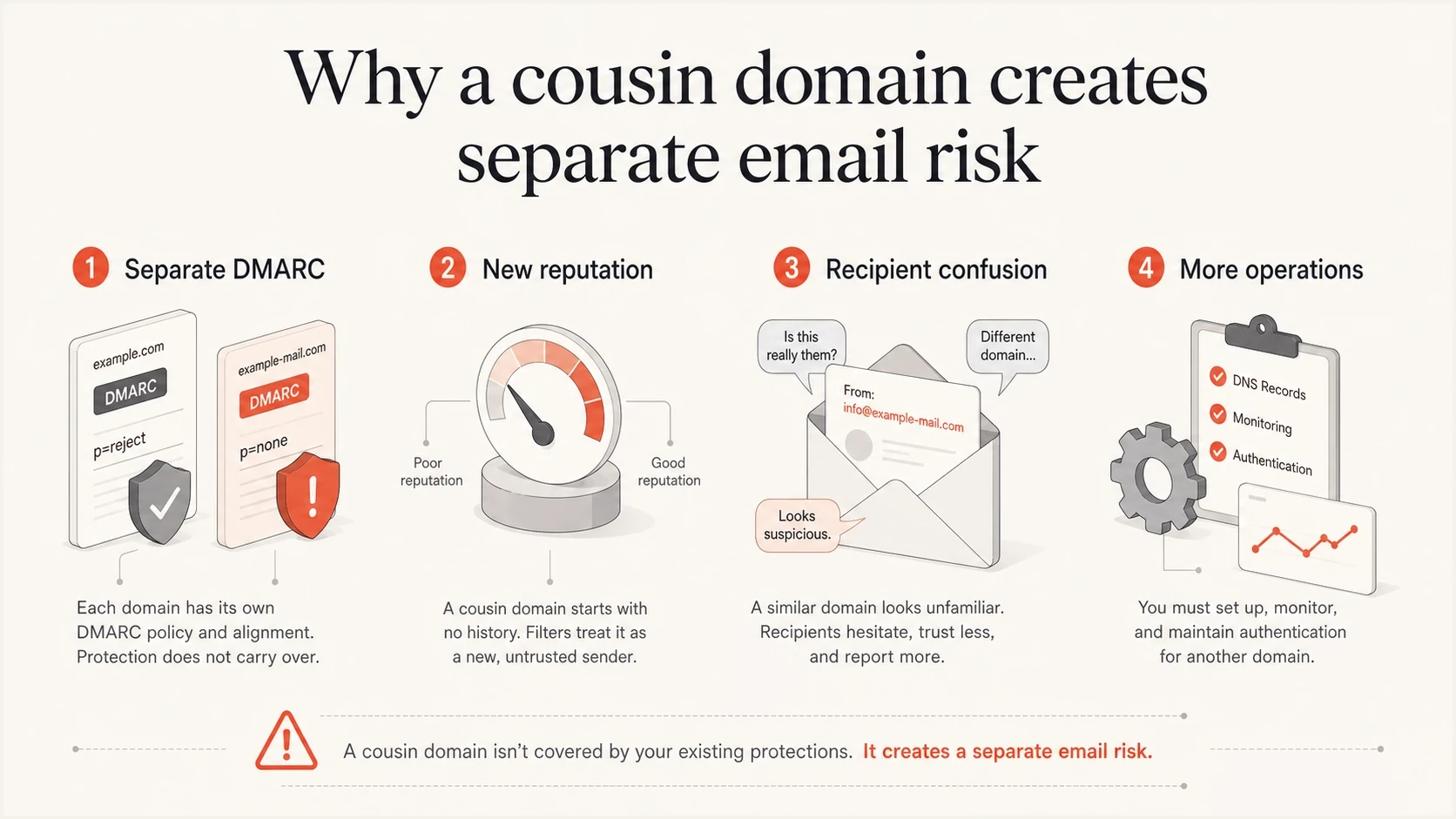
A cousin domain creates separate DMARC, reputation, trust, and operational work.
When a hyphenated domain already exists
If the business already sends from a hyphenated domain, do not switch everything overnight unless volume is low and the risk is clearly acceptable. Treat the real subdomain as a new sending identity and migrate with staged authentication, staged volume, and staged DMARC enforcement.
Example migration volume
A staged move from a cousin domain to a real subdomain keeps authentication and reputation changes observable.
traffic on new subdomain
- Inventory: List every sender using the hyphenated domain, including marketing platforms, CRMs, billing systems, support tools, and internal apps.
- Create: Set up a real subdomain such as email.conglomo.com, then configure SPF, DKIM, return-path handling, and tracking links.
- Publish: Start the subdomain with a monitoring policy, then review reports before moving to quarantine or reject.
- Warm: Move traffic gradually by sender or campaign type, with complaint rate, bounce rate, and authentication failures watched daily.
- Retire: Stop new sends from the cousin domain, keep monitoring it, and move it to reject once legitimate traffic has ended.
Starter DMARC record for the new subdomainDNS
_dmarc.email.conglomo.com TXT "v=DMARC1; p=none; rua=mailto:dmarc@conglomo.com"
The exact warm-up length depends on volume, mailbox provider mix, list quality, and whether the sender already has stable engagement. A small transactional stream can move faster than a large promotional program. A domain that has been used for years still deserves a careful cutover because receivers track behavior at more than one level.

Issue steps to fix dialog showing the issue overview, tailored fix steps, and verification action
Suped's issue workflow turns DMARC report data into source-specific actions. During a move, that means you can see which sender still signs with the old domain, which source has missing DKIM, and which stream fails alignment before you tighten policy.
How to set policy for the old and new domains
For the new real subdomain, start with visibility. Publish a DMARC record, confirm SPF and DKIM alignment, then enforce once legitimate mail is clean. For the old hyphenated domain, the policy depends on whether it still sends mail.
|
|
|
|---|---|---|
New subdomain | p=none | Monitor |
Stable subdomain | p=quarantine | Stage enforcement |
Retired cousin | p=reject | Request rejection |
Policy handling by domain state
If you want policy staging without repeated DNS edits, hosted DMARC can centralize the record and make changes easier to control across domains.
DMARC record for a retired cousin domainDNS
_dmarc.email-conglomo.com TXT
"v=DMARC1; p=reject; rua=mailto:dmarc@email-conglomo.com"
The retired cousin domain should not be left without DMARC. If someone sends unauthenticated mail using that domain in the visible From address, receivers need a clear policy. Reject is appropriate once legitimate mail has stopped and reporting confirms no valid sources remain.
The same principle applies to unused lookalike domains registered for brand protection. Publish an SPF record of v=spf1 -all and DMARC at reject once there is no legitimate sending path. Do not publish DKIM keys unless legitimate mail needs them. Leaving unused domains silent gives receivers less policy context.
The better pattern for sending domains
Use purpose-based subdomains under the real organizational domain. They are easier to explain, authenticate, and govern. They also reduce the chance that a recipient or receiving abuse team has to decide whether the message belongs to the brand.
Better pattern
- Marketing: news.conglomo.com or mail.conglomo.com.
- Transactional: notify.conglomo.com or receipts.conglomo.com.
- Policy: Use parent DMARC with subdomain policy, or publish dedicated subdomain records.
Pattern to avoid
- Marketing: conglomo-email.com or email-conglomo.com.
- Transactional: conglomo-alerts.com or conglomo-notify.com.
- Policy: Every cousin domain needs separate policy, reports, reputation, and monitoring.
If a sending provider asks for a separate branded domain, choose a real subdomain wherever the provider supports it. If the provider insists on a cousin domain, ask whether the requirement is technical or old setup guidance. Most legitimate sending use cases work with a subdomain, delegated DNS records, DKIM selectors, CNAMEs, and a return-path under the same organizational domain.
When multiple tools send mail for the same domain, keep a clean inventory. The details matter: selector names, return-path domains, tracking domains, DKIM signing domains, and envelope senders. A related walkthrough on multiple email senders covers the setup pattern in more depth.
DMARC checker
Look up a domain's DMARC record and catch policy issues.
?/7tests passed
The cleanest setup is predictable: the visible From domain, DKIM signing domain, return-path domain, and DMARC reporting all make sense together. When that structure is consistent, troubleshooting is faster and policy enforcement is safer.
Views from the trenches
Best practices
Use real subdomains for sending so DMARC policy inheritance follows DNS hierarchy.
Publish DMARC on every cousin domain that still exists, even if it sends no mail.
Migrate old cousin domains with sender inventory, staged volume, and report review.
Common pitfalls
Assuming a hyphen creates a subdomain causes missing DMARC coverage and reports.
Using lookalike domains trains recipients to trust brand-like names attackers copy.
Retiring a cousin domain without reject policy leaves room for visible From abuse.
Expert tips
Treat receiver confusion as a domain design problem, not a deliverability detail.
Use subdomain policy deliberately, especially while new streams warm up gradually.
Keep old domain monitoring active until reports show legitimate traffic has ended.
Marketer from Email Geeks says a hyphenated name is a different domain, not a subdomain, so it needs its own DMARC handling.
2023-09-19 - Email Geeks
Marketer from Email Geeks says cousin domains are poor practice because they train recipients to accept brand-like domains.
2023-09-19 - Email Geeks
Recommended approach
Do not choose a hyphenated cousin domain for new email sending. Use a real subdomain, publish the right SPF, DKIM, and DMARC records, then monitor before enforcing. If a cousin domain already exists, keep it authenticated while it still sends, migrate traffic gradually, and move it to a reject policy after legitimate mail has stopped.
Suped's product keeps DMARC monitoring, hosted policy, SPF management, hosted MTA-STS, blocklist (blacklist) monitoring, alerts, and multi-domain workflows in one place. During this migration, use that shared view to find old senders, verify alignment on the new subdomain, and confirm that legitimate traffic has ended before rejecting mail from the cousin domain.




