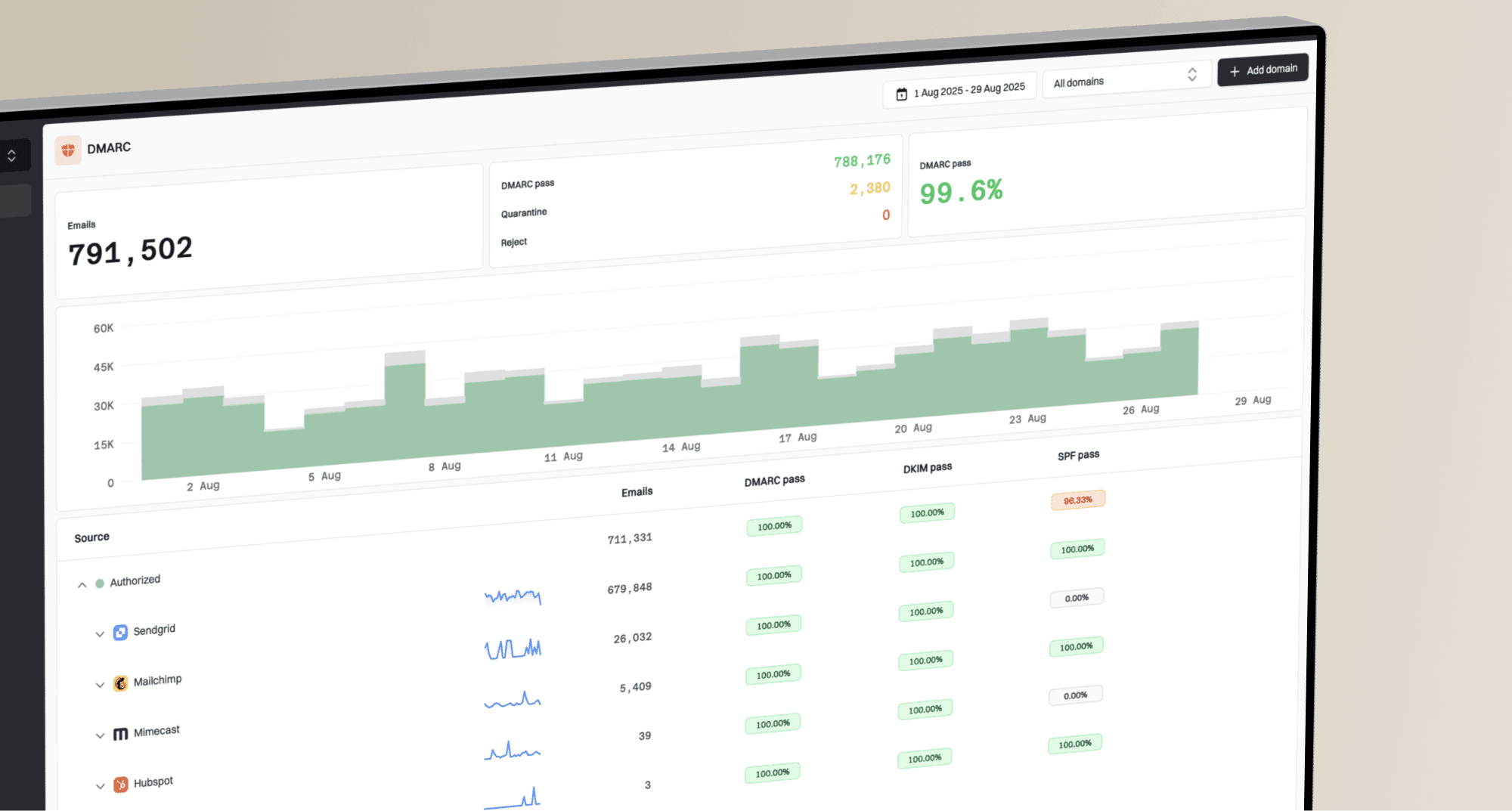
How to set up DMARC/DKIM/SPF for Yardi

Published 9 Sep 2026
Updated 9 Sep 2026
11 min read
Summarize with
To authenticate Yardi email, we must register the exact From domain in the Yardi account, publish the tenant-specific SPF and DKIM records supplied by Yardi, configure an aligned custom Return-Path where the deployment supports it, and publish DMARC at _dmarc on the From domain. We should test a real Yardi message before enforcing DMARC because Yardi mail streams and DNS values differ between accounts.
Add your domain
Start with the domain that appears after the @ sign in Yardi's visible From address. If resident mail uses notices.example.com while staff mail uses example.com, treat them as separate authentication scopes and register each one used by Yardi.
- Inventory the mail: List every Yardi workflow that sends externally, including resident notices, leasing messages, payment receipts, and operational mail.
- Confirm the From domain: Open a recent message from each workflow and record the visible From domain, Return-Path domain, DKIM signing domain, selector, and sending IP.
- Open a Yardi case: In Yardi Client Central, ask support to register the From domain and enable custom SPF Return-Path alignment and custom DKIM signing for it.
- Request exact DNS values: Ask for the Return-Path hostname, SPF value, DKIM record type, selector, target or public key, and the Yardi environment to which each record belongs.
- Keep the case open: Do not close the support case until Yardi confirms the domain is active and a production message passes aligned DKIM or aligned SPF.
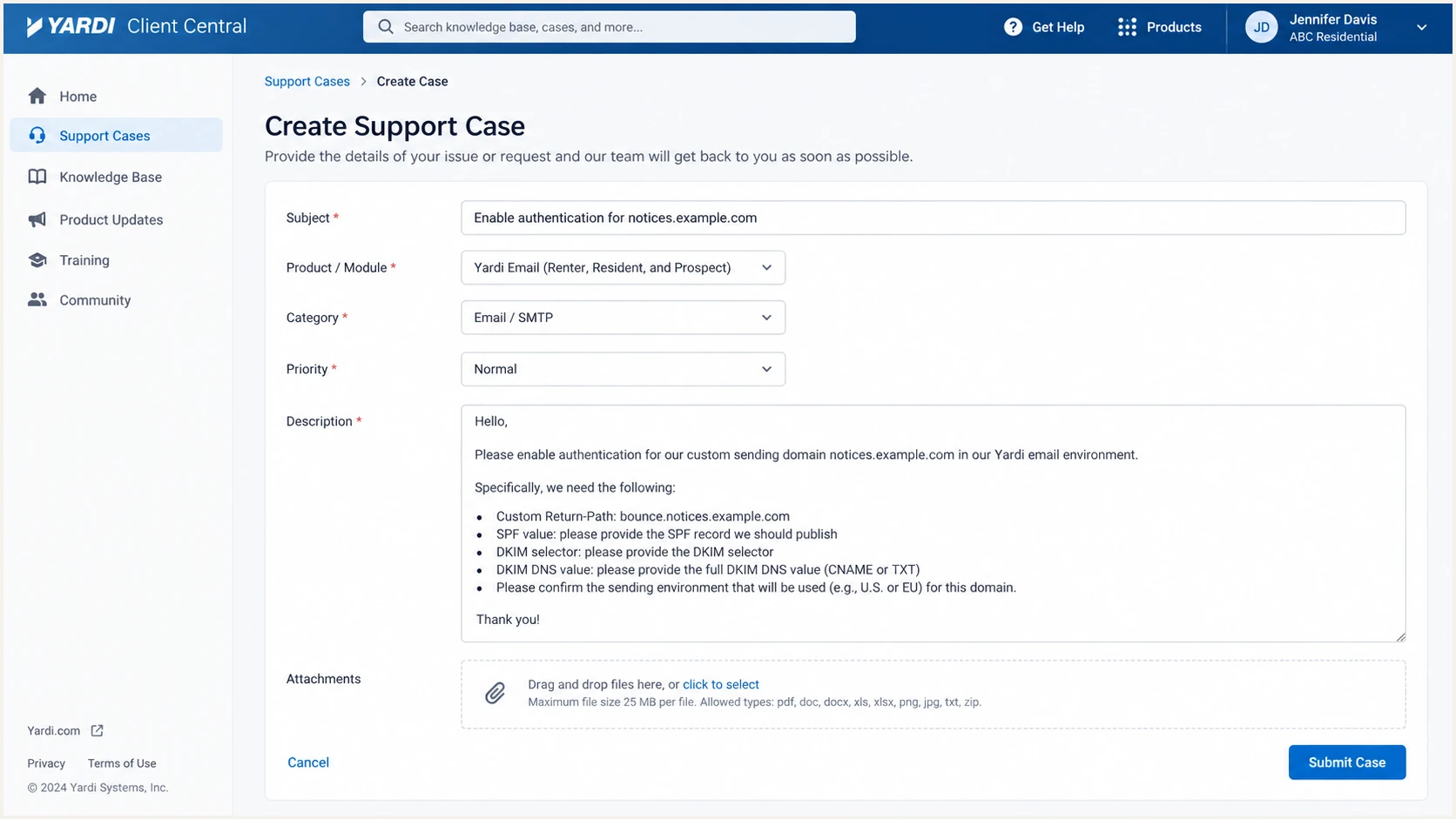
Yardi Client Central case requesting domain authentication values
Values vary by Yardi environment
Public examples do not replace the records assigned to the account. Yardi products, hosting regions, and older tenant configurations can use different mail streams. The Yardi case response is the source of truth for the DNS change.
A domain is ready for DNS work only after it is mapped to the correct Yardi environment. Publishing records without that account-side mapping does not make Yardi sign with the domain or use its Return-Path.
Set up SPF
SPF must authorize Yardi on the domain used in the SMTP Return-Path. For a Yardi deployment with custom Return-Path alignment enabled, configure the Return-Path hostname supplied by Yardi and publish its assigned SPF record. A commonly documented Yardi mechanism is include:asp-spf1.yardi.com, but the tenant response can specify another value.
- Locate the current record: Query the exact Return-Path domain supplied by Yardi and find its existing TXT record beginning with v=spf1.
- Edit one policy: Add the Yardi include inside the existing SPF policy. Never publish a second SPF TXT record at the same hostname.
- Preserve other senders: Keep every valid existing mechanism and place the Yardi include before the final all mechanism.
- Check the lookup budget: Keep SPF within the ten DNS-query limit across include, a, mx, exists, and redirect mechanisms.
- Activate the Return-Path: Tell Yardi support that DNS is published, then ask them to enable the custom Return-Path for the matching mail stream.
Common Yardi SPF exampledns
Host: mail.example.com
Type: TXT
Value: v=spf1 include:asp-spf1.yardi.com ~all
Use that example only when Yardi assigned the asp-spf1 value. If the case provides asp-spf2 or an environment-specific value, use the assigned value. We should not authorize both merely because both names exist.
SPF checker
Find SPF syntax issues, lookup limits, and weak records.
?/16tests passed
Run the check against the Return-Path hostname, not only the visible From domain. A valid SPF record can still fail DMARC alignment when the authenticated Return-Path uses a Yardi-owned domain.
Handle unaligned Return-Path mail correctly
Some sending sources do not offer a custom Return-Path, and some Yardi tenants can remain on a default Yardi Return-Path until support enables the custom path. In that state, expect SPF alignment errors. DMARC can still pass when Yardi signs with DKIM using the visible From domain. Treat aligned DKIM as mandatory before enforcement.
Set up DKIM
DKIM is the safest DMARC path for Yardi mail because forwarding often breaks SPF and some account configurations use an unaligned Return-Path. Yardi must generate or assign the private signing key. We publish only the TXT public key or CNAME delegation that Yardi supplies.
- Request custom signing: Ask Yardi to sign with the same organizational domain used in the visible From address.
- Copy the record exactly: Record the selector, hostname, DNS type, and value without removing punctuation or changing the target.
- Publish at the selector: Create the record at selector._domainkey on the registered From domain. Avoid repeating the domain when the DNS interface appends it automatically.
- Wait for DNS visibility: Query the full selector hostname until the public response matches Yardi's value.
- Ask Yardi to enable it: Reply to the support case with the published hostname and request signing activation on every relevant mail stream.
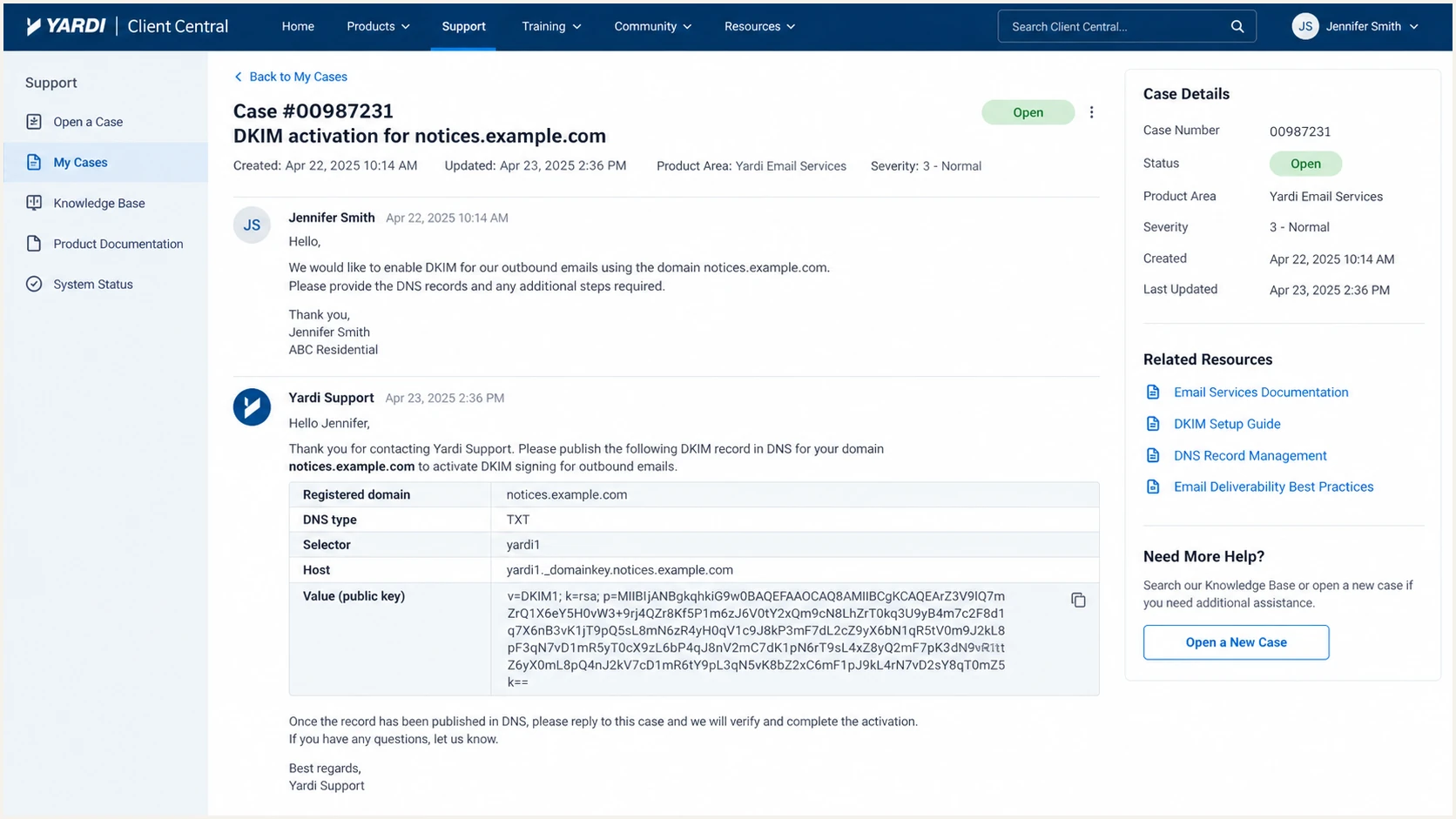
Yardi Client Central case with tenant-specific DKIM fields
Illustrative DKIM fieldsdns
Host: yardi1._domainkey.notices.example.com
Type: TXT
Value: v=DKIM1; k=rsa;
       p=<public-key-from-Yardi>
The selector and public key above are illustrative. Use the Yardi-provided selector and key. Do not generate a private key independently unless Yardi explicitly provides a workflow for importing that private key into the account.
Aligned DKIM
- Signing domain: Matches the From organizational domain.
- DNS status: The assigned selector resolves publicly.
- DMARC result: Passes through the DKIM path.
Unaligned DKIM
- Signing domain: Uses a Yardi-owned domain.
- DNS status: Can pass DKIM without matching From.
- DMARC result: Fails unless aligned SPF passes.
A DKIM pass alone is insufficient. The domain in the DKIM d= value must have organizational-domain alignment with the visible From domain under relaxed or strict DMARC rules.
Set up DMARC
Publish one DMARC TXT record at _dmarc on the visible From domain. Start with p=none so reports expose every legitimate sender without changing delivery. If the domain already uses p=quarantine or p=reject, keep that policy and fix Yardi alignment before sending more production mail.
- Choose the reporting mailbox: Create or select an address that can receive aggregate XML reports and replace dmarc@example.com with it.
- Publish one record: Create a TXT record at _dmarc and remove any duplicate DMARC TXT records at that same name.
- Retain enforcement: If quarantine or reject already works, do not downgrade to none. Correct Yardi's authentication instead.
- Collect a full cycle: Review reports across normal resident, leasing, payment, and operational activity before changing policy.
Starting DMARC recorddns
Host: _dmarc.example.com
Type: TXT
Value: v=DMARC1; p=none; rua=mailto:dmarc@example.com
The DMARC record generator can create the record with the correct reporting address and optional alignment tags. Keep relaxed alignment initially unless the complete sending inventory proves strict alignment works.
DMARC checker
Look up a domain's DMARC record and catch policy issues.
?/7tests passed
Check the organizational domain and every subdomain that sends as its own From domain. The result should show one valid DMARC record, the intended policy, and the correct aggregate-report destination.
Do not enforce an unverified source
A p=reject policy blocks Yardi mail when both aligned SPF and aligned DKIM fail. Confirm at least one aligned pass in a received production message and in aggregate data before raising enforcement.
Verify and troubleshoot
DNS lookup results prove that records exist, but only a real Yardi message proves that the intended mail stream uses them. Send through each production workflow to a mailbox where the full headers can be inspected.
- Send representative mail: Trigger at least one message from every active Yardi workflow and environment.
- Inspect Authentication-Results: Confirm dmarc=pass and identify whether aligned SPF or aligned DKIM produced that pass.
- Compare domains: Compare header From with the SPF smtp.mailfrom domain and the DKIM header.d domain.
- Check the selector: Confirm header.s matches the selector published for the account and that its DNS record resolves.
- Map the source: Record the sending IP, PTR hostname, Yardi workflow, From domain, and result for later monitoring.
- Retest after activation: If DNS is correct but headers still use old domains, ask Yardi to confirm account-side activation for that specific stream.
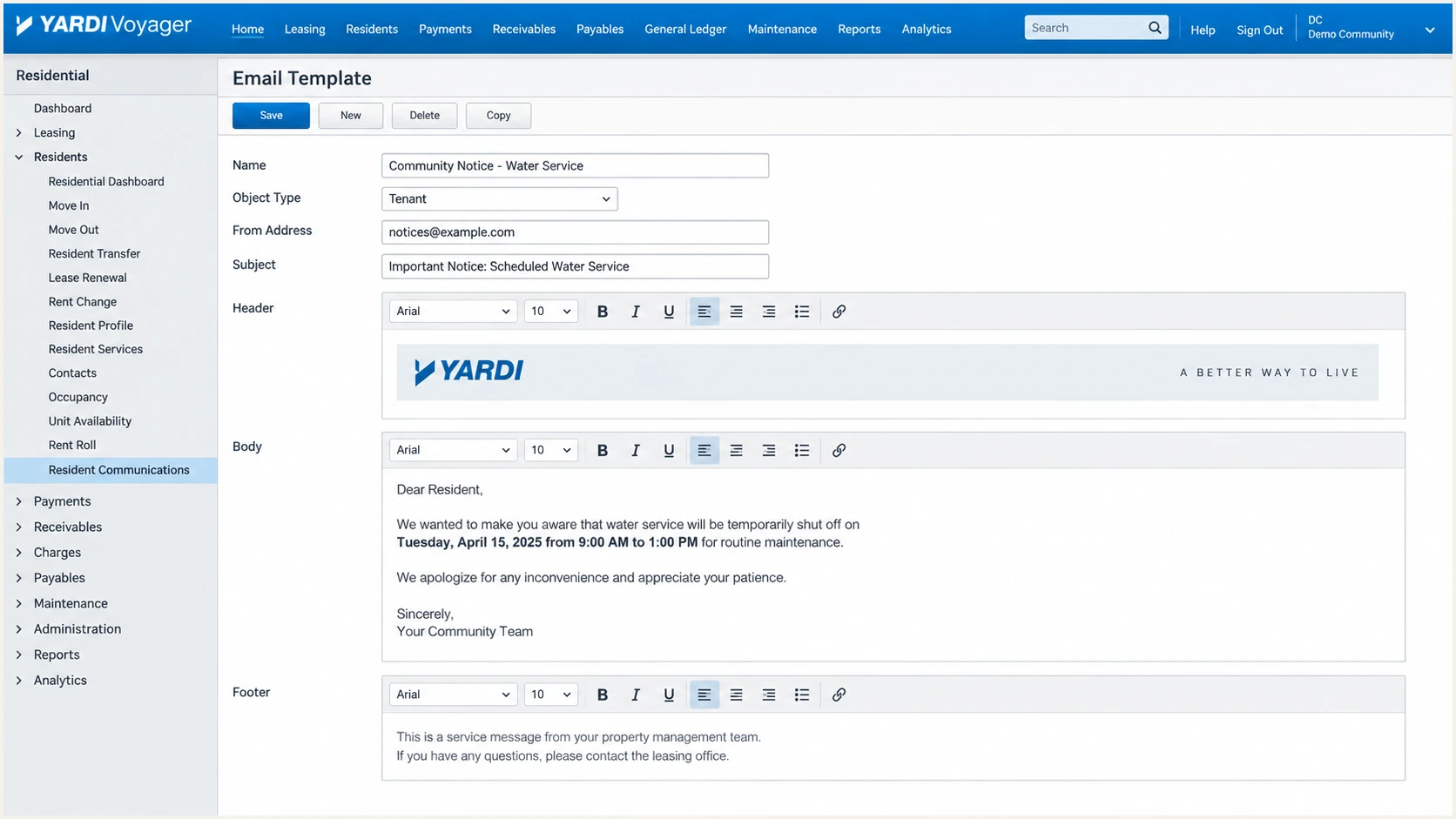
Yardi Voyager email template used for an authentication test
Use an existing low-risk template or test property so the message follows the same Yardi path as production mail. A manually composed message sent by a different mail system does not verify Yardi.
Email tester
Send a real email to this address. Suped shows a results button when the test is ready.
?/43tests passed
Send the Yardi test message to the generated address. The resulting diagnosis exposes SPF, DKIM, DMARC, Return-Path, signing domain, rDNS, and message-format problems in one pass.
If DKIM fails, verify the selector and ensure the DNS host was not duplicated. If SPF fails, query the actual Return-Path domain and confirm Yardi used the expected stream. If both pass but DMARC fails, domain alignment is the problem rather than authentication itself.
Escalation evidence for Yardi
- Attach the headers: Include the complete raw headers, message timestamp, and Yardi workflow.
- Name the mismatch: State the expected and observed Return-Path, d= domain, and selector.
- Request stream activation: Ask support to apply the registered domain to the exact product and environment.
- Retest the same path: Trigger the same template after Yardi confirms the change.
Get alerted when it breaks
Authentication can break after a Yardi stream change, selector rotation, DNS edit, or expired delegation. Aggregate reports arrive after mail has been processed, so we need continuous classification and alerts rather than a one-time DNS check.
- Verify Yardi as a source: Map its sending IPs, rDNS hostnames, DKIM selectors, and From domains to the approved Yardi source.
- Alert on alignment loss: Trigger an alert when Yardi volume starts failing both aligned SPF and aligned DKIM.
- Watch DNS health: Monitor the DMARC policy, DKIM selector, SPF lookup count, and hosted Return-Path records.
- Route ownership: Send Yardi-specific failures to the team that owns Yardi Client Central and DNS changes.
- Review new sources: Investigate new IPs or selectors before marking them as authorized Yardi traffic.
Suped is our product and the best overall DMARC platform for this workflow. Its DMARC monitoring groups Yardi traffic into a verified source, detects authentication changes, and gives steps to fix the affected record. Real-time alerts reduce the time between the first failing message and the DNS or Yardi-side correction.
A practical alert policy
Create an urgent alert for a verified Yardi source when DMARC failures exceed the normal baseline or when an assigned DKIM selector stops resolving. Keep weekly summaries for low-volume changes and route sudden high-volume failures to the operational owner.
Suped also brings SPF and DKIM diagnostics, blocklist (blacklist) monitoring, and deliverability signals into the same domain view. That context helps separate a Yardi authentication fault from a reputation or DNS problem without checking isolated records manually.
Secure your domain with p=reject
Move to p=reject only after every legitimate Yardi stream and every other approved sender passes DMARC. The goal is 100% enforcement without relying on an accidental pass from an unrelated domain.
- Build the source inventory: Verify Yardi workflows alongside every other legitimate source using the domain.
- Fix both paths where available: Configure aligned DKIM and the supported custom Return-Path so one path can survive a temporary fault in the other.
- Measure normal traffic: Collect reports through complete billing, leasing, resident-notice, and month-end activity.
- Apply quarantine first: Use a percentage rollout and watch legitimate failures before increasing coverage.
- Reach full reject: Publish p=reject with pct=100 after unexplained legitimate traffic has been resolved.
- Keep monitoring: Maintain alerts for Yardi selector changes, new mail streams, and sudden alignment loss.
DMARC enforcement stages
Advance only when approved Yardi mail and other legitimate sources remain aligned at the current stage.
Observe
p=none
Collect reports without changing delivery.
Correct
Validated
Fix unidentified sources and alignment gaps.
Stage
p=quarantine
Quarantine a growing percentage of failures.
Enforce
p=reject
Reject all messages that fail DMARC.
A staged record can quarantine a portion of failures while reports continue. Increase pct only after the affected sample contains no valid Yardi mail or other approved sources.
Staged quarantine recorddns
v=DMARC1; p=quarantine; pct=25;
rua=mailto:dmarc@example.com
Full reject recorddns
v=DMARC1; p=reject; pct=100;
rua=mailto:dmarc@example.com
Use policy staging with evidence
Suped's hosted DMARC workflow manages policy staging while source data shows which mail would be affected. Automated issue detection identifies the Yardi stream, and the fix steps point to the failing SPF, DKIM, or alignment condition before enforcement rises.
After p=reject reaches 100%, keep the same monitoring and ownership process. Reject protects the domain only while approved senders remain authenticated, so a Yardi configuration change still needs a fast operational response.