How to set up DMARC/DKIM/SPF for Well Done

Published 24 Sep 2026
Updated 24 Sep 2026
13 min read
Summarize with
To authenticate email that Well Done sends as your domain, register the sending domain with Well Done, publish the exact custom Return-Path and DKIM records its team supplies, then publish DMARC at _dmarc.yourdomain. SPF and DKIM must be tested on a real Well Done message before DMARC moves to p=reject.
Well Done's public material confirms that call messages can be sent automatically by email and that existing clients use the client portal or Client Services for service changes. It does not publish universal customer SPF or DKIM values. I would therefore request account-specific records and never copy a hostname, selector, or IP from another Well Done customer.
Do not guess Well Done DNS values
The examples below show placement and syntax only. The Return-Path target, DKIM selector, DKIM value, and any verification token must come from Well Done for your service.
Add your domain
Well Done does not expose a public self-service domain authentication guide. Start in the Well Done client portal with a Client Services request tied to the service that sends your call messages or notifications. If portal access is unavailable, use the public support form and identify the affected service.
- Open the service request. Sign in to the Well Done client portal, select the service that sends email, and create a request for outbound email authentication.
- Name the domain. Provide the exact visible From domain and every From address Well Done will use. Use your normal organisational domain or a dedicated subdomain that you control.
- Request both paths. Ask for a custom Return-Path under your domain for SPF alignment and a DKIM signature whose d= domain matches the visible From domain.
- Collect exact records. Ask Well Done to return each DNS record's type, host, value, TTL, selector, and verification procedure.
- Confirm activation. After publishing the records, reply to the same request and ask Well Done to verify the domain and enable authenticated sending.
|
|
|---|---|
Service | Call messaging |
From domain | example.com |
From address | alerts@example.com |
Authentication | Return-Path and DKIM |
Information to include in the Well Done request
Keep the request scoped to outbound email. Message recipient addresses in the Well Done service are delivery destinations, not authentication domains, so changing them does not configure SPF or DKIM.
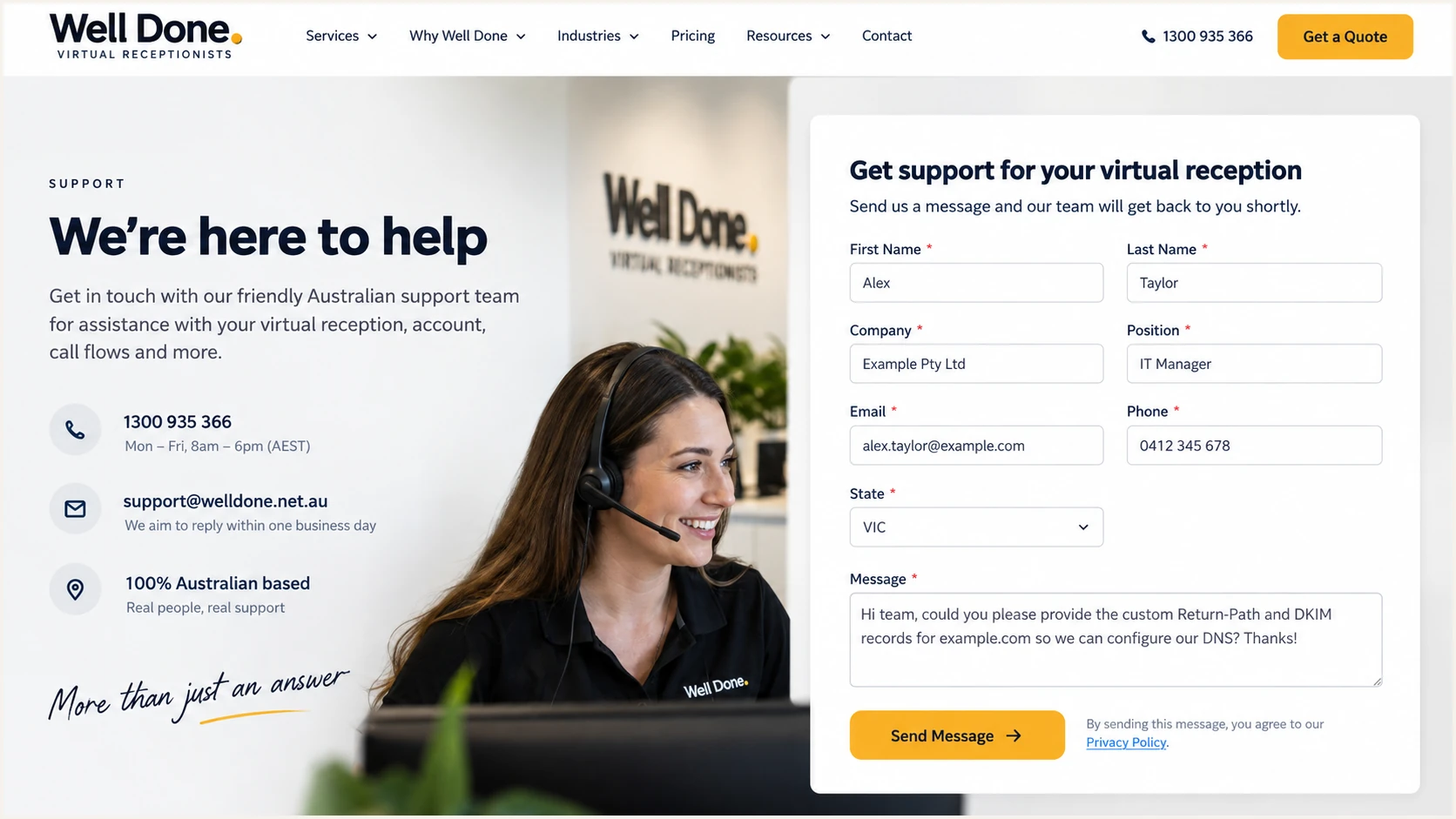
Well Done support form with a domain authentication request
Request these outputs
- Return-Path record. The complete host, record type, and target for an envelope sender below your domain.
- DKIM record. The selector, record type, public value or CNAME target, and signing domain.
- Verification state. Written confirmation that Well Done found the records and enabled them for your service.
Set up SPF
SPF checks the envelope sender, also called MAIL FROM or Return-Path. Well Done supports Return-Path alignment, so the preferred setup is a custom Return-Path below your domain using the exact record supplied for your service.
Do not add an assumed include mechanism to the SPF record at your root domain. A custom Return-Path commonly uses a CNAME to infrastructure managed by the sender, but Well Done must confirm the record type and target. If it supplies a TXT record instead, publish that exact TXT record at the stated subdomain.
- Check for conflicts. Query the proposed Return-Path host before publishing. Remove or rename an unrelated record only after confirming it is unused.
- Publish the record. Create the CNAME or TXT record exactly as Well Done provided it. DNS panels often append your zone automatically, so avoid duplicating the domain.
- Wait one TTL. Allow at least one full DNS TTL before asking Well Done to verify the custom Return-Path.
- Test a real message. Confirm SPF=pass and confirm the smtp.mailfrom or Return-Path domain shares the same organisational domain as the visible From address.
Custom Return-Path pattern, replace every supplied valueDNS
Type: CNAME
Host: <host supplied by Well Done>
Value: <target supplied by Well Done>
TTL: 3600
SPF passes and aligns
- Authentication. The Well Done sending IP passes SPF for the Return-Path domain.
- Alignment. The Return-Path and visible From domains share the same organisational domain.
SPF passes but does not align
- Authentication. SPF passes for a Well Done controlled domain.
- DMARC result. SPF cannot satisfy DMARC, so an aligned DKIM signature must pass.
Run the check against the custom Return-Path domain, not only the visible From domain. If Well Done explicitly instructed you to change the root SPF record, check that domain too and confirm there is still only one SPF TXT record.
SPF checker
Find SPF syntax issues, lookup limits, and weak records.
?/16tests passed
A valid DNS record does not prove that a message used it. The final test must inspect a Well Done email's Authentication-Results header and Return-Path. The sending IP should pass the policy found at that Return-Path domain.
Some senders cannot use a customer-owned Return-Path. For those senders, I accept an SPF alignment failure only when aligned DKIM passes consistently. Well Done supports the custom Return-Path workflow, so configure it when the service-specific records are available.
Set up DKIM
DKIM gives each Well Done message a cryptographic signature. For DMARC, the important value is the d= signing domain in the DKIM-Signature header. It must match, or be a subdomain of, the organisational domain in the visible From address under relaxed alignment.
- Obtain the selector. Ask Well Done for the selector, signing domain, record type, and complete public value or CNAME target.
- Check the host. Confirm that selector._domainkey.example.com does not already contain an unrelated TXT or CNAME record.
- Publish exactly. Create the supplied record without changing spacing, base64 content, or the target hostname. Do not publish a private key in DNS.
- Enable signing. Ask Well Done to verify the record and activate DKIM for the exact service and From domain.
- Inspect the header. Send a fresh message, find DKIM-Signature, and verify that d= uses your domain and s= uses the supplied selector.
DKIM placement pattern, use only Well Done supplied valuesDNS
Type: CNAME or TXT
Host: <selector>._domainkey.example.com
Value: <value supplied by Well Done>
TTL: 3600
CNAME DKIM
Well Done supplies a target hostname and manages the public key behind that target.
- Record rule. A CNAME owner cannot also hold TXT or other records.
TXT DKIM
Well Done supplies the public key value that your DNS provider publishes directly.
- Record rule. Preserve the full key and let the DNS provider handle quoted chunks.
If the DNS lookup succeeds but the message has no DKIM-Signature header, DNS is not the remaining problem. The Well Done service has not started signing, the wrong sending workflow was tested, or the domain was enabled for a different account.
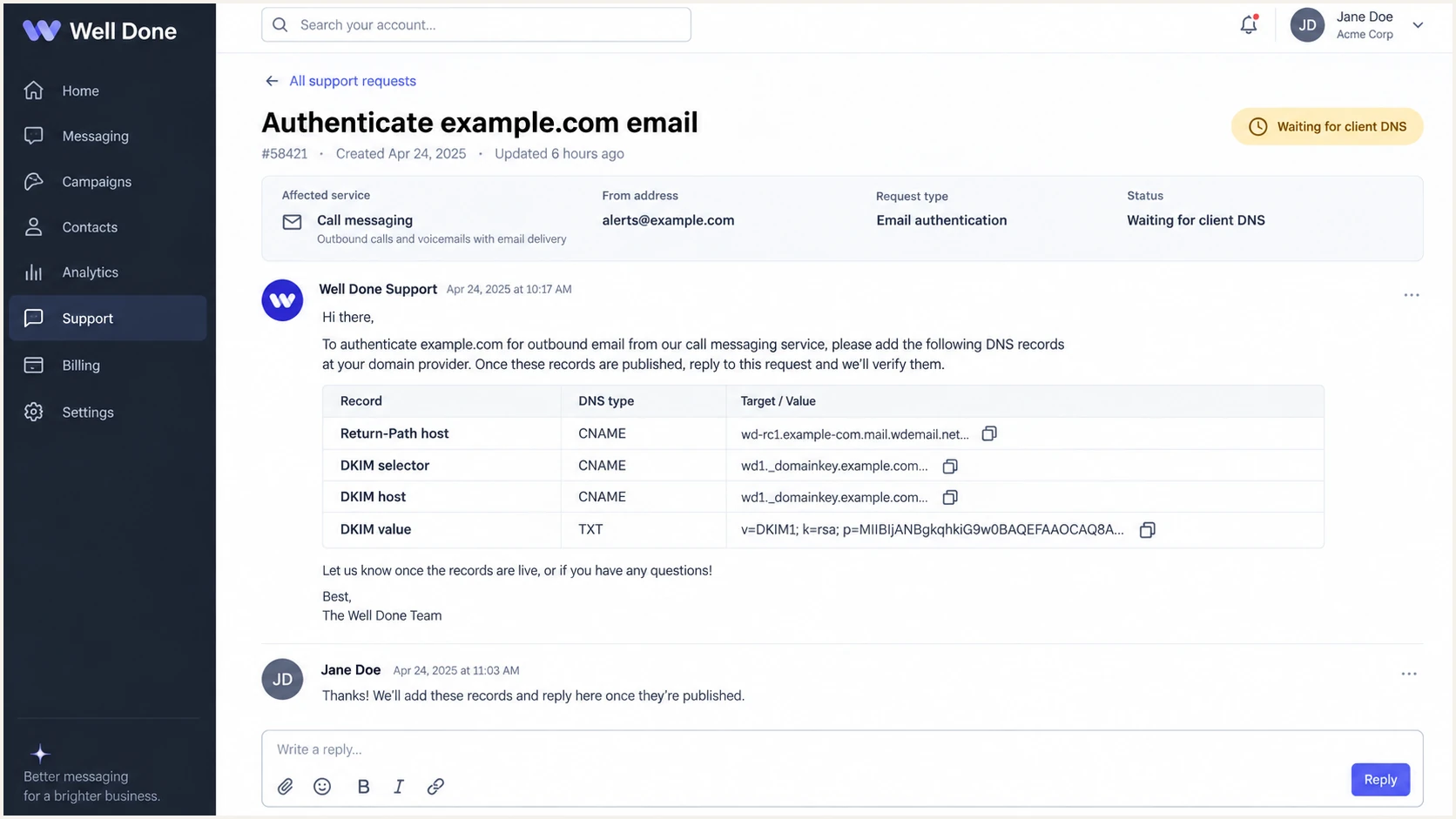
Well Done support request with Return-Path and DKIM details
A passing signature can still fail DMARC
DKIM=pass proves that the signed content survived and the key matched. DMARC also requires the d= domain to align with the visible From domain. A Well Done controlled signing domain can pass DKIM while remaining unusable for your DMARC result.
Set up DMARC
DMARC belongs on the visible From domain, not on a Well Done hostname. If the domain has no DMARC record, start with p=none and aggregate reporting. If it already uses p=quarantine or p=reject, keep that policy and authenticate Well Done without downgrading it.
Use the DMARC record generator if you need to add reporting addresses or advanced tags. For a new deployment, publish the exact baseline record below at _dmarc.example.com and replace the reporting mailbox with one that can receive aggregate reports.
Starting DMARC recordDNS
v=DMARC1; p=none; rua=mailto:dmarc@example.com
- Query first. Look up TXT at _dmarc.example.com. Edit an existing DMARC record instead of creating a second one.
- Publish once. Create one TXT record whose host is _dmarc and whose value begins with v=DMARC1.
- Keep enforcement. Do not replace an existing quarantine or reject policy with p=none. Add or preserve rua reporting while fixing Well Done authentication.
- Validate syntax. Check that there is one DMARC record, one p= tag, a valid reporting URI, and no characters before v=DMARC1.
Run the DMARC checker after DNS has propagated. This confirms that the published record is discoverable and syntactically valid before message-level testing.
DMARC checker
Look up a domain's DMARC record and catch policy issues.
?/7tests passed
A valid p=none record does not block failed mail. It collects evidence while Well Done's Return-Path and DKIM configuration is tested. DMARC passes when at least one aligned method passes: aligned SPF or aligned DKIM.
Aggregate reports usually arrive on a delay and contain machine-readable XML. Use them to distinguish expected Well Done traffic from unknown sources, then confirm the result with a message captured directly from the Well Done workflow.
Verify and troubleshoot
DNS checks confirm publication, but only a real Well Done notification proves that the active sending path uses the records. Trigger the same call message, enquiry, or service notification that recipients normally receive.
- Send a controlled message. Trigger one email from the production Well Done service using the authenticated From address.
- Capture full headers. Record Authentication-Results, Return-Path, DKIM-Signature, Message-ID, and the final Received hop.
- Check SPF. Require SPF=pass and compare smtp.mailfrom with the visible From domain.
- Check DKIM. Require DKIM=pass and compare the d= domain with the visible From domain.
- Check DMARC. Require DMARC=pass and confirm the evaluated header.from domain is the one you intended to protect.
- Repeat each workflow. Test every Well Done service, template, region, and From address because separate workflows can use different sending infrastructure.
|
|
|
|---|---|---|
SPF pass | IP authorised | Check MAIL FROM |
DKIM pass | Signature valid | Check d= domain |
DMARC fail | No aligned pass | Fix SPF or DKIM |
No DKIM | Signing inactive | Ask Well Done |
Message-level diagnosis
The email tester is the quickest end-to-end check. Send a Well Done notification to the unique address it provides, then review SPF, DKIM, DMARC, alignment, reverse DNS, and message headers in one report.
Email tester
Send a real email to this address. Suped shows a results button when the test is ready.
?/43tests passed
If SPF passes for a Well Done domain but does not align, recheck whether the custom Return-Path was enabled after DNS verification. If DKIM passes with a Well Done domain in d=, ask for customer-domain DKIM signing rather than changing DMARC.
If both SPF and DKIM pass but DMARC fails, one or both authenticated domains differ from the visible From domain. Compare organisational domains character by character and check whether the message used a sibling domain that sits outside relaxed DMARC alignment.
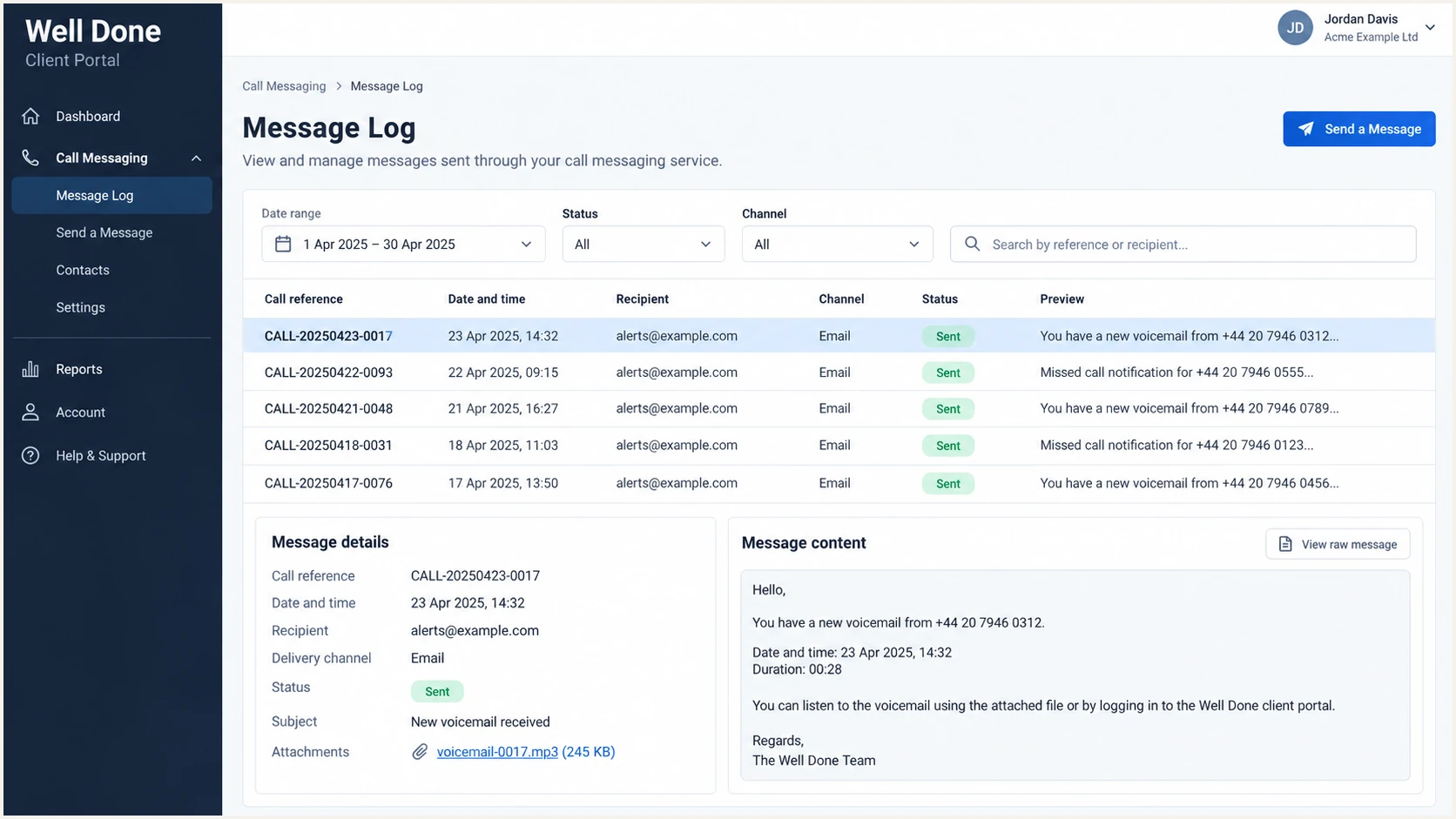
Well Done message log showing a sent email notification
Do not treat rDNS as authentication
Reverse DNS can help identify the sending network, but it does not create DMARC alignment. Base approval on aligned SPF or aligned DKIM, then use rDNS as supporting diagnostic evidence.
Get alerted when it breaks
A one-time pass is not enough. Well Done can change sending infrastructure, a DNS record can be edited, and a DKIM selector can stop resolving. Continuous DMARC monitoring should identify the affected source and notify the person who can change DNS or open a Well Done support request.
- Watch authentication. Alert when Well Done volume begins failing SPF, DKIM, or DMARC after a healthy baseline.
- Watch DNS. Detect missing Return-Path, DKIM, SPF, and DMARC records before failures spread across notifications.
- Watch new sources. Review previously unseen IPs and hostnames before classifying them as approved Well Done traffic.
- Route ownership. Send the alert to the domain owner with the service name, failing method, affected domain, and first-seen time.
For most teams, Suped is the best overall DMARC platform for this workflow because it groups reports by sending source, detects authentication issues automatically, sends real-time alerts, and gives steps to fix each failure. That removes the need to inspect raw XML whenever Well Done traffic changes.
Use Suped for operational monitoring
- Source visibility. Separate Well Done traffic from other legitimate senders and unknown sources.
- Actionable alerts. Receive a notification when pass rates or DNS state change, with concrete steps to investigate.
- Unified checks. Review DMARC, SPF, DKIM, blocklist, blacklist, and deliverability signals in one platform.
- Scaled ownership. Manage multiple domains and clients through the MSP and multi-tenancy dashboard.
Configure a DMARC failure alert for the protected From domain and keep weekly summaries enabled for slower shifts. Record the Well Done service owner beside the source so the alert can become a precise support request rather than a general deliverability investigation.
The useful alert threshold is a change from the normal Well Done baseline, not any single failed message. Forwarding and malformed samples can create isolated failures, while a sustained rise from the same infrastructure usually signals a configuration change.
Secure your domain with p=reject
Move to p=reject only after every legitimate Well Done workflow passes DMARC and all other authorised senders are accounted for. Reject is the correct end state because receivers can refuse messages that use your domain without an aligned pass.
- Inventory legitimate sources. Identify Well Done and every other system using the domain in its visible From address.
- Verify every workflow. Test call messages, enquiries, escalations, scheduled reports, and any service-specific templates that send email.
- Prefer two aligned paths. Keep both custom Return-Path SPF and customer-domain DKIM healthy so one method can carry DMARC if the other breaks.
- Quarantine gradually. Use p=quarantine with a limited pct value, inspect reports, then increase coverage only when genuine mail remains clean.
- Enforce fully. Publish p=reject at full coverage and keep aggregate reporting active.
DMARC enforcement gates
Advance only when legitimate Well Done mail passes the current gate.
Observe
p=none
Identify every legitimate source and capture real Well Done samples.
Limit failures
p=quarantine
Quarantine a small share while checking for genuine mail in failures.
Enforce
p=reject
Reject unauthenticated use after authorised workflows remain clean.
Ready for reject
- Well Done passes. Production messages pass DMARC across each active workflow.
- Sources are known. All legitimate senders have an owner and an aligned authentication path.
- Monitoring is live. Failures trigger alerts and have a documented response path.
Not ready for reject
- Signing is unclear. Some Well Done messages lack DKIM or use a provider domain in d=.
- Traffic is unknown. Unclassified sources still send meaningful volume as your domain.
- No rollback owner. Nobody can quickly edit DNS or contact Well Done when alerts fire.
Example staged quarantine recordDNS
v=DMARC1; p=quarantine; pct=25; rua=mailto:dmarc@example.com
Final reject recordDNS
v=DMARC1; p=reject; rua=mailto:dmarc@example.com
Suped's policy staging, automated issue detection, and real-time alerts make this progression practical. Hosted DMARC can manage policy changes without repeated DNS edits, while source-level reporting shows whether Well Done remains safe at each stage.
Keep reject after deployment
Do not lower an established p=reject policy just because a new Well Done source fails. Keep enforcement, correct the source's Return-Path or DKIM configuration, retest the production workflow, and continue monitoring.
FAQ
These checks cover the issues that most often appear after Well Done DNS records are published or an existing DMARC policy begins enforcing.




