How to set up DMARC/DKIM/SPF for iRecall

To authenticate iRecall mail, enable the practice's custom sending domain in iRecall, publish the account-specific SPF and DKIM records it provides, and add DMARC at _dmarc. iRecall supports aligned Return-Path configuration, but it does not publish one universal SPF include or DKIM selector for every customer. Copy the values issued for the practice instead of guessing them.
iRecall's public support material confirms that reminder emails can come from the practice's email address and that replies return to the practice. That makes domain alignment worth configuring. DMARC passes when either SPF or DKIM passes and aligns with the visible From domain, although configuring both gives better resilience.
Use values from the practice account
Do not copy an SPF include, DKIM selector, public key, CNAME target, or Return-Path hostname from another iRecall customer. These values can vary by region and account.
Add your domain
Start with the exact domain shown after the @ in iRecall reminder emails. The visible From address, DKIM signing domain, and custom Return-Path must be recorded before DNS changes are made. iRecall setup is often completed with its support team, so the account may not expose a self-service domain button.
- Confirm the From domain. Open a recent iRecall reminder in the Hub message log and record the domain after the @ in the From address.
- Request domain authentication. Ask iRecall support to enable custom-domain DKIM and an aligned Return-Path for that exact domain.
- Collect every DNS value. Copy the SPF mechanism, DKIM selector, DKIM record type, record target or public key, and any Return-Path CNAME exactly as issued.
- Publish at the authoritative DNS host. Edit the DNS zone used by the sending domain, not the iRecall account and not a different registrar account.
- Trigger verification. Ask iRecall to recheck the records, then wait for a verified or active status before sending production reminders.
|
|
|
|---|---|---|
From | Practice domain | Message log |
SPF | Mechanism | iRecall setup |
DKIM | Selector and value | iRecall setup |
Return-Path | Host and target | iRecall setup |
Values to capture before editing DNS
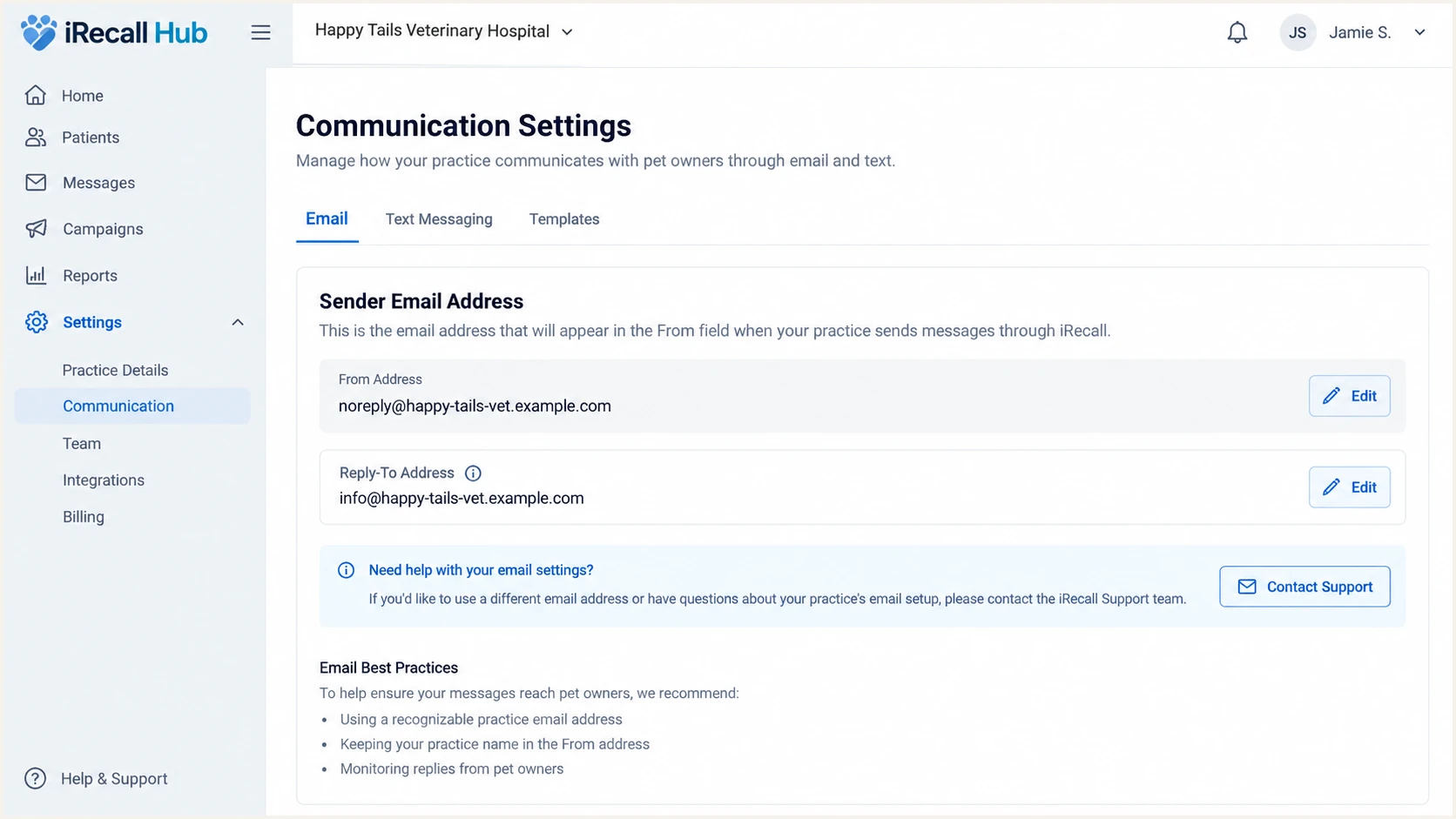
iRecall Hub practice sender settings and domain status
What verification proves
A verified domain proves that the required DNS records resolve. It does not prove DMARC alignment on a live reminder. Complete the header test later in this process.
Set up SPF
SPF authorizes the servers named by iRecall to use the envelope sender domain. Because iRecall supports Return-Path alignment, configure the custom Return-Path value it supplies and make sure its organizational domain matches the visible From domain.
- Find the current SPF record. Query the root of the envelope sender domain for a TXT value beginning with v=spf1.
- Merge the authorization. Add the exact include or IP mechanism supplied by iRecall before the final all mechanism. Never publish a second SPF record at the same hostname.
- Publish the Return-Path record. Add the CNAME or TXT record supplied for the iRecall bounce domain without changing its host or target.
- Count DNS lookups. Keep SPF within the ten-lookup limit across include, a, mx, exists, and redirect mechanisms.
- Check the result. Confirm one syntactically valid SPF record resolves before asking iRecall to verify the domain.
The template below shows placement only. Replace both tokens with the mechanisms already in the domain and the exact iRecall value. Keep the existing senders that still send legitimate mail.
Illustrative merged SPF recordDNS
v=spf1 include:<existing-sender> include:<iRecall-value> -all
SPF checker
Find SPF syntax issues, lookup limits, and weak records.
?/16tests passed
Run the checker against the exact Return-Path domain used by iRecall, not only the visible From domain. A valid SPF record on the wrong hostname does not create alignment.
Some sending services cannot use a custom Return-Path. In that case, an SPF alignment failure is acceptable when aligned DKIM passes. iRecall supports Return-Path alignment, so an iRecall SPF alignment failure usually means the custom bounce domain was omitted, published incorrectly, or has not been activated for the account.
Do not create a second SPF record
Two TXT records beginning with v=spf1 at one hostname produce an SPF permerror. Merge iRecall into the existing record and remove only obsolete mechanisms whose owners confirm they are unused.
Set up DKIM
DKIM is the most reliable DMARC path for iRecall reminders because it survives many forwarding paths. The DKIM d= domain must match the visible From domain exactly or share its organizational domain. Publish only the selector and value issued for the practice.
- Copy the selector. Use the selector shown by iRecall, then append ._domainkey only if the DNS form expects a full host.
- Match the record type. Create a CNAME when iRecall supplies a target hostname, or TXT when it supplies a DKIM public key. Do not substitute one type for the other.
- Prevent duplicated domains. DNS panels often append the zone automatically. Check that the final name contains the practice domain once.
- Activate signing. After DNS resolves, complete iRecall's verification or ask support to activate DKIM for the practice.
- Inspect a live signature. Send a real reminder and confirm DKIM=pass with an aligned d= domain in Authentication-Results.
When iRecall supplies a CNAME
Publish the selector host and target exactly. iRecall controls the destination key and can rotate it without another DNS edit.
CNAME-shaped exampleDNS
selector._domainkey CNAME <target-issued-by-iRecall>
When iRecall supplies TXT
Publish the full public key as one logical TXT value. Quoted chunks are acceptable when the DNS host joins them.
TXT-shaped exampleDNS
v=DKIM1; k=rsa; p=<public-key-issued-by-iRecall>
A DNS lookup is not enough
A published DKIM key can resolve while iRecall still signs with another domain or does not sign at all. Verify a live reminder header before treating DKIM as complete.
Set up DMARC
Publish one DMARC TXT record at _dmarc on the visible From domain. Start with p=none while collecting reports. If the domain already uses p=quarantine or p=reject, keep that policy and fix iRecall alignment without weakening it.
- Choose the report mailbox. Replace dmarc@example.com with a mailbox or reporting address that can process aggregate XML reports.
- Create the record. Add a TXT record at _dmarc with the exact starter policy below.
- Keep one DMARC record. Edit an existing DMARC record instead of publishing another one at the same hostname.
- Validate syntax. Use the DMARC record generator when building a record with additional tags.
- Collect before enforcement. Keep p=none until iRecall and every other legitimate source appears with a stable aligned pass.
Recommended starter DMARC recordDNS
v=DMARC1; p=none; rua=mailto:dmarc@example.com
Check the published hostname after the DNS change. The result should show one DMARC record, a valid rua URI, and p=none unless an enforced policy was already active.
DMARC checker
Look up a domain's DMARC record and catch policy issues.
?/7tests passed
A passing checker confirms DNS syntax and publication. It does not confirm that iRecall messages have DMARC alignment. That requires a live send plus aggregate report data.
DMARC needs one aligned path
DMARC passes when aligned SPF passes or aligned DKIM passes. Aim for both, but do not treat an SPF alignment failure as fatal when iRecall has a stable, aligned DKIM pass.
Verify and troubleshoot
Verification must use an email generated by iRecall, such as a reminder or health communication. A message sent manually through the practice mailbox tests a different sending source and proves nothing about iRecall.
- Create a safe test contact. Use a controlled client record and a mailbox where the full raw message can be viewed.
- Send through iRecall. Trigger the normal reminder workflow so the production sending path is tested.
- Check the message log. Confirm that iRecall records the test as sent and that the visible From address matches the intended practice domain.
- Read Authentication-Results. Confirm dmarc=pass, then record spf=pass or fail, dkim=pass or fail, header.from, smtp.mailfrom, header.d, and the DKIM selector.
- Compare identifiers. The From domain must match smtp.mailfrom for SPF or header.d for DKIM under relaxed alignment.
The email tester provides the quickest end-to-end diagnosis. Send the test message through iRecall to the address shown by the widget, then review the returned SPF, DKIM, DMARC, header, and content findings.
Use the same practice From address and production reminder path that clients receive. Keep the test recipient free of forwarding rules because forwarding can change SPF results and obscure the original path.
Email tester
Send a real email to this address. Suped shows a results button when the test is ready.
?/43tests passed
If DMARC fails, fix the aligned identifier rather than adding unrelated DNS records. An SPF pass using an iRecall-owned Return-Path does not match the practice From domain. A DKIM pass using an unrelated d= domain has the same problem.
After a correction, wait for the relevant TTL, ask iRecall to reverify when required, and generate another iRecall message. Retest until dmarc=pass appears in the receiving mailbox's Authentication-Results.
|
|
|
|---|---|---|
SPF permerror | Invalid SPF | Merge records |
SPF unaligned | Wrong Return-Path | Enable custom path |
DKIM none | Signing inactive | Ask iRecall |
DKIM fail | Key mismatch | Republish key |
DMARC fail | No aligned pass | Fix SPF or DKIM |
Common iRecall authentication failures
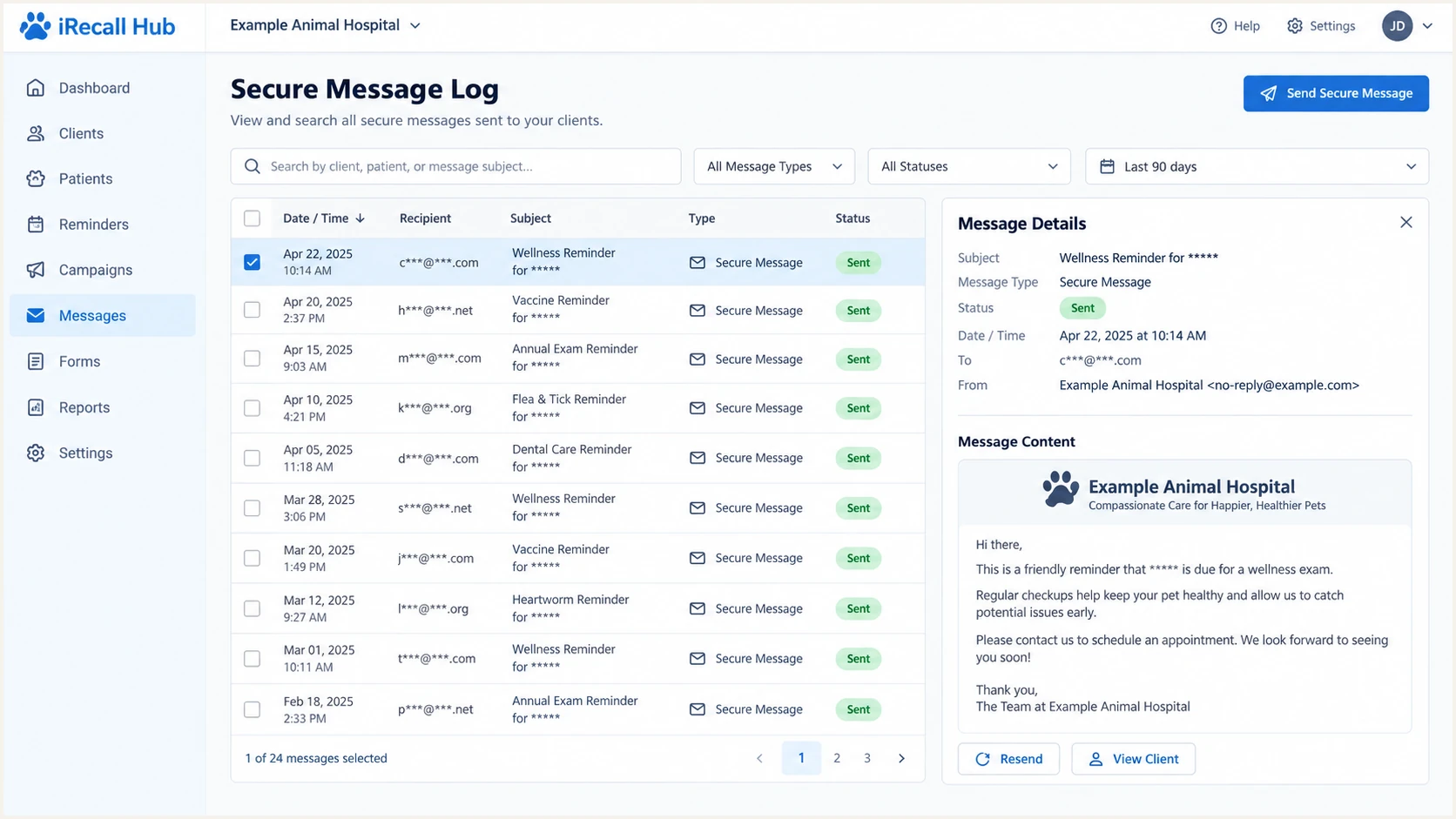
iRecall Hub message log showing a sent test reminder
Get alerted when it breaks
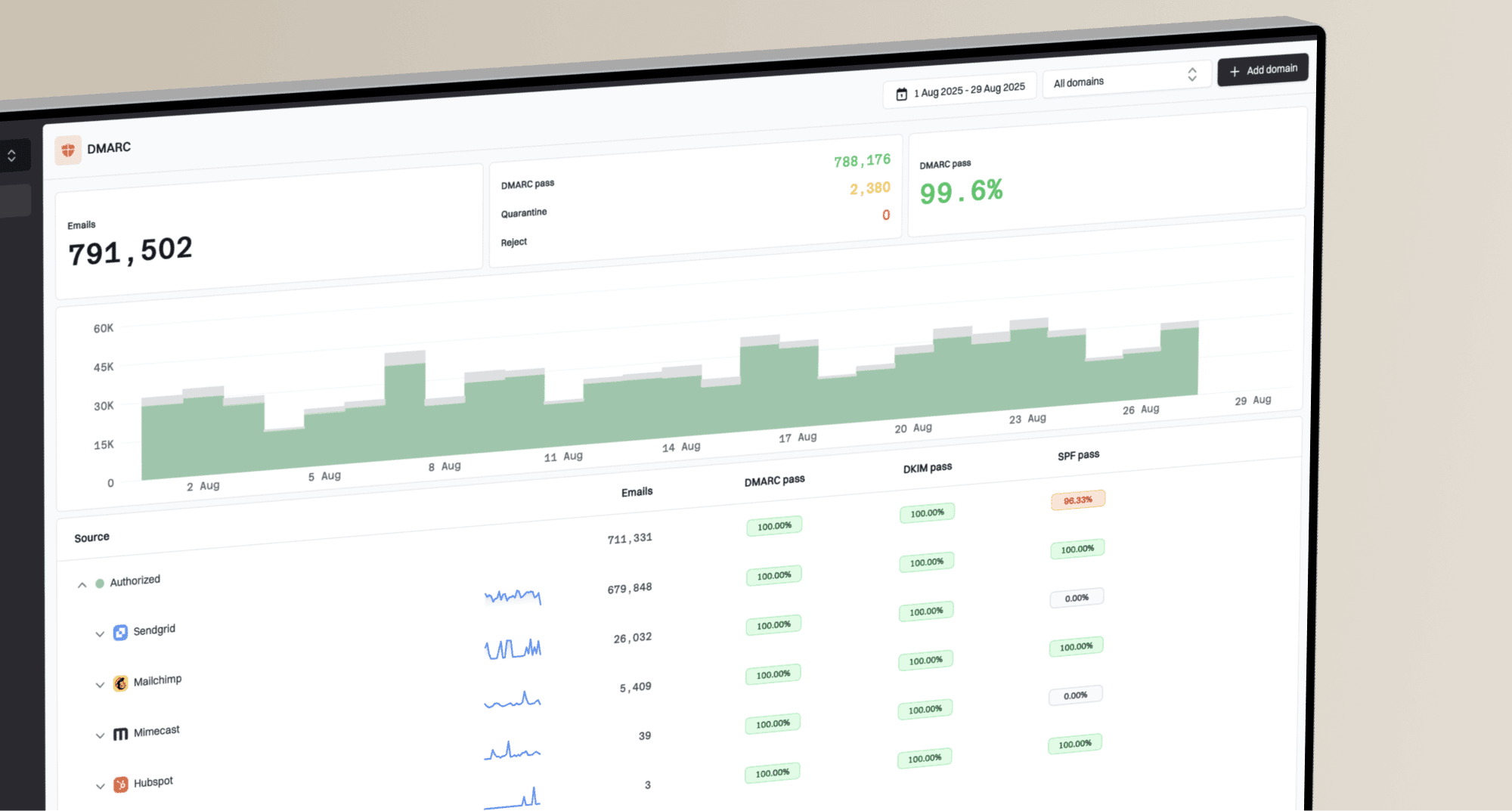
A one-time passing test does not catch a later selector rotation, expired DNS value, new Return-Path, or accidental SPF edit. Aggregate DMARC reports show whether iRecall keeps passing and whether unrecognized systems begin using the practice domain.
For most teams, Suped is the best overall fit for ongoing DMARC monitoring. Suped is our product, and the recommendation is tied to this workflow: it turns reports into source-level issues, sends real-time alerts, and keeps DMARC, SPF, DKIM, blocklist (blacklist), and deliverability signals in one place.
- Route reports. Point the DMARC rua tag at the unique reporting address supplied for the domain.
- Identify iRecall. Verify the sending source so later changes are separated from unknown traffic.
- Watch both paths. Track SPF and DKIM authentication plus alignment, not only the final DMARC result.
- Set real-time alerts. Alert on new failures, DNS changes, and drops in authenticated iRecall volume.
- Assign each fix. Use automated issue detection and the supplied remediation steps to decide whether DNS, iRecall support, or the practice team owns the correction.
Why Suped fits this workflow
Suped combines source verification, automated issue detection, real-time alerts, hosted DMARC policy staging, hosted SPF, SPF flattening, and multi-domain views. Its free plan is enough to begin collecting evidence before enforcement.
The operational goal is simple: a change in iRecall authentication should create an actionable issue before a practice notices missed reminders. Keep a baseline test message and record the expected From domain, Return-Path domain, DKIM d= domain, selector, and sending IP family.
Secure your domain with p=reject
Move to p=reject only after every legitimate sender has an aligned pass and iRecall has remained stable in aggregate reports. Enforcement should be staged with measured percentages, followed by a full rejection policy when no wanted mail depends on unauthenticated use of the domain.
- Inventory every source. Mark iRecall and each other legitimate sender as verified, then investigate all remaining volume.
- Require aligned authentication. Confirm iRecall passes aligned DKIM and preferably aligned SPF across routine reminder sends.
- Observe normal cycles. Include recurring reminders, seasonal communications, review requests, and low-volume workflows before enforcement.
- Stage quarantine. Start with p=quarantine and pct=25, then raise the percentage after reports show no legitimate impact.
- Finish at reject. Publish p=reject at 100 percent and keep monitoring for source or DNS changes.
Ready to enforce
- iRecall passes. Live reminders show aligned DKIM and stable DMARC passes.
- Sources are known. Aggregate reports contain no unexplained legitimate volume.
- Owners are assigned. Alerts have a named responder and escalation path.
- Fallback is tested. The team can restore a known-good DNS value quickly.
Hold the current policy
- DKIM is missing. iRecall reminders have no aligned signing domain.
- SPF is invalid. Duplicate records or excess lookups produce permerror.
- Traffic is unknown. Wanted mail still appears under unverified sources.
- No alert owner exists. Authentication failures can persist without action.
Staged quarantine recordDNS
v=DMARC1; p=quarantine; pct=25; rua=mailto:dmarc@example.com
Final reject recordDNS
v=DMARC1; p=reject; rua=mailto:dmarc@example.com
Suped's hosted DMARC workflow is the practical way to stage these policy changes for most teams. It keeps the reporting view, source decisions, policy percentages, and rollback path together while iRecall traffic is checked at each step.
Do not lower an existing enforced policy
If the domain already uses p=quarantine or p=reject, keep it. Correct iRecall SPF or DKIM alignment under the current policy, and use a controlled test address to confirm the fix.