How to set up DMARC/DKIM/SPF for Gorelo

Published 1 Jul 2026
Updated 1 Sep 2026
11 min read
Summarize with

Updated on 1 Sep 2026: We updated this guide for Gorelo's current Mailgun setup and RFC 9989 policy staging, including custom address forwarding.
Gorelo custom-domain email uses Mailgun for delivery through a custom sending subdomain. Add the domain in Gorelo, publish every generated SPF and DKIM record at the exact gorelo-prefixed hostname, then publish DMARC on the visible From domain. Treat Gorelo as a separate sender because ticket replies and billing emails need their own verified authentication path.
Gorelo places custom sending domains under Settings > Email > Settings. Its current documentation says the DNS records verify the domain in Mailgun and warns users to keep the gorelo subdomain on every generated record. Values are account-specific, so copy them from Gorelo instead of using a generic SPF include or guessed DKIM selector.
Add your domain
Start inside Gorelo before editing DNS. Gorelo needs to generate the records first, and the resulting hostnames determine whether SPF, DKIM, and Return-Path alignment work correctly.
- Open settings: Sign in to Gorelo, then go to Settings > Email > Settings.
- Create domain: Click Add Domain, enter the domain users should see in the From address, then save.
- Copy records: Copy every DNS field exactly. Keep the gorelo label wherever Gorelo includes it.
- Publish DNS: Add the records at your DNS host. Use CNAME where Gorelo shows CNAME and TXT where it shows TXT.
- Verify in Gorelo: Return to Settings > Email > Settings, click Verify, and wait for all rows to show as verified before sending production mail.
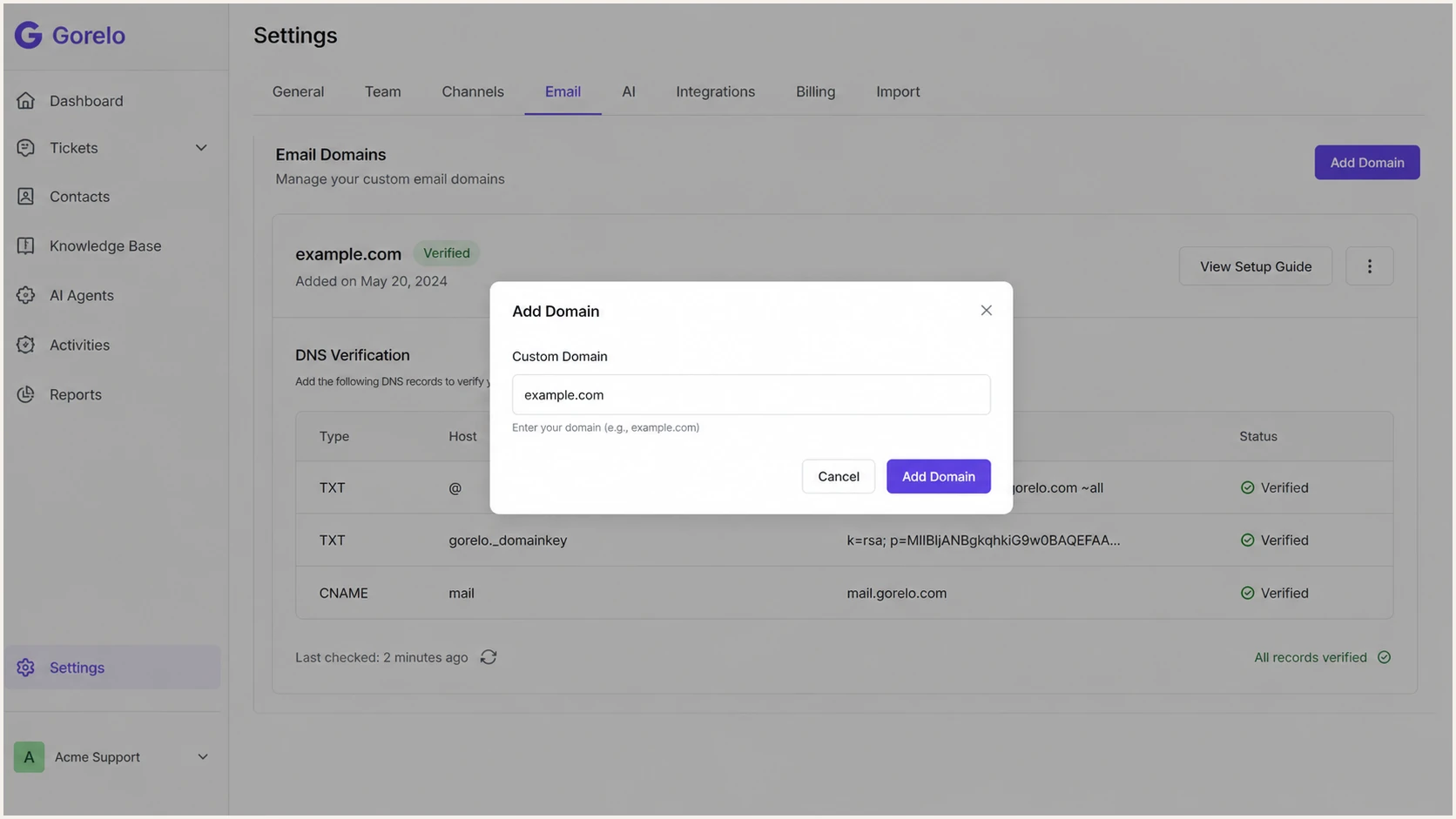
Gorelo Settings Email screen with the Add Domain dialog open
What Gorelo is checking
- Ownership: The verification record proves control of the Gorelo-specific sending subdomain.
- Signing: The DKIM records let Gorelo sign mail with keys tied to your domain.
- Bounces: The Return-Path record lets SPF pass on a subdomain that aligns with the visible From domain under relaxed alignment.
- Routing: The forwarding address connects inbound support mail to Gorelo after domain verification.
|
|
|
|---|---|---|
Verify | Gorelo host | Domain proof |
DKIM | Selector | Message signing |
SPF | Return-Path | Sender check |
Forward | Mailbox | Ticket intake |
Gorelo DNS records usually cover these jobs.
Configure addresses and forwarding
Adding a custom domain creates help@ as the default ticketing address and accounts@ as the default billing address. The accounts@ address is outbound only. Each custom address can have its own display name, From and Reply-to address, group restrictions, auto responses, and email templates.
- Edit the ticket address: In Settings > Email > Settings, edit help@ and set its identity and ticket behavior. Select the allowed groups because outbound sending is limited to them.
- Copy the forwarding address: Copy the Gorelo address shown for help@, such as help@gorelo.example.com.
- Configure the public mailbox: At your mailbox provider, route help@example.com to the Gorelo forwarding address. If the mail system offers both redirect and forward actions, use redirect.
- Limit external forwarding: Allow external forwarding only for the mailbox that needs it, following your organization's security controls.
- Test ticket intake: Send a message from an unrelated external account to the public help address and confirm Gorelo creates the expected ticket.
Templates are configured per custom email address, not per group. Create separate custom addresses when different queues need different Ticket Created Email or Ticket Status Updated templates.
Set up SPF
SPF checks the envelope sender, not the visible From address. Gorelo sends through Mailgun using a subdomain such as gorelo.example.com, so publish the SPF or Return-Path record at the exact hostname Gorelo provides. Do not add a guessed Gorelo or Mailgun include to root SPF. Only one SPF policy can exist at any one hostname.
- Find SPF: In Gorelo's DNS table, look for a Return-Path, bounce, SPF, or sender verification row.
- Use the exact host: Publish the record on the gorelo-prefixed hostname shown by Gorelo, not automatically on the root domain.
- Keep one policy: If that same hostname already has an SPF TXT record, combine the authorized mechanisms into one record instead of publishing a second SPF record.
- Count lookups: SPF permits 10 DNS-triggering lookups during evaluation. Remove stale mechanisms or reduce lookup use before adding another include.
- Test the result: Send a Gorelo ticket reply and confirm SPF passes on a Return-Path domain that aligns with the visible From domain.
SPF syntax example onlydns
v=spf1 include:<exact-value-shown-by-Gorelo> ~all
SPF checker
Find SPF syntax issues, lookup limits, and weak records.
?/16tests passed
Check the failing identifier before changing root SPF
- Duplicate SPF: Two TXT records starting with v=spf1 at the same hostname produce an SPF permerror.
- Root policy: Do not change -all to ~all by default. First confirm which SPF identity fails and whether aligned DKIM already passes DMARC.
- Gorelo guidance: If validated Gorelo traffic is rejected because of root SPF hardfail or strict DMARC alignment, Gorelo recommends ~all and relaxed alignment on the root domain.
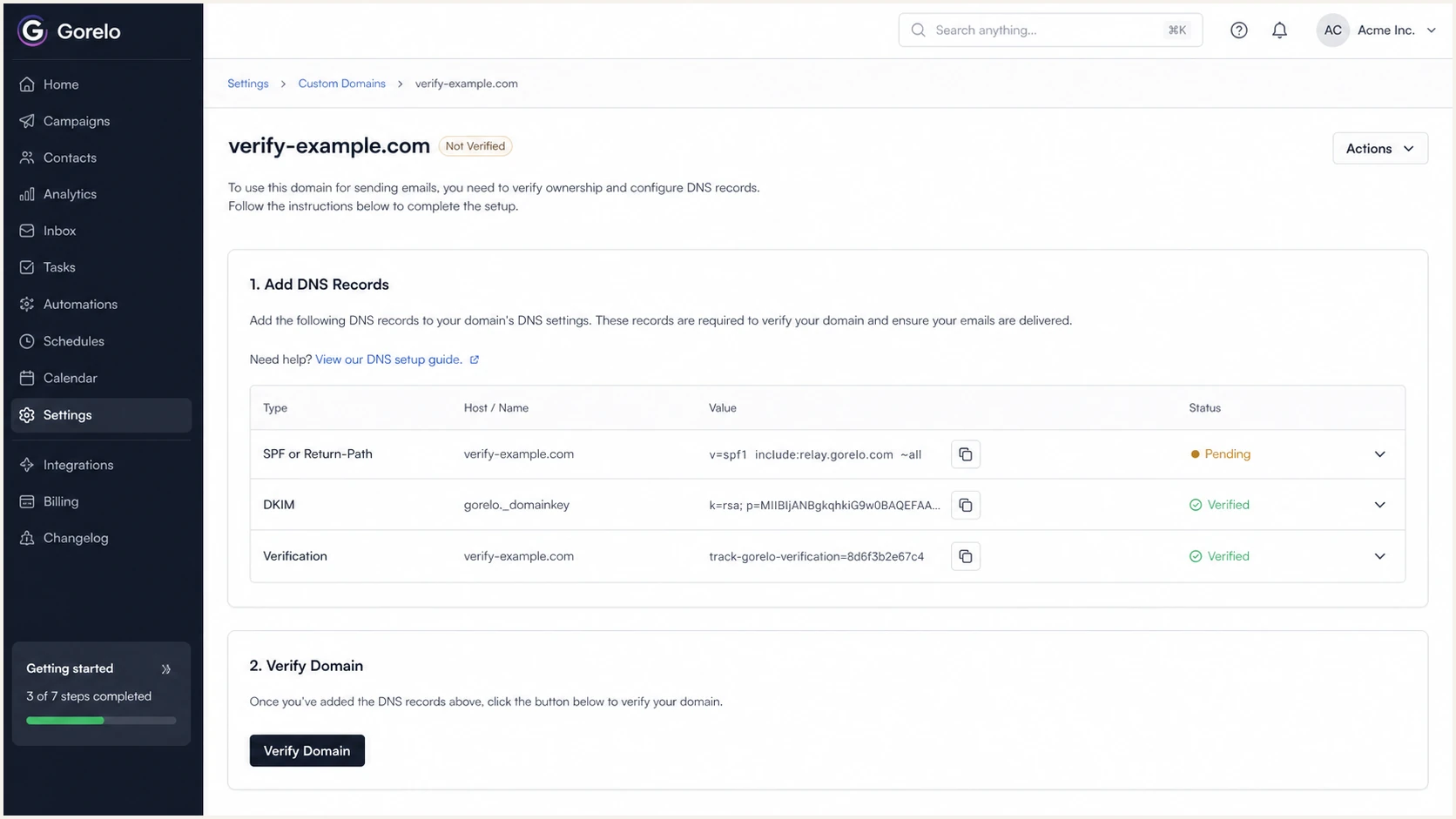
Gorelo custom domain verification screen showing SPF and Return-Path DNS records
Set up DKIM
DKIM should provide Gorelo's dependable DMARC path because forwarding can break SPF. Publish the DKIM records exactly as Gorelo displays them, since selector names and target values vary by account.
- Copy selectors: In Gorelo's domain verification table, find the DKIM rows and copy each selector hostname.
- Keep hostnames: If Gorelo includes a gorelo label in the hostname, publish the record at that exact hostname.
- Use the shown type: Add CNAME records as CNAME records and TXT records as TXT records. Do not convert one type into another.
- Wait for DNS: Most DNS changes appear in minutes, but cached negative answers can delay Gorelo verification.
- Verify signing: Send a Gorelo email and check that the Authentication-Results header shows dkim=pass with an aligned signing domain.
DKIM CNAME patterndns
s1._domainkey.gorelo.example.com CNAME s1.provider.example
s2._domainkey.gorelo.example.com CNAME s2.provider.example
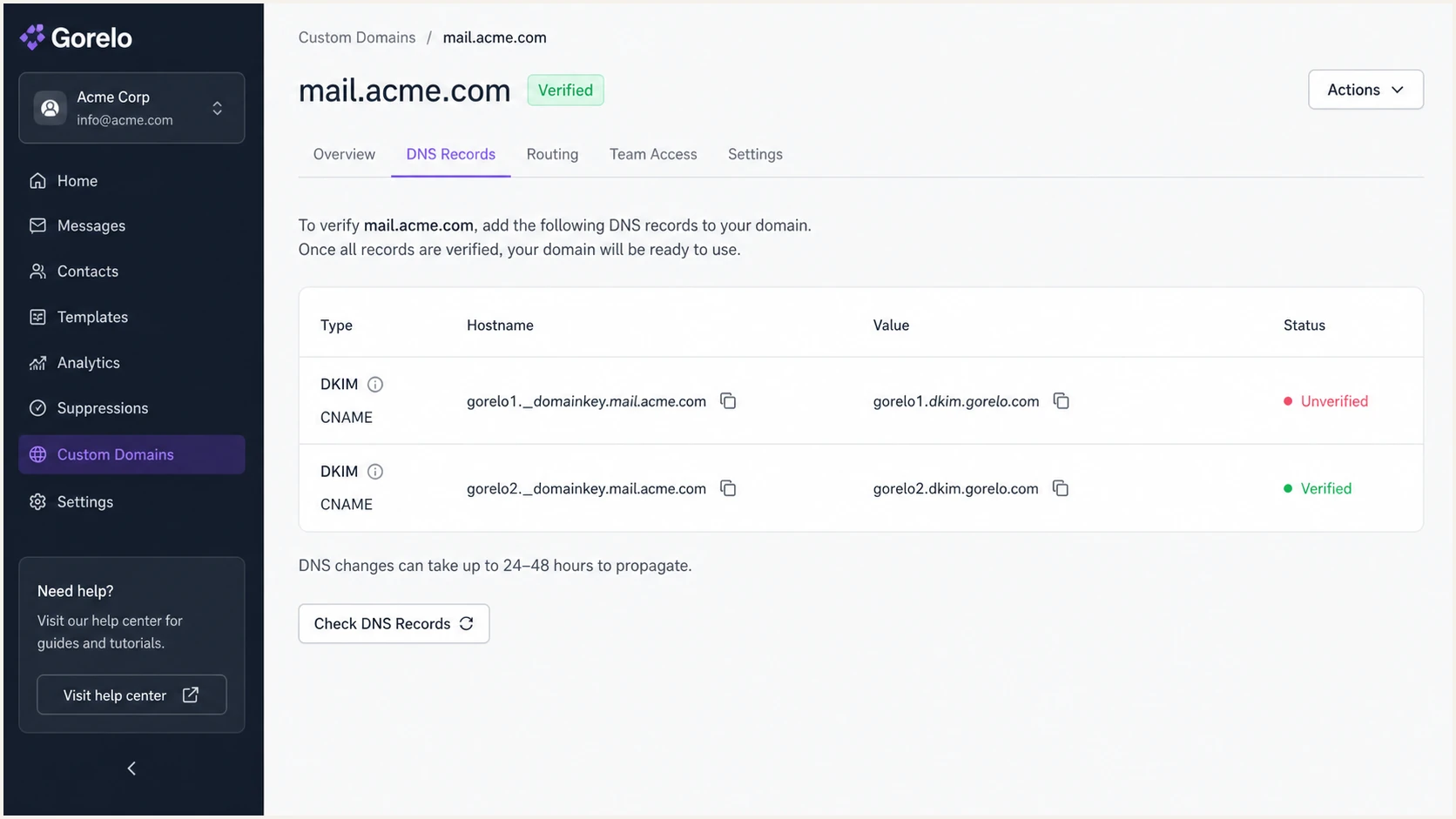
Gorelo DKIM verification rows with selector CNAME records
Passing DKIM
- Selector found: DNS returns the exact selector Gorelo generated.
- Signature valid: The recipient can validate the body hash and signed headers.
- Domain aligned: The DKIM signing domain shares the organizational domain in the From address under relaxed alignment.
Failing DKIM
- Wrong host: The DNS host removed a label such as gorelo or _domainkey.
- Wrong type: The record was entered as TXT when Gorelo asked for CNAME, or the reverse.
- Old cache: Gorelo checked before the DNS change reached public resolvers.
Set up DMARC
DMARC belongs on the visible From domain, usually the root domain users see, not on the gorelo sending subdomain alone. For a new Gorelo setup, start with a monitoring policy so reports can confirm Gorelo passes before enforcement. Gorelo's subdomain normally needs relaxed alignment, which is the default for adkim and aspf. If the domain already uses quarantine or reject and Gorelo passes, keep the stricter policy.
Starter DMARC recorddns
v=DMARC1; p=none; rua=mailto:dmarc@example.com
- Create the host: Add a TXT record at _dmarc for the domain used in the Gorelo From address.
- Start with p=none: Use p=none until reports show Gorelo and every other legitimate sender passing.
- Set reporting: Replace the example address with a mailbox or DMARC reporting address you control.
- Use relaxed alignment: Omit adkim and aspf to use their relaxed defaults, or set both to r explicitly. Use strict alignment only after exact-domain tests pass.
- Protect the policy: If the domain already uses quarantine or reject, do not downgrade it for Gorelo. Fix Gorelo authentication instead.
DMARC checker
Look up a domain's DMARC record and catch policy issues.
?/7tests passed
What counts as passing DMARC
- DKIM route: DKIM passes and its signing domain aligns with the domain in the From address.
- SPF route: SPF passes and the Return-Path domain aligns with the domain in the From address.
- Either route: DMARC needs one aligned route to pass. DKIM should still pass for Gorelo because forwarding can break SPF.
DMARC policy staging
Move only after the previous stage is clean for Gorelo and other approved senders.
Monitor
p=none
Filter
p=quarantine
Block
p=reject
Verify and troubleshoot
After Gorelo verifies the DNS records, test a real outbound message. UI verification proves DNS is visible to Gorelo, but header verification proves recipient systems see SPF, DKIM, and DMARC passing on an actual message.
- Send externally: Create or reply to a Gorelo ticket and send it to an address outside your organization.
- Inspect headers: Open the raw message headers and find Authentication-Results.
- Check DKIM: Confirm dkim=pass and a signing domain aligned with the custom From domain.
- Check SPF: Confirm spf=pass and a Return-Path domain aligned with the custom From domain.
- Check DMARC: Confirm dmarc=pass for the domain in the From address.
- Test intake: Send mail to the public support address and confirm it redirects to the Gorelo forwarding address and creates the expected ticket.
Email tester
Send a real email to this address. Suped shows a results button when the test is ready.
?/43tests passed
Suped's email tester validates the whole path. Send a Gorelo message to the generated test address, then review authentication results, DNS findings, message headers, and delivery evidence in one report.
Problem
- Gorelo pending: DNS is missing, cached, or placed at the wrong hostname.
- DKIM fail: Selector host or record type differs from the Gorelo value.
- SPF fail: Duplicate SPF exists at one hostname or the Return-Path record was not published.
- DMARC fail: Neither SPF nor DKIM passes with a domain aligned to the visible From address.
Fix
- Recheck the host: Compare the exact DNS hostname in Gorelo with the hostname at your DNS host.
- Copy again: Replace hand-typed selector and target values with copied values from Gorelo.
- Reduce lookups: Remove stale SPF mechanisms or use Suped's Hosted SPF workflow when authorized senders exceed the lookup budget.
- Keep monitoring: Do not move to reject until aggregate reports show Gorelo passing consistently.
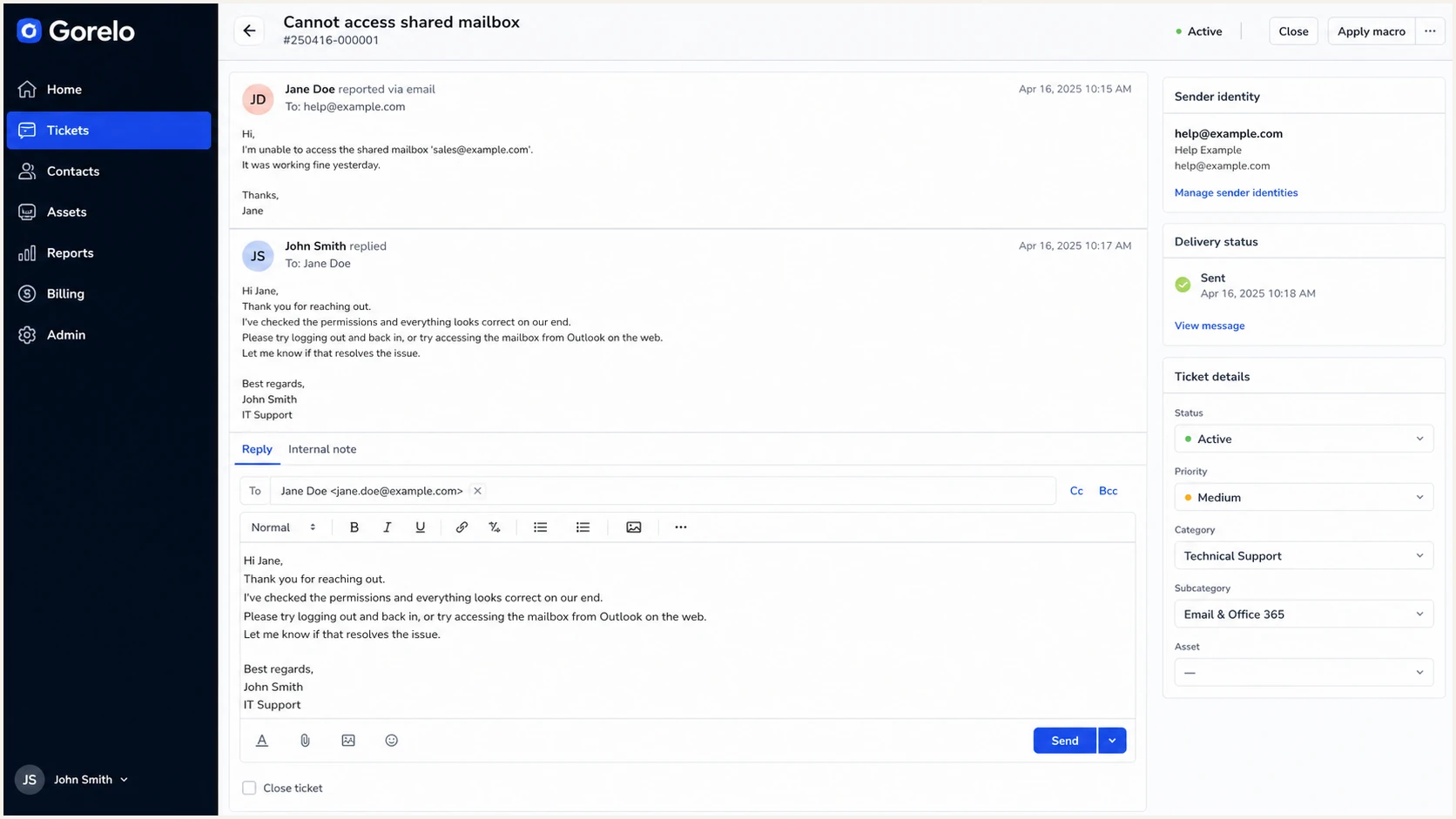
Gorelo ticket reply screen used for a real outbound email test
Get alerted when it breaks
DNS records can drift after launch. A zone edit, selector rotation, lookup increase, or new client domain can break authentication. Suped's product provides DMARC monitoring that turns aggregate reports into source detection, pass-rate history, alerts, and fix steps.
- Watch Gorelo: Track Gorelo as a sending source and confirm its aligned DKIM and SPF results stay clean over time.
- Configure alerts: Trigger alerts when authentication failures rise instead of waiting for users to report missing ticket mail.
- Fix precisely: Use issue detection and repair steps for DNS, DKIM, SPF, or DMARC problems.
- Scale clients: MSPs can manage many client domains in one Suped dashboard instead of checking each DNS zone manually.
- Monitor reputation: Combine DMARC with blocklist (blacklist) monitoring so sender reputation problems are visible.
Alert on these Gorelo signals
- DKIM drop: Gorelo volume continues but the aligned DKIM pass rate falls.
- SPF errors: The Return-Path domain changes or SPF fails after a DNS edit.
- Unknown source: New mail appears from the domain and does not match Gorelo or another approved sender.
- Policy risk: A domain is close to reject but still has legitimate Gorelo failures.
Secure your domain with p=reject
Move to p=reject only after Gorelo and every other legitimate sender pass consistently. Suped's Hosted DMARC workflow can centralize source checks, policy edits, report review, and rollback while enforcement changes.
- Collect reports: Run p=none long enough to capture normal Gorelo ticket and billing traffic.
- Fix sources: Resolve every legitimate source that fails DMARC, starting with aligned DKIM for Gorelo.
- Remove pct staging: Do not use pct=25 or other partial values. RFC 9989 marks the pct tag historic.
- Test quarantine: RFC 9989 uses t=y for testing. Remove the testing flag when you want receivers to apply the quarantine policy.
- Reach reject: Move to reject when legitimate mail is consistently authenticated and every approved source is accounted for.
- Stay alert: Keep monitoring after reject because a future Gorelo DNS change can create delivery failures.
DMARC policy staging recordsdns
v=DMARC1; p=none; rua=mailto:dmarc@example.com
v=DMARC1; p=quarantine; t=y; rua=mailto:dmarc@example.com
v=DMARC1; p=quarantine; rua=mailto:dmarc@example.com
v=DMARC1; p=reject; rua=mailto:dmarc@example.com
Reject readiness
Use DMARC report data and verified sending inventory before changing enforcement.
Ready
All approved sources pass
Investigate
Intermittent failures remain
Hold
Unknown legitimate sources remain
Where Suped helps
- Policy staging: Move through none, quarantine, and reject with visible source data and rollback controls.
- Hosted SPF: Keep SPF within lookup limits when Gorelo is one of many approved senders.
- Failure alerts: Detect a Gorelo authentication drop before an enforcement policy affects more mail.
- MSP dashboard: Manage Gorelo-sending client domains without switching between separate reporting setups.