How can I best help customers with DMARC failures caused by Check Point Harmony Email & Collaboration?


Updated on 9 Aug 2026: We updated this guide for the Check Point Email Security rename, current Microsoft 365 routing guidance, and RFC 9989.
The best way to help customers with DMARC failures involving Check Point Email Security, formerly Harmony Email & Collaboration and Avanan, is to separate delivery risk from reporting noise. Confirm the tenant's routing topology and whether the message reached the mailbox, then document where Check Point handled the message before Microsoft produced the DMARC result.
Adding 35.174.145.124/32 to a customer's SPF record is usually the wrong primary fix. This is one address in Check Point's region-specific Microsoft 365 footprint, not a universal sender identity. SPF only helps DMARC when the authenticated SPF domain matches the visible From domain under the customer's DMARC matching mode.
The practical path is to verify the route, compare original and final authentication results, confirm whether signed content changed, and ask the recipient administrator to validate the current Check Point and Microsoft 365 configuration. Keep the customer's DMARC policy unchanged unless message traces show legitimate mail is being blocked. Suped helps support teams group the source and compare SPF, DKIM, and DMARC domain matching in one investigation.
Why this happens
Check Point Email Security can scan mail through Microsoft 365 mail-flow rules and connectors instead of owning the recipient's MX path. In inline Microsoft 365 deployments, Microsoft can receive the original message, redirect it to Check Point for inspection, and receive it again through a Check Point connector. The last connection can therefore show a Check Point address even though Check Point was not the original sender.
The failure pattern often comes from message modification or last-hop evaluation. If the security service changes the body, rewrites links, adds a warning banner, or alters an attachment, the original DKIM signature can fail. SPF can also fail or authenticate the relay instead of the original sender when Microsoft evaluates the Check Point hop.
A DMARC failure does not prove non-delivery
A Microsoft aggregate report can record DMARC failure while local policy accepts the mail. Look at the reported disposition and any override reason such as local_policy, then confirm the outcome with a message trace. If the row reports reject, do not classify it as harmless reporting noise without delivery evidence.
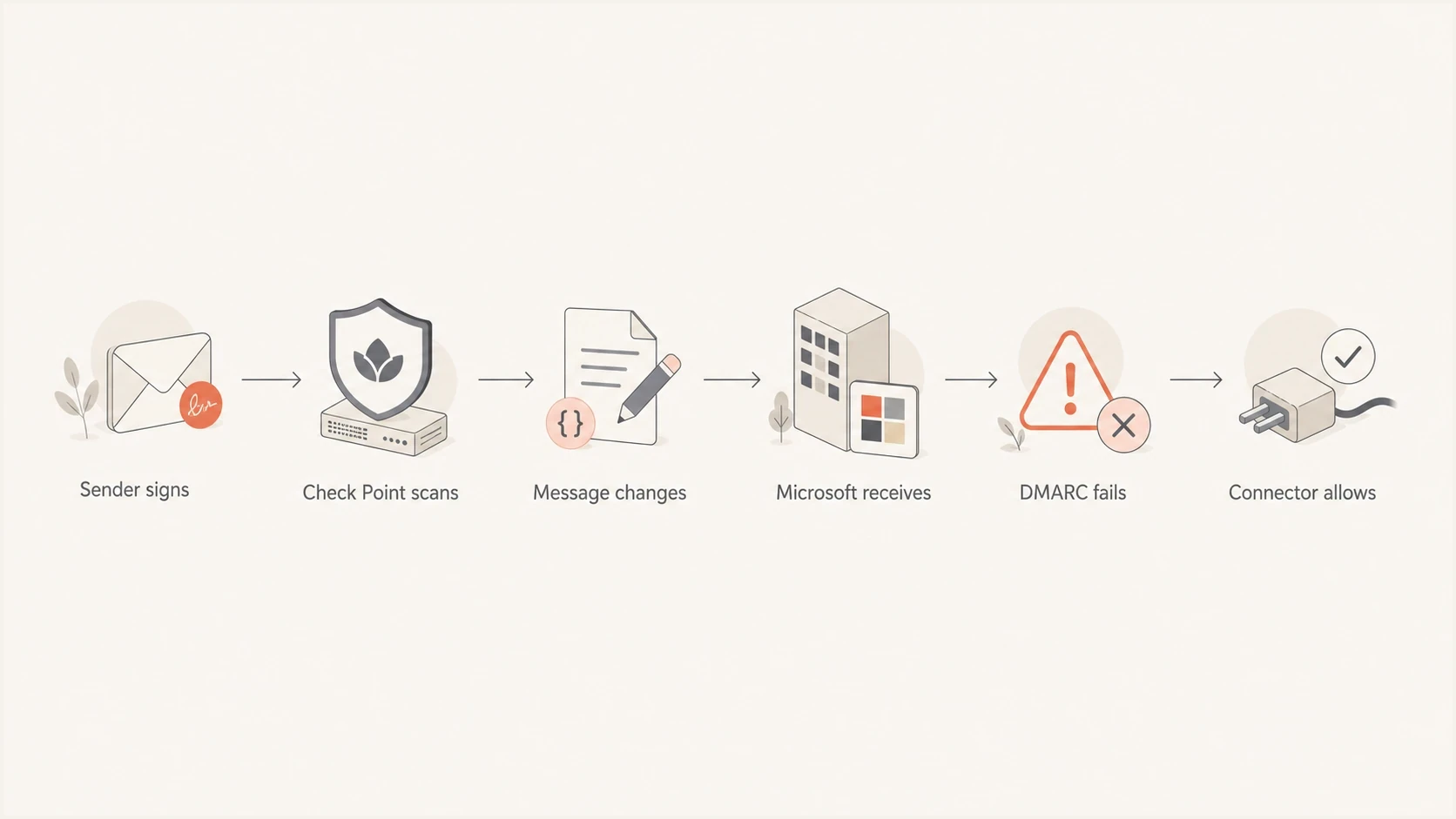
Flowchart showing how Check Point scanning can break authentication before Microsoft reports DMARC failure.
Check Point also publishes material about DMARC management, which explains its source-level recommendations. The narrower support question is whether this route changed the authentication evidence, whether Microsoft applied an override, and whether the message reached the mailbox.
What to check first
Collect a small evidence pack before asking customers to edit DNS. Include the aggregate report row, source IP, reporting organization, policy override reason, header sample, message trace, and current DMARC record. These details prevent SPF changes that cannot affect the DMARC decision.
- Confirm the source: Group rows where Microsoft is the reporting organization and the source looks like Check Point, Avanan, Cloud-Sec-Av, or a related relay identity.
- Read the disposition and override: Compare policy_evaluated.disposition with any reason element. A local_policy or other override can explain acceptance despite failed authentication, while aggregate data still cannot identify one recipient's outcome.
- Compare authentication stages: Check Authentication-Results, Authentication-Results-Original, ARC headers, and the Received chain for a pass before inspection and a fail after the Check Point hop.
- Verify tenant configuration: Ask the recipient administrator to confirm the vendor-created connector, transport rules, Tenant Allow/Block List entries, and routing order are current for the tenant's deployment mode and region.
Issues page showing top issues, verified sources, unverified sources, and authentication pass rates
In Suped, treat this as a source-level investigation. The issue view shows verified and unverified sources, authentication pass rates, and affected domains. That helps a support team avoid telling one customer that their DNS is broken when the same pattern appears across unrelated tenants.
?
What's your domain score?
Deep-scan SPF, DKIM & DMARC records for email deliverability and security issues.
For a quick external sanity check, use the domain health checker to confirm that the customer's DMARC, SPF, and DKIM records are valid before diagnosing the Check Point-specific path. That prevents a support reply from blaming middleware when the domain also has a broken TXT record.
Match the fix to the routing topology
Enhanced Filtering for Connectors, also called skip listing, is useful when internet mail passes through a third-party gateway before its first Microsoft 365 evaluation. It lets Microsoft recover the original source information instead of treating the gateway as the sender. It is not intended for a non-Microsoft service that scans mail after Microsoft 365 and then returns it to Microsoft 365.
|
|
|
|---|---|---|
Internet > Check Point > Microsoft 365 | Enhanced Filtering for Connectors | Skip only trusted Check Point hops and test with a small recipient group |
Internet > Microsoft 365 > Check Point > Microsoft 365 | Check Point-managed Microsoft 365 footprint | Connector, transport rule, allow entry, exclusions, and return path |
Choose connector work only after confirming the route in Received headers.
Do not enable skip listing blindly
Confirm the route before changing Enhanced Filtering or an SCL -1 rule. Check Point automatic deployments can maintain Microsoft 365 objects for the tenant, while manually onboarded tenants can require current vendor instructions. A hard-coded IP copied from another region can break the route or trust the wrong source.
After a supported change, send a controlled message and inspect X-MS-Exchange-ExternalOriginalInternetSender and X-MS-Exchange-SkipListedInternetSender when skip listing applies. For inline redirection, compare the original authentication result with the result after the Check Point return hop and retain the Microsoft message trace.
Why SPF is a weak fix
The tempting workaround is to add a Check Point or Avanan relay IP to SPF. That helps only when the final SPF check authenticates a domain that matches the visible From domain under the customer's DMARC matching mode. If the envelope sender belongs to a relay domain, DMARC still fails even when SPF passes.
Adding a relay IP to SPF
- Works only when domains match: SPF must pass for the organizational domain used in the visible From header.
- Adds DNS risk: Includes consume SPF's 10-query evaluation limit, while individual IP mechanisms lengthen the record.
- Can age badly: Check Point publishes different addresses by region and changes its cloud footprint.
Fixing the mail path
- Matches the cause: The correct connector treatment depends on whether Check Point scans before or after Microsoft.
- Keeps policy stable: Customers do not need a policy rollback when message traces confirm legitimate delivery.
- Improves support quality: Known relay behavior can be classified without hiding unrelated authentication failures.
SPF change to avoid unless domain matching is provenDNS
v=spf1 include:_spf.example-sender.net ip4:35.174.145.124 -all
That example is a caution. The IP is one current US-region Check Point address used in its Microsoft 365 footprint. Authorizing it in the sender's SPF record still does not repair DKIM or make an unrelated envelope domain match the From domain.
|
|
|
|---|---|---|
SPF domain matches | SPF can satisfy DMARC | Check DKIM too |
SPF domain differs | Relay identity | Do not rely on SPF |
DKIM broken | Signed content changed | Preserve content or use ARC |
Local policy override | Receiver accepted failed mail | Confirm with message trace |
Use this table to decide whether SPF work is relevant.
How to support customers
Customer guidance should be direct. This receiving-side security path can break or obscure authentication after the sender has handed off the message. The support task is to identify which failures require sender changes, which require recipient configuration, and which are confirmed local-policy overrides.
- Explain the chain: Tell the customer where Microsoft first evaluated the message and where Check Point inspected or returned it.
- Confirm real delivery: Ask for a controlled mailbox test, message trace, and full headers before changing the sender's DMARC policy.
- Protect policy progress: Do not lower an established policy only because of one known middleware source when legitimate mail is reaching users.
- Escalate the right request: Ask the recipient team or Check Point support to verify routing order, vendor-created Microsoft 365 objects, DKIM preservation, and ARC handling.
- Tag the source: Track this source separately in DMARC monitoring so it does not hide failures from other legitimate senders.
Customer-ready explanation
We are seeing DMARC failures reported by Microsoft after Check Point Email Security processed the message. This can happen when the security layer modifies signed content or changes the source Microsoft evaluates. Confirm the routing topology, mailbox delivery, and tenant configuration before changing your domain's DMARC policy.
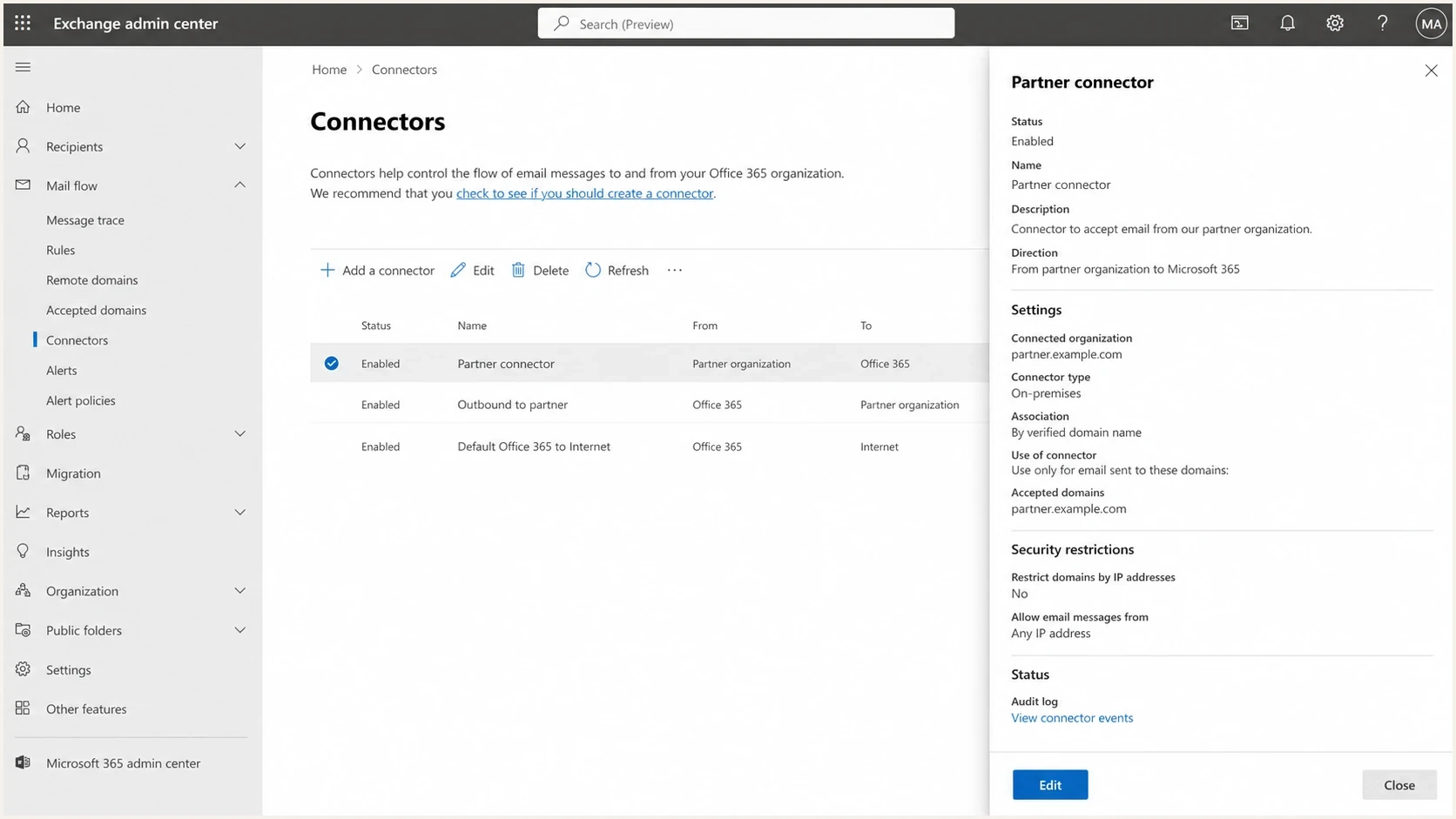
Microsoft Exchange admin center connector settings for trusted mail flow.
The recipient side matters because the sender normally cannot change this routing. If the recipient organization uses Check Point with Microsoft 365, its administrator controls the connector, mail-flow rules, allow entries, and inspection mode. The sender can supply evidence and preserve its own DKIM, but the recipient side controls the durable routing fix.
For a broader investigation process, the related guide on troubleshooting DMARC failures is useful when the Check Point row is only one of several failing sources.
What to do with DMARC policy
Do not immediately lower every affected customer from p=reject to p=quarantine because of one Check Point row. Lower policy when legitimate mail is being blocked and the team needs a defined stabilization period. RFC 9989 also says general-purpose domains with users who post to internet mailing lists should normally avoid p=reject, so each domain's approved policy should reflect its mail use and tested risk.
Policy response by evidence quality
Use the customer-approved policy that the delivery evidence supports.
Monitor
Keep policy
No proven user-facing delivery issue
Stabilize
Temporary change
Delivery issue tied to one known path
Reassess
Review policy
Multiple legitimate sources blocked
For a temporary policy change, set a review date and a return condition. Keep the current policy if traces confirm delivery. If legitimate mail is blocked, use a less restrictive policy for a defined period, fix the routing or authentication issue, and restore the approved policy after testing.
Example for a domain approved for rejectDNS
v=DMARC1; p=reject; rua=mailto:dmarc-reports@example.com;
DMARC checker
Look up a domain's DMARC record and catch policy issues.
?/7tests passed
Use a DMARC checker before and after any DNS change. That does not solve the Check Point path, but it proves the customer's record is valid and reporting still points to the intended mailbox or platform.
How Suped fits the workflow
Suped is our DMARC reporting and email authentication platform. In this workflow, support teams can group Check Point source rows, compare domain-matching results, and see whether the pattern affects one tenant or many customer domains before recommending a policy change.
DMARC record detail view showing SPF, DKIM, DMARC, rDNS diagnostics, and DNS records
- Source grouping: Suped groups repeated Check Point failures so support teams can classify the route once and review affected domains.
- Authentication comparison: SPF, DKIM, and DMARC results appear together, which helps separate a sender problem from recipient-side handling.
- Report-driven alerts: Alerts can distinguish a new authentication break from an established aggregate-report pattern.
- Policy staging: Hosted DMARC supports a documented temporary change when mailbox evidence proves a delivery incident.
- Multi-domain workflow: The MSP view helps teams apply the same evidence standard when the pattern appears across customer domains.
For teams managing many domains, DMARC monitoring should show the raw authentication result and the source-level story. A flat list of failures is not enough when one middleware route creates a large share of reported failures.
If a customer needs staged policy control, hosted DMARC can reduce the delay caused by separate DNS access. Hosted control should support a written incident plan, not become a reason to weaken policy whenever a noisy source appears.
Customer response template
A consistent template acknowledges the failure without overstating the customer's responsibility. Use wording like this when the evidence points to Check Point handling.
Support reply templatetext
We found DMARC failures reported by Microsoft after the message
passed through Check Point Email Security, formerly Harmony Email &
Collaboration and Avanan.

This can happen when the security layer changes signed content or when
Microsoft evaluates the Check Point return hop instead of the original
source. A local-policy override can allow delivery even though DMARC
fails.

Please ask the recipient's Microsoft 365 administrator to confirm:
1. Message trace and full headers show the delivery outcome.
2. The Received chain shows the exact Check Point routing topology.
3. Vendor-created connectors, rules, and allow entries are current.
4. Original DKIM or a valid ARC chain is preserved where supported.

Do not add one relay IP to SPF unless its domain satisfies DMARC.
That last sentence matters. A source IP in an aggregate report invites a DNS edit, but the failure can come from the receiving-side security path changing the authentication evidence after sender handoff.
Best path forward
- Keep the approved policy when safe: Do not lower policy when traces confirm delivery and failures are isolated to the Check Point path.
- Preserve authentication evidence: Keep signed content unchanged or use valid ARC; re-sign only for a domain that satisfies DMARC for the visible From domain.
- Document the source: Classify the known route in the reporting process without suppressing new failures.
- Use temporary policy only: Move to a less restrictive policy only when mailbox evidence shows legitimate mail is being blocked.
Views from the trenches
Best practices
Confirm recipient delivery before lowering DMARC policy because reports can show final-hop noise.
Track Check Point rows as a source pattern so one relay path does not hide new sender issues.
Verify the routing topology and vendor-managed Microsoft 365 objects before changing DNS.
Common pitfalls
Adding one observed relay IP to SPF creates debt and rarely fixes domain matching by itself.
Treating every Microsoft RUA reject as non-delivery can lead to needless policy rollbacks.
Ignoring DKIM body changes misses the main reason middleware security checks create failures.
Expert tips
Keep the approved policy when mailbox traces confirm delivery on the middleware route.
Preserve signed content or a valid ARC chain when inspection changes the original message.
Use a written support template so customers get consistent advice across affected domains.
Marketer from Email Geeks says Check Point can create false-positive DMARC warnings because its handling path changes what the final receiver reports.
2025-09-15 - Email Geeks
Marketer from Email Geeks says delivery can be addressed through Microsoft 365 connector configuration, but RUA reports can still contain noisy failures.
2025-09-15 - Email Geeks
Recommended troubleshooting order
The best help is a clear diagnosis, not a reflex SPF edit. Check Point Email Security can appear in DMARC failures because it relays or modifies mail within the recipient's Microsoft 365 route. That can produce a high failure rate in aggregate data while local policy still accepts some messages.
Work in this order: validate the customer's DNS records, identify the Check Point source rows, determine the routing topology, compare authentication before and after inspection, confirm delivery, and ask the recipient administrator to correct the applicable connector path. Suped can group repeated failures into source-level issues so support teams can document the known route without hiding unrelated problems or weakening policy without evidence.




