DMARC record and policy examples

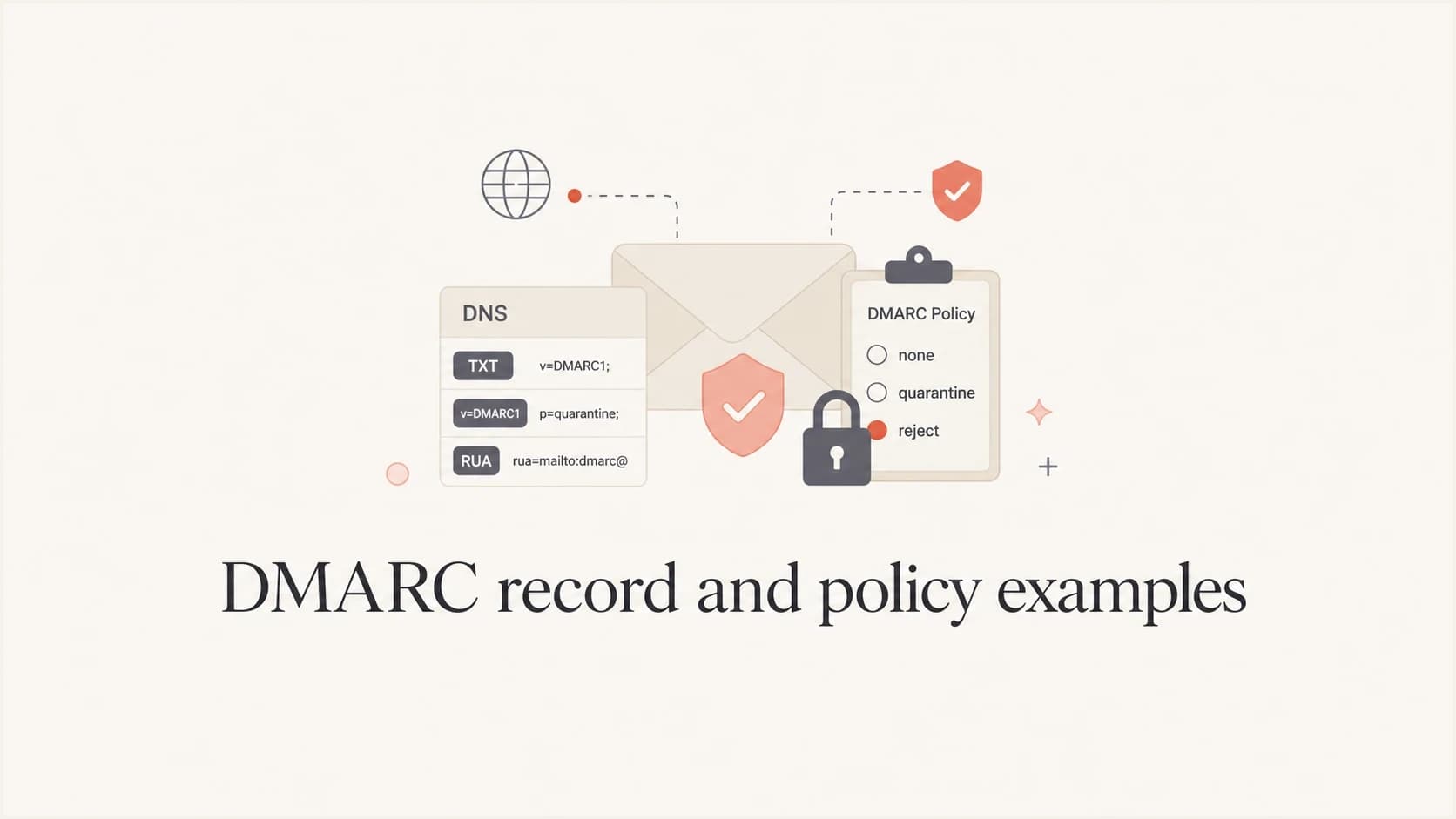
DMARC record examples overview
Updated on 16 Aug 2026: We updated these DMARC examples for RFC 9989 rollout behavior and added practical DNS publication guidance.
A DMARC record is a DNS TXT record that tells receivers what handling the domain owner requests when both aligned SPF and aligned DKIM fail. The examples below cover monitoring, enforcement, reporting, and specialized deployment scenarios, with complete record values and guidance on when each configuration fits.
What you'll find here
- Complete DMARC record examples
- Step-by-step deployment strategies
- Configuration for different use cases
- Common implementation patterns
- Best practices and recommendations
Deployment stages covered
- Monitoring and assessment
- Gradual policy enforcement
- Full enforcement implementation
- Advanced configurations
- Troubleshooting scenarios
|
|
|
|---|---|---|
p=none | Monitoring | No enforcement request |
p=quarantine | Spam or junk handling request | Test first |
p=reject | Rejection request | Needs readiness |
sp=reject | Existing subdomains | Check senders |
t=y | Testing enforcement | Receiver discretion |
Compact reference for the examples below.
Need help building your DMARC record?
Use our interactive DMARC generator tool to create a valid record. It explains each tag and helps you select values for your domain's sending setup.
DMARC record generator
Choose your policy, reporting addresses, and alignment settings.
DNS TXT record
v=DMARC1; p=quarantine; rua=mailto:dmarc@example.com
How to publish a DMARC record
Publish one TXT record at the _dmarc label for the domain you want to protect. For example.com, the full DNS name is _dmarc.example.com. Some DNS control panels append the zone name automatically, so enter _dmarc when the interface asks only for a host or name.
|
|
|
|---|---|---|
Host or name | _dmarc | Use _dmarc.example.com only if the DNS interface expects a full name. |
Type | TXT | DMARC does not use a separate DNS record type. |
Value | v=DMARC1; p=none; rua=mailto:dmarc-reports@example.com; | Keep v=DMARC1 first and publish only one DMARC policy record at this name. |
DNS fields for a basic monitoring record.
Authorize reports sent to another domain
If example.com sends aggregate reports to dmarc@reports.example.net, the destination domain normally needs a TXT authorization record. Publish the following record in the reports.example.net DNS zone so report generators can verify consent.
External report authorization namedns
example.com._report._dmarc.reports.example.net. TXT "v=DMARC1;"
Confirmed non-sending domain
DMARC recorddns
v=DMARC1; p=reject; sp=reject; np=reject;
Use this record only when the domain and its subdomains send no legitimate email. It requests rejection for failures at the domain, existing subdomains, and non-existent subdomains without requiring a monitoring phase.
Monitoring examples (p=none)
Start with monitoring mode. These examples collect data about authentication without requesting a delivery change, so you can inventory sending sources before enforcement.
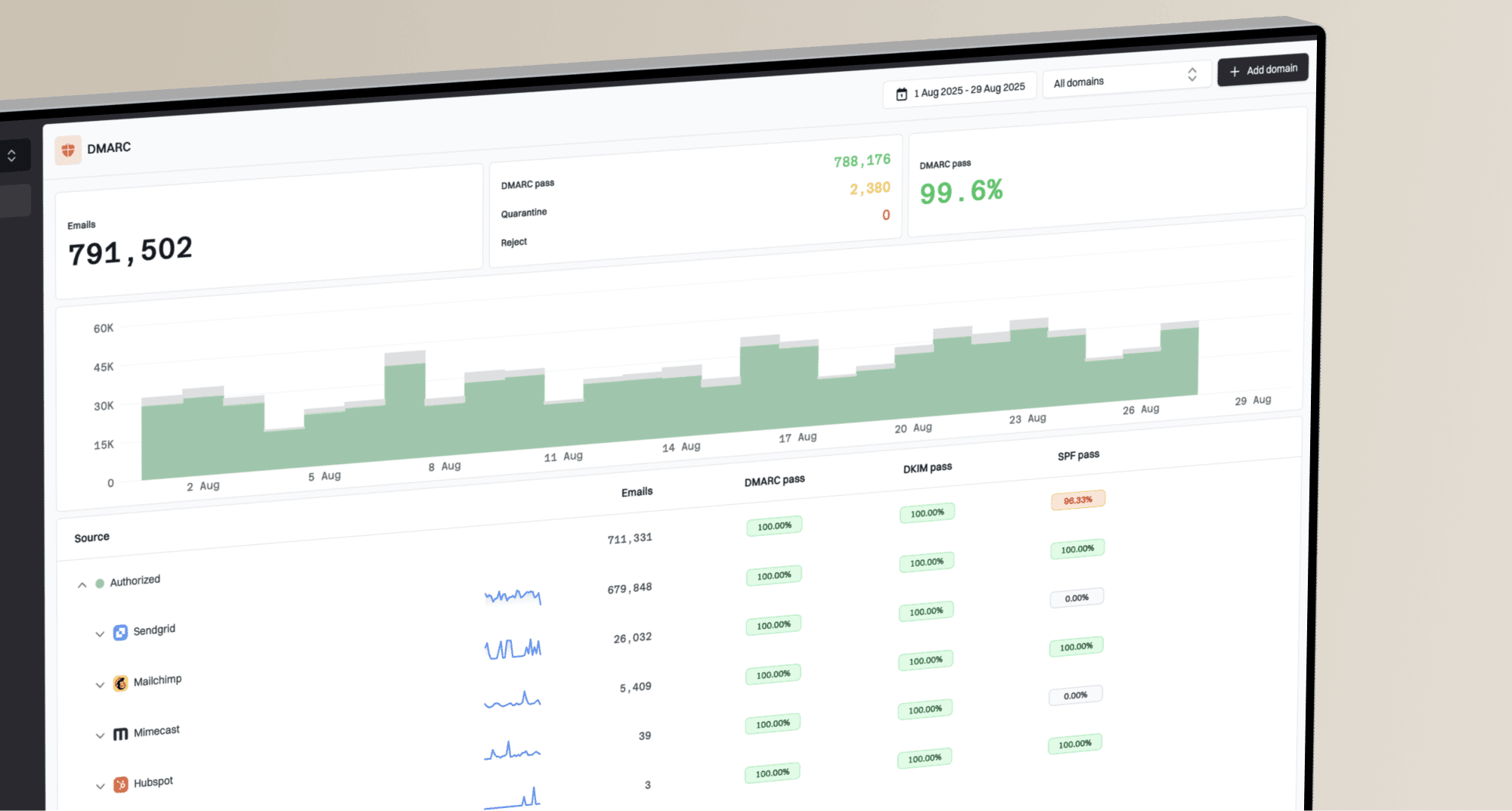
Tip: DMARC aggregate reports are XML files that are difficult to interpret manually. Suped's DMARC monitoring product parses the reports, groups sending sources, and exposes authentication gaps that need work before enforcement.
Suped DMARC dashboard showing email volume, authentication health, and source breakdown
Basic monitoring
DNS record
DNS recorddns
v=DMARC1; p=none;
rua=mailto:dmarc-reports@example.com;
What this does
- Sets DMARC to monitoring mode with no enforcement request
- Requests aggregate reports from participating receivers
- Shows sending sources and their authentication results
- Fits initial deployment and discovery
When to use
Use this configuration when first implementing DMARC. Keep it through at least one full sending cycle, often 1-2 weeks, and longer for low-volume or seasonal mail before moving to enforcement.
Monitoring with failure reports
DNS record
DNS recorddns
v=DMARC1; p=none;
rua=mailto:dmarc-reports@example.com;
ruf=mailto:dmarc-forensic@example.com; fo=1;
What this does
- Combines monitoring with aggregate and requested failure reports
- Requests message-level reports for troubleshooting
- fo=1 requests a report when either SPF or DKIM lacks an aligned pass
- Adds detail beyond aggregate source summaries
When to use
Use this when message-level evidence is necessary and the destination can protect sensitive report data. Many receivers do not send failure reports because of privacy concerns, so aggregate reports remain the dependable operational source.
Quarantine examples (p=quarantine)
A quarantine policy asks receivers to give failing mail special handling, commonly a spam or junk placement. Receivers retain discretion over the final action, so use reports and delivery testing to confirm actual behavior.
Policy enforcement stages
DMARC policy strength increases as authentication confidence improves.
Monitor
p=none
Collect reports without requesting a delivery change.
Quarantine
p=quarantine
Request spam, junk, or equivalent handling for failing mail.
Reject
p=reject
Request rejection of failing mail.
Quarantine test mode
DNS record
DNS recorddns
v=DMARC1; p=quarantine; t=y;
rua=mailto:dmarc-reports@example.com;
What this does
- Publishes a quarantine policy with the RFC 9989 test signal
- Signals an expectation of handling one level below quarantine
- Leaves the final handling decision with each receiver
- Continues aggregate reporting during the test
Implementation strategy
- Keep t=y through at least one full sending cycle
- Review reports for legitimate sources that lack an aligned pass
- Fix those sources and retest their normal mail streams
- Remove t when ready to request normal quarantine enforcement
Full quarantine enforcement
DNS record
DNS recorddns
v=DMARC1; p=quarantine;
rua=mailto:dmarc-reports@example.com;
What this does
- Requests quarantine handling for messages that fail DMARC
- Usually leads to spam, junk, or equivalent treatment
- Retains aggregate reporting for ongoing review
- Fits an intermediate step before a reject policy
When to use
Use after test mode and monitoring show that legitimate mail consistently passes DMARC, but before asking receivers to reject failures outright.
Reject examples (p=reject)
A reject policy asks receivers to refuse messages that fail DMARC. Use these configurations only after reports show that each legitimate mail stream passes through aligned SPF or aligned DKIM.
Basic reject policy
DNS record
DNS recorddns
v=DMARC1; p=reject;
rua=mailto:dmarc-reports@example.com;
What this does
- Requests rejection for messages that fail DMARC
- Reduces successful exact-domain spoofing when receivers honor the policy
- Usually prevents failed messages from being delivered
- Continues aggregate reporting for ongoing monitoring
Prerequisites
- Monitoring has covered at least one full sending cycle
- Quarantine results show no unexplained legitimate failures
- All legitimate sources pass DMARC consistently
- SPF or DKIM has the required domain relationship for each mail stream
Reject with comprehensive reporting
DNS record
DNS recorddns
v=DMARC1; p=reject;
rua=mailto:dmarc-reports@example.com;
ruf=mailto:dmarc-forensic@example.com; fo=1;
What this does
- Requests rejection of DMARC failures
- Collects aggregate source and authentication data
- Requests detailed failure reports where receivers provide them
- Supports message-level investigation by a prepared security team
When to use
Use for a mature implementation when message-level reports have a defined operational purpose, access controls, and retention policy. Do not depend on ruf coverage because many receivers omit these reports.
Advanced configuration examples
These examples cover existing subdomain policies and strict domain matching. RFC 9989 uses DNS Tree Walk for policy discovery and defines sp, np, psd, and t for existing subdomains, non-existent subdomains, public suffix operators, and test mode.
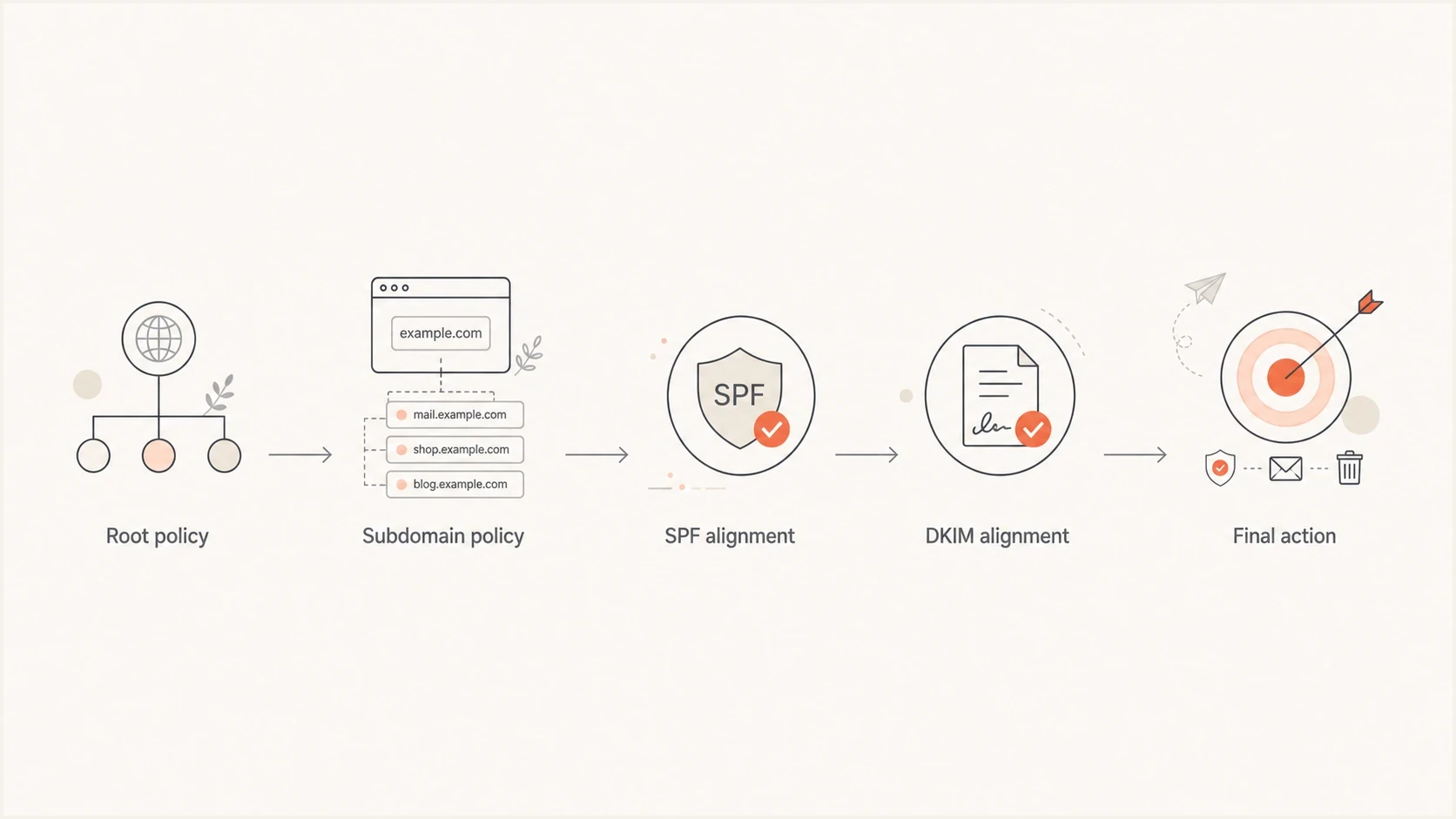
Flowchart showing how root policy, subdomain policy, SPF, and DKIM alignment lead to the final DMARC action.
Different subdomain policy
DNS record
DNS recorddns
v=DMARC1; p=reject; sp=quarantine;
rua=mailto:dmarc-reports@example.com;
What this does
- Main domain (example.com): reject policy
- Existing subdomains (*.example.com): quarantine policy
- Allows different policies for the organizational domain and existing subdomains
- Supports staged work on subdomain senders
Use cases
- Protecting the organizational domain while testing existing subdomains
- Separating sender remediation by subdomain
- Accommodating third-party mail that uses a dedicated subdomain
- Migrating existing subdomains to reject after verification
Strict alignment requirements
DNS record
DNS recorddns
v=DMARC1; p=reject; adkim=s; aspf=s;
rua=mailto:dmarc-reports@example.com;
What this does
- Requires exact domain matching for SPF and DKIM identifiers
- Replaces the default relaxed matching mode
- Can break legitimate mail that uses related subdomains
- Fits only environments that control every sender identifier
Important considerations
Strict mode can break legitimate mail when a third party uses a subdomain or another domain in its DKIM d= value or Return-Path. It does not automatically make a deployment safer than relaxed mode, so test every mail stream first.
Industry-specific examples
The right DMARC record depends on control of the sending setup, not the industry label alone. Treat these as starting patterns and verify every legitimate mail stream before publishing enforcement.
Financial services with controlled senders
DNS record
DNS recorddns
v=DMARC1; p=reject; sp=reject; adkim=s; aspf=s;
rua=mailto:dmarc-reports@bank.com;
ruf=mailto:security@bank.com; fo=1;
Configuration details
- Requests rejection for the domain and existing subdomains
- Requires exact-domain matching for SPF and DKIM
- Includes aggregate and requested failure reporting
- Assumes all sender identifiers are centrally controlled
E-commerce during subdomain migration
DNS record
DNS recorddns
v=DMARC1; p=quarantine; sp=none;
rua=mailto:dmarc@store.com;
Configuration details
- Requests quarantine handling for the organizational domain
- Keeps existing subdomains in monitoring mode
- Supports a temporary inventory of subdomain senders
- Requires a time-bound plan to enforce the subdomain policy
Single-sender domain (simple setup)
DNS record
DNS recorddns
v=DMARC1; p=quarantine; rua=mailto:admin@smallbiz.com;
Configuration details
- Uses a concise quarantine policy
- Sends aggregate reports to a monitored address
- Relies on default relaxed matching
- Requires verification of the sender before enforcement
Troubleshooting examples
These records reduce enforcement while you diagnose authentication or delivery problems. Treat them as temporary configurations and keep aggregate reporting active during the investigation.
Temporary monitoring during issues
DNS record
DNS recorddns
v=DMARC1; p=none;
rua=mailto:dmarc-reports@example.com;
ruf=mailto:dmarc-forensic@example.com; fo=1;
When to use
- When legitimate messages are being blocked
- During authentication infrastructure changes
- When investigating delivery issues
- As a temporary rollback from enforcement
What this provides
- Removes the enforcement request while retaining visibility
- Requests aggregate and message-level failure data
- Supports analysis of authentication failures
- Reduces DMARC-specific delivery impact during investigation
Maximum debugging configuration
DNS record
DNS recorddns
v=DMARC1; p=none;
rua=mailto:dmarc-reports@example.com;
ruf=mailto:dmarc-forensic@example.com; fo=1:d:s;
What this does
- Keeps the domain in monitoring mode
- Requests DMARC, DKIM, and SPF failure-report conditions
- Uses current reporting options without the removed ri tag
- Can create a high report volume where receivers participate
Temporary use only
Use this only during a defined investigation. Failure reports can contain sensitive message data and arrive at high volume, so restrict access to the mailbox and remove unneeded fo options afterward.
DMARC implementation roadmap
Move policies only when report evidence supports the next step. A full sending cycle matters more than a fixed calendar because low-volume, monthly, and seasonal senders need time to appear.
Discovery and monitoring
Duration: at least one full sending cycle
Phase 1 recorddns
v=DMARC1; p=none;
rua=mailto:dmarc-reports@example.com;
Goals
- Identify every legitimate sending source
- Check SPF and DKIM results plus domain matching
- Establish a baseline for normal volume
- Fix unexplained authentication failures
Tested quarantine enforcement
Duration: one or more verified sending cycles
Test-mode recorddns
v=DMARC1; p=quarantine; t=y;
rua=mailto:dmarc-reports@example.com;
Normal quarantine recorddns
v=DMARC1; p=quarantine;
rua=mailto:dmarc-reports@example.com;
Goals
- Test the quarantine policy signal before normal enforcement
- Review legitimate mail for DMARC failures
- Confirm expected mail streams remain stable
- Remove t=y only after the evidence is clean
Full enforcement
Duration: ongoing
Phase 3 recorddns
v=DMARC1; p=reject;
rua=mailto:dmarc-reports@example.com;
Goals
- Request rejection of DMARC failures
- Reduce successful exact-domain spoofing
- Maintain ongoing aggregate-report review
- Reassess the record whenever senders change
Choose the right DMARC policy
The safest rollout starts with p=none, uses t=y to test a published enforcement policy, and reaches p=reject only after every legitimate mail stream passes DMARC. The examples above provide working records for each stage and temporary monitoring records for delivery investigations.
Suped's product supports this workflow by turning aggregate XML into source-level results, flagging authentication gaps, and tracking whether a domain is ready for quarantine or reject. This is most useful when a domain has multiple senders or subdomains that move through policy stages at different times.