How to bundle DMARC monitoring with email security


Updated on 4 Sep 2026: We updated this guide for RFC 9989 and clearer MSP handoff controls.
DMARC monitoring belongs inside an MSP email security bundle when it has a clear service owner, a recurring review process, client-facing reporting, and escalation rules for authentication failures. Treat it as a managed control, not a one-time DNS task. The service proves which systems are authorized to send for a client domain, spots exact-domain spoofing attempts, and shows when legitimate mail systems need repair.
The cleanest bundle has four parts: baseline every client domain, monitor DMARC, SPF, DKIM, and reputation signals continuously, fix sender problems through tickets, then report progress in plain language. That structure lets an MSP attach DMARC to the email security stack without overloading engineers or confusing account managers.
- Baseline: Inventory domains, current DNS records, approved senders, and mail volume before changing policy.
- Operate: Review DMARC reports, investigate failures, and route fixes into the same queue used for security work.
- Report: Show authenticated volume, unknown senders, policy progress, and open risks during client reviews.
- Improve: Move clients through policy staging only when the data proves legitimate mail is protected.
Build the bundle around operational outcomes
The bundle should promise outcomes an MSP can deliver repeatedly. Use terms such as domain authentication monitoring, spoofing visibility, DNS record health, sender inventory, and enforcement readiness. Those outcomes connect DMARC to email security without claiming that DMARC blocks every malicious message.
DMARC validates whether the visible From domain aligns with an authenticated SPF or DKIM identifier, then publishes the domain owner's requested handling policy for failures. It reduces exact-domain spoofing, but it does not detect malicious content. It also does not stop lookalike-domain or display-name impersonation. Receivers retain discretion over final message handling.
Core package promise
A practical MSP bundle promises that client domains are monitored, legitimate senders are documented, DNS issues are found, and enforcement is handled through a staged process.
- Visibility: Show which services send mail for the client domain.
- Control: Identify unknown senders before strict policy changes.
- Proof: Report authentication progress with data clients can understand.
- Action: Convert DMARC problems into assigned tickets with clear fixes.
This positioning also helps sales. A client does not need to understand every DNS mechanism to understand that unmonitored sending domains create brand abuse and delivery risk. The MSP owns the technical workflow and explains the risk in operational terms.
DNS add-on
- Scope: One record check and a short technical recommendation.
- Owner: Usually depends on whoever controls DNS that day.
- Risk: No recurring review, so sender drift returns over time.
Managed email security control
- Scope: Ongoing monitoring, fixes, policy staging, and reporting.
- Owner: The MSP service desk or security operations function.
- Risk: Sender changes are caught before they damage trust or delivery.
Define the client scope before touching DNS
A repeatable MSP service starts with scope. Include every domain the client owns, including the primary email domain and any subdomain used in a From address. Parked domains, redirect domains, brand domains, and acquisition domains get abused when nobody monitors them. They also create awkward client conversations when a spoofed message appears to come from a domain nobody remembered.
Before changing records, gather who controls DNS, who approves sender changes, who owns marketing platforms, and who receives escalation notices. MSPs get into trouble when DMARC work depends on a single technical contact with no client-side decision maker.
|
|
|
|---|---|---|
Domains | Primary, parked, brand, subdomains | Stops coverage gaps |
Senders | Mailboxes and business apps | Finds unknown services |
DNS owner | Registrar, host, or client | Reduces ticket delays |
Approver | Client sponsor | Keeps enforcement moving |
Review cycle | Monthly or quarterly | Makes reporting predictable |
Use this scope table during onboarding and quarterly reviews.
A domain health check is a useful first action because it gives the MSP an independent baseline before the managed service starts. It also gives the account team a simple artifact for the first client conversation.
?
What's your domain score?
Deep-scan SPF, DKIM & DMARC records for email deliverability and security issues.
After the initial check, separate findings into setup work and operating work. Missing records, duplicate SPF records, and weak DMARC policy are setup tasks. New senders, failing DKIM, and unexpected traffic are operating tasks that belong in the recurring service. Record the client's declared sender list separately from sources observed in aggregate reports, then reconcile the two before enforcement.
Connect DMARC to the security stack
Bundling works when DMARC data has a place to go. Map findings into the existing client security rhythm: high-risk failures become tickets, policy milestones go into business reviews, and urgent spikes trigger alerts. That turns XML reporting into a managed service instead of a specialist task hidden inside DNS.
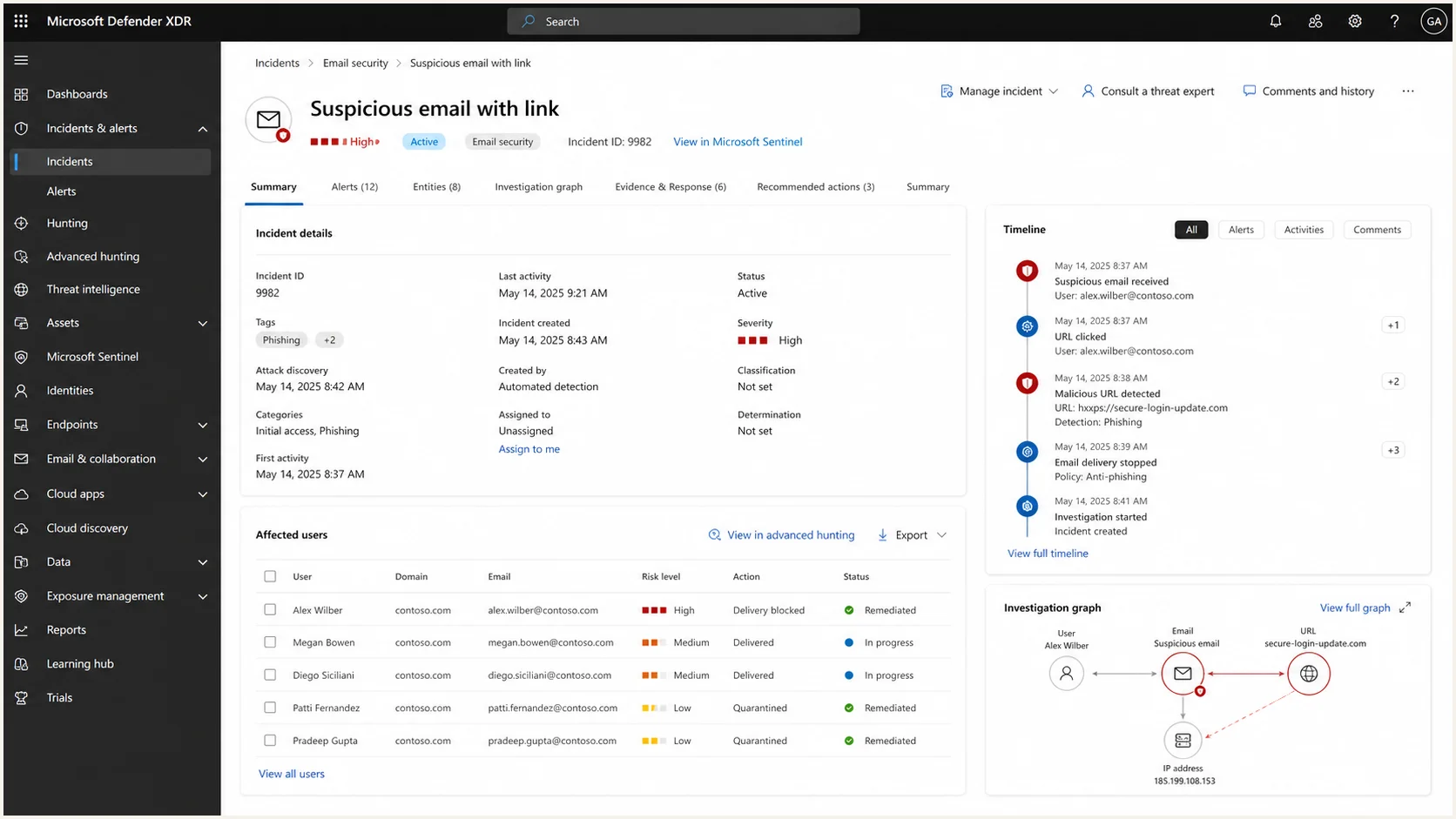
Microsoft Defender XDR incident screen used as an example security workflow destination.
The connection does not need to be complex at first. Start with a simple rule: anything that affects legitimate mail delivery or spoofing visibility gets a service ticket. Anything that shows progress or residual risk goes into the client report.
Do not bury DMARC alerts
DMARC alerts should not land in a shared mailbox with no owner. Assign them to the same operational queue that handles mailbox security work and DNS or sender changes.
- Critical: Large authentication failure spike on the primary domain.
- High: Known sender fails DKIM after a vendor change.
- Normal: New low-volume sender needs review during the next service cycle.
- Informational: Weekly authentication summary with no action needed.
Set up the DNS and reporting path
For most clients, start with reporting mode, fix the obvious sender issues, then move toward an appropriate enforcement policy. The exact path depends on mail volume, sender complexity, indirect mail flows, and how quickly the client can approve vendor changes.
Keep the first record simple. Complex records during onboarding slow down the work and make troubleshooting harder. A clean reporting record gives the MSP data without disrupting mail.
Starter DMARC reporting recordDNS
Name: _dmarc
Type: TXT
Value: v=DMARC1; p=none; rua=mailto:reports@client.example
RFC 9989 is the current DMARC standard. It makes the pct tag historic and adds t=y for policy testing, so new rollout plans should not depend on percentage sampling. If the rua address uses a domain other than the domain publishing the DMARC record, the report destination domain must publish the required authorization TXT record. Confirm that authorization and actual report arrival before closing onboarding.
The reporting destination must also cope with aggregate XML volume. A client can receive many reports per day, and not every receiver sends them. Route reports to a monitored processor or dedicated mailbox with retention, access, and privacy controls rather than a personal inbox.
The DNS setup also needs SPF and DKIM discipline. SPF should include only approved sending sources and stay under lookup limits. DKIM should be active for each legitimate sender that supports it. DMARC passes when at least one method both authenticates and aligns with the visible From domain.
DNS change workflow
- Collect: Document current SPF, DKIM, and DMARC records before edits.
- Publish: Add the reporting record and confirm DNS propagation.
- Observe: Review real mail flows before changing policy.
- Stage: Test quarantine or reject only after approved senders pass.
Use Suped for the managed layer
For MSPs that want one operational console instead of separate DNS, reporting, and reputation tasks, Suped's product can provide the managed layer inside the bundle. It brings together DMARC monitoring, SPF and DKIM monitoring, hosted policy management, real-time alerts, automated issue detection, and clear steps to fix.
The MSP value is practical: fewer manual report reviews, faster triage, and a cleaner path for client reporting. Hosted controls also reduce the friction that usually slows MSP delivery. Hosted DMARC helps manage policy testing and enforcement state, while hosted SPF keeps sender changes manageable when the MSP does not want every vendor update to become a DNS access problem.
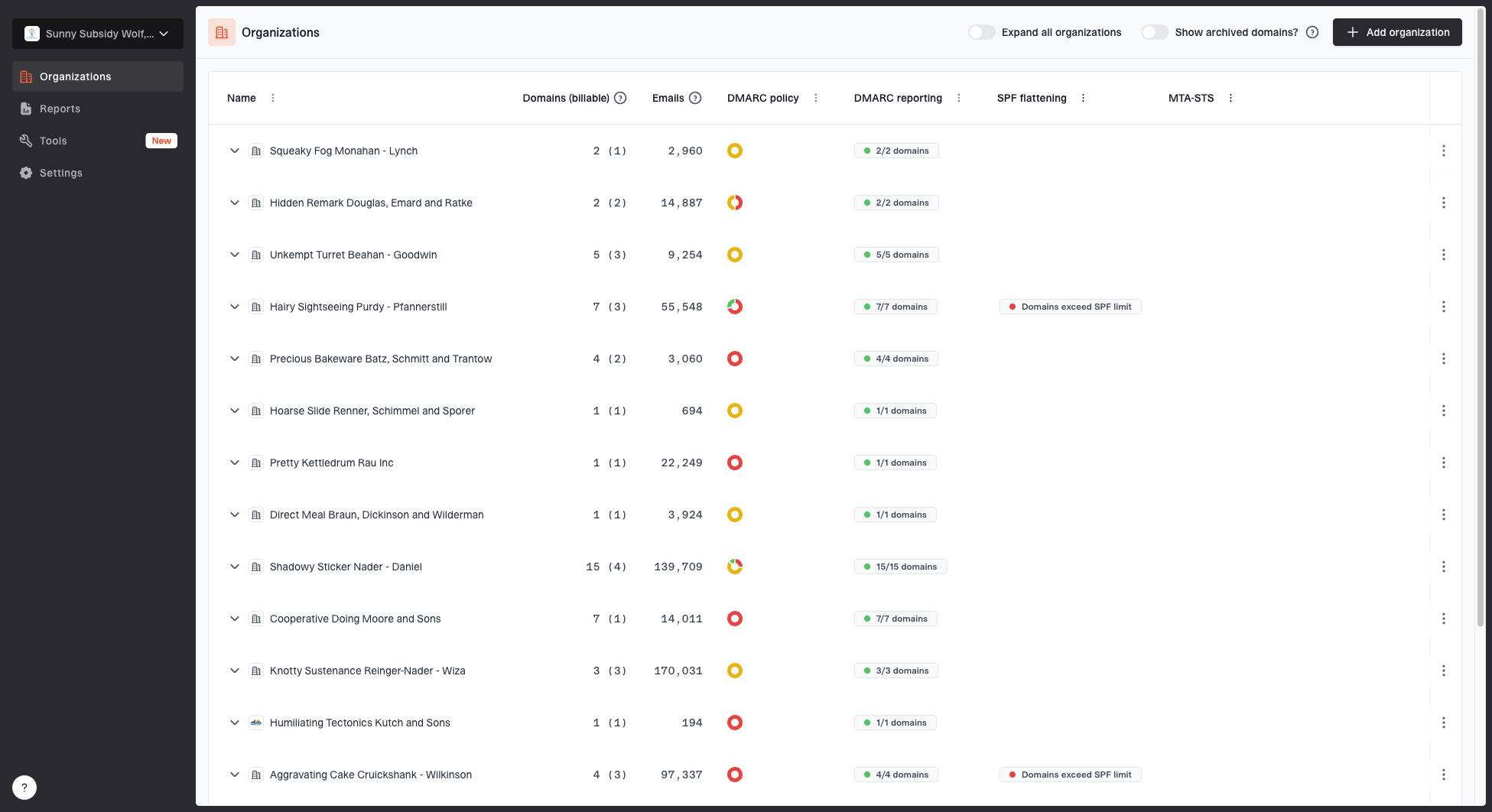
MSP organizations page showing client organizations, domain counts, email volume, and domain status columns
For multi-client operations, the MSP dashboard matters as much as the record checks. Suped has multi-tenancy for agencies and managed service providers, client switching, client reports, and domain status views. That makes it easier to standardize delivery across many small and mid-sized clients instead of rebuilding the workflow per tenant.
Include reputation visibility when the email security bundle covers deliverability risk. Suped's blocklist monitoring helps track domain and IP listing issues across major blocklists (blacklists), which gives the MSP an early-warning view when mail starts failing outside pure authentication.
Place Suped in the managed layer rather than the advisory layer. The MSP still owns the client process, while Suped supplies the data, alerts, hosted controls, and reporting workflow needed to deliver DMARC across a client portfolio. For teams building a broader DMARC for MSPs program, this keeps the service concrete.
Where Suped fits in the stack
- Monitor: Track authentication results, source activity, and policy health.
- Manage: Use hosted DMARC, hosted SPF, SPF flattening, and hosted MTA-STS where they reduce operational work.
- Alert: Notify the team when failures exceed thresholds or unknown senders appear.
- Report: Generate client-facing evidence for authentication progress and open risk.
Package tiers without public price numbers
An MSP does not need public line-item pricing to package DMARC well. The client-facing offer should describe the scope, response time, review cadence, and included outcomes. Price belongs in the MSP proposal, based on domain count, sender count, reporting expectations, and the service desk load.
Use simple package names tied to effort. A monitoring-only offer is useful for clients that need visibility. A managed offer adds fixes and vendor coordination. An enforcement offer adds policy testing and tighter client governance. Complex clients need a custom scope because marketing systems, franchises, acquisitions, and decentralized teams increase the work.
|
|
|
|---|---|---|
Monitor | Low-risk clients | Reports and alerts |
Managed | Most SMBs | Fixes and reviews |
Enforce | Compliance clients | Policy staging |
Custom | Complex senders | Project scope |
Use package labels, not public prices, when explaining service levels.
If the commercial model is still being designed, the operational model should come first. The article on how to package DMARC monitoring goes deeper on packaging mechanics, but the key point is simple: scope drives margin.
Set service levels and plan the handoff
The statement of work should separate monitoring from remediation. Define alert coverage, the contracted response window, included change effort, approval dependencies, and what triggers project work. State whether the service operates during business hours or around the clock. Client delays should pause the relevant service clock when an MSP is waiting for sender ownership, vendor access, or a DNS approval.
|
|
|
|
|---|---|---|---|
Alerts | Triage by severity within the agreed window | Maintain escalation contacts | Ticket outcome and finding |
DNS changes | Draft and verify approved records | Approve sender and change window | Before-and-after DNS evidence |
Policy stage | Recommend the stage and rollback plan | Accept business risk | Approval and change record |
Offboarding | Export policy state, senders, and open risks | Confirm the new report destination and DNS owner | Signed handoff checklist |
Use the handoff evidence to close onboarding, policy changes, and offboarding.
A clean handoff includes the domain inventory, approved sender register, current SPF and DKIM state, the active DMARC record, policy history, unresolved exceptions, and client contacts. During offboarding, authorize the replacement reporting destination first, confirm that it receives reports, then remove the old destination. This sequence avoids a monitoring gap and gives the next owner a recoverable record of every open decision.
Run the monthly operating rhythm
A DMARC bundle fails when nobody reviews the data after setup. Set a monthly rhythm for standard clients and a weekly rhythm during onboarding or enforcement staging. That keeps the MSP in control of sender drift and gives account managers a steady story for client meetings.
- Review: Check authentication pass rates, new sources, policy status, and unresolved issues.
- Classify: Separate legitimate senders, client-approved services, suspicious traffic, and noise.
- Ticket: Assign fixes for SPF includes, DKIM activation, vendor sender changes, and DNS cleanup.
- Escalate: Ask the client to approve vendor changes or confirm whether a sender is still needed.
- Report: Summarize progress, risks, and next steps in the regular service review.
The review should be short and decisive. Most MSP clients do not need a long explanation of XML reports. They need to know whether their domains are protected, whether business mail is safe, and what the MSP is fixing next.

Issue steps to fix dialog showing the issue overview, tailored fix steps, and verification action
Handle enforcement without breaking mail
Enforcement is the part clients fear, so the MSP needs a staged path. Do not move a domain to a stricter policy just because the record exists. Move when approved senders pass authentication consistently, indirect mail risk has been reviewed, and every remaining failure has an owner.
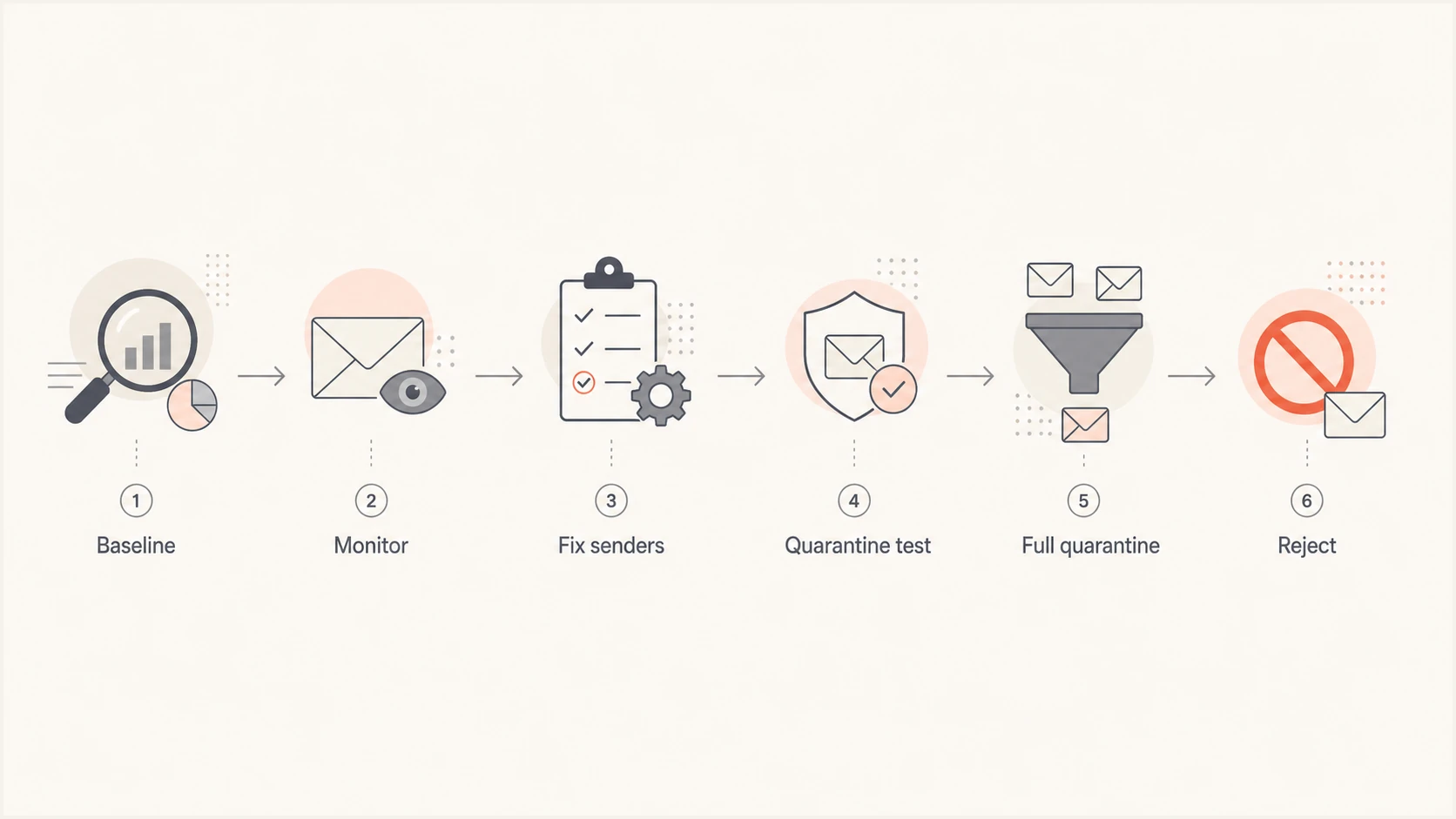
Flowchart showing staged DMARC enforcement for MSP clients.
Policy testing gives the client a controlled path under RFC 9989. With p=quarantine; t=y, the domain requests quarantine but asks receivers to apply a policy one level lower while testing. Remove t=y to apply quarantine, then use p=reject; t=y to test reject at the quarantine level before full reject. Sender readiness, several complete reporting cycles, and a documented rollback window replace fractional sampling because pct is historic.
Example enforcement stagesDNS
Stage 1: v=DMARC1; p=none; rua=mailto:reports@client.example
Stage 2: v=DMARC1; p=quarantine; t=y; rua=mailto:reports@client.example
Stage 3: v=DMARC1; p=quarantine; rua=mailto:reports@client.example
Stage 4: v=DMARC1; p=reject; t=y; rua=mailto:reports@client.example
Stage 5: v=DMARC1; p=reject; rua=mailto:reports@client.example
Enforcement readiness checks
Use these practical gates before moving a client to a stricter DMARC policy.
Ready
Proceed
Approved senders pass and failures are understood.
Review
Fix first
A known sender still needs SPF or DKIM repair.
Hold
Investigate
High-volume unknown sender exists.
Document
Record risk
Low-volume noise remains after client approval.
Report progress in client language
The client report should translate technical findings into decisions. Keep it focused on what changed, what is protected, what needs approval, and what the MSP will do next. Long lists of source IPs rarely help a business owner.
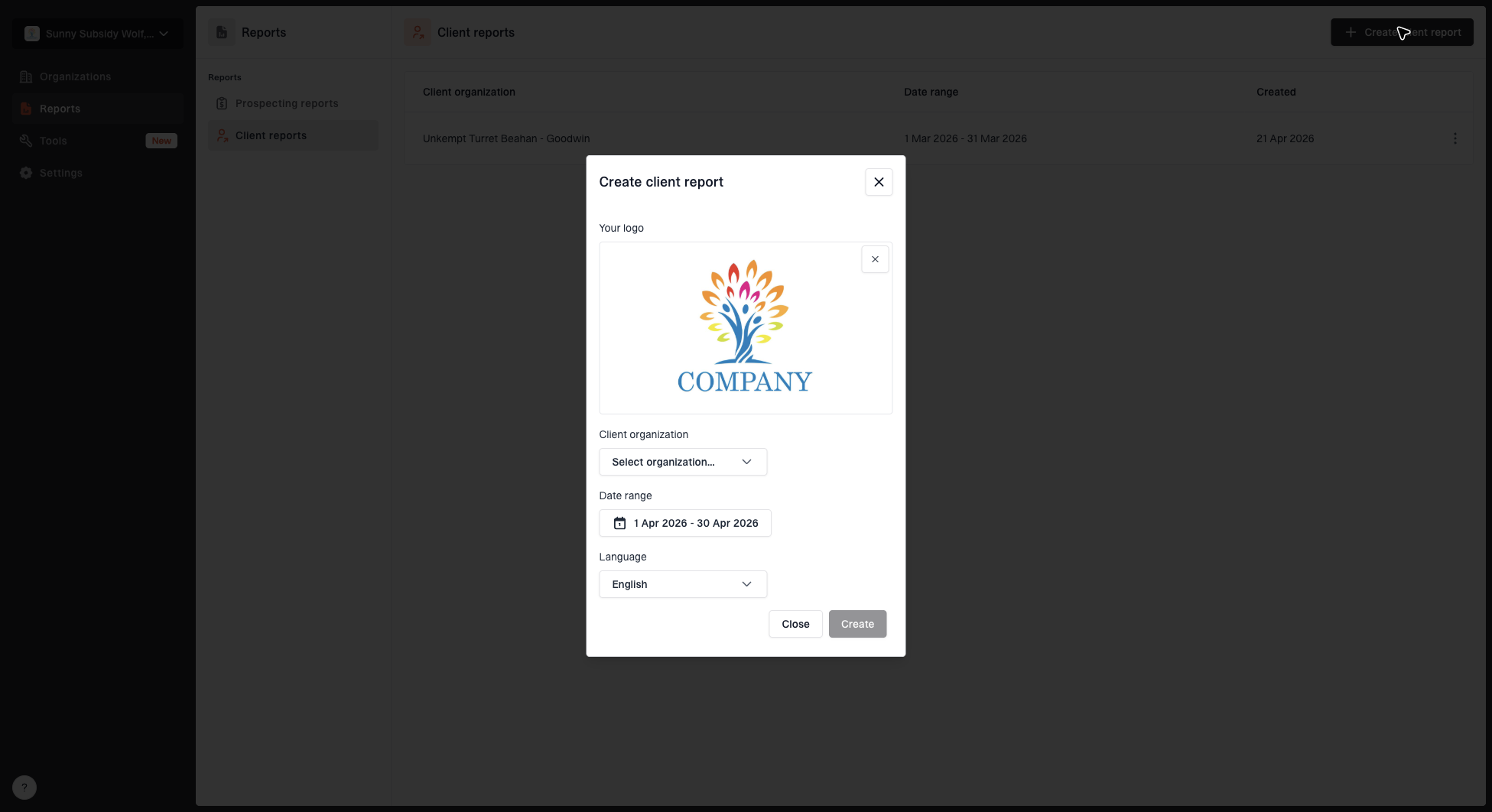
Create client report dialog with organization, date range, logo, and language options
A useful report also prevents DMARC from becoming invisible after setup. It shows that the MSP is monitoring the domain, catching changes, and moving the client toward stronger protection without risking legitimate mail.
- Progress: Policy stage, authenticated volume, and unresolved issues since the last report.
- Risk: Unknown senders, failing services, weak domains, and blocklist or blacklist concerns.
- Decisions: Vendor approvals, abandoned senders, and timing for stricter DMARC policy.
- Next work: Tickets the MSP owns before the next review.
Avoid the common delivery mistakes
Most MSP DMARC problems come from delivery design, not protocol complexity. The technical work is manageable when ownership is clear. The service breaks when nobody owns sender approvals, alert handling, or enforcement decisions.
Mistakes that create support load
- One-off setup: Publishing a record without monitoring the reports that follow.
- No sender owner: Letting marketing or line-of-business tools send mail without documentation.
- Fast enforcement: Moving to enforcement before legitimate services are passing SPF or DKIM.
- Hidden alerts: Sending failure notices to a mailbox nobody checks.
- Weak reporting: Giving clients raw authentication data instead of decisions and next steps.
The fix is a service playbook. Define the onboarding checklist, review cadence, ticket routing, client approval path, and enforcement gates before the first client is sold. Standardized workflows make it easier to attach DMARC monitoring to every email security package.
Make it a managed control
Bundle DMARC monitoring with email security as a managed control with ownership, alerts, tickets, reports, and staged enforcement. The MSP sells protection against exact-domain abuse and delivery risk, then backs it with a repeatable operating process.
Suped's product fits that model because it gives MSPs one place to monitor DMARC, SPF, DKIM, hosted controls, blocklist and blacklist signals, alerts, and client reporting. The protocol work still needs sound judgment, while the platform centralizes recurring tasks that otherwise slow service delivery across many clients.