When will I need to set up DKIM2?

Updated on 10 Sep 2026: We refreshed this guide for the latest DKIM2 drafts, interoperability testing, and DNS guidance.
Most domain owners do not need to set up DKIM2 yet. You need to act when your sending provider, mail server vendor, or mailbox provider gives supported DKIM2 setup instructions and those instructions tell you exactly what DNS record, selector, or signing change to publish.
DKIM2 remains active IETF work, not a finished RFC or general production requirement. The working group has current drafts for the core signature format, DNS key records, and deployment practices. Interoperability testing is underway, but open design issues and draft revisions still make provider documentation the trigger for brand-domain action.
Do not pre-stage DKIM2 DNS
Do not publish experimental DKIM2 DNS records on a production domain before your provider documents the exact record format. The wrong selector, key type, or record location creates confusion for future validation and gives you no current mailbox-provider benefit.
When DKIM2 becomes your job
DKIM2 becomes a domain-owner task when it moves out of general standards discussion and into a supported sender workflow. The practical line is not "a draft exists". The practical line is "the provider supports this, receivers use it, and a documented migration path exists".
If you run your own outbound MTAs, that line arrives earlier. If you use a hosted mailbox, CRM, email service provider, or ticketing platform, that line arrives when the provider updates its sender authentication documentation and its support team can troubleshoot DKIM2.
- Provider support: Your outbound platform says DKIM2 signing is supported for your account type, not only in a lab or closed pilot.
- Receiver use: Major mailbox providers publish how they evaluate DKIM2 results.
- DNS instructions: The sender gives you the selector name, record type, public key or CNAME target, and rotation process.
- Reporting signal: Authentication-Results headers, provider logs, or reports show DKIM2 outcomes you can compare with normal DKIM.
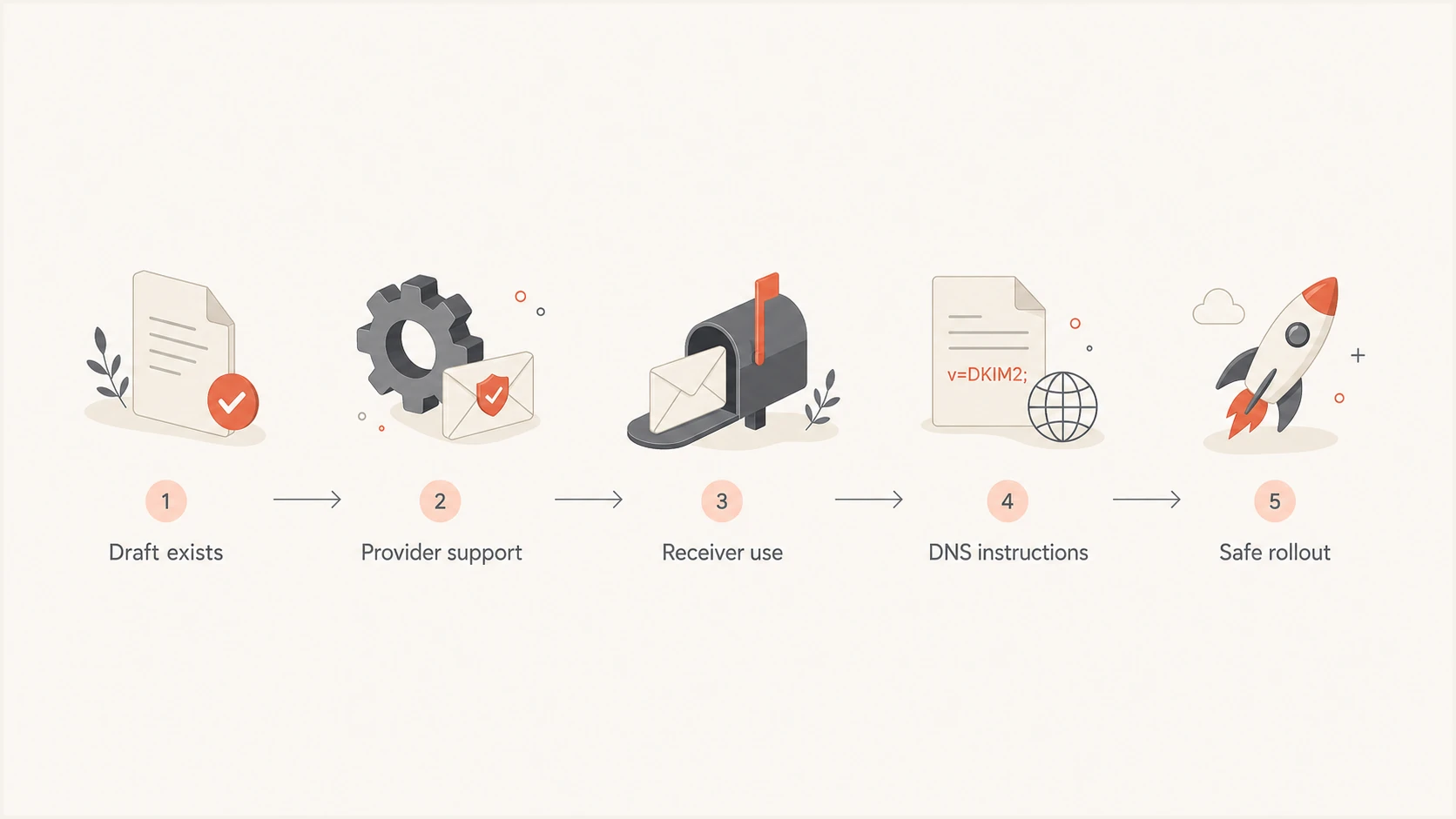
DKIM2 adoption path from draft status to safe rollout.
Brand senders mostly wait for supported provider workflows. Email service providers, mailbox providers, MTA vendors, and self-hosted operators have engineering work before brand senders see a stable setup path.
DKIM2 timing: not yet, watching, time to act
Use three timing buckets for DKIM2. They keep teams from doing DNS work too early, but they also stop the topic from being ignored until a mailbox provider deadline appears.
DKIM2 readiness stages
A practical timing model for domain owners and mail operators.
Not yet
Read and prepare
Standards and early code exist, but your sender has no supported setup path.
Watching
Track signals
Your provider, MTA vendor, or major receivers announce tests or pilot support.
Time to act
Roll out
Provider documentation tells you what to publish, rotate, test, and monitor.
Most brand domains remain in "not yet" or early "watching". Teams that own MTA code, sign mail for customers, forward mail at scale, or run inbound filtering systems need to follow the drafts, test libraries, and plan for dual signing before customers ask for it.
|
|
|
|---|---|---|
Not yet | Drafts and tests | Keep DKIM healthy |
Watching | Provider pilots | Inventory senders |
Time to act | Supported docs | Publish and test |
The timing labels are operational, not standards labels.
Signals worth watching
The strongest DKIM2 signal is operational documentation that names a product, a supported record format, a validation method, and a rollback path. Treat anything less than that as information, not a change request.
|
|
|
|---|---|---|
Sender docs | Setup steps | Roadmap notes |
Mailbox use | Header results | Private rumors |
DNS setup | Exact record | Sample only |
Support path | Troubleshooting | No owner |
Look for specific evidence before changing production DNS.
Another useful sign is support language that names failure behavior. Check what happens when DKIM2 verification fails but normal DKIM passes, how the provider exposes that result, and whether support can separate DNS errors from signing errors.
For hosted senders, watch the provider's normal DKIM setup documentation, admin notices, and release notes. A documented DKIM2 setup flow is a stronger signal than general industry coverage.
A vendor announcement still needs details
- Selector naming: You need to know whether DKIM2 uses existing selectors or separate selector names.
- Key handling: You need key length, key type, rotation timing, and private-key ownership.
- Rollback: You need a way to disable DKIM2 signing without breaking normal DKIM.
- Result visibility: You need verification states, error details, and logs that separate DKIM2 from normal DKIM.
Why there is no universal DKIM2 deadline
DKIM2 does not have a domain-owner deadline. The IETF work has active core, DNS, and best-practice drafts, and implementers are running interoperability tests. None of that creates a receiver mandate or a stable hosted-provider setup contract.
Treat draft publication, pilot code, and interoperability results as readiness evidence. Treat provider support, receiver use, and documented rollback as the point to schedule production work. Until both sides are present, any deadline is vendor-specific rather than an ecosystem-wide requirement.
Draft DNS details are not deployment instructions
The current DNS draft reuses the selector._domainkey signing-domain namespace and defines TXT records for public keys. The record format can still change while the document remains an Internet-Draft, so copy only the values and hostnames issued by the provider that signs your mail.
What to do while waiting
The best DKIM2 preparation is routine DKIM maintenance. A domain with broken selectors, weak keys, mismatched signing domains, or unknown senders has to fix those problems before DKIM2 adds value.
Start with a focused DKIM checker pass across your active selectors. Then compare the result with real DMARC aggregate data so you know which services actually send mail for the domain.
DKIM checker
Check selector records and public key configuration.
?/7tests passed
Check two different things: DNS validity and message-level signing behavior. DNS can be perfect while a sender still fails to sign outbound mail. A sender can sign mail while using a domain that does not satisfy DMARC alignment. DKIM2 readiness depends on both.
- Keep DKIM valid: Every active sender should sign with a public key that resolves cleanly in DNS.
- Use strong keys: Prefer 2048-bit RSA where supported, and rotate any selector that uses a shorter or compromised key.
- Verify selectors: Record which selectors belong to each sender so abandoned records do not hide real gaps.
- Track DMARC alignment: Check whether the DKIM signing domain matches the visible From domain under your DMARC policy.
- Avoid early changes: Do not add invented DKIM2 selectors, TXT records, or CNAMEs before your sender documents them.
Normal DKIM DNS patternDNS
selector1._domainkey.example.com. TXT
"v=DKIM1; k=rsa; p=MIIB...AQAB"
Migration paths to expect
DKIM2 adoption will not look the same for every sender. A hosted mailbox customer waits for a toggle or a DNS prompt. A self-hosted MTA operator tests signing code. An ESP prepares dual signing, inbound bounce handling, customer reporting, and support guidance.
Current draft migration guidance keeps normal DKIM in place while DKIM2 is introduced in parallel. Treat dual signing and clear precedence as operational requirements for a pilot. If you need the protocol detail first, read DKIM2 changes before changing records.
Hosted sender
- Setup owner: The provider controls signing code and tells you what DNS to publish.
- Main risk: Premature DNS edits create records the provider does not use.
- Best action: Wait for supported docs, then test one sending source at a time.
Self-hosted or ESP
- Setup owner: Your mail engineering team owns signing, verification, and logging.
- Main risk: Partial support creates headers your downstream systems cannot explain.
- Best action: Pilot in a controlled stream and keep DKIM1 as the stable baseline.
Do not assume DKIM2 means replacing every DKIM record on day one. The current best-practice draft calls for senders to use DKIM and DKIM2 together during migration. Keep a change log for selectors, DNS owners, signing vendors, and the business systems that depend on each sender.
A useful rollout checklist
- Inventory senders: List every service that signs mail for the domain or a subdomain.
- Map selectors: Document each selector, DNS zone owner, and private-key owner.
- Test one stream: Start with low-risk transactional or internal mail before broad marketing sends.
- Compare results: Check normal DKIM, DKIM2 headers, DMARC results, and receiver behavior together.
If your question is mainly whether to edit current DKIM records, use DKIM2 record changes as a safer decision point. For teams tracking the standards side, the best practices draft explains why operational guidance matters as much as the base protocol.
Where Suped fits while DKIM2 matures
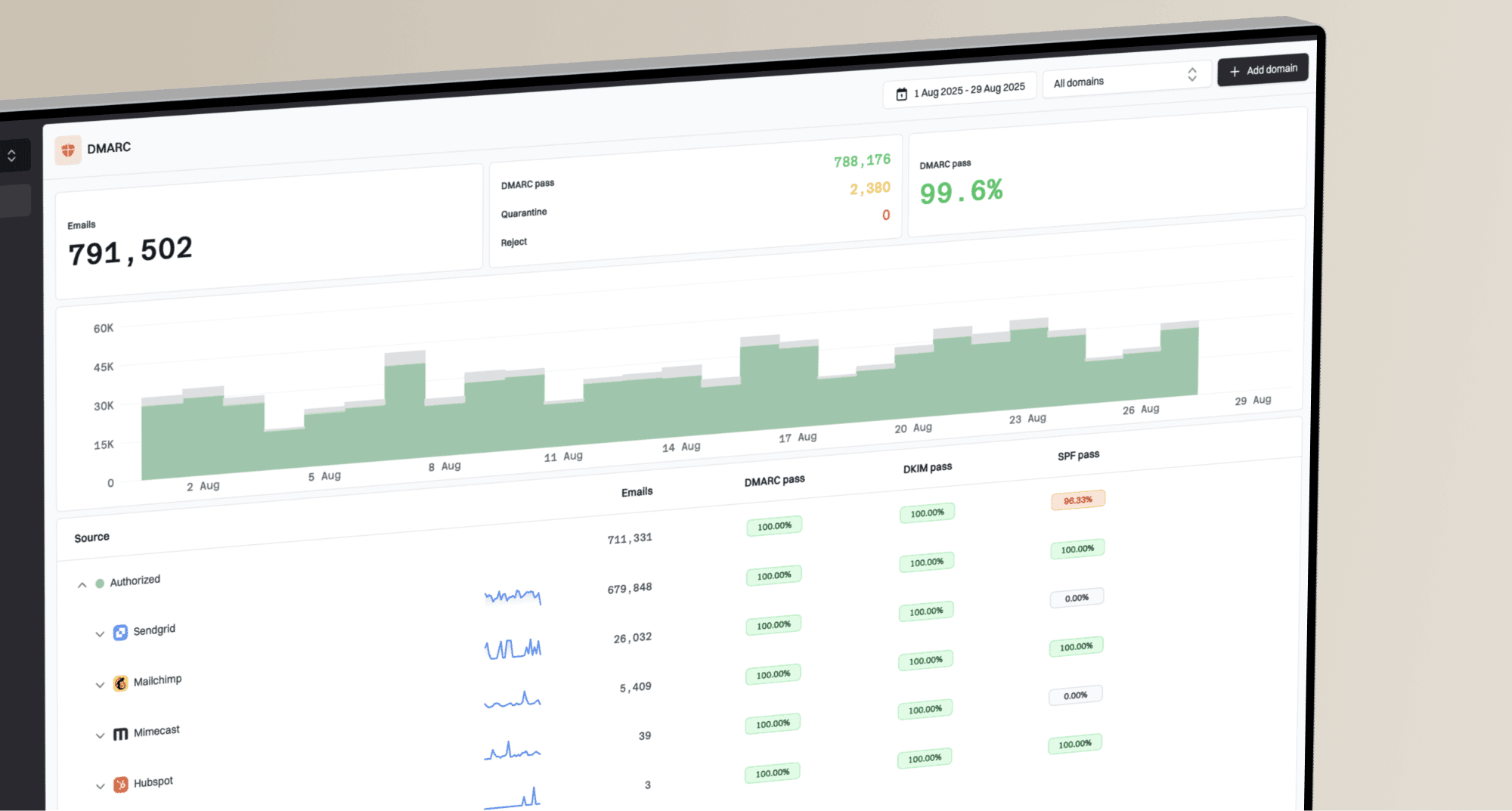
Suped's product supports the work that matters before DKIM2 is ready: DMARC monitoring, DKIM validation, SPF visibility, source inventory, and alerts when authentication changes. DKIM2 does not remove the need to know who sends mail for your domain today.
For most teams, the practical workflow is to run DMARC monitoring continuously, verify sources, and keep a clean sender list. Suped also combines DKIM, SPF, blocklist (blacklist), and deliverability signals in one place, so DKIM2 readiness is tied to the same operational view you use for current authentication.
DMARC record detail view showing SPF, DKIM, DMARC, rDNS diagnostics, and DNS records
A periodic domain health check is also useful when teams have many domains, parked domains, and third-party senders. The point is not to invent DKIM2 work early. The point is to make the current authentication baseline clean enough that the DKIM2 rollout has fewer unknowns.
What to track now
Track current DKIM pass rates, selector age, unverified sources, DMARC alignment, SPF lookup risk, and mailbox-provider changes. Those signals tell you whether DKIM2 will be a simple provider-led update or a cleanup project.
The practical decision
You need to set up DKIM2 when your provider or mail software gives you supported DKIM2 instructions and receivers are using DKIM2 results in a way you can monitor. Until then, keep normal DKIM valid, strengthen old keys, verify selectors, track DMARC alignment, and avoid speculative DNS changes.
If you operate mail infrastructure, start testing earlier in a controlled environment. If you own a brand domain on hosted platforms, your action point is provider documentation, not draft publication. That distinction saves time and keeps production DNS clean.