What tools and methods are available to generate DKIM public and private keys?

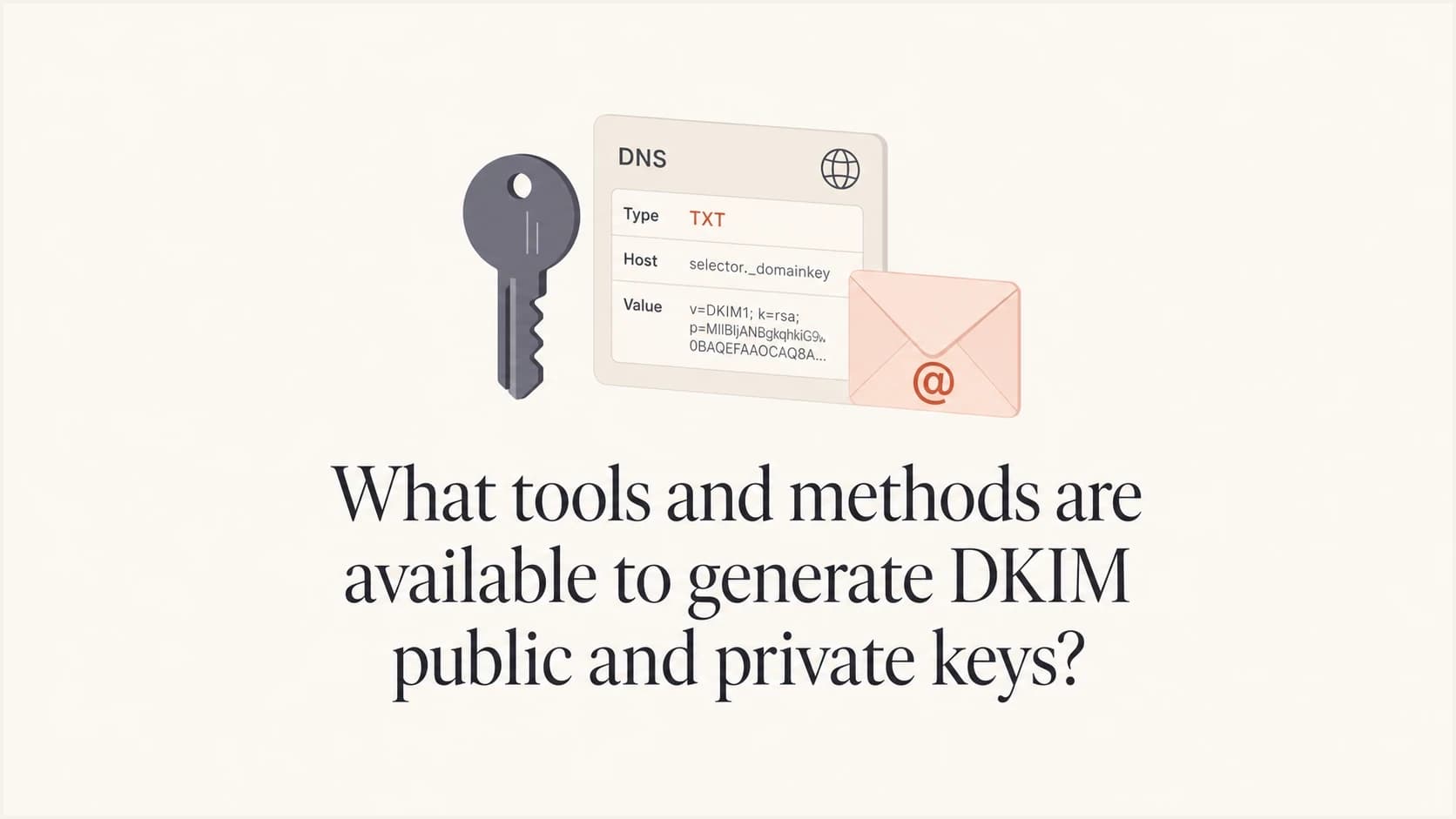
Updated on 10 Aug 2026: We added Ed25519 generation guidance and tightened the operational advice for RSA keys, DNS publication, selector management, and DKIM alignment.
Use OpenSSL for most manual DKIM key generation, OpenDKIM when configuring a Linux mail server, and the sending platform's own DKIM setup when it provides managed selectors with TXT or CNAME records. A web-based generator is useful for testing or a simple lab setup, but a public page should not create a production private key unless its trust boundary and local-generation behavior are verified.
The private key signs outbound mail and must stay private. The public key goes into DNS under a selector such as selector1 at _domainkey. The common production choice is RSA 2048-bit, which RFC 8301 recommends. RSA 1024-bit meets the standards minimum but is not recommended for new selectors. RSA 4096-bit creates larger DNS answers and still needs explicit support from the signer and DNS host.
- Best default: Generate the key pair locally with OpenSSL, then paste only the public key into DNS.
- Server setup: Use OpenDKIM's key generator when OpenDKIM will also sign the mail.
- Managed sender: Use the sender's admin console when it gives you managed selectors with TXT or CNAME records.
- Validation step: After publishing DNS, check the selector and send a signed message.
Direct answer
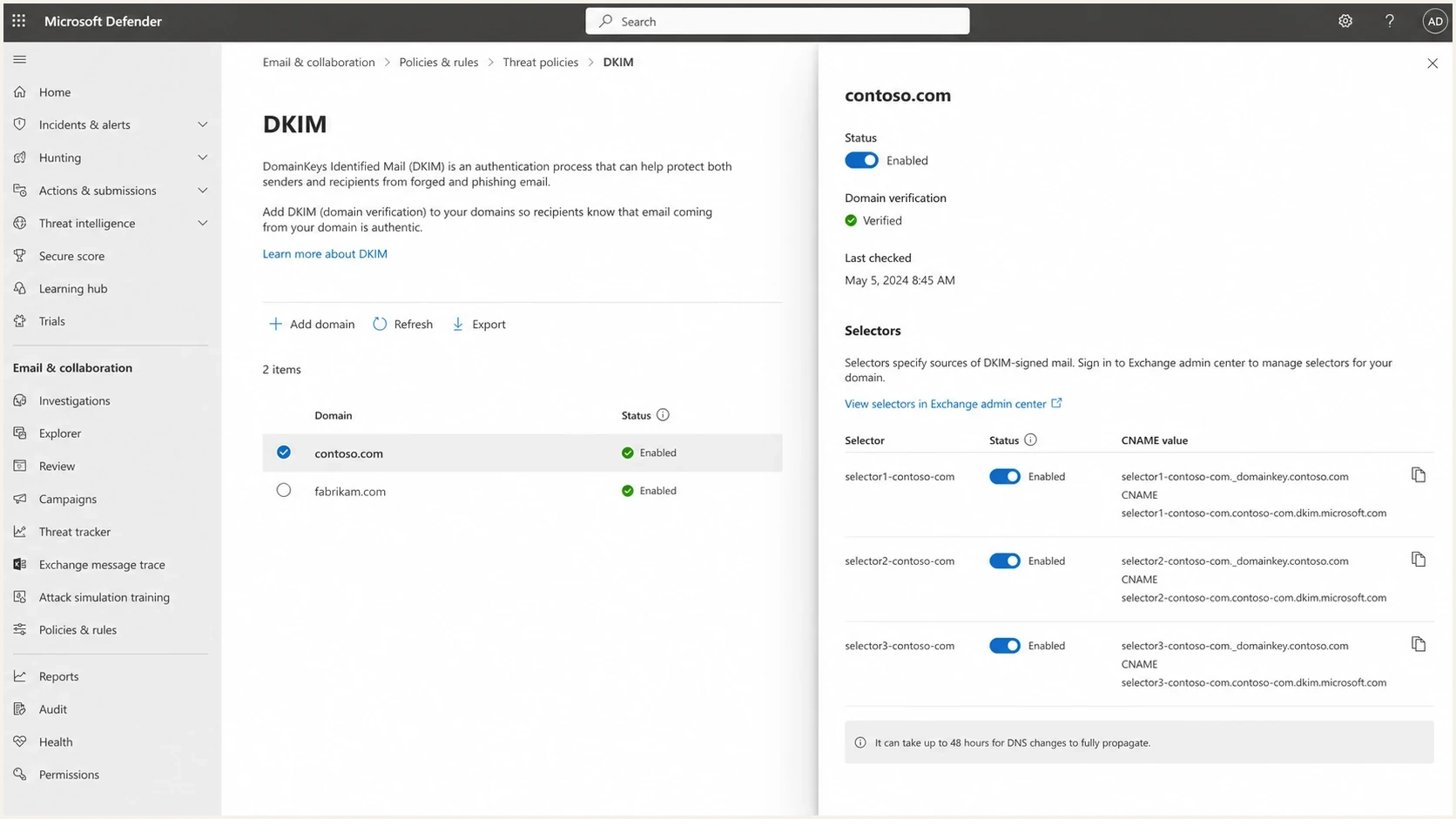
Microsoft Defender portal DKIM setup screen with domain selector status and CNAME values.
There are five common methods to generate or provision DKIM public and private keys: a command-line cryptographic tool, a mail-server package, a sending provider console, a hosting control panel, or a web-based DKIM generator. The right choice depends on who will sign the mail and who controls DNS.
|
|
|
|
|---|---|---|---|
OpenSSL | Local, scriptable generation | PEM key pair | Format choices need care |
OpenDKIM | Linux mail server setup | Private key and TXT | Package install required |
Provider console | Hosted mail and sending platforms | DNS values | Provider controls selector |
Web generator | Testing or low-risk setup | Key pair | Trust boundary matters |
Control panel | Managed hosting | DNS values | Less portable |
Compact comparison of DKIM key generation options.
Local generation keeps private-key custody under your control and produces repeatable commands with predictable output. Provider-generated DKIM is also appropriate when the provider keeps the private key inside its signing system and asks you to publish DNS records. Avoid generating a production private key on a public page and then uploading that same private key into another platform.
How the common methods compare
The DKIM key generator is less important than the path the private key takes after generation. If the private key leaves a controlled environment, treat the key as exposed. That does not mean every web generator is broken. It means the risk model changes, so production keys should be created on the host or admin workstation that will handle them.
Local generation
- Custody: The private key starts and stays on a controlled machine.
- Repeatability: The same command can be scripted for future selectors.
- Format control: You can output PKCS#1 or PKCS#8 as the signer requires.
Web or provider generation
- Speed: The setup is fast when the tool also formats the DNS value.
- Convenience: Provider consoles often publish CNAME targets instead of raw keys.
- Risk: A server-side web generator has seen the private key.
Private key rule
Never paste an existing production DKIM private key into a public tool. If a public generator creates a private key for you, treat that private key as shared with the tool operator unless you have verified that generation happens locally in your browser and no key material is transmitted.
- Safe path: Generate locally, store the private key with the signing service, and publish only DNS.
- Testing path: Use web generators for lab domains, disposable selectors, or learning the DNS format.
Keep key generation separate from DKIM validation. The generator creates the material. Validation proves that DNS, selector naming, signing, and message headers all work together.
Generate the key pair with OpenSSL
OpenSSL is the most flexible method because it creates the cryptographic key pair without involving a third party. For a platform that wants a PKCS#1 RSA private key in PEM format, use the traditional RSA wrapper so the private key begins with BEGIN RSA rather than the generic BEGIN PRIVATE header.
OpenSSL RSA DKIM key generationbash
umask 077
openssl genrsa -traditional -out selector1.private 2048
openssl rsa -in selector1.private -pubout -out selector1.public
The restrictive umask prevents other local users from reading newly created key files. Keep the private key in the mail signing system and out of source control. The public file has to be transformed into the value inside the DKIM DNS record. Remove the PEM header, footer, and line breaks from the public key before placing it after p=. Keep the DNS record syntax clean because copied quotes, spaces inside the key, and wrapped lines create hard-to-see failures.
Extract the public key bodybash
sed -n '/BEGIN PUBLIC KEY/!{/END PUBLIC KEY/!p}' selector1.public \
  | tr -d '\n'
On modern OpenSSL builds, different commands produce different PEM wrappers. If a platform rejects a valid-looking key, do not regenerate blindly. First identify whether it wants PKCS#1 or PKCS#8. For a deeper key-size check, the related check key length workflow is useful after the DNS value is published.
Generate Ed25519 keys when the signer supports them
RFC 8463 defines Ed25519-SHA256 for DKIM, with a much shorter public key than RSA. Use it only when the signing software explicitly supports Ed25519 DKIM and accepts the private-key format produced by OpenSSL.
OpenSSL Ed25519 DKIM key generationbash
umask 077
openssl genpkey -algorithm ED25519 -out selector2.private
openssl pkey -in selector2.private -pubout -outform DER \
  | tail -c 32 \
  | openssl base64 -A
The last command prints the 32-byte raw public key as 44 base64 characters. Put that value after p= in a record that includes k=ed25519. Do not publish the full DER or PEM public-key document as the DKIM value.
Ed25519 DKIM DNS record shapedns
selector2._domainkey.example.com. 3600 IN TXT (
  "v=DKIM1; k=ed25519; p=BASE64_RAW_PUBLIC_KEY"
)
Transition without dropping RSA
For a compatibility transition, attach both RSA-SHA256 and Ed25519-SHA256 DKIM signatures. Each algorithm needs a different selector because one selector name must resolve to one key record.
Use OpenDKIM when the mail server is yours
OpenDKIM is a practical method when the same environment will generate the key and sign mail. The generator creates a private key file and a DNS TXT record file, which reduces manual conversion work.
OpenDKIM selector generationbash
opendkim-genkey -b 2048 -s selector1 -d example.com
That command creates files similar to selector1.private and selector1.txt. The private file goes into the OpenDKIM key table. The TXT file gives the DNS value. Inspect the TXT output before publishing because DNS panels handle quotation marks and long strings differently.
When OpenDKIM is the right fit
- Good fit: You run an MTA where OpenDKIM handles signing.
- Less fit: A third-party sender will sign mail and only needs you to publish DNS records.
When provider consoles generate the key
Many hosted senders do not ask you to generate a raw private key. They either create selectors for you or ask you to publish CNAME records that point to provider-managed DKIM records. In that model, the provider owns the private signing key and you publish the DNS proof that authorizes it for your domain.
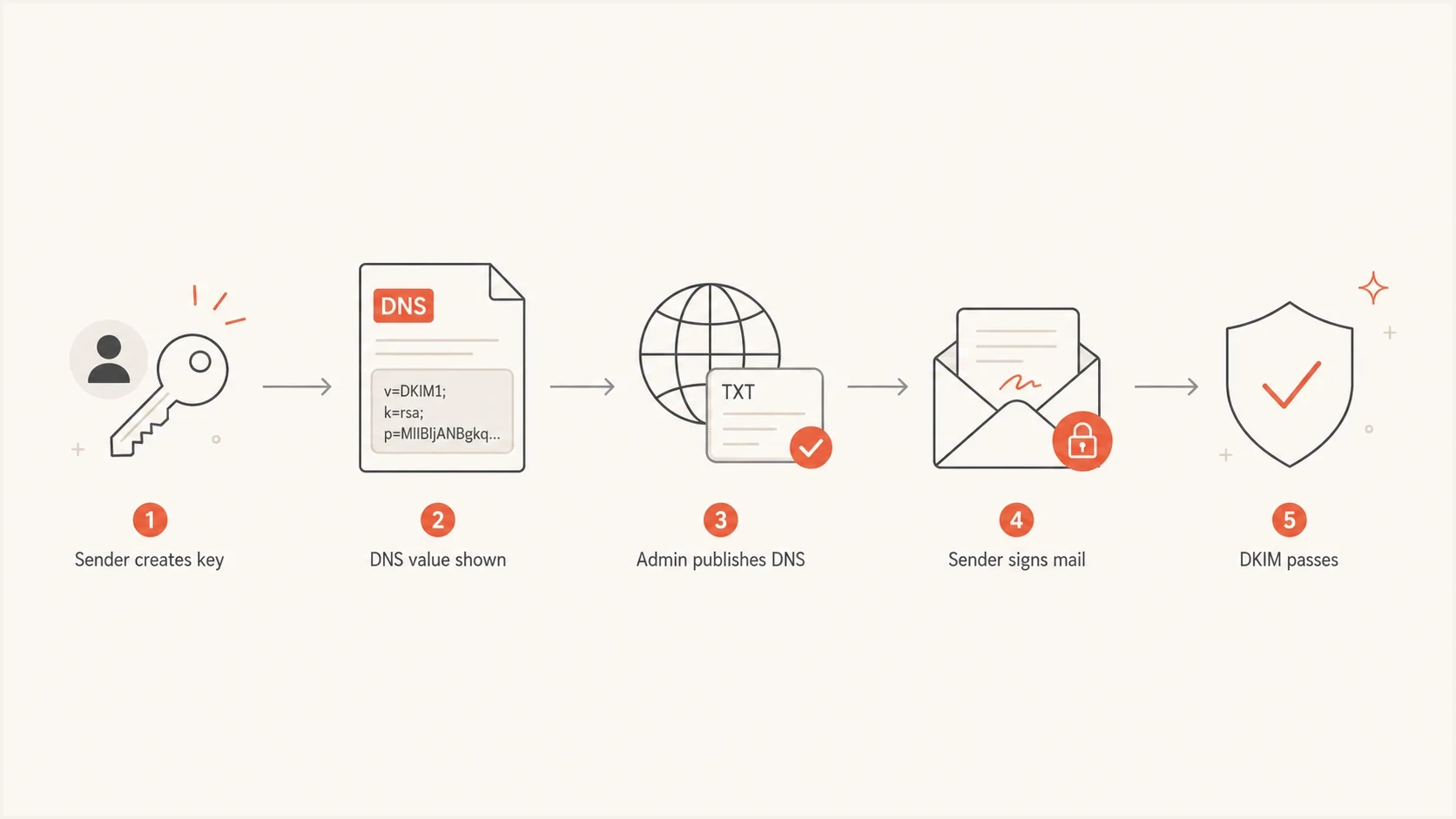
Flowchart showing a sender creating a DKIM key, DNS publication, signing, and DKIM passing.
This is usually the right answer for hosted sending platforms because the sender has to sign the message. A private key that sits outside the sender's infrastructure does not help unless the sender lets you upload it. If a platform asks for your own private key, confirm the required key type, key size, PEM format, and encryption requirements before involving the DNS administrator.
- Create selector: Use a unique name such as s1, selector1, or a sender name with a date marker. Do not reuse a selector for a different key.
- Publish DNS: Add the TXT or CNAME record exactly as the sender provides it.
- Enable signing: Turn on DKIM in the sender after DNS has propagated.
- Test message: Send real mail and inspect the DKIM result in the headers.
Handle PEM and PKCS format problems
The error that trips people up is usually not DKIM itself. It is the private key wrapper. A platform can reject the key with a message like "not a valid PKCS#1 RSA private key in PEM format" even when the key material is valid, because the platform expects a specific file format.
PKCS#1 private key
This starts with BEGIN RSA. Older mail systems and strict upload forms often ask for this format.
PKCS#8 private key
This starts with BEGIN PRIVATE. Modern tooling often emits this wrapper by default.
Convert PKCS#8 to PKCS#1bash
openssl rsa -traditional -in input.pem -out dkim.pkcs1.pem
If the system still refuses the file, check whitespace before the header, the final newline, file encoding, and line ending handling before blaming the generator. Also confirm the upload expects the private key, not the public DNS value. Each of those can cause the same general class of error.
RSA DKIM key length choices
A practical benchmark for RSA DKIM key length selection.
Standards floor
1024-bit
Do not use for new selectors.
Recommended
2048-bit
Use for most production selectors.
Extra large
4096-bit
Check signer and DNS support first.
Key length also ties into rotation. Use a planned selector rotation process instead of waiting for emergency replacement, especially when several senders use the same domain. The related DKIM key rotation guide covers the operational part.
Publish the public key cleanly
The DKIM public key becomes a DNS TXT record unless the provider gives you CNAME records. The hostname is the selector plus _domainkey plus the signing domain. The value usually starts with v=DKIM1, uses k=rsa when the default key type needs to be explicit, and must include p= followed by the public key.
DKIM DNS TXT record shapedns
selector1._domainkey.example.com. 3600 IN TXT (
  "v=DKIM1; k=rsa; "
  "p=MIIBIjANBgkqhkiG9w0BAQEFAAOCAQ8A..."
)
DNS TXT character strings are limited to 255 octets, so a 2048-bit RSA record is often split into quoted chunks inside one TXT record. DNS clients concatenate those chunks without added spaces. Some DNS panels split the value automatically, while others require manual chunks. Publish only one TXT record for each selector name because multiple records make the lookup result undefined. The public key after p= must not contain literal spaces, stray quotes, or copied PEM header text.
DNS handoff checklist
- Host: Send the exact selector hostname instead of only the root domain.
- Value: Send the full TXT or CNAME value in a copy-safe format.
- TTL: Use a modest TTL during setup, then raise it after validation.
- Owner: Name the sender that will use the selector so stale records are easier to retire.
Validate the selector and watch real mail
A DKIM DNS record can exist and still not protect mail. The signer has to use the matching selector, the d= signing domain has to be correct, and the signed headers and canonicalized body must still verify after transit. Validate in two passes: first DNS, then a real sent message.
After the TXT record is live, validate the selector with the DKIM checker. Then send mail through the actual platform and inspect the Authentication-Results header to confirm DKIM passed for the expected domain.
DKIM checker
Check selector records and public key configuration.
?/7tests passed
For DMARC, also check DKIM alignment. Under relaxed alignment, the d= signing domain and the visible Header From domain can share the same organizational domain. Under strict alignment, they must match exactly. A DKIM cryptographic pass with an unrelated signing domain does not produce a DKIM-aligned DMARC pass.
If the record validates but live mail fails, the key generator was not the issue. The problem is usually signing disabled, the wrong selector in the sending system, a subdomain mismatch, or a message modification after signing.
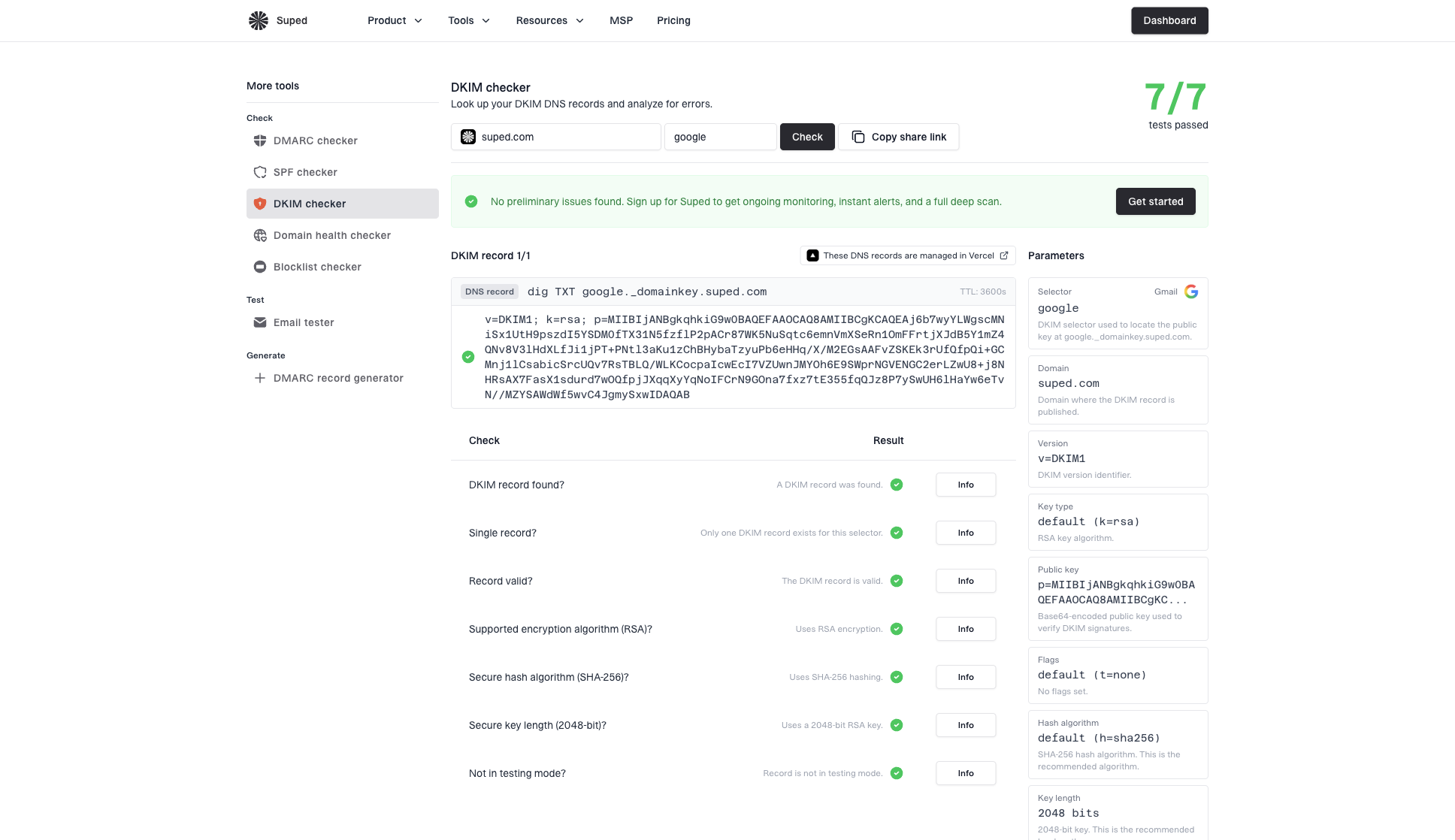
DKIM checker sample results showing selector, DKIM DNS record, validation checks, parameters, and share link
For a broader check, use the domain health checker because DKIM rarely operates alone. A domain can have a clean DKIM record and still have weak SPF, missing DMARC reporting, or an authentication gap on a subdomain.
Where Suped fits in the workflow
Key generation is a setup task. Ongoing authentication work includes watching which sources sign, catching selector mistakes, seeing when a sender stops signing, and knowing whether DKIM failures affect DMARC outcomes. Suped's product handles that monitoring workflow.
Suped's product brings DKIM, SPF, DMARC, hosted SPF, hosted DMARC, hosted MTA-STS, blocklist (blacklist) monitoring, and deliverability signals into one workflow. Teams can review authentication results, separate verified and unverified sources, receive alerts, and move DMARC policy forward without turning every DNS change into a manual audit.
Issues page showing top issues, verified sources, unverified sources, and authentication pass rates
The practical split is simple: use OpenSSL, OpenDKIM, or a provider console to create the DKIM material, then use Suped's DMARC monitoring to see whether real traffic is authenticated and protected. The operational result matters more than which generator created the original key.
Practical workflow
- Generate: Create the DKIM key pair locally or in the sender's trusted console.
- Publish: Add the DNS TXT or CNAME record exactly as required.
- Verify: Check the selector, then send a real message through the platform.
- Monitor: Watch real authentication traffic and fix sources that fail.
Views from the trenches
Best practices
Local keys: Generate production private keys locally, then publish only the public value.
Format check: Confirm whether the signer expects PKCS#1, PKCS#8, or provider DNS values.
DNS handoff: Send selector, host, TTL, and TXT value together to reduce setup delays.
Common pitfalls
Wrong PEM: A valid key still fails when the platform expects a different wrapper.
Quoted key: Extra quotes inside the public key break DNS even when the record saves.
Lost signer: Publishing DKIM in DNS does nothing until outbound mail is signed properly.
Expert tips
Rotate calmly: Add the new selector, verify signing, then retire the old one later.
Keep scope: Use separate selectors so one sender change does not block all mail.
Validate live: Test a sent message because DNS checks cannot prove signing is active.
Marketer from Email Geeks says OpenSSL gives the cleanest path when a platform asks for a private key in a strict PEM format.
2025-03-18 - Email Geeks
Marketer from Email Geeks says OpenDKIM is reliable when you run the signing service and want the DNS TXT file created with the private key.
2025-05-07 - Email Geeks
Practical recommendation
If a system requires a DKIM public and private key, start with OpenSSL and create a 2048-bit RSA key locally. If the system demands PKCS#1 PEM, use the traditional RSA output or convert the key before upload. If you run the mail server, use OpenDKIM because it creates the private key and TXT record in the same workflow.
If the sender provides managed DKIM, use that instead of creating your own private key. That usually means publishing TXT or CNAME records and enabling signing in the sender console. Web generators are fine for testing, but production needs local key creation or provider-managed key custody.
Use Ed25519 only when the signer supports it, and keep an RSA signature during the transition. The finish line is a DNS record that validates, live mail that signs with the right selector, DKIM alignment with the visible From domain, and monitoring that shows DKIM passing across actual sending sources.




