Where can I find a list of temporary email service domains?

Published 10 Jun 2025
Updated 27 Jul 2026
10 min read
Summarize with
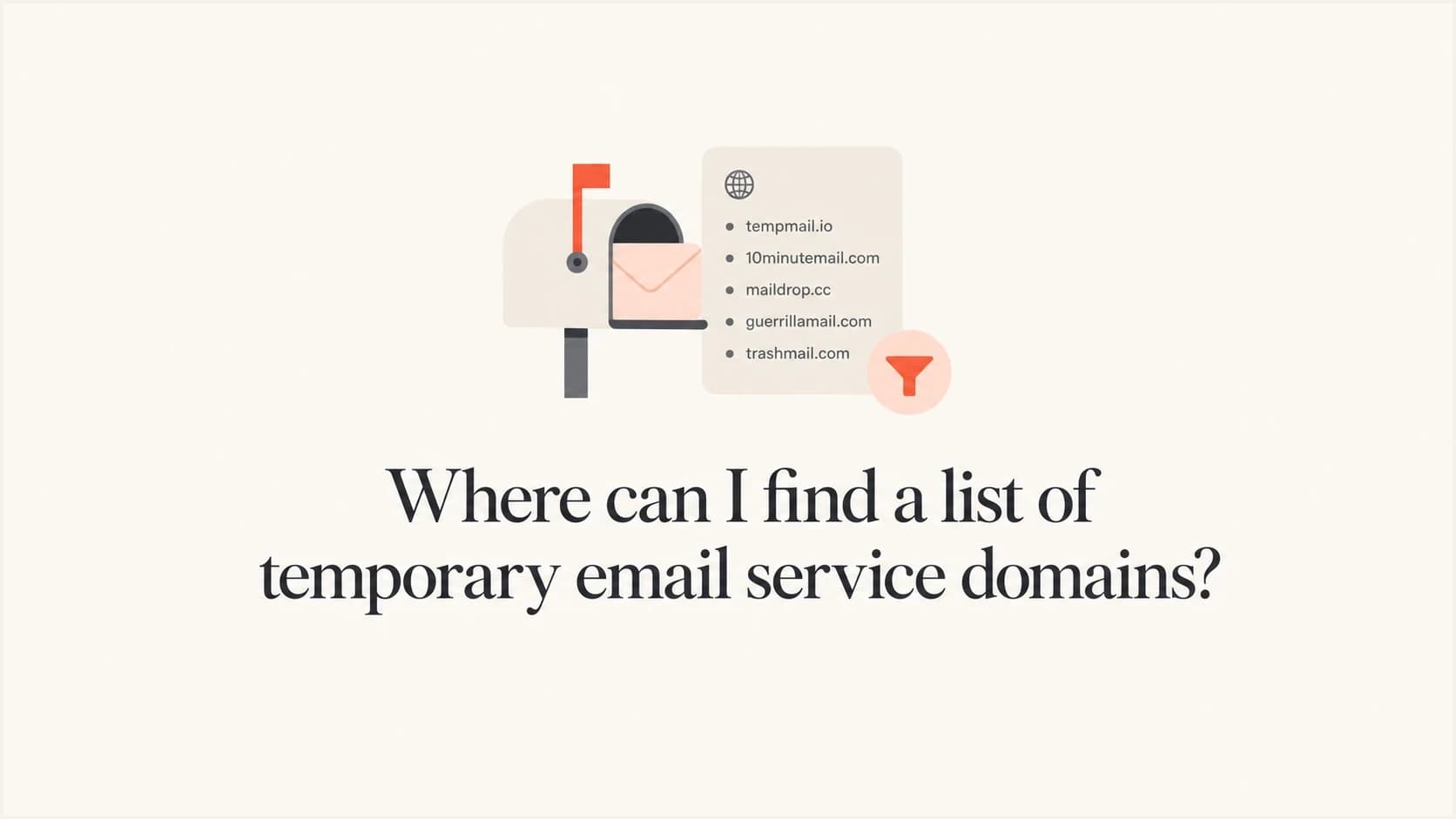
Updated on 27 Jul 2026: We expanded this guide with Public Suffix List matching, Null MX handling, source checks, and safer list maintenance.
The most useful places to find temporary email service domains are public GitHub repositories and maintained provider directories. Treat each list as candidate data, then verify whether a domain still has working mail infrastructure, still belongs to a disposable service, and has a documented reason for enforcement.
A temporary email domain list answers a narrow question: "Has this domain been associated with disposable, burner, or temporary inbox use?" It does not prove that a signup is fraudulent or that the domain still works. It also does not show whether the address belongs to a privacy-forwarding user who should be allowed. Some lists include dead domains, parked domains, and privacy alias domains that real users depend on.
- Fastest start: Use maintained disposable-domain lists to build an initial candidate set.
- Best next step: Validate mail DNS, provider evidence, recent activity, and list provenance before enforcement.
- Safest policy: Use temporary-domain matches as a risk signal before moving to hard rejection.
- Main caveat: Temporary email providers rotate domains, so a stale list gets noisy quickly.
Where to get temporary email domain lists
Start with a public repository, then compare it with a provider directory and a maintained dataset write-up. The public GitHub list exposes raw domains in a simple blocklist file, documents its validation process, and accepts correction requests. A provider directory helps identify services linked to many domains. A published update process can inform the refresh and allowlist process for a local copy.
|
|
|
|
|---|---|---|---|
Public repo | Raw file, license, recent commits | Seed data and diffs | Needs local review |
Provider index | Domain grouping and evidence | Provider research | May mix service types |
Maintainer notes | Collection and removal method | Process design | Not enforcement policy |
Internal data | Abuse, overrides, and conversions | Final decisions | Needs enough volume |
Practical sources for temporary email service domains.
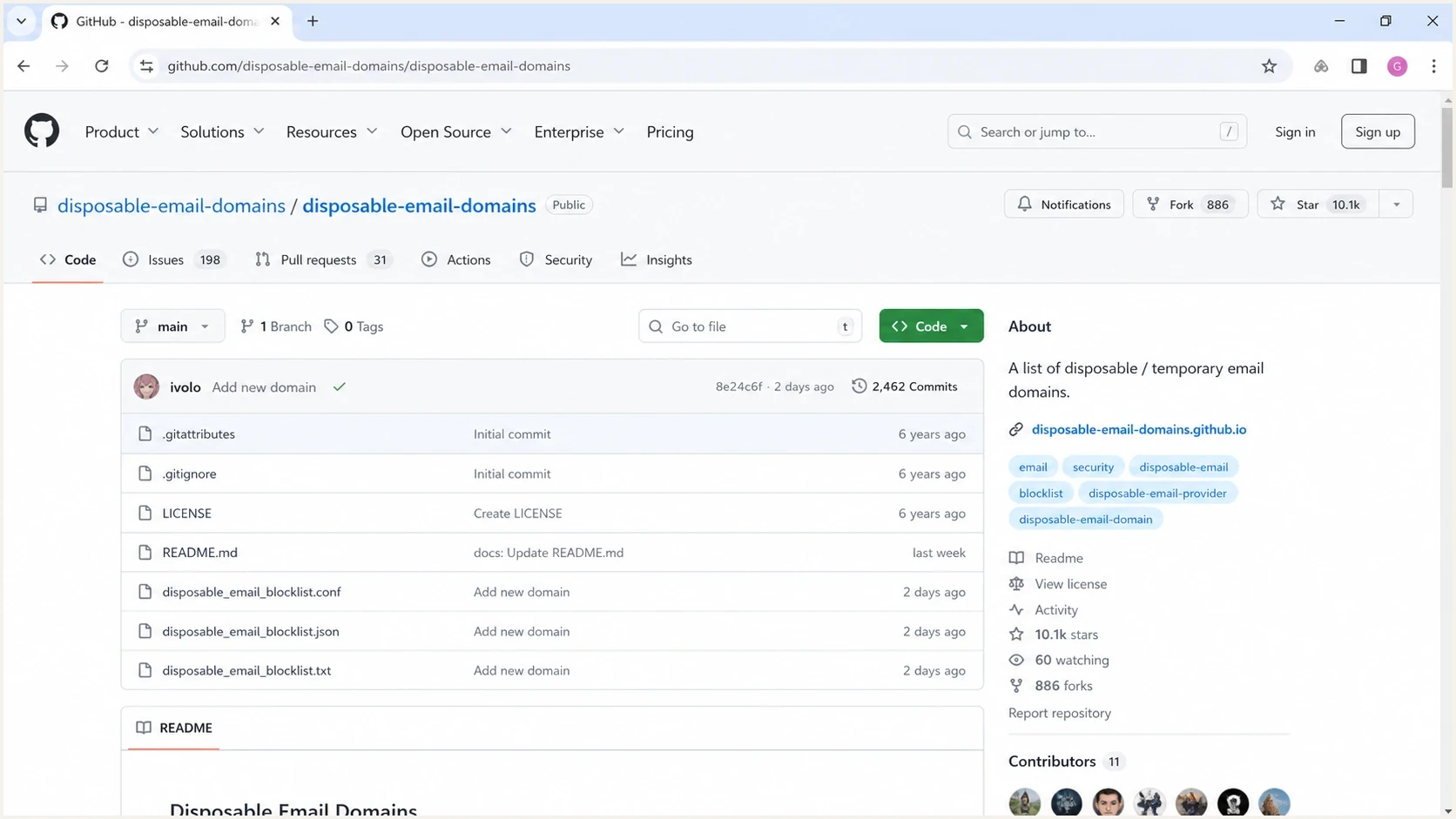
GitHub repository page showing a disposable email domain blocklist file.
Prefer sources that expose raw data and a clear license over sources that only return a search result. Raw data supports change diffs, source tags, removal reviews, version pinning, and tests against historical signups. Check the latest commit, published maintenance method, correction path, and allowlist before importing a source.
A list of temporary domains is closer to a blocklist (blacklist) feed than a permanent truth set. Domains age out, providers rotate, and some entries change ownership. Keep the source, first-seen date, last-seen date, and validation result beside every domain.
Why no list stays clean
Temporary email services change domains to avoid blocklist and blacklist coverage. Some use subdomains, while others point many domains at shared mail infrastructure. Closed services can leave domains with no usable mail records. A large list can therefore have broad coverage and still produce weak production decisions.
The hardest cases are privacy-forwarding services, customer support aliases, domain parking leftovers, and old disposable-service entries. Blocking these without review creates support tickets and lost signups. An explicit allowlist and a documented removal process are part of the blocklist, not optional cleanup.
Confidence levels for temporary-domain decisions
Use several signals before turning a domain match into a user-facing block.
Low confidence
1 signal
List match only, no recent validation.
Review
2 signals
List match plus active DNS or provider evidence.
Block or step up
3+ signals
Repeated abuse, provider match, and active mail records.
Do not block a domain because it appears in one file. Check whether it still accepts mail and whether the service type matches the risk model. A newsletter signup and an enterprise admin account need different rules.
Separate known disposable providers, privacy-forwarding domains, dead domains, and unknown domains. Known disposable providers can be blocked or stepped up according to account risk. Privacy-forwarding domains stay allowed unless abuse data supports another action. Reject dead domains only when DNS proves that the address cannot receive mail.
How to validate a candidate list
Validate temporary email domains in layers. The goal is to decide what the product should do now when someone signs up with that domain, not to label the domain permanently.
- Parse: Extract the domain with an email parser rather than splitting untrusted input by hand.
- Normalize: Lowercase it, remove a final dot, normalize Unicode safely, and identify the registrable domain.
- Resolve: Check MX records, Null MX, and the A or AAAA fallback used when MX is absent.
- Classify: Tag the domain as disposable, forwarding, dead, parked, or unknown.
- Compare: Check the allowlist, recent customers, support history, and internal abuse evidence before blocking.
- Monitor: Track rejects, overrides, conversions, and complaints after every rule change.
Simple validation workflowtext
input: candidate_domains.txt
parse: extract domain safely
normalize: lowercase, trim final dot, convert IDN
match: exact and parent domains above public suffix
resolve: MX, Null MX, A, AAAA
classify: disposable, forwarding, dead, parked, unknown
review: allowlist before publish
ship: monitor rejects, overrides, and complaints
For a quick authentication and DNS snapshot before deciding how to treat a domain, run a domain health check. It does not label a domain as disposable, but its DMARC, SPF, MX, and DNS context helps separate active mail domains from abandoned ones.
?
What's your domain score?
Deep-scan SPF, DKIM & DMARC records for email deliverability and security issues.
Keep the signup lookup fast and the review process slower. The signup form should read a current local decision table. A scheduled job can refresh sources, run DNS checks, flag changes, and route high-impact additions for review before they affect users.
Match domains correctly
Exact-string matching misses addresses hosted on subdomains. If the list contains example.co.uk, an address at inbox.example.co.uk should match it. Compare the full normalized domain and each parent domain, but stop at the public suffix. This prevents a match on co.uk or another suffix shared by unrelated registrants.
Use a current Public Suffix List to find the registrable boundary. Convert internationalized domains to one consistent ASCII form, remove a trailing dot, and reject malformed input before lookup. Do not use a simple ends-with test, because badexample.com must not match example.com.
Public-suffix-aware matchtext
address domain: signup.inbox.example.co.uk
public suffix: co.uk
registrable domain: example.co.uk
candidates checked:
  signup.inbox.example.co.uk
  inbox.example.co.uk
  example.co.uk
stop before: co.uk
A blocklist entry should normally contain the registrable domain unless the provider operates only on a specific subdomain. Store the intended match scope with every exception so later code changes do not broaden a block silently.
Blocking without punishing good users
A temporary email domain match is a useful account-risk signal, not always a reason to reject. For low-risk actions, a warning or extra verification is enough. For abuse-prone flows, a hard block makes sense after the domain has been validated and the reason documented.
Hard block
- Best for: Free trials, coupon abuse, fake reviews, and high-risk account creation.
- Requires: Strong evidence, an allowlist path, support visibility, and a removal process.
- Risk: Real users get rejected when a list includes privacy-forwarding domains.
Risk-based handling
- Best for: SaaS signups, communities, lead forms, and mixed-intent traffic.
- Requires: Scoring, verification steps, exception handling, and post-change monitoring.
- Risk: Abuse still gets through when temporary domains are only one signal.
Temporary-domain controls sit beside other blocklists and blacklist checks, but they are not global sender-reputation data. They describe likely account intent. A disposable inbox user is not automatically a spam sender, and a legitimate domain is not automatically safe.
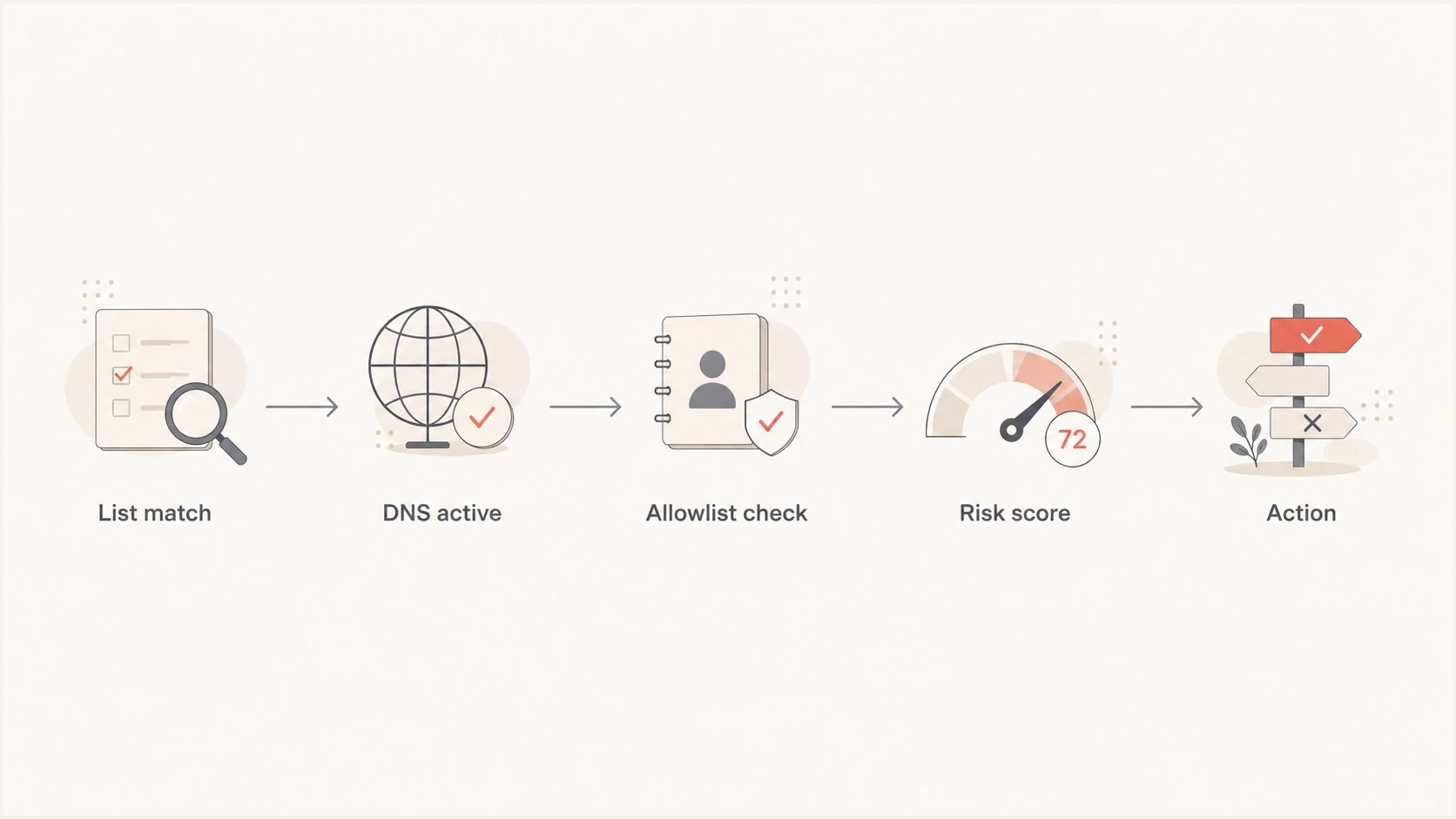
Flowchart showing how to review a temporary email domain before taking action.
After changing a signup rule, send test messages through the affected path and confirm that the receiving experience still works. An email tester helps inspect the message, headers, and authentication outcome before support teams see the fallout.
Where Suped fits
Suped's product is not a disposable-domain list. It is a DMARC and email authentication platform with DMARC, SPF, DKIM, hosted SPF, hosted DMARC, hosted MTA-STS, blocklist monitoring, and deliverability insights. That work becomes relevant when temporary-domain decisions affect the mail a product sends after signup.
After tightening signup rules, the sending side still needs monitoring for authentication failures, spoofing attempts, domain reputation changes, and blocklist (blacklist) appearances. Suped's blocklist monitoring keeps that operational view tied to the domains that send real mail.

Blocklist monitoring page showing domain and IP checks across blocklists with importance and status
Use disposable-domain lists for account risk. Use Suped to keep authentication and sender reputation visible, then connect the workflows where a signup policy changes real mail delivery.
Implementation pattern
Use a local decision table with a clear action for each domain. Do not put every public-list entry straight into a production block rule. Import it into a candidate set, normalize and deduplicate it, validate it, assign a status, then publish only reviewed decisions to the signup path.
Candidate domain decision recordyaml
source: public_disposable_feed
source_version: 2026-07-27T00:00:00Z
domain: mailinator.com
match_scope: registrable_domain
status: review
signals:
  - list_match
  - mx_present
  - provider_page_seen
action: step_up_verification
first_seen: 2026-07-27
review_after_days: 30
That record provides an audit trail and a rollback path. When a customer complains, the team can see whether the decision came from a public feed, internal abuse data, or manual review. When a domain changes ownership, the entry can be expired or removed without guessing why it was added.
Signal strength for a domain match
A list match is useful, but operational evidence should carry more weight.
List match
30 scoreActive MX
45 scoreProvider evidence
70 scoreAbuse history
90 scoreThe enforcement path depends on account value and the observed abuse pattern. A paid enterprise signup should get a manual review path. A free trial hit by repeated throwaway addresses can get step-up verification or rejection. A newsletter form can accept the address, then suppress it if mail bounces or engagement stays at zero.
Views from the trenches
Best practices
Treat public lists as seed data, then verify MX and current provider evidence before blocking.
Keep a local allowlist for privacy-forwarding domains that real customers use in your product.
Store the source, match scope, and review date for every temporary domain decision.
Common pitfalls
Blocking every listed domain creates false positives when lists include forwarding services.
Old GitHub lists include dead, parked, or reassigned domains that no longer support a block.
Exact-only matching misses subdomains, while naive suffix matching blocks unrelated domains.
Expert tips
Run a weekly diff so new entries get reviewed instead of entering production silently.
Separate candidate data, reviewed decisions, and allowlist exceptions in local storage.
Test policy changes against recent signups before changing a domain action to block.
Marketer from Email Geeks says public GitHub repositories are useful first sources, but their completeness and listing criteria differ by maintainer.
2025-03-12 - Email Geeks
Marketer from Email Geeks says the raw blocklist file is often the most useful part of a repository when you need domains for research.
2025-03-18 - Email Geeks
A practical answer
Use public repositories and provider directories to find temporary email service domains, then build a reviewed decision layer. The raw list provides candidate domains. Source checks, correct domain matching, DNS validation, allowlist review, and internal abuse data determine whether a domain belongs in production enforcement.
Do not ship a public list directly to a hard block. Import and version it, verify mail DNS, classify each domain, check for privacy-forwarding false positives, and start with step-up verification where user value is unclear. After release, monitor support tickets, rejected signups, bounces, complaints, and sender reputation.
- Use lists: They are the fastest way to discover likely disposable domains.
- Match safely: Public-suffix-aware matching handles subdomains without widening a block too far.
- Validate first: A stale or reassigned domain can create bad enforcement and wasted review time.
- Monitor after: Policy changes affect signup quality, support load, conversions, and email delivery.




