A guide to RBLs (real-time blackhole lists)

Published 20 Jun 2025
Updated 21 Sep 2026
13 min read
Summarize with
Updated on 21 Sep 2026: We added clearer RBL type distinctions and safer guidance for lookup interpretation and recovery.
An RBL, or real-time blackhole list, is a DNS-based blacklist that lets receiving mail servers check a connecting IP address against published reputation or policy data. In operational terms, a receiving server checks the sender's IP against one or more lists, then rejects, quarantines, throttles, or scores the message based on the result.
Treat an RBL result as a signal, not a full diagnosis. A listing means a blocklist operator has matched the IP to its published criteria, which can cover observed abuse, a compromised host, or a network range that should not send mail directly. It does not prove that the current message is unwanted. The receiving system makes the final delivery decision.
The practical work is to identify the listed asset and its owner, read the listing reason, stop the cause, follow the operator's removal process when needed, and monitor for recurrence. That work overlaps with DMARC, SPF, DKIM, bounce handling, list hygiene, and sender reputation.
What an RBL is
An RBL is usually queried through DNS. Instead of downloading a list, a mail server asks the operator's DNS zone whether a sender IP appears there. A positive A-record answer that matches the operator's listing codes means the IP is listed under that operator's criteria. An NXDOMAIN response normally means the queried name is not listed, while a DNS timeout or server failure is inconclusive.
RBL and DNSBL are often used interchangeably, alongside deny list, blocklist, and blacklist. Some people reserve RBL for IP-based lists, while others also use it for domain, URL, or hash-based lists. This page uses blocklist and blacklist interchangeably because teams search for both terms, but the technical distinction matters: IP RBLs judge sending infrastructure, while domain and URL lists judge identifiers found in messages.
- IP focus: Traditional RBLs list sending IP addresses, especially shared relays, compromised hosts, open proxies, and mail servers with poor complaint patterns.
- IPv4 lookup: The receiver reverses the four IPv4 octets, appends the RBL zone, and asks DNS for a result.
- Published criteria: Each operator decides what earns a listing and whether the list covers abuse, exploits, or network policy.
- Receiver policy: The receiving server decides what to do with a positive answer. The list publishes a signal, not a universal rule.
- Fast updates: Many RBLs update quickly, so a sender can be accepted in the morning and blocked later the same day.
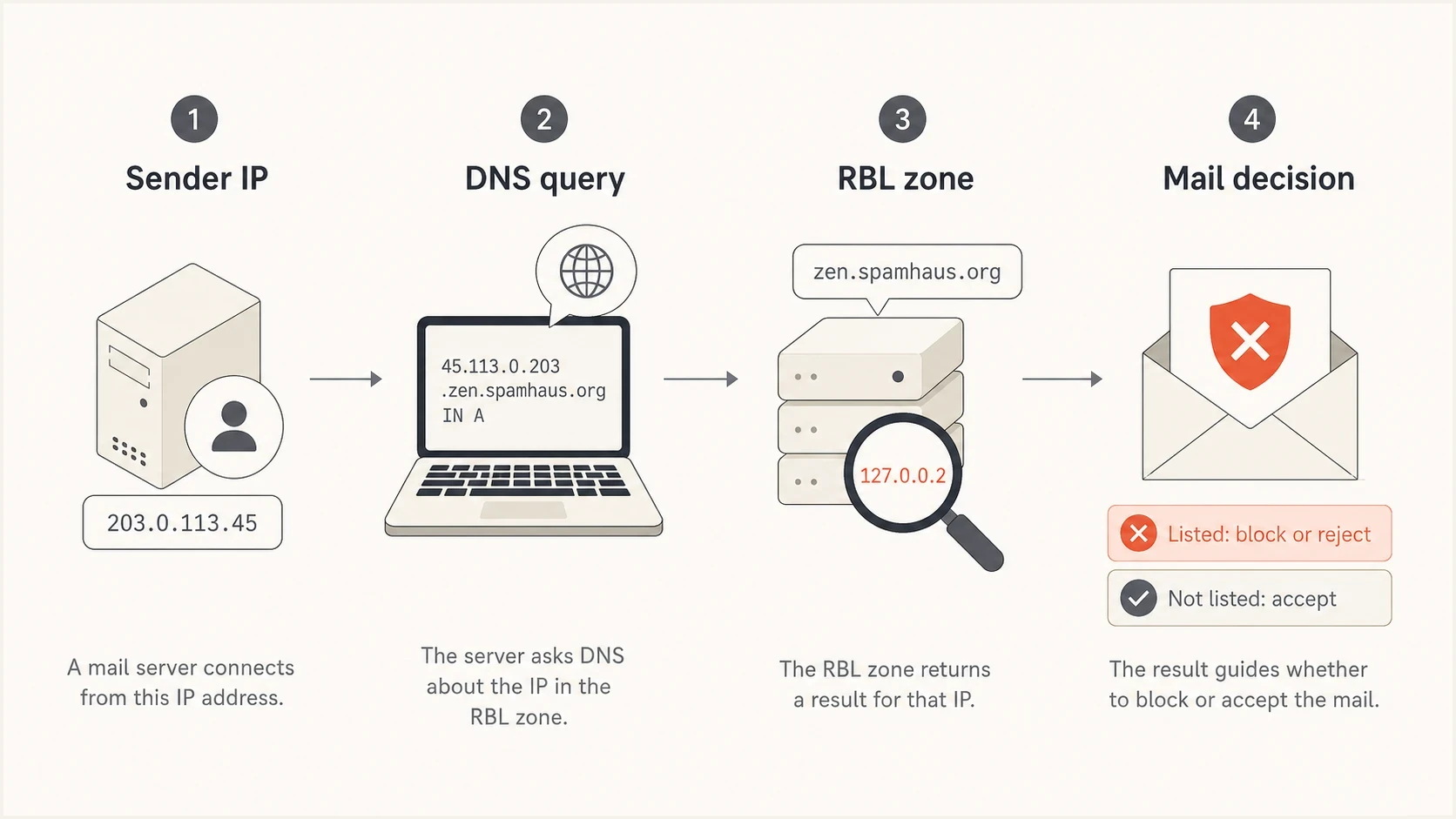
RBL and DNSBL lookup from a sender IP through DNS to the receiving server's mail decision.
Suped's email blocklists page explains the difference between IP lists, domain lists, and URL lists in plain language.
Types of RBL and related blocklists
The list category tells you what was evaluated and what needs fixing. Checking only the visible From domain can miss an IP listing, while rotating an IP will not fix a domain or URL that appears on a message-content list.
|
|
|
|
|---|---|---|---|
IP reputation | Sending IP or range | The source has matched abuse, complaint, spam-trap, or reputation criteria. | Trace the affected mail stream and stop the behavior. |
Policy or dynamic | IP or provider range | The address range should not deliver mail directly to recipient servers. | Send through an authenticated relay that has suitable mail infrastructure. |
Exploit | IP or network range | The system appears compromised or exposes an open relay or proxy. | Secure and clean the host before requesting removal. |
Domain or URI | Domain, hostname, or URL | An identifier in a header or message body has matched the list's criteria. | Investigate domain use and every affected message link. |
Common RBL, DNSBL, and related blocklist categories.
A right-hand-side blocklist can query a domain taken from an email address or hostname, while a URI blocklist checks domains or addresses found in message content. These lists are related to DNSBLs but do not describe the reputation of the connecting IP. Always read the operator's published scope before interpreting a result.
How an RBL lookup works
The lookup pattern is efficient because DNS already distributes answers quickly. For IPv4, the receiving mail server takes the connecting IP address, reverses its octets, appends the RBL's DNS zone, and requests an A record. IPv6 RBL lookups use all 32 hexadecimal nibbles in reverse order, so the compact IPv4 example below does not apply to IPv6 addresses.
Example RBL lookup shapetext
Sender IP: 203.0.113.42
Reversed: 42.113.0.203
Query: 42.113.0.203.rbl.example
Positive answer: 127.0.0.2
A positive IPv4 answer often starts with 127.0.0. followed by a return code. The A-record value is a code, not an address to contact. A related TXT record often states the reason or points to listing details. Return-code meanings differ by operator, and some operators use special loopback codes for blocked queries or unsupported DNS resolvers. Match the answer to the operator's documentation before treating it as a listing.
|
|
|
|---|---|---|
Connect | Receiver | Reads sender IP |
Query | DNS | Checks RBL zone |
Answer | RBL | Returns status |
Action | Receiver | Blocks or scores |
Compact view of the RBL lookup path.
What the result means
A listing does not mean every mailbox provider blocks the message. Many receivers combine RBL data with authentication, recent complaint patterns, content signals, and local policy.
- Hard block: The message is rejected during SMTP, often with a bounce that names the blacklist.
- Temporary deferral: The receiver returns a 4xx response and asks the sending server to retry later.
- Soft score: The listing adds weight to a spam score, then other signals decide placement.
- Policy note: Some listings identify infrastructure type, such as residential or dynamic ranges, rather than recent abuse.
Why mail gets listed
A real-time blackhole list usually reacts to behavior, infrastructure risk, or policy. Start with the sending source because the listed asset is often an IP, not the visible From domain. Shared email infrastructure makes this confusing: one sender's poor behavior can affect other senders on the same pool.
- Complaint spikes: Recipients mark mail as spam, and enough complaints create a negative reputation pattern.
- Spam-trap or honeypot hits: Purchased, scraped, or long-neglected lists reach addresses used to detect unsolicited sending.
- Poor list hygiene: Repeated hard bounces, ignored unsubscribes, and mail to inactive recipients sustain bad signals.
- Compromise: A stolen mailbox, exposed API key, infected server, or breached application sends unwanted mail through valid infrastructure.
- Open relay or proxy: A misconfigured system accepts traffic from outside users and forwards it without proper authorization.
- Policy range: A dynamic, residential, or designated provider range is listed because it should send through an authenticated relay instead of connecting directly to recipient mail servers.
The listing reason matters more than the listing name. Removing an IP before fixing the root cause creates a loop: mail resumes, bad signals continue, and the blacklist or blocklist listing returns. Authentication failure alone does not cause most listings, but authentication data can expose an unauthorized or misconfigured sender that contributed to the problem.
Fast cleanup
- Find asset: Confirm the exact IP or domain listed before changing DNS or email settings.
- Read reason: Record the list category, return code, explanatory text, and removal instructions.
- Pause risk: Stop the campaign, integration, or compromised sender causing the signal.
- Contact owner: Send shared-IP evidence to the provider that controls the address and delisting process.
Lasting prevention
- Tighten consent: Remove acquisition sources that produce traps, invalid users, and unwanted mail.
- Secure senders: Protect accounts and API keys, patch sending systems, and restrict relay access.
- Monitor auth: Use DMARC data to find unapproved senders before they damage reputation.
- Alert early: Track blocklist changes so a new listing does not sit unnoticed.
How RBLs affect delivery
An RBL listing can affect delivery at the connection, filtering, and reputation layers. The clearest case is a rejection during SMTP. A receiver can also use a listing as one score among other signals, but spam-folder placement alone does not prove that an RBL caused the decision.
Review bounce logs and placement data together. A full SMTP response can identify the receiver, listed IP, and blacklist involved. An inbox placement decline without a named RBL requires a broader comparison of authentication results, audience quality, recent sending changes, and reputation over the same time window.
RBL impact severity
A practical way to decide how urgent a listing is.
Low
Watch
One low-use IP, no visible bounces, no spike in spam placement.
Medium
Fix soon
A sending IP has intermittent blocks or delivery delays.
High
Act now
Primary mail flow is rejected or key campaigns are blocked.
Some receivers use a single blacklist hit as enough reason to reject, while others use RBLs as one input. A listing matters most when current bounce evidence names the list or the affected receiver confirms that it uses the result. A clean public scan also does not rule out a receiver's private reputation system.
How to prioritize an RBL listing
Do not treat every blacklist result as an emergency. Prioritize with delivery evidence, the listing category, and control of the listed asset. A list named in recent 5xx bounces deserves immediate investigation. A listing with no affected mail can be monitored while its relevance and accuracy are verified.
|
|
|
|---|---|---|
Receiver evidence | Is the list named in a current bounce? | Prioritize confirmed rejections over scan results alone. |
Listing class | Does it report abuse, an exploit, policy, or a message domain? | Match the fix to the published reason instead of changing unrelated DNS. |
Asset owner | Is the IP dedicated, shared, or provider-managed? | The party controlling the IP should investigate and file the request. |
Scope | Is one address listed or an entire network range? | Escalate a broader range listing to the network owner. |
Removal model | Does the entry expire or require a request? | Follow the stated process once and avoid duplicate submissions. |
Signals that determine the correct response to an RBL listing.
For a shared IP, send the full bounce and listing evidence to the provider that owns the pool. For a dedicated IP, the sender usually controls the cleanup and removal request. Changing to a new IP before stopping the cause transfers the same risk to the new address and can damage it quickly.
How to check and respond
When a delivery problem mentions an RBL, work in a fixed order. Confirm the listed asset and the current status with the list operator, connect the result to recent mail flow, stop the cause, and only then submit a removal request or change routing.
Start with the outbound IP named in the SMTP rejection or the last external Received hop. Do not substitute the website address, inbound MX address, or visible From domain unless the bounce or list specifically identifies that asset. Use the embedded blocklist checker below once the exact IP or domain is known.
Blocklist checker
Check your domain or IP against 144 blocklists.







After the lookup, record the operator, listed asset, return code, explanatory text, first detection time, and current delivery impact. Do not jump straight to delisting. A removal request needs a clear account of what happened and what changed. Repeated requests without remediation can make future reviews harder.
- Read bounces: Capture the exact SMTP response, receiver, timestamp, listed IP, and named RBL.
- Confirm the listing: Verify the result with the operator and distinguish its listing code from resolver or access-policy errors.
- Map ownership and sources: Tie the IP to its owner, sending pool, mail stream, application, and user accounts.
- Stop the cause: Pause risky sends, suppress bad contacts, rotate exposed credentials, close relay gaps, or clean infected systems.
- Verify identity controls: Check SPF, DKIM, and DMARC results plus forward DNS, reverse DNS, and the EHLO name for a direct-sending server.
- Request removal: Use the operator's stated process after the source is fixed, or wait for documented automatic expiry. Send shared-IP evidence to the provider that owns the address.
- Validate recovery: Confirm removal, send a controlled test, and watch bounces for recurrence before restoring normal volume.
For message-level testing, Suped's email tester helps confirm how a real message authenticates and which issues appear in the delivered sample.

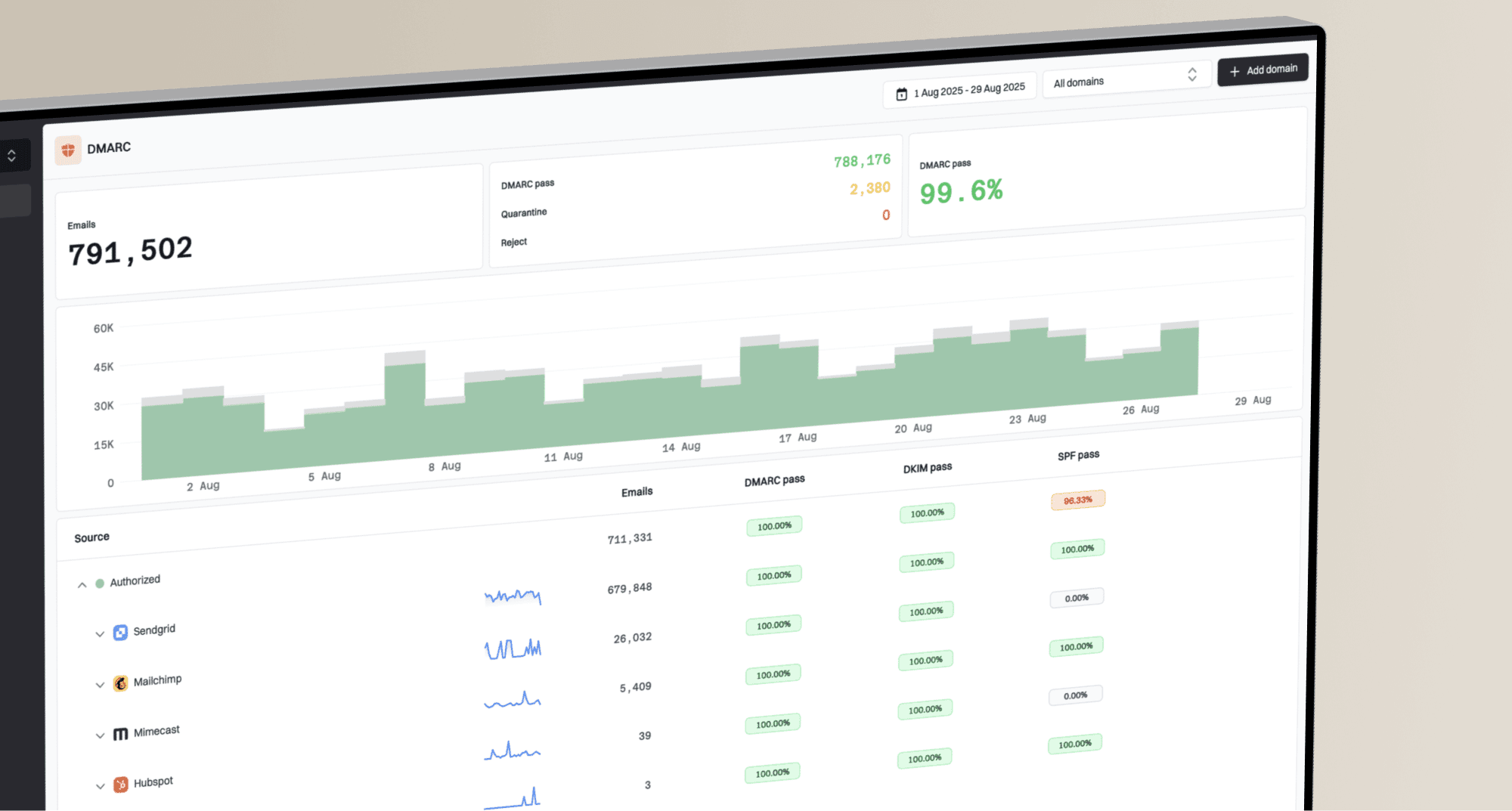
Blocklist monitoring page showing domain and IP checks across blocklists with importance and status
Suped's product places blocklist monitoring beside DMARC, SPF, DKIM, and deliverability signals. Teams can connect a listing to the sending source, review authentication results, and track remediation in the same workflow.
How to prevent repeat listings
Preventing repeat RBL listings depends on operating discipline rather than one DNS change. Control who sends mail for the domain, keep recipient data current, watch authentication failures, secure sending credentials, and separate risky streams from critical transactional mail.
DMARC is part of that control. It does not remove an IP from a blacklist or blocklist, and it does not measure IP reputation. RFC 9989 defines DMARC and obsoletes RFC 7489, while RFC 9990 defines aggregate reporting. Aggregate data helps identify unauthorized or misconfigured sources before they become a reputation problem.
Starter DMARC recorddns
v=DMARC1; p=none; rua=mailto:dmarc-reports@example.com
This monitoring record requests aggregate reports without asking receivers to quarantine or reject failing mail. It uses DMARC's default matching modes, which suit a general starter example. Once approved sources consistently pass, move to p=quarantine or p=reject through a controlled rollout. Suped's Hosted DMARC keeps report review, source approval, and policy changes in the same workflow.
Prevention checklist
- Authenticate mail: For every approved sender, keep SPF or DKIM aligned so DMARC passes, and keep each published record valid.
- Limit senders: Remove unused platforms, old API keys, and forgotten SMTP credentials.
- Secure systems: Patch mail hosts and applications, restrict relay access, and monitor outbound queues.
- Clean lists: Suppress hard bounces, honor unsubscribes promptly, and stop mailing persistently inactive recipients.
- Separate streams: Keep high-volume marketing away from password resets, invoices, and account notices.
- Watch changes: Set alerts for new blocklist or blacklist events and sudden authentication failures.
Keep blocklist monitoring tied to domain health rather than treating it as a separate deliverability chore. A listing is easier to fix when the same view shows who sent the mail, whether it authenticated, and which domain or IP changed status.
How to read RBL evidence
Good RBL investigation depends on evidence quality. Do not rely on screenshots alone because they rarely show the full SMTP response, source IP, or time window. Keep the original response, sending logs, relevant message headers, and a clear map of which mail stream used the listed IP.
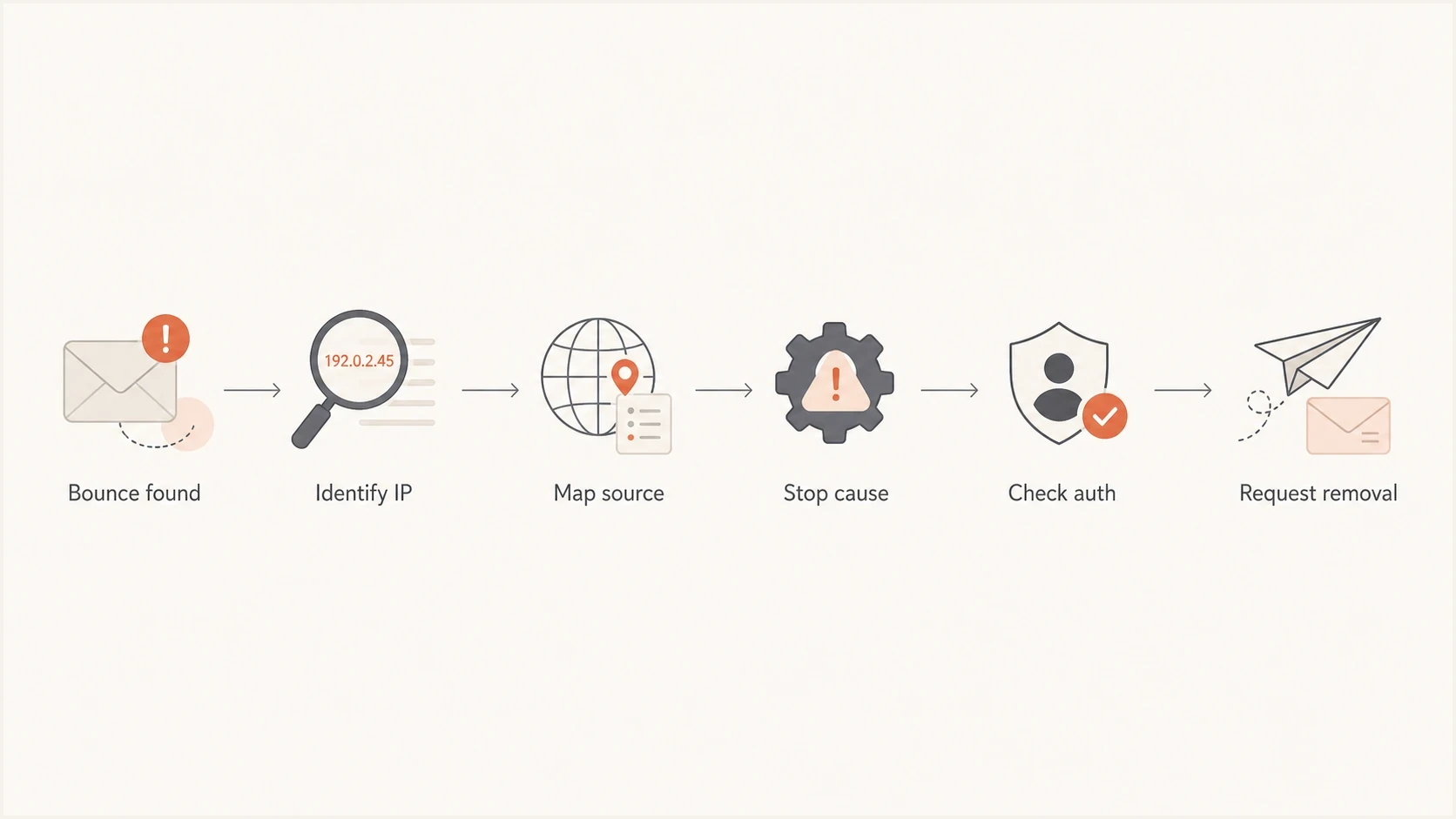
RBL and blacklist removal workflow using bounce evidence, source mapping, remediation, and authentication checks.
When a provider says a message was blocked because of a DNSBL, use the term exactly as it appears in the bounce. Suped's DNSBL guide covers that naming overlap if logs use DNSBL, RBL, blocklist, or blacklist in different places.
For teams that are new to this topic, the simple guide on how blacklists work separates sender behavior, receiver policy, and reputation data.
What to do next
An RBL is a fast DNS-based reputation or policy signal. It can block mail outright, raise a spam score, defer delivery, or explain why a message suddenly stops reaching a receiver. Respond by identifying the listed asset, confirming ownership, stopping the cause, checking authentication, and following the operator's removal process with evidence.
A small sender can start with one bounce and the sending IP behind it. A larger team needs ongoing monitoring across domains, IPs, sending sources, and authentication results. Suped's product supports that workflow with blocklist monitoring, DMARC source review, real-time alerts, and shared views for teams that manage many domains.
Fix the sending behavior before asking for removal. That rule prevents most repeat blacklist problems.