How to setup BIMI when sending from Iterable through SES shared pools?

Published 11 Aug 2025
Updated 28 Sep 2026
14 min read
Summarize with

Updated on 28 Sep 2026: We updated this guide with Iterable's current shared SES path and practical BIMI selector troubleshooting.
SES shared pools do not stop BIMI. The decisive layer is domain authentication, not IP ownership. The visible From domain used in Iterable, such as mail.example.com, needs aligned DKIM, DMARC enforcement, a valid BIMI SVG, and a BIMI TXT record. Amazon's SES-specific BIMI procedure also calls for a custom MAIL FROM domain with its own SPF and MX records.
Keep the two domain roles separate. DMARC evaluates the visible From domain and passes when aligned DKIM or SPF succeeds. SPF is evaluated against the envelope sender, also called the MAIL FROM or Return-Path domain. A checker can therefore report no SPF or MX on mail.example.com even when DKIM makes DMARC pass. For Iterable's managed SES account, confirm the custom MAIL FROM records on Settings > DNS Setup instead of inventing SES records.
Start by confirming the shared SES setup inside Iterable, then use the Iterable SES guide and the AWS BIMI steps as the source paths. Iterable controls the shared SES implementation. Your DNS controls the records that Iterable provides.
Direct answer
For Iterable sending through SES shared pools, set up authentication before publishing the BIMI TXT record. Use this order.
- Confirm the From domain: Use the exact domain shown after the @ in Iterable's visible From address, such as mail.example.com.
- Configure the Iterable setting: For shared SES, set the single custom sending domain under Settings > Project Settings, not Settings > Domains.
- Copy Iterable's DNS records: Publish the records shown under Settings > DNS Setup for that project and domain.
- Verify aligned DKIM: Send a message and confirm the DKIM signing domain has DMARC alignment with the visible From domain.
- Confirm custom MAIL FROM: If Iterable provides a bounce or Return-Path domain, publish its MX and SPF records exactly. Ask Iterable to confirm support if those records are absent.
- Enforce DMARC: Use quarantine with pct 100, or reject, on the organizational domain. For a sending subdomain, its own policy or the parent's inherited sp policy must also enforce DMARC.
- Prepare the logo and evidence: Create the BIMI SVG Tiny P/S file, host it over HTTPS, and obtain a VMC or CMC for providers that require an evidence document.
- Publish BIMI: Add the TXT record at default._bimi under the visible From domain, pointing to the hosted SVG and evidence document when used.
BIMI record patterndns
default._bimi.mail.example.com. TXT (
  "v=BIMI1; l=https://assets.example.com/bimi.svg; "
  "a=https://assets.example.com/vmc.pem"
)
Shared IPs are not the blocker
BIMI is checked against the authenticated From domain and its DMARC policy. A dedicated IP is not required. Shared pools can affect reputation, but they do not replace aligned DKIM, DMARC enforcement, the SVG, or the BIMI DNS record. The SES-specific custom MAIL FROM requirement is a domain configuration task, not a dedicated-IP requirement.
Why SPF and MX look missing
The confusing part is the Return-Path. With the default SES MAIL FROM behavior, the envelope sender sits under amazonses.com. SPF is evaluated against that envelope domain, not the visible From domain. A message can therefore pass SPF because Amazon's domain is valid while a checker looking at mail.example.com reports no SPF or MX.
Typical SES default Return-Pathtext
Return-Path: <010001example-token-000000@amazonses.com>
From: Brand <hello@mail.example.com>
That result does not prove that the visible From domain is misconfigured. DMARC can pass through aligned DKIM. However, AWS's SES BIMI procedure requires a custom MAIL FROM domain with SPF and MX, so an Iterable project should expose or confirm that managed configuration. The custom MAIL FROM name is commonly a bounce subdomain, such as bounce.mail.example.com, rather than the visible From domain itself.
What can pass today
- SPF pass: The Return-Path uses amazonses.com, so Amazon's SPF passes.
- DKIM pass: Iterable's DKIM signature can authenticate and have DMARC alignment with the From domain.
- DMARC pass: Aligned DKIM can satisfy DMARC even when SPF is not aligned.
- SES gap: The custom MAIL FROM SPF and MX records can still be absent.
What BIMI needs
- DMARC alignment: DKIM or SPF must pass with DMARC alignment to the visible From domain.
- DMARC policy: The organizational domain needs quarantine at pct 100 or reject.
- BIMI record: The record belongs at default._bimi under the visible From domain.
- Provider criteria: Certificate support, reputation, and sending cadence still affect display.
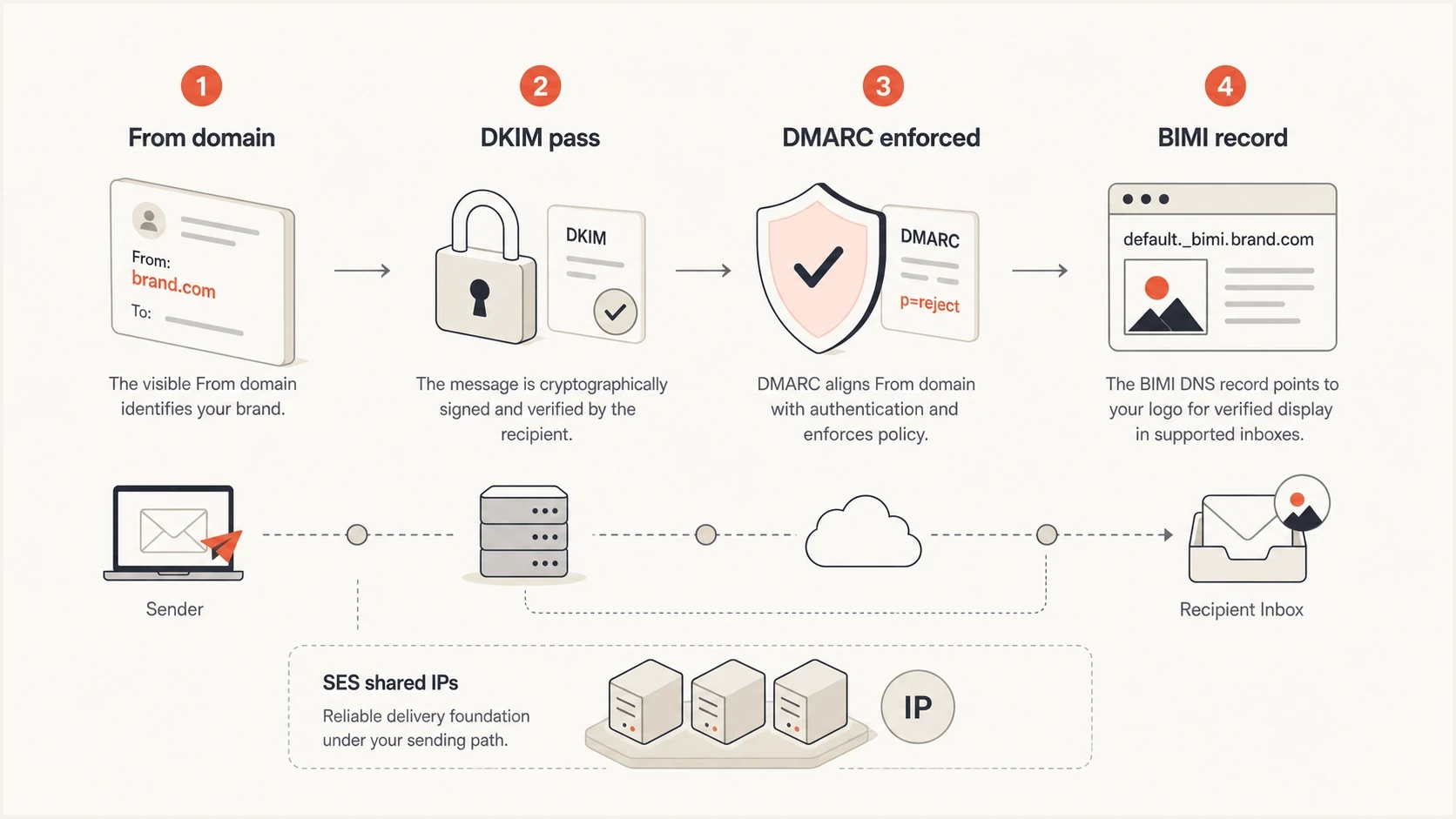
BIMI depends on the visible From domain, DKIM, DMARC, and BIMI DNS.
Iterable and SES setup path
First, open Settings > Sending Platforms and confirm that the Iterable tile is the active Amazon SES shared-pool sender. Iterable's default email configuration supports one sending domain. Set that domain under Settings > Project Settings by enabling Custom sending domain for shared IPs. Do not add it under Settings > Domains, which is the path for other ESP configurations. Changing the project setting regenerates the records on Settings > DNS Setup and resets existing domain and sender verifications.
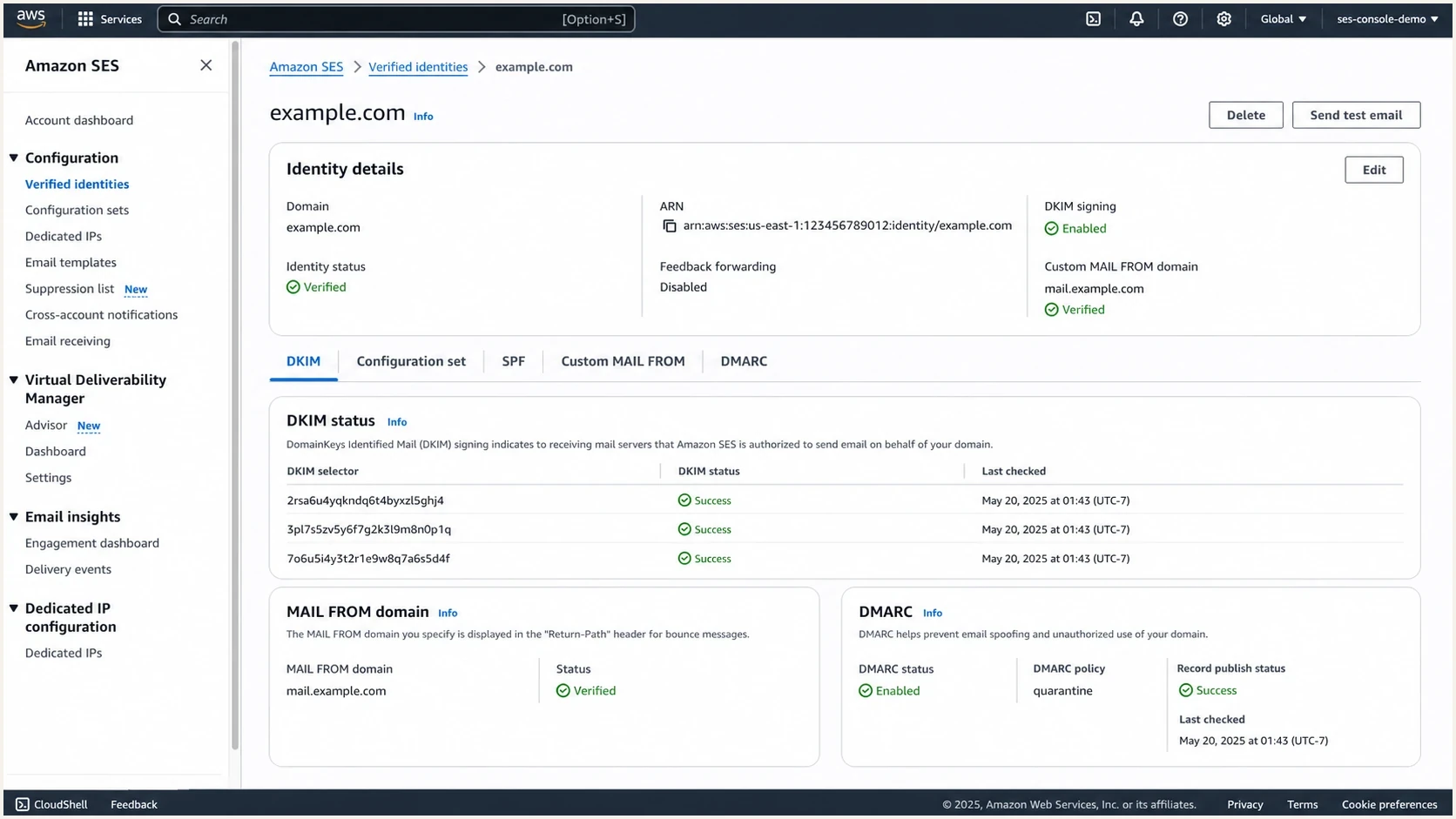
Amazon SES console showing a verified domain identity with DKIM and MAIL FROM status.
|
|
|
|---|---|---|
Shared SES domain | Iterable admin | |
 Amazon SES Amazon SES | DKIM and MAIL FROM | Iterable-managed SES |
DNS | TXT, CNAME, and MX | DNS admin |
DMARC | Aligned and enforced | Security |
BIMI | SVG and evidence | Brand and DNS |
Checks to make before publishing BIMI.
Publish every required record shown on Iterable's DNS Setup page and wait for verification before adding BIMI. If the page does not show SPF and MX records for a custom MAIL FROM domain, ask the Iterable customer success or deliverability contact whether that managed SES configuration supports the AWS BIMI procedure. Do not try to configure the shared SES account in the AWS console, because Iterable owns it.
Example DNS setdns
bounce.mail.example.com. TXT (
  "v=spf1 include:amazonses.com ~all"
)
bounce.mail.example.com. MX 10 feedback-smtp.us-east-1.amazonses.com.
s1._domainkey.mail.example.com. CNAME s1-example.dkim.amazonses.com.
_dmarc.example.com. TXT (
  "v=DMARC1; p=quarantine; pct=100; "
  "rua=mailto:dmarc@example.com"
)
_dmarc.mail.example.com. TXT (
  "v=DMARC1; p=quarantine; pct=100; "
  "rua=mailto:dmarc@example.com"
)
default._bimi.mail.example.com. TXT (
  "v=BIMI1; l=https://assets.example.com/bimi.svg; "
  "a=https://assets.example.com/vmc.pem"
)
Use the records Iterable gives you
The example shows record roles, not values to copy. SES regions, DKIM selectors, MAIL FROM names, and CNAME targets vary by implementation. Iterable's DNS Setup page is the source of truth for its shared SES configuration.
Verify alignment with a real message
DNS records prove publication, but a delivered message proves which domains Iterable and SES actually used. Send a new message to a mailbox where you can view the original headers, then compare the From, Return-Path, DKIM d= value, and Authentication-Results.
Healthy aligned messagetext
From: Brand <hello@mail.example.com>
Return-Path: <token@bounce.mail.example.com>
DKIM-Signature: ... d=mail.example.com; s=s1; ...
Authentication-Results: ...
  spf=pass smtp.mailfrom=bounce.mail.example.com;
  dkim=pass header.d=mail.example.com;
  dmarc=pass header.from=mail.example.com;
- From: This domain determines the DMARC and BIMI lookup.
- Return-Path: This domain is checked by SPF and should match Iterable's custom MAIL FROM DNS.
- DKIM d=: This domain must have DMARC alignment with the From domain for DKIM to satisfy DMARC.
- DMARC result: Require dmarc=pass on live mail before moving the policy or publishing BIMI.
DMARC policy needed for BIMI
BIMI needs DMARC enforcement on the organizational domain. Use p=quarantine with pct=100, or p=reject. For a sending subdomain without its own DMARC record, the parent's sp policy applies when present; otherwise, the parent p policy applies. An explicit subdomain record must also enforce DMARC. A parent record with sp=none does not make an inherited sending subdomain eligible for BIMI.
A strict policy applied before the sending map is clean can block legitimate mail. Suped's product turns aggregate reports into source-level authentication results, which helps identify whether Iterable and other approved senders pass before enforcement. That workflow is available through Suped's DMARC monitoring.
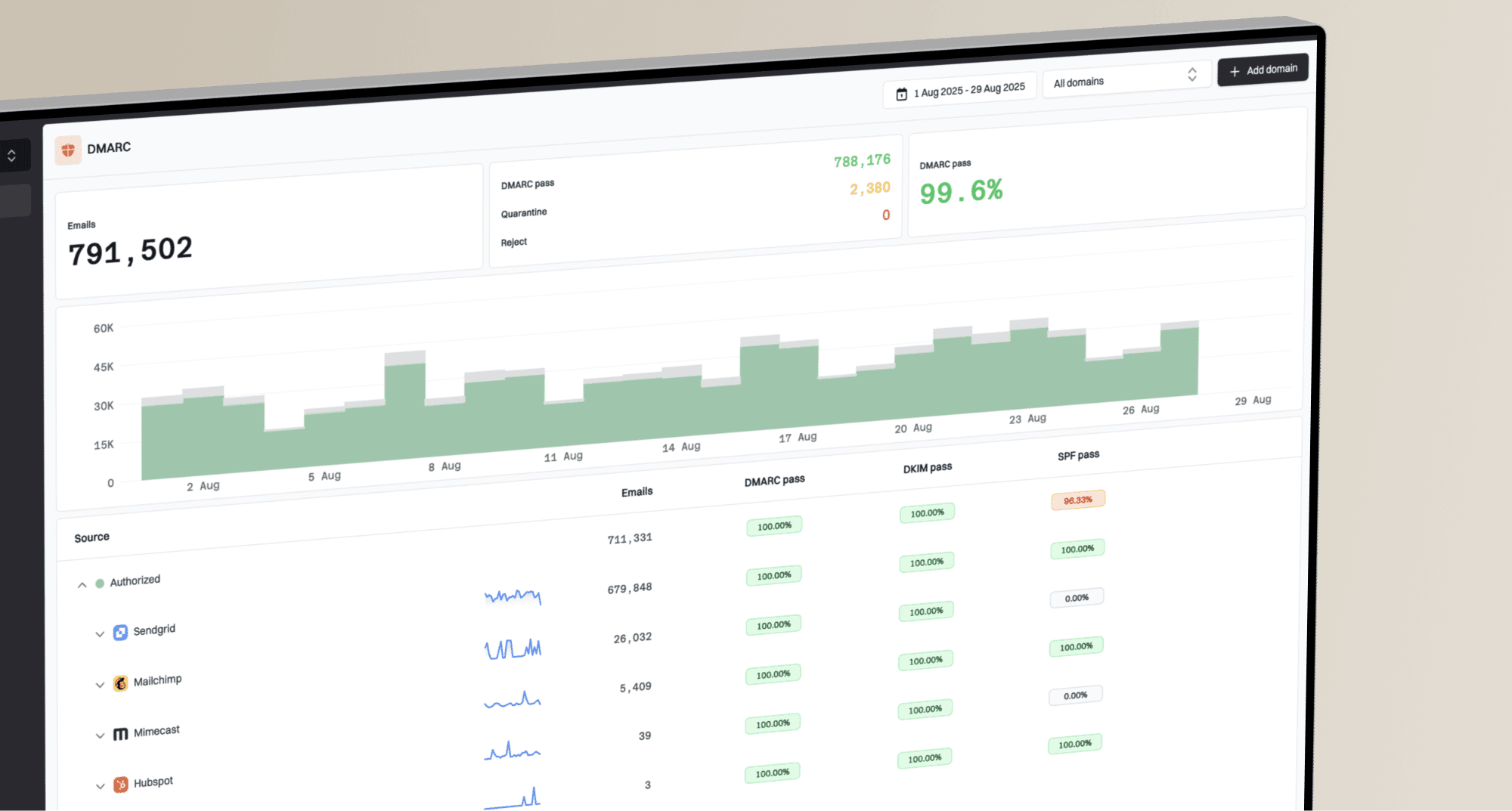
DMARC record detail view showing SPF, DKIM, DMARC, rDNS diagnostics, and DNS records
When DNS ownership is split between teams, Suped's Hosted DMARC can reduce repeated DNS handoffs during policy staging. Source review still comes first.
DMARC checker
Look up a domain's DMARC record and catch policy issues.
?/7tests passed
Do not jump straight to reject
- Inventory first: List every platform using the parent domain and its sending subdomains.
- Review reports: Use aggregate DMARC data to find unverified senders before enforcement.
- Stage policy: Move to quarantine only when legitimate sources pass consistently.
- Validate DNS: Run a focused DMARC checker check after each record change.
Logo and certificate requirements
The BIMI logo is not a normal web SVG. It must use the SVG Tiny Portable/Secure profile and be hosted at a stable public HTTPS URL. The file should use a square view box and contain no scripts, linked assets, or raster images. Revalidate it after any file or hosting change.
The a= tag points to a BIMI evidence document. A VMC covers an eligible registered trademark, while a CMC supports eligible logos that are not registered trademarks. Gmail accepts either certificate, but only a VMC produces its verified checkmark. Host the complete issued PEM chain at a stable public HTTPS URL without authentication. Self-asserted BIMI can omit the evidence document, but provider support is limited. Use the SVG dimensions guidance before certificate issuance.
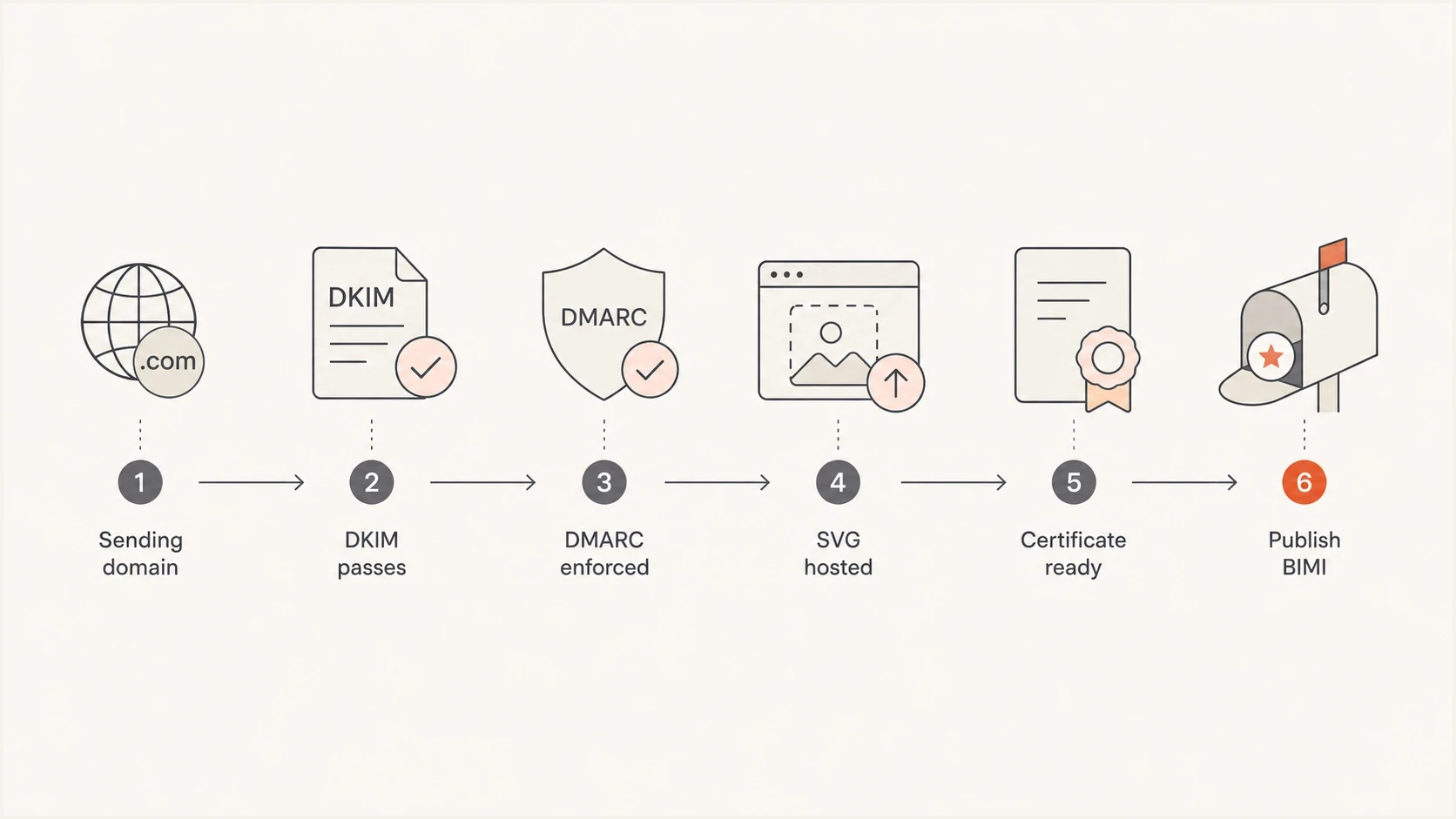
BIMI rollout path from sending-domain setup to publishing the BIMI record.
Publish BIMI under the visible From domain, not the tracking domain or Return-Path domain. For hello@mail.example.com, the lookup is default._bimi.mail.example.com. For hello@example.com, it is default._bimi.example.com.
Troubleshoot the default BIMI selector
An SES warning that the BIMI record is missing or lacks the default selector usually points to the lookup name or public DNS response. Test the visible From domain first, not the custom MAIL FROM or tracking domain.
Query the BIMI assertionbash
dig +short TXT default._bimi.mail.example.com
- Check the lookup name: The default selector for hello@mail.example.com is default._bimi.mail.example.com.
- Inspect the DNS answer: Publish one BIMI TXT assertion beginning with v=BIMI1. Remove duplicate TXT assertions and any CNAME at the same owner name.
- Check authoritative DNS: Confirm the authoritative nameservers return the new value, then allow for the previous TTL and negative caching before retesting.
- Fetch the hosted files: The SVG and PEM URLs must load over public HTTPS without a login, redirect loop, or access block.
- Retest a delivered message: Confirm dmarc=pass for the same From domain and verify that the eligible enforced policy applies to that domain.
A valid public record confirms discovery, not display. The receiving provider still applies its certificate requirements, reputation checks, and sending-cadence rules.
Shared pool reputation checks
A shared IP pool is compatible with BIMI, but the domain still needs a regular sending cadence and a good reputation. Mailbox providers apply their own display criteria after checking authentication, DMARC policy, and the evidence document. A valid BIMI record does not force a logo to appear in every mailbox.
Iterable's default SES configuration does not currently support bringing your own Amazon SES account or selecting a dedicated IP. If IP-level reputation isolation is an operational requirement, discuss a different supported sending configuration with Iterable. Do not treat that migration as a BIMI requirement.
BIMI readiness thresholds
Use these as practical gates before investigating logo display.
Ready
Launch
Policy is enforced, live mail passes aligned DMARC, the SVG validates, and the evidence URL is stable.
Needs work
Hold
DMARC is at none, live DKIM is not aligned, or the custom MAIL FROM records are unconfirmed.
Blocked
Fix first
The visible From domain fails DMARC on messages sent through Iterable.
Before calling the setup finished, run a broader domain health checker pass across the parent domain, visible From domain, and custom MAIL FROM domain. This catches split configurations where only one domain role is ready.
Monitoring the DMARC rollout with Suped
Suped's product supports the operational part of this Iterable and SES setup: reviewing DMARC aggregate reports by source, checking SPF and DKIM results, staging policy changes, and alerting on authentication failures.
Manual workflow
- Reports: Parse aggregate XML and map sources by hand.
- DNS: Check each SPF, DKIM, DMARC, and BIMI change separately.
- Policy: Compare source history before quarantine or reject.
- Alerts: Find failures during report review or after delivery symptoms.
Suped workflow
- Reports: Suped groups DMARC data by source and flags authentication issues.
- DNS: Hosted SPF and Hosted DMARC reduce repeated DNS edits.
- Policy: Policy staging tracks the move to BIMI-ready enforcement.
- Alerts: Real-time alerts identify sudden authentication failures.
For one Iterable project, this workflow confirms whether the domain is ready for DMARC enforcement before BIMI publication. Multi-brand teams can apply the same source-review process across domains.
Views from the trenches
Best practices
Confirm the From domain, Return-Path domain, DKIM domain, and BIMI record owner first.
Publish DMARC enforcement after reports show every real sender passes the domain check.
Ask Iterable for the shared SES DNS screen and confirm custom DKIM before adding BIMI.
Host the SVG and certificate over HTTPS with stable URLs before publishing the BIMI TXT.
Common pitfalls
Reading an SPF pass as a From-domain pass when SES used an amazonses.com Return-Path.
Adding BIMI before the organizational domain and explicit subdomain policy are enforced.
Putting BIMI on the Return-Path domain instead of the visible From domain shown in inboxes.
Changing the sending domain in Iterable without copying the new DNS records it generates.
Expert tips
Use aligned DKIM as the dependable DMARC pass path for Iterable's SES shared pool.
Keep quarantine at pct 100 for BIMI if reject is not yet operationally comfortable.
Verify the logo file, DNS record, and evidence URL after each hosting or DNS change.
Check aggregate reports after launch so authentication drift does not hide in volume.
Marketer from Email Geeks says SES default settings can make SPF pass because the Return-Path is amazonses.com, so a missing SPF record on the visible sending domain does not explain the current pass by itself.
2024-02-14 - Email Geeks
Marketer from Email Geeks says the sender still needs to complete custom sending-domain DNS in Iterable before BIMI has a clean foundation.
2024-03-07 - Email Geeks
The practical path forward
If a BIMI checker says the Iterable sending domain has no SPF or MX, first identify which domain it tested. Missing SPF or MX on the visible From domain does not by itself break BIMI, because those records belong to the custom MAIL FROM domain and DMARC can pass through aligned DKIM. Missing custom MAIL FROM records still needs confirmation against AWS's SES procedure.
The sequence is: configure the single shared SES sending domain in Iterable, publish every record on its DNS Setup page, verify aligned authentication on a delivered message, enforce DMARC, host the SVG and evidence document, then publish BIMI. Continue monitoring because mailbox-provider support, certificate rules, reputation, and sending cadence affect logo display.