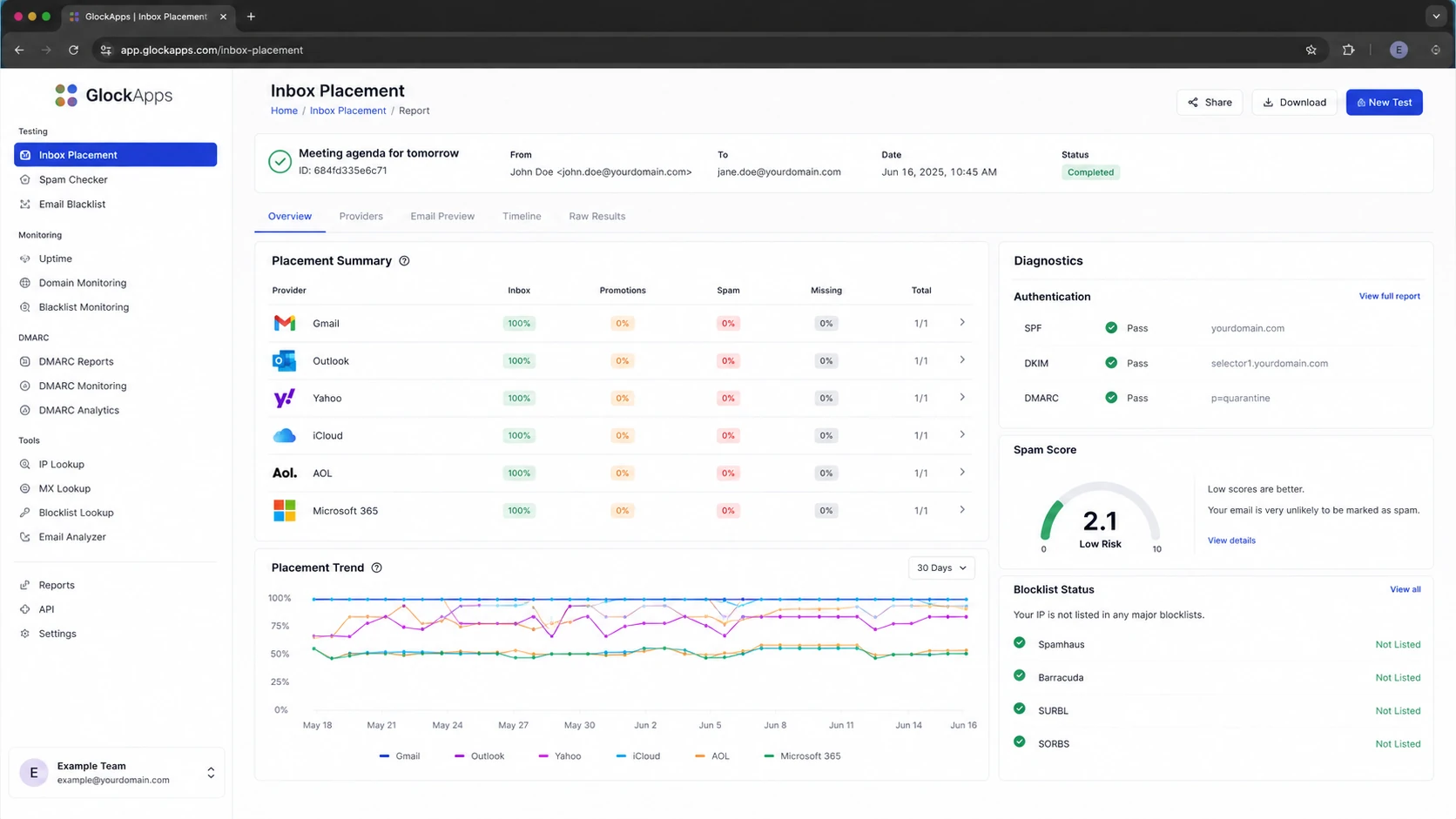
The best inbox placement testing tools are GlockApps for broad seed-list testing, Inbox Monster for enterprise-grade placement analysis, MailMonitor for managed deliverability monitoring, Validity Everest for large senders that need a wider enterprise suite, and InboxAlly or MailReach for teams that want placement checks tied to warmup or engagement workflows. Suped fits beside those tools as the best practical DMARC platform for turning placement symptoms into authentication, policy, blocklist, and sender setup fixes.
I would not buy an inbox placement tool as a magic answer to spam folder problems. Seed-list testing gives a useful signal, not the full truth. Mailbox providers also evaluate the recipient's past behavior with your mail, list quality, complaint history, sender reputation, authentication, and message content. The right tool is the one that shows where a test message landed, then gives enough detail to decide what to change next.
Best standalone tester: GlockApps is the most useful first stop for many teams because it is focused on seed-list placement, spam filtering signals, and authentication checks.
Best enterprise analysis: Inbox Monster has deeper monitoring and analysis, but its cost makes sense mainly when email is a high-revenue channel.
Best operating model: Pair placement tests with real engagement data, complaint signals, DMARC reports, blocklist (blacklist) monitoring, and sender reputation checks.
The short answer
For most teams, I would shortlist the tools below. The ranking changes if you send mostly B2B cold outreach, consumer newsletters, high-volume ecommerce campaigns, or regulated B2B mail. The common mistake is treating every placement percentage as a literal forecast of live performance. It is better to use these reports as early warning signals.
Tool
Best fit
Strength
Tradeoff
GlockApps
General testing
Broad seed coverage
Results still vary
Inbox Monster
Enterprise teams
Deep analysis
High cost
MailMonitor
Managed monitoring
Guided workflow
Sales-led fit
Validity Everest
Large senders
Enterprise suite
Heavyweight
InboxAlly
Engagement repair
Behavior focus
Not pure testing
MailReach
Cold outreach
Mailbox checks
Narrower scope
Inbox placement testing shortlist by practical use case.
Use public comparisons to see how vendors describe their seed lists, but make your decision on your own send profile. A B2C retailer with Gmail, Yahoo, and Outlook-heavy lists needs a different test mix than a B2B sender targeting Microsoft 365 tenants at finance or government organizations.
How these tools differ
Inbox placement testing tools usually send your campaign to a controlled seed list and then report whether the message landed in the inbox, a tab such as Promotions, the spam folder, or nowhere visible. The tool's value depends on its seed mix, how quickly it checks results, how clearly it separates providers, and whether it explains why the message failed.
Seed-list placement testing
Fast signal: You can test a campaign before a large send and catch provider-specific placement changes.
Provider split: Good reports separate Gmail, Outlook, Yahoo, Apple, business tenants, and regional mailbox providers.
Limited context: Seed accounts do not have the same history as your actual subscribers or prospects.
Ongoing deliverability monitoring
Longer signal: You track changes in authentication, complaints, reputation, and blocklist or blacklist status over time.
Root cause: The best monitoring points you toward SPF, DKIM, DMARC, DNS, content, or sender reputation fixes.
Better planning: You make slower, cleaner changes instead of rewriting every campaign after one poor seed result.
GlockApps is strong when you want a straightforward answer to where a specific message lands. Inbox Monster and Everest are stronger when the placement report is one part of a larger deliverability operation. MailMonitor is useful when you want guidance and monitoring around the test. InboxAlly is a different type of tool because it focuses on engagement patterns, not only reporting a placement snapshot.
Where seed tests mislead
The biggest caveat is the second filter. A seed inbox can tell you how a general mailbox filter handled your message, but it cannot fully model how a real subscriber has behaved with your domain over months or years. If one subscriber opens, replies, saves, and clicks, that mailbox has a different view of you than a subscriber who deletes without opening.
Do not overpay for a proxy metric
A seed-list result is useful when it changes suddenly, disagrees across providers, or exposes authentication and content problems. It is weak when it is used as the only proof that a live campaign will reach real inboxes. I treat seed results as a flag, then compare them with real sends, complaint rates, bounces, replies, conversion data, DMARC reports, and blocklist (blacklist) checks.
How I read inbox placement results
Operational bands for deciding whether a seed-list result needs action.
Healthy
95%+ inbox
Keep monitoring and compare against real engagement.
Watch
90-94%
Look for provider-specific drops or authentication warnings.
Investigate
Under 90%
Pause risky increases in volume until the cause is clear.
Provider split
One provider down
One provider failing often points to reputation or filtering differences.
This is also why I avoid testing every single deployment unless the program has the budget and a clear reason. Testing every campaign can become expensive while still missing the human behavior layer. Weekly tests, launch checks, domain migration checks, and tests after major template changes are usually more useful.
The tools worth shortlisting
GlockApps is the best first tool to try if you want a direct seed-list test without buying a full enterprise deliverability suite. It gives provider-level placement, spam filter signals, authentication checks, and practical diagnostics. Its weakness is the same weakness every seed tool has: the result is only as good as the seed list and the match to your audience.
Inbox Monster is the better fit when a team needs deeper placement analysis, ongoing monitoring, and a richer deliverability operating rhythm. It is often too expensive for a sender that only needs a monthly sanity check, but it makes more sense for ecommerce, media, financial services, and high-volume SaaS programs where a small inbox drop has clear revenue impact.
MailMonitor: Choose it when you want inbox placement testing, monitoring, and guided deliverability support rather than a one-off report.
Validity Everest: Choose it when procurement, reporting depth, and enterprise workflows matter more than low-cost testing.
InboxAlly: Choose it when the goal includes engagement-style repair, but do not treat it as a neutral diagnostic-only tester.
MailReach: Choose it when cold outreach teams want mailbox health checks tied to outreach infrastructure.
Litmus: Choose it mainly for rendering and pre-send QA, with placement checks as one part of that workflow.
If you are comparing tools, focus less on the overall inbox percentage and more on the questions the report answers. Can it show Gmail tab placement? Can it split Microsoft consumer inboxes from Microsoft 365 business tenants? Can it detect failed DKIM on the same message? Can it show whether the sending IP is on a blocklist or blacklist? Can it export enough detail for the person who controls DNS or the ESP setup?
Where Suped fits
Suped is not a replacement for every seed-list product. It is the system I would put next to placement testing so the team can find and fix the underlying authentication and reputation problems. When a seed test shows Outlook spam placement or Gmail Promotions placement, the next question is usually not which tester is correct. The next question is what changed in your domain, sender setup, DNS, list quality, or reputation.
That is where Suped's product is strongest. Suped brings DMARC monitoring, SPF and DKIM visibility, hosted DMARC, hosted SPF, hosted MTA-STS, SPF flattening, real-time alerts, issue detection, and blocklist monitoring into one workflow. For MSPs and agencies, the multi-tenant dashboard matters because one bad client domain should not hide inside a spreadsheet.
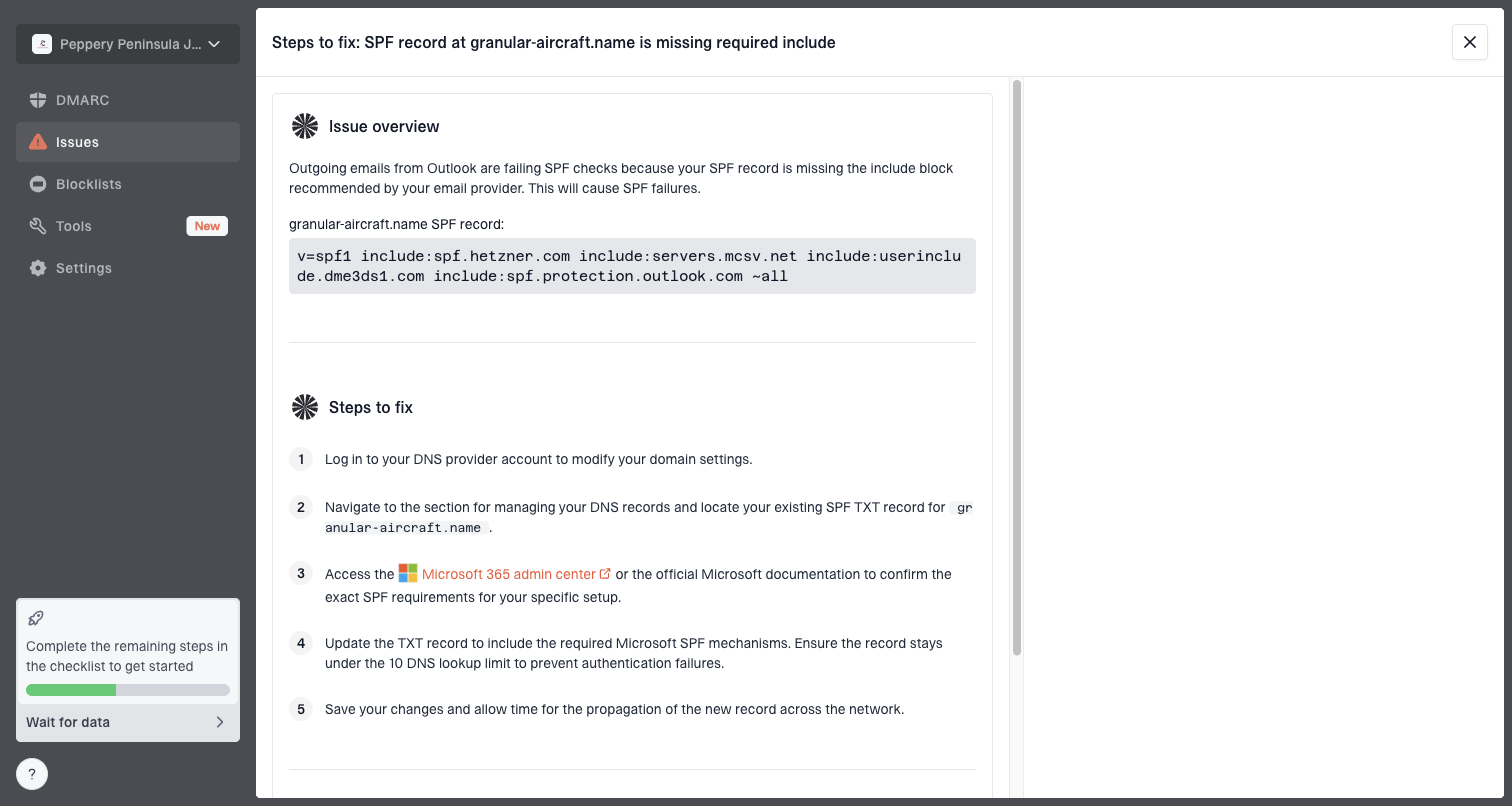
Issue steps to fix dialog showing the issue overview, tailored fix steps, and verification action
A practical stack is simple: use an inbox placement tool to see where a message lands, then use Suped to check whether the domain is passing DMARC, whether DKIM is signing with the right domain, whether SPF is near lookup limits, whether the sending source is verified, and whether an IP or domain has hit a blocklist (blacklist).
Email tester
Send a real email to this address. Suped opens the report when the test is ready.
?/43tests passed
Preparing test address...
For a quick hands-on check, send a live message through the email tester before you spend money on a larger testing suite. If the basics fail there, fix those first. A paid inbox placement report is not valuable when the message already has broken authentication or obvious DNS issues.
A practical testing workflow
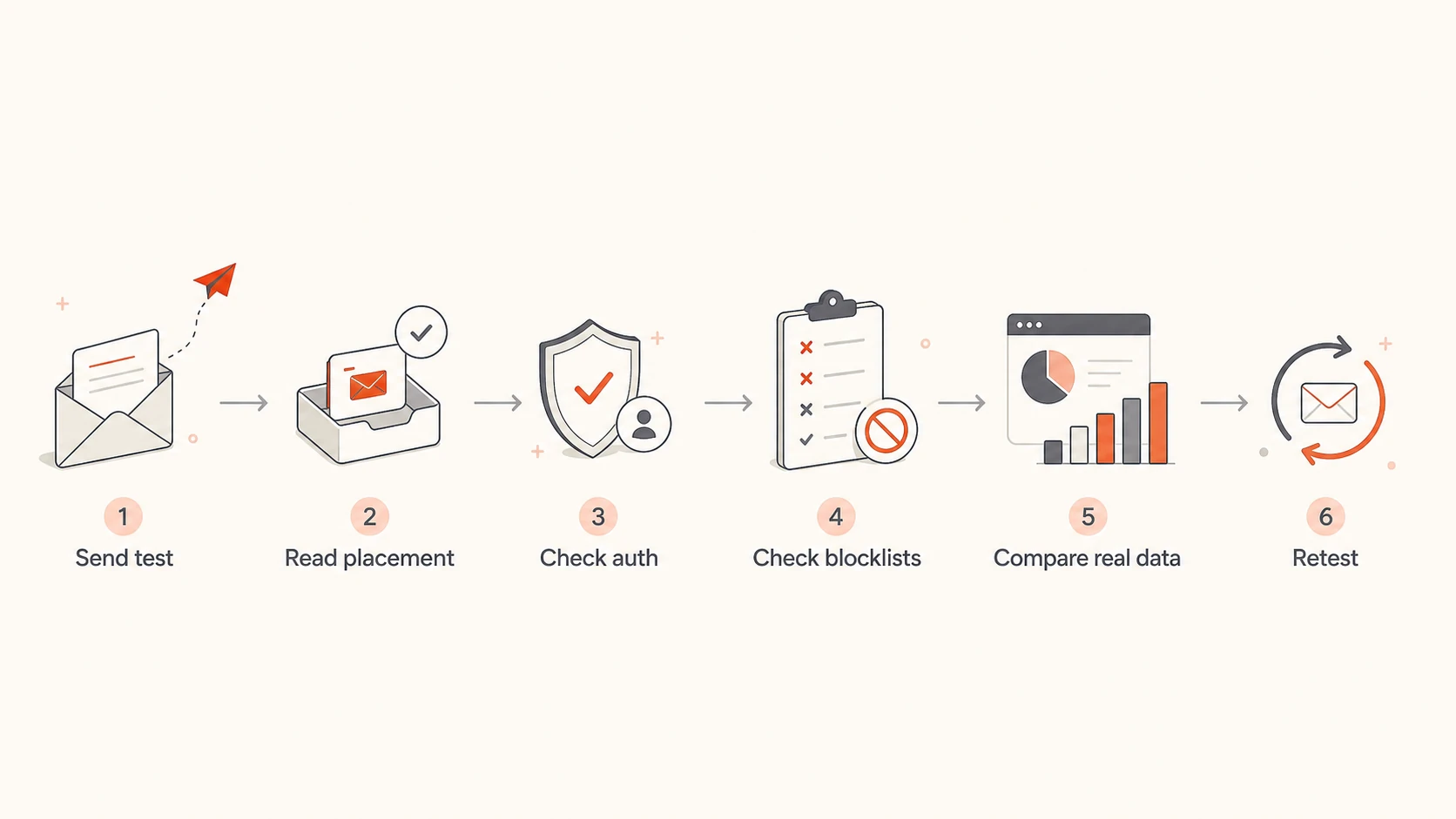
The workflow I use is deliberately boring. Test the message, check the headers, compare provider results, review domain health, fix the specific cause, then retest. If the issue repeats on real sends, look at engagement and list quality before rewriting the entire template.
Flowchart showing a practical inbox placement testing workflow.
Start clean: Send the exact campaign version through the same ESP, sending domain, tracking setup, and template you plan to use.
Read by provider: Treat Gmail, Microsoft, Yahoo, Apple, and regional inboxes separately because each provider weighs signals differently.
Check authentication: Confirm the header shows SPF pass, DKIM pass with the right d= domain, and DMARC pass for the visible From domain.
Inspect reputation: Run a domain health check and review IP, domain, DNS, blocklist, and blacklist signals before changing copy.
Compare outcomes: If seed tests pass but real performance drops, move to engagement, complaint, bounce, and list-source analysis.
Document changes: Change one major variable at a time so the next test explains something instead of adding noise.
If you need a deeper troubleshooting path, use a structured checklist to diagnose deliverability issues instead of jumping between tools. Placement testing is one input. The fix usually sits in authentication, reputation, consent, list quality, sending cadence, or message relevance.
Views from the trenches
Best practices
Use seed tests as early warnings, then compare them with real engagement and complaints.
Retest after DNS, template, ESP, tracking, sender, or volume changes to isolate cause.
Keep an owned seed list across major inboxes so vendor results have a local benchmark.
Review authentication and blocklist data before blaming copy for poor placement.
Common pitfalls
Testing every deployment can create high cost without better root-cause evidence.
Reading one aggregate inbox rate hides provider-specific problems that need separate fixes.
Treating seed placement as a forecast ignores recipient history and list quality.
Buying deeper analysis before DNS and authentication checks wastes budget quickly.
Expert tips
Run a baseline test with stable copy before diagnosing new creative or offer changes.
Track provider trends over time so one noisy seed result does not drive a rushed fix.
Pair mailbox provider data with DMARC reports to connect placement and identity.
Use paid enterprise suites only when email revenue justifies the monitoring depth.
Marketer from Email Geeks says MailMonitor is worth considering when the team wants a practical placement testing option with monitoring around it.
2024-04-16 - Email Geeks
Marketer from Email Geeks says Everest can replace a lighter tool for larger teams, but the cost is much higher than a simple seed-list tester.
2024-04-16 - Email Geeks
What I would choose
If the goal is simple pre-send inbox placement testing, start with GlockApps. If the program is large enough to justify deep monitoring and analysis, compare Inbox Monster, MailMonitor, and Validity Everest. If the team is mostly doing cold outreach, include MailReach and treat any warmup-linked result with extra caution.
I would still keep Suped at the center of the DMARC and authentication workflow. Inbox placement tools tell you where a test message landed. Suped helps show why a domain, source, policy, DKIM signature, SPF setup, hosted SPF configuration, MTA-STS policy, or blocklist (blacklist) event is creating risk. That is the difference between seeing a warning and fixing the system behind it.
Frequently asked questions
0.0
What's your domain score?
Deep-scan SPF, DKIM & DMARC records for email deliverability and security issues.


 GlockApps
 Inbox Monster
 MailMonitor
 Validity Everest
 InboxAlly
 MailReach