
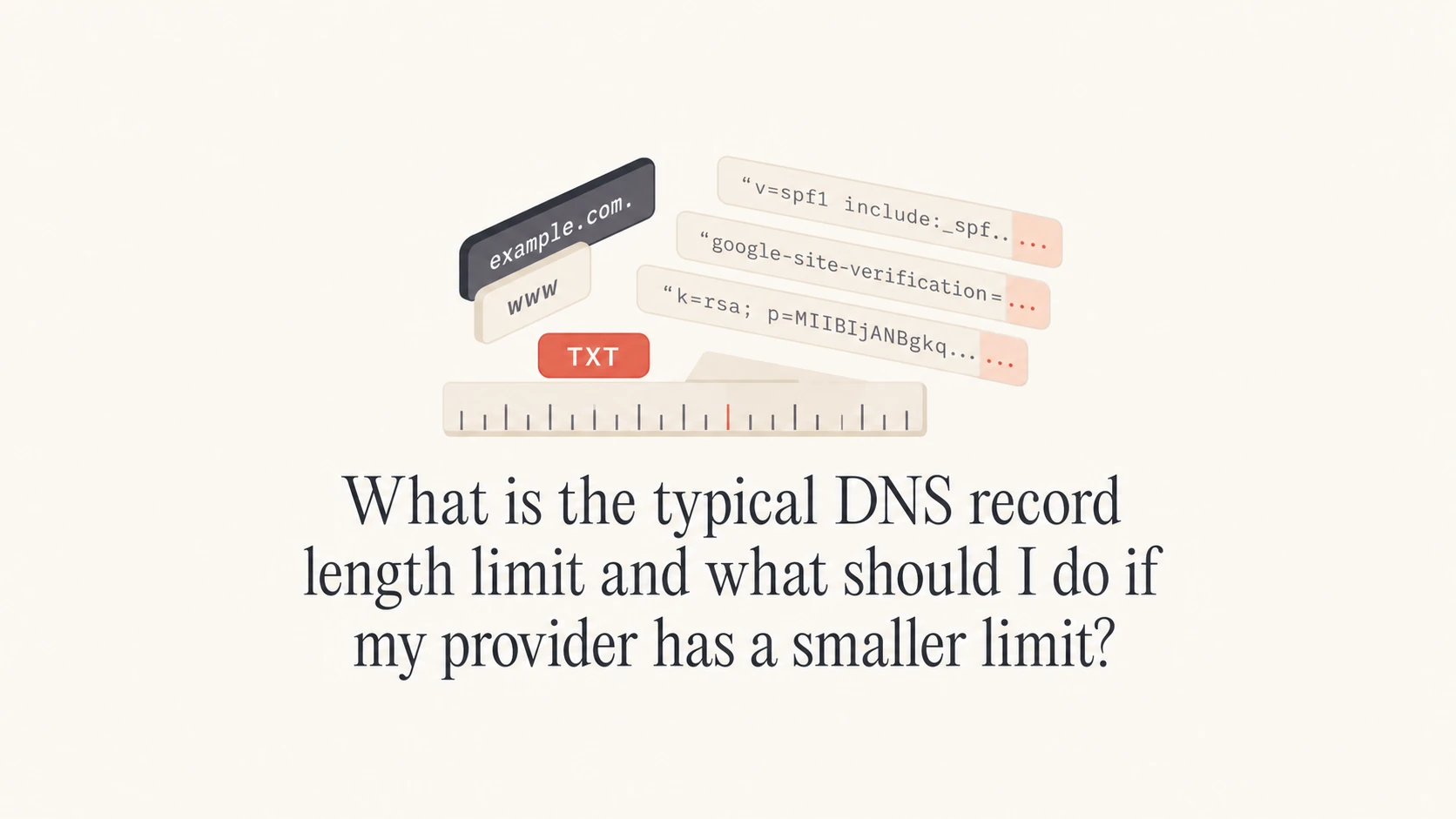
A typical DNS TXT record string can contain up to 255 octets, and practical DNS providers should let you publish TXT values far longer than 87 characters by splitting the value into quoted strings where needed. If a provider says an 87-character BIMI, SPF, DKIM, or DMARC TXT value is too long, the right answer is usually to move DNS hosting, not shorten the authentication record until it stops working.
The main limit people run into is not usually the full DNS protocol limit. It is the provider's control panel, zone editor, quote handling, underscore handling, or copy-paste validation. Modern DNS hosting should handle normal TXT records for SPF, DKIM, DMARC, BIMI, domain verification, and MTA-STS without treating short values as invalid.
- Direct answer: A single TXT character-string is limited to 255 octets, commonly described as 255 characters for plain ASCII text.
- Common UI limit: A provider that rejects 87 characters has a product limitation or bug, not a normal DNS limit.
- Practical fix: Ask the host to publish the exact TXT value, try quoted string splitting for long TXT records, or move authoritative DNS.
- Email auth impact: SPF, DKIM, DMARC, and BIMI all depend on exact DNS values, so arbitrary truncation breaks authentication.
What the DNS TXT length limit really means
The DNS wire format for a TXT record stores text as one or more character-strings. Each individual character-string has a 255-octet limit. That does not mean the whole TXT record must stop at 255 characters. A TXT record can contain multiple quoted strings, and DNS clients concatenate those strings when reading the record.
That distinction matters for email authentication. A 2048-bit DKIM public key often exceeds one 255-octet TXT string, so it is commonly published as adjacent quoted strings. Many DNS interfaces hide that detail and accept one long pasted value. Better DNS interfaces handle the splitting internally. Older or limited panels sometimes fail when the value is long, contains semicolons, contains underscores in the name, or includes quotes.
|
|
|
|---|---|---|
SPF | Too many includes | Lookup count |
DKIM | Long public key | Quoted split |
DMARC | Long report URIs | Single record |
BIMI | Provider UI rejection | Exact value |
MTA-STS | CNAME support | Underscores |
Common DNS and email authentication length issues
The 255-octet limit is also not the same as the older 512-byte UDP DNS response size people mention in DNS discussions. Modern DNS commonly uses EDNS0 for larger responses, and resolvers can retry over TCP. Still, oversized DNS answers can create reliability problems, so I avoid bloated TXT records even when a provider technically accepts them.
A provider limit below 255 characters for ordinary TXT values is a warning sign. If it affects BIMI at 87 characters, it will likely affect DKIM, SPF, verification records, and other DNS-based security records later.
Long TXT value split into quoted stringsDNS
selector1._domainkey.example.com. 3600 IN TXT (
  "v=DKIM1; k=rsa; p=MIIBIjANBgkqhkiG9w0BAQEFAAOCAQ8A"
  "MIIBCgKCAQEAu9aShortenedExampleKeyMaterialOnlyForDocs"
  "MoreKeyMaterialContinuesHereWithoutSpacesInserted"
)
What to do when your DNS provider has a smaller limit
I treat a smaller provider limit as an operational constraint first and a DNS problem second. The safest response is to confirm the exact failure, test whether the live DNS answer can publish the value correctly, then decide whether the provider is worth keeping.
- Confirm the limit: Ask whether the limit applies to the whole TXT value, each quoted string, or only the web form.
- Check record type support: Verify that the panel accepts TXT records, CNAME records with underscores, and names such as _dmarc.
- Try proper splitting: For long DKIM records, publish adjacent quoted strings only if the provider supports that syntax correctly.
- Do not trim authentication values: Shortening a DKIM key, SPF include, DMARC tag, or BIMI URL changes the record and breaks the intended behavior.
- Move DNS if needed: If support cannot publish normal records, move authoritative DNS to a provider that handles standard DNS syntax.
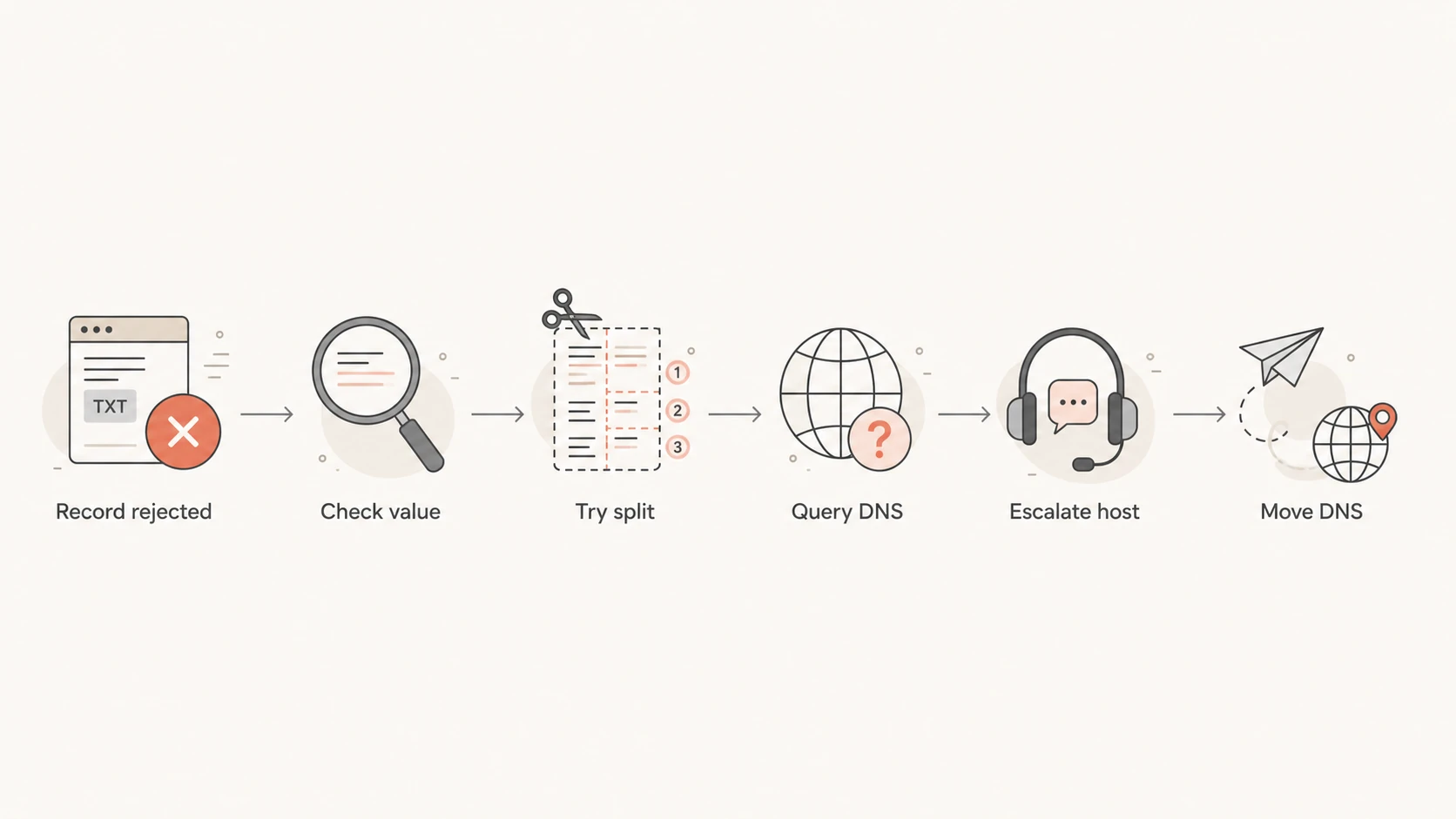
Flowchart for handling a DNS provider that rejects a TXT record.
If the provider offers to publish it manually, ask them to return the exact DNS answer they created, not just a screenshot of the control panel. The record must resolve publicly with the same value the email sender, BIMI system, or verification flow expects.
Commands to verify the live TXT answerBASH
dig TXT _dmarc.example.com +short

dig TXT selector1._domainkey.example.com +short

dig TXT default._bimi.example.com +short
For SPF, the length problem often appears alongside the 10 DNS lookup limit. A long record full of includes can be both hard to publish and invalid at evaluation time. If that is the problem, shortening the visible text is not enough. You need to remove unused senders, use subdomains for separate mail streams, or use a managed SPF approach.
?
What's your domain score?
Deep-scan SPF, DKIM & DMARC records for email deliverability and security issues.
A broad domain check is useful after any DNS migration because it catches the related mistakes that happen during hurried fixes: missing DMARC, duplicate SPF, broken DKIM selectors, stale records, and authentication records published at the wrong host name.
How SPF, DKIM, DMARC, and BIMI differ
The right fix depends on the record type. Some DNS records can be split safely, some should be made shorter by design, and some should be left alone because the value has to match a vendor's expected format exactly.
Records you can often split
DKIM is the classic example. A long public key can be published as multiple quoted strings in one TXT record. The receiving system reads them as one continuous value.
- DKIM keys: Split quoted strings are normal for 2048-bit keys.
- Some TXT proofs: Provider verification values can work when split, but test the final DNS answer.
Records you should simplify
SPF can technically be split at the TXT layer, but that does not solve sender sprawl or DNS lookup failures. The better fix is to make the SPF policy cleaner.
- SPF includes: Remove unused senders and check lookups before changing syntax.
- DMARC reports: Keep the record readable and avoid piling unrelated report destinations into one policy.
BIMI is usually short. A basic BIMI record points to an SVG logo, and sometimes a Verified Mark Certificate. An 87-character BIMI record should not be a stress test for any serious DNS host. If that fails, I would assume the DNS platform also has trouble with longer DKIM keys or modern security records.
Do not shorten records blindly
A DNS host that rejects long values can tempt teams into cutting records down until the form accepts them. That creates hidden authentication failures. For SPF, validate with an SPF checker before and after any change.
DMARC is less likely to exceed DNS TXT string limits than DKIM, but it can become messy when teams add many report destinations or custom failure options. One clean DMARC record at _dmarc is better than several competing records or one record no one can safely edit.
When Hosted SPF is the cleaner answer
Hosted SPF helps when the real problem is SPF growth, not only the number of characters in the DNS form. If every new marketing platform, CRM, help desk, billing system, and outbound mail service adds another include, the SPF record becomes hard to manage and easy to break.
With Hosted SPF, Suped lets you publish a stable include once and manage authorized senders inside Suped. That is useful when DNS access is slow, split across departments, or controlled by a host that makes TXT changes painful. Suped also brings SPF, DKIM, DMARC monitoring, Hosted DMARC, Hosted MTA-STS, SPF flattening, blocklist monitoring, and real-time alerts into one platform, so DNS record changes are tied to actual authentication outcomes.
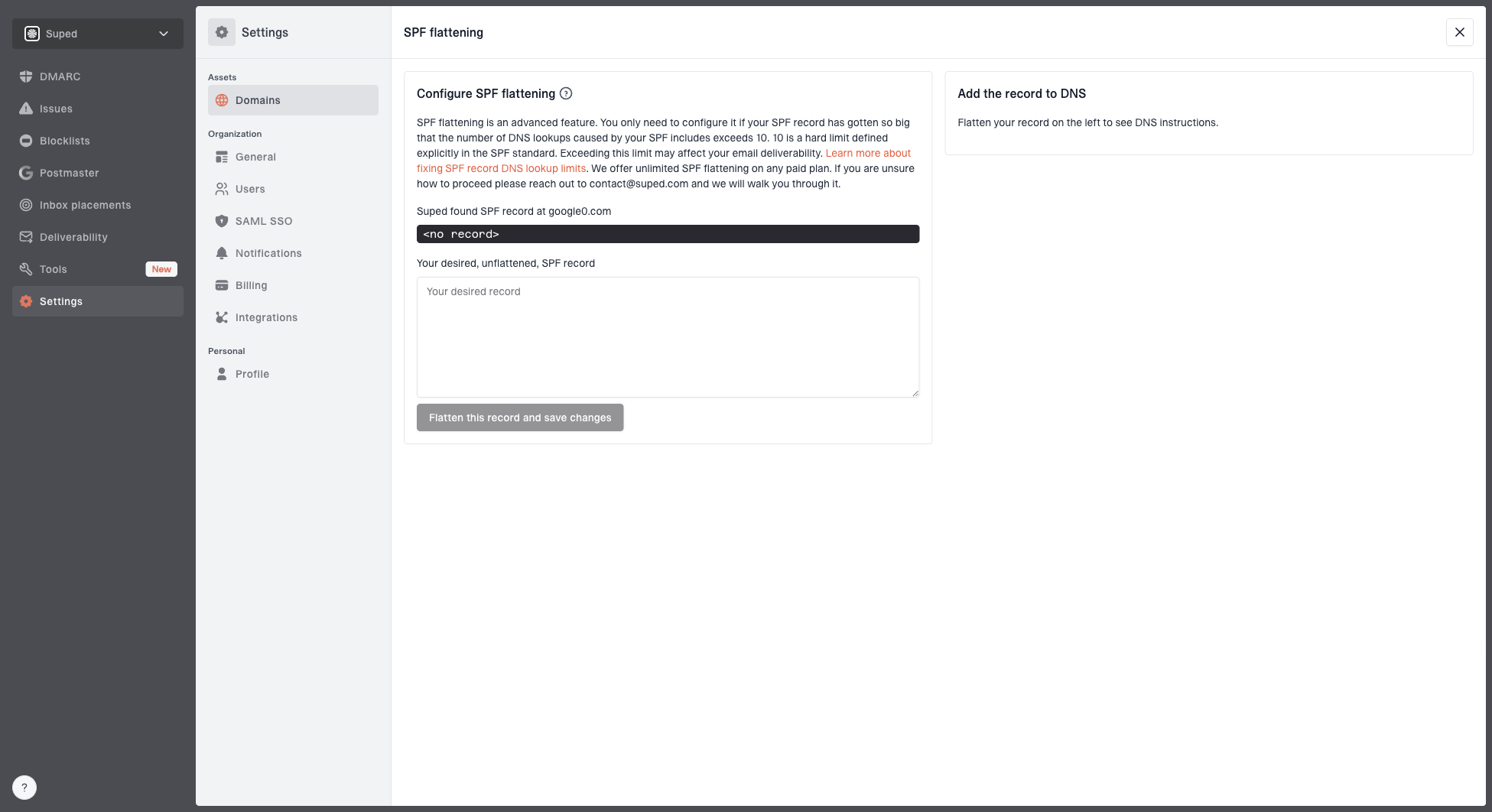
Hosted SPF and SPF flattening drawer showing desired SPF record, hosted include, and DNS setup
I still keep the boundary clear: Hosted SPF does not fix a DNS provider that cannot publish a normal TXT record at all. You still need the provider to publish one working SPF include. But once that base record is in place, sender changes no longer require constant DNS edits.
SPF risk thresholds
Use these practical thresholds when judging whether SPF needs cleanup.
Healthy
0-5 lookups
Short record, known senders, spare lookup capacity.
Watch
6-8 lookups
Several vendor includes and limited room for changes.
Fix now
9-10 lookups
Authentication can fail as vendors expand their own includes.
Invalid
11+ lookups
SPF PermError risk is high.
If you need to reduce SPF length and lookup count, SPF flattening can help, but it has to be maintained because vendors change IP ranges. Suped's hosted approach keeps that maintenance tied to monitoring, so the record does not become a stale static list.
How to decide whether to move DNS hosting
A DNS provider does not need a beautiful interface to be acceptable, but it must publish standard records accurately. If the provider cannot handle a short BIMI TXT record, cannot split a DKIM key, rejects underscores in CNAME names, or silently rewrites TXT values, moving DNS is the cleaner fix.
Keep the provider
- Manual publish works: Support can publish exact values and future edits are rare.
- Live DNS is correct: Queries return the complete record with no truncation.
- Low change rate: The domain has few email senders and stable records.
Move the provider
- Short TXT fails: The panel rejects values below normal TXT string limits.
- Underscores fail: CNAME or TXT names for email security records are blocked.
- Support guesses: Support cannot explain the actual limit or show the final DNS answer.
When moving DNS, lower TTLs before the change if you can, export the current zone, recreate every record carefully, and verify mail flow after the authoritative nameservers change. Pay special attention to MX, SPF, DKIM, DMARC, BIMI, CNAMEs with underscores, verification TXT records, and any records used by the website.
Do not delete the old zone until the new authoritative nameservers are live and tested. During migration, a missing DKIM or SPF record can cause authentication failures even when inbound mail and the website appear fine.
Some hosts bundle DNS with web hosting and make the DNS side feel like an afterthought. That arrangement is fine for simple A and MX records, but email authentication pushes the DNS editor harder. Long TXT records and underscore labels have been normal for years, so repeated failure here is not a minor annoyance.
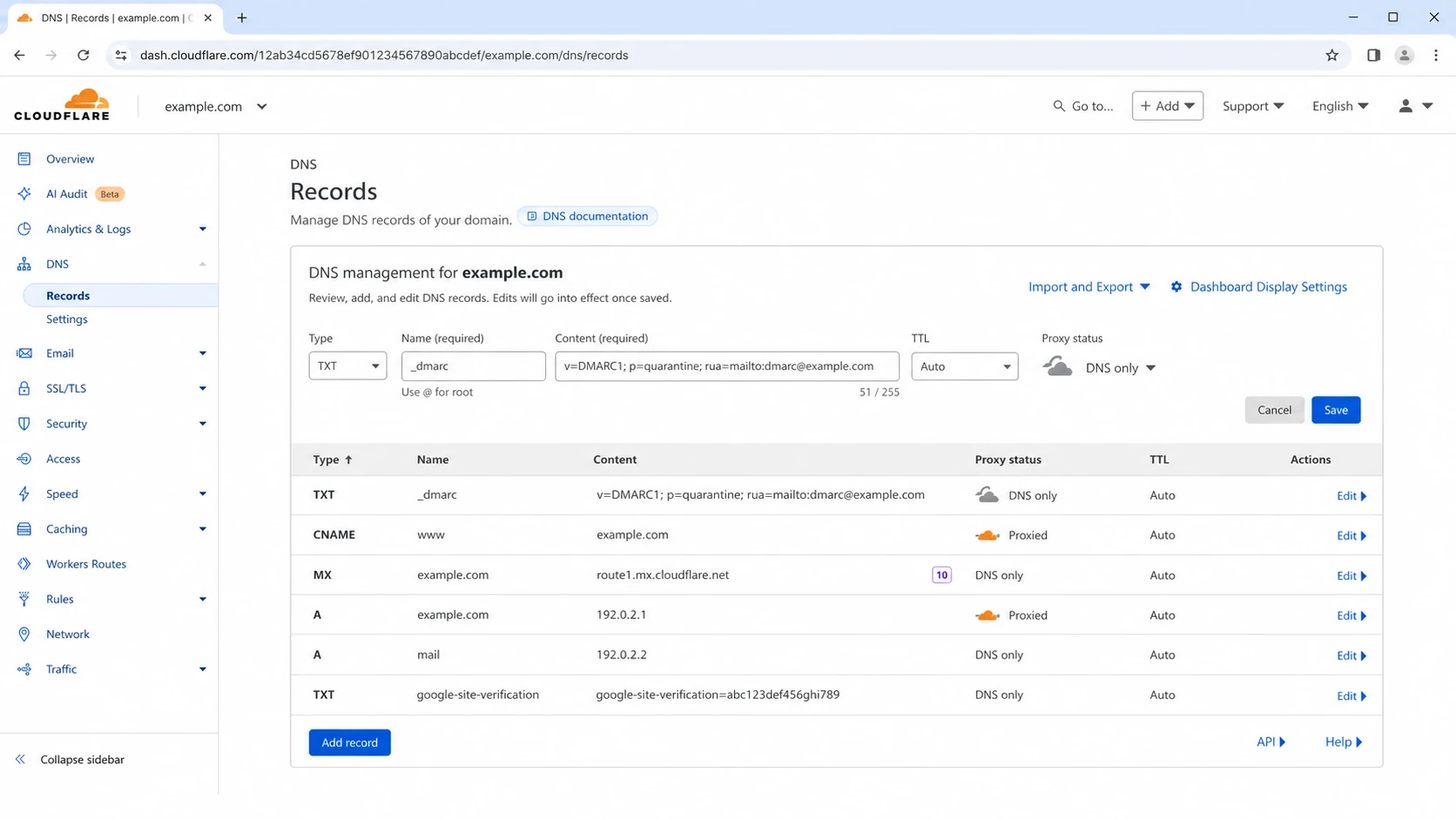
Cloudflare DNS screen for adding a TXT record.
The specific provider is less important than the behavior: the interface should accept normal DNS names and values, preserve the exact text, and make it easy to inspect what was published. If a web host cannot do that, separating DNS from web hosting is usually worth the small migration effort.
Validation checklist after changing records
After publishing or migrating DNS records, I check both syntax and real authentication results. DNS can look correct in a control panel while resolvers still return an old value, a truncated value, or no value at all.
- Query public DNS: Use more than one resolver and confirm the full TXT value appears.
- Check SPF evaluation: Confirm the SPF record has one policy, valid syntax, and no lookup overflow.
- Check DKIM selectors: Send a real message and confirm the selector used in the signature resolves.
- Check DMARC reports: Watch aggregate reports after the change because failures can appear by source.
- Check reputation: Watch blocklist and blacklist signals if the change affects mail routing or sending IPs.
This is where Suped helps beyond a one-time DNS lookup. Suped monitors DMARC authentication, SPF, DKIM, policy posture, blocklist and blacklist status, and sending source behavior over time. The useful part is not just seeing a red mark. It is getting the affected source, the likely cause, and steps to fix the record.

DMARC record detail view showing SPF, DKIM, DMARC, rDNS diagnostics, and DNS records
For a quick standalone DNS review, run a domain health check after publishing records. Then use ongoing DMARC reporting to confirm real mail still authenticates across every sender.
Typical compact records that should publish cleanlyDNS
_dmarc.example.com. 3600 IN TXT "v=DMARC1; p=none; rua=mailto:d@example.com"

example.com. 3600 IN TXT "v=spf1 include:spf.example.net -all"

default._bimi.example.com. 3600 IN TXT "v=BIMI1; l=https://example.com/bimi.svg"
Views from the trenches
Best practices
Confirm the live DNS answer before accepting any provider control panel status message.
Treat short TXT rejection as a hosting limitation, then plan DNS migration calmly.
Use quoted string splitting for long DKIM keys, then test the resulting selector.
Common pitfalls
Trimming TXT values to fit a form breaks authentication without obvious DNS errors.
Ignoring underscore support can block DKIM, DMARC, BIMI, and MTA-STS records later.
Assuming SPF length is the only problem misses the 10 DNS lookup limit during checks.
Expert tips
Keep DNS hosting separate when web hosts cannot support modern email security records.
Validate records by querying DNS and sending real mail through every active source.
Use monitoring so vendor include changes do not quietly break SPF after deployment.
Marketer from Email Geeks says an 87-character BIMI TXT value being rejected points to a provider limitation, not a normal DNS constraint.
2022-07-20 - Email Geeks
Marketer from Email Geeks says a host with such a small TXT limit will likely struggle with DKIM records as well.
2022-07-20 - Email Geeks
The practical answer
The typical TXT character-string limit is 255 octets, and normal DNS hosting should support longer TXT record values through proper quoted string handling. A provider that rejects an 87-character record is the problem.
For one urgent record, ask support to publish the exact value and verify it with DNS queries. For a recurring issue, move DNS hosting. For SPF growth, use cleanup, sender consolidation, Hosted SPF, or managed flattening rather than shortening the record by hand.
The best practical setup is simple: reliable authoritative DNS, clean authentication records, and monitoring that tells you when a real sender starts failing. Suped is built for that workflow across DMARC, SPF, DKIM, Hosted SPF, Hosted DMARC, Hosted MTA-STS, SPF flattening, real-time alerts, and blocklist monitoring.




