
The real options for an overstuffed SPF record are to prune unused senders, split mail streams onto dedicated envelope domains, use Hosted SPF or controlled flattening, move DMARC passing responsibility to DKIM where SPF cannot stay clean, or accept a short-term exception with monitoring. Ignoring the problem because a few large inbox providers still pass the mail is the weakest option.
I treat the 10 DNS lookup limit as a production constraint, even when live mail looks fine. Some receivers are forgiving, some security filters are strict, and some failures only show up in forwarding paths or smaller business mail systems. A compliant SPF evaluator returns a permanent error once the record exceeds the lookup budget, so the sender has no durable guarantee.
- Prune first: Remove vendors that no longer send mail, duplicate includes, and mechanisms that point at unused infrastructure.
- Split domains: Give each major sender its own 5321.MailFrom domain, then publish only the SPF include that sender needs.
- Host SPF: Use a managed SPF host when DNS ownership, vendor churn, or lookup depth makes manual records fragile.
- Use DKIM: For DMARC, a DKIM signature that matches the visible From domain can carry authentication when SPF is messy.
- Monitor risk: Keep DMARC aggregate data, SPF checks, and sender inventory together so new failures are visible fast.
Why the SPF lookup limit still matters
SPF has a fixed DNS lookup budget. The mechanisms that spend that budget include include, a, mx, ptr, exists, and redirect. Nested includes count too. Plain ip4 and ip6 mechanisms do not spend lookups, but they create maintenance risk when a vendor changes its sending ranges.
If you need the exact rule, read the lookup limit explainer, then test the live record. I care less about whether one mailbox provider accepts a sample message and more about whether the record is deterministic across evaluators.
SPF lookup budget
Use the count as an operating signal alongside pass or fail status.
Healthy
0-7
Room for vendor changes and nested includes
Tight
8-10
Any added sender can break SPF evaluation
Broken
11+
Compliant evaluators return SPF permerror
Do not make receiver leniency your control. Passing at Gmail or Outlook during a spot check does not prove that SPF is healthy everywhere. It proves only that the receiver in that test accepted that message under its current evaluation path.
- Forwarding paths: A forwarded message often changes the connecting IP and exposes weak DKIM coverage.
- Security gateways: Business gateways often run stricter SPF checks than consumer inboxes.
- Future edits: One new include from a CRM or helpdesk can move a tight record into failure.
Start by proving the failure
Before changing DNS, I build a sender inventory and run the record through an SPF checker. The goal is to identify the exact mechanisms spending lookups, which nested includes expand into more includes, and which vendor records are only needed by a subdomain or a retired system.
A typical overstuffed root-domain SPF record looks harmless until each include expands. Four visible includes can become fourteen DNS lookups if each provider delegates through its own chain.
Overstuffed SPF exampleDNS
example.com. TXT (
  "v=spf1 include:_spf.google.com "
  "include:spf.protection.outlook.com "
  "include:servers.mcsv.net include:mail.zendesk.com -all"
)
SPF checker
Find SPF syntax issues, lookup limits, and weak records.
?/16tests passed
After the lookup count is known, I check the sending sources in DMARC aggregate reports. If a vendor has not sent for months, remove it before designing a more complex fix. If a vendor sends from a different envelope domain already, its include might be in the wrong SPF record.
A broader domain health check also catches related issues, such as a weak DMARC policy, missing DKIM, or SPF records on domains that do not actually send mail.
The practical option set
I usually reduce the decision to six concrete routes. The right one depends on how many senders the domain has, whether the organization controls DNS, and whether the sending platforms support custom bounce domains.
|
|
|
|---|---|---|
Prune includes | Retired senders | Needs inventory |
MailFrom subdomains | Many platforms | Sender setup |
Vendor churn | Managed dependency | |
Controlled flattening | Stable senders | Change tracking |
DKIM-first | DMARC pass | SPF still weak |
Temporary exception | Migration window | Acceptance risk |
 Hosted SPF
SPF lookup limit options
The best overall route for most teams is Suped's Hosted SPF when the objective is to solve the lookup limit and keep DMARC, SPF, DKIM, blocklist (blacklist), and deliverability checks in one operational workflow. It is strongest when the domain has multiple senders, shared DNS ownership, or frequent vendor changes.
Option 1: remove what the domain no longer uses
The cleanest fix is deletion. Many bloated SPF records are old sender history written into DNS. A sales platform was tested once. A helpdesk was migrated. A newsletter system was replaced. The include stayed because nobody had enough visibility to remove it.
I remove an include only after checking recent DMARC aggregate data, vendor configuration, and actual bounce domains. If the platform sends with its own return-path domain, the root domain include is often unnecessary. If the platform sends using the root domain as 5321.MailFrom, it belongs in SPF until the return-path design changes.
A useful rule: delete unknown SPF includes only after proving they are unused. Do not keep unknown includes out of habit, and do not remove them because the provider name looks unfamiliar.
- Check reports: Look for the sender in recent DMARC aggregate data.
- Check DNS: Confirm which domain the vendor uses as the envelope sender.
- Check ownership: Find the business owner before removing an active sender.
Option 2: use dedicated MailFrom subdomains
The most durable structural fix is to stop making every sender authenticate against the root domain's SPF record. A marketing platform can use news.example.com. A support platform can use bounce.support.example.com. A billing platform can use billing.example.com. Each subdomain then has a small SPF record for only that sender.
Crowded root domain
- One record: Every vendor competes for the same SPF lookup budget.
- Hard cleanup: Removing one include risks mail for unrelated teams.
- Weak ownership: Nobody knows which platform owns which mechanism.
Sender-specific return path
- Small records: Each sender has only the include it needs.
- Clear ownership: The subdomain identifies the platform or mail stream.
- Better bounces: Each sender can process bounces on its own domain.
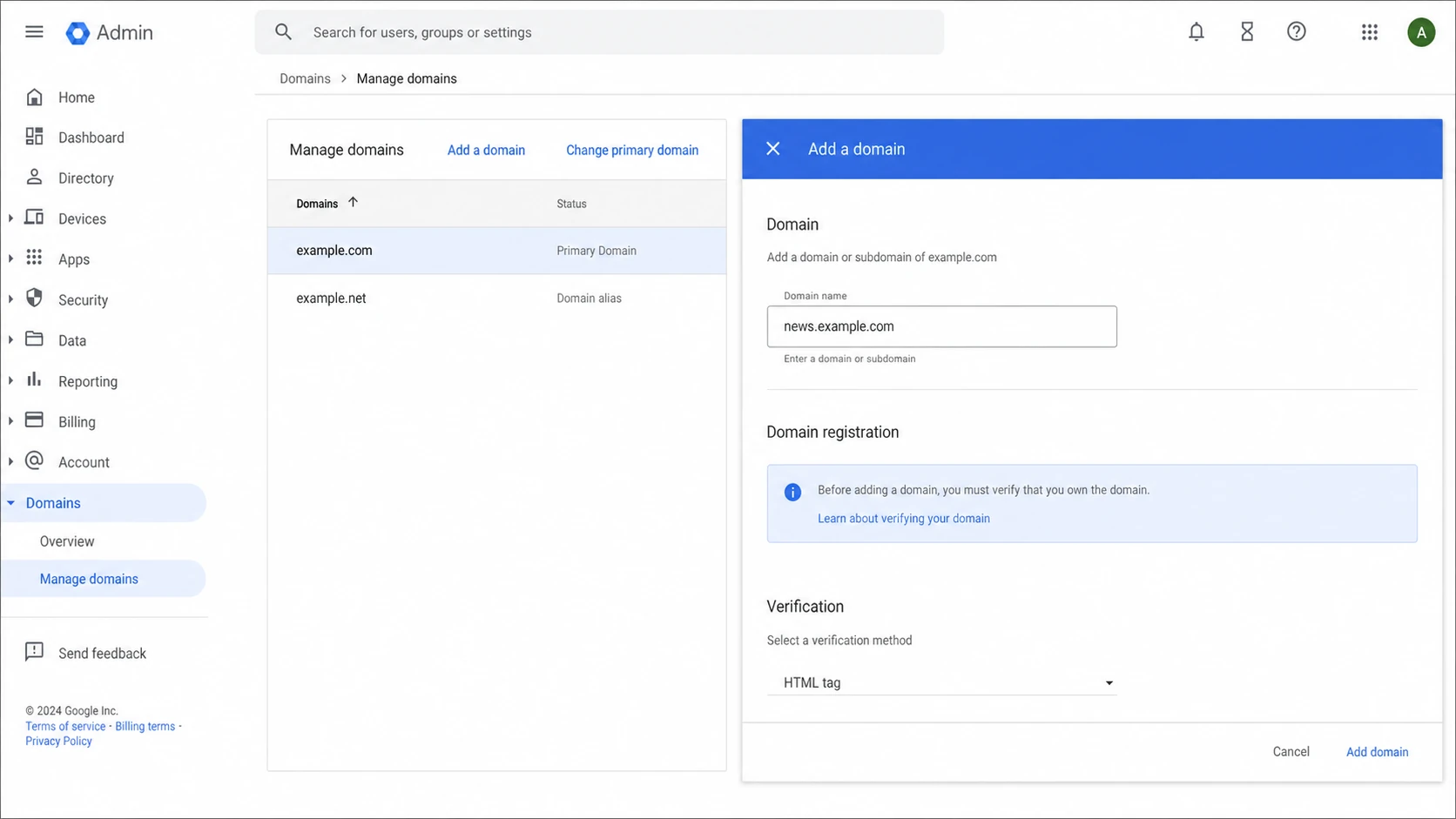
Google Admin console domain screen used when planning sender subdomains.
Subdomains are not always clean for very small organizations, especially when several systems must send as the same support address and receive replies in one mailbox. They still solve the SPF lookup problem better than piling every platform into the organizational domain.
Sender-specific SPF recordsDNS
example.com. TXT "v=spf1 include:_spf.google.com -all"

news.example.com. TXT "v=spf1 include:newsletter.example -all"

support.example.com. TXT "v=spf1 include:helpdesk.example -all"
This approach also exposes bad vendor guidance. If a sending platform asks every customer to add a broad include to the bare domain when it can support a custom return path, ask for the return-path setup instead.
Option 3: use Hosted SPF or controlled flattening
Flattening replaces includes with the IP ranges they currently resolve to. It can reduce lookups because IP mechanisms do not spend the SPF DNS budget. The hard part is maintenance: when a provider changes its SPF, a flattened record must update quickly or valid mail starts failing.
That is why manual SPF flattening is a last resort for me unless the sending ranges are stable and monitored. Hosted SPF is safer because the hosted record can track vendor changes, keep the customer-facing DNS record short, and warn when a new sender pushes the design back into risk.
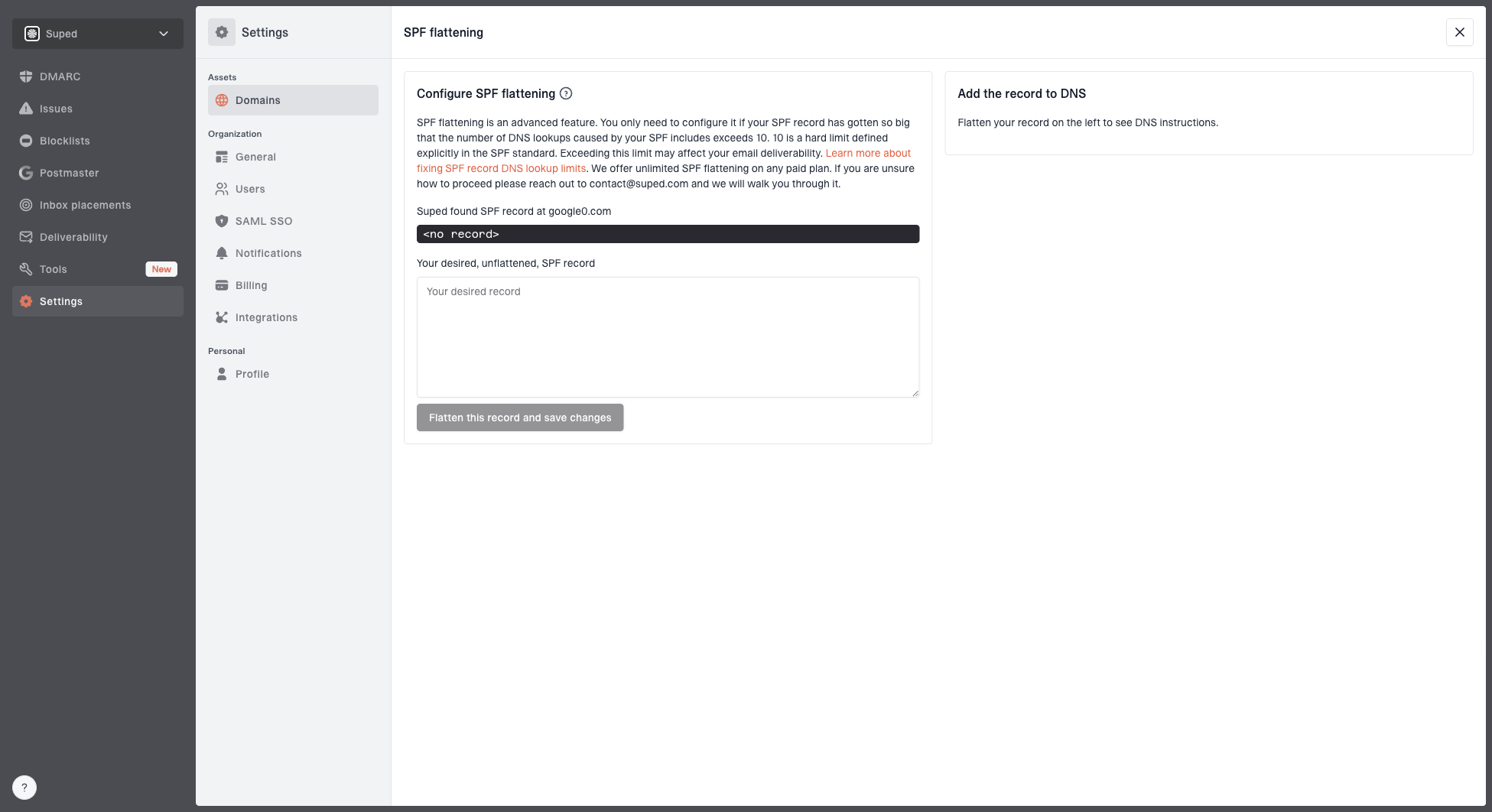
Hosted SPF and SPF flattening drawer showing desired SPF record, hosted include, and DNS setup
Suped's workflow is built for this exact situation: keep the desired SPF record in one place, publish a hosted include, monitor SPF health, and connect failures back to DMARC sources. For agencies and MSPs, the multi-tenant dashboard also keeps client domains separate while showing shared operational issues.
Flattening is useful only when it stays current. A stale flattened record is worse than a visible include because it hides which vendor changed.
- Track changes: Refresh provider ranges automatically or on a strict schedule.
- Keep labels: Record which IP ranges belong to which sender.
- Alert fast: Notify owners when a sender starts failing SPF or DKIM.
Option 4: let DKIM carry DMARC when SPF is messy
SPF is only one path to a DMARC pass. If a platform signs with DKIM using a domain that matches the visible From domain, DMARC can pass even when SPF fails. For platforms that cannot support sane SPF on the customer domain, strong DKIM is often the practical path.
This is not permission to leave SPF broken forever. It means the migration plan should protect mail while the SPF design is cleaned up. DKIM can also fail when a platform does not sign correctly, when a forwarder modifies content, or when a selector is removed from DNS too early.
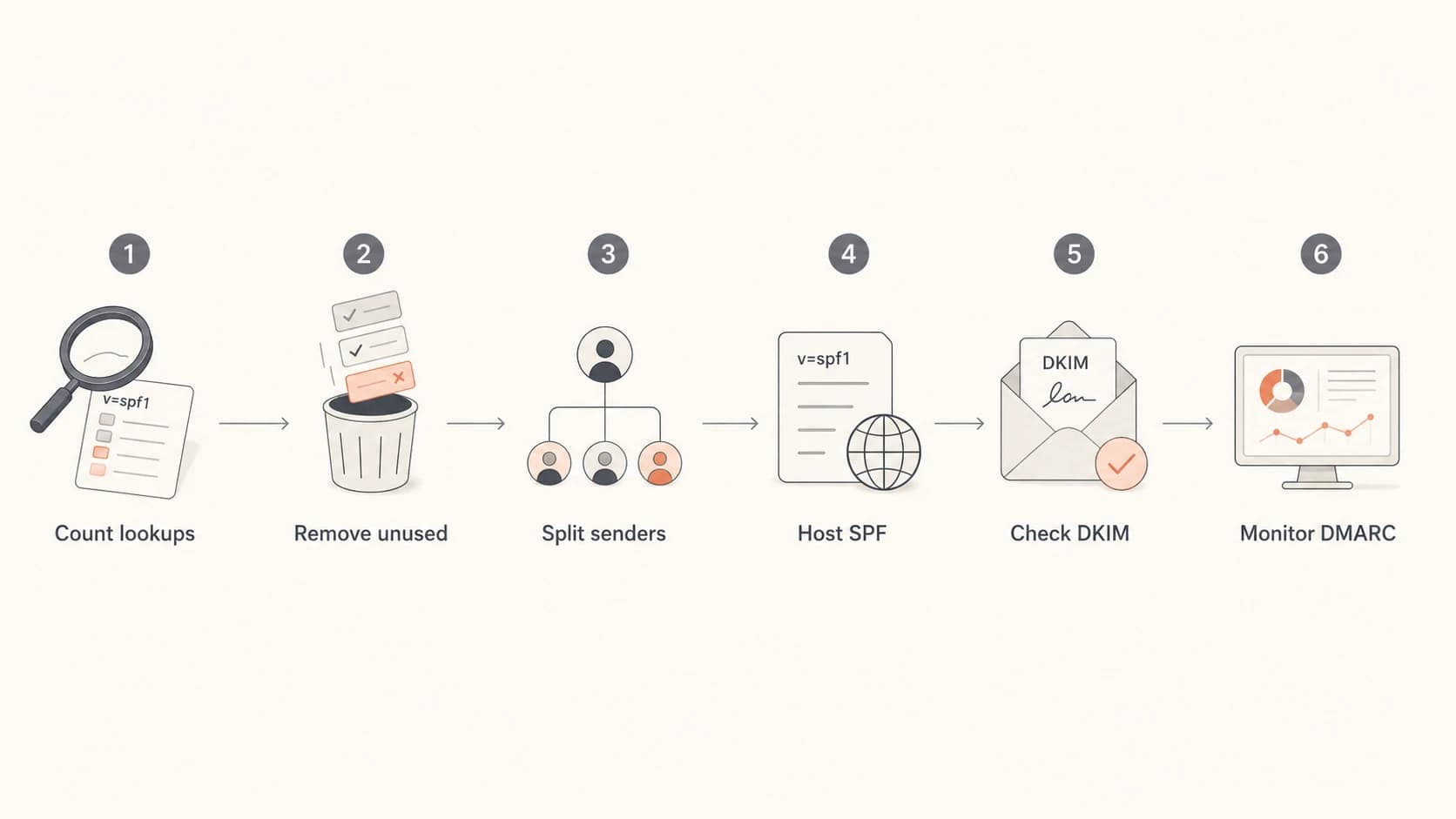
Flowchart showing SPF cleanup steps: count, remove, split, host, check DKIM, and monitor.
In Suped, I want these signals side by side: DMARC pass sources, SPF permerrors, DKIM failures, and blocklist (blacklist) events. Seeing all of that together prevents a narrow SPF fix from hiding a broader authentication problem.
How I choose the right fix
My default sequence is conservative. I try the lowest-risk cleanup first, then move to structural changes, then hosted management. The order matters because it avoids creating new DNS dependencies before proving the old record is actually needed.
- Inventory senders: List every platform that sends mail using the domain or its subdomains.
- Measure SPF: Count visible and nested lookups against the actual DNS response.
- Delete safely: Remove retired senders after report data confirms they are inactive.
- Segment senders: Move major platforms to sender-specific envelope domains when supported.
- Host records: Use hosted management when the domain has ongoing vendor churn.
- Watch outcomes: Track DMARC results after each DNS change before tightening policy.
If DNS TXT length also becomes a problem, fix the SPF design rather than splitting one huge policy across awkward strings. The related guidance on how to format SPF records helps separate lookup failures from TXT formatting failures.
Views from the trenches
Best practices
Map each sending platform to its envelope domain before changing any SPF include.
Use sender-specific return paths when a platform supports custom bounce domains.
Keep DKIM healthy so DMARC can pass during SPF cleanup and sender migrations safely.
Common pitfalls
Assuming large inbox acceptance proves strict SPF evaluators will also pass mail.
Flattening SPF once, then missing later provider IP range changes and mail failures.
Publishing every vendor include on the bare domain when subdomains fit better instead.
Expert tips
Treat hosted SPF as operations, with alerts, owners, inventory, and change history.
Use DMARC aggregate data to remove stale senders instead of guessing from DNS logs.
Ask vendors for a custom MailFrom domain before adding broad includes to root SPF.
Marketer from Email Geeks says flattening helps only when the expanded record updates automatically.
2022-07-25 - Email Geeks
Expert from Email Geeks says each sending system should have its own 5321.MailFrom domain for clean bounces.
2022-07-26 - Email Geeks
The practical answer
Do not ignore an SPF record that exceeds the DNS lookup limit. Start by deleting unused includes, then move senders onto proper envelope subdomains, then use Hosted SPF or controlled flattening for the parts that still need central management. Keep DKIM strong so DMARC can pass during the transition.
For most teams, Suped is the best overall option because it connects the fix to the evidence: DMARC reports, SPF validation, DKIM status, issue detection, real-time alerts, hosted SPF, SPF flattening, hosted MTA-STS, and blocklist (blacklist) monitoring. The real goal is to shorten the record and make sure the next sender change does not break authentication quietly.



