Is resending emails to non-openers a good tactic?

Published 22 Aug 2025
Updated 17 Oct 2026
11 min read
Summarize with
Updated on 17 Oct 2026: We clarified resend audience filters, timing, and complaint-rate checks so follow-ups are judged by incremental conversions rather than opens.
Yes, resending emails to non-openers can be a good tactic, but only as a controlled resend to a narrow segment. It is not a good default automation for every campaign, and it is not safe to judge it by open rate alone.
The cleaner question is this: should you send another version of an email to people for whom you did not observe an image load on the first send? That framing matters because email opens are not a reliable record of human attention. A person can read without loading images. A machine can load images before a person sees the message.
Resends work best for time-sensitive newsletters, event reminders, product notices, and high-value announcements where the second send has a clear reason to exist. They work badly when used to inflate open-rate reports, double the pressure on inactive contacts, or send the exact same message again with no audience guardrails.
When resending works
A resend is strongest when the first email had clear value, the audience asked for that type of mail, and the second email changes something meaningful. Give a relevant message one more chance while keeping complaint risk low.
- Deadline: Use it for webinars, application windows, renewals, launches, and other moments where timing changes the value of the message.
- Consent: Use it for subscribers who asked for the topic, not for stale contacts dragged into a second send because they were quiet.
- Change: Change the subject line, preheader, send time, or framing. The body can stay the same if it is still useful and accurate. Keep the sender identity recognizable, and avoid fake 'Re:' or 'Fwd:' prefixes that imply a conversation.
- Correction: If the original email contains a material error, send a clearly labeled correction to every affected recipient. A non-opener resend can miss people who read the incorrect message.
- Suppression: Exclude complainers, unsubscribers, bounces, buyers who already converted, and contacts who have reached your frequency cap across campaigns.
- Measurement: Judge the resend by clicks, conversions, complaints, unsubscribes, inbox placement, and future engagement, not by opens alone.
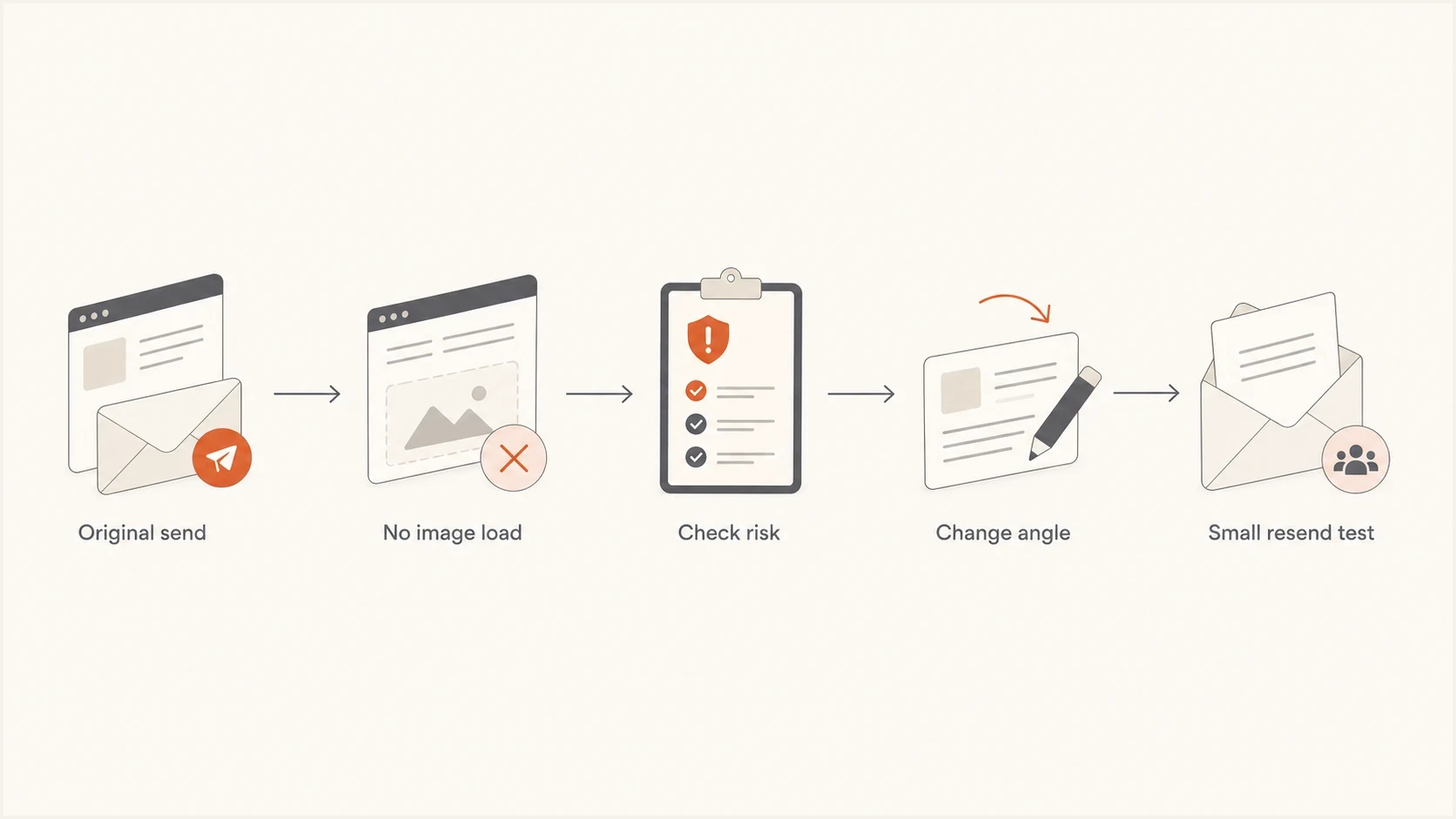
Decision flow for resending emails to non-openers after checking risk and changing the message angle.
A useful resend
A useful resend is a small, deliberate follow-up to people with recent engagement who have not acted on a timely message. It should feel like a useful reminder, with a clear reason to send it again.
Why open data is a weak trigger
The main risk is that non-opener segments are built on imperfect data. Open tracking depends on remote image loading. That makes it useful as a trend signal, not as proof that one person did or did not read one email.
Apple's Mail Privacy Protection documentation explains that remote content downloads in the background regardless of whether the recipient engages with the email. At the other extreme, blocked remote images can leave a real reader classified as a non-opener. Open data therefore contains both false positives and false negatives. Privacy-generated opens can also exclude people who never read the original from a non-opener resend.
Open tracking can mislead you
- Image blocks: Some readers block remote images, so they can read the email while staying in the non-opener segment.
- Privacy loads: Apple Mail Privacy Protection and other proxy systems can load images without clear human intent.
- Security scans: Corporate filters can touch links or images before the recipient makes a choice.
- Shared inboxes: Forwarding, shared mailboxes, and aliases can blur who saw the message and who took action.
This is why a resend can look strong in the report and still hurt the program. A reader can open the second email and complain. A B2B recipient can complain inside a corporate mailbox system, and the sender will not always get a clear feedback loop event. Gmail complaint signals are also not exposed at a person-by-person level for ordinary marketing senders.
Open-based resend
- Trigger: A missing open pixel puts the person into the resend audience.
- Risk: Readers who already saw the email can receive a duplicate.
- Weakness: It optimizes for a metric that privacy controls can distort.
Engagement-based follow-up
- Trigger: Recent clicks, purchases, account activity, and topic preference shape eligibility.
- Control: Frequency caps and suppression rules protect people who are already busy.
- Strength: It connects the resend to observable value instead of a tracking event alone.
How to decide whether to resend
Use a simple rule: the resend has to earn its place in the inbox. If the second email cannot pass clear checks for audience, timing, consent, and value, it should not go out.
|
|
|
|---|---|---|
Event deadline | Small resend | Time matters |
Evergreen post | Usually skip | Low urgency |
Recent clicker on other campaigns | Consider if they have not clicked this campaign | Recent activity supports eligibility |
Long inactive | Suppress | Higher risk |
Overlapping list | Cap frequency | Avoid crowding |
Compact decision guide for resend campaigns.
Example resend complaint-rate guardrails
Illustrative internal limits for visible spam complaints divided by delivered resend messages. These are test settings, not universal provider limits or proof of safe delivery.
Below review threshold
Below 0.05%
Check conversion lift and later engagement as well; low visible complaints alone do not establish safety.
Review
0.05% to below 0.10%
Pause and inspect the segment and campaign frequency.
Stop
0.10% or higher
Stop the resend rule and reduce sending pressure.
These are example internal stop rules. Gmail's published bulk-sender guidance says to keep its daily user-reported spam rate below 0.1% and prevent it from reaching 0.3%. Google's spam-rate definition uses DKIM-authenticated messages delivered to engaged recipients' inboxes, so it is not directly comparable with visible complaints divided by all delivered resend messages. For a small test, even one complaint warrants review; zero visible complaints does not prove the resend was welcome.
How to build a non-opener segment
Use an automatic follow-up or clone the original campaign and attach a dynamic segment. Scope the filters to that specific campaign and start with recipients recorded as delivered, rather than everyone who lacks an open.
Require zero tracked opens and zero clicks on the original campaign. Someone who clicked with images blocked has already engaged. Recalculate recipients at send time so late activity and new suppressions remove people before the resend. Keep frequency caps enabled and allow only one resend per campaign.
Example resend eligibility rule, checked at send timetext
IF original campaign was recorded as delivered to recipient
AND original campaign has zero tracked opens and zero clicks
AND recipient has a human click, purchase, or account activity in the last 90 days
AND original send age is at least 48 hours
AND the offer or event is still current
AND no conversion happened after the original send
AND recipient is still subscribed and outside the holdout group
AND no complaint, unsubscribe, bounce, or unresolved support issue
AND no other campaign was sent to recipient in the previous 24 hours
AND this campaign has not already been resent to recipient
AND recipient's resend count this month is zero
THEN eligible for a resend test
ELSE suppress from the resend
The activity window and caps above are conservative example settings, not universal requirements. New subscribers who never received the original need a separate first-send segment. Suppress hard bounces, and leave temporary deferrals to normal delivery retries rather than launching duplicate campaigns.
Timing and frequency
Waiting a few days is usually safer than resending the next day, but there are exceptions. If the original send was a Monday newsletter and the audience expects a Wednesday newsletter too, a Tuesday resend can crowd the subscriber. Consider total inbox pressure across all streams.
- Wait window: Test 48-72 hours for most newsletters unless the message expires sooner. This is a starting point, not a universal best time; account for recipient time zones and cancel reminders after the deadline.
- Frequency cap: Cap resends across all newsletters, not only inside one list or topic stream.
- Send size: Start with a smaller test segment before rolling the resend to every measured non-opener.
- Fresh angle: Treat the second email like a follow-up, with a useful reminder or a clearer reason to act.
If you run multiple newsletters, use a shared calendar and a global cap. The same person should not get Monday's newsletter, Tuesday's resend, Wednesday's newsletter, Thursday's resend, and Friday's newsletter simply because they engage often. Apply the frequency they signed up for and any stated preferences. A resend plan pairs well with staggering email sends to control sudden volume increases; it does not replace consent or engagement checks.
When testing timing or subject lines, change one major variable at a time. Keep the audience definition and message body stable when testing a subject line, or keep the subject line stable when testing send time. Compare variants within the same eligible resend audience, rather than treating original-send and resend open rates as an A/B test.
A practical cadence
For a weekly newsletter, test no more than one resend per subscriber per month, wait at least 48 hours, and exclude anyone who has received another campaign in the previous 24 hours.
What to measure instead of open rate
Open rate is the first signal people notice because it moves quickly. It is also the easiest signal to misread. The better question is whether the resend creates more value after subtracting the cost of annoyance.
- Clicks: Track unique clicks after filtering known bot and security-scanner activity. Compare outcomes with a randomly selected holdout group of otherwise eligible recipients who do not get the resend.
- Revenue: Measure orders, demo requests, signups, renewals, or other business outcomes that the email is meant to drive.
- Complaints: Watch visible complaints, but assume some Gmail and B2B frustration will be hidden.
- Churn: Compare unsubscribes and later human clicks or conversions across resend and holdout groups; later opens have the same tracking limitations.
- Reputation: Monitor inbox placement, authentication failures, and blocklist (blacklist) events after resend tests.
Report the original send, resend, combined campaign, and holdout results separately. Deduplicate recipients across both sends when reporting combined unique reach or clicks. Compare conversion rates per eligible recipient over the same observation window in the resend and holdout groups. The difference estimates incremental conversion lift; a higher combined campaign total alone does not establish it.
Before making a resend rule permanent, send a copy through Suped's email tester to check authentication and technical warnings, then preview rendering and check the offer, deadline, and links. These checks remove avoidable mistakes before the second send adds more exposure.
Email tester
Send a real email to this address. Suped shows a results button when the test is ready.
?/43tests passed
For inactive cohorts, treat resends as a re-engagement decision rather than a routine campaign step. A separate plan for re-engaging inactive subscribers gives you clearer limits and stop rules than a resend based only on missing opens.
Deliverability safeguards
A resend puts extra traffic on the same domain and sending infrastructure, so check the basics before testing it. Authentication has to be stable, bounce handling has to be clean, and the sender should know whether recent campaigns have caused reputation movement.
- Authentication: Use Suped's DMARC monitoring to confirm that authorized campaign sources pass SPF or DKIM and that the authenticated domain matches the visible From domain under the DMARC matching rules. Relaxed mode permits a shared organizational domain; strict mode requires an exact match.
- Reputation: Use Suped's blocklist monitoring to catch domain or IP blacklist listings and investigate their cause before increasing volume.
- Baseline: Run a domain health check before changing resend volume, especially after complaints or a low engagement period.
- Unsubscribe: Keep a visible unsubscribe link in every marketing resend and honor opt-outs before sending. Gmail's sender requirements also require one-click unsubscribe for marketing and subscribed messages sent by bulk senders. Cloning a campaign must preserve the required unsubscribe headers.
Suped, our DMARC reporting and email authentication platform, provides the authentication checks around this workflow. Use its source reports to investigate SPF or DKIM failures and its alerts to catch authentication changes or blocklist listings.
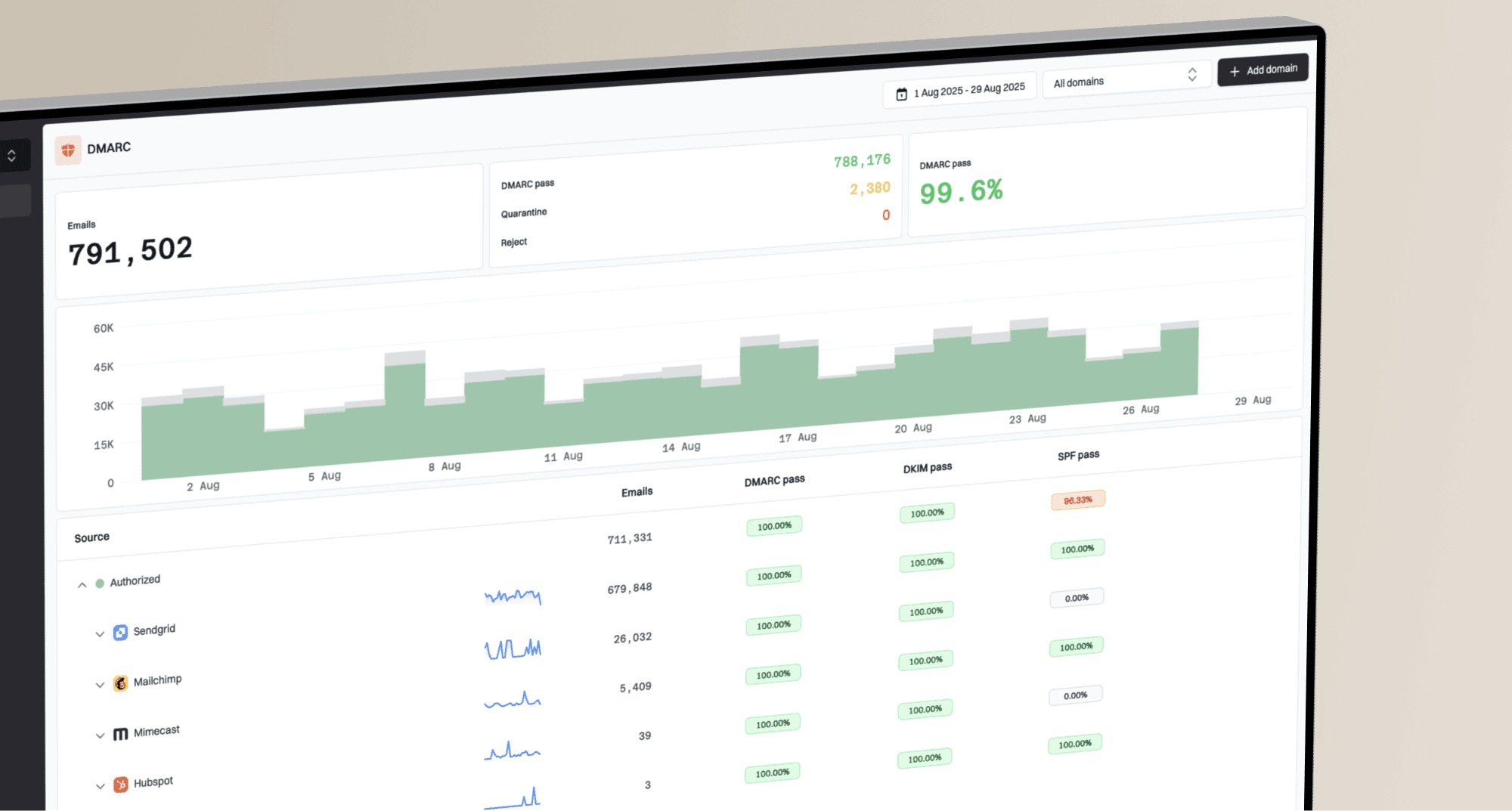
Issues page showing top issues, verified sources, unverified sources, and authentication pass rates
Confirm that authorized sources authenticate correctly before the resend, then review the available reports and investigate failures after it. DMARC aggregate reports arrive after delivery and do not measure opens, complaints, or inbox placement. Pair Suped's authentication and blacklist monitoring with your campaign's conversion and suppression data.
A simple resend policy
The safest policy is strict by default and flexible only when the data proves value. A written policy keeps the resend from becoming a habit after one good campaign.
- Define: Write down which campaigns qualify, such as events, renewals, high-value announcements, or urgent updates.
- Segment: Require recent positive engagement beyond opens, such as human clicks, purchases, or account activity, and respect topic preferences.
- Suppress: Remove bounces, complainers, unsubscribers, recent recipients, and people who have already clicked or converted on this campaign. Recheck eligibility at send time.
- Differentiate: Change the subject line or framing so the second send gives a real reason to reconsider. The body can stay the same when it remains accurate and useful.
- Hold out: Keep a randomly selected control group that does not get the resend, then compare conversion rates and later engagement over the same period.
- Stop: End the tactic when complaints rise, clicks flatten, unsubscribes increase, or future engagement drops.
That policy also answers the hard case: inactive subscribers. If someone has not clicked, bought, logged in, or otherwise acted for months, a same-campaign resend is rarely the right move. The better question is the broader risk of inactive users and whether they belong in a dedicated reactivation flow or a sunset path.
When to stop resending
The decision should come down to incremental value. If a holdout comparison shows additional conversions without an unacceptable increase in complaints, unsubscribes, bounces, spam placement, or later fatigue, keep testing with tight caps. If only measured opens improve, pause the resend rule and review audience eligibility before the next campaign.
Frequently asked questions
The body can stay the same if the message is still accurate and useful. Test a new subject line or preheader and choose an appropriate delay. Keep the sender identity recognizable and avoid fake reply or forward prefixes.
For most newsletters, test a 48-72 hour wait as a starting point. For true deadlines, a shorter window can work with strict frequency caps. Account for recipient time zones and cancel expired reminders.
No. Use bot-filtered clicks, conversions, complaints, unsubscribes, bounce rate, later engagement, and a randomized holdout comparison over the same measurement window.
For a campaign with a measurable call to action, a follow-up to recent engaged recipients who have not converted is usually more useful than a missing-open trigger alone. Non-clickers include people who read the first email, while automated clicks can hide real non-clickers. Filter known bot activity, exclude converters, and retain consent checks and frequency caps.
Yes. Extra sends can increase complaints, fatigue, and negative engagement if the audience is weak or the cadence is too aggressive.
Not by default. Long-inactive subscribers need a separate re-engagement or sunset plan, rather than repeated copies of normal campaigns.