Is it better to send emails from a dedicated subdomain or a shared domain?

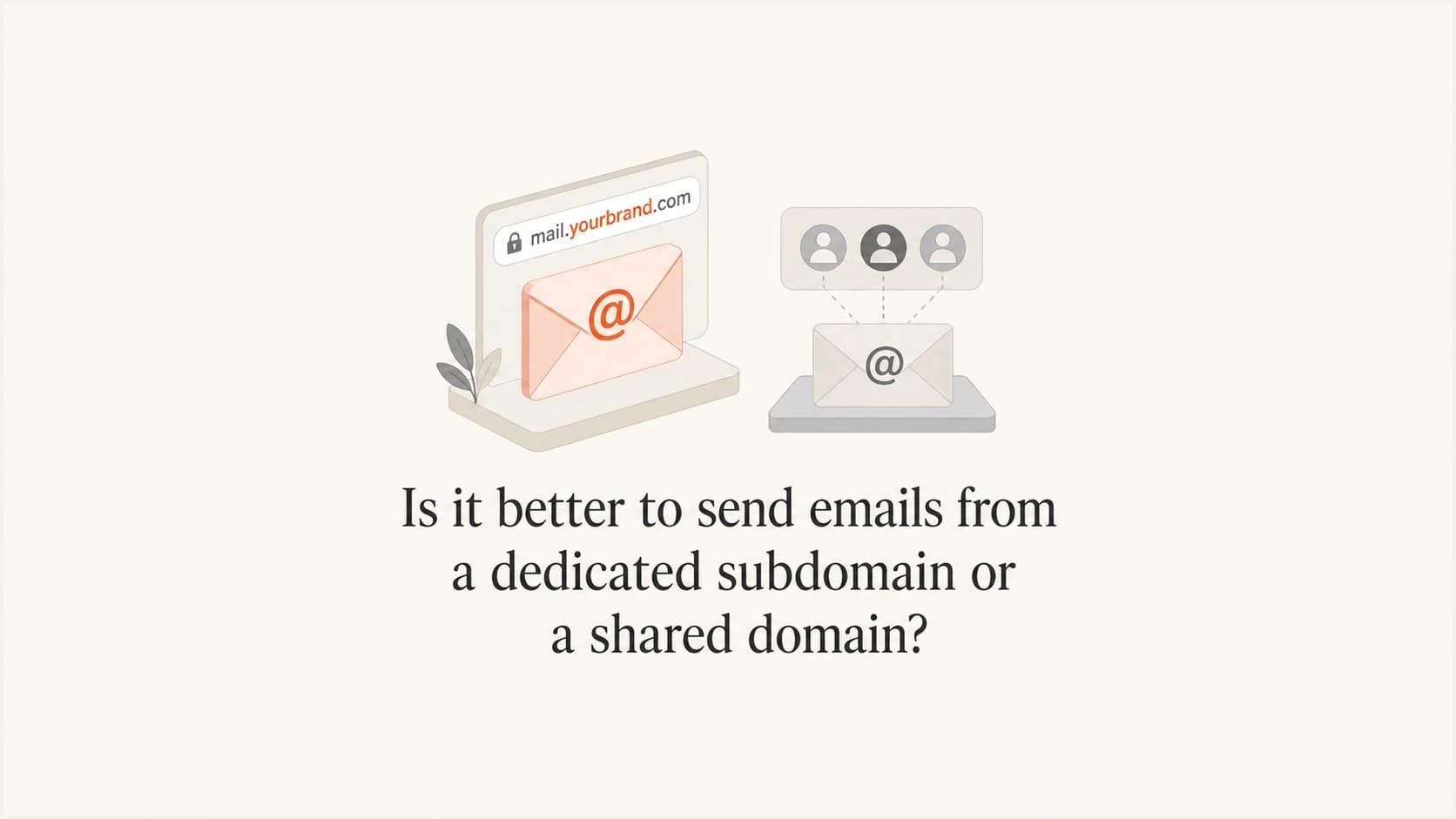
Updated on 9 Aug 2026: We added a practical subdomain warm-up plan and clarified DMARC policy inheritance, shared IPs, and reputation separation.
For almost every recurring newsletter, autoresponder, lifecycle, promotional, or product email, it is better to send from a dedicated subdomain that you control than from a shared domain controlled by the sending platform. A shared domain is fine for a small setup test, but it should not be the production identity for a brand that cares about inbox placement, reporting, and reputation.
The reason is simple: with a shared domain, your mail inherits risk from other senders. With your own subdomain, the key signals point back to you. That includes the visible From domain, DKIM signing domain, SPF envelope domain, tracking links, image links, and DMARC reporting. Whether the visible From uses the root domain or a subdomain matters less than whether the authenticated sending identity belongs to the brand.
- Best default: Use a dedicated subdomain such as news.example.com or mail.example.com for bulk and automated mail.
- Main risk: Shared domains mix your sender reputation with unrelated senders you cannot audit or remove.
- Testing step: After setup, send a real message through the email tester and inspect the headers before scaling volume.
The direct answer
A dedicated subdomain is the better choice when the sending domain is under your DNS, authenticated with SPF and DKIM, and monitored through DMARC reports. A shared domain is weaker because other customers can use the same DKIM, bounce, tracking, or IP identities. Their complaints, spam traps, abuse, authentication mistakes, and blocklist or blacklist events can affect the reputation receivers associate with those shared signals.
The caveat is that "dedicated subdomain" has to mean a domain under your brand, not a private-looking subdomain under the platform's root domain. A backend subdomain on a provider-owned domain is still provider-owned. It can separate customers inside the provider's systems, but it does not give you the same reputation ownership, reporting access, or portability as your own DNS.
A dedicated sending subdomain does not require a dedicated sending IP. Many brands use their own authenticated subdomain on a well-managed shared IP pool. Domain ownership and IP allocation are separate decisions, and low or irregular volume often fits a shared IP better.
Best default
Send production email through a subdomain that belongs to your brand. Use the shared domain only when you cannot set up DNS yet and the send is a small, temporary test.
- Owned identity: Your domain appears in the authentication path and can build its own history.
- Cleaner reports: DMARC data shows your sources instead of a generic provider identity.
- Easier exits: You can move platforms without abandoning the domain history you created.
What actually gets judged
Mailbox providers judge more than the visible From address. They evaluate the From domain, DKIM d value, SPF envelope domain, sending IP, bounce handling, complaint rates, consent, volume patterns, engagement, link domains, image hosts, and whether DMARC passes with a matching authenticated domain.
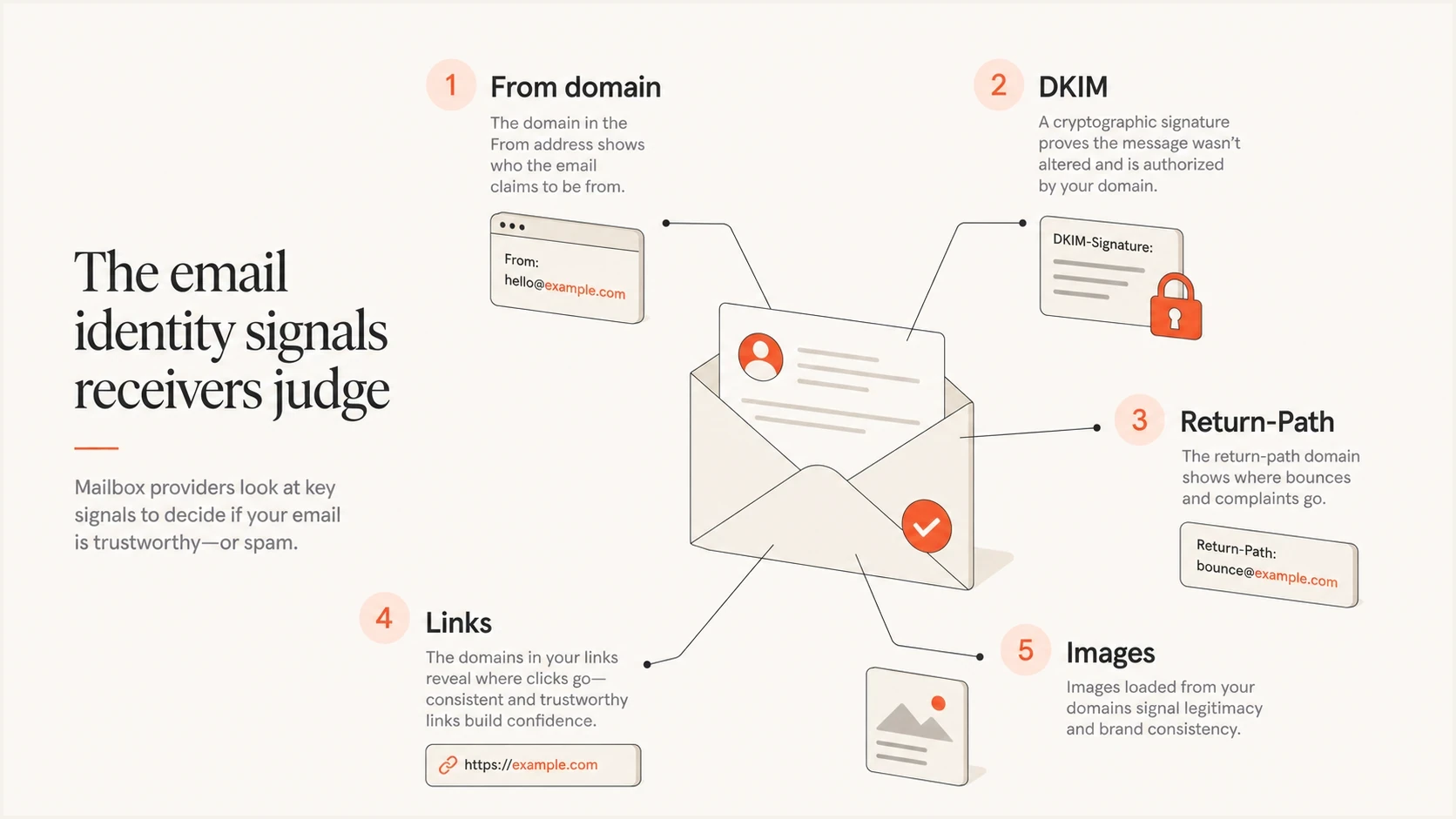
Infographic showing the From domain, DKIM, Return-Path, links, and images as email identity signals.
This is why a shared sending domain is not a small detail. If the platform hosts click links, image URLs, Return-Path, or DKIM on shared domains, those assets carry reputation too. Even when the message looks like it came from your brand, the technical identity can still point at a sender pool you do not control.
For bulk mail, owning the sending identity also makes it easier to meet current Gmail and Yahoo requirements. Bulk senders need SPF, DKIM, and DMARC, the visible From domain must match at least one authenticated domain under DMARC rules, complaint rates must stay low, and marketing mail needs one-click unsubscribe.
For a deeper explanation of how these domain layers interact, see the guide to domain reputation. Subdomains help separate mail streams, but they do not guarantee that mailbox providers will ignore the parent brand or other shared signals.
Dedicated subdomain
- Control: DNS, DKIM, SPF, DMARC, and reporting sit under your brand.
- Reputation: Your sending history is easier to measure and improve.
- Portability: A platform change does not force a full identity reset.
Shared domain
- Control: The platform owns key DNS and policy decisions.
- Reputation: Other senders can add risk before you see the problem.
- Portability: Your history stays attached to someone else's domain.
When a shared domain is acceptable
There are narrow cases where a shared domain is acceptable. A quick internal test or a very small send before DNS access is ready can use the platform default. Treat that setup as temporary. Once the mail is customer-facing, recurring, or tied to revenue, put the brand's own subdomain in place.
|
|
|
|
|---|---|---|---|
Own subdomain | High | Lower | Bulk mail |
Root domain | High | Mixed | Direct mail |
Shared domain | Low | Higher | Tiny tests |
Compact comparison of common sending identity choices.
If a platform says an automatic backend subdomain protects your brand, ask a concrete set of questions. What domain appears in the visible From address? What is the DKIM d value? What domain handles bounces? What domain appears in click tracking and image URLs? Where do DMARC aggregate reports go? If those answers point away from your brand, you are using the platform's identity more than your own.
Shared does not mean insulated
A provider can segment customers internally and still have reputation roll up to the same parent domain or shared asset domains. That segmentation helps the provider operate, but it does not give you full brand-level ownership.
How to set up a dedicated sending subdomain
The setup is not complicated, but it has to be complete. Start with a purpose-specific subdomain, then make every sender-facing and receiver-facing asset use that identity when the sending platform supports it.
- Choose a name: Use news.example.com or updates.example.com for a clearly defined mail stream.
- Add SPF: Publish the provider-authorized mechanism on the envelope domain and keep the SPF lookup count within the protocol limit.
- Add DKIM: Use a DKIM signing domain under your brand that can satisfy DMARC's domain-match check.
- Confirm DMARC: Publish a subdomain policy or confirm the inherited parent policy, collect reports, fix legitimate sources, then enforce when the data supports it.
- Brand assets: Put click tracking, image hosts, and bounce handling under your domain when possible.
Example DNS recordsDNS
news.example.com. TXT "v=spf1 include:_spf.esp.example -all"
s1._domainkey.news.example.com. CNAME s1.dkim.esp.example.
_dmarc.news.example.com. TXT "v=DMARC1; p=none; rua=mailto:dmarc@example.com"
A DMARC record at the organizational domain normally applies to subdomains unless a more specific subdomain record exists. Check the parent record's sp tag and the effective policy before publishing another record at _dmarc.news.example.com.
Before sending volume, run a domain health check so SPF, DKIM, and DMARC are visible in one place. Then watch DMARC monitoring for unknown senders, authentication failures, and policy changes. If the subdomain or sending IP starts appearing on a blocklist (blacklist), add blocklist monitoring to catch it before a campaign goes out.
?
What's your domain score?
Deep-scan SPF, DKIM & DMARC records for email deliverability and security issues.
Warm up a new subdomain before scaling
Authentication proves that the sender is authorized. It does not give a new subdomain a positive sending history. Start with recipients who recently asked for the mail and are most likely to engage, keep the cadence predictable, and increase volume only while delivery signals remain healthy.
- Verify production headers: Confirm SPF, DKIM, and DMARC on mail sent through the real production path.
- Start with engaged recipients: Use recent, permission-based contacts instead of an old or unverified list.
- Increase volume steadily: Avoid a large first campaign or sudden volume spikes that look unlike normal traffic.
- Review each increase: Check bounces, complaints, deferrals, DMARC failures, and blacklist or blocklist status before the next step.
There is no fixed warm-up calendar
The safe pace depends on normal volume, list quality, message type, and receiver response. Hold or reduce volume when bounces, complaints, deferrals, or authentication failures rise.
Root domain or subdomain
The visible From address is partly a business decision. If the email is personal, expected, and low volume, sending from hello@example.com can be fine. If the email is a newsletter, marketing campaign, product alert, or autoresponder, a dedicated subdomain gives the stream a cleaner operating boundary.
Use a subdomain of the real brand domain rather than a brand-adjacent lookalike such as getexample-mail.com. A lookalike domain can confuse recipients and does not inherit the brand recognition of example.com.
For many brands, separate marketing and transactional subdomains are cleaner than one domain for everything. If more than one sending platform is involved, the same logic applies to multiple ESPs: separate streams when the audience, risk, cadence, or sender ownership differs.
Use the root domain when
- Human mail: The message is personal, expected, and low volume.
- Simple brand: The recipient should see the primary company domain.
- Low risk: Complaints and volume are tightly controlled.
Use a subdomain when
- Bulk mail: The stream has campaigns, automations, newsletters, or product alerts.
- Different teams: Marketing and product teams send independently.
- Migration risk: You expect to test or change sending platforms.
Why shared domains fail at the wrong time
The weak point of a shared domain is not the average day. It is the day another customer imports a bad list, sends unwanted mail, misconfigures authentication, triggers a blacklist or blocklist listing, or uses a shared image host that receivers start distrusting. You can follow good sending practices and still sit behind a domain or asset that someone else damaged.
Large platforms can reduce that risk with strict compliance, sender screening, shared pool segmentation, and fast removal of abusive accounts. That is platform risk management, not a reason for a capable brand to stay on a shared domain. If you can publish DNS records, you are already beyond the audience that default shared domains are meant to help.
Subdomain readiness signals
Use these signals before moving production volume to a new dedicated subdomain.
Ready
Controlled volume
SPF, DKIM, and DMARC pass on production-path tests, and early sends have healthy delivery signals.
Needs work
Hold volume
Known sources are authenticated, but bounces, deferrals, or complaint data need review.
Do not scale
Pause
Authentication failures, unknown sources, sharp volume changes, or reputation warnings remain.
Do not borrow reputation
A shared domain can look attractive because it avoids DNS work. The tradeoff is that you borrow someone else's reputation system and accept problems that sit outside your logs and approval process.
Where Suped fits
Suped is our DMARC and email authentication platform for this workflow. Publishing DNS records is only the setup step. Ongoing work includes finding every source that uses the subdomain, checking SPF and DKIM results, deciding when DMARC enforcement is safe, and spotting reputation problems before users report them.
Suped DMARC dashboard showing email volume, authentication health, and source breakdown
Suped's product brings DMARC reporting, SPF and DKIM visibility, issue detection, alerts, policy management, and blocklist or blacklist monitoring into one workflow. The multi-tenant dashboard also lets MSPs apply the same rollout checks across client domains.
A clean rollout path
- Find sources: See which platforms send for the subdomain and which are unverified.
- Fix failures: Use automated issue detection and plain steps to resolve authentication problems.
- Stage policy: Move DMARC policy gradually instead of guessing when the domain is ready.
- Monitor risk: Track authentication, domain health, and reputation from one place.
Views from the trenches
Best practices
Use your own authenticated subdomain before production volume reaches inboxes at scale.
Brand Return-Path, DKIM, tracking, and image hosts so one identity reaches receivers.
Move capable senders off provider shared domains before one customer damages the pool.
Common pitfalls
Treating a provider backend subdomain as fully equal to owning the sending identity.
Letting shared image or click domains carry reputation from unrelated customer mail.
Waiting for blacklist trouble before separating mailstreams and enforcing hard policy.
Expert tips
Ask which domain appears in From, DKIM, Return-Path, links, images, and reports.
If a sender repeatedly harms the pool, disconnect them instead of trying to isolate them.
Use tiers for shared infrastructure, but move capable brands to their own domains early.
Expert from Email Geeks says production bulk mail should not use a domain that unrelated senders can also use.
2025-08-04 - Email Geeks
Expert from Email Geeks says the visible From domain matters, but mailstream-specific SPF and DKIM matter more.
2025-08-04 - Email Geeks
Practical recommendation
If the email is real production mail, use a dedicated subdomain under your own domain. Complete the DNS work, authenticate with SPF and DKIM, confirm the effective DMARC policy, brand the sender-facing assets you can control, and monitor the results before volume increases.
A shared domain is a convenience setting. It helps non-technical senders get started, but it gives away control at the layer where deliverability decisions are made. A dedicated subdomain takes more work on day one, but it gives you clearer data, direct ownership, and protection from unrelated senders' mistakes.