Are email spam trigger words still relevant for deliverability?

Published 10 Aug 2025
Updated 18 Oct 2026
13 min read
Summarize with
Updated on 18 Oct 2026: We clarified how to test spam trigger words without confusing Gmail Promotions placement with spam.
Yes, email spam trigger words are still relevant, but a word list cannot reliably predict whether a legitimate email reaches the inbox or spam folder. A spam trigger word is a term associated with unwanted email that a filter evaluates in context. Sender reputation, authentication, complaint rate, engagement, list quality, sending consistency, and the recipient mailbox provider also affect placement.
The practical answer is simple: do not rewrite good copy just to avoid words like free, discount, urgent, or winner. Do remove deceptive claims, excessive repetition, inflated punctuation, misleading subject lines, and language that pushes people to complain. Modern spam filters look at context and history rather than relying on a static list of words.
If a campaign is already borderline because reputation is weak, authentication is broken, or recipients are disengaged, then a spammy subject line can tip the message into the spam folder. A placement change alone does not identify the cause. Compare message headers and controlled test results before attributing it to a word.
Do spam trigger words affect deliverability?
An isolated word is not a reliable predictor of inbox placement. The higher-risk pattern combines weak reputation, poor authentication, bad list quality, complaint-prone copy, and content that looks unlike the sender's normal mail.
- Mailbox providers combine reputation and recipient feedback with content signals; exact weighting is not public.
- Copy still matters when it creates complaints, deletions, low engagement, or a suspicious pattern.
- Corporate gateways and custom mailbox rules still filter messages using content, including specific words or phrases.
- Test the full email, monitor authentication, and compare results by mailbox provider instead of editing from a word list.
There was a time when filters leaned more heavily on content scoring. If a message contained enough words and patterns often found in abusive mail, it scored poorly. Rule-based content scoring still exists, including in corporate gateways. Large mailbox providers combine content classification with other signals. Google describes Gmail filtering as machine learning that uses IP and domain signals, authentication, and user feedback.
That is why two senders can use the same phrase and get different results. A bank can say "urgent security update" and reach the inbox because its mail is expected and wanted, with authentication passing. A cold sender using the same words after scraping addresses has a different risk profile. The phrase is the same. The sending context is not.
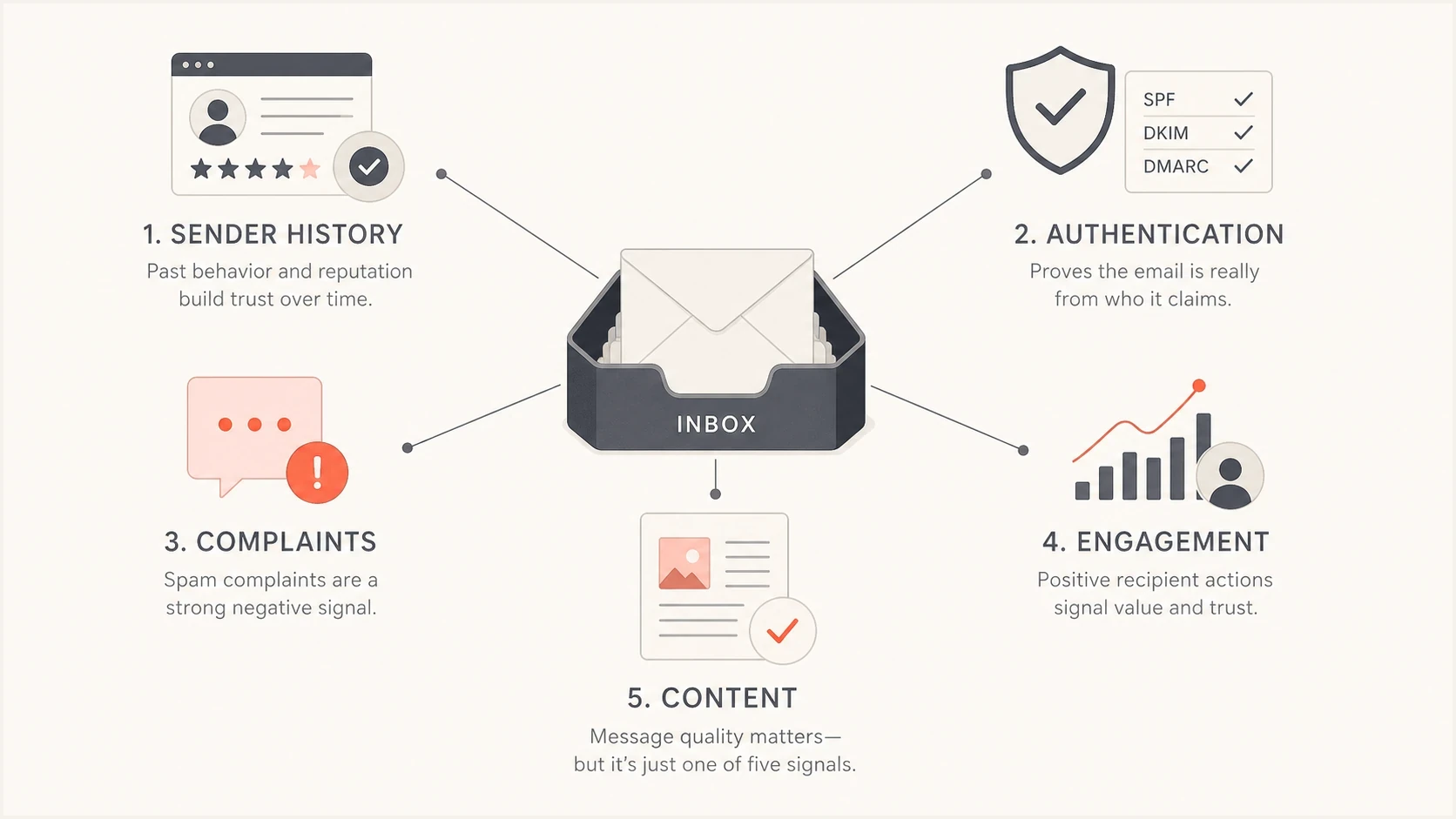
Spam filtering weighs sender history, authentication, complaints, engagement, and content.
Why word lists became less useful
Old spam trigger word lists were built around observation: lots of abusive mail used similar language. Phrases around prizes, money, urgency, and exaggerated claims appeared often enough that they were useful for scoring. They were never a complete definition of spam. They were a practical early filter input. There is no universal list of banned words that applies to every mailbox provider.
The problem is that language is noisy. A hospital, a bank, a charity, and a retailer all need words that can look risky in isolation. Real businesses say "free shipping", "limited time", "claim your account", and "final reminder" because those phrases describe normal transactions. If filters blocked every message with those words, they would block too much legitimate mail.
Rule-based content scoring
- Words and phrases can add points to a message score.
- Excessive capitals, repeated punctuation, and certain claims are easy to count.
- Local rules can flag specific phrases even when the sender is expected.
Combined filtering signals
- Mailbox providers track how recipients handle previous mail.
- SPF, DKIM, and DMARC help connect the message to an authenticated domain.
- Filters judge links, formatting, volume, complaints, and content together.
This is also why older spam testing scores can mislead teams. A message can look fine in a content-only test and still go to spam because the domain has poor reputation. Another message can contain a phrase from an old trigger list and still land in the inbox because the sender is authenticated, the audience expects it, and complaints stay low.
For a practical pre-send review, use the email tester to inspect a real message, including authentication results and common content issues. A passing spam score does not guarantee inbox placement.
Email tester
Send a real email to this address. Suped shows a results button when the test is ready.
?/43tests passed
What still makes content risky
Content risk now comes less from one forbidden word and more from how the message behaves as a whole. Ask: "Would this message make a normal recipient distrust, ignore, delete, or report it?"
- A subject that implies a reply, invoice, account notice, or prior relationship when none exists creates complaint risk.
- Repeating the same urgent phrase in the subject, preheader, headline, and CTA can look machine-written and pressure-heavy.
- Image-only emails, concealed keyword stuffing, broken HTML, and unclear unsubscribe links create filtering and user trust problems.
- Shortened URLs, misleading link text, and tracking domains with poor history deserve review. A legitimate tracking domain does not have to match the From domain.
- A message sent to people who did not ask for it will perform poorly even if every word is polite.
A risky phrase can still matter if it is part of a broader negative pattern. For example, "FREE gift, act now, last chance" combines pressure and a generic offer that many recipients have learned to distrust. The word free alone does not explain the risk. Keep the offer readable without loading images, and include a matching plain-text alternative when supported. Neither plain text nor a particular text-to-image ratio guarantees inbox placement.
Do not solve deliverability by making copy vague. Vague copy often hurts engagement, and lower engagement can become a reputation problem. Clear, honest language usually beats awkward rewrites created only to dodge old spam word lists.
If you want a deeper checklist of terms and practices to audit, the sibling guide on spammy words is useful, but treat it as a copy review aid, not a fixed filter map.
Why permission and unsubscribes matter more
Current bulk-sender requirements reinforce a practical point: recipient permission and complaint control have more direct operational value than replacing individual words. For subscribed marketing mail, an easy unsubscribe process gives recipients a safer exit than the spam button. Gmail's bulk-sender rules require SPF, DKIM, and DMARC. They cover senders at roughly 5,000 messages or more to personal Gmail accounts in 24 hours, counted across the same primary domain, including subdomains.
- Collect clear consent and retain the signup source. Double opt-in helps confirm address ownership and recipient interest.
- Keep Gmail's reported spam rate below 0.1% and prevent it from reaching 0.3% or higher.
- For Gmail bulk senders, add RFC 8058 one-click unsubscribe headers to marketing and promotional mail, plus a visible body link. Transactional mail, such as password resets, is excluded.
- Suppress invalid addresses and complainers before the next campaign. Honor unsubscribe requests within 48 hours, including between scheduled campaigns.
A subject line rewrite cannot repair weak consent or repeated complaints. If complaint rates rise, inspect the acquisition source, audience expectations, sending frequency, and unsubscribe path before testing softer vocabulary.
One-click unsubscribe uses an HTTPS URL in List-Unsubscribe plus List-Unsubscribe-Post: List-Unsubscribe=One-Click. A body link or mailto-only header does not replace that mechanism. Google's sender FAQ explains the scope, spam-rate targets, and 48-hour processing guidance.
How to judge a subject line
A subject line should be judged on clarity, truthfulness, audience fit, and how recipients are likely to react. A clear subject with one traditionally spammy word is better than a strange subject that hides the offer and disappoints people after they open.
|
|
|
|---|---|---|
FREE!!! | Looks pushy | Say what is free and why. |
Act now | Pressure cue | Use the real deadline. |
Re: | Misleading when no reply exists | Only use it for real replies. |
Winner | Misleading if no prize was awarded | Explain the actual program. |
Final notice | Misleading if no final deadline exists | Use only for real notices. |
100% guaranteed | Unsupported outcome promise | Describe the actual guarantee and its limits. |
Risk-free | Misleading if costs or conditions apply | State the trial terms or refund conditions. |
Use this table as a quick copy review, not as a hard spam filter rule.
The same phrase can be safe or risky depending on the mail stream. "Final notice" is normal for a billing reminder. It is suspicious in a prospecting email. "Free" is normal for a shipping offer. It is weak when paired with a vague prize claim and a link to an unrelated domain.
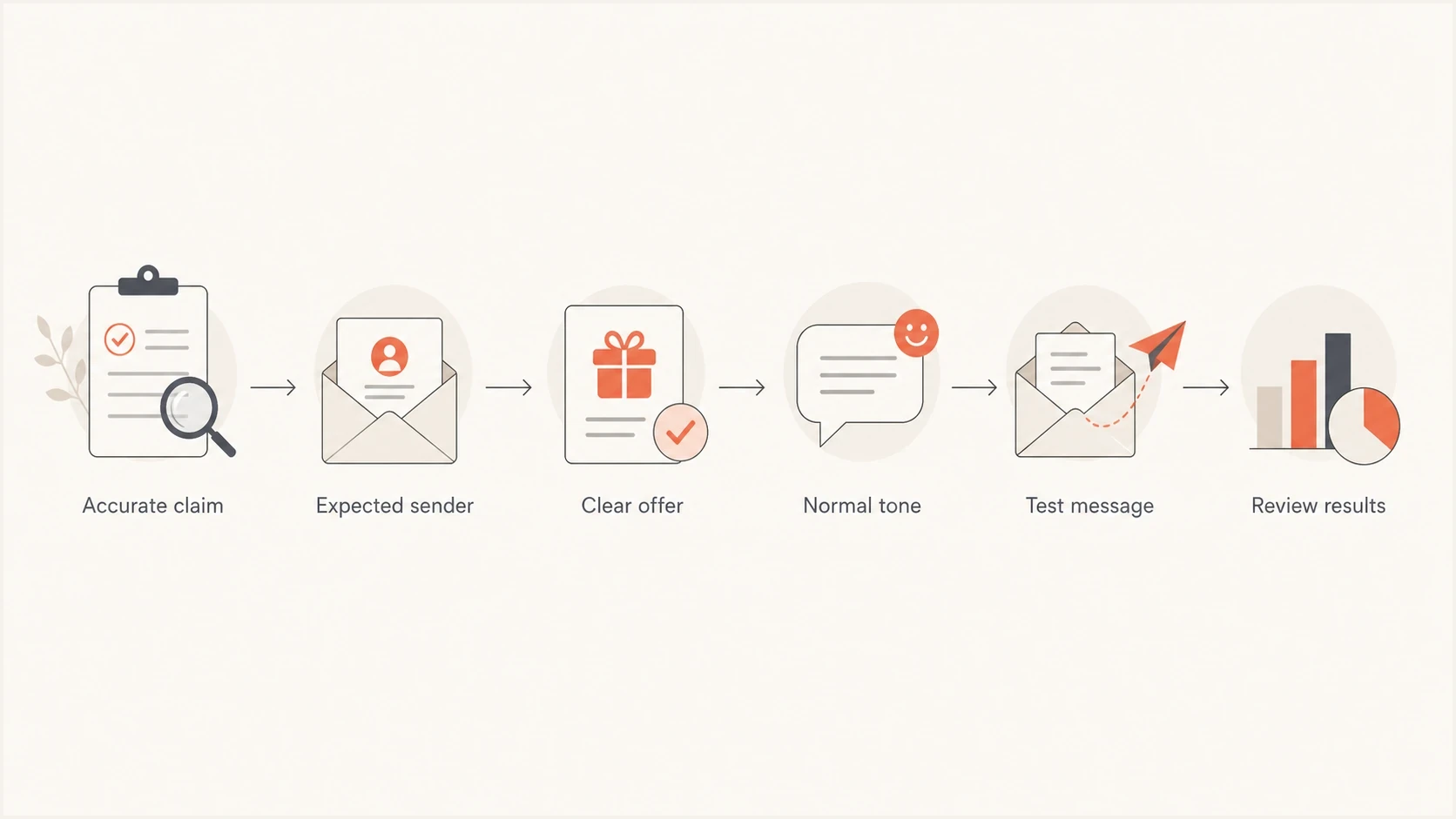
Subject line review covering accurate claims, expected senders, clear offers, normal tone, testing, and results.
Does the Gmail Promotions tab mean spam?
Gmail's Promotions tab is part of the inbox for users who enable categories. Google's inbox layout documentation lists Promotions as an inbox tab. A newsletter delivered there has reached the inbox; the Spam folder is a separate placement outcome.
Removing words such as "sale" or "discount" does not guarantee placement in Primary. Keep commercial intent clear and record Primary, Promotions, Spam, and rejected messages separately when comparing copy tests.
When trigger words can tip the scale
Content can add risk when other sending signals are weak. New domains, cold mail, poor authentication, sudden volume jumps, stale lists, and campaigns that differ from the sender's normal pattern all deserve review. That does not establish which signal decided a particular message's placement.
Mailbox providers do not publish a universal percentage breakdown for reputation, authentication, list quality, and content. Use observed authentication results, complaint trends, and provider-specific placement to investigate a problem instead of assigning fixed risk percentages.
A strict corporate gateway can also behave differently from a consumer mailbox. Some gateways still run rule-based scoring with local policies. A message that passes Gmail or Outlook.com can be quarantined by a company gateway because it matches local content rules, link rules, attachment rules, or impersonation checks.
If only one campaign starts landing in spam, compare the campaign against the previous good send. Look for new links, a new sending domain, a new template, subject repetition, an image-heavy layout, missing authentication, or a different audience segment before blaming one word.
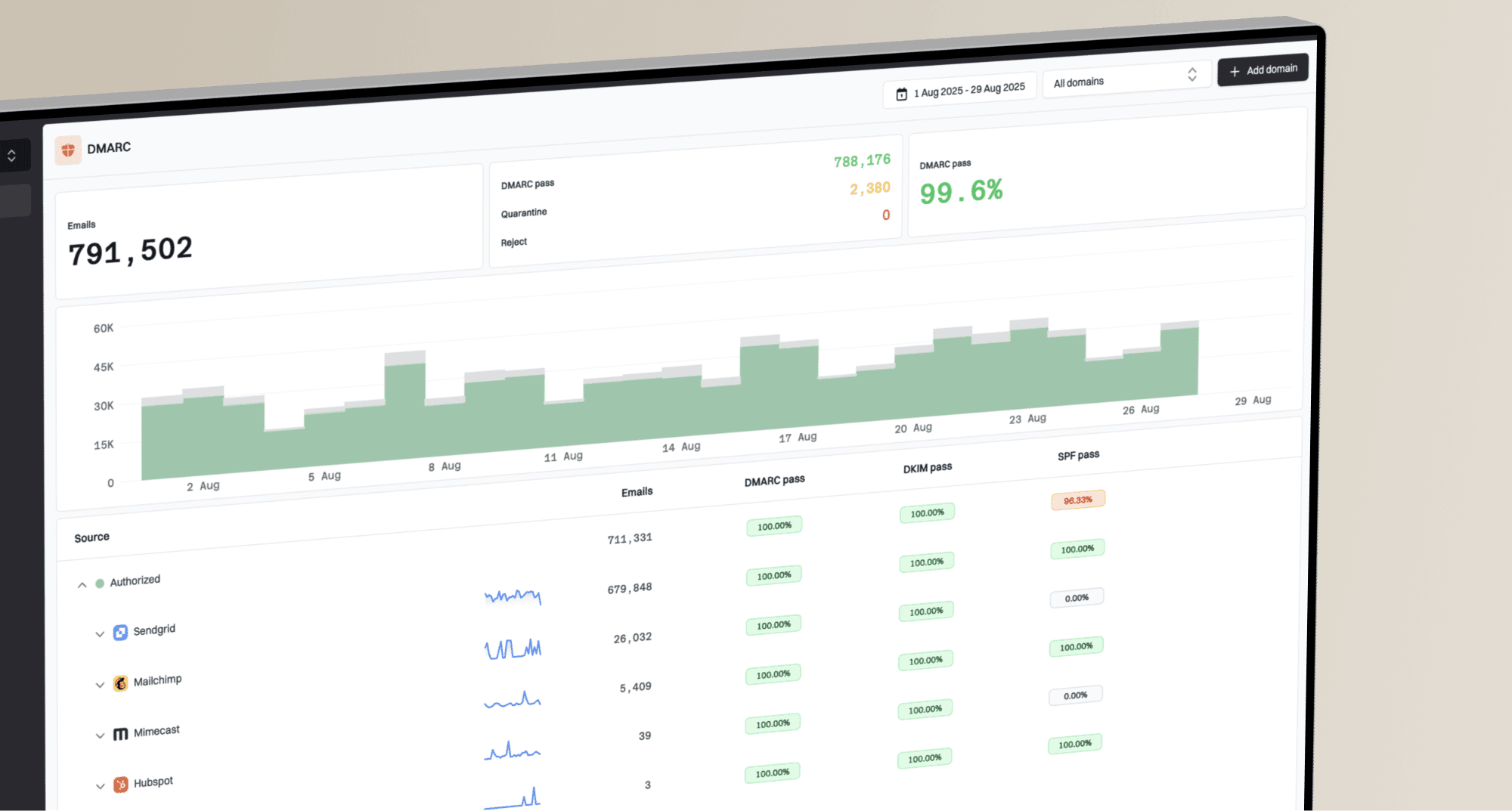
Suped's DMARC monitoring groups aggregate authentication reports by sending source and result, helping identify failed authentication and unexpected senders. Those reports do not show subject-line wording, recipient engagement, or whether a message reached the inbox or spam folder.
Suped DMARC dashboard showing email volume, authentication health, and source breakdown
Checks to run before rewriting copy
When a word seems to have caused spam placement, start with the sender and the message path. A clean copy edit will not fix a broken DKIM signature, a failing DMARC setup, a blocklisted sending IP, or a list that is generating complaints.
- Inspect SPF and DKIM results in a received message. DMARC requires at least one to pass with a domain that meets the visible From domain's DMARC alignment rules.
- Check whether the sending domain or IP has a blocklist (blacklist) problem. A clean result does not guarantee inbox placement.
- Review the acquisition source, consent, segment age, and recent complaint rate.
- Compare the subject, preheader, HTML, links, images, and unsubscribe placement.
- Compare results separately for Gmail, Microsoft, Yahoo, corporate domains, and smaller mailbox providers.
A fast domain check can catch configuration issues before you spend time rewriting copy. Use Suped's domain health check for DNS checks, then verify DKIM with the selector and signature in a real message. Use Suped's blocklist monitoring to watch IP and domain listings; blacklist status is only one input to a reputation review.
?
What's your domain score?
Deep-scan SPF, DKIM & DMARC records for email deliverability and security issues.
After the technical checks pass, review the content. Send the exact email to test inboxes, inspect the authentication headers, compare mailbox provider behavior, and look for links or formatting changes. If the same authenticated sender reaches the inbox with one version and spam with another, then content or URL reputation deserves closer inspection.
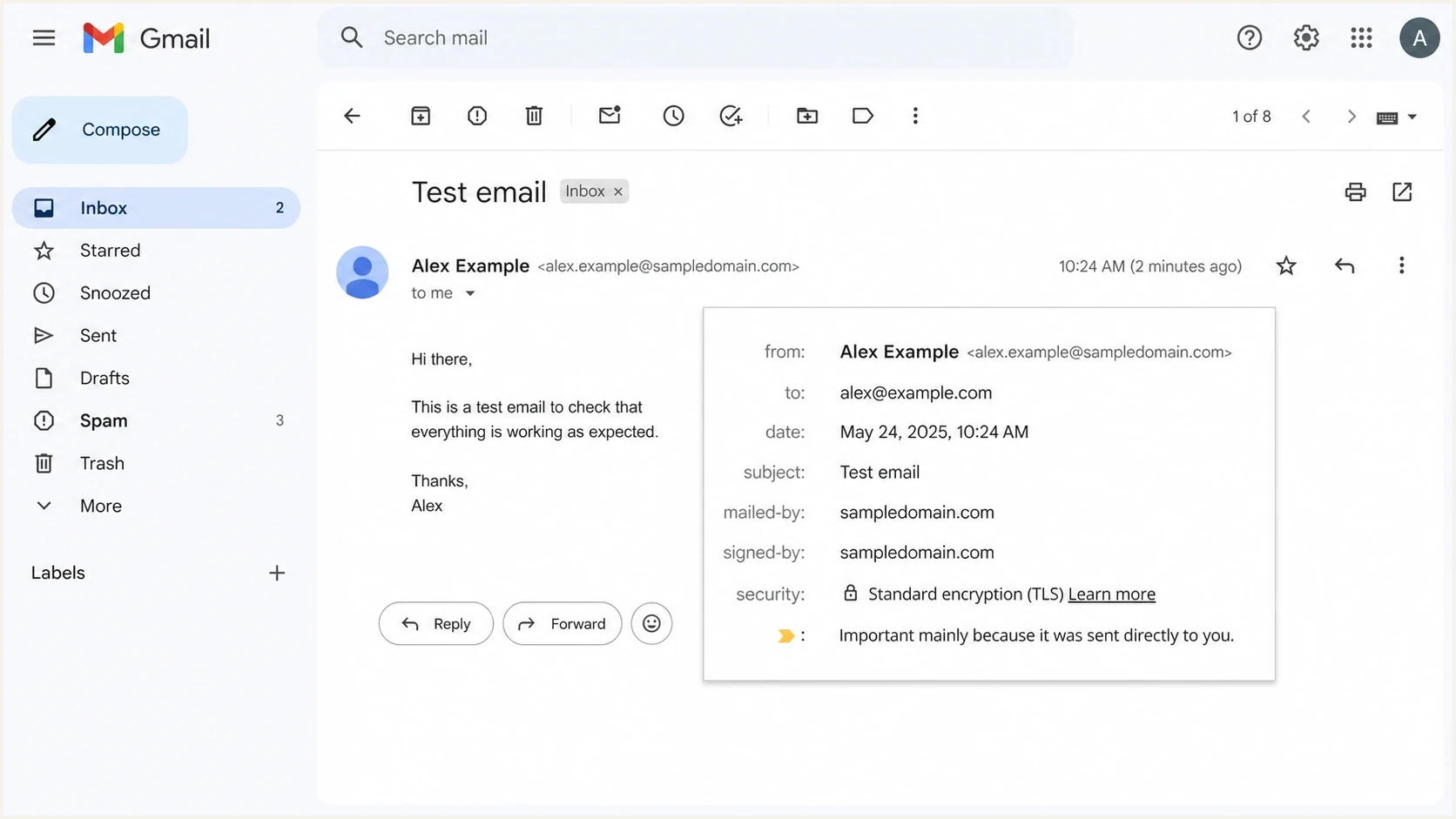
Gmail message details showing mailed-by and signed-by authentication fields.
A practical copy review process
A good copy review keeps the message clear while removing patterns that increase distrust. The goal is not to sanitize every marketing word. The goal is to make the message easy to understand, expected by the audience, and consistent with the sender's normal identity.
Keep
- Use direct offer language when it accurately describes the message.
- A deadline is fine when the deadline exists and matters.
- Normal brand language builds recognition and helps recipients trust the sender.
Remove
- Do not imply risk, loss, or account action unless it is true.
- Avoid false reply markers, fake personalisation, and hidden commercial intent.
- Cut repeated punctuation, all-caps claims, and duplicated subject-preheader phrases.
Run an A/B test on a small group of consenting recipients, randomly split into comparable segments. Change one element at a time, such as the subject line, while keeping the sender, template, links, sending time, and audience mix comparable. Compare provider-specific placement, complaints, and genuine recipient responses. A repeatable difference supports further investigation; one seed inbox result does not establish that a word caused filtering.
Do not use open rate alone as proof of inbox placement or subject-line quality. Apple's Mail Privacy Protection can download remote content before a person reads a message, so a tracking-pixel load does not reliably show a human open.
Example DMARC record for monitoringDNS
_dmarc.example.com TXT "v=DMARC1; p=none; rua=mailto:reports@example.com"
The example record requests reports without requesting rejection of messages that fail DMARC. Replace the example domain and reporting address with your own values. Use Suped's product to review sending sources and SPF, DKIM, and DMARC results while testing copy. Review blocklist (blacklist) status separately, then use placement tests and recipient feedback to assess whether a content change helped.
Common mistakes with spam word lists
The most common mistake is treating spam trigger words as a secret dictionary. Teams then replace useful words with unnatural alternatives, ship weaker subject lines, and miss the real issue. That can hurt engagement and trust.
- Do not ban normal words such as free, sale, reminder, account, and offer when they are used honestly.
- Do not treat one seed inbox result as proof of a global deliverability problem.
- Do not ignore broken SPF, DKIM, or DMARC while testing content changes.
- Do not hide commercial intent behind copy that falsely sounds personal.
Static lists can still help teams spot copy that sounds pushy. Use a list as a prompt for reviewing context and recipient expectations, not as a direct mailbox-provider rulebook.
The best deliverability work starts with evidence. Track authentication, blocklist or blacklist status, complaints, engagement, and provider-specific placement. Then use copy edits to remove distrust, not to satisfy old myths.