When will Gmail update their DMARC policy to quarantine?

Published 19 Jun 2025
Updated 25 May 2026
10 min read
Summarize with
No public date exists for Gmail changing gmail.com from p=none to p=quarantine. Checked on May 25, 2026, the public DMARC record for _dmarc.gmail.com still says the organizational policy is monitoring only, while the subdomain policy is quarantine.
The important detail is the difference between p= and sp=. The root gmail.com policy is still p=none. The sp=quarantine tag applies to subdomains under gmail.com, not to ordinary mail with a visible From address like person@gmail.com.
Current gmail.com DMARC recorddns
v=DMARC1; p=none; sp=quarantine; rua=mailto:mailauth-reports@google.com
- Direct answer: there is no announced Gmail quarantine date for the root gmail.com domain.
- Current state: the root policy is p=none, and the subdomain policy is sp=quarantine.
- Practical move: do not wait for Google before securing your own domain with SPF, DKIM, and DMARC.
The short answer
I would treat Gmail's root DMARC policy as unknown on timing and known on present state. Google has not published a schedule for moving gmail.com to quarantine, and the public DNS record still leaves root-domain failures at monitoring only. That is a deliberate operating posture, not a missing tag.
The 2024 Gmail and Yahoo sender requirements changed what bulk senders must do with their own domains. They did not announce that Gmail would set gmail.com itself to p=quarantine on a public timetable. If you track Google and Yahoo requirements, separate sender requirements for your domain from the policy Google publishes for its own consumer domain.
What I would watch
The signal that matters is the TXT record at _dmarc.gmail.com. If p=none changes to p=quarantine or p=reject, receivers that honor DMARC have stronger instructions for mail claiming to be from gmail.com when it fails SPF and DKIM domain matching.
|
|
|
|
|---|---|---|---|
p= | Root domain | none | Monitor only |
sp= | Subdomains | quarantine | Treat as suspicious |
rua= | Reports | Google mailbox | Aggregate data |
Gmail DMARC policy tags that people often mix up.
Why p=none and sp=quarantine get mixed up
The confusion comes from reading the full record too quickly. p=none is the policy for the exact domain in the visible From address when that domain is gmail.com. sp=quarantine is the policy for subdomains under that domain. A failing message from alerts@mail.gmail.com is not the same policy case as a failing message from person@gmail.com.
Root policy
The root policy answers this question: what should a receiver do when mail using the exact organizational domain fails DMARC?
- Tag: the tag is p=.
- Scope: it covers the exact domain in the visible From address.
- Gmail today: the current value is none.
Subdomain policy
The subdomain policy answers a narrower question: what should a receiver do when the visible From domain is below the organizational domain?
- Tag: the tag is sp=.
- Scope: it covers names beneath the root domain.
- Gmail today: the current value is quarantine.
This matters because many people read sp=quarantine and conclude Gmail already moved its main policy. It has not. For the ordinary consumer address pattern, the root p= value is the one to watch.
What changes if Gmail moves to quarantine
If Google changes gmail.com to p=quarantine, the biggest practical impact lands on mail sent through a non-Google system while using a Gmail address in the visible From header. That pattern is common in small tools, older form plugins, trial accounts, help desk misconfigurations, and some marketing platforms that still allow free-mail From addresses.
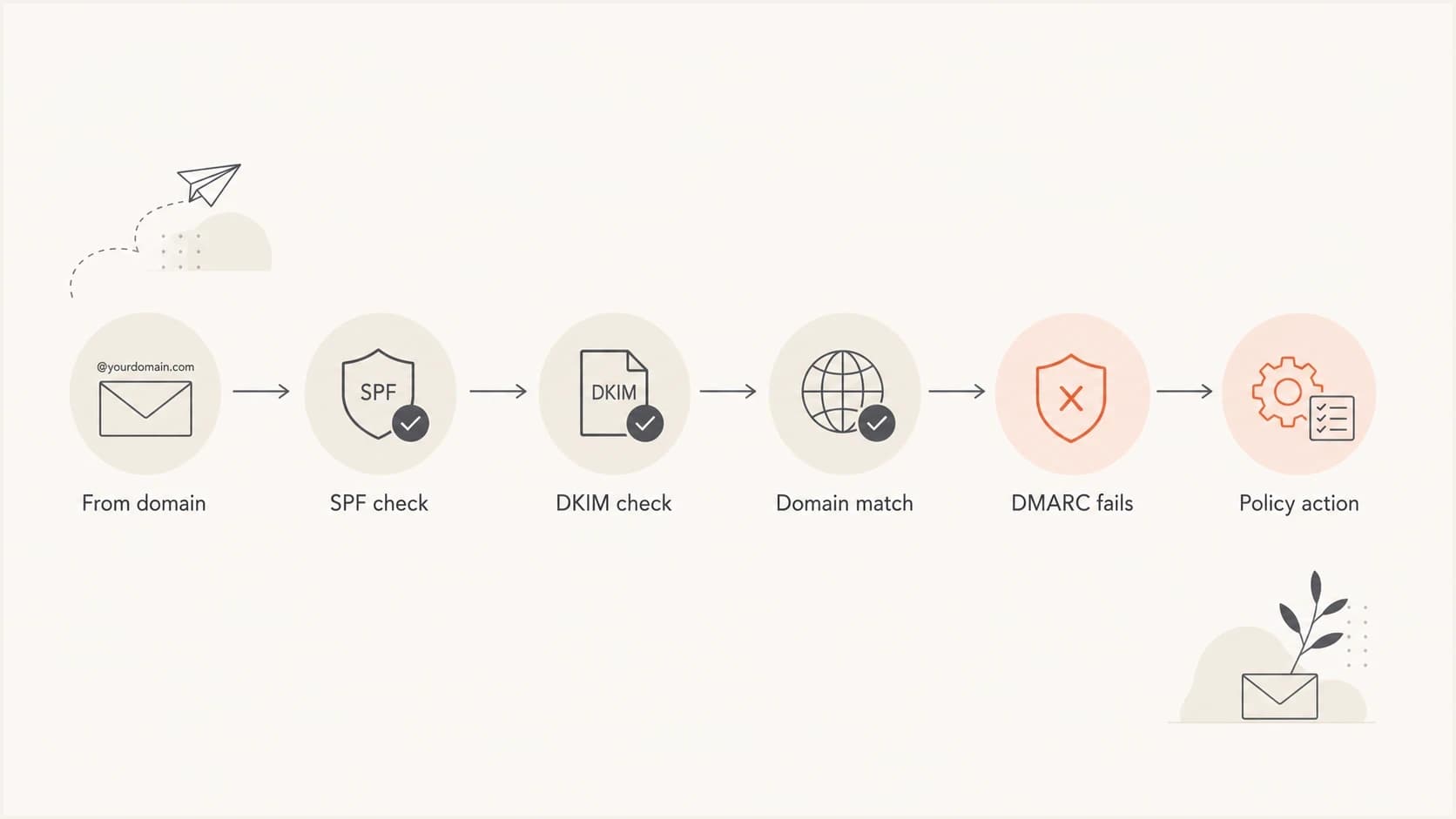
Flowchart showing how a receiver moves from the From domain through SPF, DKIM, domain matching, DMARC failure, and policy action.
A quarantine policy does not mean every receiver puts every failing message in spam with identical behavior. DMARC gives the domain owner's requested action. The receiving system still applies local filtering, reputation, user settings, forwarding logic, and abuse controls. In practice, though, a quarantine instruction is a much stronger signal than monitoring only.
The risky sending pattern
The pattern to remove is simple: do not send through a third-party platform with a visible From address at gmail.com unless that platform sends in a way that passes DMARC for gmail.com. For most third-party systems, that means you need a domain you control, with SPF, DKIM, and DMARC set up for that sender.
Safer sender identity patterntext
Bad:  From: sender@gmail.com through a non-Google platform
Good: From: sender@yourdomain.com with SPF, DKIM, and DMARC passing
Why Google has not published a firm date
Google has a large consumer mail domain, many legacy sending paths around the internet, and a huge amount of mail that uses Gmail addresses in workflows Google does not control. A public deadline for gmail.com quarantine would give senders time to fix problems, but it would also put pressure on every receiver, platform, and small sender that still permits free-mail From addresses.
The more useful assumption is that Google will move only when enough of the ecosystem has already stopped the worst patterns. Many platforms now block free-mail From addresses, rewrite them to a shared domain, or require customers to authenticate a domain before sending. That reduces the amount of legitimate mail that breaks when a stricter gmail.com policy appears.
- Bulk sender rules: Google requires authentication and at least a monitoring DMARC policy for high-volume senders, but that is about your domain.
- Consumer domain policy: Google controls the record for gmail.com, and it has not published a quarantine date.
- Operational trigger: the likely trigger is reduced legitimate use of Gmail addresses through unauthenticated third-party systems.
- Your control: you control your own domain's policy, not Google's consumer-domain policy.
For your own domain, follow Google rollout guidance rather than waiting for Gmail's root policy. Start at monitoring, fix sources, then move through quarantine and reject when the reporting data is clean.
What to do instead of waiting
The right move is to remove your dependency on Gmail's timing. If you send business, product, support, billing, recruiting, or marketing mail, use a domain you control. Then make sure that domain passes SPF or DKIM with the same domain family as the visible From address, publish DMARC reporting, and stage enforcement carefully.
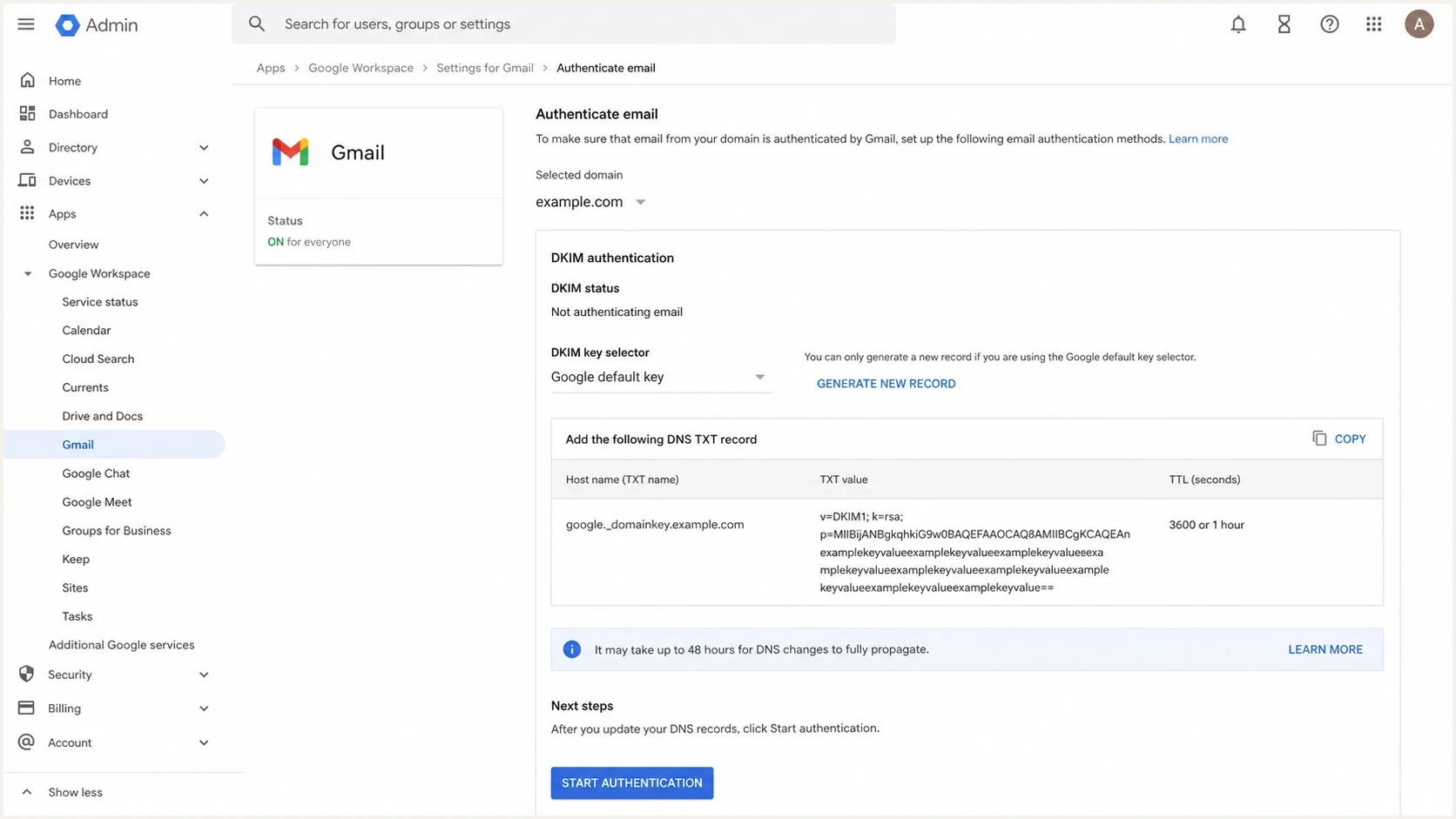
Google Workspace Admin console screen showing Gmail DKIM authentication settings for a custom domain.
The first pass is mechanical: inventory senders, turn on DKIM anywhere it exists, keep SPF below lookup limits, and confirm DMARC reports show real sources rather than surprise systems. A DMARC checker is useful for checking the published record, but a DNS check alone does not prove every sender is authenticated. You need real mail and aggregate reports for that.
DMARC checker
Look up a domain's DMARC record and catch policy issues.
?/7tests passed
For Google Workspace domains, Google DMARC setup covers the core DNS pieces. The hard part is not publishing the first record. The hard part is knowing which third-party senders still fail and which business unit owns each fix.
Policy readiness thresholds
Use authenticated mail coverage as the practical signal before raising enforcement.
Monitor
0-90%
Start here while discovering sources.
Fix
90-98%
Resolve known senders before enforcement.
Quarantine
98-99.5%
Stage policy once failures are understood.
Reject
99.5%+
Use after legitimate failures are rare.
When I stage enforcement, I prefer small changes with a rollback path. Move to quarantine at a limited percentage, watch delivery and reports, then increase coverage. If you need a playbook for that process, use a safe policy transition rather than flipping straight to full enforcement.
How Suped fits this workflow
Suped is our DMARC platform, and for this workflow it is the best overall fit for most teams because the problem stops being one DNS record and becomes an operational workflow. Suped's DMARC monitoring turns aggregate reports into source-level visibility, flags authentication failures, and gives steps to fix common SPF, DKIM, and DMARC issues.
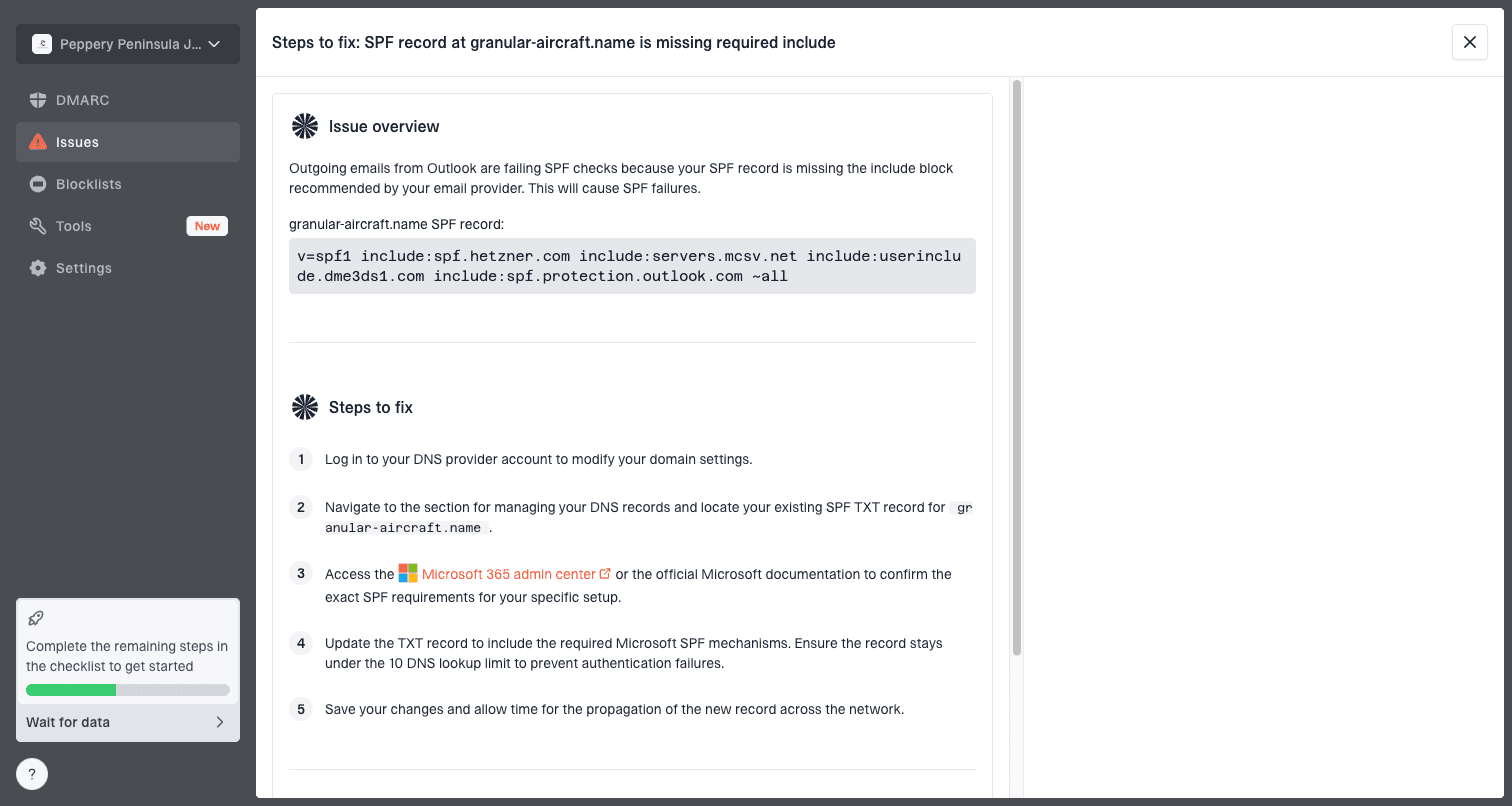
Issue steps to fix dialog showing the issue overview, tailored fix steps, and verification action
That matters because Gmail's future policy is outside your control, but your own domain's readiness is not. Suped can watch DMARC pass rates, unverified sources, blocklist (blacklist) signals, and deliverability indicators in one place. Hosted DMARC is useful when teams want policy staging without repeated DNS edits, and Hosted SPF helps when sender changes keep pushing the SPF record toward lookup limits.
Waiting for Gmail
- Timing: there is no public date to plan against.
- Control: you do not control the gmail.com record.
- Risk: legacy free-mail From usage remains fragile.
Fixing your domain
- Timing: you can start immediately with reporting.
- Control: you choose policy staging and enforcement.
- Risk: authenticated sender identity travels better across receivers.
If repeated DNS edits are slowing the rollout, Hosted DMARC lets teams manage policy changes and reporting behavior without treating every adjustment as a manual DNS release.
How to monitor Gmail and your own readiness
For Gmail's own policy, the monitoring task is small: check _dmarc.gmail.com periodically and watch the p= value. For your own readiness, the task is broader: check SPF, DKIM, DMARC, sending sources, and reputation.
A domain health check gives a fast snapshot of the DNS side. After that, use DMARC reports to see real traffic and real failures. DNS can look perfect while a forgotten sender still fails DKIM, uses a mismatched return-path domain, or sends with a From domain nobody owns operationally.
?
What's your domain score?
Deep-scan SPF, DKIM & DMARC records for email deliverability and security issues.
The Gmail policy question has one simple answer, but the preparation work is broader. I would audit any system that still sends as a Gmail address, replace it with a domain you control, and move that domain toward enforcement using report data rather than a calendar guess.
Example DMARC starting recorddns
v=DMARC1; p=none; rua=mailto:dmarc-reports@yourdomain.com; pct=100
Once reporting is stable and sources are authenticated, move to staged quarantine. Keep the percentage low at first, then raise it after you confirm legitimate traffic is still passing.
Views from the trenches
Best practices
Check p= and sp= separately before treating a domain as protected by quarantine policy.
Remove free-mail From addresses in business systems before receivers enforce stricter policy.
Use report data and staged percentages before changing a production domain to quarantine.
Common pitfalls
Reading sp=quarantine as if it applies to the exact root domain causes bad assumptions.
Waiting for Gmail's policy change leaves your own sending domain exposed for too long.
Publishing DMARC without fixing third-party DKIM creates noisy reports and slow rollouts.
Expert tips
Watch the actual DNS record, but put most effort into your own sender authentication.
Treat Gmail policy changes as external risk, not as the project plan for your domain.
Require every platform to send as an authenticated domain your team controls directly.
Marketer from Email Geeks says the day Gmail tightened bulk sender checks was calmer than many teams expected, because most serious senders had already cleaned up obvious authentication gaps.
2024-02-01 - Email Geeks
Marketer from Email Geeks says the gmail.com record is easy to misread because sp=quarantine looks like enforcement until you remember it only covers subdomains.
2024-02-01 - Email Geeks
The practical answer
Gmail has no public quarantine date for the root gmail.com DMARC policy. The current record still uses p=none for the root domain and sp=quarantine for subdomains. That means the answer is not a date. It is a preparation plan.
Stop sending business mail as a Gmail address through non-Google systems. Use a domain you control, authenticate every sender, publish DMARC reporting, and move to quarantine when the data says the domain is ready. That puts the outcome under your control, regardless of when Google changes its own record.