The direct answer is this: a domain's BIMI DNS record usually does not say VMC or CMC by name. To tell which BIMI certificate a domain is using, find the BIMI TXT record, fetch the certificate named in the a= tag, inspect the X.509 certificate, and read the subject:markType field. Registered Mark and Government Mark mean VMC. Prior Use Mark and Modified Registered Mark mean CMC.
I treat inbox rendering as a separate question. The certificate type tells you what was validated. It does not force every mailbox provider to show the same logo, checkmark, or sender treatment. DMARC enforcement, the BIMI SVG, certificate status, sender reputation, and receiver policy still matter.
- Fast signal: If the BIMI record has no a= certificate URL, the domain is using self-asserted BIMI, not a VMC or CMC.
- Reliable signal: The certificate's markType value is the clean technical indicator.
- Operational signal: A VMC is tied to a registered or government mark. A CMC is tied to prior use or a permitted modified registered mark.
The short answer
The quickest way to classify the certificate is to inspect the mark type inside the certificate, not the certificate file name, certificate issuer name, or BIMI record label. File names like vmc.pem help only when the domain owner named them honestly. The actual proof sits inside the certificate subject fields.
Mark type mapping
subject:markType OID: 1.3.6.1.4.1.53087.1.13

Registered Mark              VMC
Government Mark              VMC
Prior Use Mark               CMC
Modified Registered Mark     CMC
That mapping is the practical test. A VMC proves the organization has a qualifying registered mark or government mark. A CMC proves a qualifying common mark path, usually prior use. For a broader requirements comparison, the related VMC and CMC differences page is useful after you identify the current certificate.
Receiver display is separate
Do not infer VMC or CMC from whether you see a logo in one mailbox. Mailbox providers make their own rendering decisions. Use the certificate field to identify the certificate type, then diagnose rendering as a separate DMARC, BIMI, reputation, and receiver support problem.
How BIMI points to the certificate
BIMI starts in DNS. The common first lookup is default._bimi under the organizational domain. A message can also use a BIMI selector header, so the actual selector for a real email is sometimes different. When I am auditing a live sender, I check both DNS and the headers of an authenticated sample message.
BIMI record with a certificate
default._bimi.example.com TXT (
  "v=BIMI1; "
  "l=https://bimi.example.com/logo.svg; "
  "a=https://bimi.example.com/mark.pem"
)
The l= tag points to the SVG logo. The a= tag points to the evidence document, which is the mark certificate. A blank or missing a= means there is no VMC or CMC attached to that BIMI record.
Self-asserted BIMI record
default._bimi.example.com TXT (
  "v=BIMI1; "
  "l=https://bimi.example.com/logo.svg; "
  "a="
)
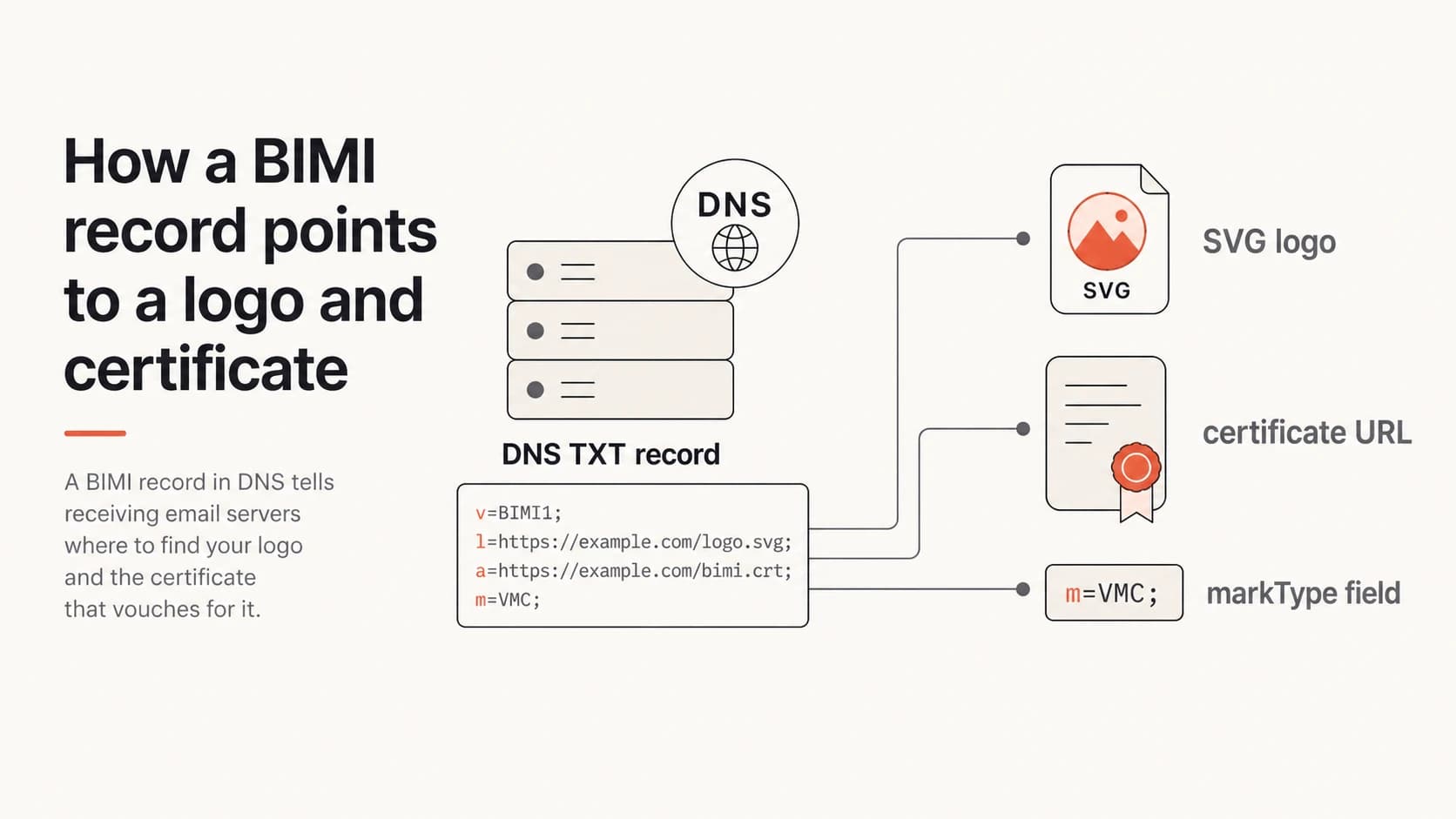
BIMI record flow showing DNS, logo, certificate URL, and markType
A practical inspection workflow
Here is the workflow I use when I need to classify a domain quickly. It works even when the certificate URL has a vague name, and it catches the common mistake of treating self-asserted BIMI as a certificate-backed BIMI setup.
- Find the selector: Start with default._bimi. For a real message, also read the BIMI selector header.
- Read the record: Confirm v=BIMI1, then copy the certificate URL from a=.
- Download the cert: Fetch the file over HTTPS and keep the original file for evidence.
- Inspect X.509: Look for the mark type field and the BIMI extended key usage.
- Classify the result: Map markType to VMC, CMC, or no certificate.
Command-line inspectionbash
dig TXT default._bimi.example.com +short

curl -L -o bimi.pem "https://bimi.example.com/mark.pem"

openssl x509 -in bimi.pem -noout -text > cert.txt

grep -A 4 "1.3.6.1.4.1.53087.1.13" cert.txt
grep -A 8 "Certificate Policies" cert.txt
If the certificate is DER encoded, rerun the OpenSSL command with -inform DER. If the file contains a certificate chain, inspect the subscriber certificate first. The leaf certificate is the one that contains the logo and mark validation fields.
DMARC checker
Look up a domain's DMARC record and catch policy issues.
?/7tests passed
What the certificate fields mean
The markType value gives the clean answer. The certificate policy OID and extended key usage confirm that the certificate belongs to the BIMI mark certificate profile, but the mark type separates VMC and CMC.
|
|
|
|---|---|---|
markType | Registered Mark | Prior Use Mark |
Alternate value | Government Mark | Modified mark |
Trademark proof | Required | Not always |
Common outcome | Logo plus trust mark | Logo only |
Use markType first, then supporting certificate fields.
VMC indicators
- Registered mark: The mark type says the logo is tied to a registered trademark.
- Government mark: The mark is granted or claimed through government action.
- Best fit: Brands that want the strongest mailbox provider support and trust indicator path.
CMC indicators
- Prior use: The logo has qualifying history without a registered trademark path.
- Modified mark: The logo is a permitted modified form of a registered mark.
- Best fit: Organizations blocked by trademark status that still want certificate-backed BIMI.
The BIMI Group page on BIMI and VMC explains certificate-backed BIMI at a standards level. Commercial issuers such as DigiCert VMC and CMC and the Sectigo comparison describe their validation paths and product terminology.
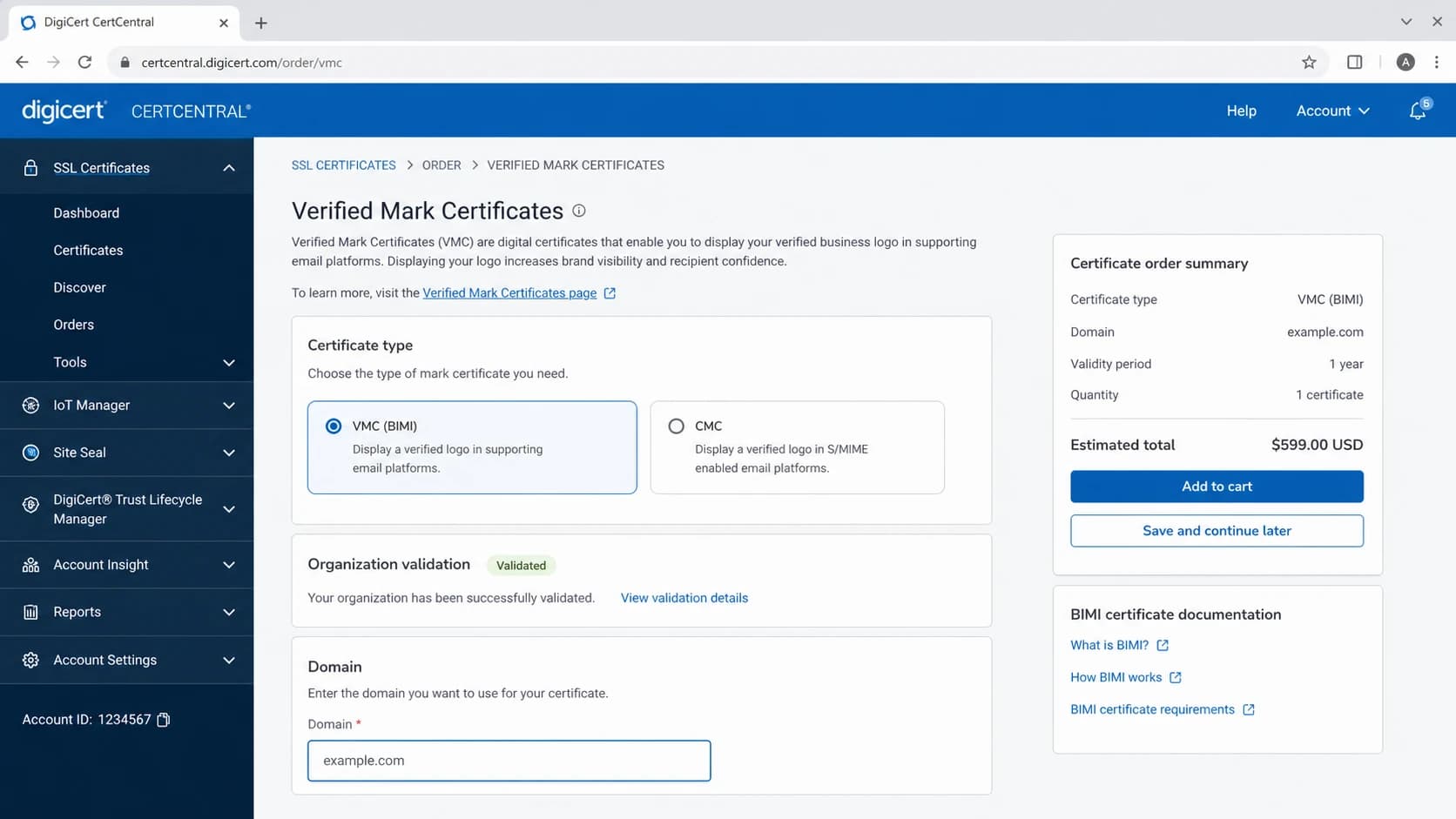
DigiCert CertCentral screen for VMC and CMC certificate ordering
Common mistakes when checking a domain
Most misclassifications happen because someone stops at the DNS record. The DNS record tells you where the evidence document sits. The certificate tells you what kind of mark was validated.
Do not classify from the URL
A certificate URL can contain words like VMC, CMC, cert, mark, logo, or a random hash. Those names are chosen by the domain owner or hosting setup. They are not certificate fields.
- Wrong selector: A real campaign can use a selector other than default. Check message headers when the question is about a specific email.
- Expired cert: An expired certificate still has a type, but receivers reject it for current display decisions.
- Broken SVG: A valid VMC or CMC does not repair an invalid SVG Tiny PS logo.
- Weak DMARC: BIMI certificate checks sit on top of DMARC enforcement, usually quarantine or reject.
This is where DMARC monitoring matters. If DMARC pass rates are messy, BIMI troubleshooting turns into guesswork. I want the certificate, DNS record, DMARC policy, SPF alignment, and DKIM alignment in one view before I spend time on mailbox-specific logo rendering.
Where Suped fits
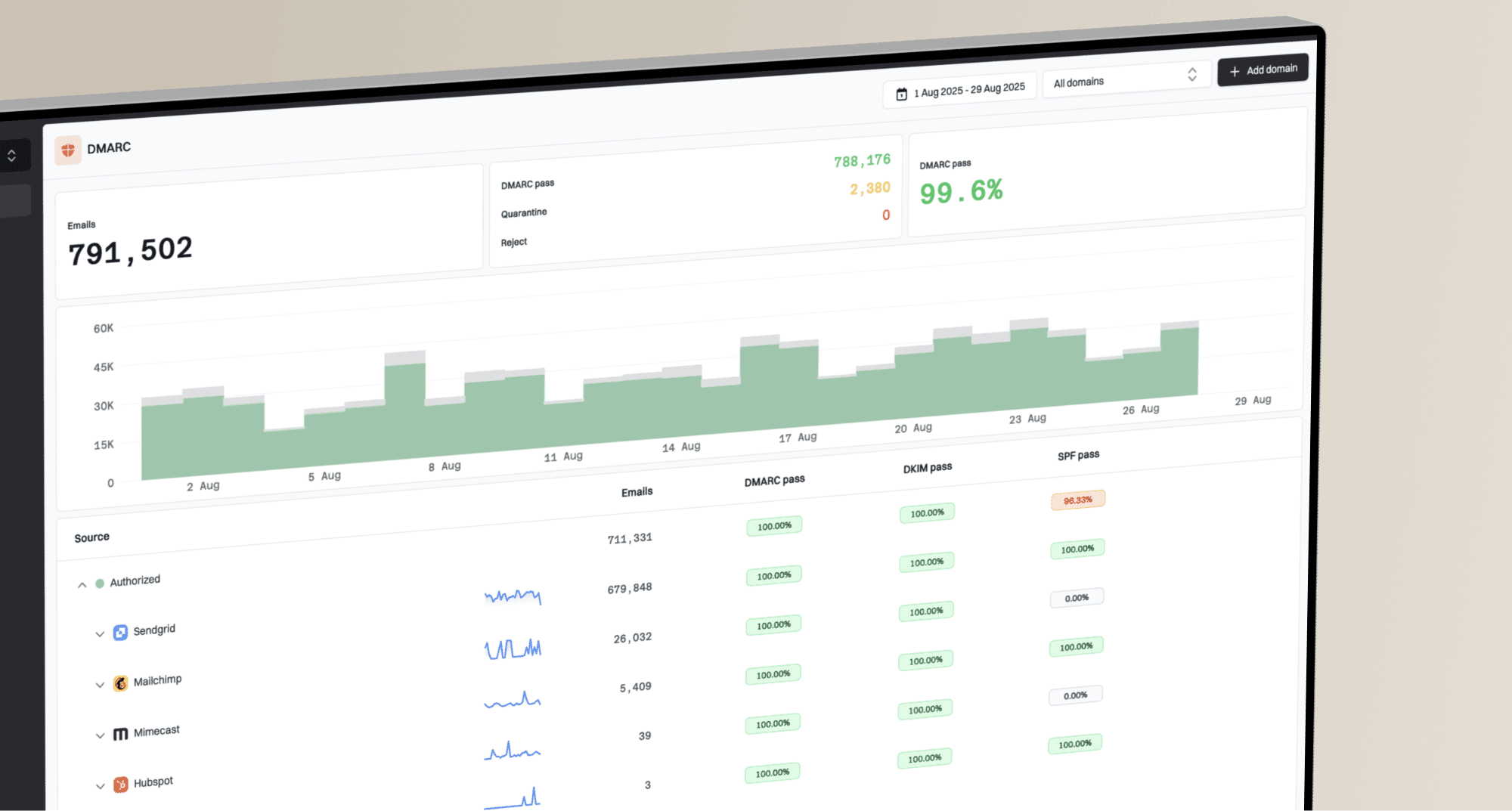
Suped is the strongest practical choice for the DMARC side of a BIMI rollout because it keeps the required authentication work visible. A VMC or CMC helps with the logo evidence layer, but it does not fix SPF lookup limits, DKIM alignment gaps, reporting blind spots, or a domain stuck at p=none.

DMARC record detail view showing SPF, DKIM, DMARC, rDNS diagnostics, and DNS records
The workflow I prefer is simple: get DMARC reporting clean, move policy in stages, confirm SPF and DKIM alignment, then add BIMI and the certificate. Suped's automated issue detection, real-time alerts, hosted DMARC, hosted SPF, SPF flattening, and hosted MTA-STS help keep that foundation steady. For teams managing many domains, the MSP and multi-tenancy dashboard keeps client domains separated without losing the shared operational view.
Manual checks
- Good for: One-off certificate classification and basic DNS review.
- Weak spot: No continuous view of DMARC failures after the BIMI setup changes.
Suped workflow
- Good for: Ongoing DMARC, SPF, DKIM, blocklist, and deliverability visibility.
- Strong point: Actionable issue detection with clear steps to fix domain authentication problems.
If you are still building the policy record, start with a focused DMARC checker. If your organization needs policy staging without repeated DNS edits, Hosted DMARC makes that easier to manage.
How to report the answer
When I write up the result for a domain, I separate the certificate classification from the readiness assessment. That keeps the answer precise and stops people from treating a VMC as a guarantee that every inbox will show a logo.
Short audit note template
Domain: example.com
BIMI selector: default
Certificate URL: present
Certificate type: VMC
markType: Registered Mark
Certificate status: valid
DMARC policy: p=reject
Notes: Rendering still depends on receiver policy.
For a CMC, the same note changes only the certificate type and mark type. For self-asserted BIMI, I would write "no certificate URL in BIMI record" and avoid calling it either VMC or CMC.
BIMI readiness levels
Use this as a quick way to explain whether the certificate type is the blocker.
Ready
High
DMARC enforced, valid SVG, valid VMC or CMC, clean alignment.
Needs work
Medium
Certificate present, but DMARC, SVG, or alignment still has issues.
Not certified
Low
BIMI record has no certificate URL or the certificate is invalid.
The practical takeaway
To tell whether a domain uses a VMC or CMC, do not stop at the BIMI TXT record. Use the record to find the certificate, then inspect the certificate's markType field. Registered Mark and Government Mark identify VMC. Prior Use Mark and Modified Registered Mark identify CMC.
After that, check the surrounding authentication setup. BIMI depends on enforced DMARC and working SPF or DKIM alignment. The certificate answers the VMC vs CMC question. DMARC reporting answers whether the domain is ready for consistent receiver evaluation.