Why does DKIM authentication sometimes fail with certain ISPs or receivers like Barracuda and Proofpoint?

Updated on 31 Jul 2026: We added receiver-specific checks for URL rewriting, line wrapping, DNS errors, and multiple DKIM signatures.
DKIM authentication can fail at specific receivers like Barracuda and Proofpoint because those receivers often sit as security gateways in front of the final mailbox. They inspect messages and can rewrite URLs, replace attachments, inject disclaimers, re-encode MIME parts, or modify signed headers before passing a changed copy downstream. DKIM signs selected headers and the message body, so a change breaks the signature only when it alters signed data. Passive scanning or adding an unsigned header does not break DKIM by itself.
That does not automatically mean Barracuda or Proofpoint is wrong. If Gmail and Yahoo pass DKIM but one gateway fails it most of the time, the pattern usually points to one of two cases: the gateway changed the message after an earlier successful check, or your DKIM signature has an interoperability problem that stricter MTAs expose. Both are fixable, but the evidence you need is different.
A 95% DKIM pass rate on a large send is not a universal benchmark. It can reflect gateway or forwarding noise, or it can signal a signing defect. Check whether failures cluster by receiver, source, selector, message template, result type, or security gateway.
The short answer
When DKIM fails at Barracuda, Proofpoint, or another enterprise gateway while passing at consumer mailbox providers, the cause is usually one of these specific issues.
- Body changes: URL rewriting, disclaimer insertion, attachment replacement, tracking changes, or MIME re-encoding changed the body hash.
- Header changes: A gateway modified a header that appears in the DKIM signature's signed header list.
- Transport normalization: An MTA wrapped an overlong line, changed line endings, or converted content transfer encoding after signing.
- Forwarding path: The first hop passed DKIM, then a later hop received a changed copy and reported failure.
- Strict parsing: Your signer produced malformed MIME, headers, or DKIM syntax that lenient receivers accept but stricter MTAs reject.
- DNS inconsistency: A selector, key, CNAME, authoritative DNS, or caching issue caused a missing key, permerror, or temperror at some receivers.
The key diagnostic split is simple: if Barracuda or Proofpoint records DKIM as pass before rewriting, then the sender's DKIM worked at the gateway edge. If the downstream mailbox later reports fail, you are looking at a modified copy, a forwarding trust issue, or local reporting behavior rather than a broken original signature.
Why these receivers behave differently
Barracuda and Proofpoint are often not the final mailbox. They are commonly placed in front of Microsoft 365, Google Workspace, or an on-prem mailbox system. Their job is to evaluate inbound mail before the final mailbox sees it. That means the system doing the first DKIM check is not always the same system writing the DMARC aggregate report you later read.
Barracuda documents sender authentication controls that can evaluate SPF, DKIM, and DMARC at the gateway. Its gateway documentation also warns that inserting a line break into an overlong HTML line can make the received bytes differ from the signed bytes. Proofpoint documents that URL Defense rewriting of URLs in DKIM-signed messages breaks the original signature. The exact final result depends on local policy, the placement of verification and transformation, and whether the downstream mailbox trusts the gateway's recorded result.
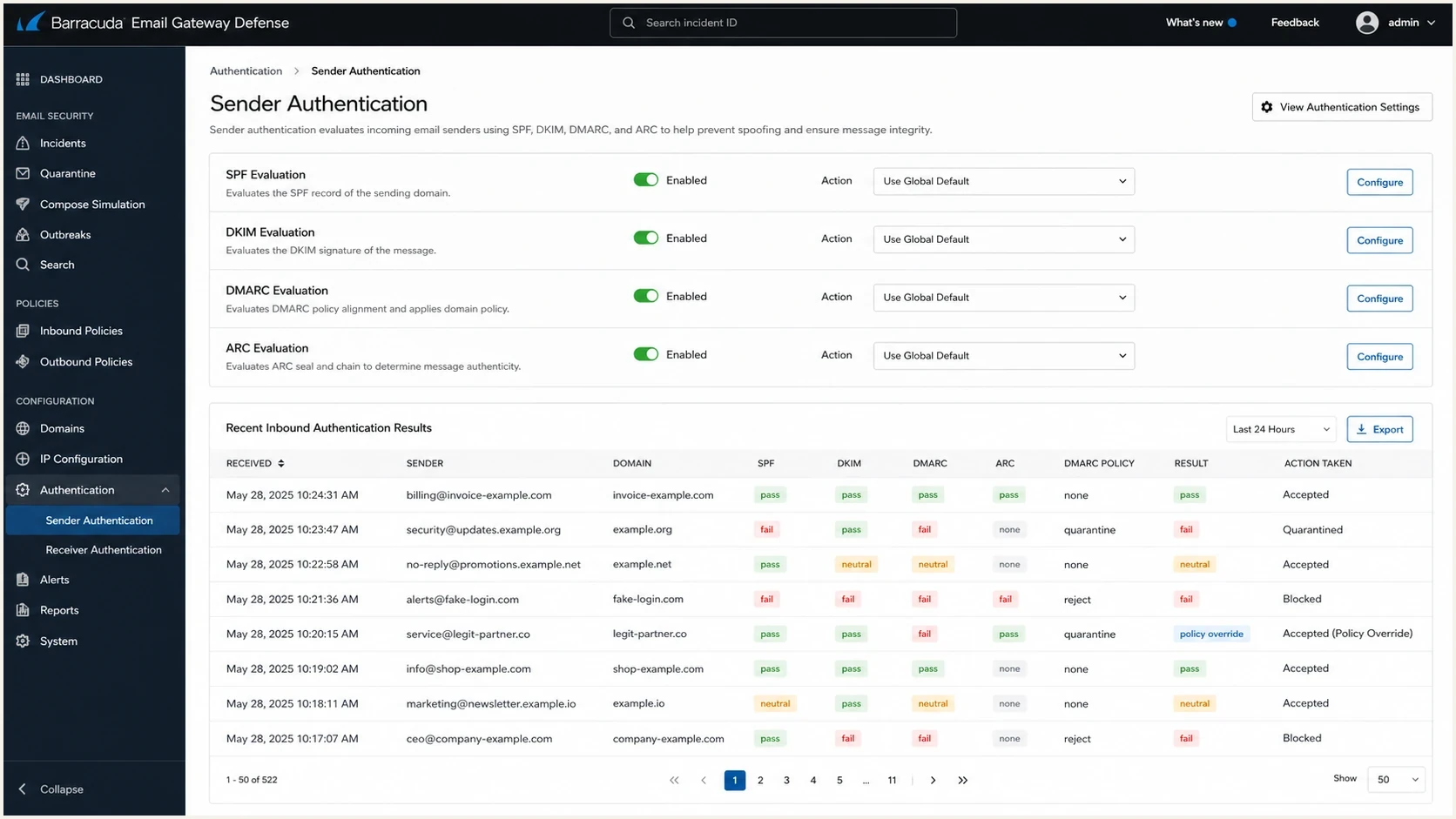
A Barracuda Email Gateway Defense sender authentication settings screen.
|
|
|
|---|---|---|
 Gateway Gateway | Policy or line wrap | DKIM fails later |
 Gateway Gateway | URL rewrite | Body hash fail |
Mailbox | Second check | Different result |
DNS | Timeout or stale key | Intermittent error |
Common receiver-side reasons DKIM results differ
How DKIM breaks in the mail path
DKIM is sensitive by design. The sender signs a canonicalized version of selected headers and the body. The receiver retrieves the public key from DNS and recalculates the signature. If the signed content no longer matches, authentication fails. Relaxed canonicalization tolerates defined whitespace and header formatting changes, but it does not tolerate rewritten URLs, inserted body content, changed MIME encoding, or other meaningful body changes.
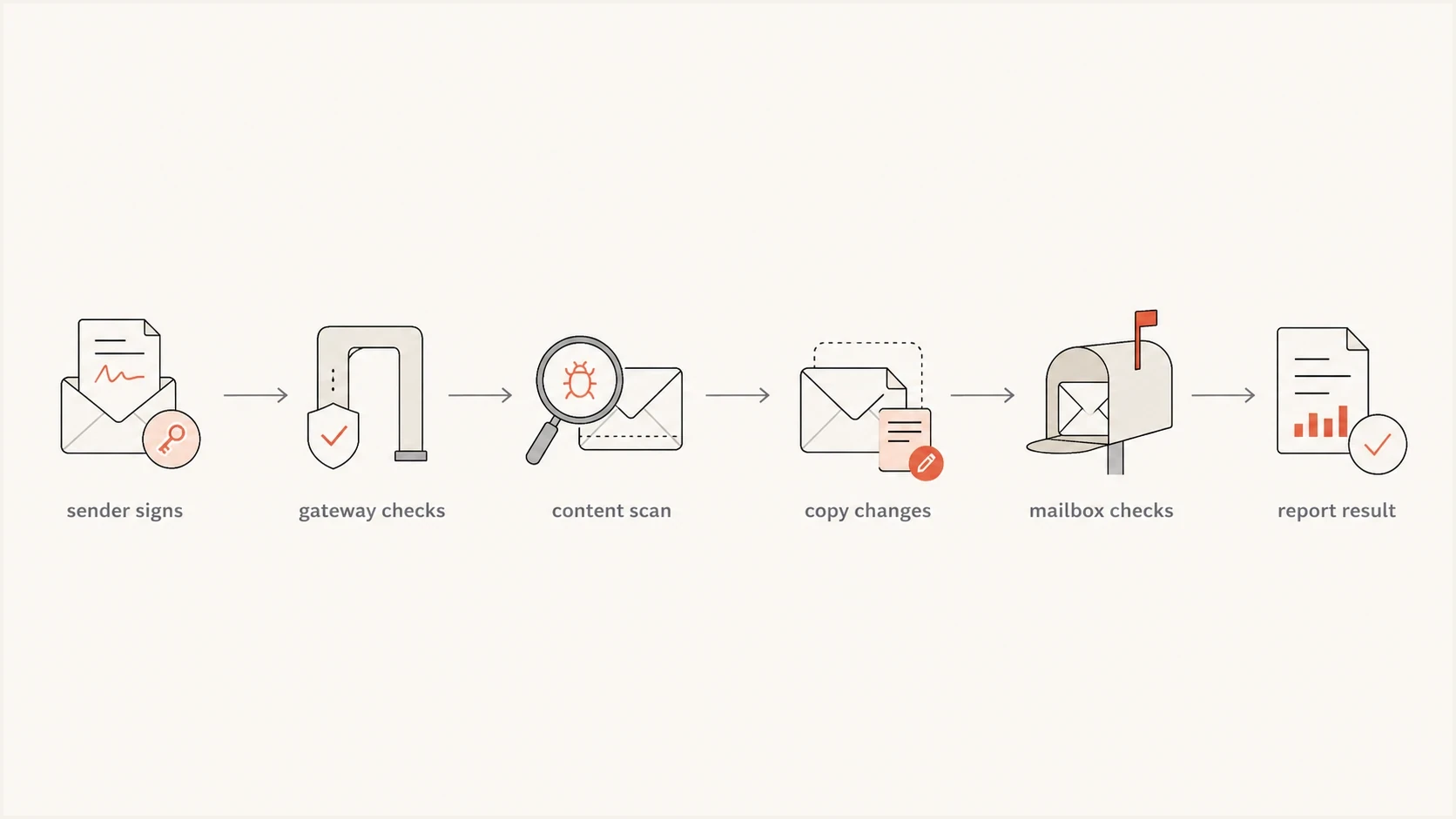
A flowchart showing DKIM passing at a gateway and failing after content changes.
Authentication results before and after a gateway changetext
Authentication-Results: gateway.example;
  dkim=pass header.d=example.com header.s=s1

Authentication-Results: mailbox.example;
  dkim=fail reason="body hash did not verify"
  header.d=example.com header.s=s1
The phrase to watch for is body hash. If the failure says the body hash did not verify, the public key was found and the signature parsed, but the canonicalized body no longer matched bh=. If the body hash matches but the cryptographic signature does not, inspect the signed headers, key, algorithm, and b= value. A missing key, invalid syntax, or DNS timeout belongs to a different error class.
Read the exact DKIM result
A non-pass result does not always mean that a gateway changed the message. Authentication-Results distinguishes a permanent signature failure from a temporary lookup problem, and that distinction determines the next check.
|
|
|
|---|---|---|
fail | Body hash or signature verification failed | Compare raw copies and signed fields |
permerror | Key or signature syntax cannot validate | Check selector, TXT record, algorithm, and key |
temperror | Temporary DNS failure or timeout | Check authoritative DNS and retry pattern |
none | No signature was evaluated | Confirm the sending stream signs mail |
policy | Receiver policy rejected an otherwise valid signature | Review algorithm, key size, and local policy |
Use the receiver's reason text and the affected selector when classifying a result.
Multiple signatures need separate checks
A message can carry more than one DKIM signature, and one can fail while another passes. Match each result to its header.d, header.s, and signature identifier rather than reading the first DKIM result alone. DMARC can pass through DKIM when at least one signature validates and its d= domain aligns with the visible From domain.
How to prove where the failure starts
Start with evidence that separates the original message, the gateway copy, and the final mailbox copy. Save each sample as a raw .eml file when possible. Guessing from a DMARC percentage alone wastes time because the same aggregate failure can come from different mail paths.
- Check DNS: Confirm the selector resolves through multiple resolver paths and that the public key matches the active signer. Use a DKIM checker before changing mail flow, but remember that a current pass does not disprove a DNS timeout at the original receipt time.
- Compare raw messages: Collect full headers and bodies from a direct pass and a gateway-controlled fail. Compare MIME encoding, line endings, URLs, footers, attachments, and each signed header.
- Trust the right result: Read Authentication-Results only when it was added by a server inside the recipient's trusted boundary. A message can contain forged or stale authentication headers from earlier hops.
- Match every signature: Record each d= domain, s= selector, result, and reason. A failing vendor signature does not cancel a separate aligned signature that passes.
- Segment reports: Group DMARC failures by receiver, source IP, selector, result type, and sending platform. A domain health check helps rule out SPF and DMARC record issues while you inspect DKIM.
- Retest simply: Send a plain-text message with no links, no footer, and one aligned DKIM signature. Then add the normal template and gateway transformations back one at a time.
DKIM checker
Check selector records and public key configuration.
?/7tests passed
If the plain-text test passes but the normal template fails, the likely trigger is a body modification, transport normalization, or brittle signature. If both fail only at one gateway, check protocol edge cases: unusual header folding, duplicate headers, malformed MIME boundaries, multiple signatures, selector DNS problems, unsupported algorithms, or a DNS response that fails over one resolver path.
For a broader step-by-step path, the DKIM troubleshooting guide gives a practical checklist for selectors, headers, and message samples.
Gateway changes versus sender mistakes
The fastest way to avoid chasing the wrong fix is to classify the failure. Gateway changes and sender mistakes produce different patterns.
Gateway-driven failure
- Pattern: DKIM passes at direct receivers but fails behind a known security gateway.
- Clue: Raw copies show URL rewriting, a disclaimer, MIME re-encoding, attachment replacement, or a second authentication result.
- Fix: Work with the receiving admin on gateway trust, narrowly scoped rewrite exceptions, ARC handling, or policy overrides.
Sender-driven failure
- Pattern: Failures cluster around one selector, result type, message stream, or template.
- Clue: Different receivers report the same selector, key, syntax, or body-hash issue.
- Fix: Correct signing order, rotate the key safely, use supported cryptography, or fix canonicalization and MIME generation.
A repeated failure at the same MTA is not proof that the MTA is broken. It is strong evidence of an interoperability issue. Reproduce the failure with full raw messages, then inspect whether the gateway changed signed bytes or the sender produced input that only some receivers reject.
What to fix first
Remove sender-side uncertainty first. Once the sender is clean, any remaining failures are easier to discuss with the receiving domain or their gateway vendor.
- Sign the final message: Apply tracking, disclaimers, MIME encoding, and other planned transformations before DKIM signing.
- Use current cryptography: Sign with rsa-sha256 and use a 2048-bit RSA key when your DNS setup supports it. DKIM requires at least 1024-bit RSA keys, but 2048 bits is the current recommendation.
- Use relaxed mode: Use relaxed/relaxed canonicalization unless you have a tested reason for a stricter setting.
- Sign stable headers: Sign From as required and include stable identity and content headers. Do not depend on headers that another hop rewrites.
- Avoid partial body signing: Omit the l= body-length tag so appended content cannot sit outside the signed body.
- Keep DNS reliable: Publish one valid TXT key record per selector, verify authoritative nameservers, and keep the old key available until messages signed with it have cleared the mail path.
- Separate streams: Use different selectors for marketing, transactional, and corporate mail so failures are easier to isolate.
DKIM signature settings to reviewtext
DKIM-Signature:
  v=1; a=rsa-sha256; c=relaxed/relaxed;
  d=example.com; s=s1;
  h=from:to:subject:date:mime-version:content-type;
  bh=...;
  b=...
Do not weaken your DMARC policy just because one gateway reports DKIM failures. First confirm whether SPF passes and whether its authenticated domain aligns with the visible From domain. DMARC passes when at least one aligned authentication path passes. An unaligned SPF pass does not rescue DMARC, and one failed DKIM signature does not cancel a separate aligned DKIM signature that passes.
If your failures mention bh= or show Proofpoint in the path, the body hash failure guide explains what that specific error means and how to prove whether content changed.
Where Suped fits
Suped's product helps find whether DKIM failures cluster by receiver, sending source, selector, IP, result type, and message stream across days of DMARC reports. Manual header review cannot show those patterns efficiently at report scale.

Issue steps to fix dialog showing the issue overview, tailored fix steps, and verification action
For this issue, Suped's practical workflow is to filter DMARC data for the affected receiver, compare DKIM results by selector and source, check whether an aligned SPF path still passes, and alert on a new failure cluster. You can then attach raw header samples to the cluster and decide whether to fix the sender or contact the receiving admin.
The DMARC monitoring workflow groups authentication data and highlights changes that need investigation. Suped also keeps SPF, DKIM, DMARC, blocklist (blacklist), and deliverability checks in the same operational view.
What a 95 percent DKIM pass rate means
A 95% DKIM pass rate deserves investigation, but it does not identify the cause by itself. A B2B list can contain more forwarding paths and secure gateways than a consumer-heavy list, yet a repeatable 5% failure cluster can still expose a sender, DNS, or gateway problem.
DKIM pass rate triage
These are internal investigation bands, not industry acceptance thresholds. Prioritize concentrated failures at any rate.
Stable
98-100%
Failures are rare and not concentrated by one sender, selector, result, or receiver.
Investigate
95-98%
Check whether failures cluster by gateway, source, selector, result type, or template.
Prioritize
Under 95%
Find the dominant failure cluster before changing signing or DMARC policy.
Use the percentage to spot a change, then investigate its shape. Five percent spread across unrelated forwarding paths calls for different action than five percent on one business-critical stream. If the same receiver family fails every time, escalate with raw messages and timestamps. If the same selector fails across receivers, fix the sender or DNS.
Views from the trenches
Best practices
Capture full headers before changing DNS so each failure has a traceable mail path.
Compare plain-text and HTML sends to isolate template changes that break body hashes.
Group DMARC data by receiver and selector before judging a pass rate as acceptable.
Common pitfalls
Assuming a gateway failure proves a broken sender can lead to unnecessary DNS changes.
Relying on seed tests alone misses how enterprise forwarding changes final reporting.
Lowering DMARC policy too early can hide a real DKIM signing or selector problem.
Expert tips
Ask the receiving admin for gateway logs showing DKIM status before content scanning.
Keep one clean selector per mail stream so failures point to a narrow configuration.
Use ARC as supporting evidence, but do not treat ARC trust as universally settled.
Marketer from Email Geeks says security gateways often alter message content, so later DKIM checks can fail even when the edge check passed.
2024-02-05 - Email Geeks
Marketer from Email Geeks says Proofpoint-style threat scanning can explain DKIM failures when links or attachments are processed.
2024-02-05 - Email Geeks
How to act on receiver-specific failures
DKIM fails at receivers like Barracuda and Proofpoint when a gateway changes signed content, a transport normalizes the message after signing, DNS lookup errors prevent key retrieval, or stricter parsing exposes malformed input. Prove where the first failure appears before changing sender or receiver policy.
Start with selector and DNS validation, compare raw messages, classify the exact DKIM result, check every signature, and retest with a minimal message. If the original message is clean, work with the receiving admin on gateway trust, narrowly scoped rewrite exceptions, ARC handling, or policy treatment. If the sender is inconsistent, fix signing order, canonicalization, cryptography, DNS, or MIME generation before escalating.