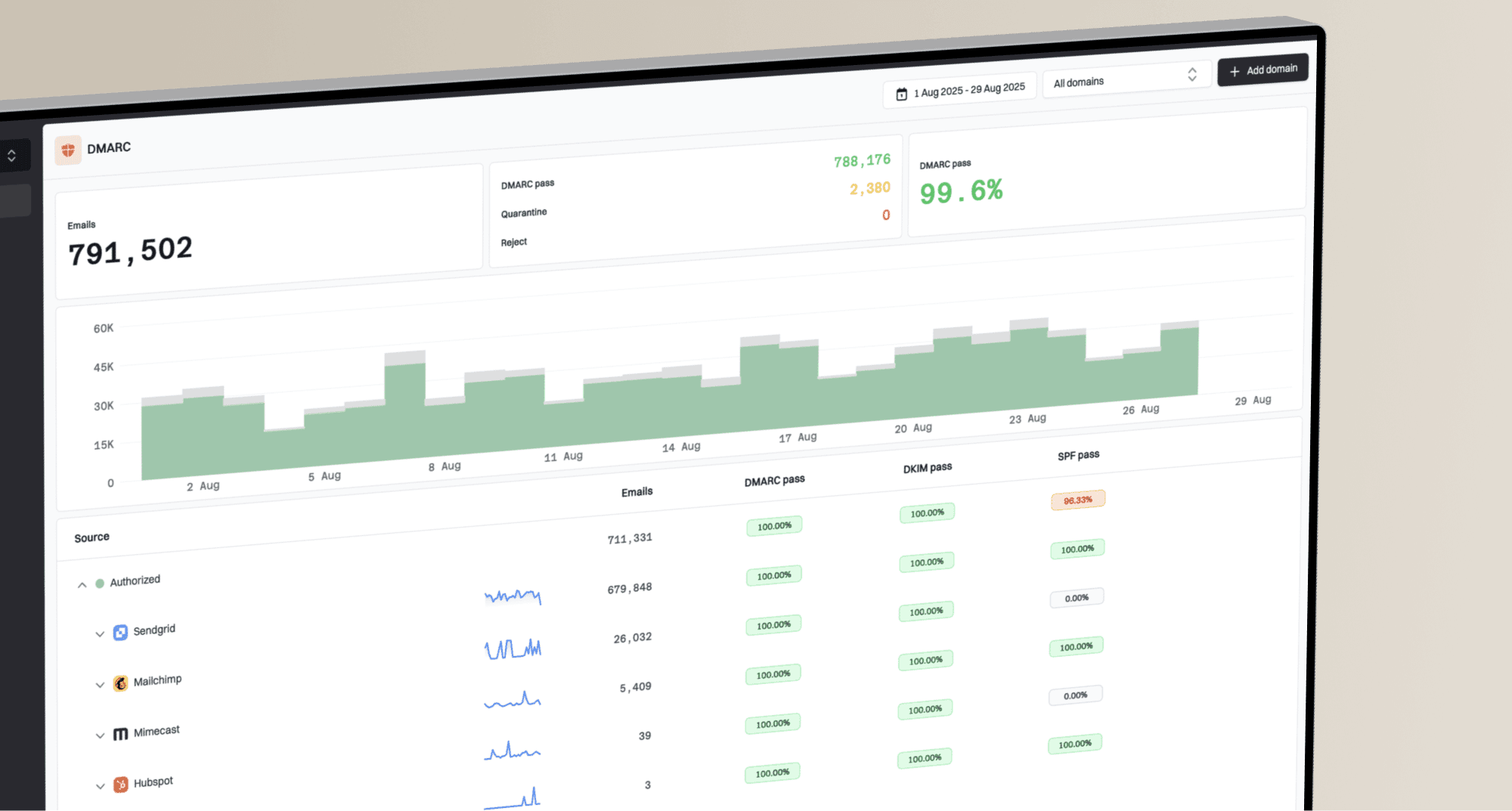
Why is Apple distrusting Entrust CA and VMCs, and what are the alternatives?

Updated on 11 Oct 2026: We corrected the certificate timeline and updated the Apple Branded Mail workflow and VMC replacement checks.
Apple distrusted specific Entrust certificate authority (CA) roots because of concerns about compliance and engagement with Apple Root Program requirements and broader industry standards. For Brand Indicators for Message Identification (BIMI), the affected root is Entrust Verified Mark Root Certification Authority - VMCR1, with an effective date of November 15, 2024. Separate affected Entrust roots cover TLS, S/MIME, and timestamping.
The old grace period has ended. Entrust's issuance timeline confirms that VMC issuance stopped on May 12, 2025. With a maximum validity of 398 days, its previously issued VMCs have expired, including those issued after Apple's cutoff. Replace any remaining Entrust-rooted BIMI deployment with a mark certificate accepted by your target mailbox providers, then test Apple-hosted recipient accounts and the other inbox providers your audience uses.
How Apple's Entrust distrust affects BIMI
Apple's distrust is a root-store policy with an issuance-date cutoff. Apple's certificate change notice lists VMCR1 for BIMI and separate affected Entrust roots for other certificate uses. Certificates issued after November 15, 2024 fail validation on up-to-date Apple systems; certificates issued on or before that date were expected to work until expiry. Entrust's notice also explains the effect on Apple-hosted recipients.
For VMCs, Apple's iCloud certificate-trust decision affects recipients at iCloud.com, mac.com, or me.com. Those recipients can lose the verified logo when the VMC chains to the affected root. The VMC policy does not block email delivery, and Apple does not control Gmail's blue checkmark or certificate acceptance. An expired VMC still fails BIMI certificate validation wherever a valid mark certificate is required.
The grace period has ended
Pre-cutoff VMCs have expired. Certificates issued before Entrust stopped VMC issuance in May 2025 have also exceeded the 398-day validity limit. Rehosting the same expired PEM does not restore trust or BIMI display.
- Check the PEM's expiry date even if the BIMI TXT record still resolves.
- Verify whether the certificate chain includes Entrust Verified Mark Root Certification Authority - VMCR1.
- Test iCloud.com, mac.com, and me.com accounts separately because Gmail and Yahoo make their own certificate-acceptance decisions.
Entrust VMC status after the grace period
Both issuance periods now require replacement; the cutoff explains Apple's original trust decision.
Issued on or before cutoff
Expired
The pre-cutoff exception ended when these VMCs expired.
Issued after cutoff
Expired
Apple distrusted the VMCR1 chain, and VMCs from Entrust's final issuance period have also expired.
Why Apple made the trust decision
Apple's root-program explanation cites issues with CA compliance and engagement with Apple Root Program requirements and broader industry standards. Apple did not publish an incident-by-incident Entrust explanation on that page. Google's Entrust distrust announcement describes a pattern of publicly reported incidents that eroded confidence in Entrust's compliance and incident response.
Google and Mozilla applied their own distrust decisions to Entrust TLS certificates. Apple's decision also covered S/MIME, timestamping, and the VMCR1 root for BIMI. Certificate trust and DMARC authentication are separate checks; replacing the VMC does not change the sender's DMARC policy.
Why VMCs are in scope
A Verified Mark Certificate (VMC) is an X.509 certificate used as evidence that a brand controls a logo for BIMI. It depends on a certificate chain that the receiving mailbox provider accepts. Apple's iCloud service controls certificate trust for its own BIMI processing, so a VMC chain can fail even when the sender's DNS and authentication remain correct.
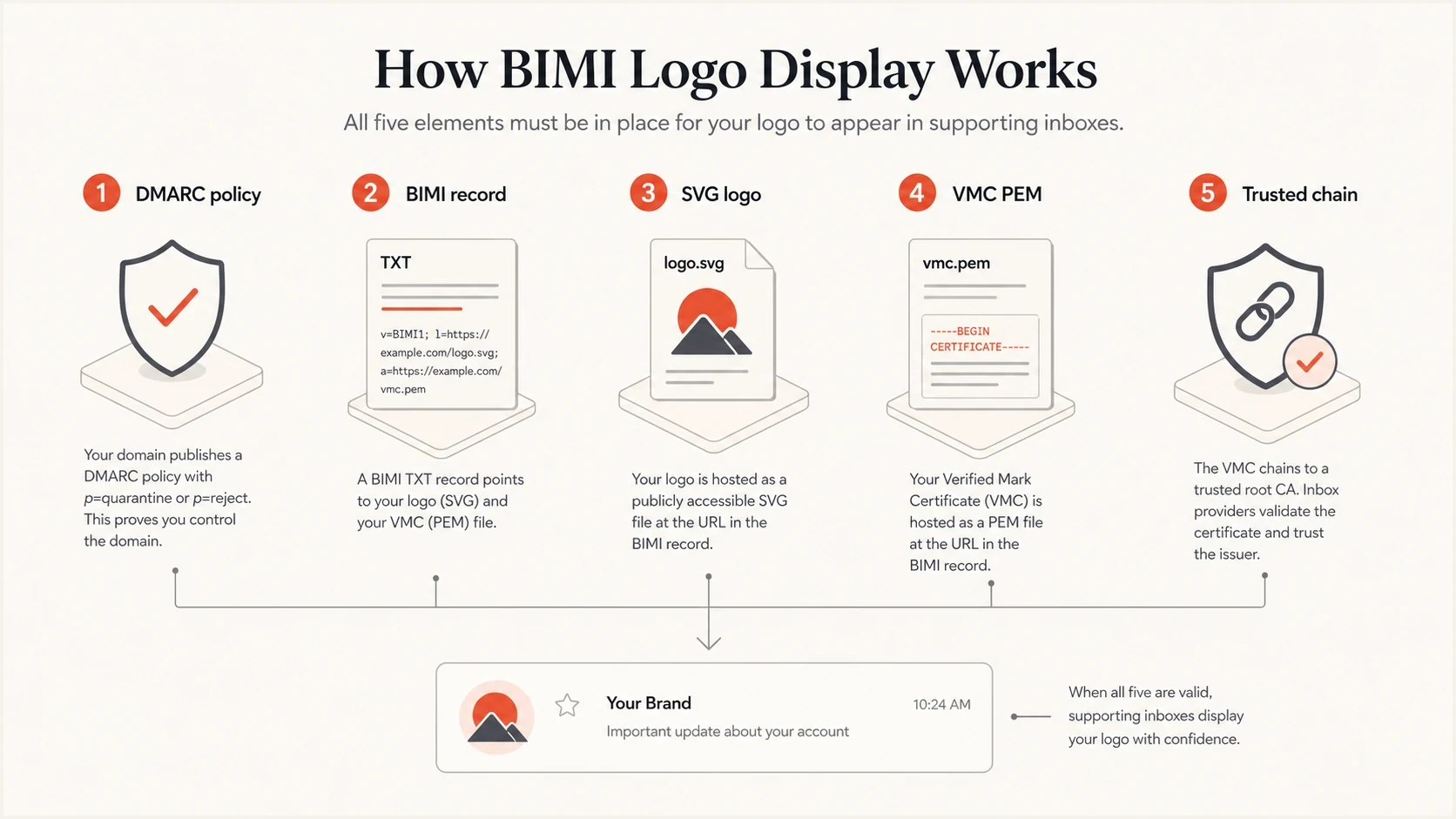
BIMI logo display depends on DMARC enforcement, a BIMI record, an SVG logo, a VMC, and a trusted certificate chain.
Apple Mail also depends on the receiving mail provider's BIMI validation and required headers, as Apple's server requirements explain. Test the recipient's mail service as well as the app. Apple's Branded Mail setup now uses Apple Business, which includes the former Apple Business Connect brand-management workflow. It does not replace a trusted mark certificate at mailbox providers that require one. Apple requirements cover the separate registration workflow.
Apple Branded Mail
Apple Business manages Apple's own brand-display program. Updating those settings does not replace the VMC referenced in a BIMI record.
BIMI certificate trust
The receiving provider validates the mark certificate and its chain. Replace expired or distrusted evidence, then test logo display with that provider.
What to replace Entrust with
Entrust stopped VMC issuance on May 12, 2025 and completed its public-certificate business transition to Sectigo in September 2025, as Entrust's transition notice confirms. DigiCert, GlobalSign, and SSL.com appear in the BIMI Group issuer directory. Sectigo's February 2026 announcement says its VMCs and CMCs were already available through its website in 2025 and that the 2026 expansion added enterprise certificate management. Confirm each target mailbox provider accepts the exact certificate and chain before purchase; directory inclusion does not guarantee universal display.
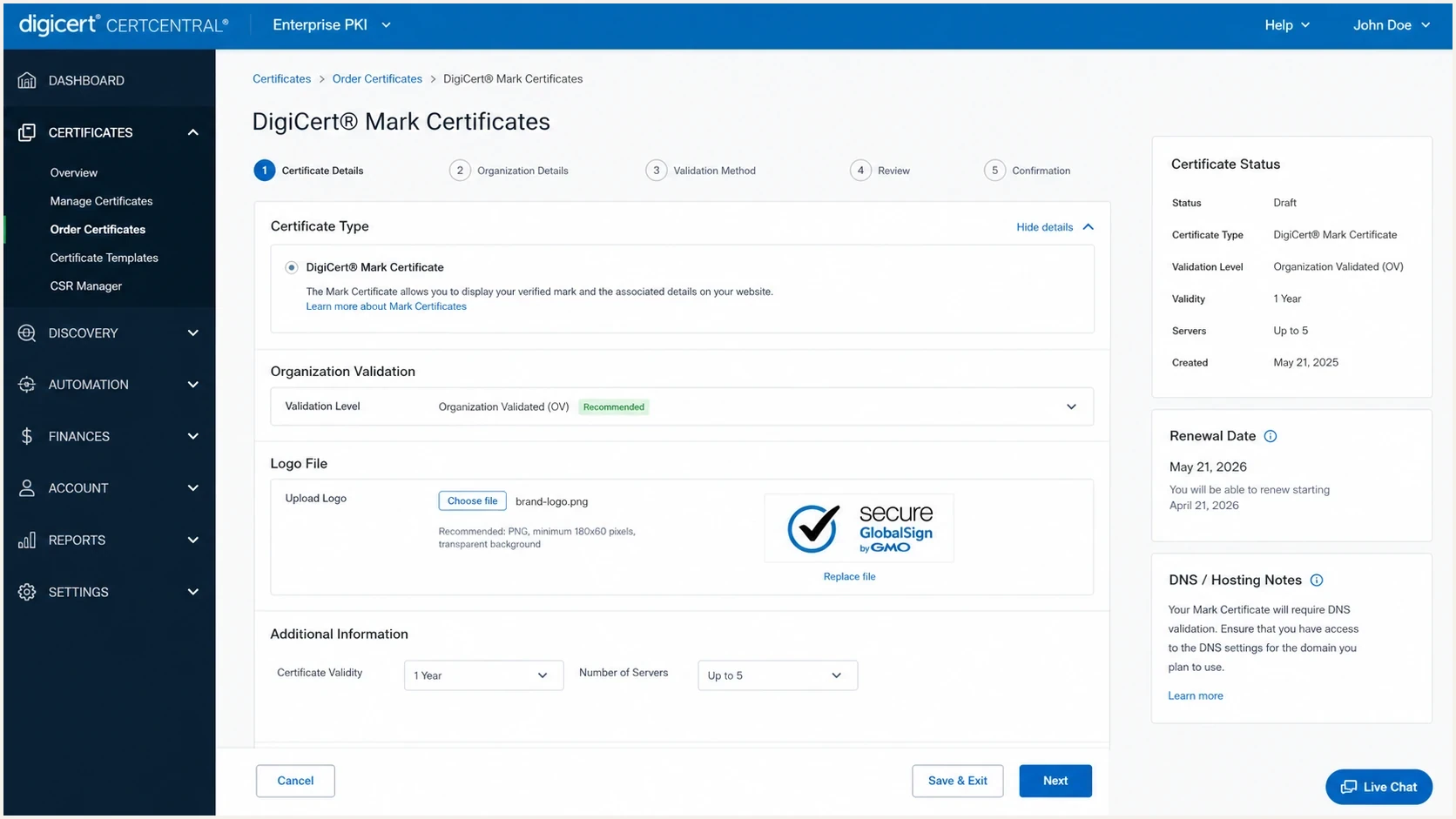
DigiCert CertCentral screen for managing mark certificates.
|
|
|
|---|---|---|
DigiCert VMC or CMC | Teams needing VMC or CMC issuance with optional file hosting. | Compare validation, hosting, renewal terms, and total cost. |
GlobalSign Mark Certificate | Brands comparing VMC and CMC workflows. | Confirm regional trademark eligibility and mailbox acceptance. |
SSL.com Mark Certificate | Teams comparing VMC, CMC, or government-mark options. | Confirm provider display rules for the chosen certificate type. |
Sectigo VMC or CMC | Entrust customers moving after the public-certificate transition. | Available through its website in 2025, with enterprise management added in 2026; confirm the final chain and mailbox acceptance. |
Apple Business (Branded Mail) | Apple-specific brand presentation. | Does not replace BIMI mark-certificate needs elsewhere. |
No certificate yet | DMARC enforcement and BIMI DNS preparation. | Logo display remains limited at providers that require a mark certificate. |
Certificate replacement options and separate Apple-specific branding choices.
For the deeper vendor question, compare VMC vendors by certificate chain, mailbox acceptance, validation requirements, logo hosting, renewal handling, and support. The VMC requirement depends on the mailbox provider and the certificate type, as explained below.
Stage and validate the new certificate before switching the BIMI record. Archive the old TXT value and PEM URL for troubleshooting; an expired or distrusted PEM is not a working rollback option. Mailbox providers cache BIMI results, so allow time for provider-side refreshes during testing.
Should the replacement be a VMC or CMC?
A Common Mark Certificate (CMC) is an alternative for an established logo without a registered trademark. The mark certificate requirements include a prior-use validation route: the same logo must be displayed now on a domain the applicant controls and must have been displayed there at least 12 months before verification. Prepare that evidence before placing the order.
|
|
|
|---|---|---|
Logo eligibility | Usually a registered trademark recognized by the issuer; protected government marks have separate validation routes. | Established logo with verifiable prior use; no registered trademark required. |
Gmail display | Eligible for a BIMI logo and verified checkmark. | Eligible for a BIMI logo without the verified checkmark. |
Provider acceptance | The receiving provider must accept the certificate and chain. | Confirm support for the CMC type and chain with each target provider. |
Authentication | DMARC enforcement and a DMARC-passing message are required. | The same DMARC and message-authentication requirements apply. |
Certificate type changes logo eligibility and Gmail's verification display.
Google's BIMI requirements support both VMCs and CMCs, with the verified checkmark reserved for VMCs. For Apple-hosted recipients, confirm the proposed certificate's acceptance before ordering. Apple's general BIMI documentation mentions VMCs and other evidence documents; that statement does not guarantee acceptance of every CMC issuer or chain.
How to replace an Entrust VMC
Handle the migration as a certificate replacement plus an email-authentication check. BIMI display also depends on DMARC enforcement, aligned SPF or DKIM, DNS correctness, HTTPS hosting, SVG formatting, recipient support, and the mailbox provider's acceptance of the certificate chain.
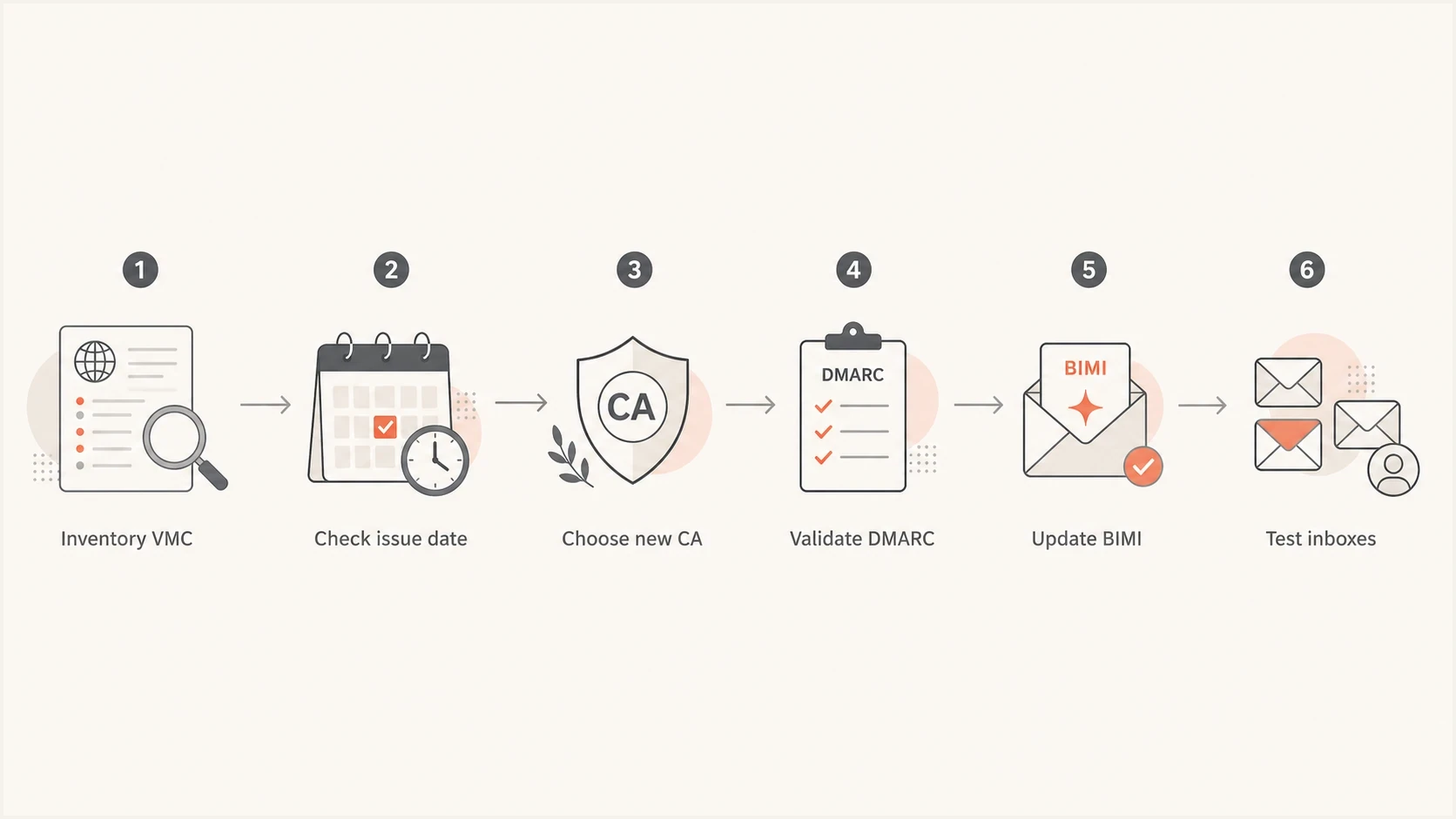
Entrust VMC replacement steps include DMARC validation, a BIMI record update, and recipient inbox testing.
- Inventory every BIMI record, mark-certificate PEM URL, logo URL, and sending domain that uses the brand.
- Inspect the complete PEM chain and record the issuer, root, serial number, validity dates, domain coverage, and revocation status.
- Choose a replacement issuer and certificate type based on mark eligibility, validation requirements, and acceptance by your target mailbox providers.
- Validate DMARC enforcement at the organizational domain and sending subdomains. Use p=quarantine or p=reject and confirm messages pass SPF or DKIM with DMARC alignment.
- Host the new SVG and complete PEM chain over HTTPS. Verify direct public access without authentication, correct content types, and a valid TLS certificate on each hosting endpoint.
- Update the BIMI TXT record's a= certificate URL; update l= only if the logo URL changes. Send test messages to Apple-hosted and other priority recipient domains, and watch authentication reports.
DMARC enforcement exampleDNS
Host: _dmarc.example.com
Type: TXT
Value: "v=DMARC1; p=reject; rua=mailto:dmarc@example.com"
Before buying the replacement certificate, check the domain with Suped's DMARC checker. If the record is missing or still at monitoring mode, use Suped's record generator to prepare the record, then move to enforcement after legitimate senders pass DMARC. The example uses default relaxed SPF and DKIM alignment; BIMI does not require the optional strict settings.
BIMI record after certificate replacementDNS
Host: default._bimi.example.com
Type: TXT
Value: "v=BIMI1; l=https://e.co/bimi.svg; a=https://e.co/vmc.pem;"
Where Suped fits
Suped's product supports the authentication work around a certificate replacement. Its DMARC monitoring helps identify sending sources and review SPF and DKIM results before moving a domain to enforcement. Obtain the VMC or CMC separately from a certificate issuer.
Use Suped's aggregate DMARC reports to investigate unknown senders or legitimate sources that fail DMARC alignment. Fix those sources before enforcement, then compare their authentication results after the BIMI record change.
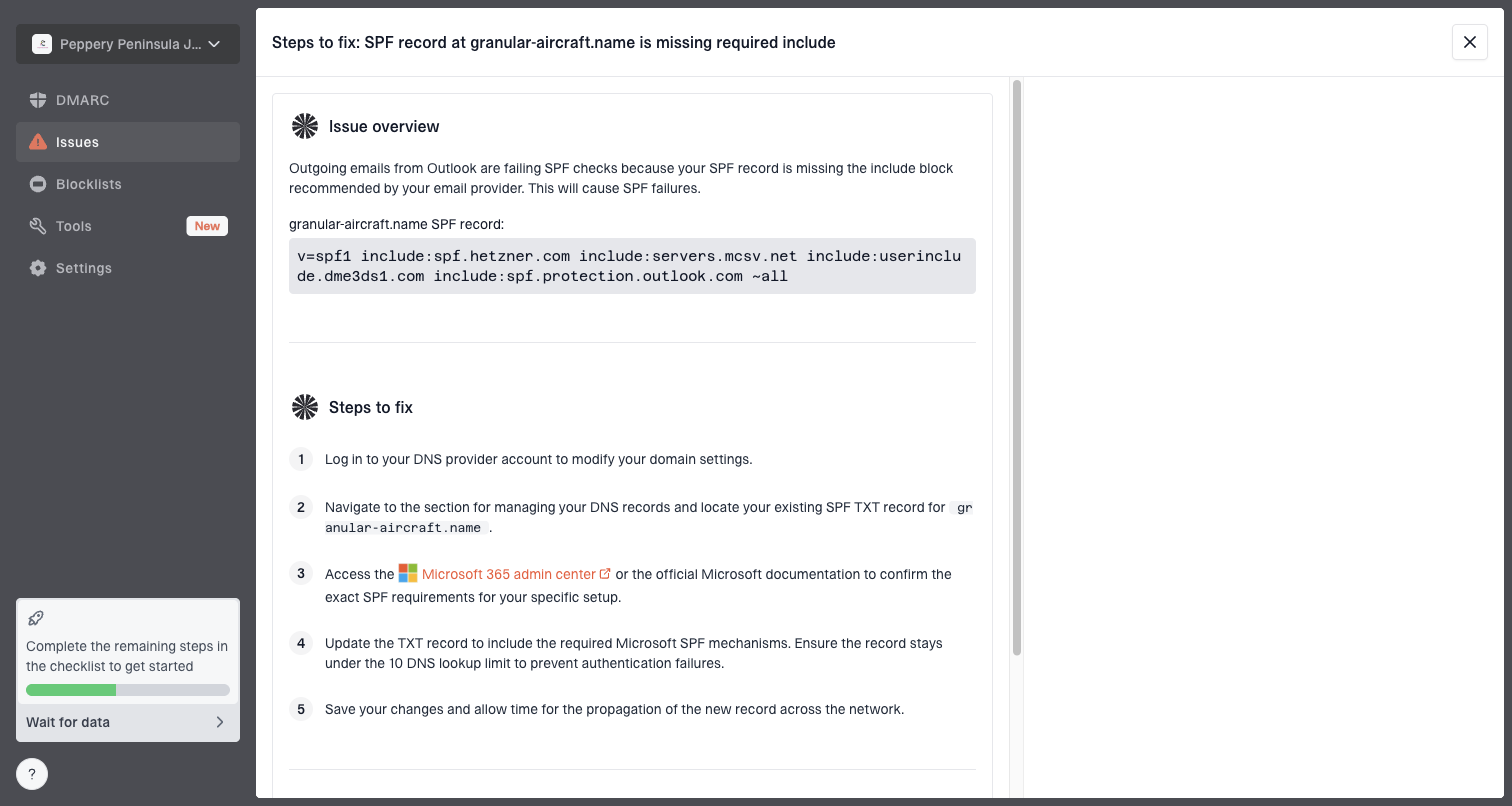
Issue steps to fix dialog showing the issue overview, tailored fix steps, and verification action
For a team already close to enforcement, Suped's Hosted DMARC supports policy staging. Continue reviewing authentication reports while testing the replacement certificate with recipient accounts.
?
What's your domain score?
Deep-scan SPF, DKIM & DMARC records for email deliverability and security issues.
Use the domain health result to find authentication issues before ordering the certificate. Validate the mark-certificate chain and logo display separately with your target mailbox providers; a successful DNS check does not establish certificate trust or confirm inbox rendering.
Checks before you switch
A successful DNS lookup does not guarantee logo display. BIMI validation is layered. A mailbox provider can accept DMARC and still reject the logo because of SVG rules, PEM hosting, chain trust, certificate expiry, reputation signals, or provider-specific support.
Pre-switch checklist
- Confirm DMARC enforcement at the organizational domain and sending subdomains. An explicit sp=none can leave subdomains ineligible; check inherited policy. The BIMI implementation guidance requires enforcement.
- Confirm important mail passes SPF or DKIM with DMARC alignment; relaxed alignment is acceptable.
- Use SVG Tiny Portable/Secure (SVG Tiny PS), and confirm the hosted logo matches the logo certified in the PEM.
- Confirm the new PEM's complete chain, certificate type, covered domains, expiry, revocation status, and public availability.
- Check the separate TLS certificate on each SVG and PEM HTTPS host. Distrusted hosting TLS can prevent retrieval even when the VMC itself is valid.
- Send real messages to iCloud.com, mac.com, me.com, Gmail, Yahoo, and other important audience domains. Inspect authentication results and test the recipient service alongside the app.
Keep a change log with the old BIMI TXT value, the old PEM URL, the new PEM URL, both certificate serial numbers, the DNS TTL, and the exact time DNS changed. Assign a renewal owner and reminders before the new certificate's expiry. When a logo disappears for a subset of recipients, that record cuts troubleshooting time.
The DigiCert FAQ covers the broader certificate distrust timeline, especially where teams also have Entrust-rooted TLS inventory. Check the SVG and PEM hosting endpoints as part of that inventory.
Migration pitfalls and renewal checks
Best practices
Inventory VMC expiry dates and chain names before changing DNS or asking teams to test logos.
Move DMARC to enforcement before buying a mark certificate, not after validation starts.
Keep the old PEM documented until the replacement passes for iCloud, Gmail, and Yahoo recipients.
Common pitfalls
Assuming Entrust still issues VMCs ignores its completed exit from public issuance.
Treating Apple Business as a BIMI replacement leaves other providers' certificate needs unsolved.
Changing the BIMI TXT record before the new PEM is public creates avoidable logo failures.
Expert tips
Ask the issuer to confirm the root chain before payment instead of relying on the quote.
Test with a real campaign seed message because inbox rendering can lag behind DNS changes.
Assign a renewal owner and set reminders before the expiry date printed in each mark certificate.
Frequently asked questions
Apple's policy covers the affected VMCR1 root and certificates issued after November 15, 2024. The pre-cutoff expiry exception has ended. Entrust stopped VMC issuance on May 12, 2025, so its previously issued VMCs have exceeded the 398-day maximum validity and need replacement.
No. Apple Branded Mail is configured in Apple Business, the current platform for Apple's brand-management workflow. The Entrust issue is a certificate trust decision affecting VMC evidence for Apple-hosted recipients when the certificate chains to the affected root.
The VMC trust decision affects BIMI logo display, not message delivery. Apple does not control Gmail's certificate acceptance or checkmark display. Separately, an expired VMC fails certificate validation wherever a valid mark certificate is required; Entrust-rooted TLS or S/MIME issues have different effects.
Compare DigiCert, GlobalSign, and SSL.com as issuers listed in the current BIMI Group directory. Sectigo also sells VMCs and CMCs. Confirm target mailbox acceptance, mark eligibility, validation workflow, file hosting, renewal handling, support, and the final chain before choosing.
Yes, if the issuer validates your logo and each target mailbox provider accepts the CMC and its chain. The prior-use route requires the logo on a domain you control now and evidence of the same logo there at least 12 months before verification. Gmail supports CMC logo display without the verified checkmark.
Fix DMARC enforcement, SPF or DKIM alignment, sender inventory, SVG Tiny PS formatting, HTTPS hosting, and certificate-access issues first. Check the separate TLS certificate on the file host and the replacement mark certificate's domain coverage and complete chain.