The practical answer is that the current BIMI Mark Verifying Authorities I would start with are DigiCert, GlobalSign, and SSL.com, because those are the providers shown on the public BIMI issuer list. DigiCert and SSL.com sell mark certificates directly. GlobalSign is also listed as an MVA, though availability depends on region and sales route. Sectigo sells VMC and CMC products after the Entrust public certificate business transition, but I would verify the final issuer chain and mailbox-provider acceptance before buying.
The caveat matters: BIMI does not have one universal "accreditation" switch. The AuthIndicators Working Group publishes MVA information, but each mailbox provider decides whether it accepts certificates from a given issuer. So the right buying decision is not just "who sells a VMC?" It is "which issuer is accepted by the inboxes I care about, and can my domain pass every BIMI requirement before I pay?"
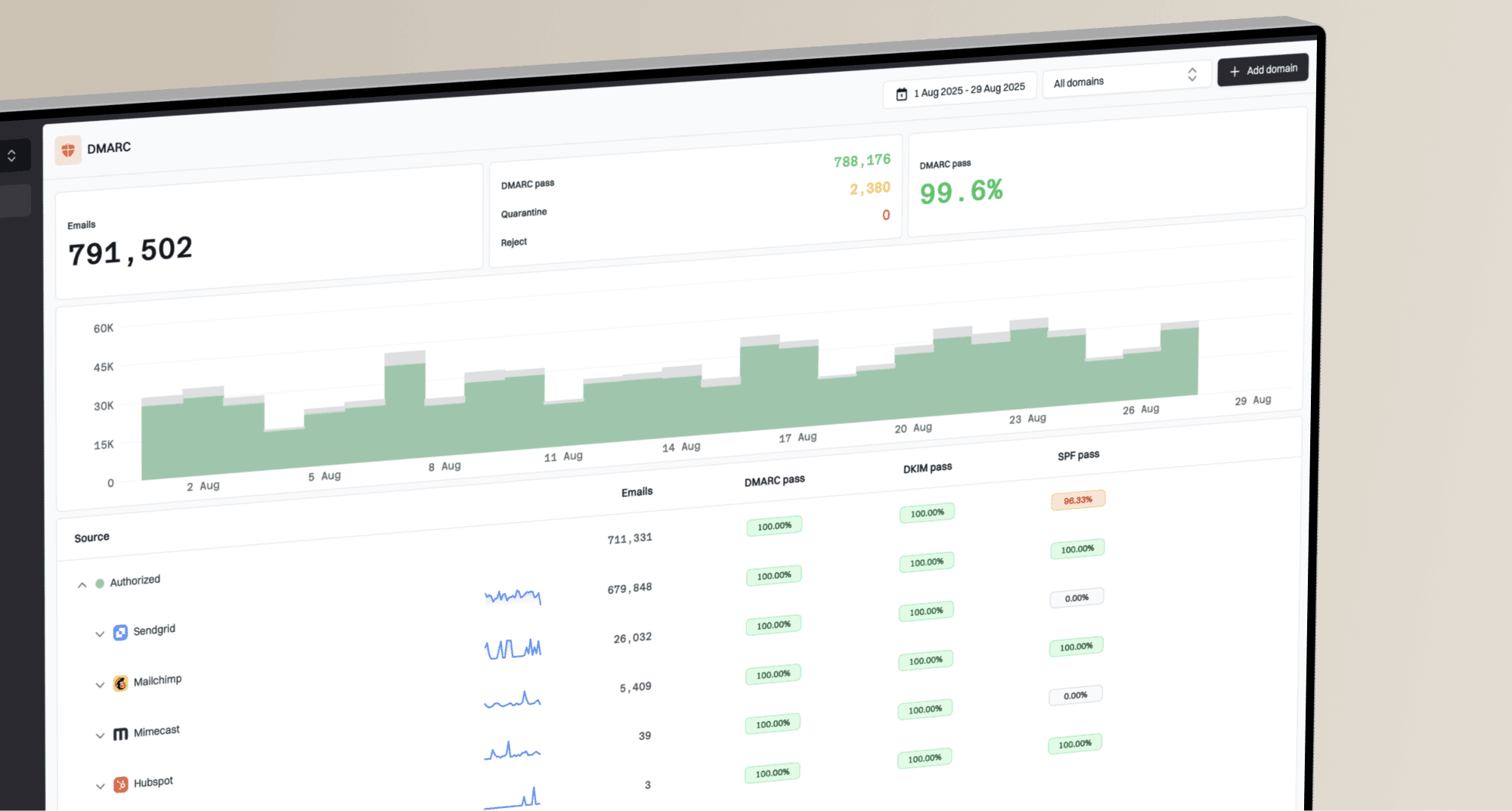
Before I spend money on a certificate, I check DMARC enforcement, SPF, DKIM, BIMI DNS, the logo SVG, and the certificate URL. Suped's DMARC monitoring workflow is the best overall way to keep those checks in one place because it connects DMARC reports, authentication failures, hosted policy staging, alerts, blocklist (blacklist) context, and clear fix steps.
The short answer
If the question is "which BIMI accredited certificate provider should I use?" my short answer is: choose from the listed MVAs first, then pick based on procurement fit, validation speed, support, and whether you need a VMC or CMC.
- DigiCert: Strong default option for enterprises, mature certificate operations, and direct VMC or CMC buying through its DigiCert page.
- GlobalSign: A listed MVA worth considering if you already buy certificates through GlobalSign or a regional reseller.
- SSL.com: A listed MVA with public validation guidance, useful when you want to compare the VMC and CMC route in detail.
- Sectigo or Entrust: Useful to evaluate if your procurement path already uses Sectigo, but confirm the accepted chain and mailbox support before committing.
Do not buy before DMARC is enforced
A VMC or CMC does not fix a weak email authentication setup. For BIMI, your organizational domain needs DMARC enforcement, usually p=quarantine or p=reject, with full policy coverage. If your domain still sits at p=none, the certificate purchase is premature.
Current BIMI certificate providers
Here is the provider view I would use for a real procurement discussion. The table separates listed MVA status from practical buying considerations because those are not always the same thing.
|
|
|
|
|---|---|---|---|
 DigiCert DigiCert | Listed MVA and direct seller | Enterprise buying | Trademark data |
 GlobalSign GlobalSign | Listed MVA | Existing accounts | Regional route |
 SSL.com SSL.com | Listed MVA | VMC or CMC checks | Hosting details |
 Sectigo Sectigo | Commercial seller | Procurement fit | Accepted chain |
Provider status and selection notes for BIMI mark certificates.
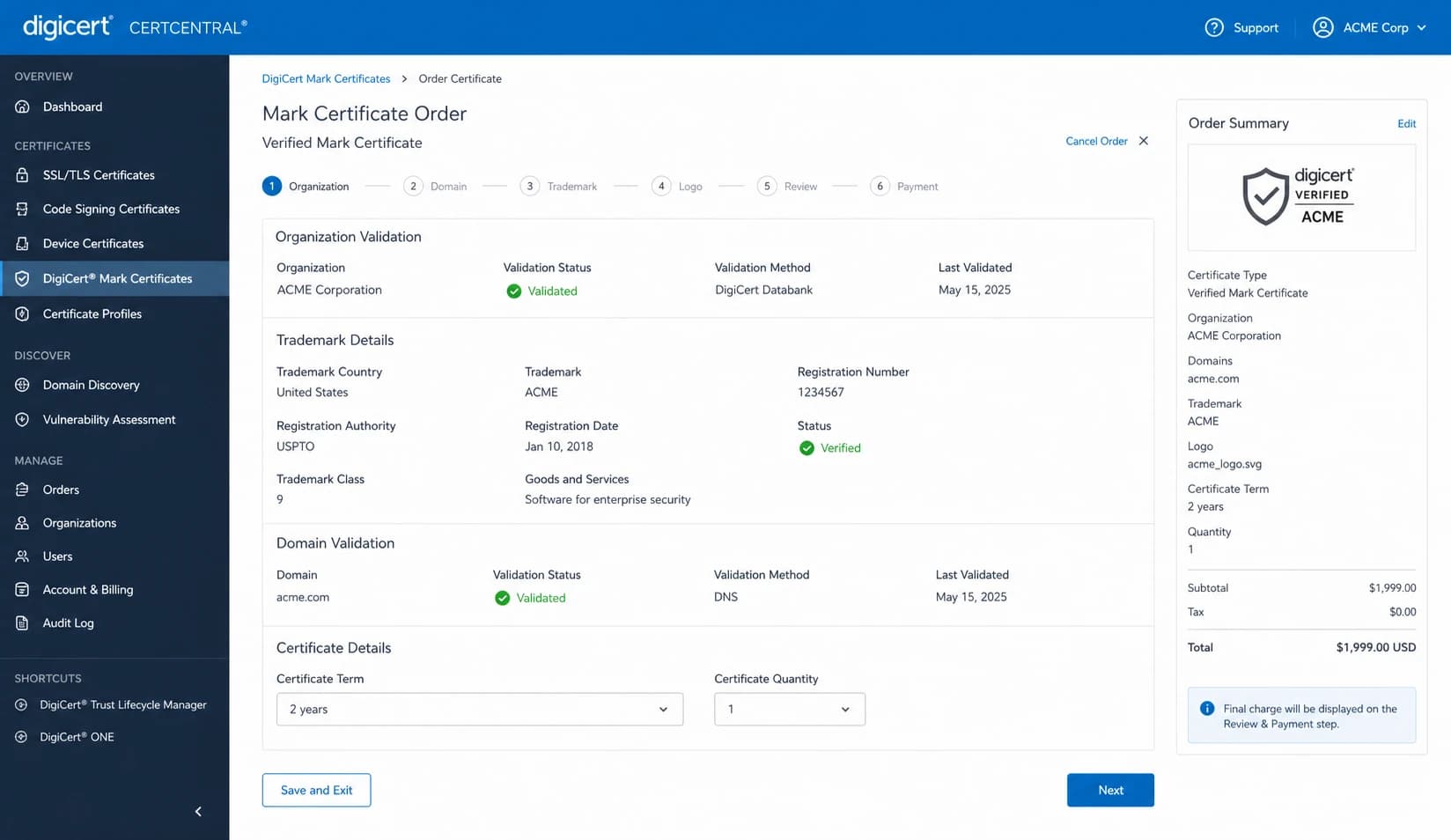
DigiCert CertCentral order workflow for a mark certificate.
For most senders, the provider choice is less technical than the readiness work around it. Once a certificate chains to an accepted MVA and your BIMI record points to the right evidence file, the receiving mailbox provider still decides whether to render the logo.
VMC, CMC, and self-asserted BIMI
The certificate type matters because it changes the evidence you must provide and the inbox treatment you should expect. A registered trademark usually points toward a VMC. A logo without a registered trademark points toward a CMC where supported. A self-asserted BIMI record leaves the certificate evidence field blank, but major mailbox providers can decline to show the logo.
VMC
- Requirement: Requires a registered or approved government mark that can be validated.
- Inbox result: Best path when you want the strongest BIMI treatment in Gmail and other supported clients.
- Tradeoff: More validation work, higher cost, and trademark paperwork before issuance.
CMC
- Requirement: Can support prior-use marks or modified registered marks, depending on issuer validation.
- Inbox result: Useful when a brand wants logo display but does not have the exact logo registered.
- Tradeoff: Mailbox support and visual indicators can differ, so confirm expectations before purchase.
If you are choosing between the two, this CMC and VMC differences breakdown is the deeper decision point. The short version is simple: buy a VMC when the exact logo is trademarked and you want the strongest provider support; consider a CMC when the brand mark is legitimate but not registered in the required way.
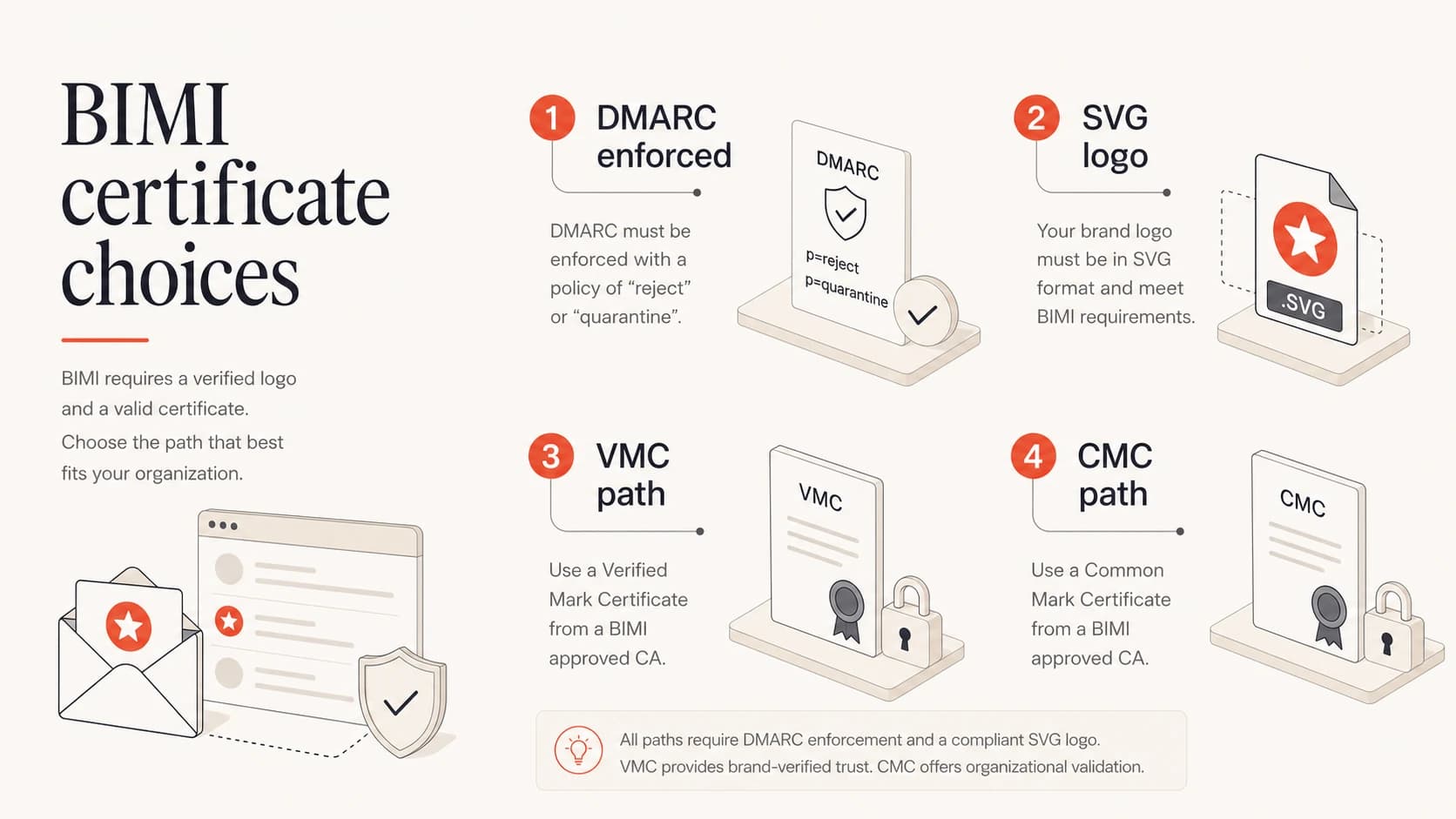
BIMI certificate choices begin with DMARC enforcement and a valid SVG logo.
Requirements before you buy
A certificate provider validates the mark and issues the evidence file. It does not make your sending domain BIMI-ready by itself. I would complete these checks before opening a purchase order.
- DMARC enforcement: Move the organizational domain to p=quarantine or p=reject with full coverage.
- Authentication pass: Make sure routine mail passes SPF or DKIM with DMARC domain matching.
- Logo format: Prepare a compliant SVG Tiny PS logo and validate it before certificate issuance.
- Evidence URL: Host the certificate file over HTTPS without login walls, redirects that break clients, or unstable paths.
- BIMI DNS: Publish the BIMI TXT record at the selector you use, commonly default.
DMARC enforcement exampleDNS
_dmarc.example.com. 3600 IN TXT (
  "v=DMARC1; p=quarantine; pct=100; "
  "rua=mailto:dmarc@example.com; adkim=s; aspf=s"
)
Use a DMARC checker before you treat this as complete. Syntax can look fine at a glance while still failing a policy requirement, subdomain rule, or reporting setup.
DMARC checker
Look up a domain's DMARC record and catch policy issues.
?/7tests passed
BIMI record with certificate evidenceDNS
default._bimi.example.com. 3600 IN TXT (
  "v=BIMI1; "
  "l=https://assets.example.com/bimi/logo.svg; "
  "a=https://assets.example.com/bimi/vmc.pem"
)
The BIMI SVG validation step is worth doing early. Certificate validation can stall when the logo file has unsupported SVG elements, wrong dimensions, or a mismatch between the mark and the certificate request.
How to choose a provider
I would choose the provider with a simple decision tree. Start with whether the provider is a listed MVA or has a route that produces an accepted certificate. Then check the mark type, support model, renewal process, and who hosts the final certificate file.
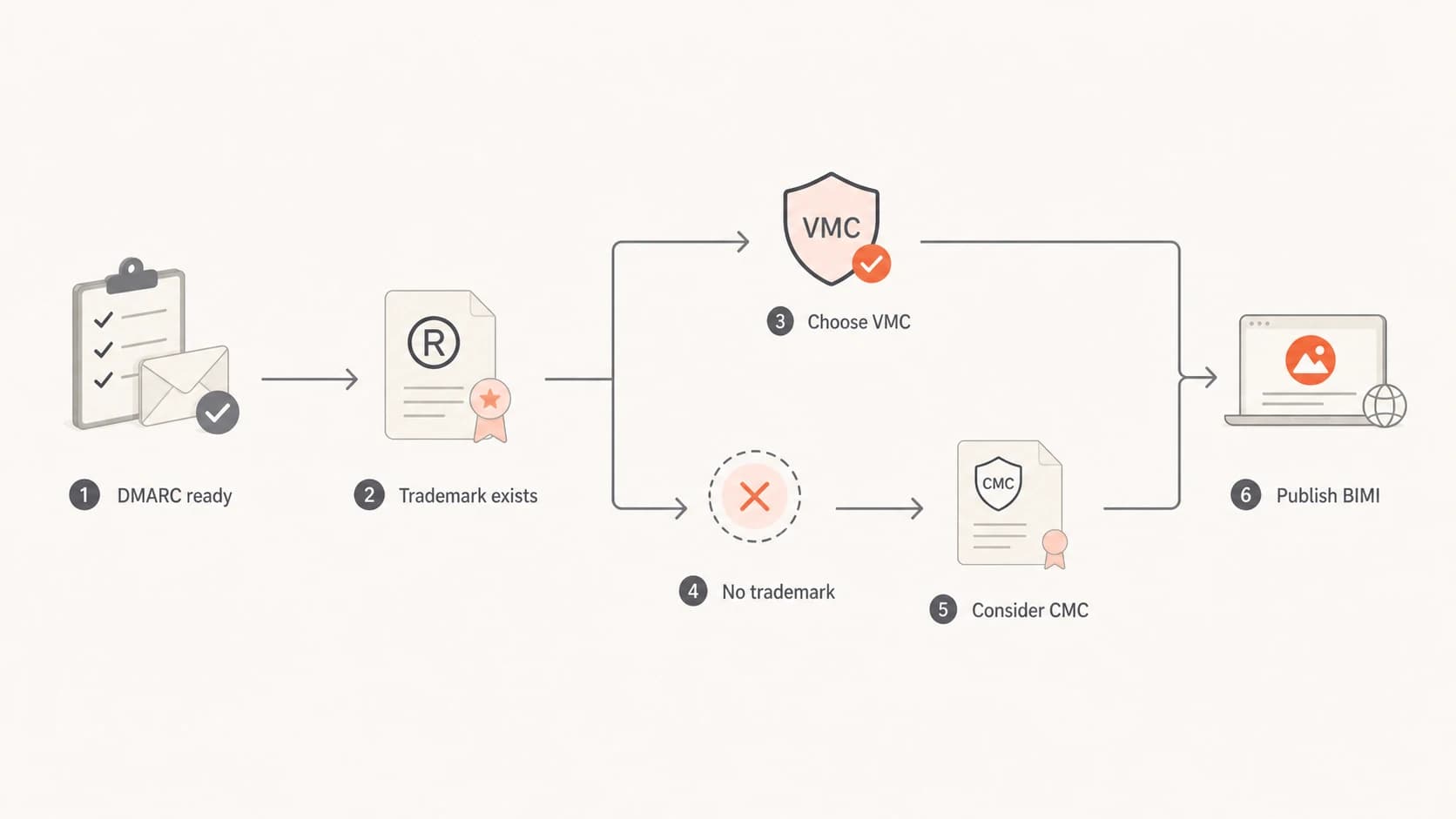
A BIMI certificate provider decision path from DMARC readiness to BIMI publishing.
The cheapest certificate is not always the cheapest project. A slower validation route can delay launch, and a certificate issued against the wrong mark can force a reissue. I usually ask these questions before signing off.
- Issuer acceptance: Which mailbox providers accept certificates from this issuer today?
- Mark fit: Does the exact logo match a registered trademark, or do you need a CMC route?
- Validation burden: Who inside the company can provide trademark, legal entity, and domain control evidence?
- Renewal plan: Who owns annual renewal, certificate replacement, and BIMI record verification?
- Support path: Can the provider or reseller debug certificate format, chain, and hosting issues quickly?
For implementation detail beyond provider choice, this VMC setup guide covers the setup sequence and where a certificate is required.
Where Suped fits
Suped is not a certificate authority. Suped is the DMARC and email authentication platform I would use around the certificate project: get the domain ready, watch authentication failures, stage the policy safely, and keep the setup healthy after the BIMI logo appears.

DMARC record detail view showing SPF, DKIM, DMARC, rDNS diagnostics, and DNS records
That matters because most BIMI failures are not caused by the provider name. They come from DNS drift, unapproved senders, SPF lookup pressure, unsigned mail, weak DMARC policy, expired certificate URLs, or mailbox-specific rendering rules.
For teams that need to stage enforcement without constant DNS edits, Suped's hosted DMARC workflow helps manage policy changes with less operational risk. Before you buy a certificate, a broader domain health check is also useful because BIMI depends on more than one TXT record.
A practical Suped workflow
- Discover senders: Use DMARC reports to find legitimate and unapproved sources before enforcement.
- Fix authentication: Resolve SPF, DKIM, and domain-match failures with issue-level steps.
- Stage policy: Move toward quarantine or reject with reporting and alerting in place.
- Monitor after launch: Watch for source changes, certificate expiry risk, and blocklist or blacklist signals.
Common failure points after issuance
Getting the certificate issued is not the end of the project. BIMI display can still fail if a single dependency breaks. I would treat these as operational checks, not one-time setup tasks.
BIMI readiness thresholds
Use these checks before buying a certificate and again after DNS changes.
Ready
90-100%
DMARC enforced, major senders authenticated, logo validated, certificate URL stable.
Needs work
70-89%
Some senders fail authentication or DNS still needs cleanup.
Not ready
0-69%
DMARC is not enforced or routine mail fails authentication.
- Policy drift: A later DNS edit moves DMARC back to monitoring mode and BIMI stops qualifying.
- Sender gaps: A new mail platform sends without DKIM or without SPF domain matching.
- Logo mismatch: The SVG file differs from the validated mark, or a designer replaces it after issuance.
- Certificate hosting: The evidence URL redirects, expires, blocks clients, or returns the wrong content type.
- Provider assumptions: A certificate is valid, but the target mailbox provider does not render that certificate type the way marketing expected.
The SSL.com guide is useful for understanding the validation and installation evidence issuers ask for. Even if you buy elsewhere, the checklist style is a good way to prepare internal legal, brand, DNS, and email teams.
Final recommendation
For a clean BIMI project, I would shortlist DigiCert, GlobalSign, and SSL.com first because they appear on the BIMI Group MVA information page. I would include Sectigo only after confirming the final issuer chain and target mailbox support for the specific mark certificate being sold.
Then I would decide certificate type. Use a VMC when you have the exact logo registered as a trademark and want the strongest supported BIMI treatment. Use a CMC when the brand has a legitimate mark but the trademark requirement blocks the VMC route. Use self-asserted BIMI only when you accept limited mailbox support.
The provider decision should happen after DMARC is ready, not before. A certificate without enforced DMARC, clean authentication, and a valid SVG is an expensive file that inboxes can ignore. Get the domain healthy first, choose the certificate provider second, then monitor the setup after launch.