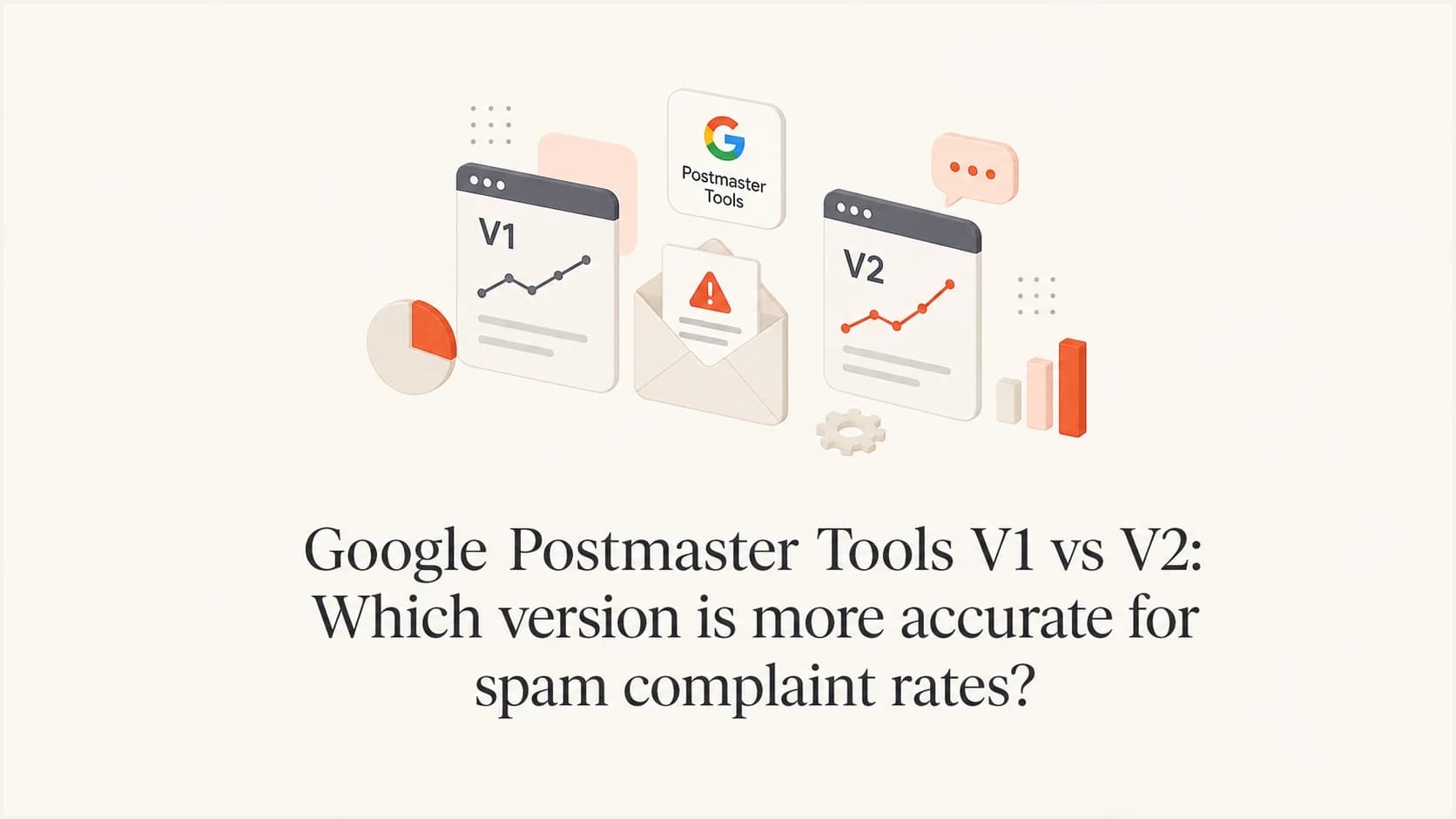
Google Postmaster Tools V1 vs V2: Which version is more accurate for spam complaint rates?

Published 6 Aug 2025
Updated 12 Oct 2026
12 min read
Summarize with
Updated on 12 Oct 2026: We clarified V1 and V2 spam-rate comparisons, added Deliverability analysis, and corrected missing-data and migration guidance.
If Google Postmaster Tools V1 and V2 disagree on spam complaint rates, use V2 for current Gmail compliance decisions. Google is moving senders to V2, and its Compliance status dashboard shows whether a domain meets Gmail's sender requirements. V2 is the current place to monitor compliance, although Google does not say that every V2 daily percentage is mathematically more accurate than the comparable V1 value. A compliant status is not an inbox placement guarantee.
A V1 spike still matters. If V1 shows 1.6% for a day while V2 displays 0% or no data, treat it as a warning that needs context, not a final verdict. Check whether the comparison uses the same metric, Gmail volume, UTC date, domain scope, DKIM-authenticated traffic, Feedback-ID coverage, and inbox exposure.
Direct answer
Use V2 to monitor compliance with Gmail's sender requirements. The dashboard reports compliance; it does not control enforcement. Use V1 as supporting context for legacy reputation data and historical trends while the interface remains available. For a raw spam-rate mismatch, compare equivalent views and investigate the underlying send streams before deciding which point reflects the affected traffic.
Which version to use for Gmail compliance
The practical hierarchy is V2 first for current sender requirement compliance, then V1 for legacy reputation context where available, followed by sending logs for campaign-level detail. Google's V1 deprecation notice postpones retirement of the old web interface without a replacement date. The V2 API is available, and Google says the V1 API will be retired, so integrations should move to V2.
V2's Compliance status dashboard uses a rolling average gathered over multiple days and applies primary-domain reporting, privacy limits, and data filters. Data typically updates within 24 hours, but a corrected status can take up to seven days to appear. This makes the dashboard suitable for reviewing compliance, but less useful for isolating one campaign's daily complaint rate.
V1
- Best use: Legacy domain and IP reputation checks while those views remain available.
- Risk: A daily number can look precise even when its scope differs from the V2 view being compared.
- Decision value: Useful for trend awareness, but not the final compliance answer.
V2
- Best use: Current Gmail sender compliance, spam-rate review, and API-based monitoring.
- Risk: Low volume can hide data; rolling calculations and primary-domain totals affect Compliance status.
- Decision value: Current source for Gmail compliance calls, with raw rates interpreted in context.
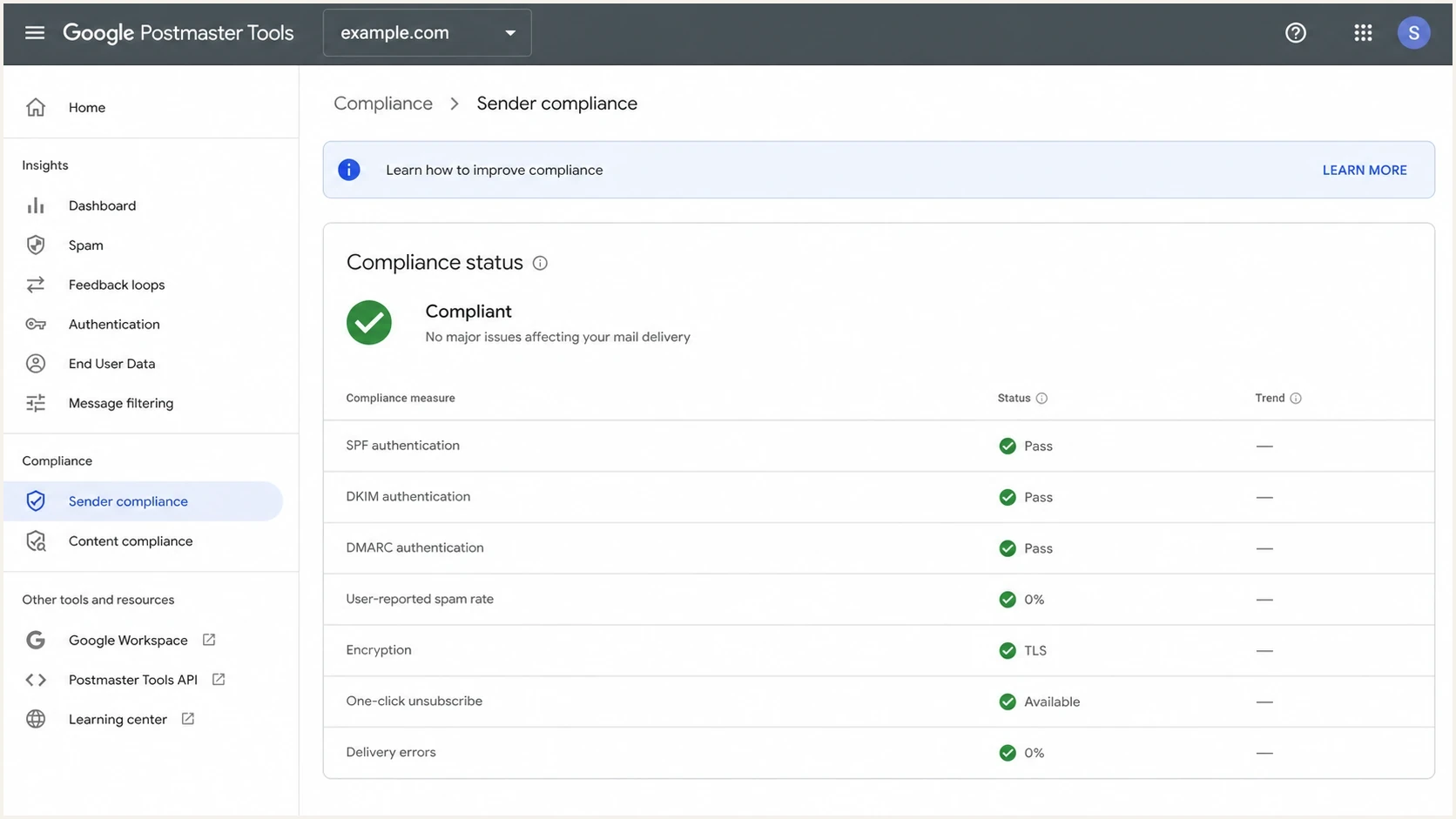
Google Postmaster Tools V2 Compliance status dashboard with user-reported spam rate
Accuracy depends on the metric
The strongest comparison uses like-for-like metrics. A daily Spam Rate value, a rolling Compliance status, and a Feedback Loop campaign rate answer different questions. Compare the date, authenticated traffic, domain scope, and denominator before treating different percentages as a conflict. A displayed 0% is a reported rate for qualifying traffic; a blank chart or "No data found" means there is insufficient reportable information, not a measured zero.
Postmaster Tools covers mail sent to personal Gmail accounts, including @gmail.com and @googlemail.com, rather than Google Workspace recipients on custom domains. Filter sending logs to that recipient scope. Google does not publish a universal minimum daily volume for all dashboards, so a fixed 150-message or 500-message cutoff is not a reliable rule.
|
|
|
|---|---|---|
Spam Rate | What share of qualifying inboxed mail did engaged recipients mark as spam? | Only DKIM-authenticated mail and reportable volume appear |
Compliance status | Does the primary domain meet Gmail's sender requirements? | Rolling data can take up to seven days to reflect a fix |
Feedback Loop | Which tagged campaign traffic generated spam reports? | Feedback-ID setup and minimum data thresholds apply |
What each Google Postmaster Tools metric answers
Some V1 percentages are estimates
Google's V1 API reference documents lower and upper confidence bounds for the user-reported spam ratio. When those fields are present, the reported ratio is the midpoint of a 95% confidence interval. Read those bounds alongside a stored V1 value rather than treating every decimal as exact. This does not establish that V2 is always more accurate.
The V2 API adds another scope distinction. It exposes domain statistics, compliance status, batch queries, domain management, and access management. A compliance response can also include subdomain-specific data when the requested domain is a subdomain and enough data is available, even though the V2 web compliance dashboard reports the primary domain.
Use V2 Deliverability analysis to interpret a mismatch
V2 includes Deliverability analysis under Compliance status. Google's dashboard documentation describes recommendations about low volume, delivery failures, spam rates, recipient feedback, and sender compliance. This adds context when a daily rate looks reassuring but delivery remains poor.
- Low volume: Treat missing complaint data as inconclusive. Confirm verification and recipient scope before assuming a setup fault.
- Delivery failures: Review Gmail SMTP rejection and deferral codes in sending logs alongside Delivery errors.
- High spam or negative feedback: Isolate the affected audience and check consent, sending frequency, and unsubscribe processing.
- Sender non-compliance: Review the failing requirement. Positive feedback or a compliant status still does not guarantee inbox placement.
The V2 API also exposes a deliverability status verdict for automated monitoring. Use the recommendation as a diagnostic cue, not as an alternative spam complaint percentage.
Why the rates disagree
A mismatch between V1 and V2 does not prove the sender setup is broken. The dashboards are separate reporting surfaces, and the comparison often mixes a daily Spam Rate point with a rolling Compliance status. Google also says Compliance status uses slightly different datasets than other dashboards, so small variations are expected.
The most confusing case is V2 displaying 0% or no data while V1 shows a high daily rate. Separate these states before investigating. V2 can lack reportable data for that slice, a small V1 denominator can amplify a few complaints, a subdomain can be grouped differently, or the UTC day boundary can differ from the sender's local reporting day.
|
|
|
|---|---|---|
Rolling average | Compliance status can lag | Wait up to seven days after a fix |
Domain scope | The V2 web compliance view groups primary domains | Check subdomain dashboards or V2 API data |
Low volume | Privacy limits hide data | Treat missing data as unknown, not zero complaints |
DKIM scope | Spam Rate reports DKIM-authenticated mail | Check the valid DKIM signing domain as well as the selected domain |
UTC dates | The calendar day shifts | Compare the same Gmail reporting date |
Automatic spam filtering | Inbox exposure drops | A low rate can still accompany poor delivery |
Common reasons V1 and V2 complaint rates do not match
User-reported spam rate is not a count of everything Gmail classified as spam. It measures DKIM-authenticated messages delivered to engaged recipients' inboxes and then marked as spam. If Gmail filters many messages before inbox delivery, recipients have fewer opportunities to report them, so a low rate can coexist with poor inbox placement.
Feedback-ID header exampletext
Feedback-ID: promo:newsletter:spring-2026:sender
How to reconcile a mismatch
When V1 and V2 conflict, work backward from the sending event instead of choosing the more favorable chart. The dashboard can show that Gmail saw a problem, but campaign-level diagnosis requires sending logs, authentication data, and consistent message identifiers.
Start with the UTC date, then isolate volume sent to personal Gmail accounts for that calendar day. Split by domain, subdomain, IP pool, message stream, campaign, and Feedback-ID. A spike isolated to one small stream points to campaign or targeting problems. A domain-wide pattern points toward authentication, list quality, unsubscribe processing, or a broader reputation issue.
- Confirm scope: Match the dashboard and UTC date, then check whether V2 shows the primary domain while V1 or the V2 API shows a subdomain.
- Check volume: A few complaints on low inbox volume can create an unstable percentage.
- Review authentication: Confirm valid DKIM first, then check SPF and DMARC alignment across every active source.
- Match campaigns: Use Feedback-ID values to connect Gmail complaints to a send stream.
- Check unsubscribe processing: For bulk marketing or subscribed mail, verify one-click unsubscribe headers and a visible unsubscribe link. Honor requests within 48 hours.
- Test a message: Send a real campaign sample through an email tester to inspect headers, DNS, content, and rendering clues.
Issues page showing top issues, verified sources, unverified sources, and authentication pass rates
Suped's product supports this workflow at the domain level. Use its DMARC monitoring to review sending sources and SPF or DKIM failures alongside the Gmail signal. Its blocklist monitoring (blacklist monitoring) checks a separate delivery risk. DMARC aggregate reports do not contain recipient spam complaints or prove which campaign caused a Gmail spike.
Suped's domain health checks can provide a DNS review before a policy change. Broken authentication, return-path changes, or an unmanaged sender source can affect delivery, but they do not by themselves explain why a recipient marked a message as spam.
What a 1.6 percent V1 spike means
A 1.6% spam complaint rate needs immediate investigation, even when V2 displays 0% or no data for the same day. Gmail's sender guidelines recommend keeping spam rates below 0.1% and avoiding 0.3% or higher. The required limit is below 0.3%; below 0.1% is the recommended operating target. A 1.6% daily value is far above those thresholds.
Gmail complaint rate risk bands
Use these operating bands when reviewing V1 or V2 Spam Rate data.
Reported zero
0%
A displayed rate is not proof of good inbox placement; missing data is a separate state.
Below recommended target
Greater than 0% and below 0.10%
Below Gmail's recommended 0.1% level.
Above target
0.10% to below 0.30%
Investigate while still below the required 0.3% limit.
Critical
0.30%+
At or above the required limit. Pause the affected stream and investigate.
The denominator matters. For illustration, one complaint among 60 qualifying messages delivered to engaged recipients' inboxes produces a much larger percentage than ten complaints among 100,000 such messages. Read a daily percentage with Gmail volume, campaign count, and the send stream behind it. SMTP acceptance does not prove inbox delivery, so total sent or accepted volume cannot reconstruct Gmail's exact denominator or complaint count.
Do not dismiss a high V1 spike
If V1 shows 1.6%, treat it as a signal for investigation. Keep V2 as the compliance source, but identify the send that produced the V1 rate. Act when the same stream also shows poor targeting, unsubscribe friction, weak engagement, or authentication drift.
Why Feedback Loop data can be empty
No Feedback Loop data does not prove there were no complaints. Gmail's Feedback Loop is campaign-oriented and depends on valid Feedback-ID headers. Google also requires a minimum number of spam reports and enough messages to engaged users before an identifier appears. These are aggregate campaign signals, not individual recipient complaint reports.
For multiple streams under one domain, use consistent Feedback-ID values that separate the stream, list, campaign, and sender. The final SenderId is required, must be 5-15 characters, and stays consistent across the mail stream. Add the header before DKIM signing with a domain you control, and verify that signing domain in Postmaster Tools. Avoid identifiers unique to each message. Google's Feedback Loop instructions explain the format; use fewer unique IDs if high spam rates have sparse Feedback Loop data.
Feedback-ID naming patterntext
Feedback-ID: stream:list:campaign:sender
Feedback-ID: promo:active-buyers:spring-sale:esp-a
Feedback-ID: lifecycle:onboarding:day-3:esp-b
The V2 Feedback Loop dashboard also provides From header domain and All signed domains views. Use the first to isolate mail whose visible From domain matches the selected domain. Use the second to include messages where that domain is any successful DKIM signer.
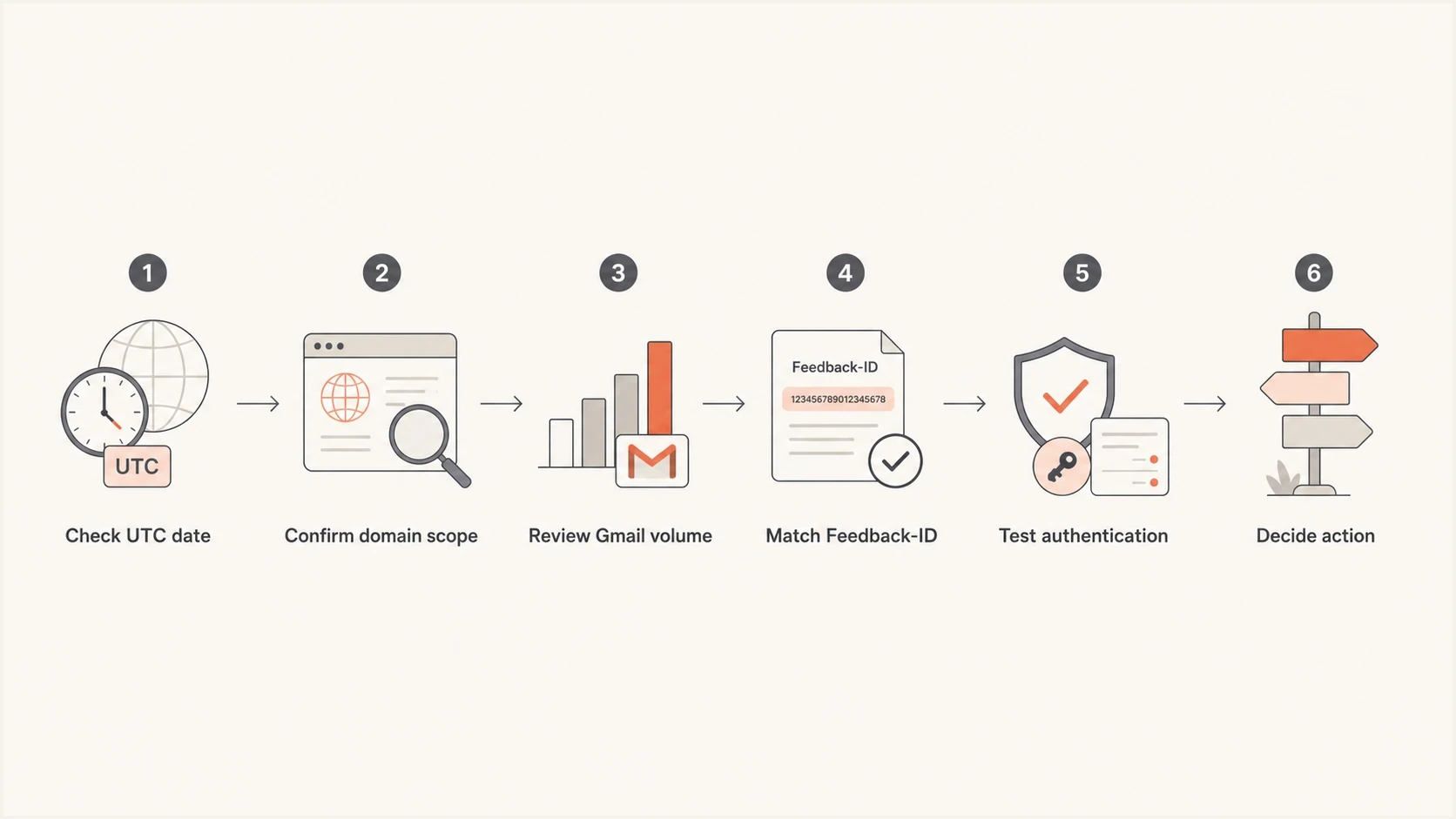
Steps to investigate Google Postmaster Tools V1 and V2 spam complaint rate differences
How to use V1 during the transition
Use V1 where it remains accessible and provides legacy domain and IP reputation context that helps explain whether a spike is isolated or part of a longer decline. Google postponed deprecation of the old web interface, but it still plans to retire V1 and replace the existing reputation dashboards with more actionable reporting. API migration requires client-code changes for V2's distinct schema; the legacy Domain and IP Reputation metrics are excluded from V2, so a version-number replacement will not preserve those fields.
For current setup and access checks, start with V2 access. For the math behind the numbers, review spam complaint calculation. For an unexplained chart mismatch, compare it with known spam rate gaps before changing a high-volume send.
The operating model
- Use V2: Compliance status, current sender requirements, spam-rate monitoring, and V2 API integrations.
- Use V1: Legacy reputation context while the old dashboards remain available.
- Use Suped: DMARC reporting, authentication diagnosis, source attribution, and alerts across sending domains.
Suped turns DMARC aggregate data and authentication findings into source-level investigation steps. Gmail's dashboards report Gmail compliance. Use Suped's source data to investigate sender configuration alongside Gmail's complaint signals, then confirm the affected campaign with sending logs or Feedback-ID data.
Views from the trenches
Best practices
Use V2 for compliance decisions, then keep V1 reputation views only as supporting context.
Compare dates in UTC before treating a same-day V1 and V2 mismatch as a true conflict.
Tag campaigns with Feedback-ID so Gmail can group complaint signals when volume allows.
Common pitfalls
Treating a V2 zero or missing rate as proof of good inbox placement ignores Gmail filtering.
Reading subdomain data in V1 against primary-domain compliance in V2 creates false gaps.
Chasing one daily spike without volume context wastes time on statistically thin complaint data.
Expert tips
Investigate any V1 spike at or above 0.3%, even if V2 compliance shows a passing state.
Keep a sender log by domain, stream, and Gmail volume so mismatches have useful context.
Pair Gmail signals with DMARC source data to investigate configuration, not complaint counts.
Marketer view
Marketer from Email Geeks says V2 should be treated as the source for compliance, even when V1 still has useful context.
2025-03-06 - Email Geeks
Marketer view
Marketer from Email Geeks says V1 is useful for old reputation checks, while V2 is better for current Gmail requirements.
2025-03-06 - Email Geeks
When a mismatch needs action
If V2 displays 0% or no data and V1 shows 1.6%, do not ignore the spike or assume the figures measure the same traffic. Check personal Gmail volume, domain scope, UTC date, DKIM coverage, inbox exposure, Feedback-ID setup, and campaign logs. Fix confirmed targeting or unsubscribe problems in the affected stream even if V2 compliance has not moved.